What's New
We are delighted to release our new version of Signals, 25.9. This release brings enhancements in Synergy, ChemDraw, Inventory and calculations in Tables, amongst others. We have new beta capabilities for the publish of Samples from Tables and for a Configuration Report, and have extended beta capabilities around Contextual Lists and Hierarchical tables. The beta capabilities around In Vitro Analysis, Data Factory and Supplier Lists are now available to all systems. Finally, we have also fixed a number of small bugs.
The following improvements are available for users, administrators and developers on the Signals platform. Certain features may only be available with appropriate licensing and/or with enablement by an administrator.
-
Fundamentals
–Experiment description in the Grid view
–SDF export for Samples Grid view - Data Workflows & Analytics*
–In Vitro Analysis is now available to all systems
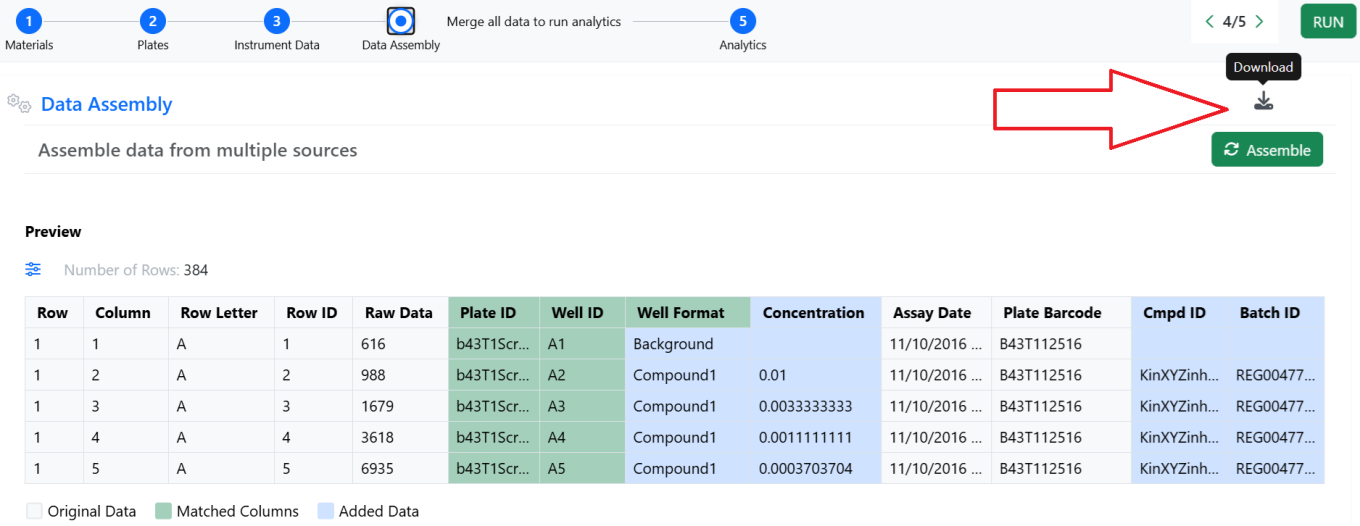
–Preview of the assembled data In Vitro Analysis is now available to all systems
–Calculations can be applied when analyzing two instrument readouts In Vitro Analysis is now available to all systems
–Re-execution of Analytics steps In Vitro Analysis is now available to all systems
–Improved error handling In Vitro Analysis is now available to all systems
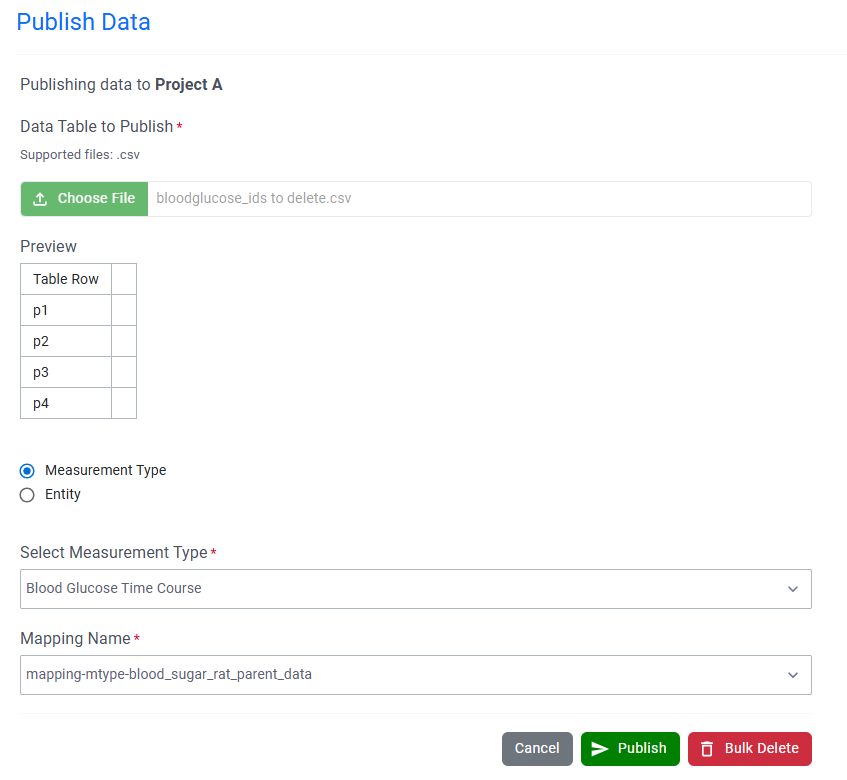
–Data Factory 2.0 Publishing In Vitro Analysis is now available to all systems
–Exclusion of Plates or individual Wells In Vitro Analysis is now available to all systems
–Analytics annotations In Vitro Analysis is now available to all systems
–Audit log and history In Vitro Analysis
–Publishing enhancement, including Units publishing In Vitro Analysis
–Multiple visualization options in normalization QA mode In Vitro Analysis
-
SAR & Decisioning*
–Mapping useability enhancements in Publish Results to Data Factory app is now available to all systems
–Downloadable report for successful publications is now available to all systems
–Automapping improvements in Publish Results to Data Factory app is now available to all systems
–Data Factory projects now support Custom Entity data and Material Sync is now available to all systems
–System generated IDs can be used when publishing data to Data Factory is now available to all systems
–Changes to Data Factory’s information design now propagate to published data (excludes legacy projects) is now available to all systems -
Synergy†
–Create Work Order from selected Designs in Designs Smart Folder Data Grid view
–Send internal Experiment content to Work Order for CRO
–Hidden from CRO properties on Work Orders
–Custom Work Types
–Work Order or CRO can be included in auto-naming Sequence Attributes for Synergy Experiments naming -
Chemistry
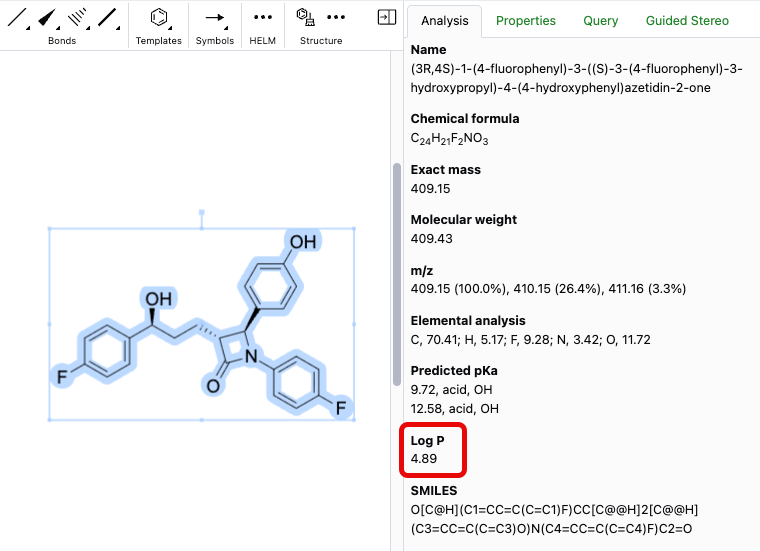
–Name to Structure capability expanded to use ChemACX
–Periodic table tool now available in ChemDraw editor
–Creation of atom lists are now possible in ChemDraw using the periodic table tool
–Chemical objects can now be copied as 'MOLV3000 (Expanded)'
–Monomers are now searchable and replaceable when editing biopolymers
–'Copy As HELM (natural analog)' replaced by 'Copy as FASTA' - Admin Defined Tables, Variation Tables and Hierarchical Tables
–GETVALUE function to convert a Variable Measure to a Number
–Allow a function to operate on the same column if within ROWOFFSET
–Calculate the Product or conditional Product of all or some of the values in a column
–Internal Reference column limited to Materials in a Material table in the same containing entity setting available to Admin Defined Tables
–Publish Samples (beta)
–Total row limit for Hierarchical Tables (beta)*
–Header display settings for Hierarchical tables (beta)*
–Define Internal or External Data Sources in Hierarchical Tables (beta)*
–Add Inventory Columns to Hierarchical Tables (beta)*
–Internal Reference column limited to Materials in a Material table in the same containing entity setting available to Hierarchical tables (beta)*
-
Worksheets
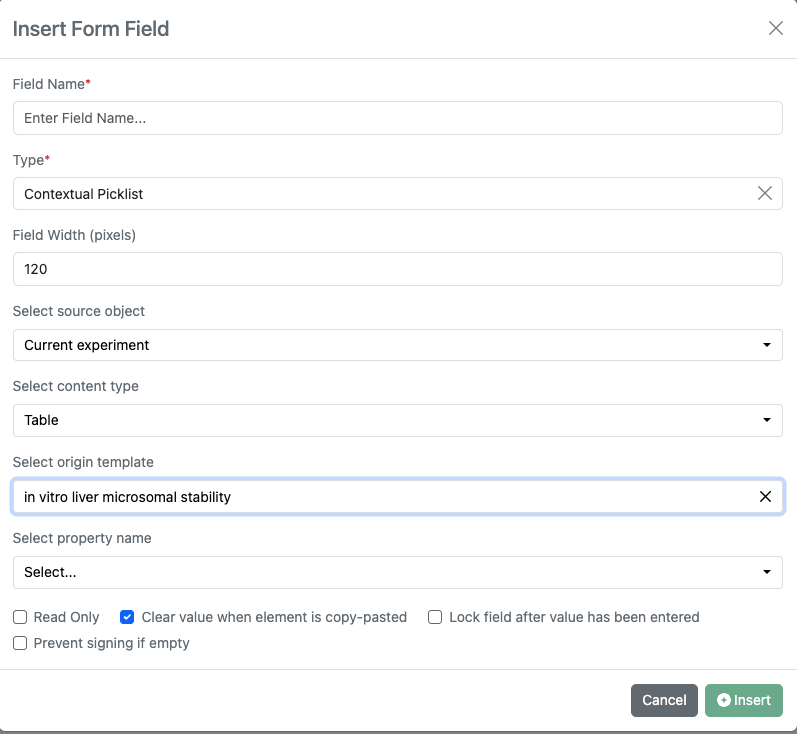
–Contextual List property (beta)* - Inventory
–Map Sample Properties to Container Labels
–New labels
–Bulk Print Barcodes from Container Search Table
–PubChem Update to allow manual selection when CAS has multiple entries
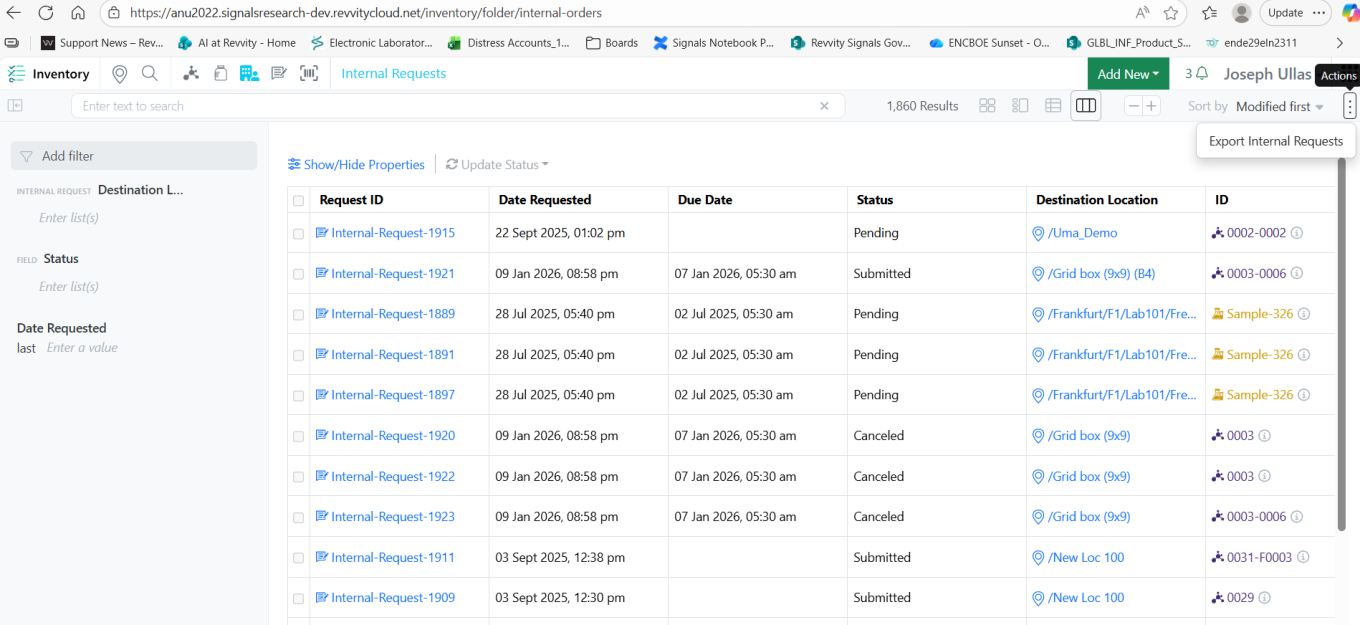
–Export Material Orders
–Update to Uniqueness Rule for Reagent Material Libraries
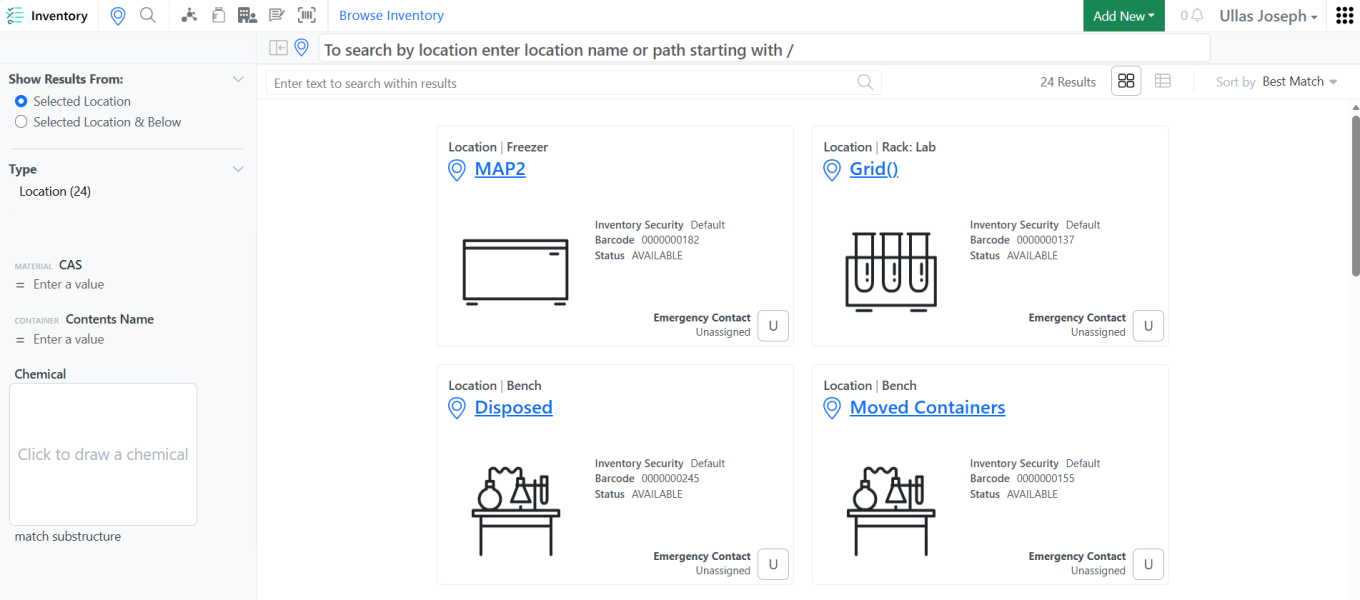
–Container Status Filter in Location Details View
–Cancel bulk actions
–Bulk Import Containers available for all users
–System Supplier List available for all users
–System Supplier List available in new container creation workflow available for all users
–System Supplier List available in new Material Library available for all users
–System Supplier List available in Chemistry Settings Configuration available for all users
–Updates to System Supplier list
-
Administration
–Rearchitected SDF Projects, improved performance with row-level updates, and new methods for project creation and data publication is now available to all systems*
–Configuration Transfer of Contextual Lists (beta)*
–Configuration Report (beta) - Integrations & APIs
–API support for SMILES on Salts
–APIs for Bulk Sample Update in Sample Tables
–Users included in Sign and Add reviewers External Action
–PATCH Contextual List properties
–External Notifications for Synergy Designs
–New CRO specific APIs for interacting with ADTs, Worksheets, and Stoichiometry
* Requires Signals One license
† Requires Signals Synergy license
We also fixed several small bugs in this release. Details of the enhancements are described below.
Administrators should be aware that the Normalized Compound Salt Stripping tool will change to better handle fractional coefficients by altering how multi-fragment salts are interpreted from the Salt List. This change will occur in a future release and only apply to registrations subsequent to the change, existing compounds will remain with the prior understanding until edited.
Developers should note that this release addresses an issue with the GET /entities/{eid}/export endpoint, where the response returned an incorrect Content-Type header for Text entities. The header was set to text/plain, while the actual content is text/html. This only applies to text elements created through text file upload.
Data Factory administrators should be aware of several important updates. The latest version of Data Factory has officially exited beta, and all older versions of Data Factory projects and apps are now designated as “Legacy.” As part of this transition, it is no longer possible to create new legacy Data Factory projects through the user interface. We strongly encourage administrators to begin adopting the latest Data Factory features, as legacy projects will be fully deprecated in a future release. A simple migration path will be provided in a future release to support this transition.
Data Factory administrators should also note that the Advanced Security policies in Inventa apply an “AND” logic across all user groups, restricting access if any groups lack permissions. This behavior differs from the standard Signals security model and will be fixed to align with the standard in a future release.
Administrators are recommended to subscribe to the channels within our support news site found at https://support.revvitysignals.com/hc/en-us/categories/360004446171-Support-News which contains more information about releases and other pertinent product information.
This content is anticipated for release on our Production E3 environments, and for Private Cloud customers on our deferred release schedule, in March 2026.
Further Details
The following improvements are available for users, administrators and developers on the Signals platform. Certain features may only be available with appropriate licensing and/or with enablement by an administrator.
Fundamentals
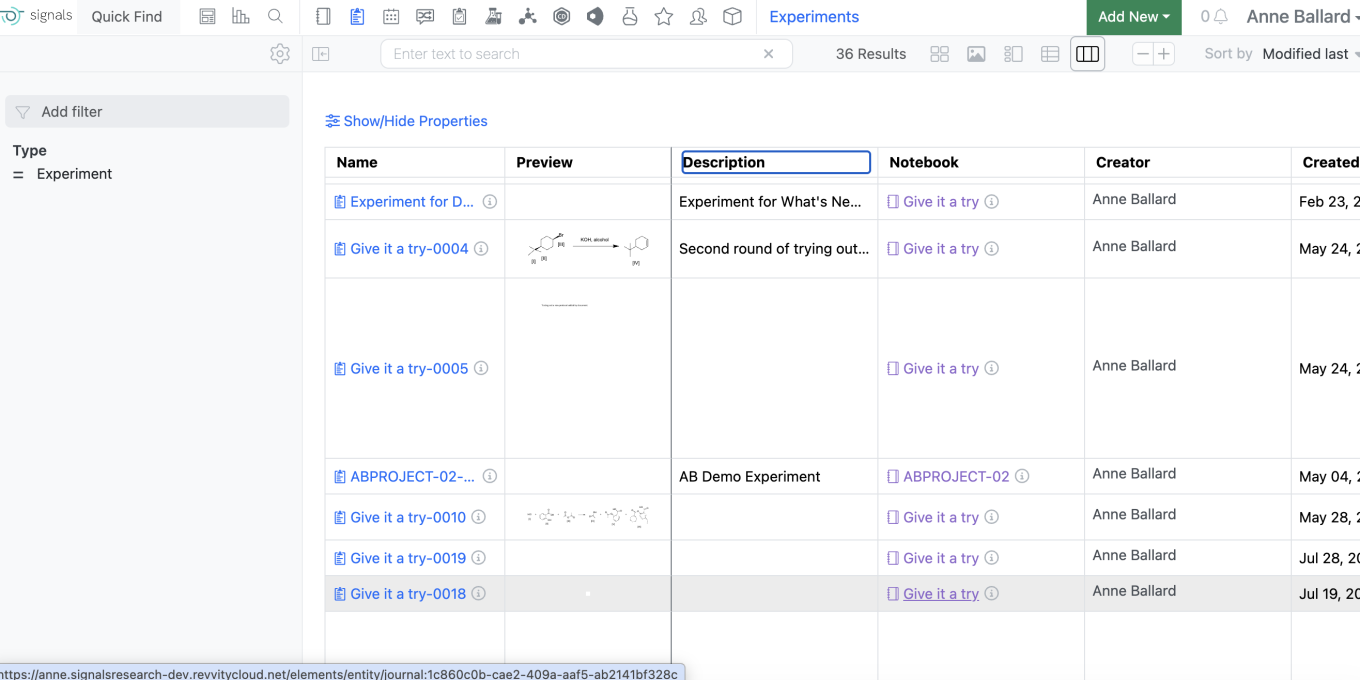
Users will now be able to view the Experiment description, which currently appears on the card view, in the Grid view of the Experiments Smartfolder.
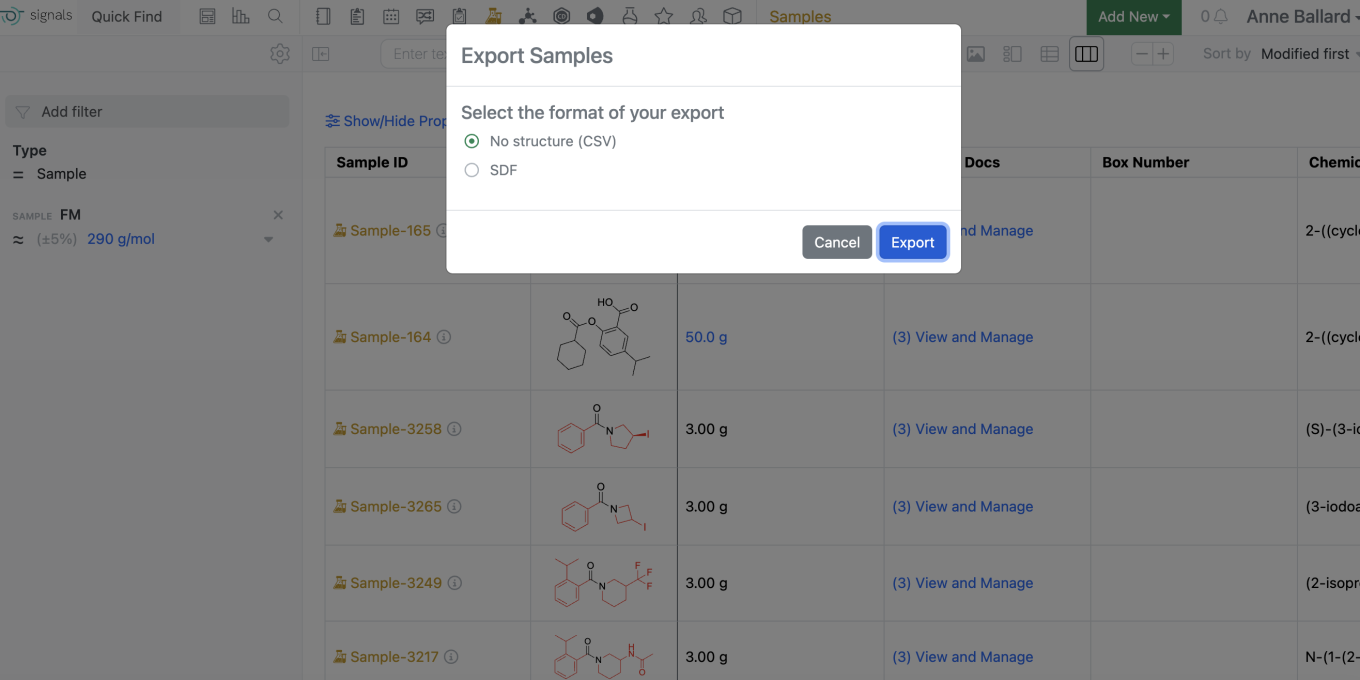
In the Samples Smartfolder, Chemical samples can now be exported to SDF from Samples Grid view by selecting “Export” in the same manner a csv export can be generated. If a selected sample does not have an associated chemical drawing, it will be skipped in the SDF export.
Data Workflows & Analytics
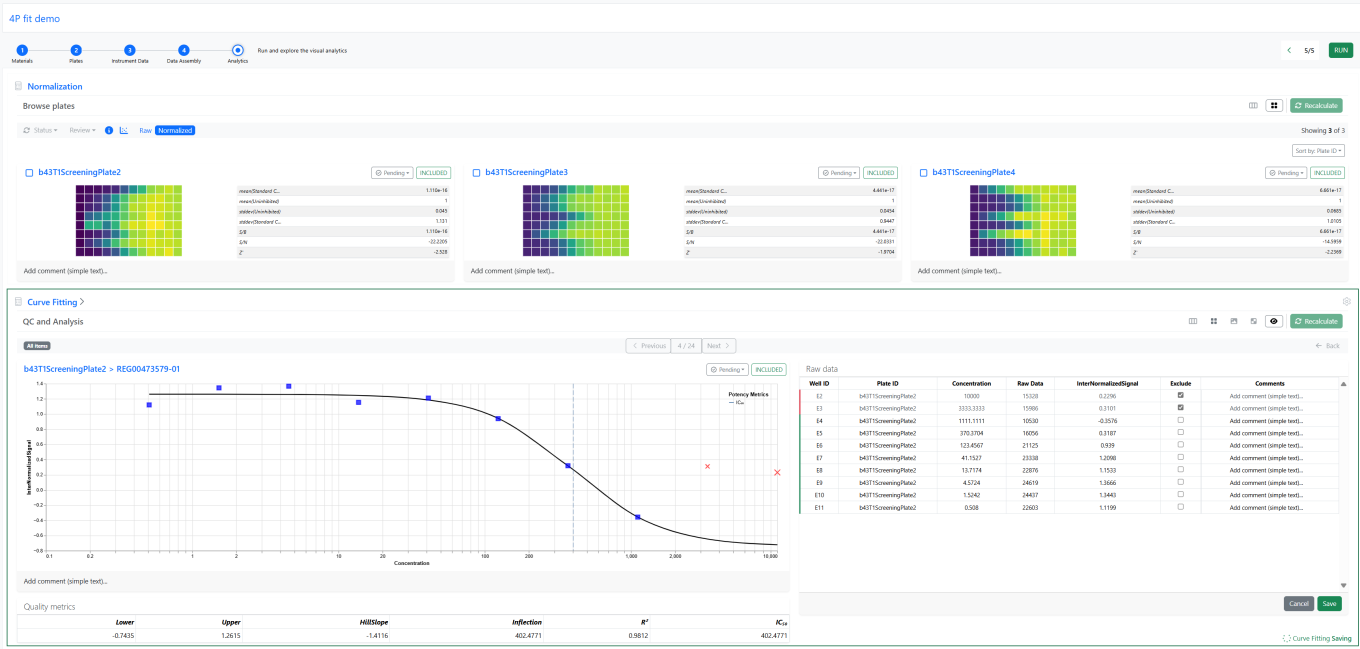
In Vitro Analysis and all previously released capabilities are now available to all systems.
For tenants with a Signals One license, users will now be able to perform In Vitro (screening, assays) data analysis, visualization and results quality control. The first curve fitting method available is the logistic 4 Parameter (4P) fit.
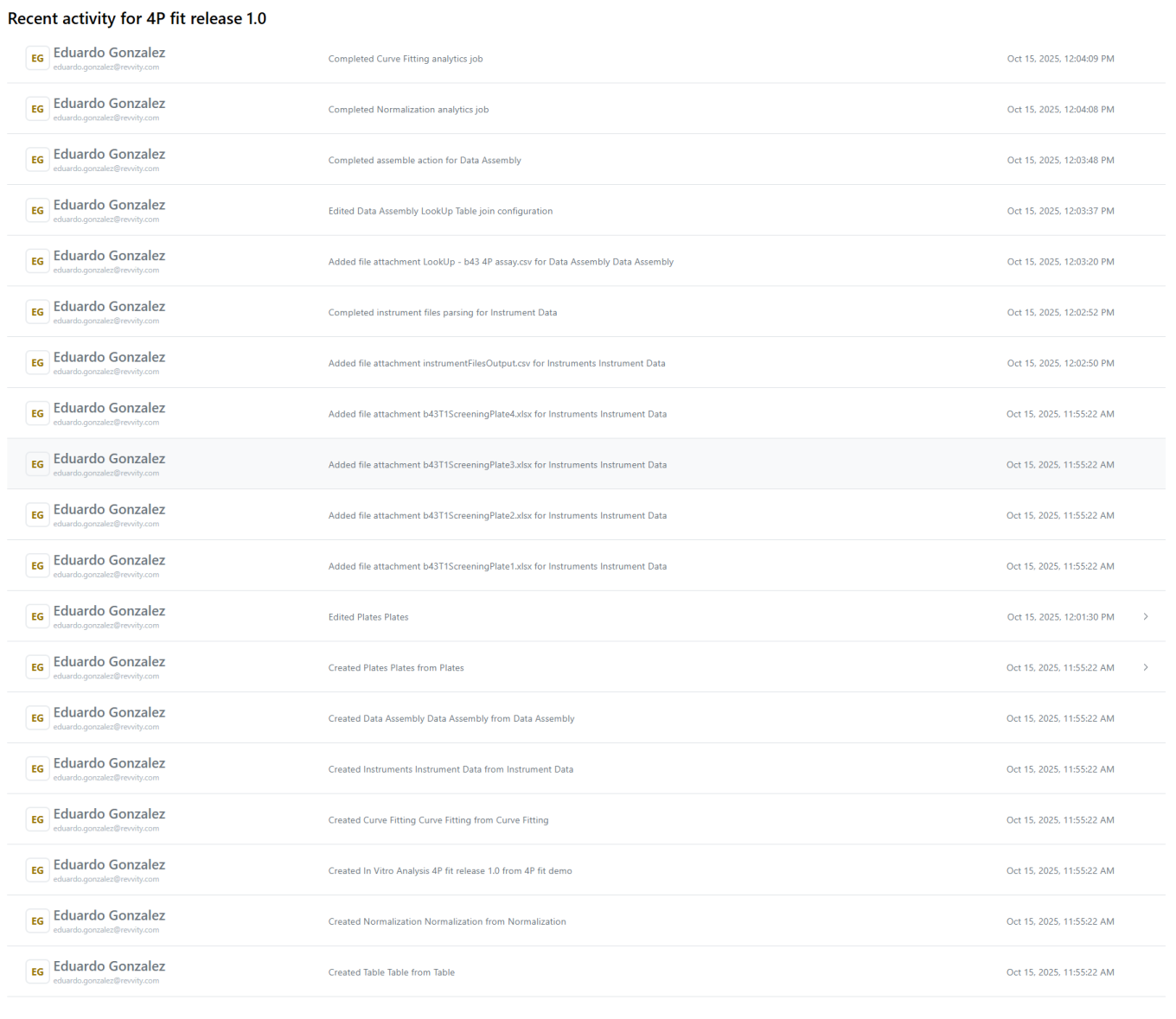
The activity in each of the In Vitro Analysis steps is now logged and appears in the history of the analysis:
The results published from a deleted In Vitro Analysis will automatically disappear from the Data Factory, in agreement with the principle of Signals constituting the single point of truth.
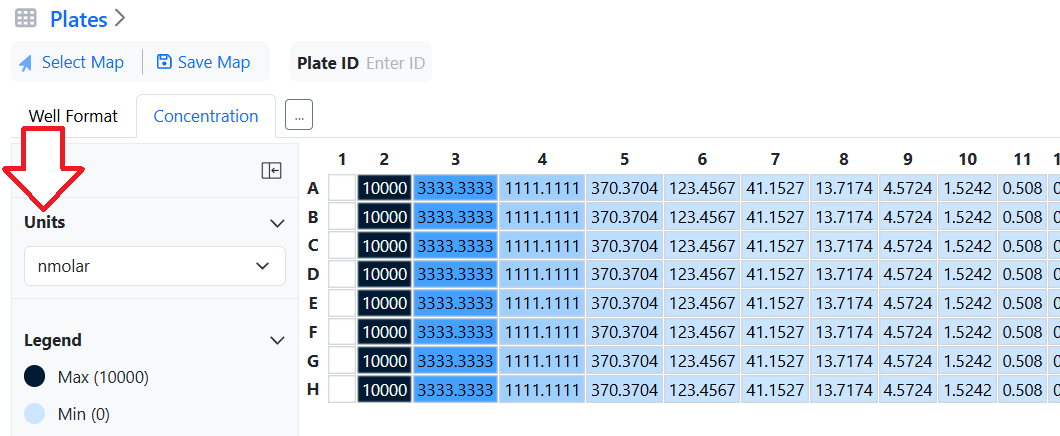
Concentration units, defined at the plate level, are now propagated to the results of the analysis published in the Data Factory 2.0:
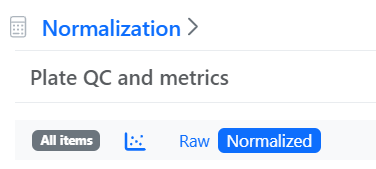
In the detailed plate view it is now possible to switch the plate heatmap from raw to normalized data:
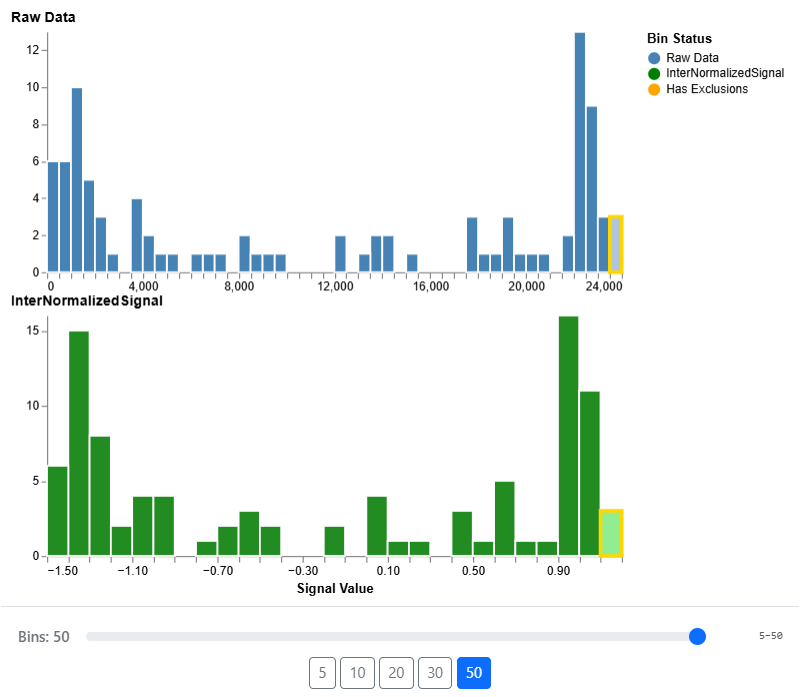
Moreover, as well as changing the visualization to the histogram view allowing to better compare the data distributions before and after normalization The histogram visualization is fully dynamic, with interactive selection and binning:
SAR & Decisioning

The Data Factory capabilities previously in beta are now fully available across all systems in Signals One. Key updates include support for row-level updates, improved performance, enhanced mapping usability, expanded publication paths, and new public APIs.
Synergy
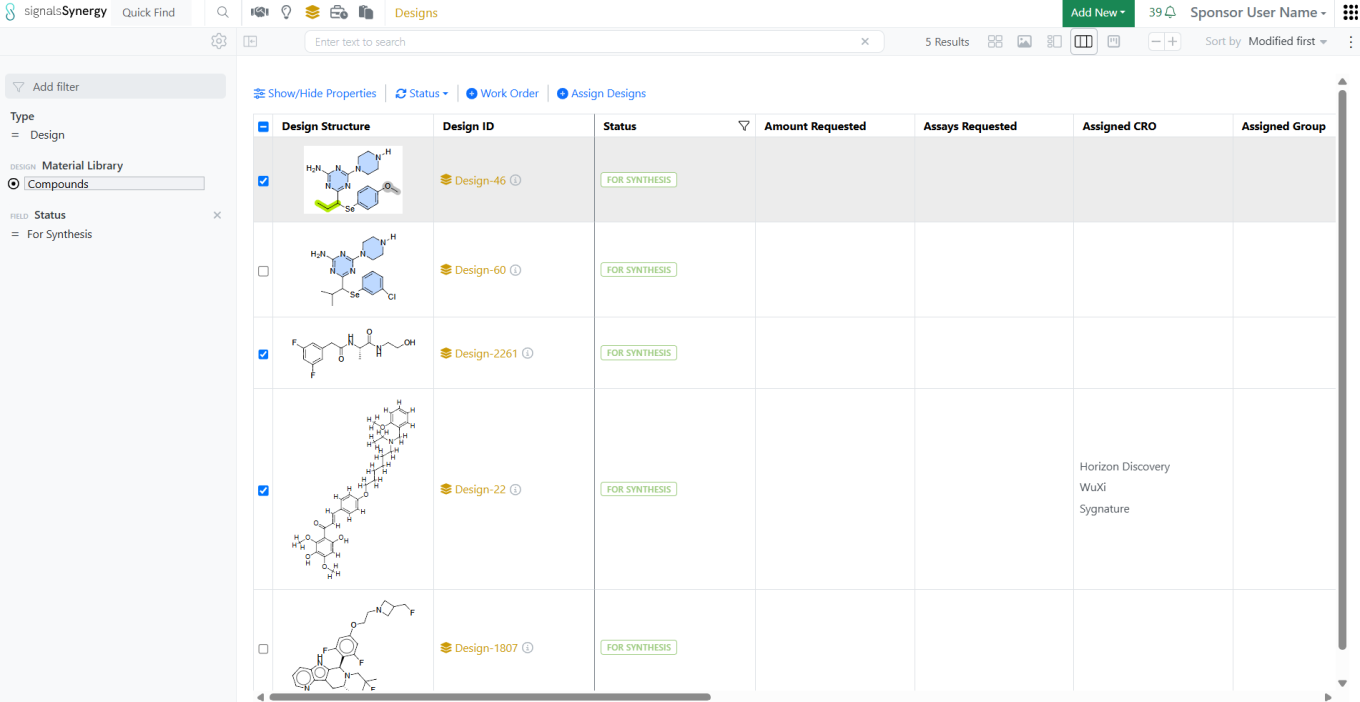
The Designs Smart Folder Data Grid view allows users to easily manage Designs across multiple Ideas or projects. Users can now easily Create a Work Order from selected Designs in the Designs Smart Folder Data Grid view.
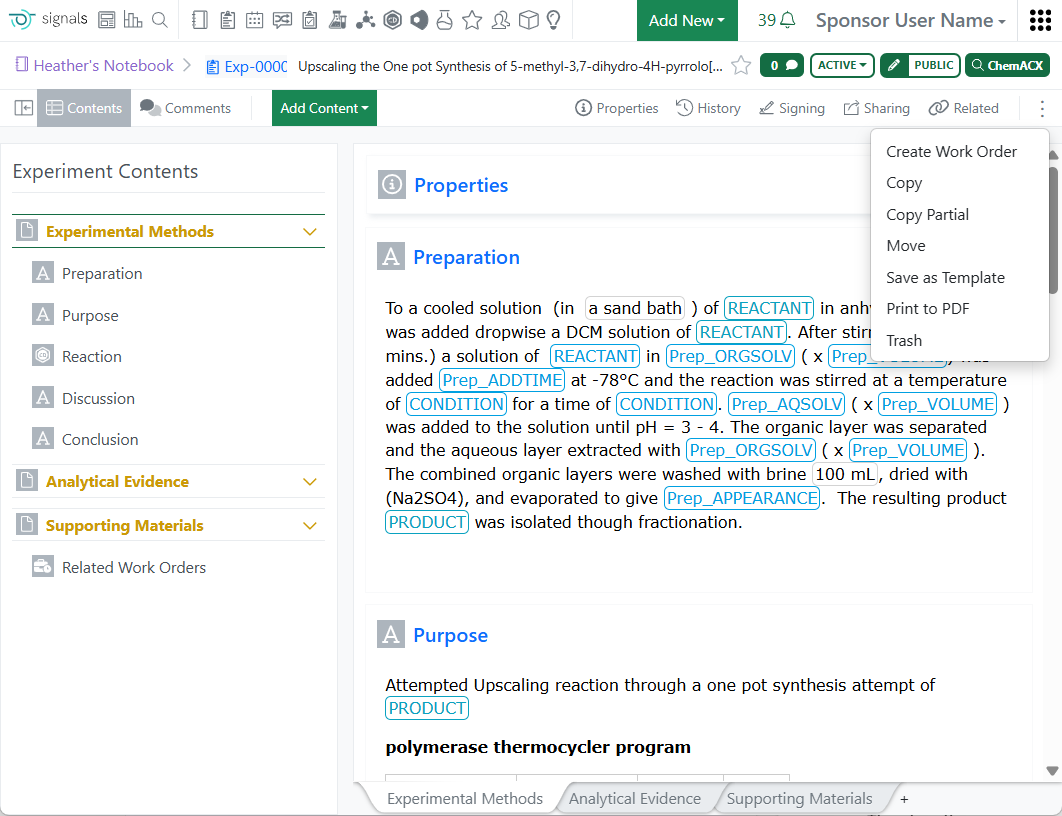
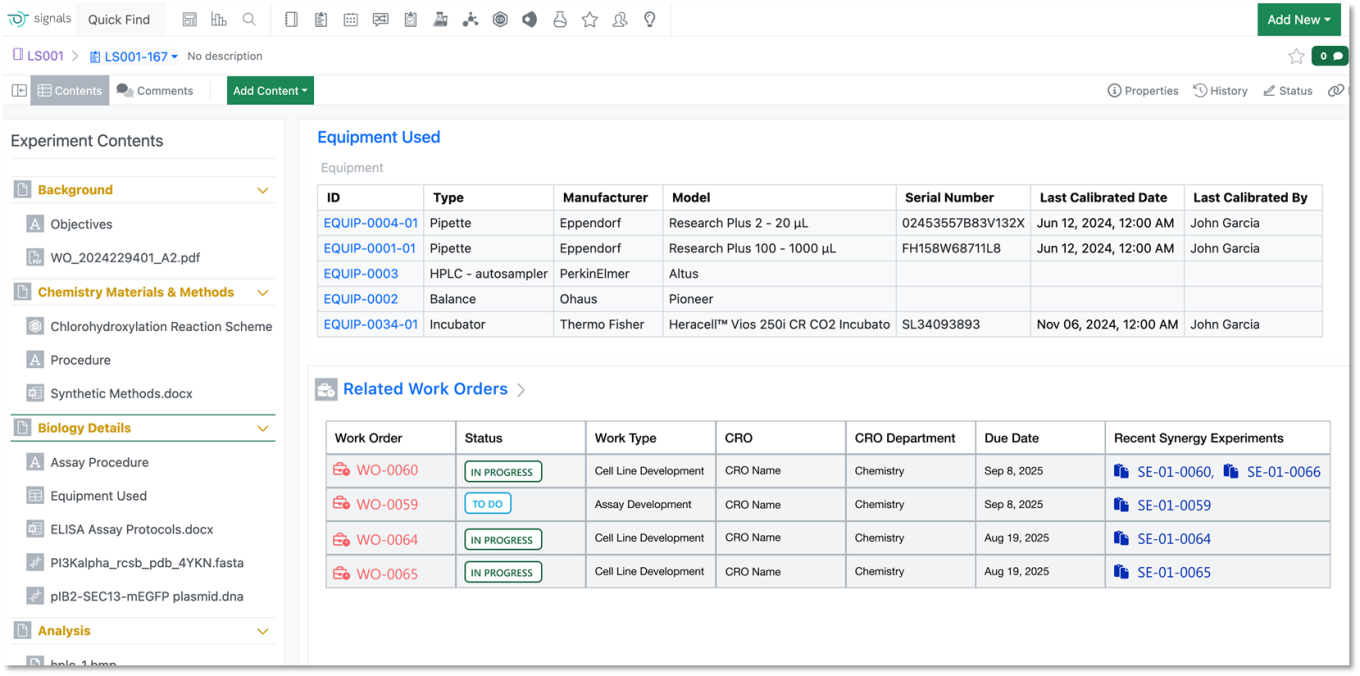
From inside an Experiment, a Sponsor user with the privilege to Create Work Order can now select Create Work Order and include content from the Experiment to share with the CRO. Related Work Orders created from the Experiment are captured and tracked in the Related Work Orders Table within the Experiment, while the newly created Work Order has the Experiment linked in the Originating Experiment property.
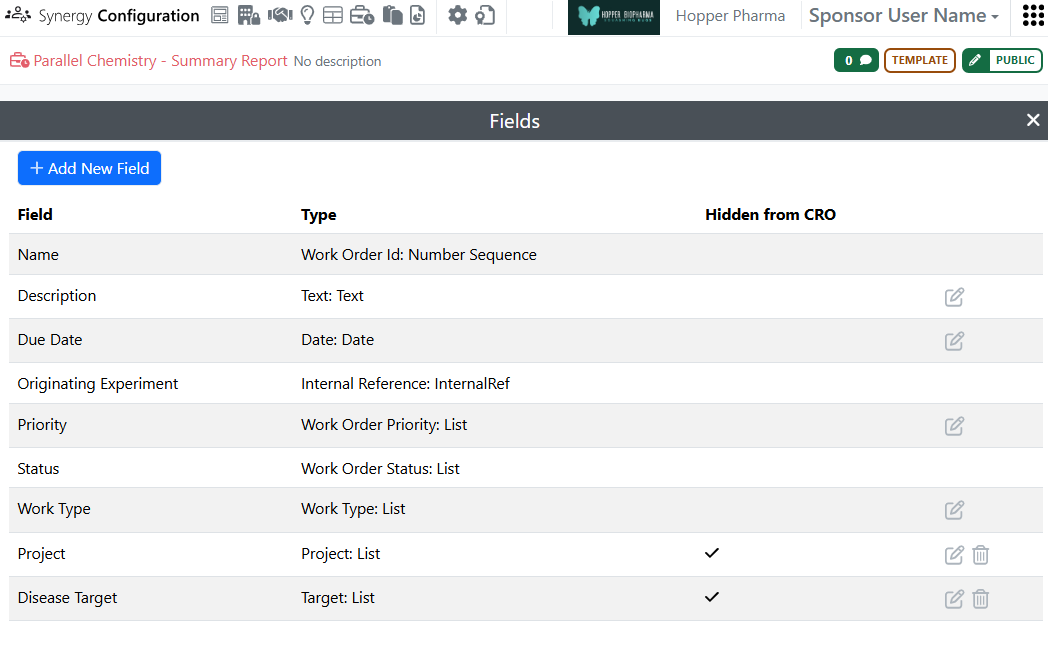
Hidden from CRO properties can now be applied to Work Orders, in addition to Collaborations and Synergy Experiments. Hidden from CRO properties allow the Sponsor to protect proprietary metadata from external partners. Synergy or System Admins can mark fields on Work Order Templates as Hidden from CRO; when a Work Order is created from these templates, only the internal Sponsor users can view and/or edit these properties and their values on the Work Order. These properties are never visible to CRO users.
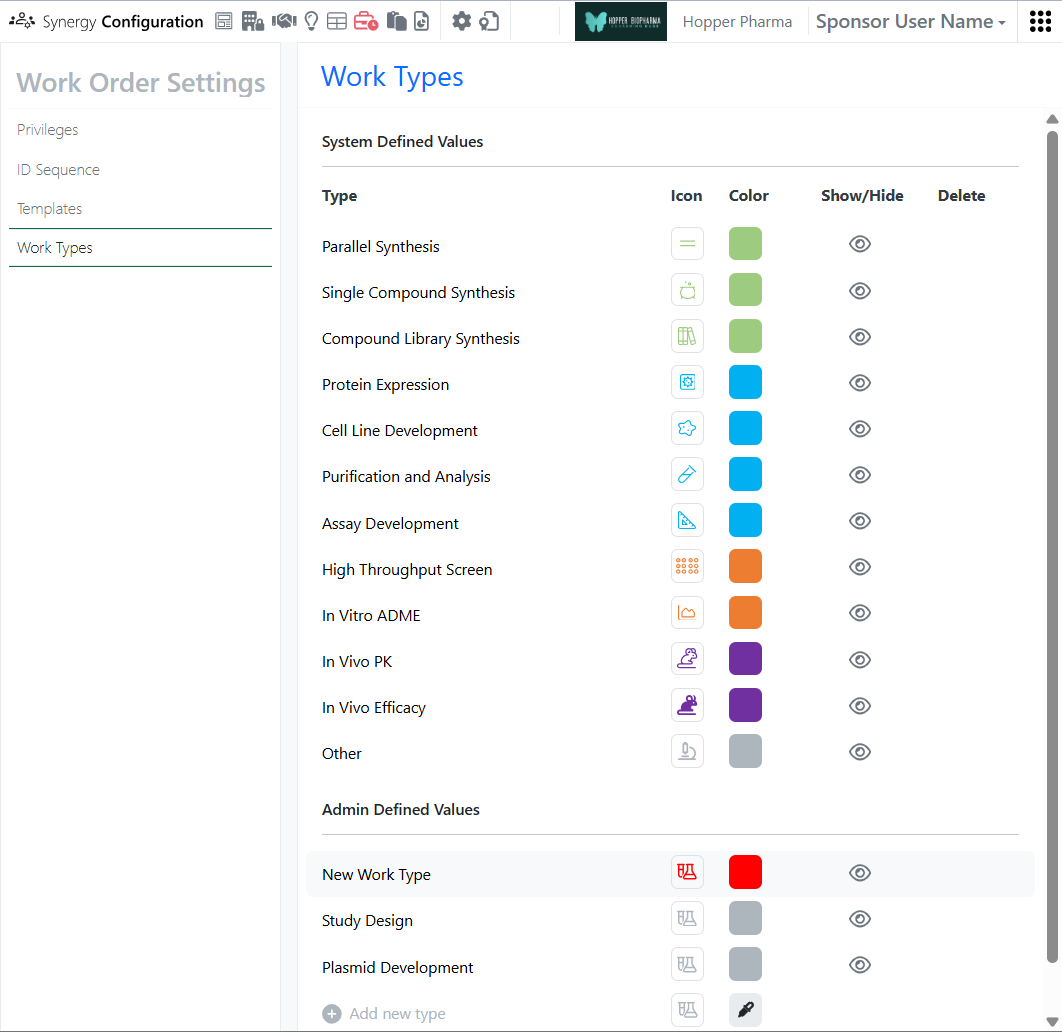
The admin can now define custom Work Types for labeling and organizing Work Orders. Work Types can be marked as Shown/Hidden for simplifying user selection.
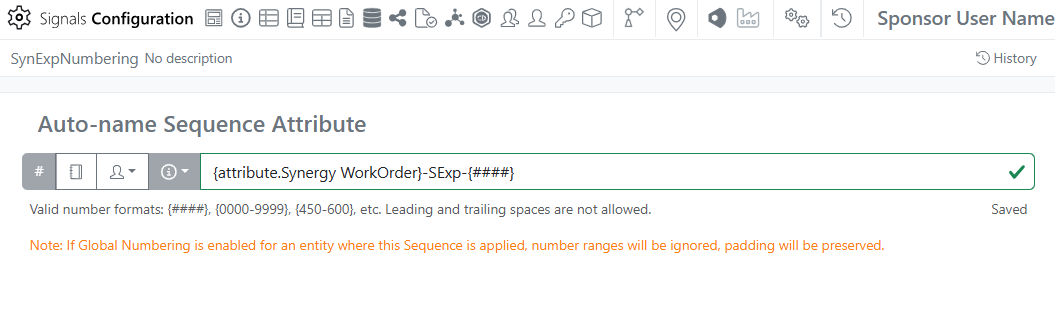
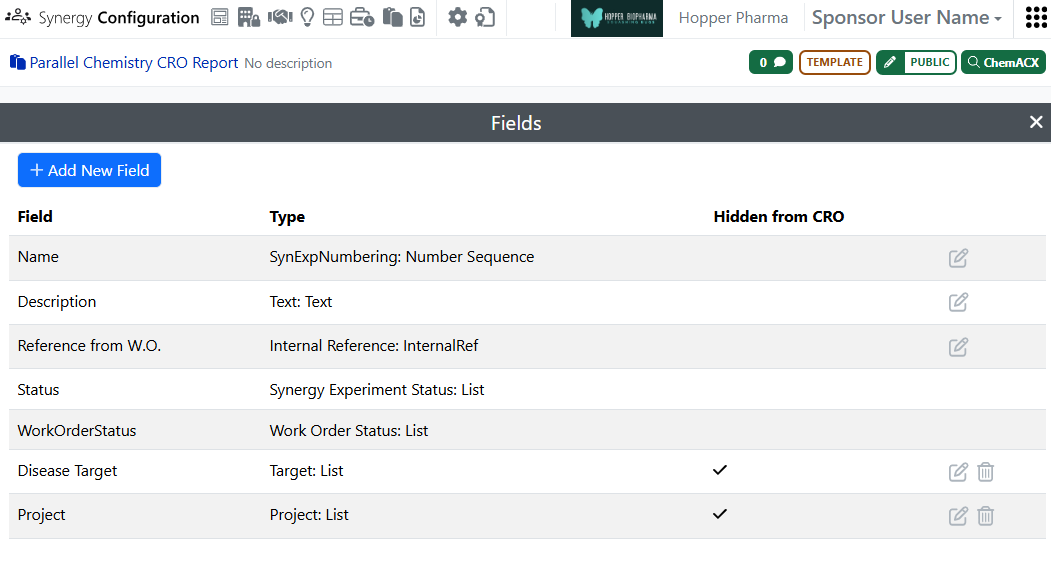
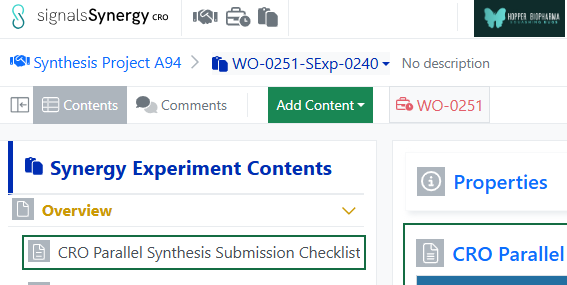
Finally, the admin can include the associated Work Order or assigned CRO in an auto-naming number sequence Attribute list in Signals Configuration. When the auto-naming number sequence is used as the Name on a Synergy Experiment Template, the associated Work Order or assigned CRO will be included in the Experiment name.
Chemistry
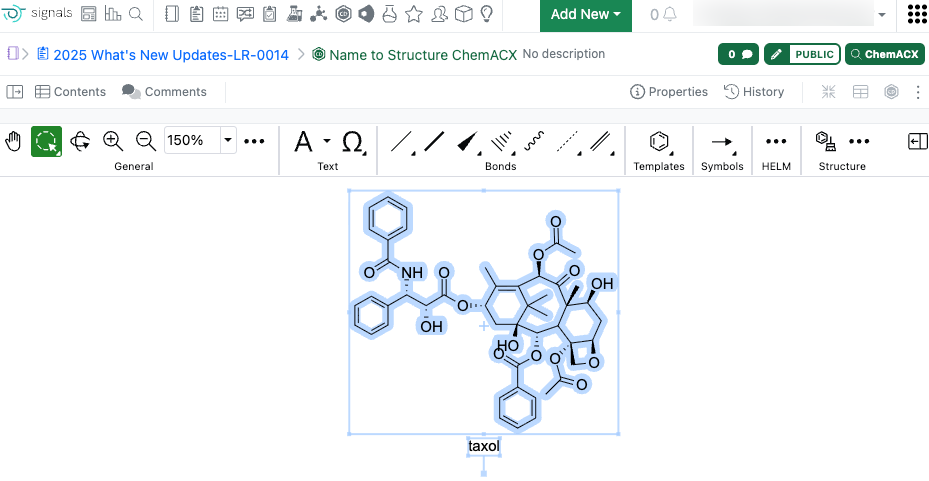
The Name to Structure capability in ChemDraw now utilizes ChemACX, a unified chemical database containing tens of millions of substances. This enhancement enables conversion of synonyms, trade names, and common names within the database directly to structure representations in the ChemDraw editor. This improvement can be accessed by using the ‘Name to Structure’ tool in the ChemDraw editor or pasting plain text of the structure name onto the ChemDraw canvas.
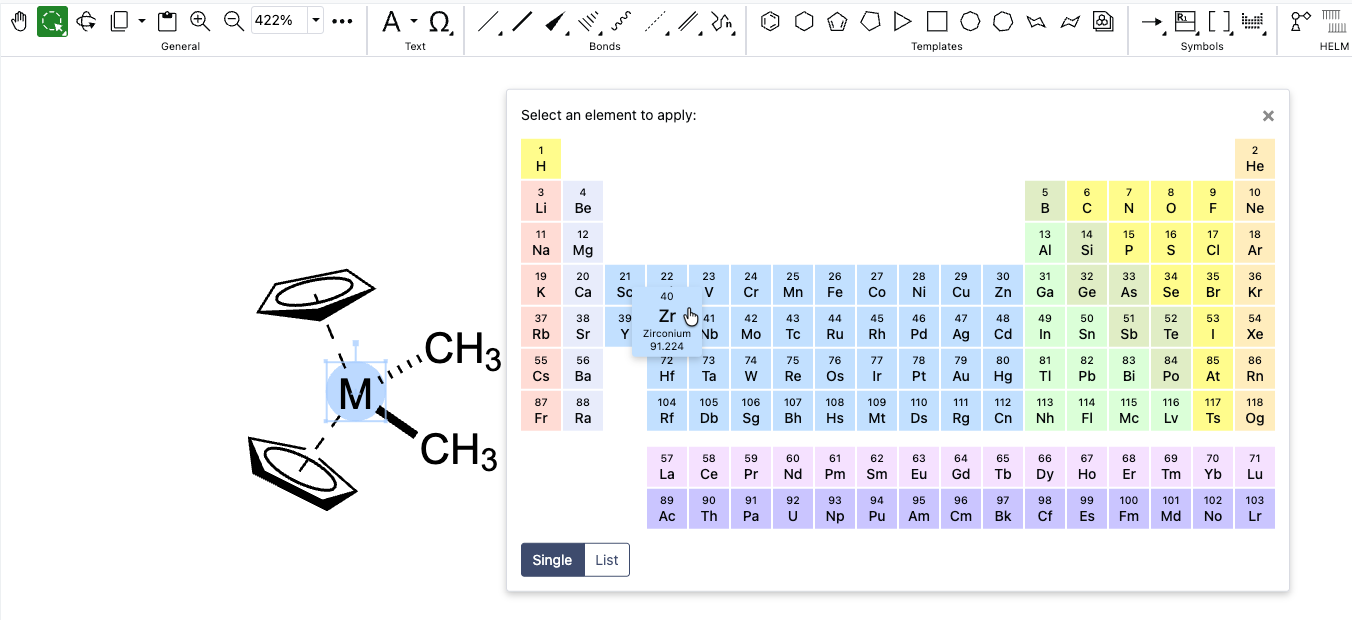
The periodic table tool, now available in the ChemDraw editor, enables the selection of an element to add to the canvas. When an element is selected from the periodic table, it can replace an atom, selection, or be added to blank space on the ChemDraw canvas.
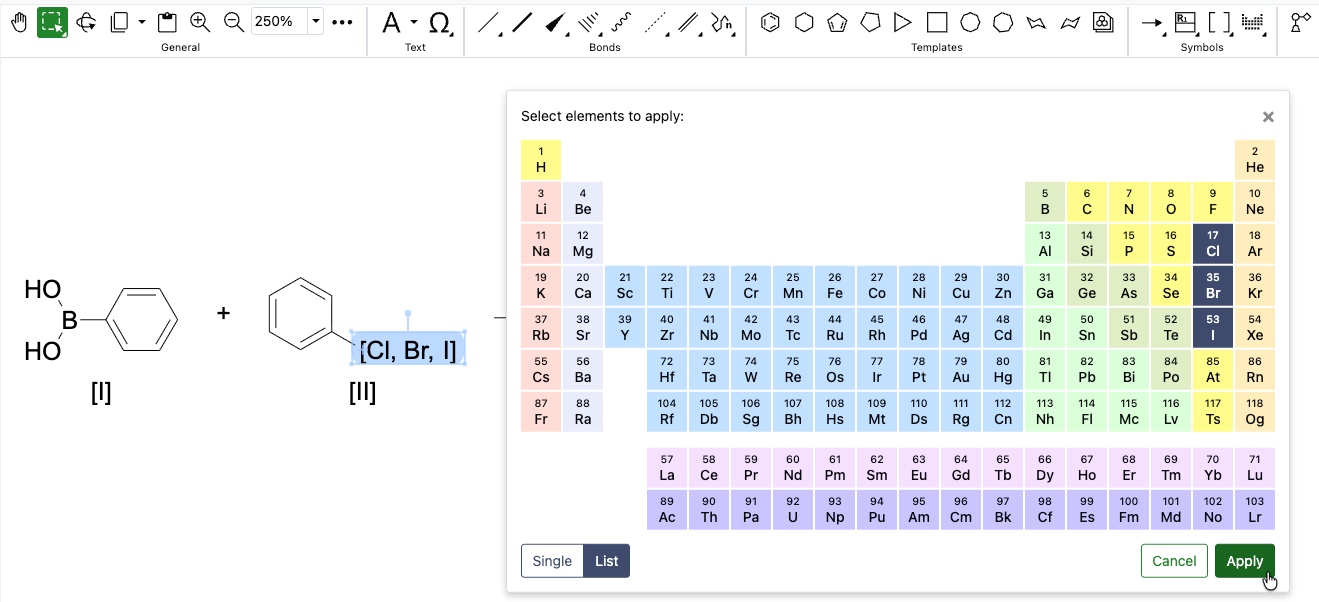
Creation of atom lists for the generation of generic structures is now possible using the periodic table tool. Upon opening the tool in ChemDraw, users can select the ‘List’ option which will allow the selection of multiple elements. Once the list is generated, selecting 'Apply' will allow the user to place the element list on the canvas in brackets.
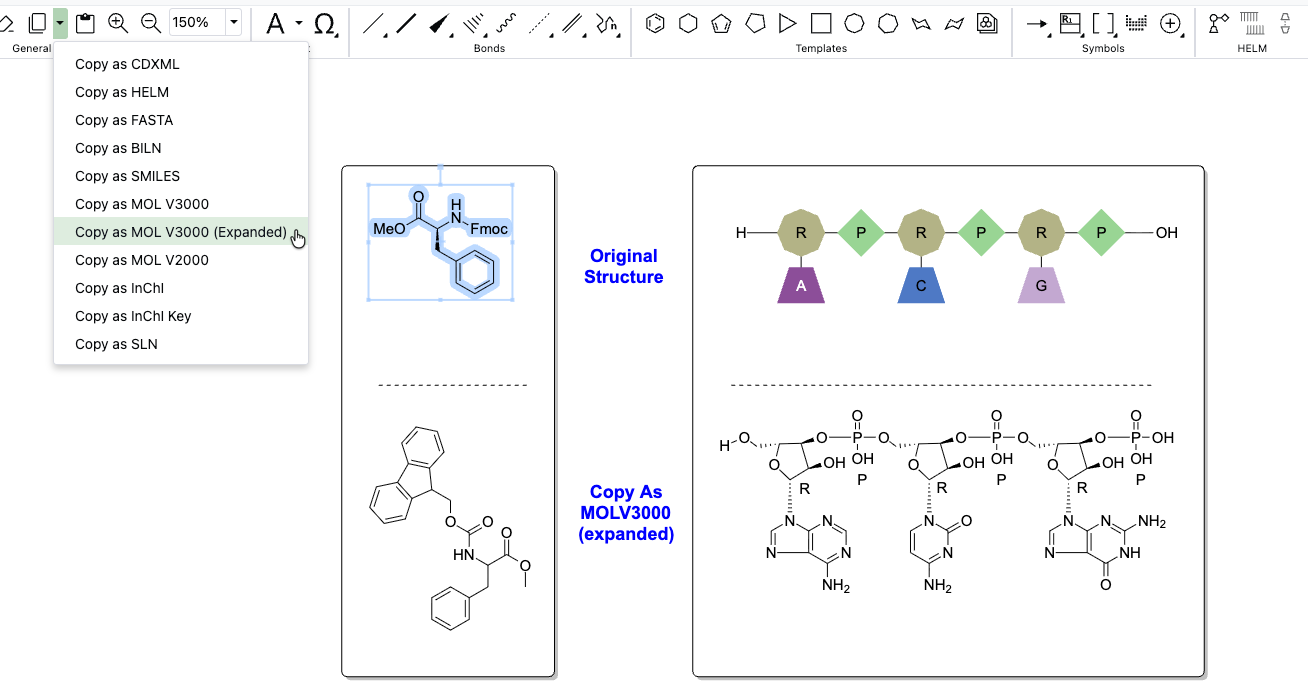
Chemical objects on the ChemDraw canvas can now be copied as an expanded V3000 molfile. When using 'Copy As MOLV3000 (Expanded)', a fully expanded version of the chemical object will be copied, including the expansion of all nicknames, labels, and HELM monomers.
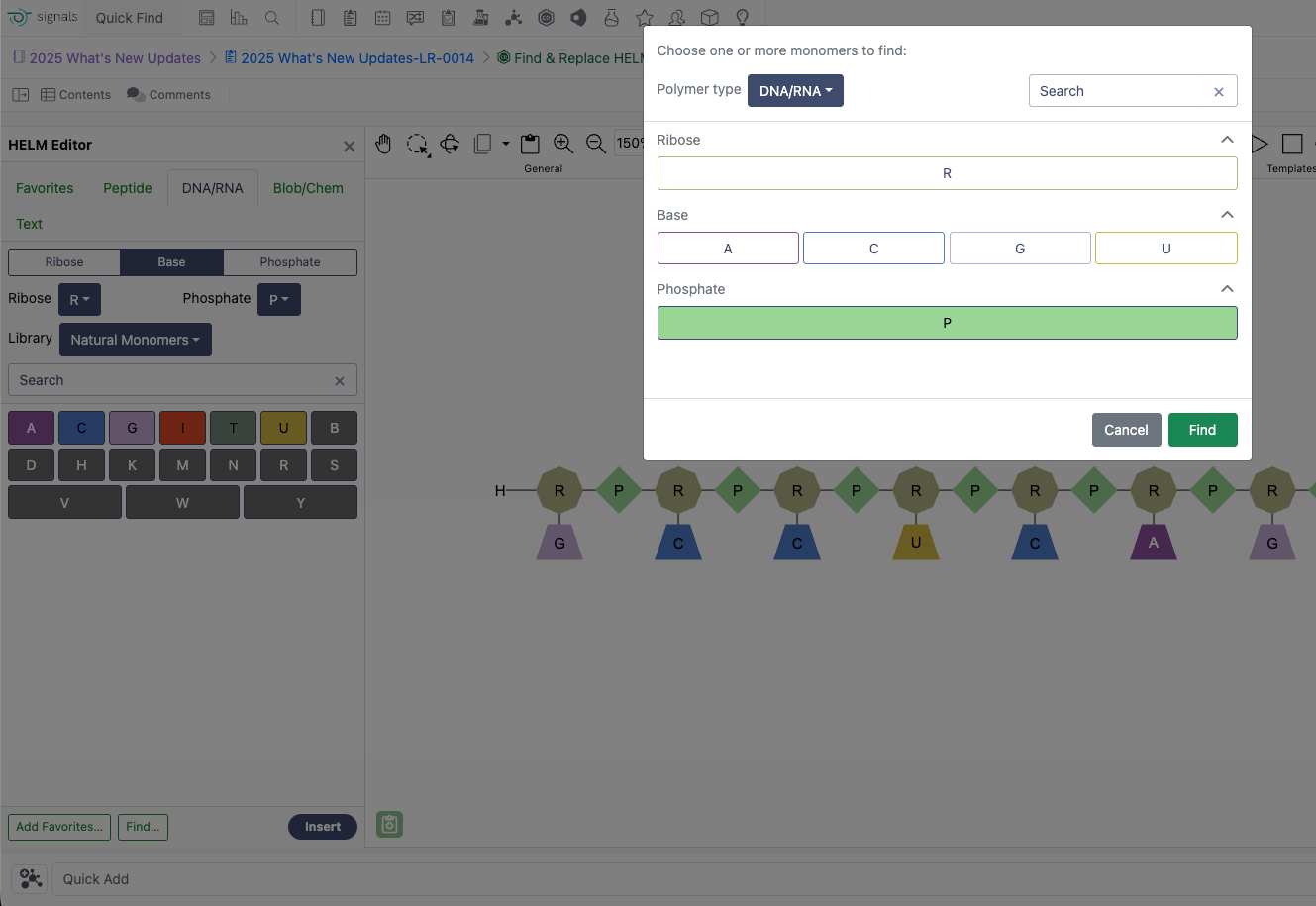
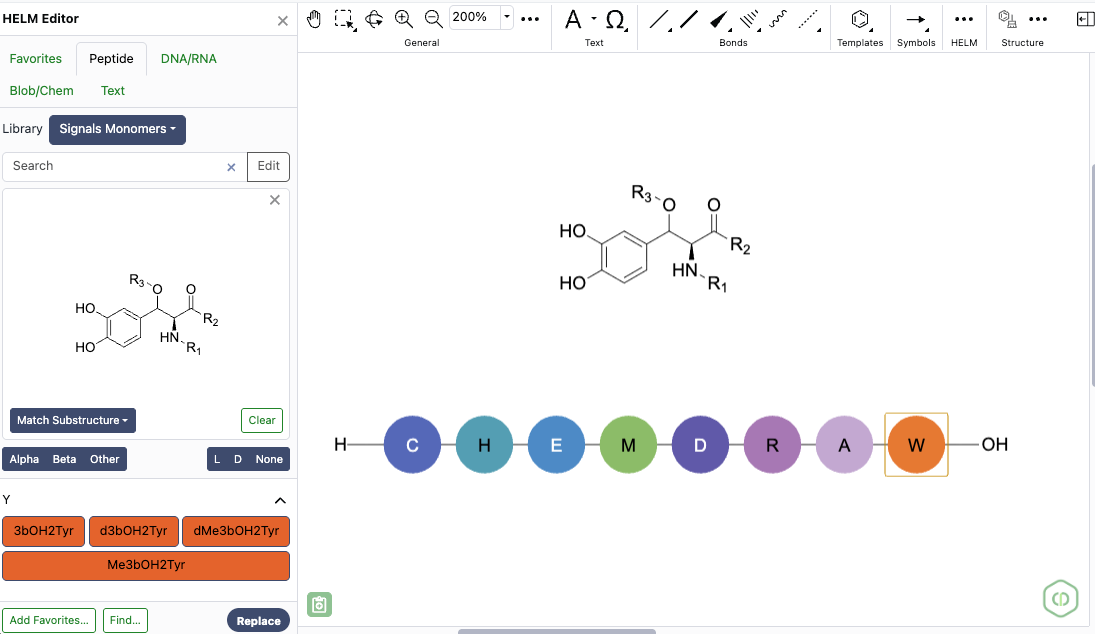
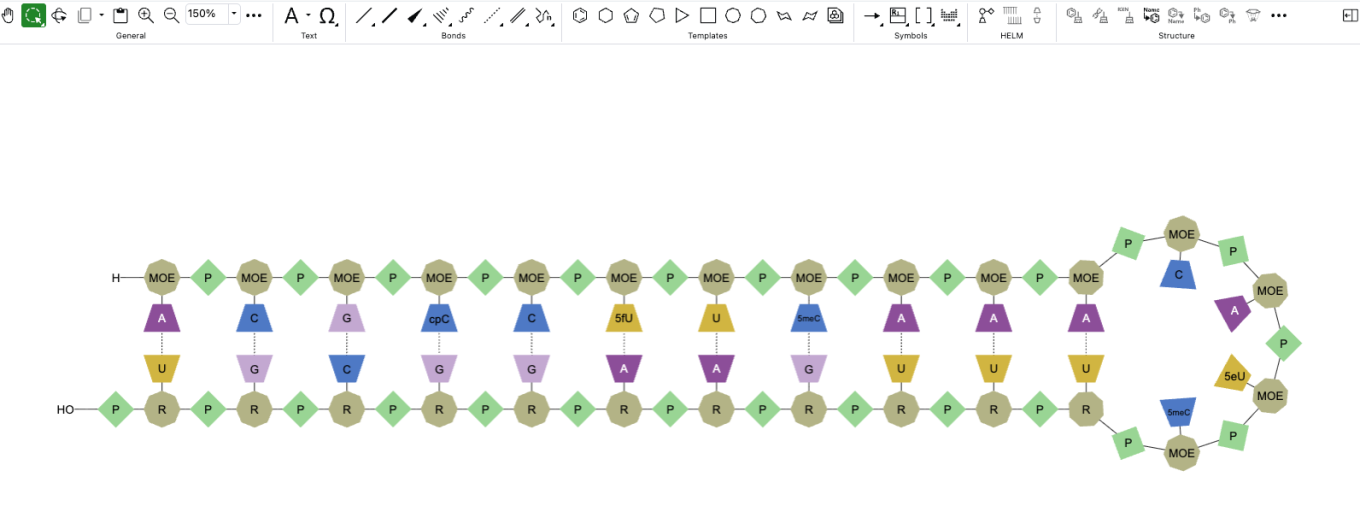
The HELM Editor in ChemDraw now supports finding and selecting specific monomers on the canvas for replacement. One or more monomers can be identified and selected simultaneously using the ‘Find….’ dialog in the HELM editor, and all instances found will be selected for replacement.
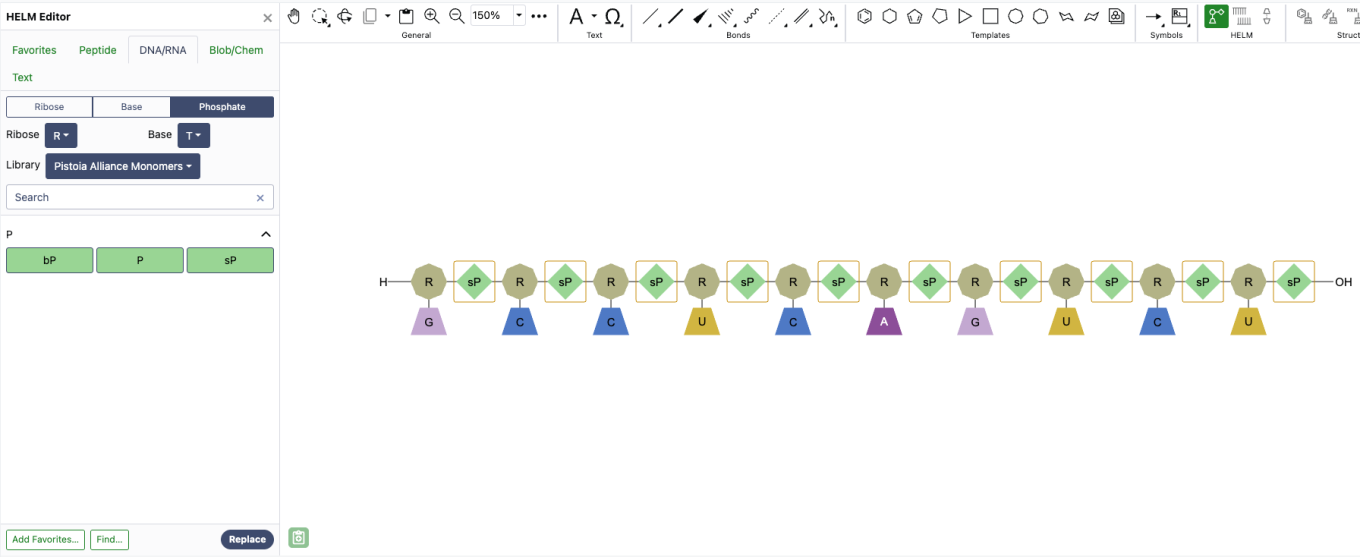
Selecting a new monomer from the HELM editor replaces all selected monomers on the canvas with the chosen selection. This bulk find and replace capability streamlines large-scale modifications of sequences, enabling rapid transformation of a natural sequence from a FASTA string into a highly complex sequence with custom modifications.
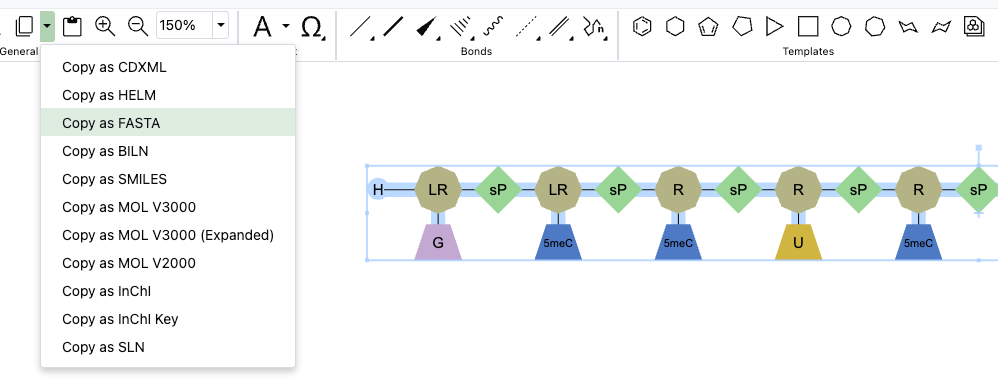
The Copy As options for HELM biopolymers in ChemDraw have been updated. The 'Copy as HELM (natural analog)' function has been replaced by 'Copy as FASTA.' This change more accurately reflects that a FASTA sequence containing all natural analogs will be copied when this option is selected, with no change in the underlying behavior.
Admin Defined Tables, Variation Tables and Hierarchical Tables
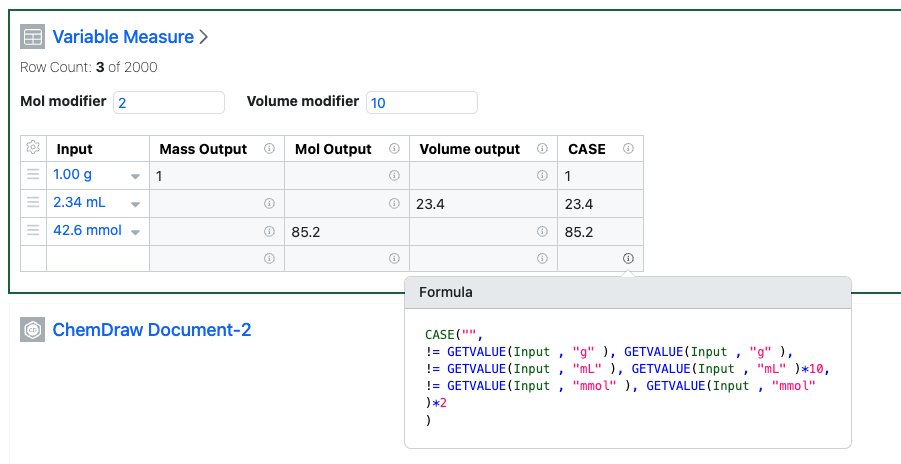
The Function GETVALUE has been extended to allow operation on a property of type Variable Measure. The formatting remains the same, whereby the first argument defines the property being input and the second property defines the unit for conversion. Numbers within the same Measure will be converted to the equivalent number with that unit. The function can be used within a CASE statement in order to output numbers across Measures.
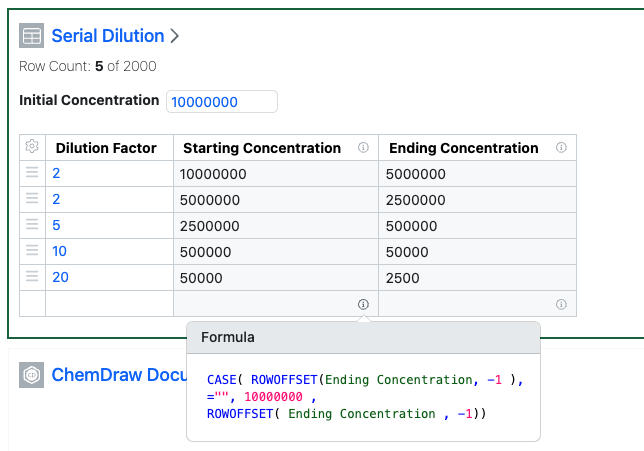
A limitation on self referencing of columns has been relaxed. Columns can be self referenced when within a ROFFOFFSET function, avoiding a circular reference. This allows the prior value in a column to be used to calculate the next value in the same column.
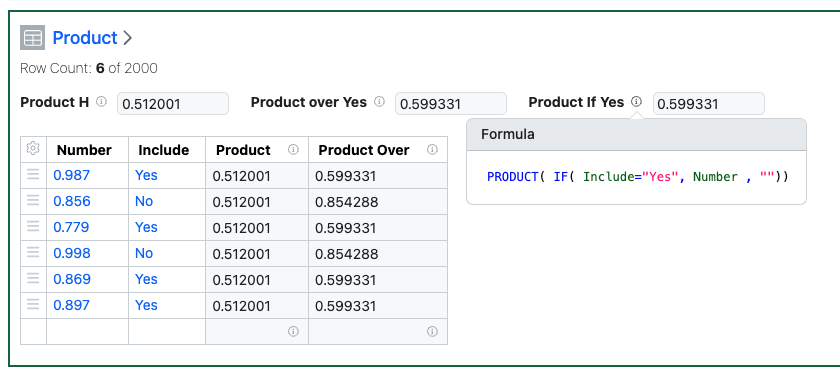
New functions to calculate the product of the values in a column have been added. PRODUCT() and PRODUCTOVER() allow calculation of the product of the values, or a conditional subset of the values, either as a column of as a Header.
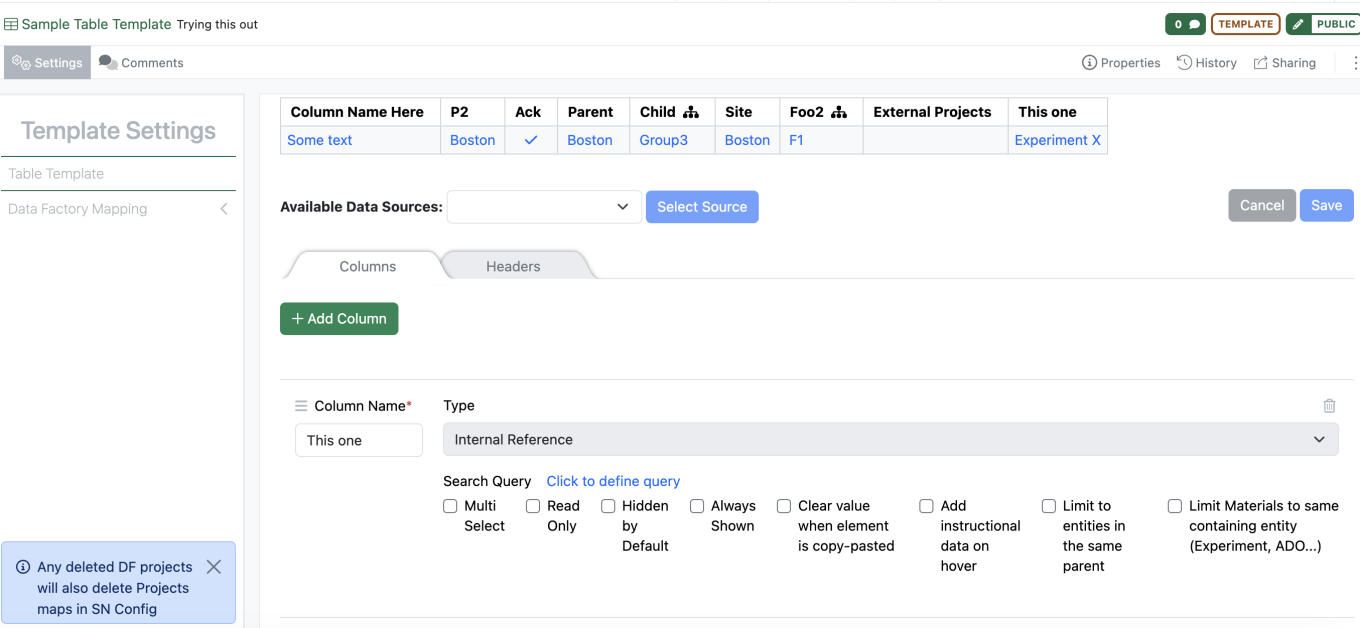
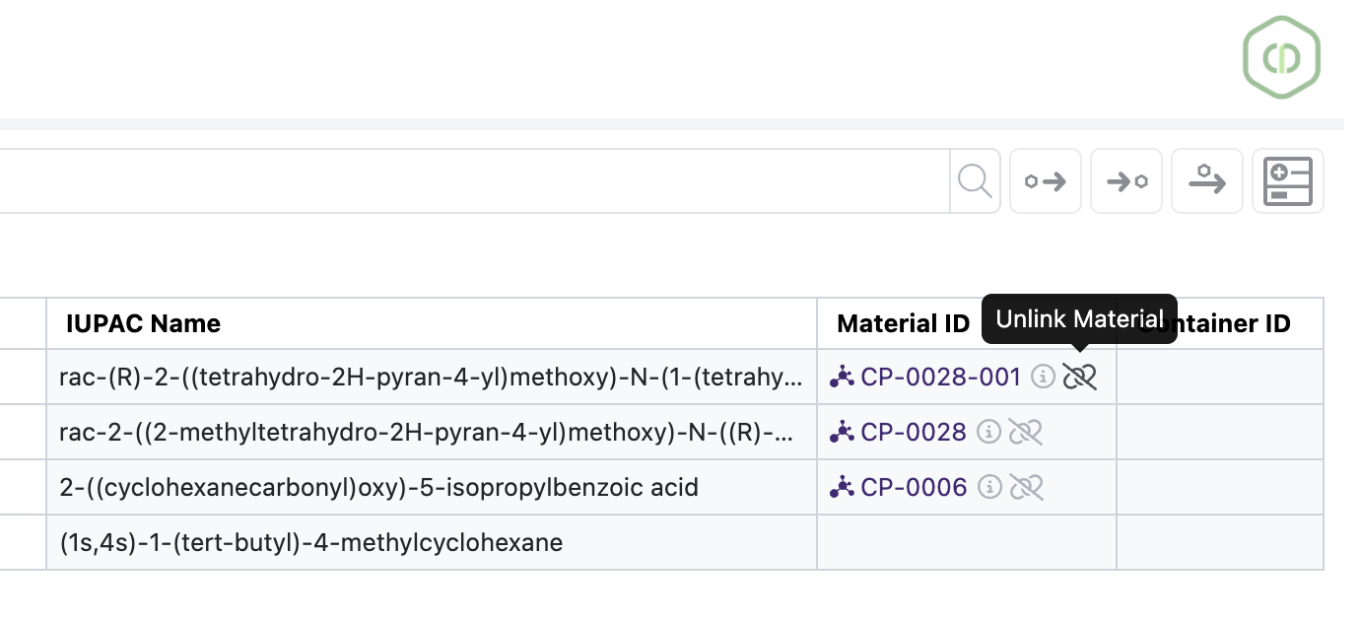
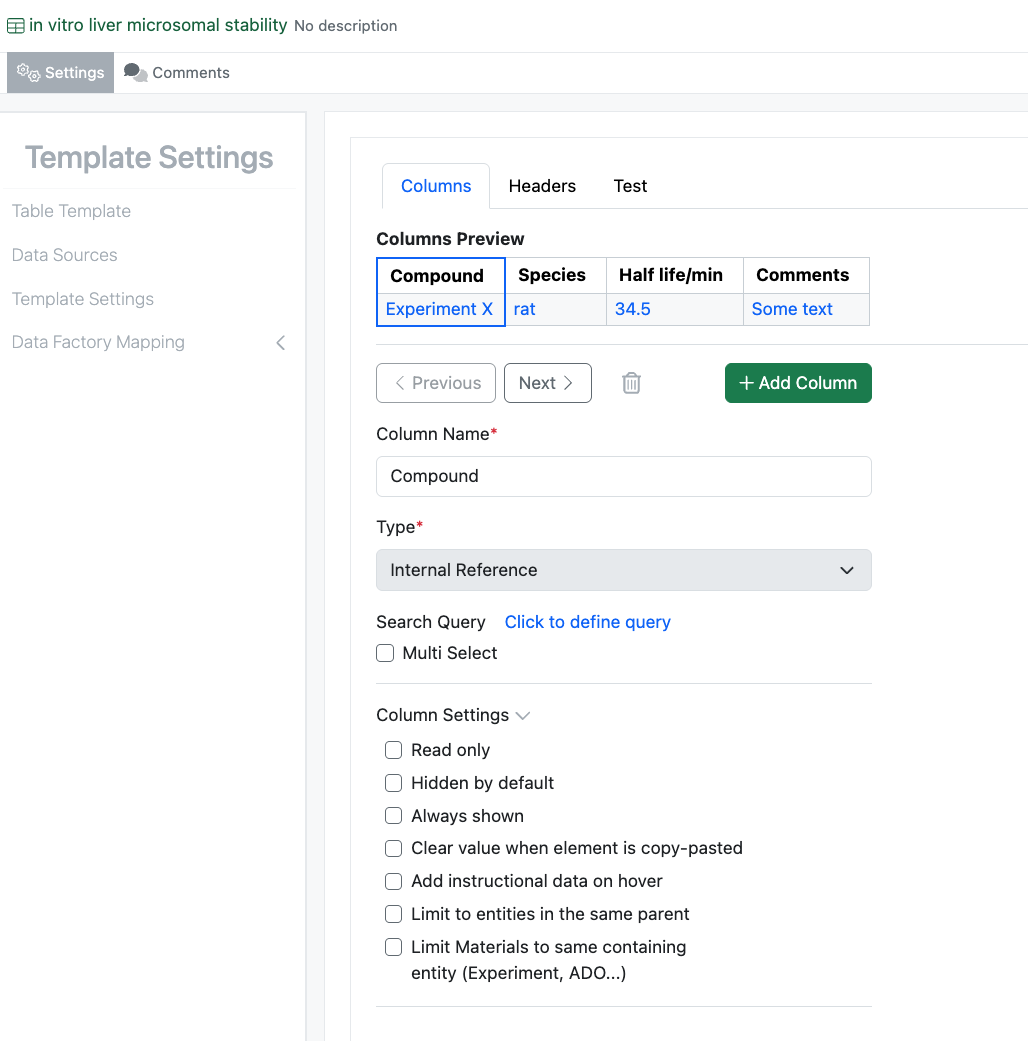
Properties of type Internal Reference can now be defined to limit to “within the same entity”. This capability, already available in Variation Tables, is now extended to Admin Defined Tables. When selected the list of available references will be limited to Materials referenced in Material Tables within the same Experiment.
Inventory
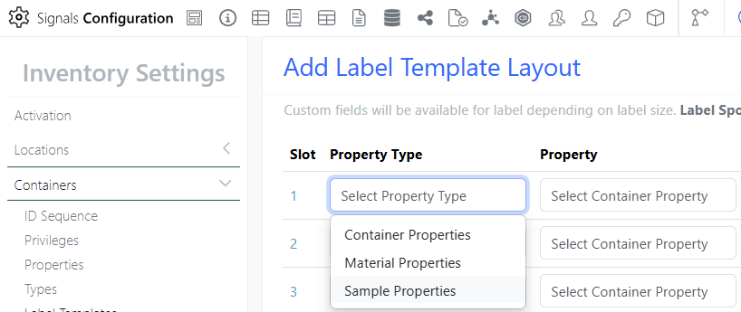
Under the Property Type column Administrators can now choose Sample Properties as an option to be printed on the container labels:
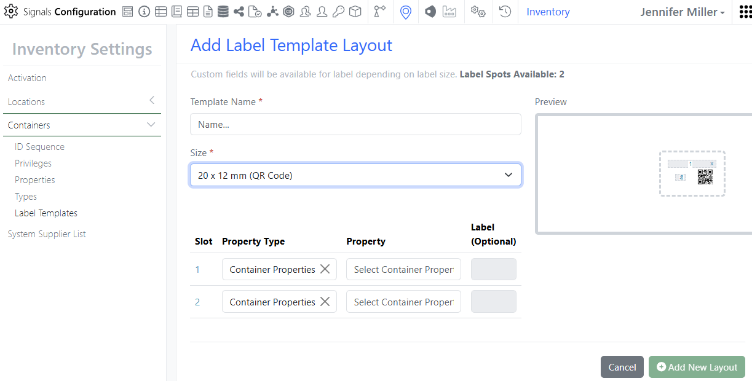
In the Inventory Container Label Templates we have released 2 new label options: 20 x 12 mm:
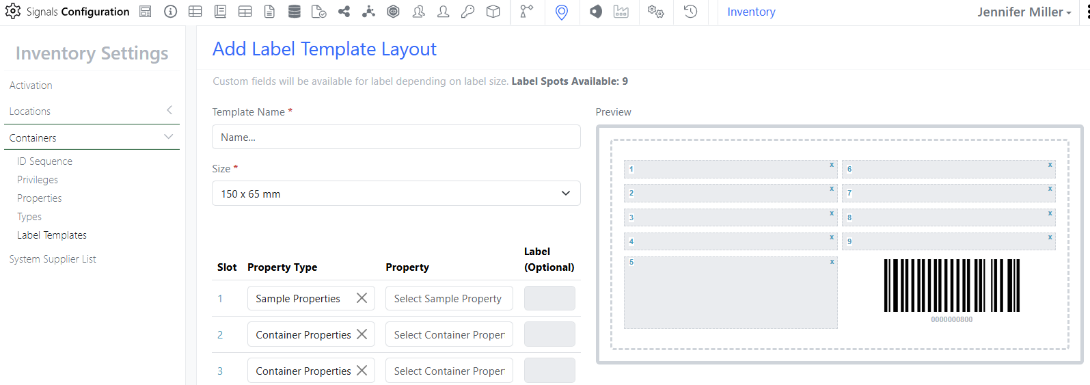
150 x 65 mm:
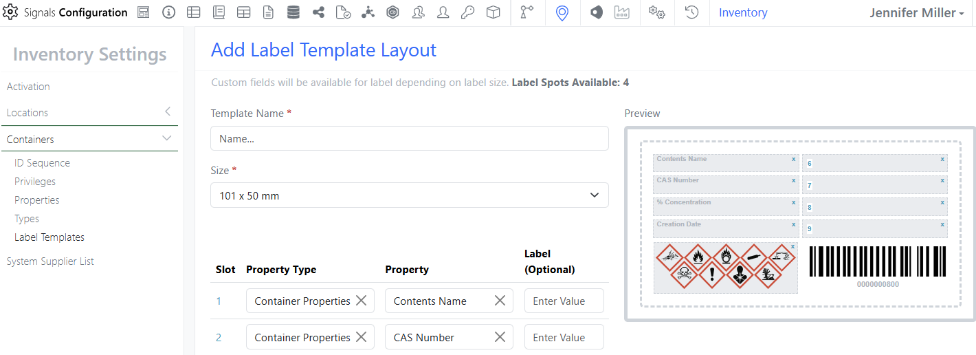
101 x 50 mm:
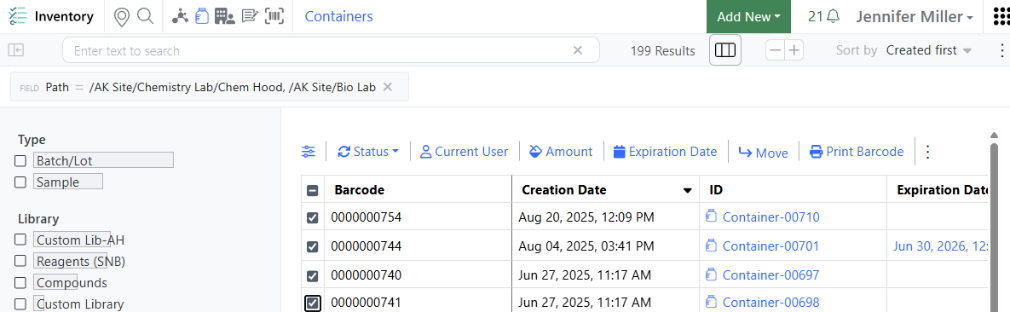
Users can select containers on the Containers Search Table that they would like to print/re-print barcode/labels for. Select the containers using the checkboxes to the left and choose the Print Barcode option:
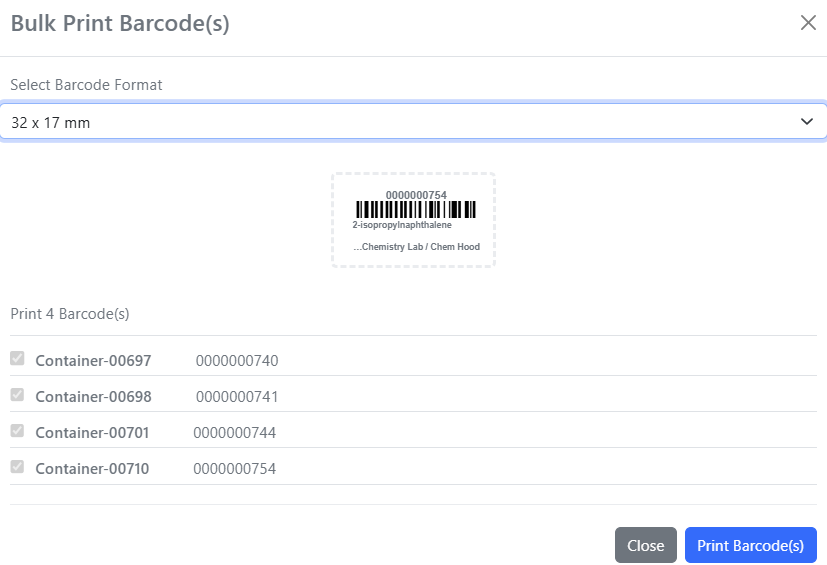
The select barcode label size window will appear:
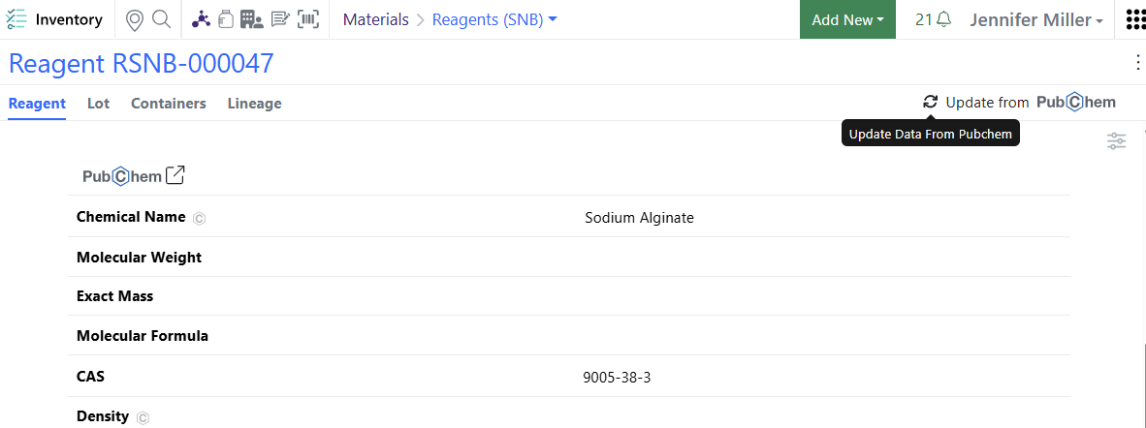
There has been a PubChem update to allow manual selection when CAS has multiple entries. When a given CAS has multiple entries associated in PubChem, the users will now get an option to select which entry they would like to pull the data into the Reagent Library:
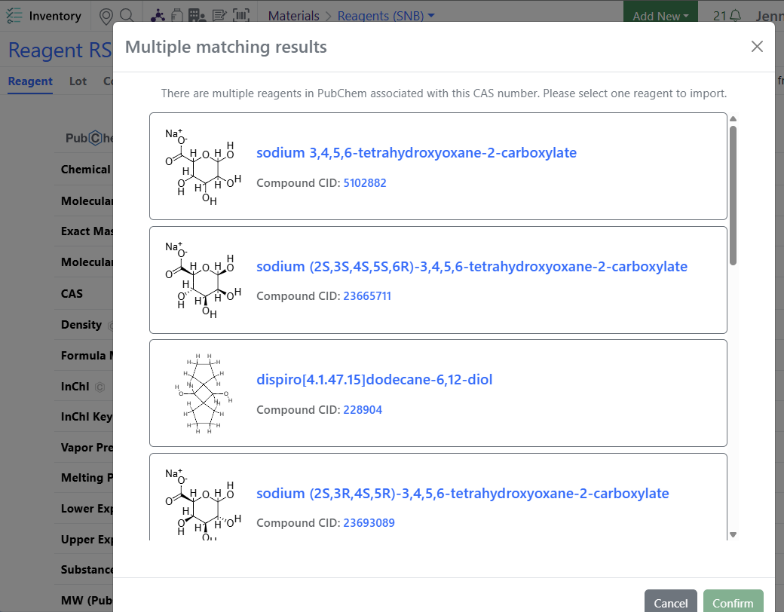
Users will see a modal appear when they choose to update the data from PubChem to select from:
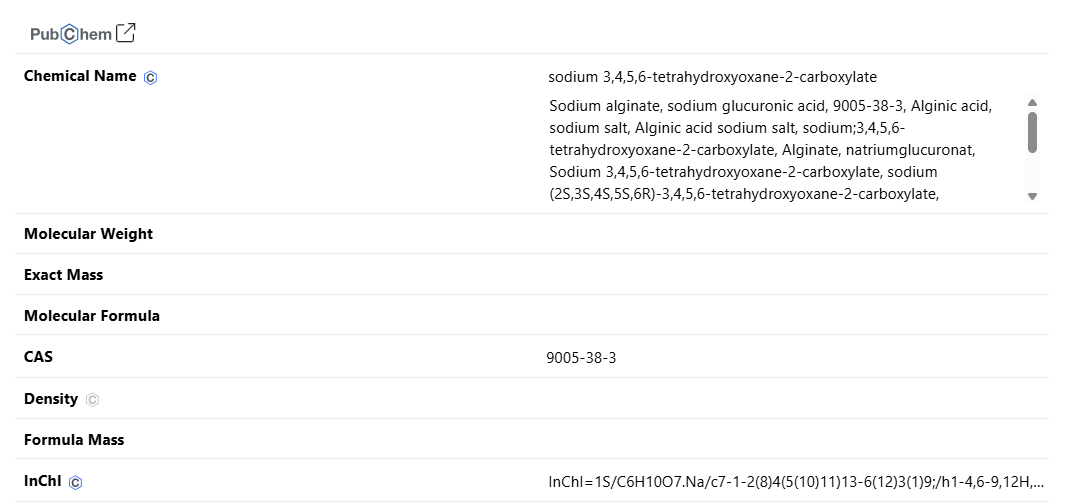
Once an option is selected, the data will be updated in the Regent Library:
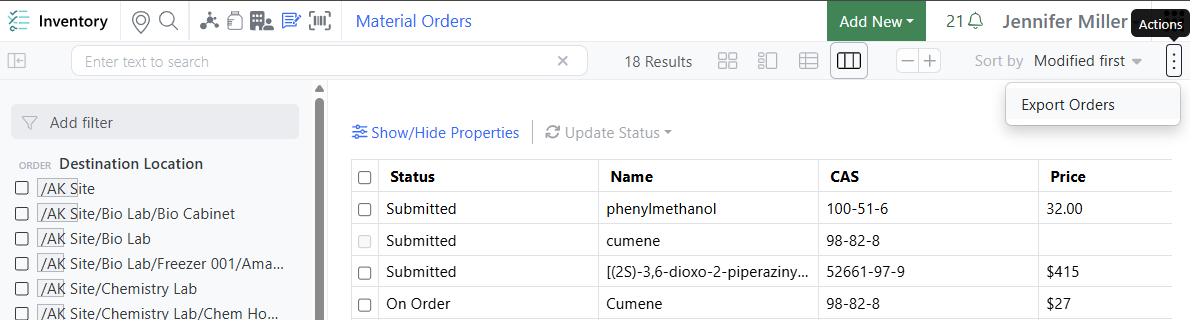
In the top right corner of the Material Orders page is the new Export Order option:
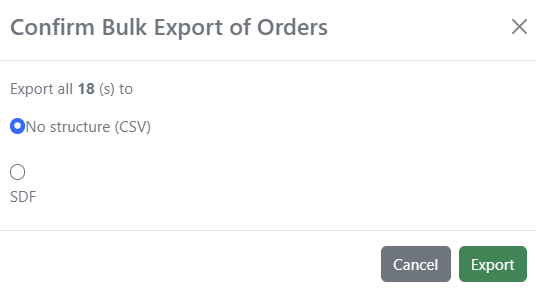
Users can choose to export as a csv or a SDF:
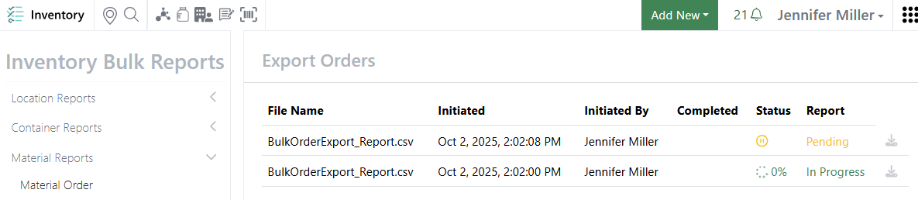
Reports can be found in the Inventory Bulk Reports Material Reports Material Order:
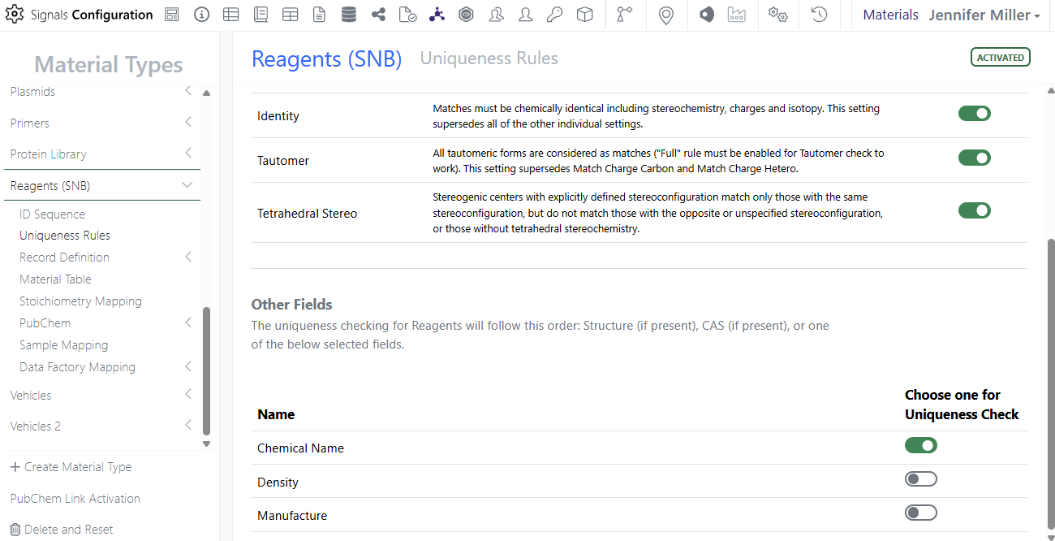
There has been an update to Uniqueness Rules for Reagent Material Libraries. Administrators can select 1 additional required field for uniqueness checking for Reagent Libraries:
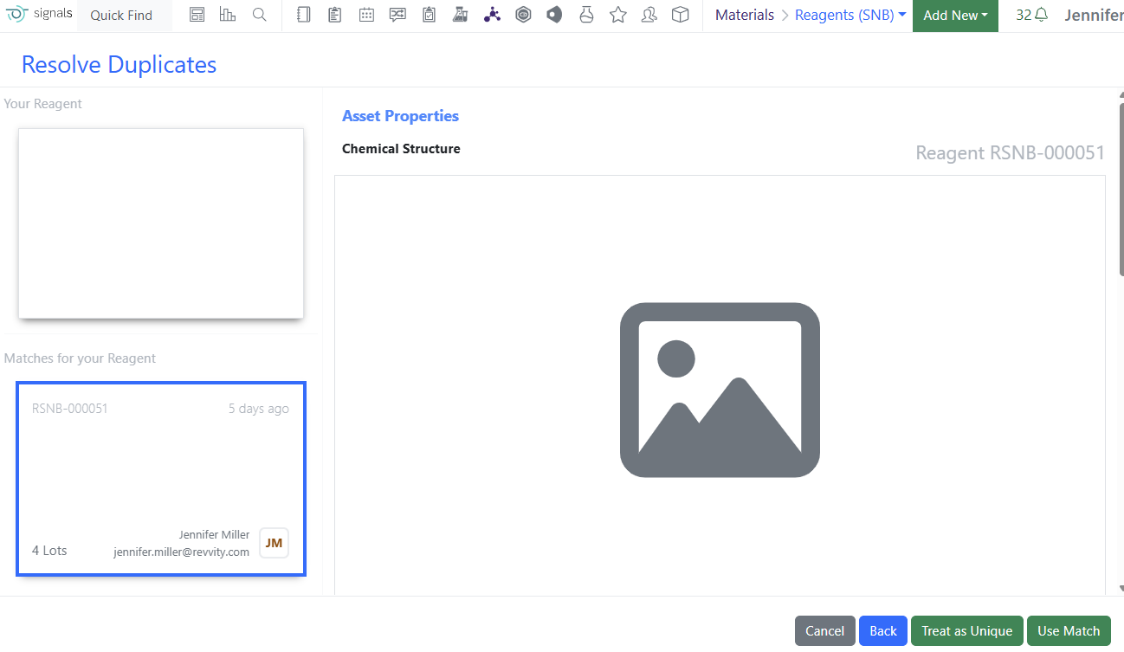
This means that when a new Reagent is being created the Structure is checked first, then the CAS number and if both Structure and CAS are empty, the chosen Other Field is used for uniqueness. Users will see the Resolve Duplicates screen if a match is found:
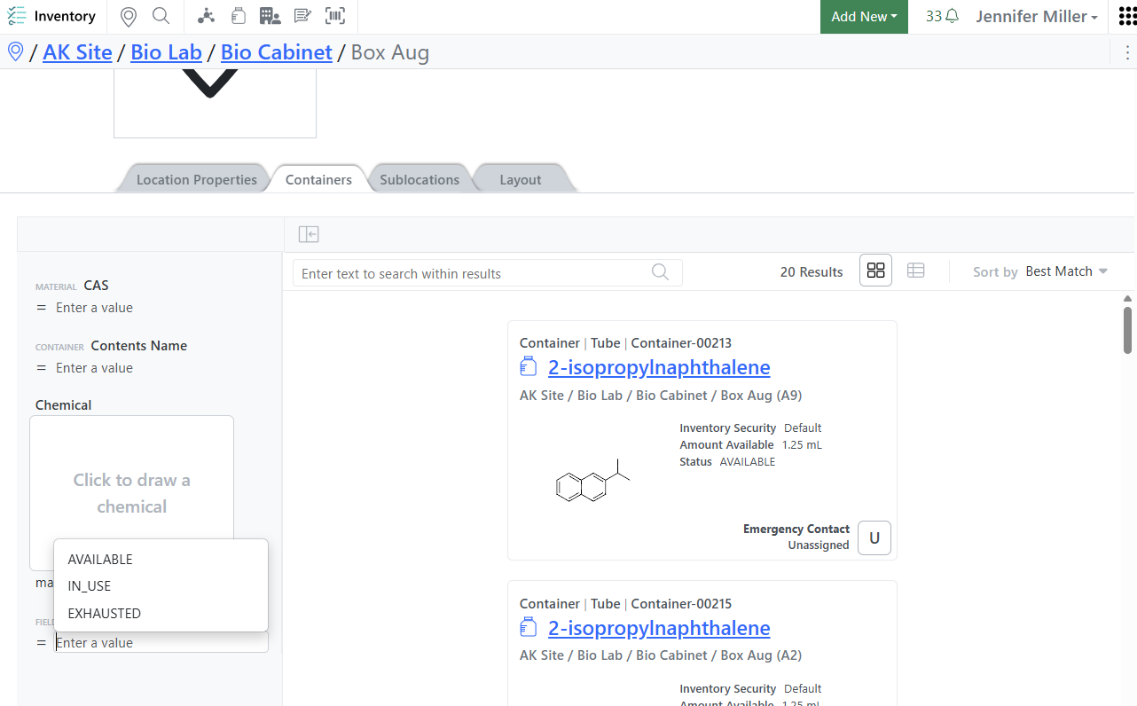
An additional Container Status Filter has been added in the Location Details View. This allows users to choose to see Disposed, Final Disposed, Exhausted containers instead of the default In Use and Available that the page defaults to:
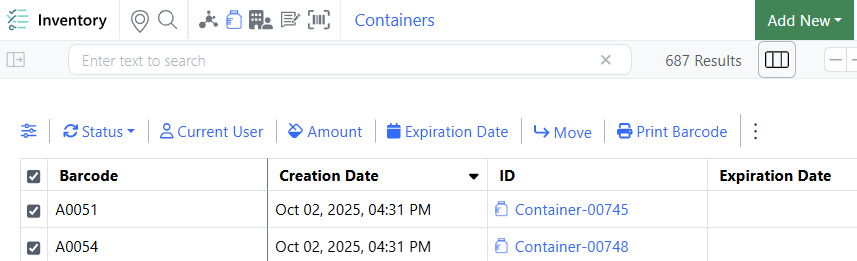
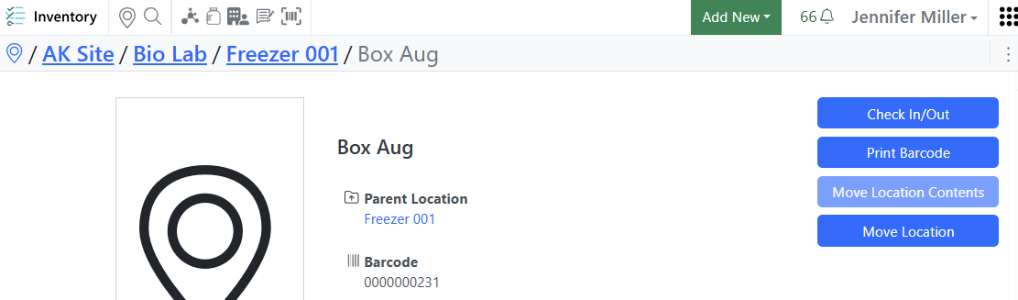
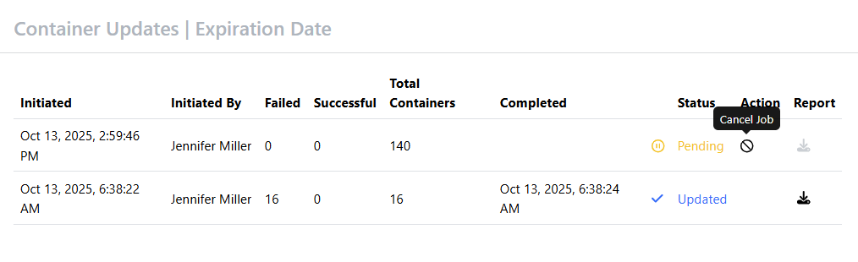
When users initiate an action or a bulk download from the Containers Search Table or from a Move Location Contents or a Move Location, they are now able to cancel the request by navigating to the Inventory Bulk Reports page and choosing the Cancel Job icon:
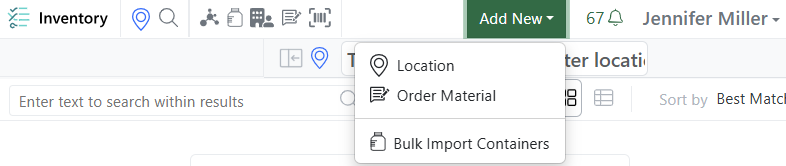
Please note that some actions are very quick so the Cancel Job option may not appear to work or may not be present at all since the job runs so quickly. Bulk Import Containers is now available for all users:
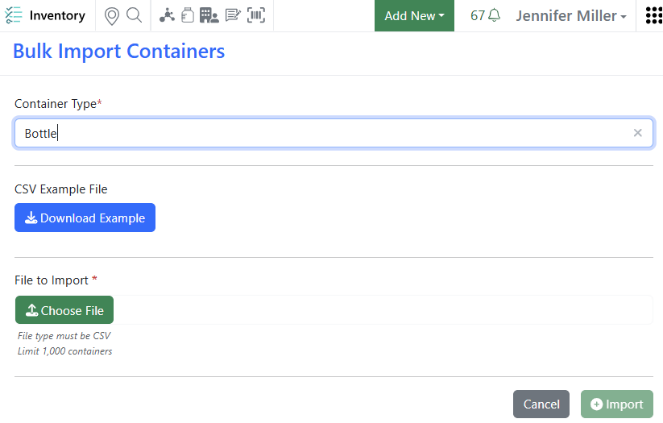
Please remember that users need the permission to create containers in order to bulk import containers.
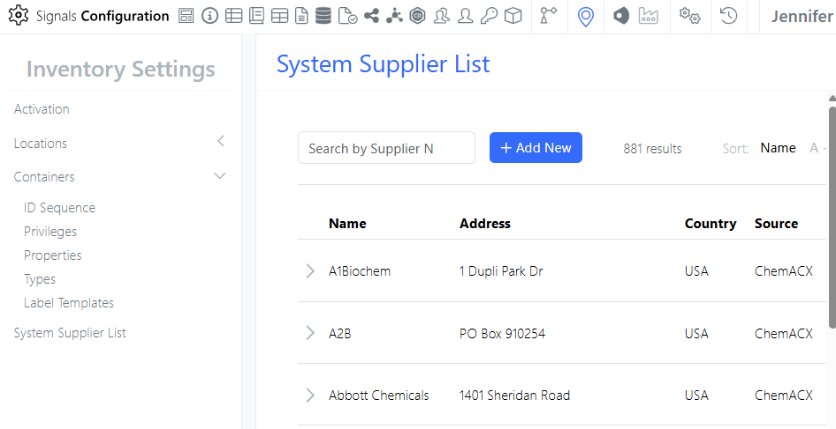
System Supplier List is available for all users. In addition, there are a few updates to System Supplier List. Inventory Administrators will see the System Supplier List available in the Inventory Settings page:
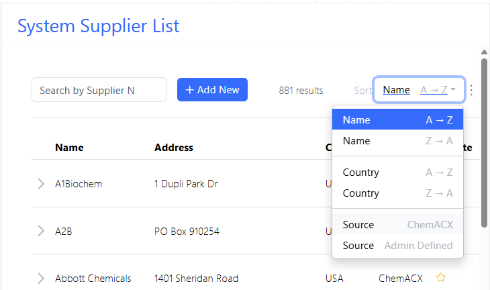
Inventory Administrators will be able to sort the System Supplier List by ChemACX or Admin Defined. The sort will keep the Favorite Suppliers at the top of the list and will sort those first and then sort the rest of the Suppliers below:
Integrations & APIs
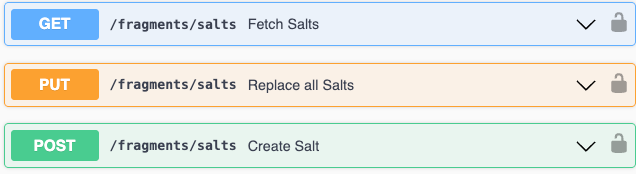
We have updated our fragments APIs to allow for fetching and updating the SMILES values for Salts.

We have added new APIs to bulk update Samples in a samples table. This is an asynchronous API with two new endpoints. One to kick off the request and one to check the status (Success or Failure). The request body of the first PATCH request requires a well formatted CSV with the first column representing the ID of the sample and the subsequent the properties to be updated.
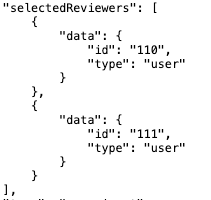
We have enhanced the External Action for “Sign and Add Reviewers” and “Sign and Add Two Stage Reviewers” to include the selected reviewers in the External Action request body. This is only applicable when submit method is set to POST.
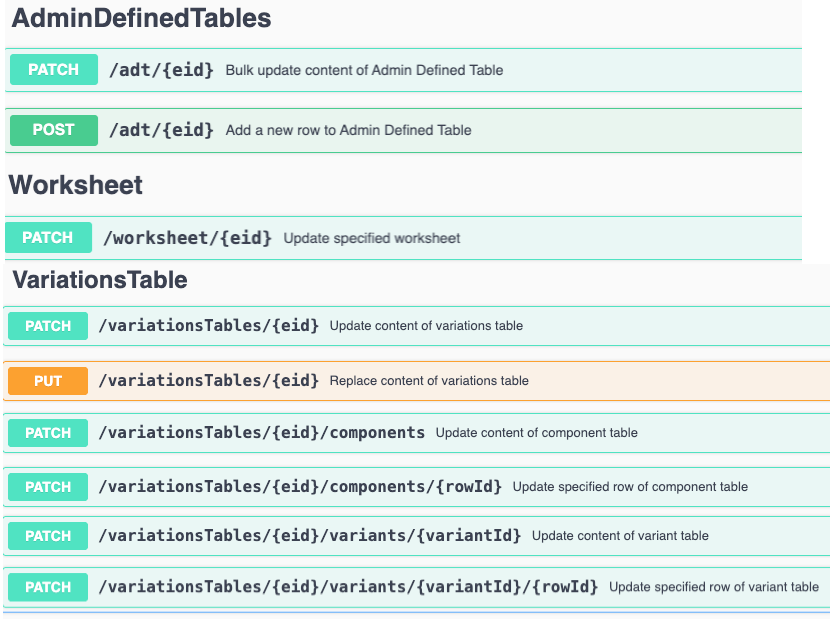
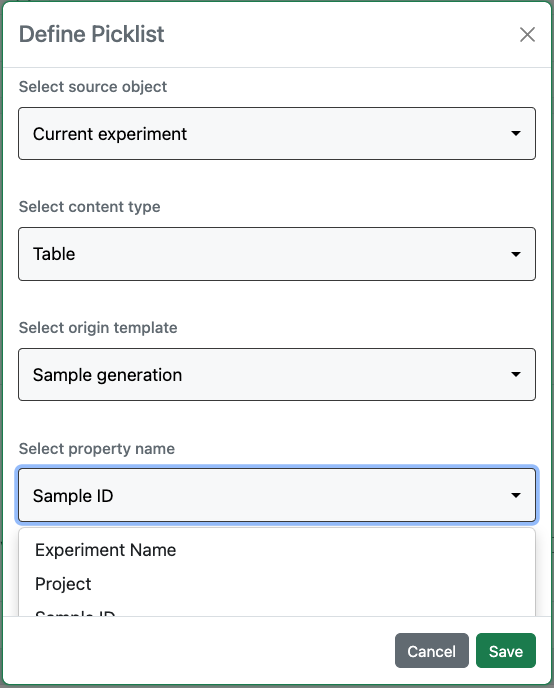
We have enhanced our APIs to support Contextual List fields and columns. This applies to APIs for updating Admin Defined Tables, Variations Tables, and Worksheets. Note that using the External API any text value can be entered into these fields/columns regardless of the contextual list definition.
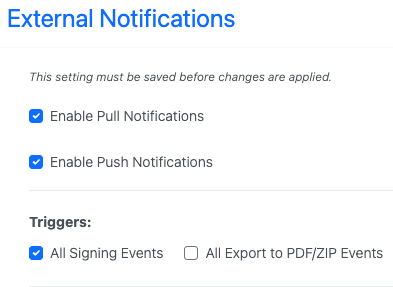
For our Synergy product we have added External Notifications for Design signing Events. These are included in the Notification Trigger “All Signing Events”.
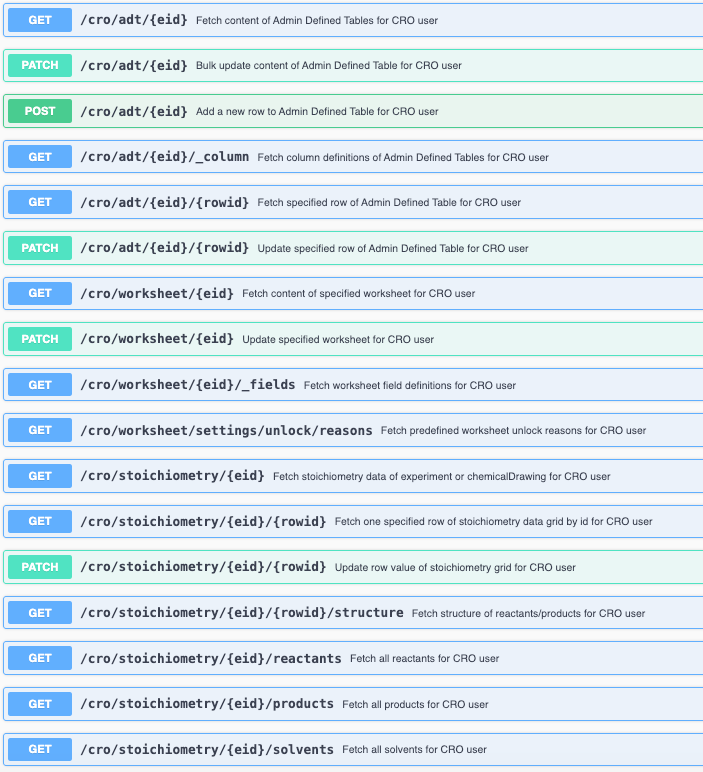
We have expanded the APIs for our Synergy Product CROs to include Admin Defined Tables, Worksheets, and Stoichiometry. These allow for specific APIs to be utilized by CRO users. This enables customers External Actions to read and write for CRO users without exposing details that CROs are restricted from seeing or interacting with.
Further Details
The following capabilities are in beta and are available for users, administrators and developers on the Signals platform upon request. Please contact your account representative or our support team if you would like access to the following features.
Admin Defined Tables, Variation Tables and Hierarchical Tables
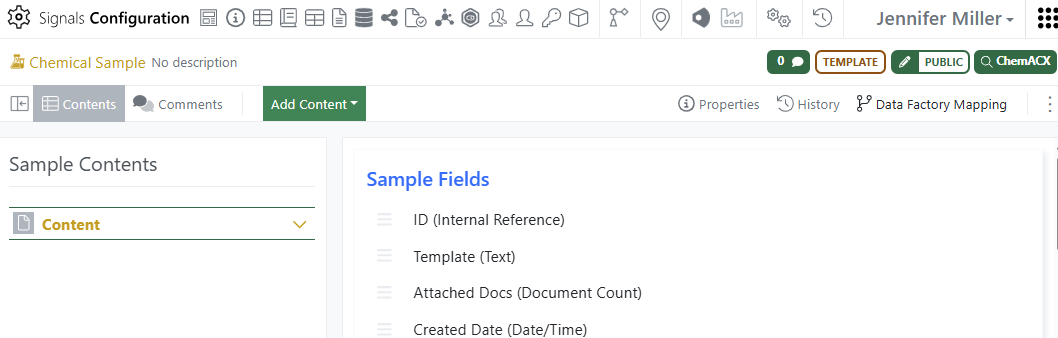
Publish Samples is a new beta feature. To publish Samples for analysis the configuration will need to be done in at least 2 places and up to 3 depending on where the information is being filled stored or entered. The simplest option is to configure the Sample Template and the Table Template (ADT or Variation Table).
To configure the Sample Template the administrators needs to navigate to the System Objects Samples Templates. Choose the Template for the Samples to be published and click the Data Factory Mapping in the top right corner:
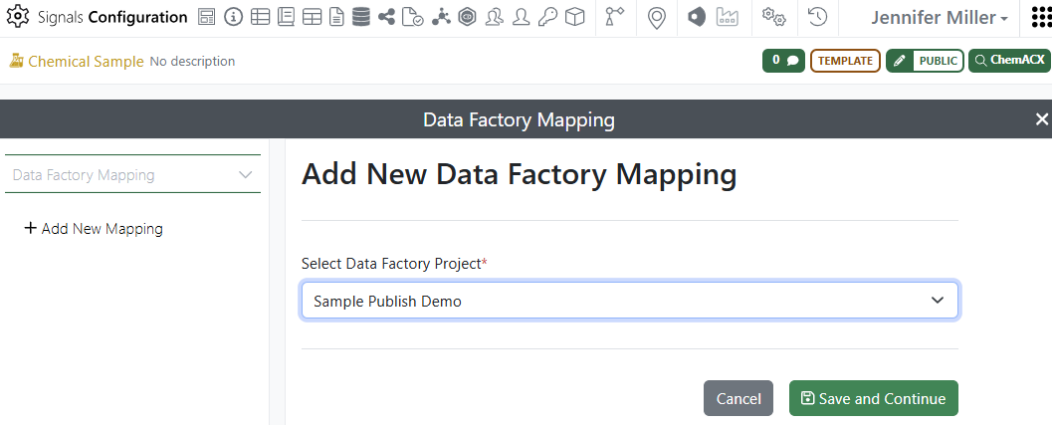
Select the Data Factory Project that the Sample data will be published to and click Save and Continue:
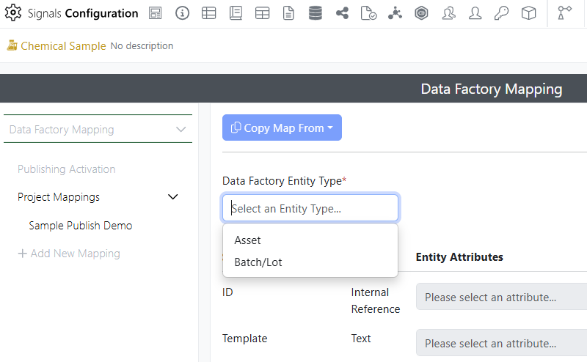
For the map to be able to be filled out, the Data Factory Entity Type needs to be selected. Administrators can map the Sample to the Asset or to the Batch/Lot. This is where the configuration depends on where the data will be stored or entered. Administrators can configure the system so that every Sample is an Asset is Data Factory and then associate Variants in a Variation Table as the batch/lots OR a configured field in an ADT can be the batch/lot. Another option the administrator could configure is the Experiment ID as the Asset (or another field on an Experiment/ADO, ex: a Material ID that links back to a Materials Library) and map each Sample as a batch/lot of that ID.
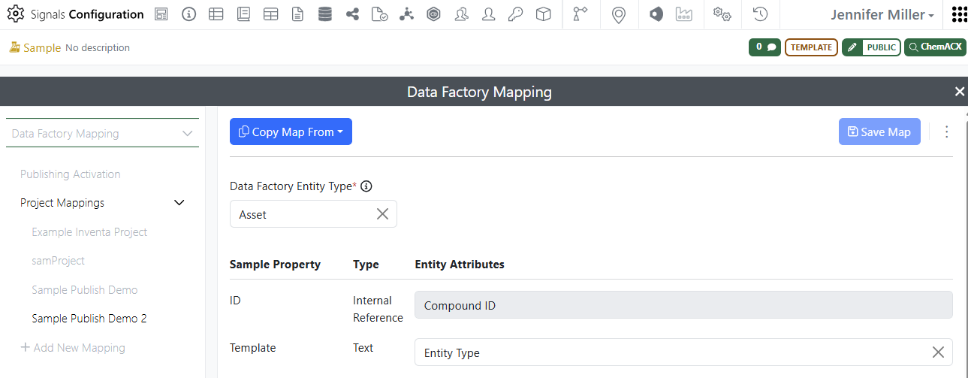
Once the administrator chooses the Data Factory Entity Type, either the Compound ID (if Asset is chosen) or the Batch ID (if Batch/Lot is chosen) the value will automatically fill in the ID row. The ID is expecting an Internal Reference. This means that in the ADT/Variation Table there is expected to be an Internal Reference field that will be filled in (by the user) with a viable Sample ID from Signals Notebook:
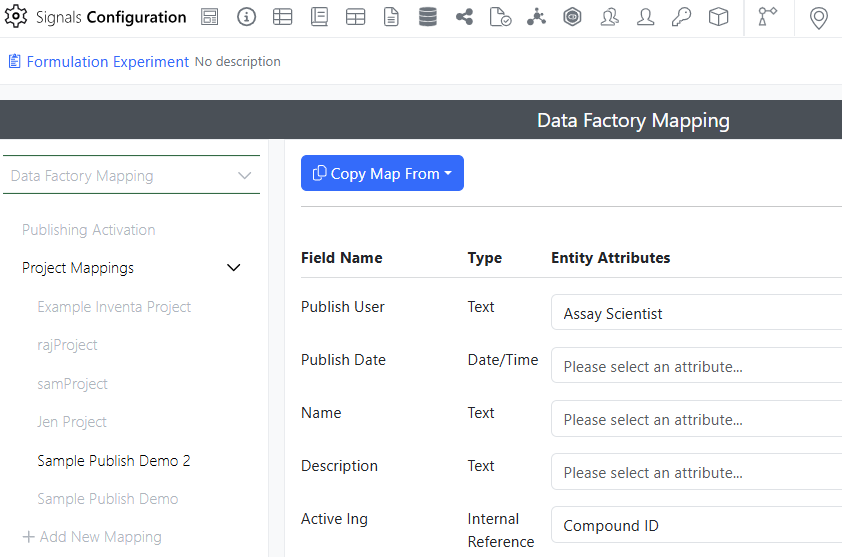
Configure any additional entity fields that should be associated with the Sample creation as an entity and Save the map (ex: Purity). Next the administrator should configure the Experiment/ADO template if that is where the asset or any additional should be entered by the user (ex: Date, Scientist…):
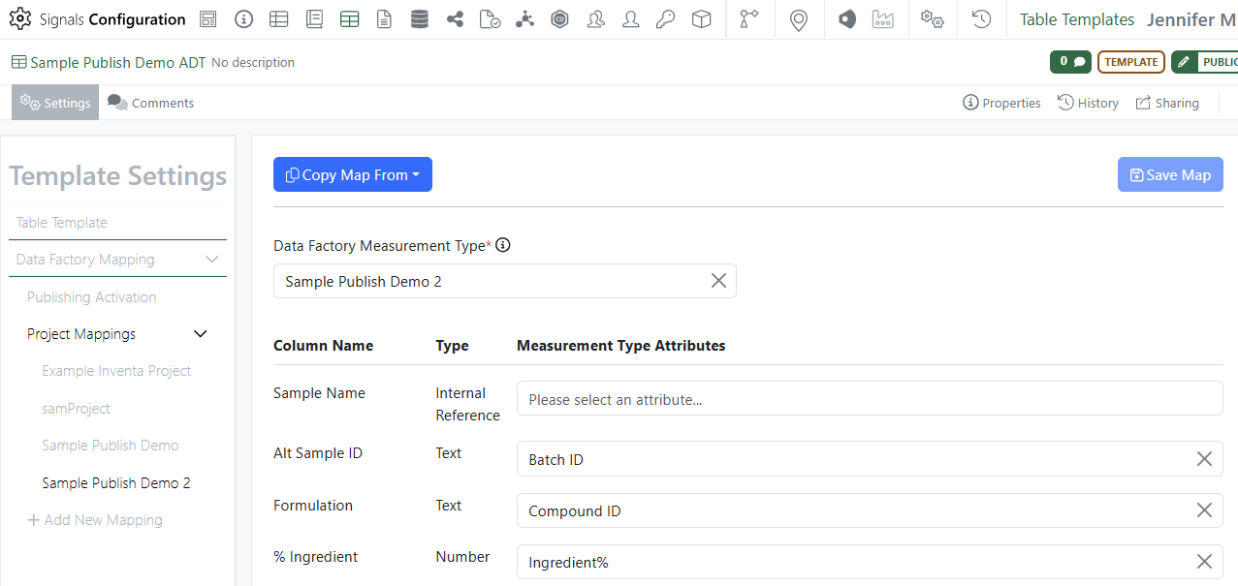
After the Experiment/ADO is configured, the ADT or Variation Table where the Samples and the data to be published will be entered will need to be mapped:
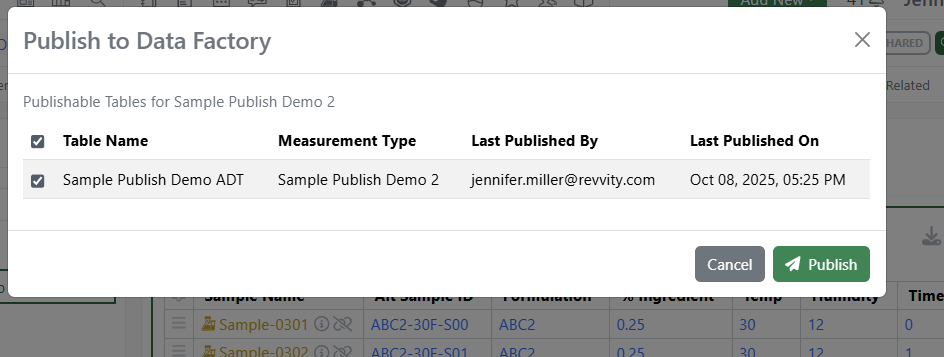
If the Asset is in the table, it can be mapped as well. When all the mapping is done then the users will be able to publish the data from their experiments:
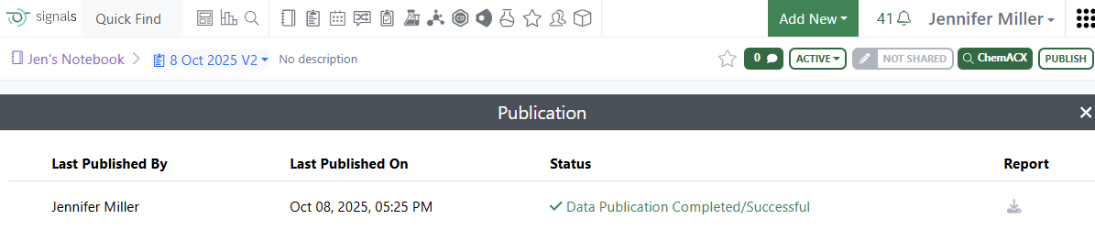
The report will be available with the Status once the publication is complete:
Note: Setting up the Data Factory Entity and Measurement Types before configuring Signals Notebook will help ensure a smoother process. Starting with configuring the Experiment/ADO, then Sample Template and then ADT/Variation Table can help with keeping track of the least detailed mapping to the greatest detailed mapping. Administrators should remember to enable the publishing before leaving the configuration of each Template. Samples as the Asset with the Batch/Lot as the Variant Name Samples as the Asset with the Batch/Lot as an additional field in the ADT/Variation Table Experiment/ADO as the Asset and Samples as the Batch/Lot Experiment/ADO additional field as the Asset and Samples as the Batch/Lot Samples as the Batch/Lot with an additional field in the ADT/Variation Table as the Asset Experiment/ADO (or additional field) as the Asset and Variants as the Batch/Lot- if you choose this method be sure that the Variant is configured to be unique for every Variation Table the user may add to the Experiment (ex: Add the Table Name to the Variant)
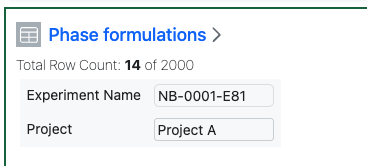
A total row limit of 2000 rows has been applied to Hierarchical Tables. This limit is applied across all of the table layers.
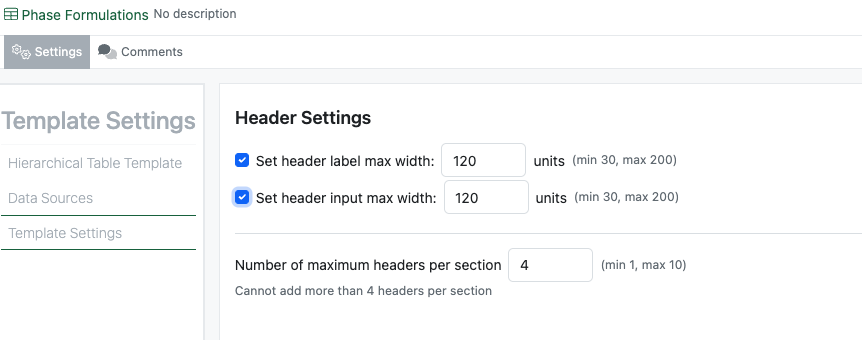
Administrators can now define properties for display of the headers. Headers are displayed in consecutive vertical blocks of up to four, a maximum number of headers in each block and a definable maximum width of the labels and values.
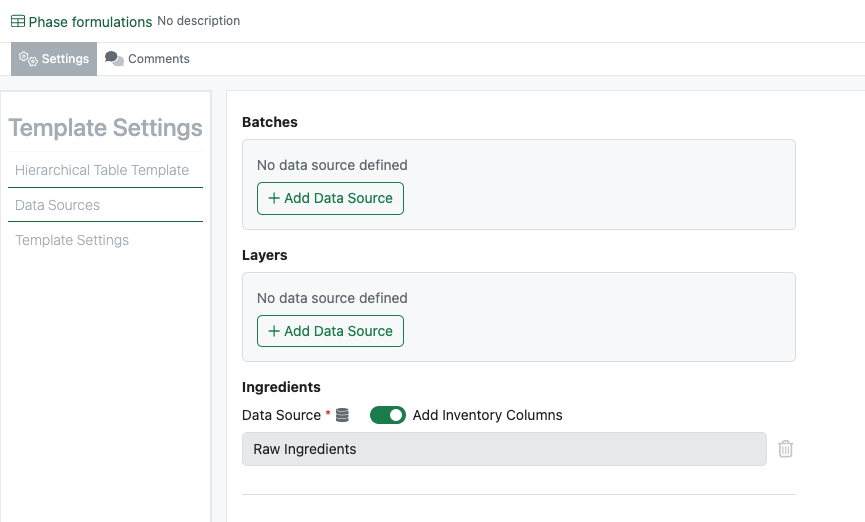
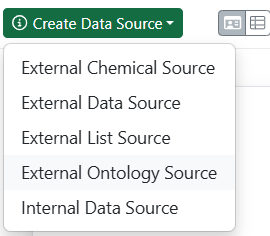
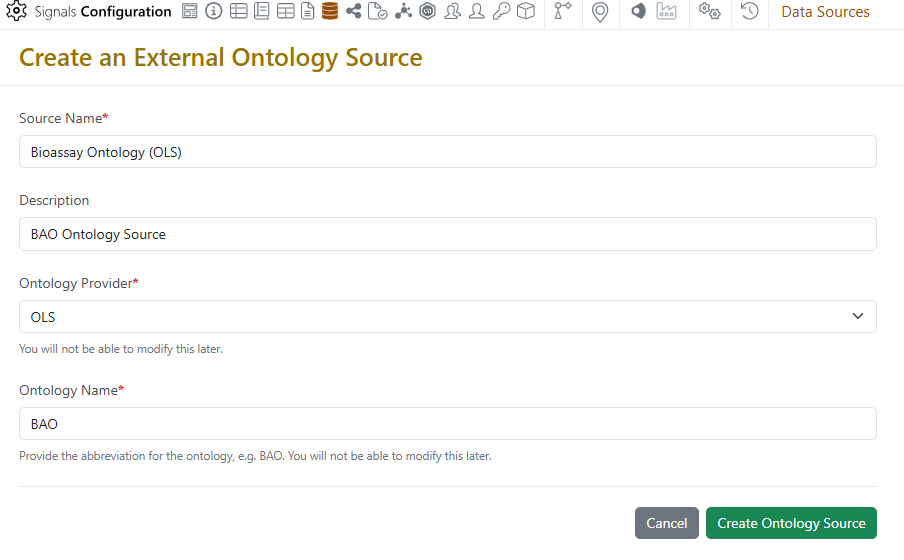
External and Internal Data Sources can now be applied to the table layers in Hierarchical Tables. Each table layer can have up to one data source applied.

If the data source is an appropriately configured Internal Data Source, Inventory columns can optionally be added to a single data layer. This will add the barcode lookup capability to the ID column, along with Barcode, ContainerID and Inventory Decrement columns.
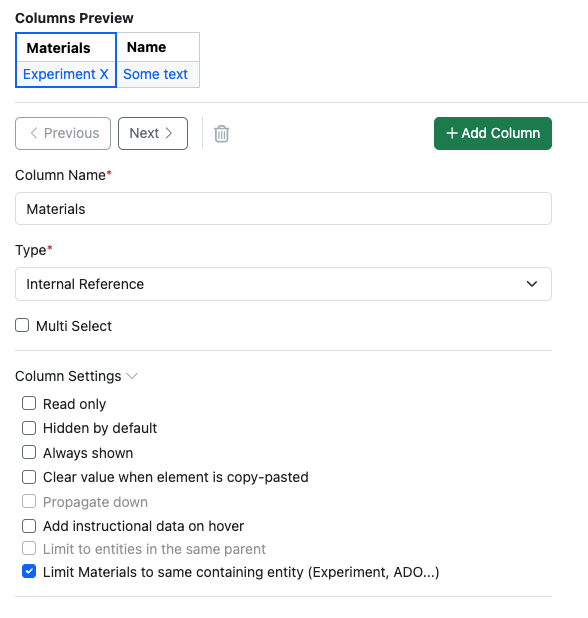
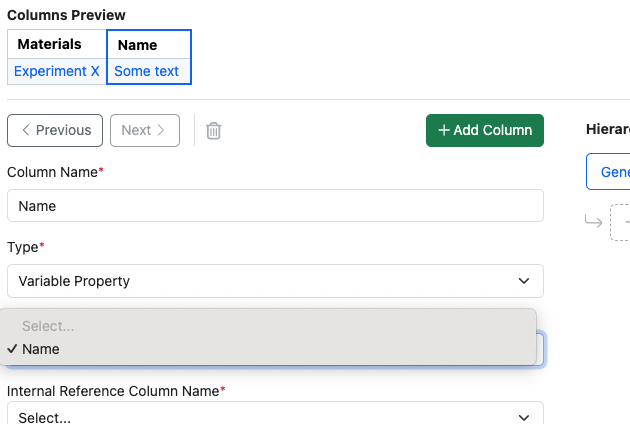
Properties of type Internal Reference can now be defined to limit to “within the same entity”. This capability, already available in Variation Tables, is now extended to Hierarchical Tables. When selected the list of available references will be limited to Materials referenced in Material Tables within the same Experiment. An additional column of type Variable Property can be added to add the Material Name.
Worksheets
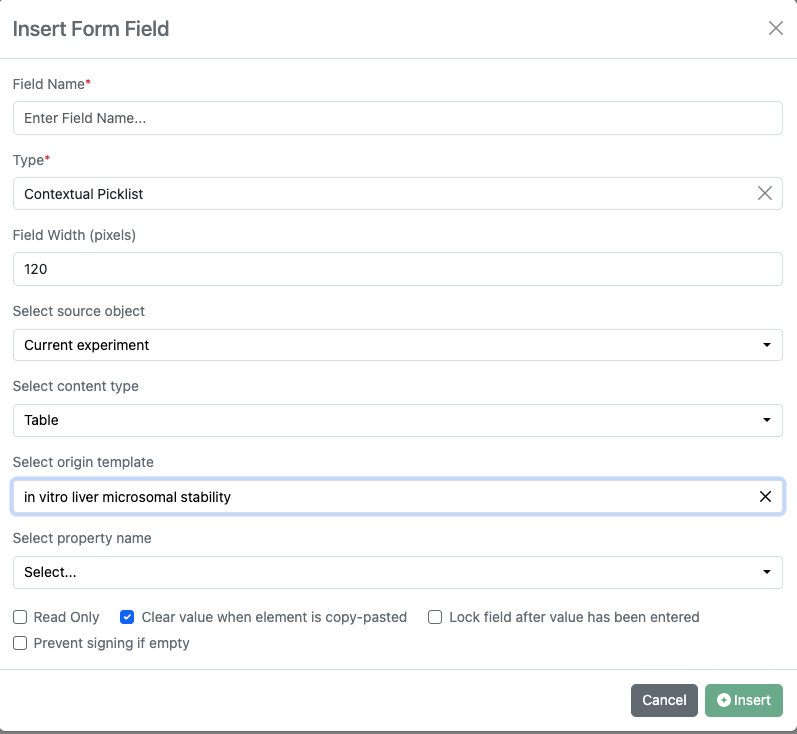
The Contextual List property type has been added to Worksheets.
Administration
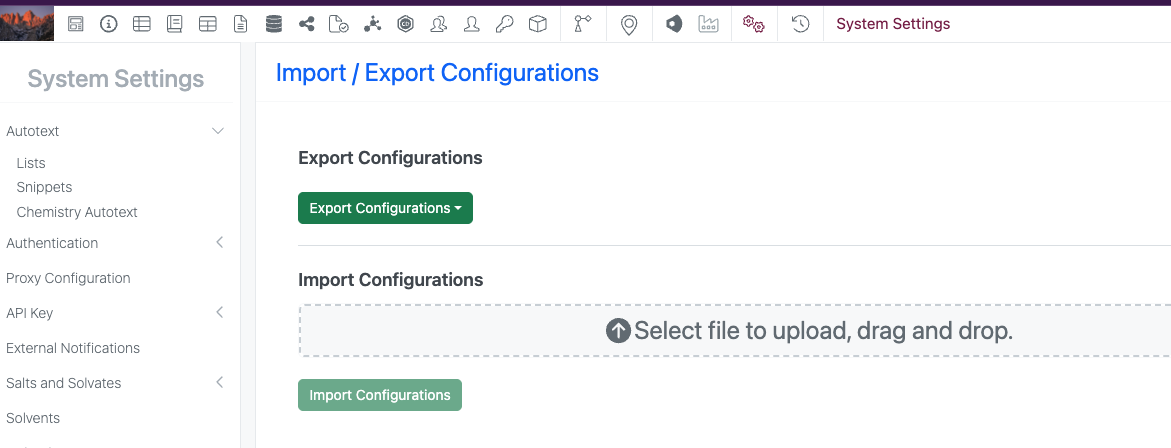
Contextual Lists are now included in Configuration Transfer.
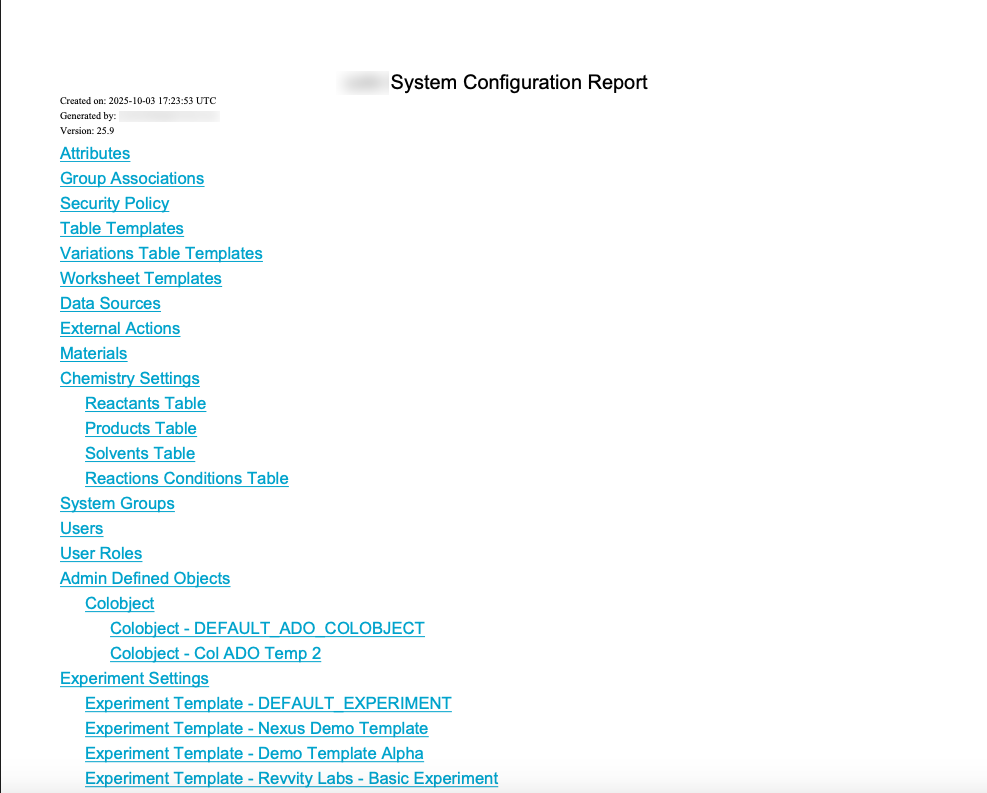
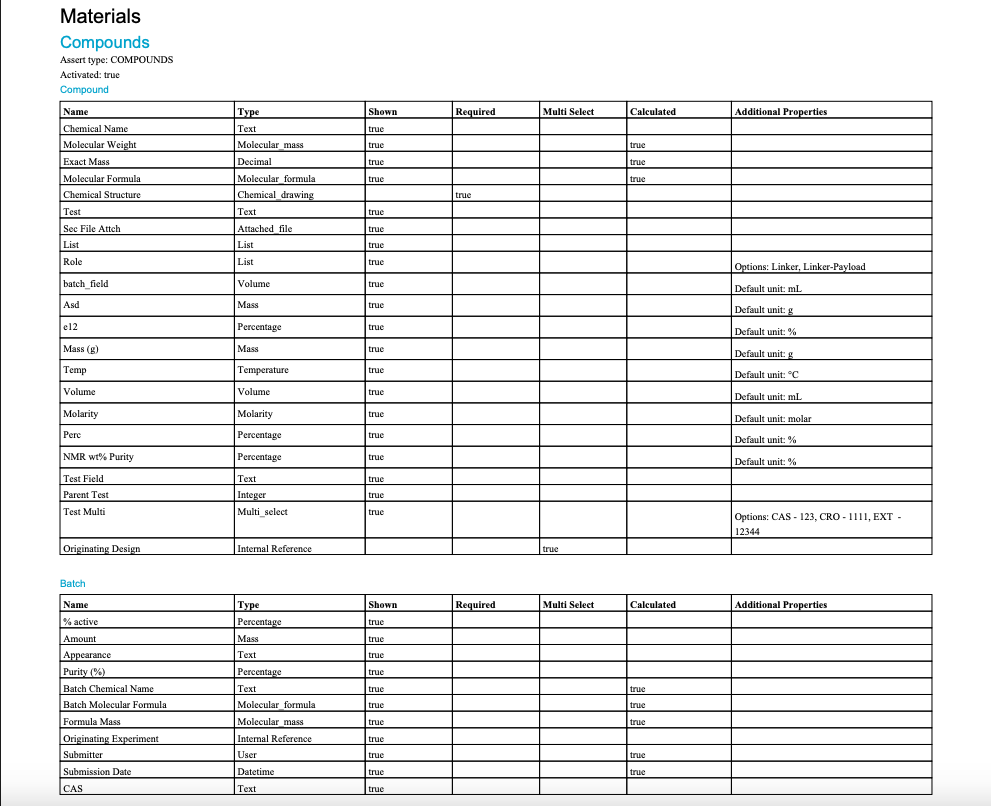
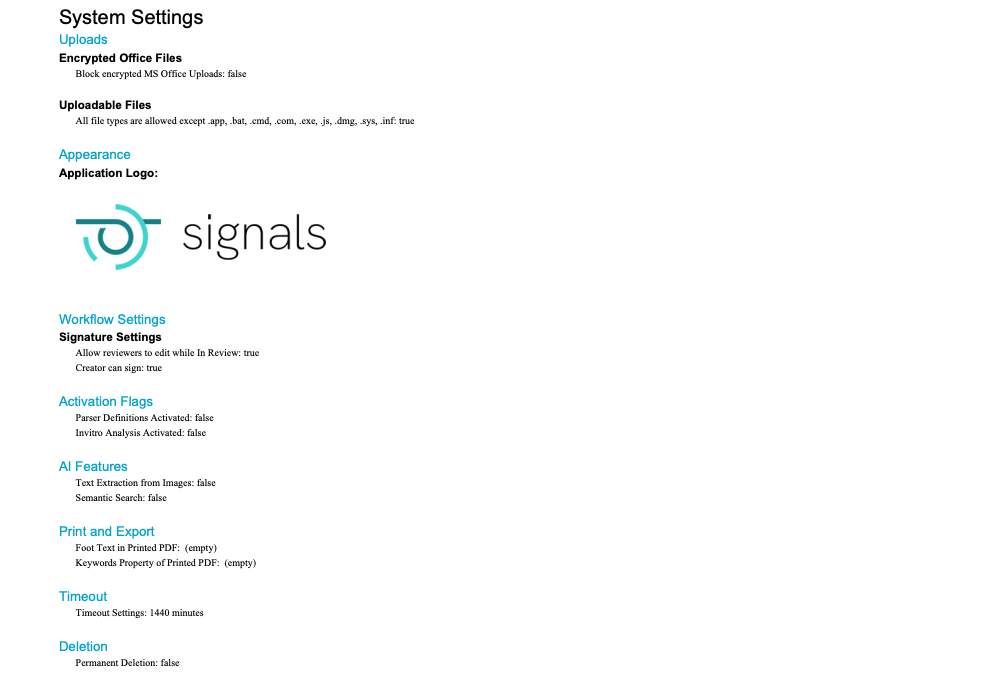
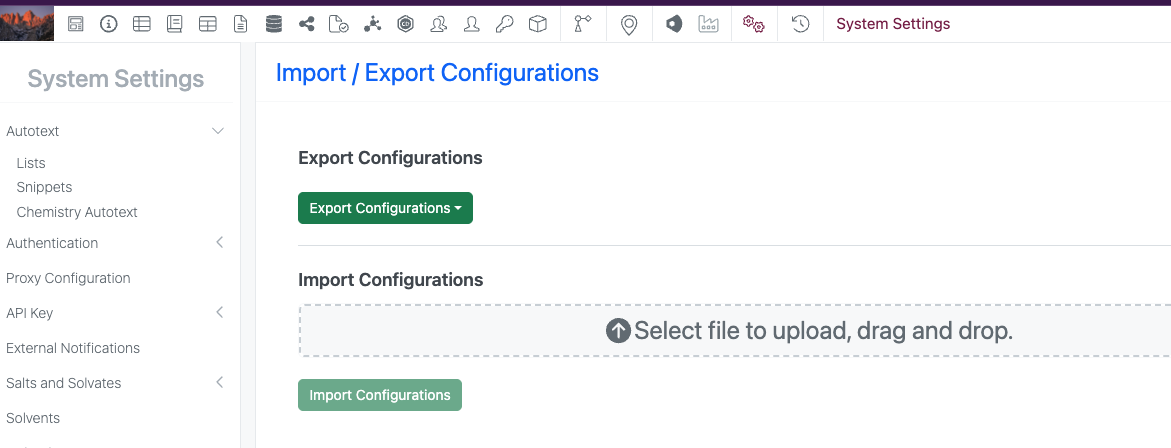
This release brings the beta release of a System Configuration Report. This feature allows the generation of a PDF that captures the current configuration settings for a tenant. The Configuration Report is accessed from the Export Configurations dropdown.