What’s New
We are delighted to release our new version of Signals, 26.6.
The following improvements are available for users, administrators and developers on the Signals platform. Certain features may only be available with appropriate licensing and/or with enablement by an administrator.
- Fundamentals
- Audit trail displays highlighted granular changes for text elements is available to all systems
- Audit trail displays highlighted granular changes for structured tables such as hierarchical tables, variations tables, materials tables, etc. (beta)
- Audit trail displays highlighted granular changes for worksheets (beta) - AI
- Semantic Search available to all systems* - Data Workflows & Analytics*
- Administrative access to Signals Native Analytics is now available to all systems
- Curve fitting extended to Logistic regression 3-4-5 Parameters models is available to all systems
- Initial support for custom curve fit definitions and publication is available to all systems - SAR & Decisioning*
- Receive an email notification when publication to Data Factory completes
- Track Data Factory publications with an “In Progress” status after submission
- View very small values in scientific notation in the Material Library’s Published Data section
- Use Insights to query, generate, and analyze Measurement and SAR Tables directly in Signals (beta)* - Synergy†
- Administrative control of CRO privileges per CRO Department
- CRO privilege to enable Copy/Copy Partial of Synergy Experiments for CRO users
- Search Bookmarks in Synergy Advanced Search and Smart Folders for Sponsor and CRO
- File Upload in Synergy Experiments for CRO users
- Work Order-specific naming of Synergy Experiment Drafts
- Sponsor can Recall Work Orders in Accepted by CRO status
- Date Sent, Date Started, and Date Completed data on Work Tasks (beta)
- Configuration Transfer support for Work Tasks (beta) - Chemistry
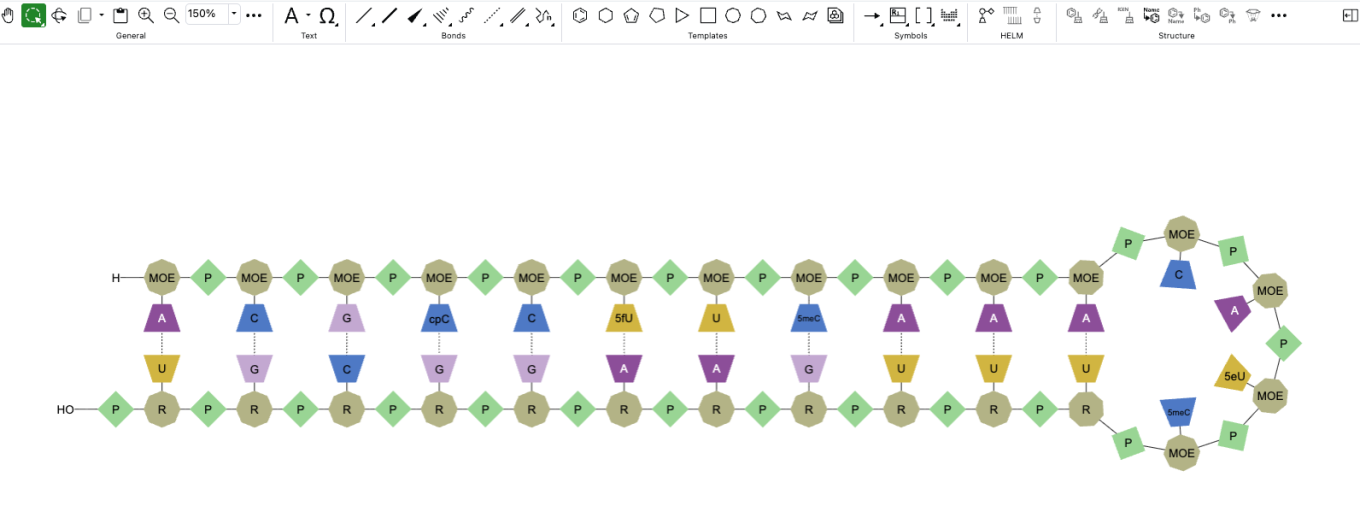
- HELM string in the Products table and Sample
- Compact display option for Chemical Check Warning watermark - Tables
- Fill values in a column in an Admin Defined Table or Variation Table
- Fill values in a column in a Hierarchical Table*
- Disallow copy of values in a column when copying a row in an Admin Defined Table
- Disallow copy of values in a column when copying a row in a Hierarchical Table*
- Box Plots on Admin Defined Tables*
- Bucketed numerical column can be used for Categorical axis on a Bar Chart*
- Bar and Segment totals can be displayed in a Bar Chart*
- A Second categorical column can be displayed on a Bar Chart*
- Define segment ordering for stacked Bar Charts*
- Multiple lines per column in a Line Chart*
- Numerical properties displayed as aggregate on Y axes in a Line Chart* - Plates
- Increase of csv upload limit from 2000 to 50000 - Inventory
- Bulk Update Home Locations for Containers
- Autofill for Inventory Decrement in Stoichiometry Table
- "Modified Date" and "Location Type" Column Added to Container Search Table and included in exported data
- New 54 × 25 mm (QR Code) Label Template with 5 Slots - InventoryGo ‡
- Grid location support for Rectification workflow
- Activate/Deactivate default location for Auto Complete Rectification
- Optimized Adjustment Status Control - Materials
- UI update to material tables configuration available to all systems - Tasks and Requests
- Increase in Task creation limit from 2000 to 4000 - Administration
- Audit trail displays highlighted granular changes for admin-defined tables is available to all systems
- A matching Configuration Report (PDF) generates based on selective configuration export (beta) - Integrations & APIs
- API Key Limit from 25 to 100
- API to export Monomer Library to JSON
- API to bulk export Containers
- Enhanced bulk Material Export to allow specifying materials
- APIs to fetch Report and Results tables from Data Exchange
- Fetch Synergy Data Exchange Report and Results Tables API
- Department assignment support via Bulk CRO User Update API
* Requires Signals One license
† Requires Signals Synergy license
‡ Requires InventoryGo license
The following OnDemand videos for Signals Synergy are now available:
- Assays in Signals Synergy
Administrators should note that we have resolved an inconsistency in the way non global numbering currently works for Parallel Experiments, Requests, Inventa Analysis objects and In Vitro Analysis objects. These objects will now take the next number in sequence regardless of object type. The current behavior is that they take the next number in sequence for the given object type.
Data Factory Administrators should note that legacy Data Factory projects will be fully deprecated in a future release. A straightforward migration path will be provided in an upcoming release to support this transition.
Data Factory administrators should also note that the Advanced Security policies in Inventa apply an “AND” logic across all user groups, restricting access if any groups lack permissions. This behavior differs from the standard Signals security model and will be fixed to align with the standard in a future release.
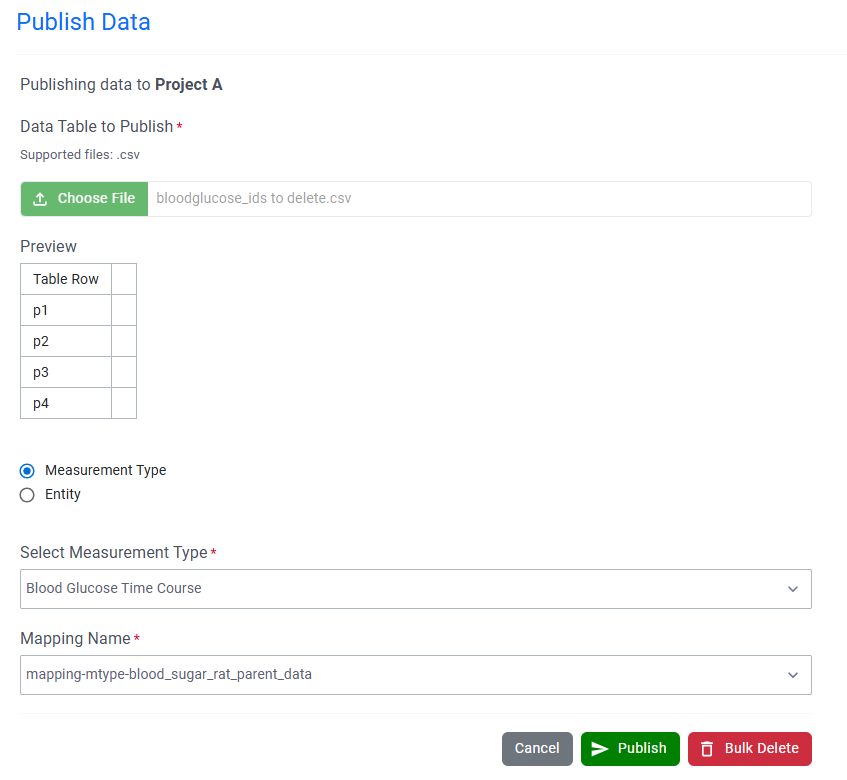
Data Factory administrators should note there have been performance improvements for Bulk Delete and row-based publications.
Administrators are recommended to subscribe to the channels within our support news site found at https://support.revvitysignals.com/hc/en-us/categories/360004446171-Support-News which contains more information about releases and other pertinent product information.
This content is anticipated for release on our Production E3 environments, and for Private Cloud customers on our deferred release schedule, in November 2026.
Further Details
The following improvements are available for users, administrators and developers on the Signals platform. Certain features may only be available with appropriate licensing and/or with enablement by an administrator.
Fundamentals
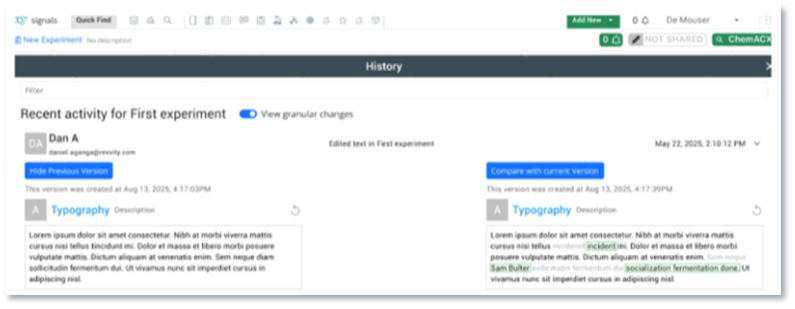
Display of granular audit trail changes within text elements are now available to all systems.
AI
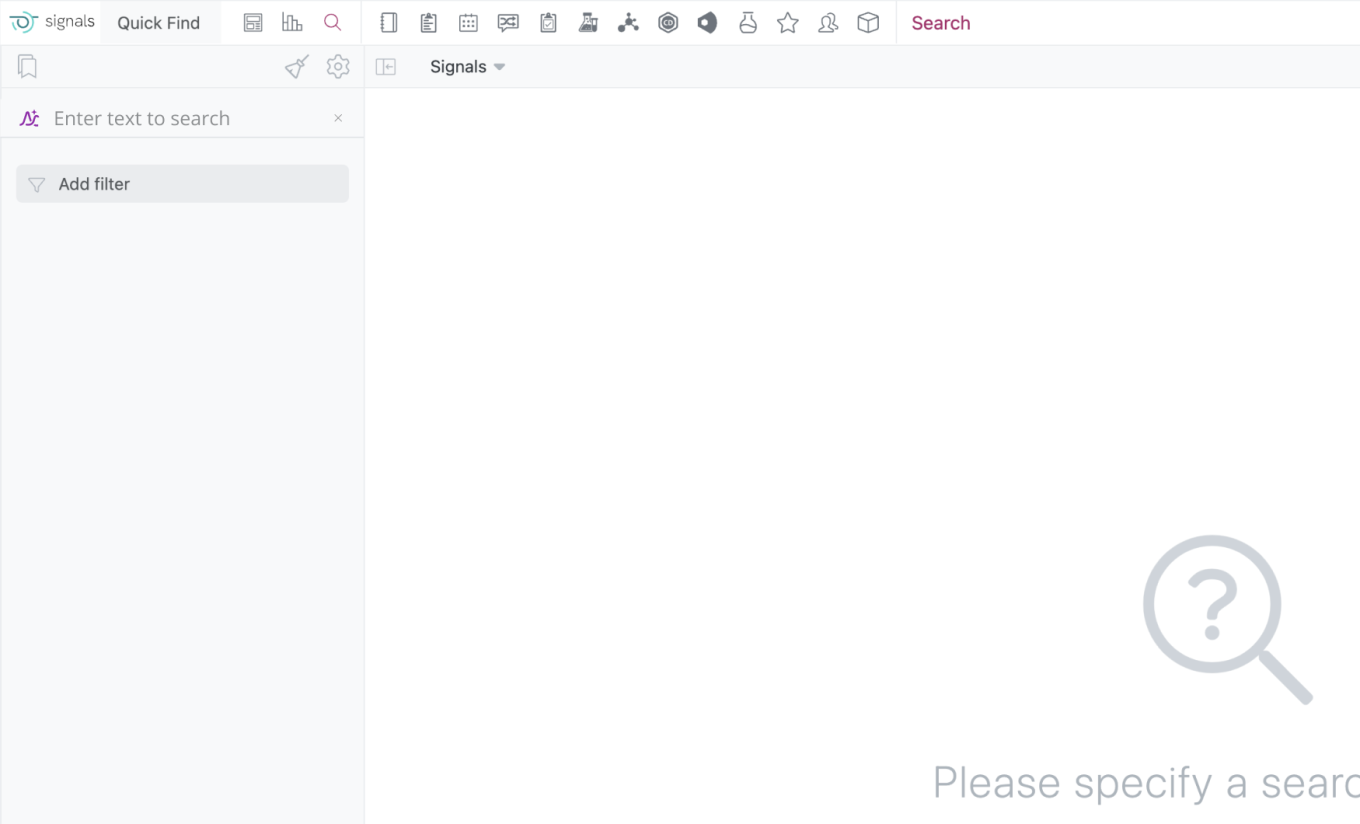
Semantic Search is now available to all systems
Data Workflows & Analytics
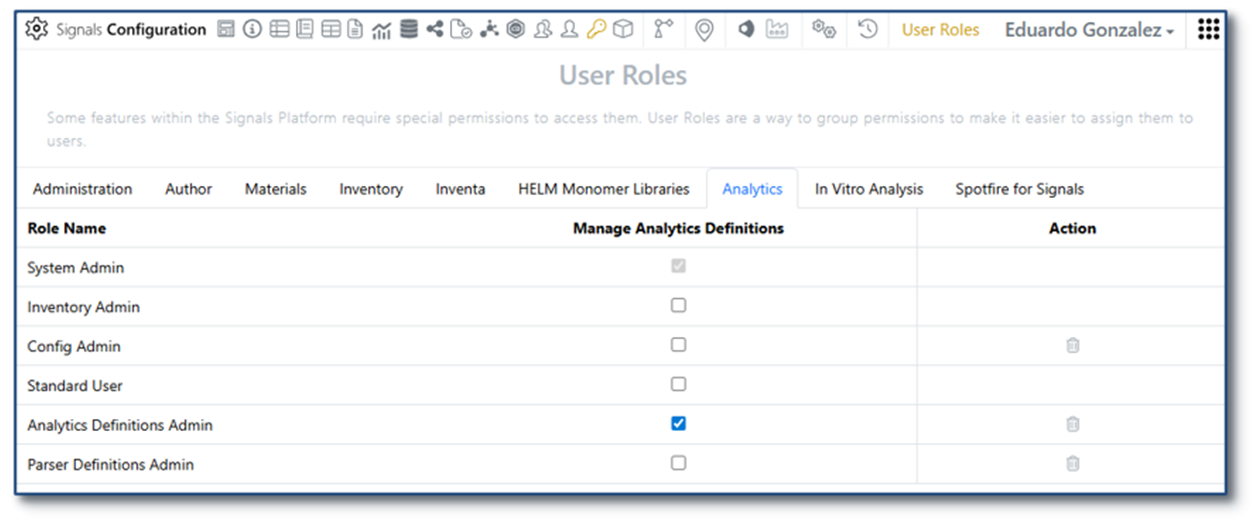
Administrative access to Signals Native Analytics is now available to all systems.
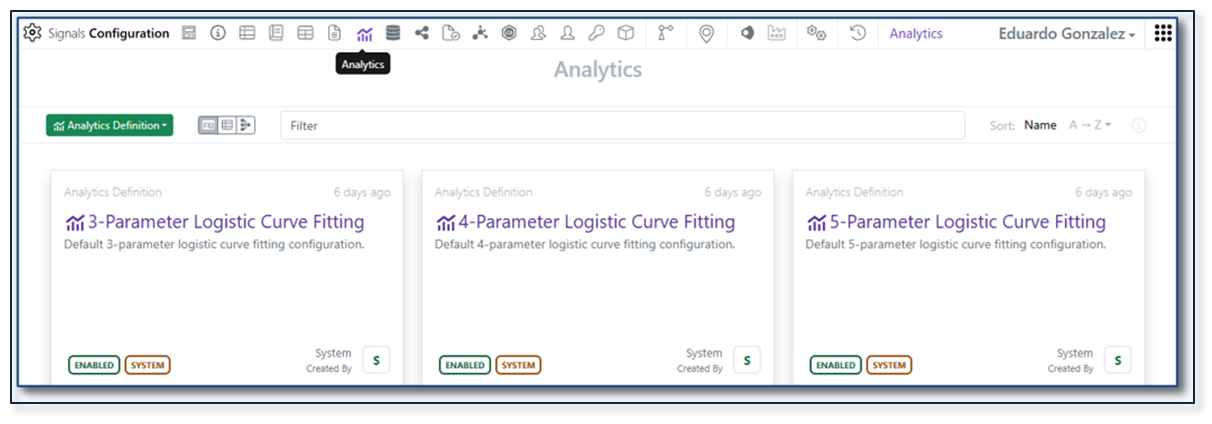
Analytics definitions for 3-4-5 Parameter logistic curve fittings are now available to all systems.
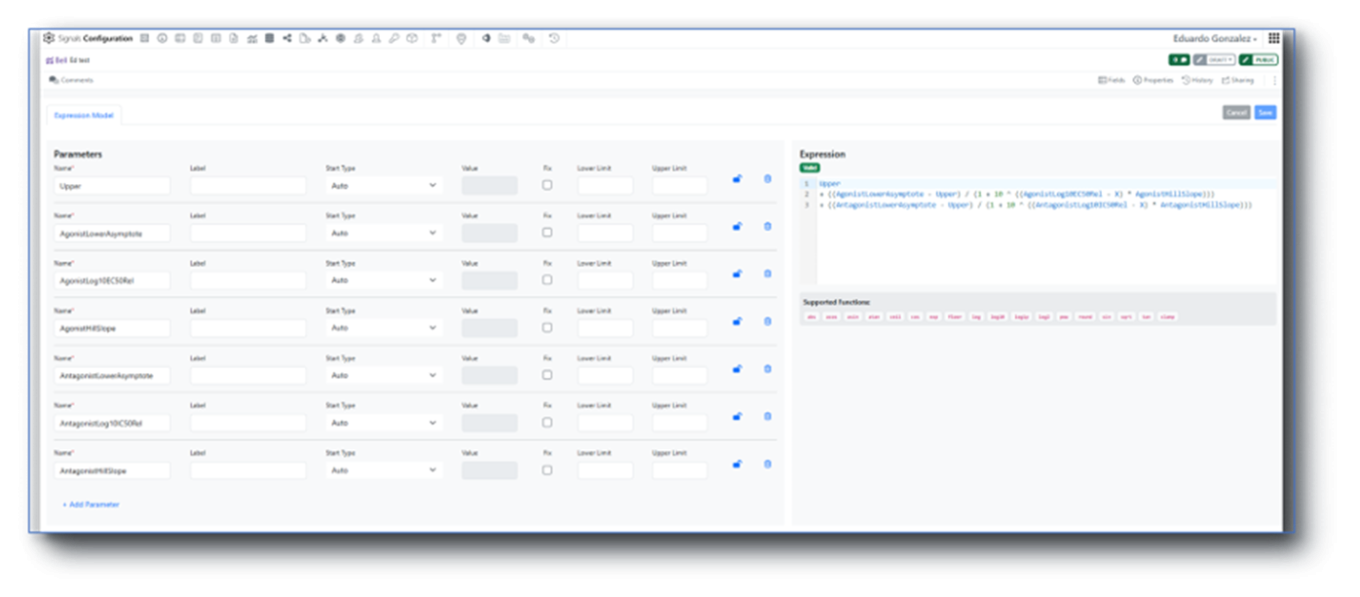
Custom curve fit definitions and publication is now available to all systems.
SAR & Decisioning

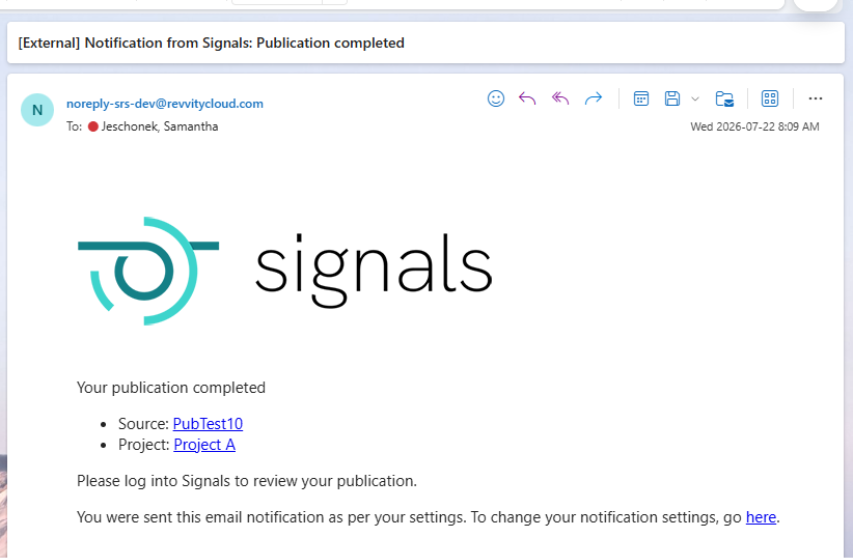
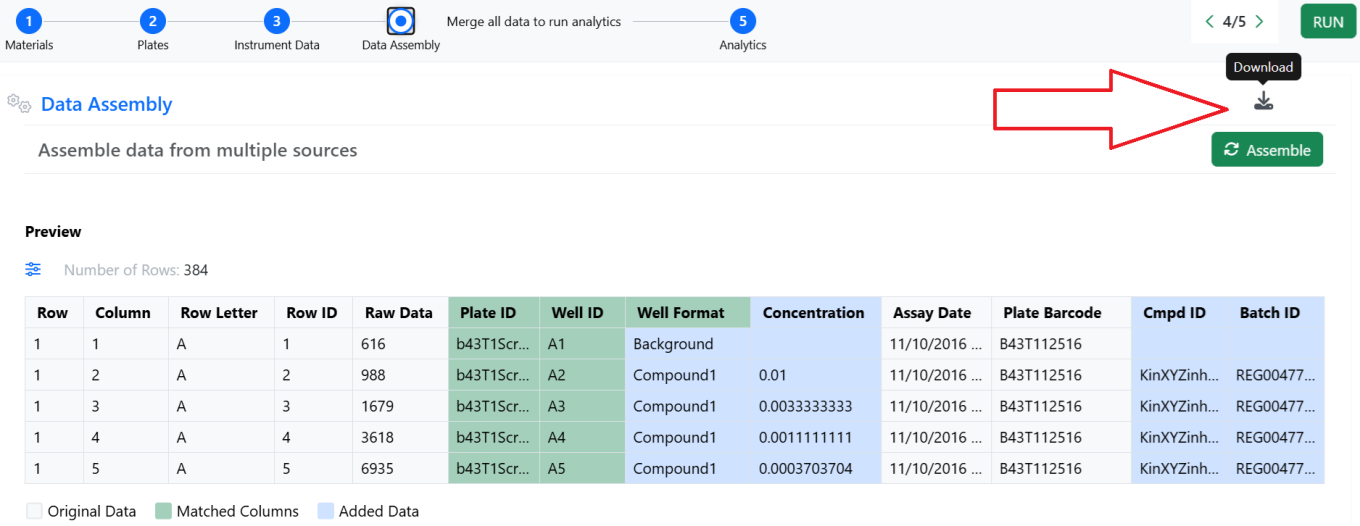
Users can now opt in to receive an email notification when a Data Factory publication or bulk delete action completes. The notification includes the target Project and, when available, the publication source. Multiple publication sources are supported including: Tables (e.g. ADTs), the Inventa Dashboard, and the Publish Results to Data Factory Spotfire app.
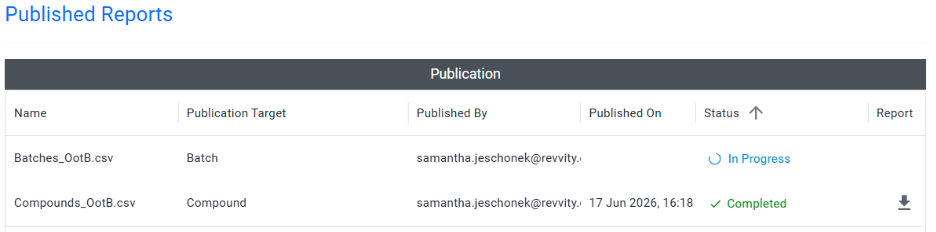
The Publication Report for Data Factory projects now displays an “In Progress” status after a publication is submitted, confirming that the request was received. The status updates when the publication completes.
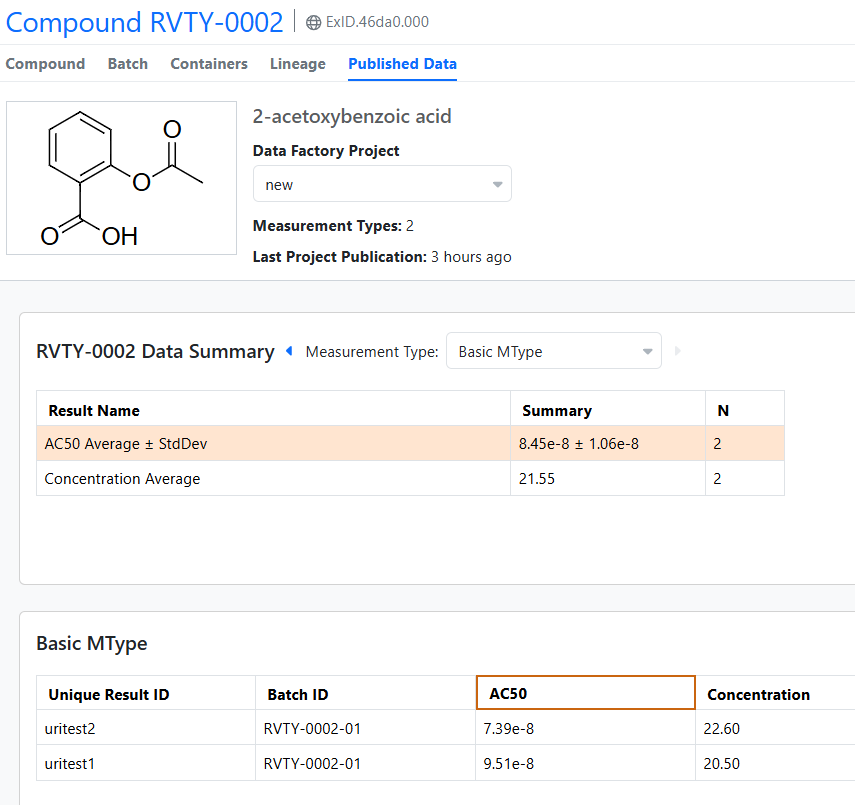
The Material Library’s Published Data view now displays very small values in scientific notation in both Summarized and Measurement views.
Synergy
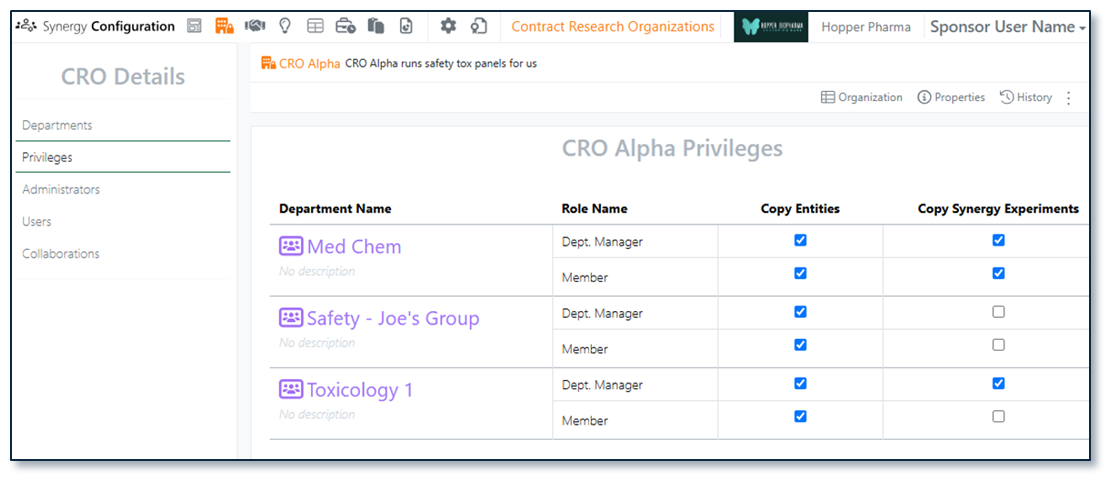
In Synergy, most CRO privileges are managed by CRO roles (CRO Department Manager vs Department Member), Collaboration access, and Work Order assignment. This keeps CRO onboarding and offboarding simple and CRO behavior predictable. However, some privileges require Sponsor administrative control. A Sponsor Administrator with the privilege to Manage CROs and access to CROs (System Administrators, Synergy Administrators and Synergy CRO Managers) can now manage CRO privileges in Synergy Configuration > Contract Research Organizations on a per CRO and per CRO department basis.
There are two administrator-controlled CRO privileges, Copy Entities and Copy Synergy Experiments. Copy Entities allows a CRO user to copy individual elements within Synergy Experiments, such as a Chemical Drawing, Text, or Table. Copy Synergy Experiments requires Copy Entities and allows a CRO user to Copy/Copy Partial a Synergy Experiment.
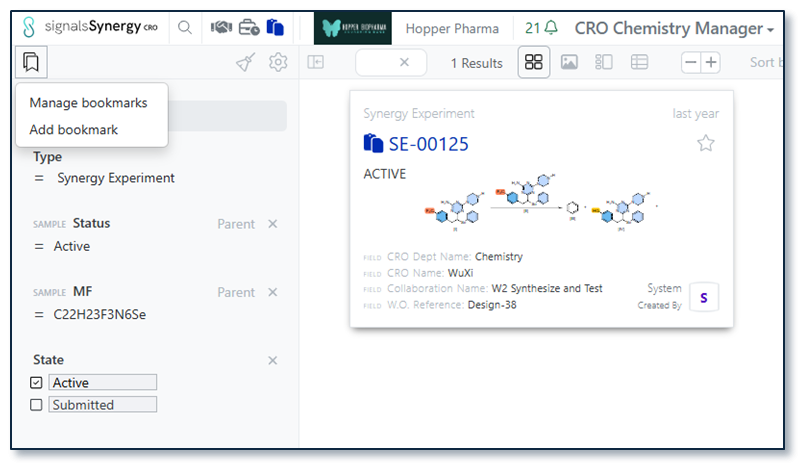
Search bookmarks allow the user to reuse common filters with a single click. In 26.5, we introduced search bookmarks in Smart Folders. In 26.6, we have extended search bookmarks to Synergy Smart Folders and Advanced Search for both the Sponsor and CRO. In a Smartfolder, a user can add a bookmark by selecting the bookmark Icon in the left corner. A specific Smartfolder will only show the bookmarks made with that Smarfolder, but all bookmarks are available in Advanced Search.
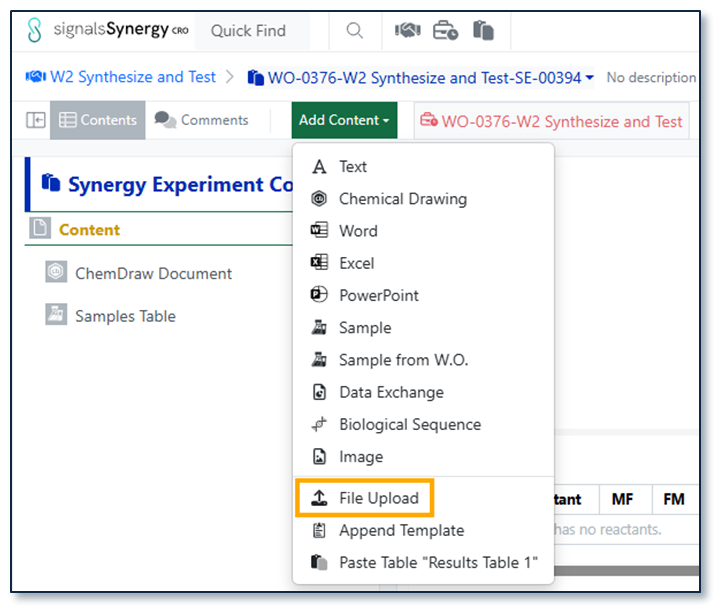
In Synergy Experiments, CRO users can drag and drop files files, such as PDFs, images, or documents. Now, CRO users have the option to File Upload under Add Content, allowing the CRO user to load multiple files at once.
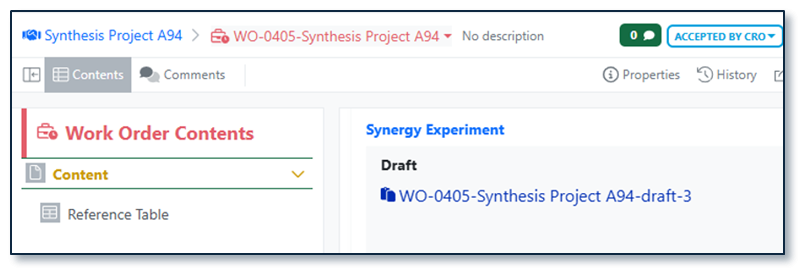
When a Sponsor drafts a Synergy Experiment, the name is always appended with -draft. To provide additional differentiation for Draft Synergy Experiments and ensure Drafts do not consume a number in the Synergy Experiment auto-numbering sequences, Draft Synergy Experiments will be auto-named {Work Order name}-draft. If a Draft is deleted and replaced, subsequent drafts will be appended with a number independent of auto-numbering sequences (e.g., {Work Order name}-draft-1).
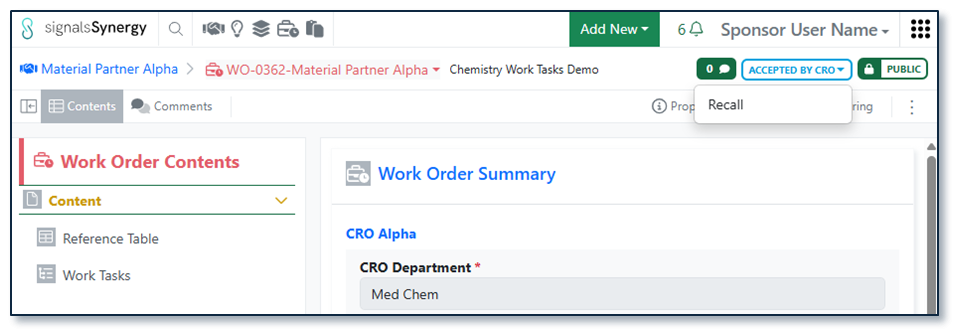
Finally, the Sponsor users can now Recall Work Orders in the status Accepted by CRO. Recalling a Work Order requires Full Control (e.g., authorship or via shared access) to the Work Order. As with Recall on To Do Work Orders, recalling a Work Order removes it from the CRO and returns it to the editable Draft status for the Sponsor.
Chemistry
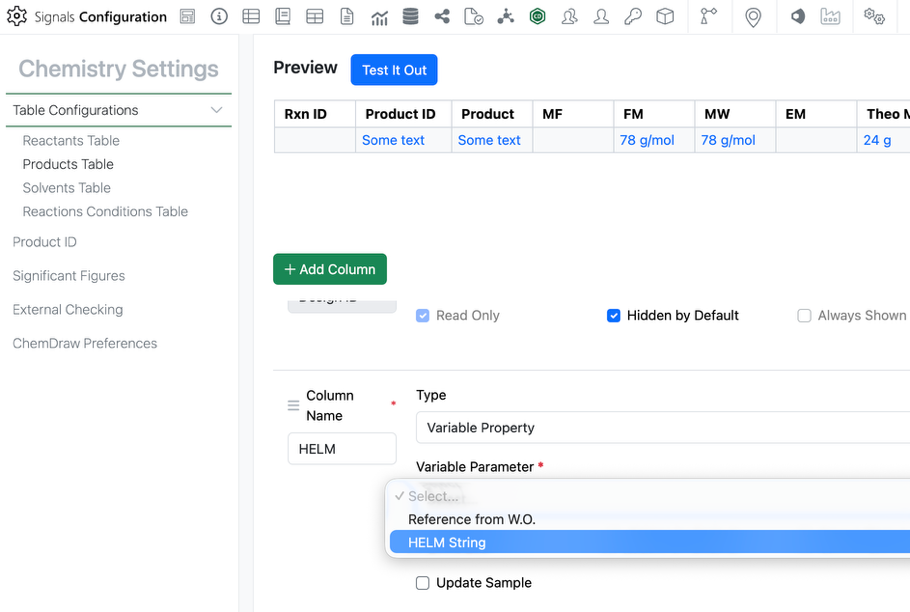
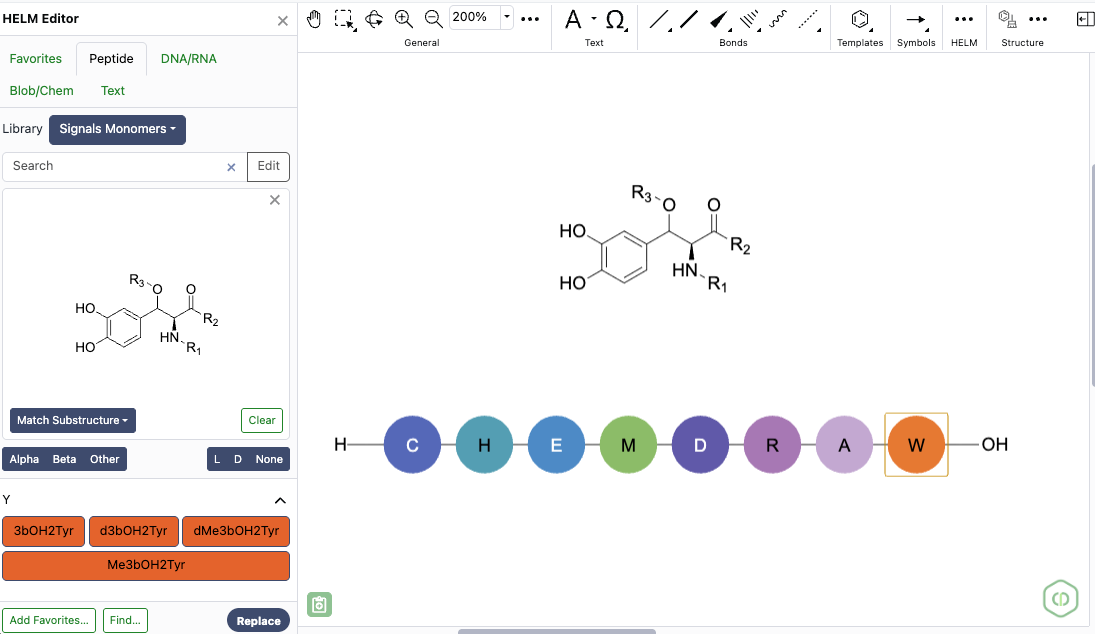
Admins can now add the HELM string as a chemically aware column in the stoich grid. The admin can add a new variable property to the Reactants and/or Products table of the stoich grid. Under variable property is the new HELM String option. This property can only be used once in the table.
This HELM String property will update as the HELM structure is updated.
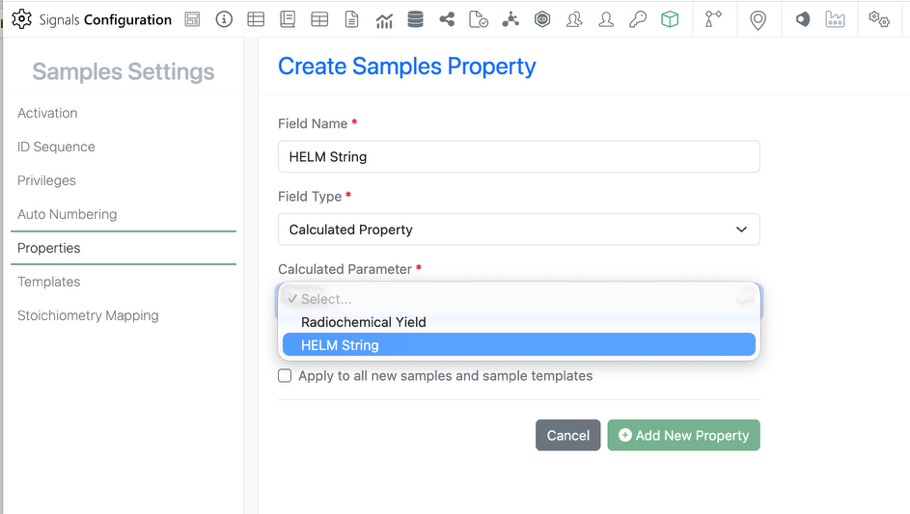
The HELM property is also available in the Sample. Admins can add the property by selecting the field type Calculated Property > HELM String. As with the Stoich property, this option can only be used once.
The HELM String property will also be available in the Chemistry autotext as is currently possible with all other stoich properties.
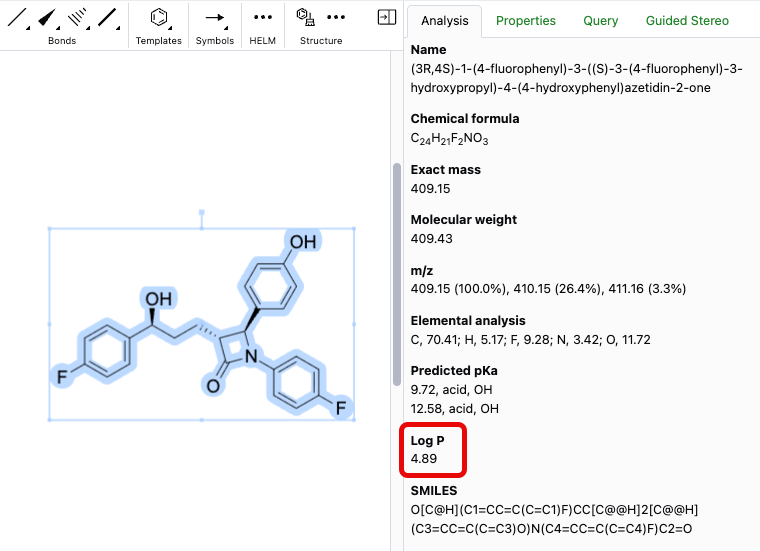
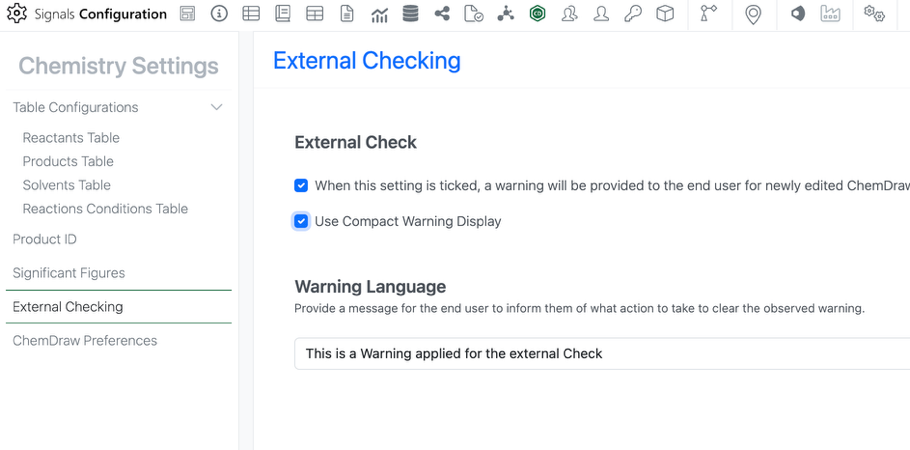
Admins can now utilize a compact view of the chemical check warning. This is especially useful for users working with larger molecule and HELM representations. The compact view can be enabled in the External Checking section of the Chemistry Settings. This is a tenant-wide setting.
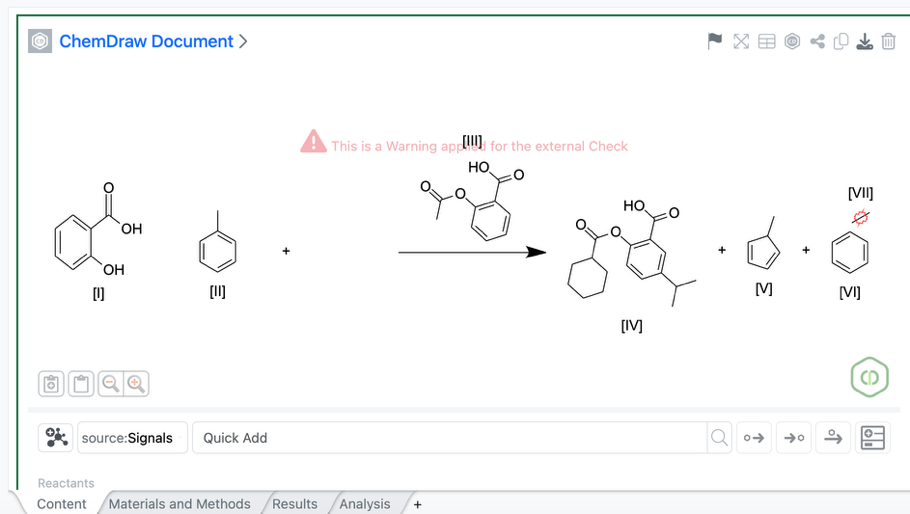
The compact warning display is smaller and placed near the top of the canvas to be less obstructive of the chemistry.
Tables
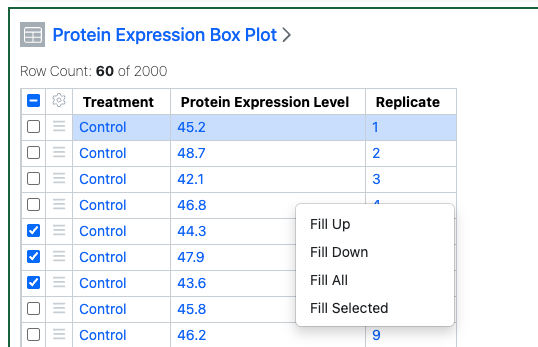
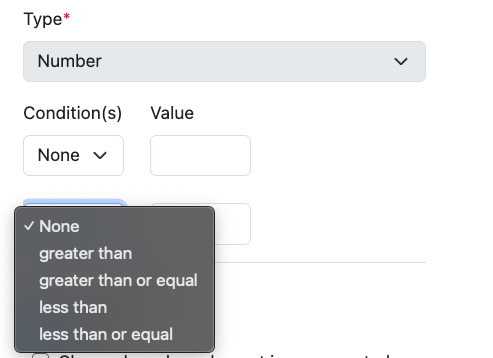
Admin Defined Tables, Variation Tables and Hierarchical Tables now allow users to right-click and fill a given cell value into other rows. The user can select if they Fill Up (all rows above), Fill Down (all rows below) or Fill All. If the user has selected rows they can also fill the selected rows only.
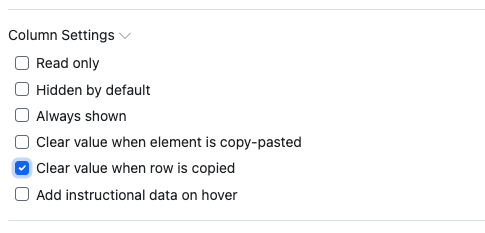
Configuration Administrators can also set that the values in certain columns in Admin Defined Tables and Hierarchical Tables are not copied if a user copies a row.
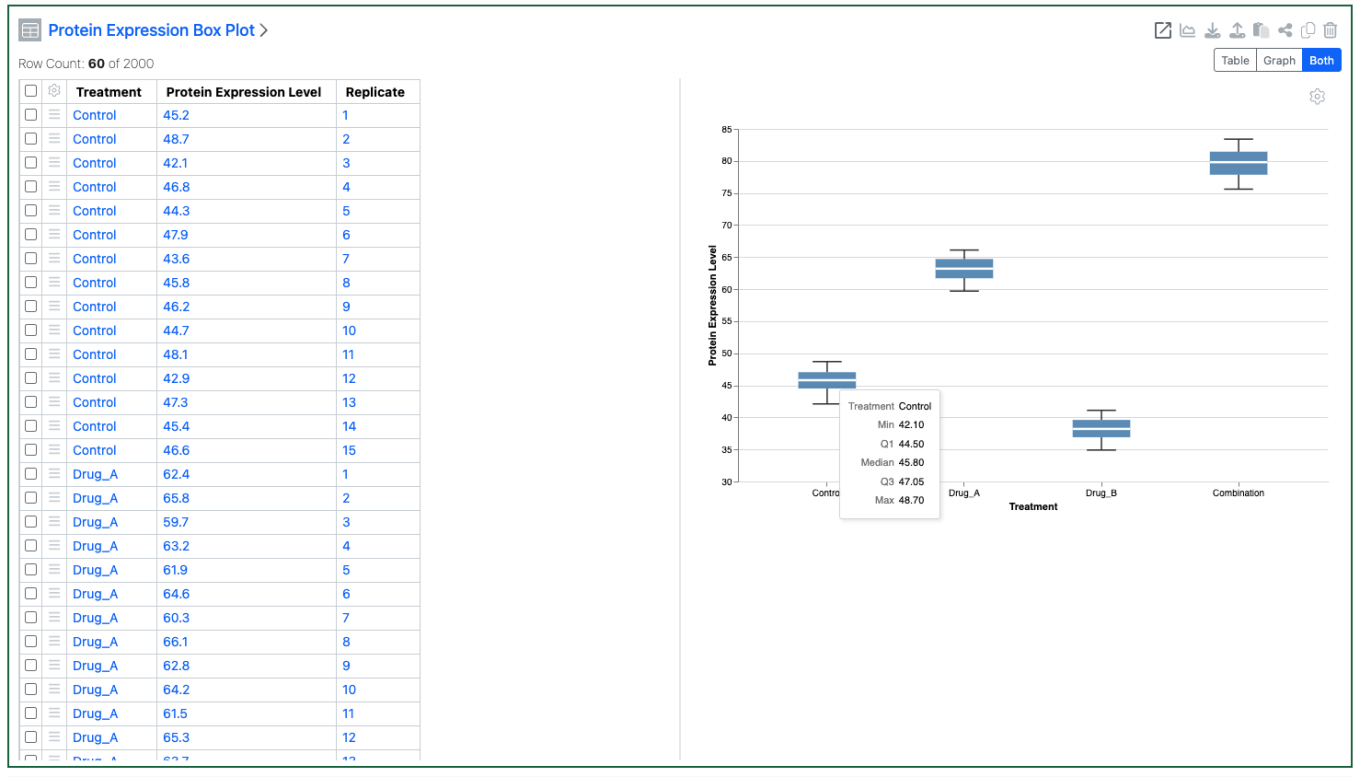
Configuration Administrators can now choose to define a Box Plots on Admin Defined Tables. Similar to the definition of other chart types, administrators can define the Box Plot on the Table template including setting properties for the Categorical and Numeric axes. The admin can also choose if the end user is able to adjust the settings for the chart.
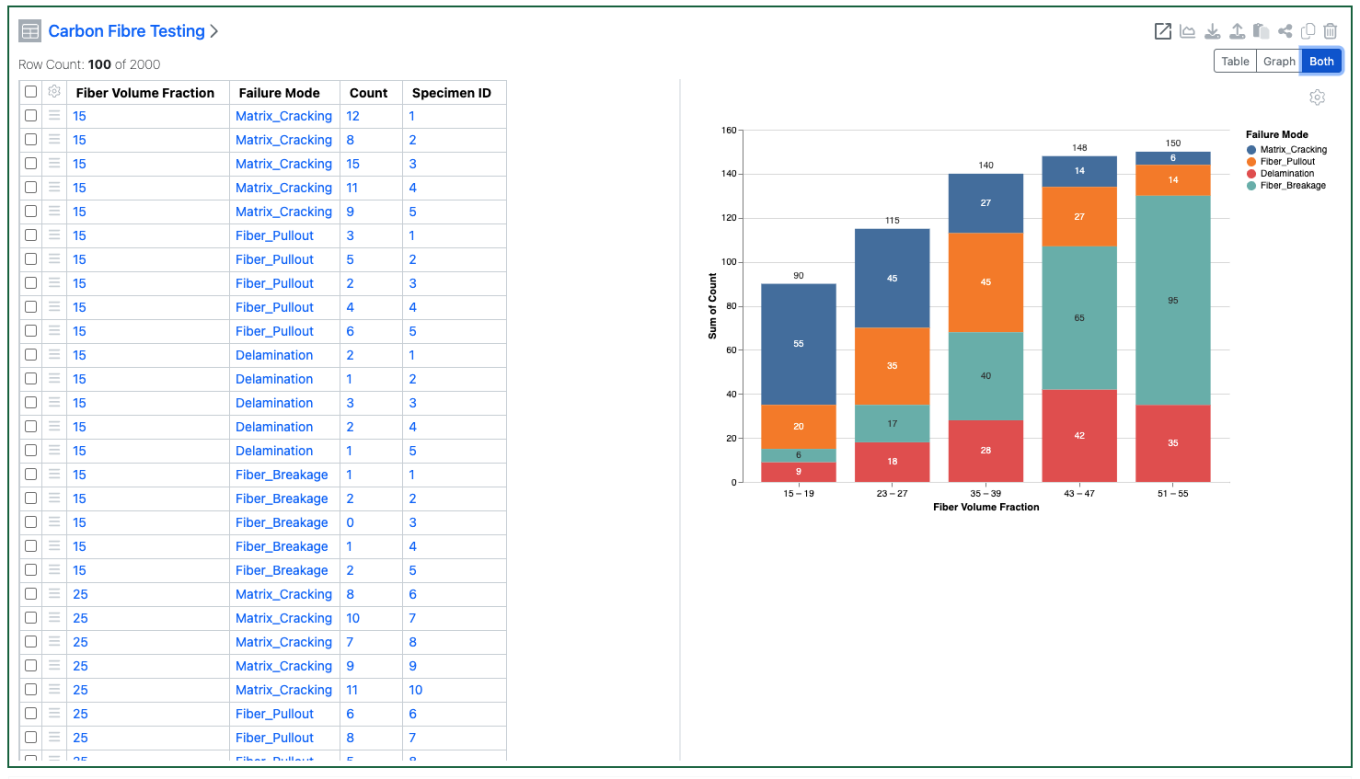
Configuration Admins can now also define numerical values on the categorical axis of barcharts. Admins define a number of buckets for the numerical values to be segmented into. Admins can also define that bar and/or segment values are displayed on the chart.
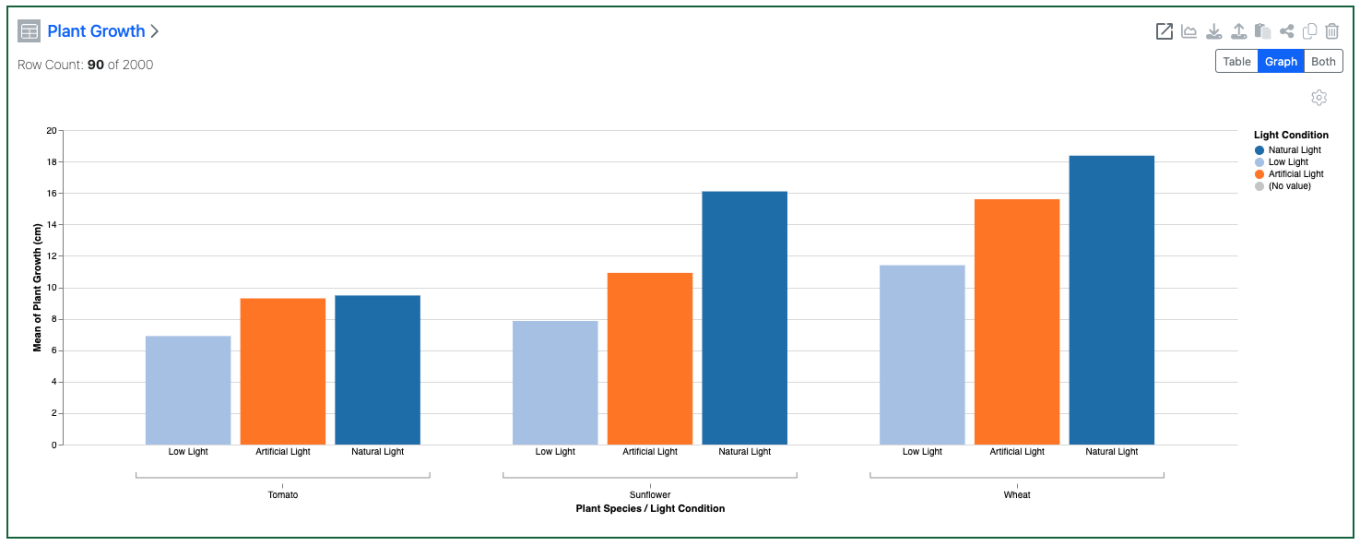
A second categorical property can also be used to display on the categorical axis to allow a side by side vs a stacked bar chart.
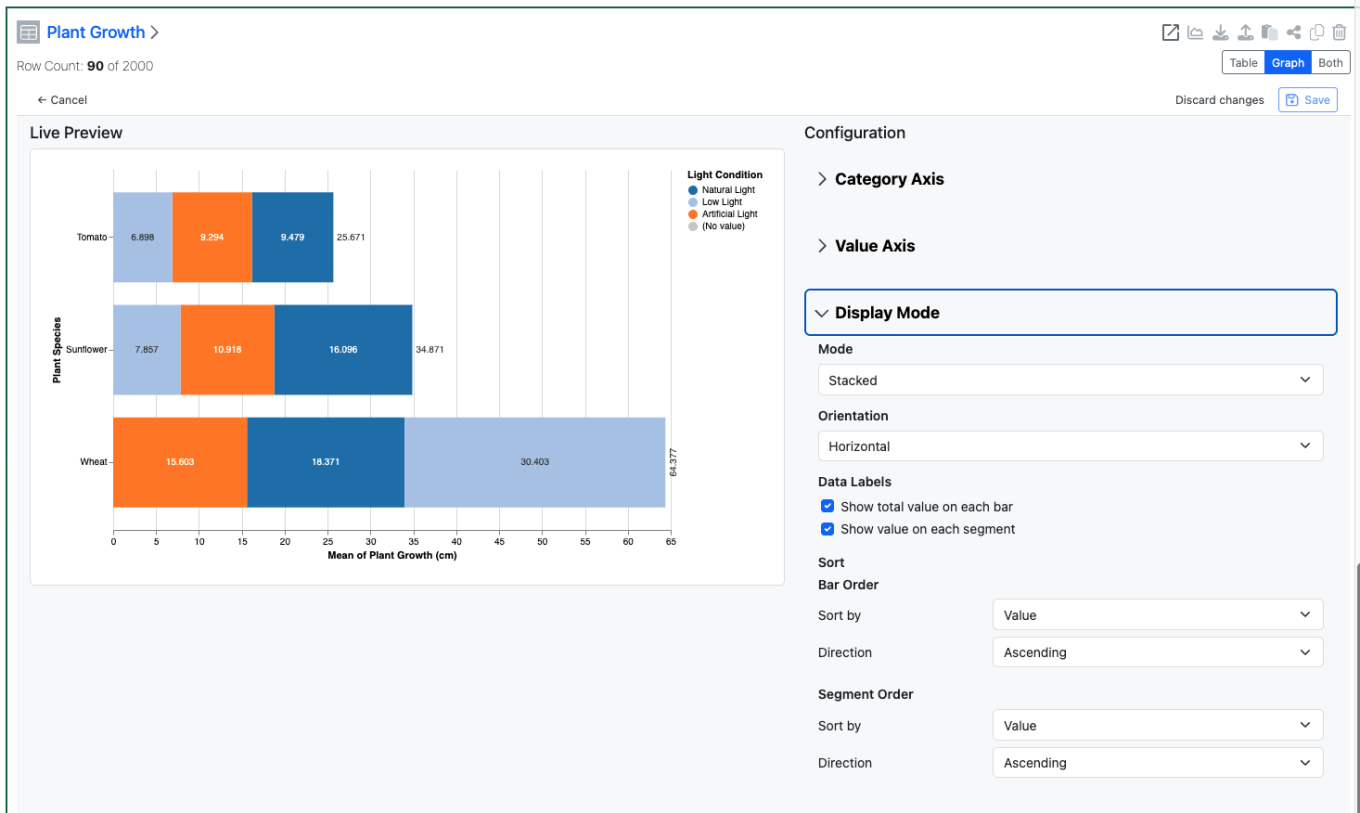
The Configuration Admin can also define either an ordering for the segments in a stacked barchart, either by name or by value.
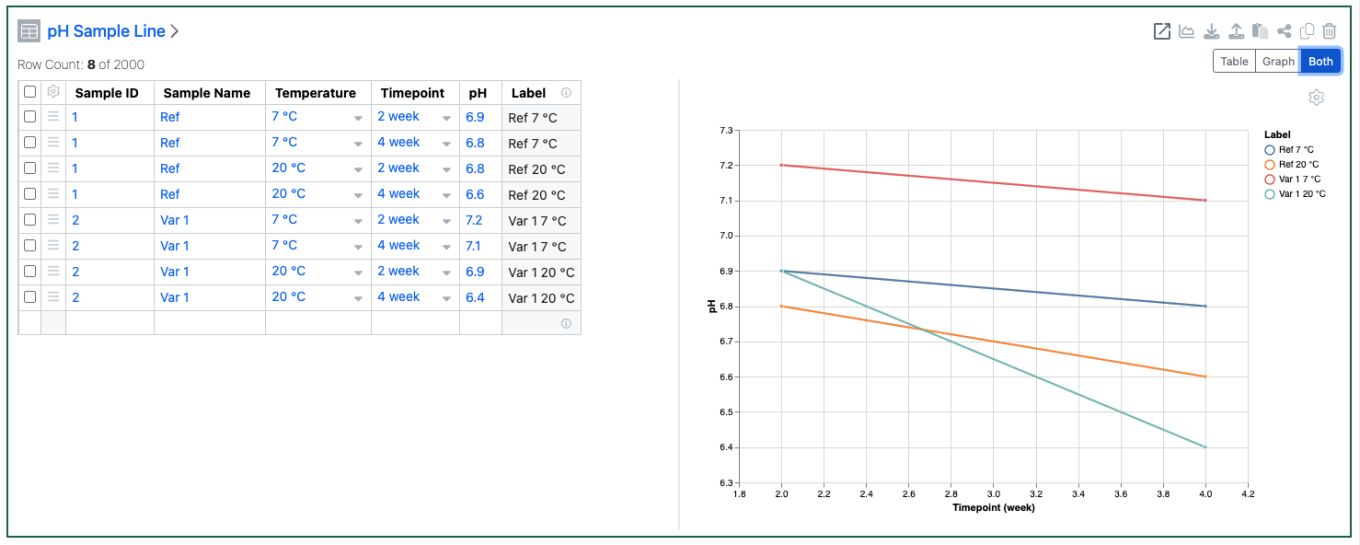
Setting a Color By allows plotting of a single column of data in a Line Chart as multiple lines.
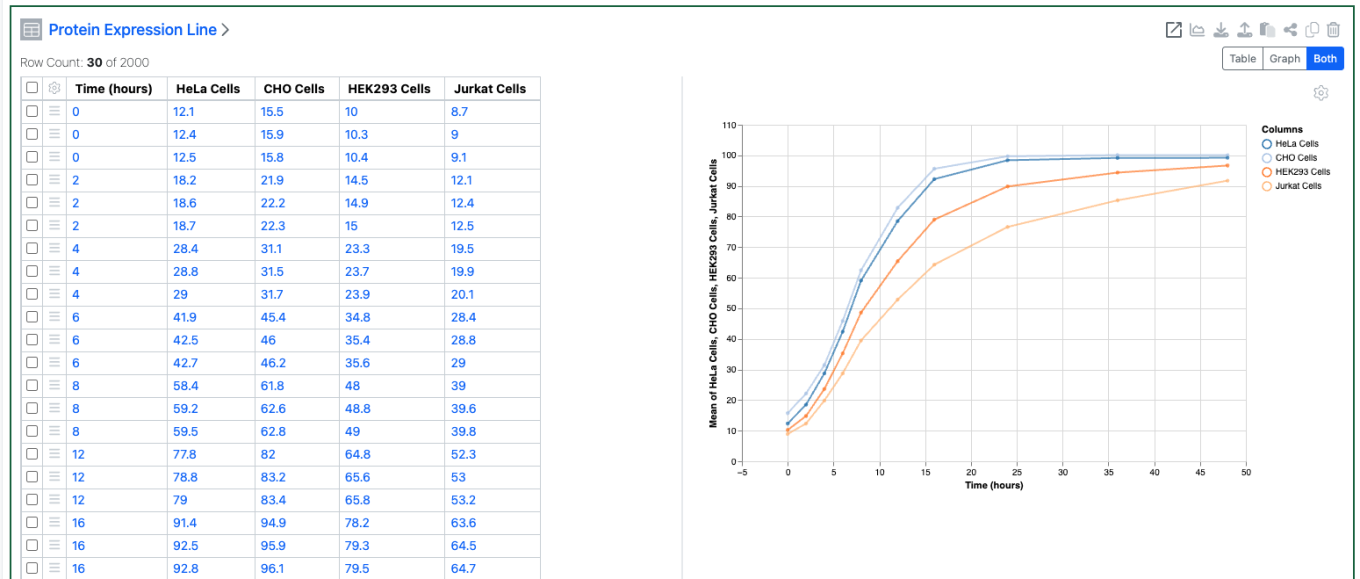
An aggregate method can also be defined for the Numerical properties plotted on Y and Secondary Y axes of a Line Chart.
Plates
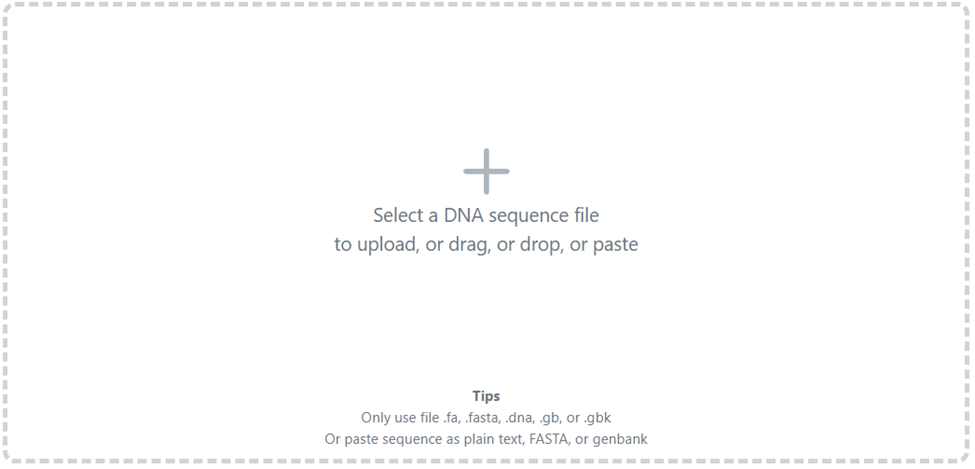
The csv upload maximum has been increased from 2000 rows to 50000 rows to better accommodate multiple large plates. Larger files may take some time to upload.
Inventory
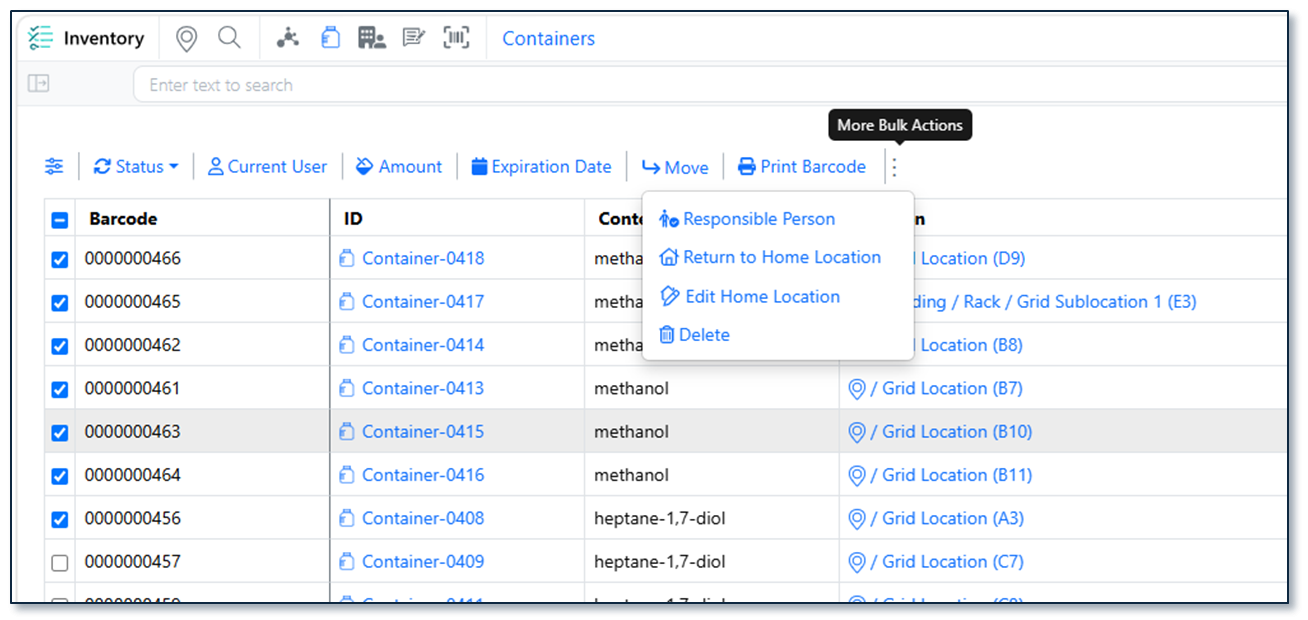
Users can now update the home location for multiple containers at once from the Container Search Table. After selecting containers and choosing Edit Home Location, users can either set the current location as the home location or assign a specific grid or non-grid location using barcode scanning or location search. The operation supports partial success handling, provides a downloadable CSV report containing the Container ID, previous home location, and new home location, and records all changes in the audit trail.

The Reactants grid now includes a user-triggered Autofill feature for the Inventory Decrement column. Users can bulk-populate all rows via a header-level Autofill button or update individual rows using a row-level option. The system automatically maps the correct source value based on container unit: Sample Mass for mass-based containers and Volume for volume-based containers. Manually entered values are never overwritten, and containers in Disposed, Final Disposed, or Trashed status are excluded. Clear success/error feedback is provided, with row-specific error icons on hover for troubleshooting.
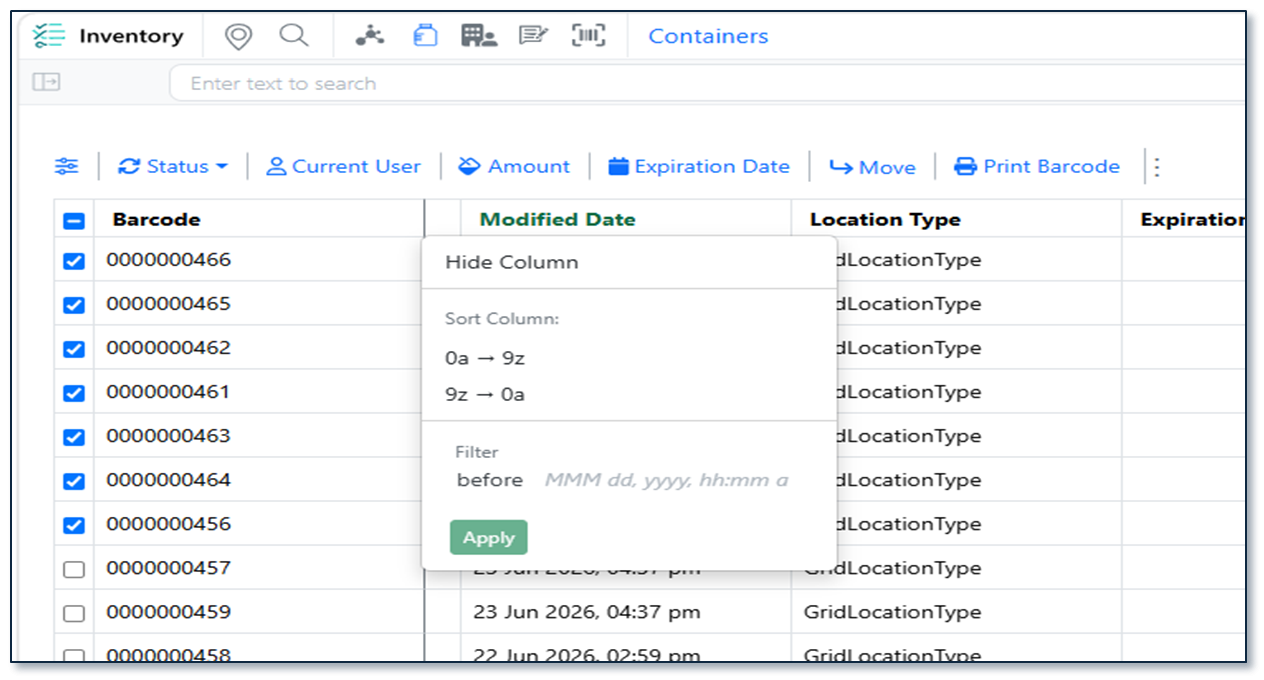
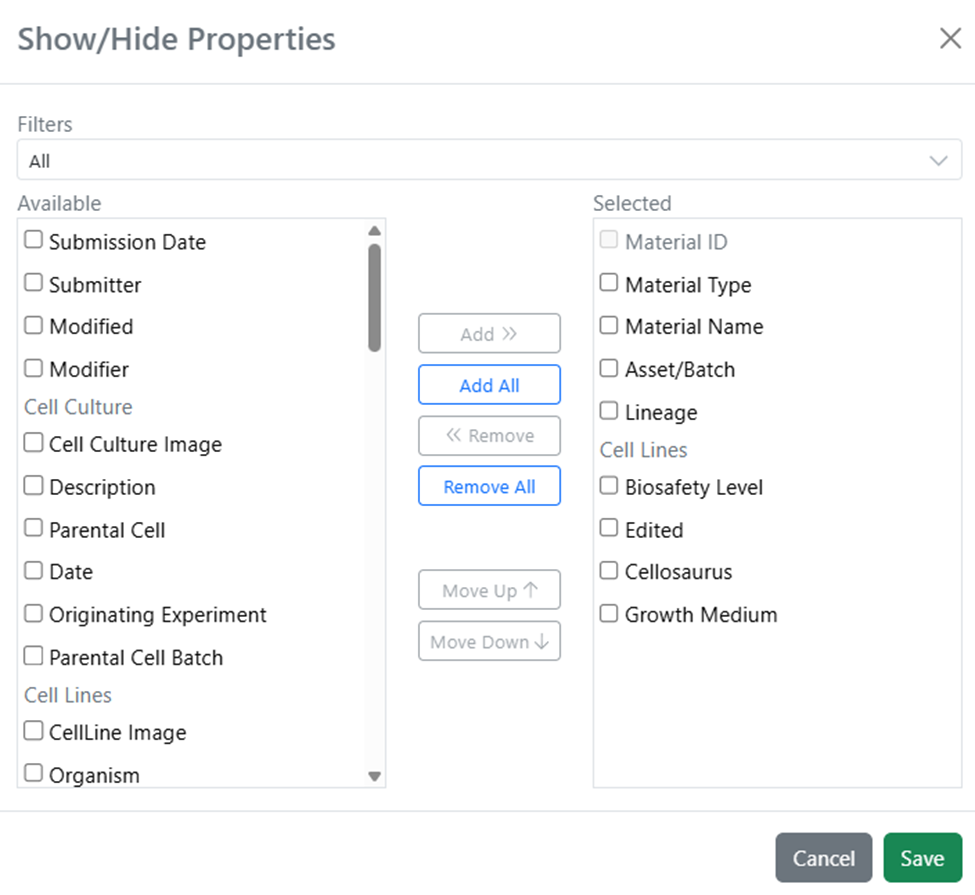
The Container Search Table now includes additional reporting and filtering capabilities with support for both Modified Date and Location Type columns. Users can view, show/hide, filter, sort, and export these fields to quickly identify recently updated containers or locate containers stored in specific location types (such as refrigerators or acid cabinets). Both columns support header-level filtering, are included in CSV/Excel exports (and SDF exports for Modified Date), and enable more efficient reporting, auditing, and offline analysis.
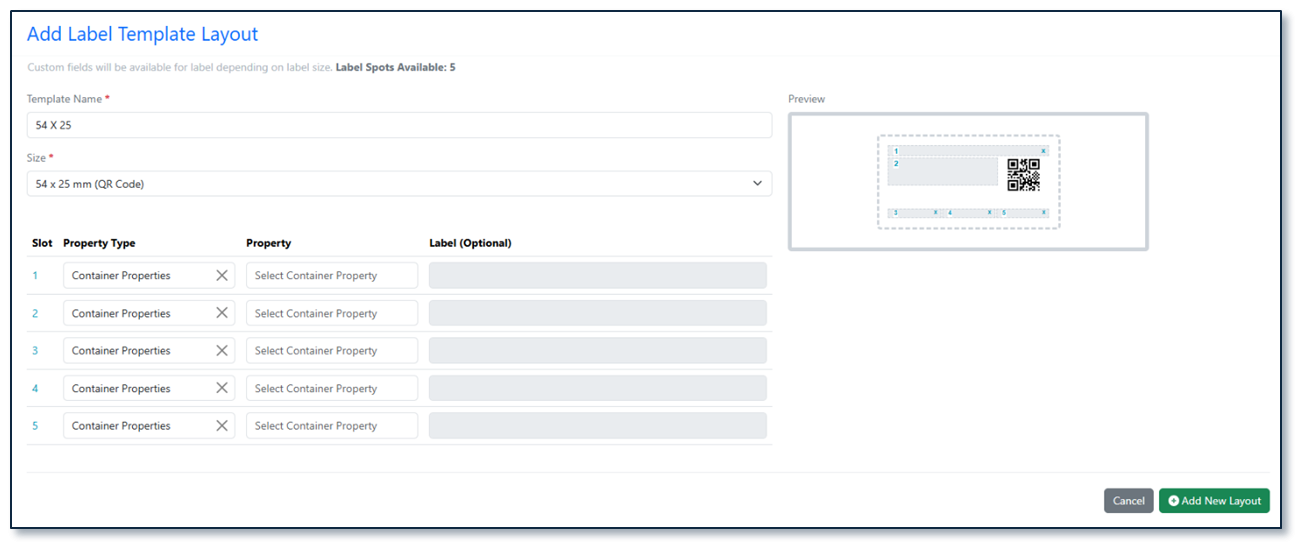
A new label template sized 54 × 25 mm is now available for container barcode printing. The label features a QR code along with 5 configurable slots that Admins can map to any container or material property via SN Config. Long location paths are intelligently truncated — displaying from the closest location upward and trimming the beginning if the path exceeds the available space.
InventoryGo
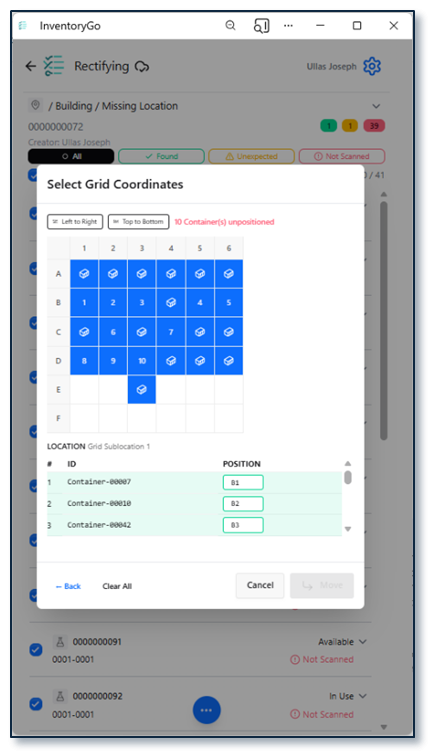
Users can now rectify inventory discrepancies involving containers stored in grid locations. The Rectification workflow has been enhanced to support grid-based storage, allowing users to accurately select and update container locations within specific grid cells during reconciliation activities. This improvement streamlines inventory correction processes, improves location accuracy, and ensures grid location assignments are maintained consistently throughout the rectification workflow.
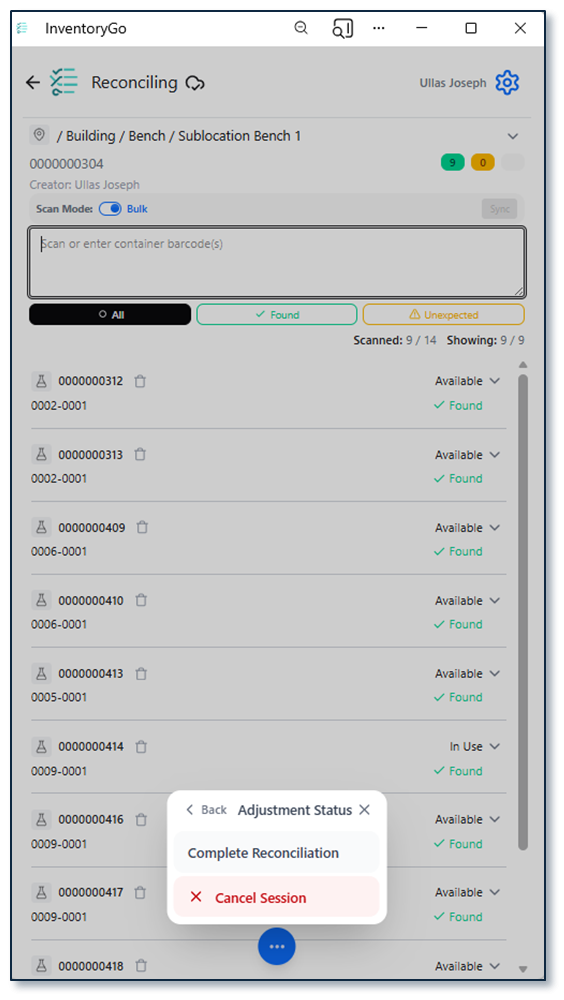
The Adjustment Status control in InventoryGo has been redesigned to improve usability on smaller mobile screens. The previous button bar has been replaced with a compact ellipsis menu, reducing screen clutter and allowing more container information to be displayed without scrolling. Users can still access all adjustment actions while benefiting from a cleaner, more space-efficient interface.
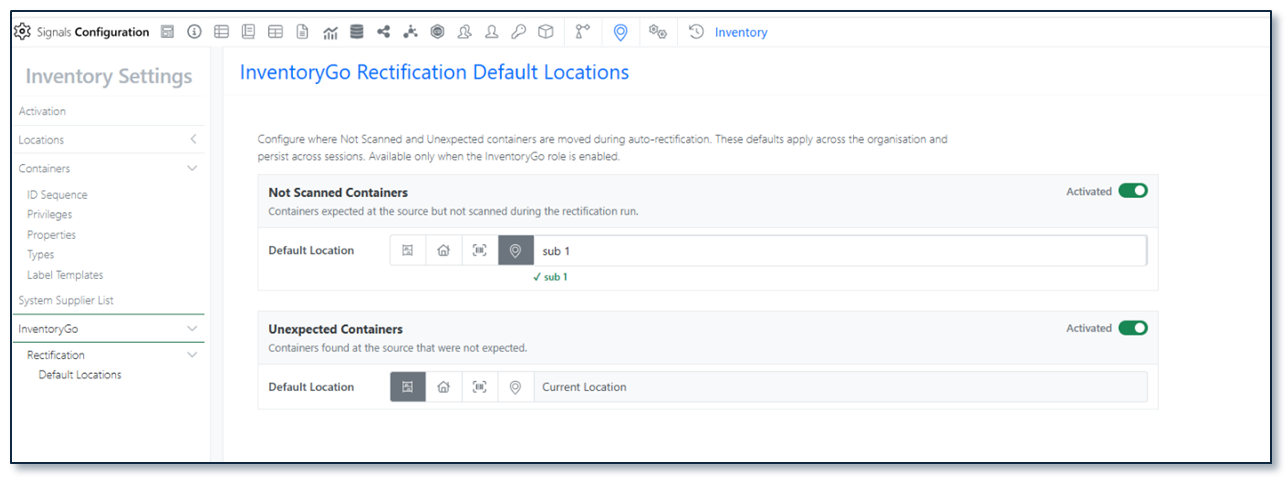
Users can now control whether a location is used as the default location for Auto Complete Rectification by activating or deactivating the setting directly on the location record. This enhancement provides greater flexibility when managing reconciliation workflows, ensuring that only appropriate locations are automatically selected during rectification. By allowing administrators to enable or disable this behavior as needed, organizations can better align auto-completion processes with their inventory management practices and location usage policies.
Materials
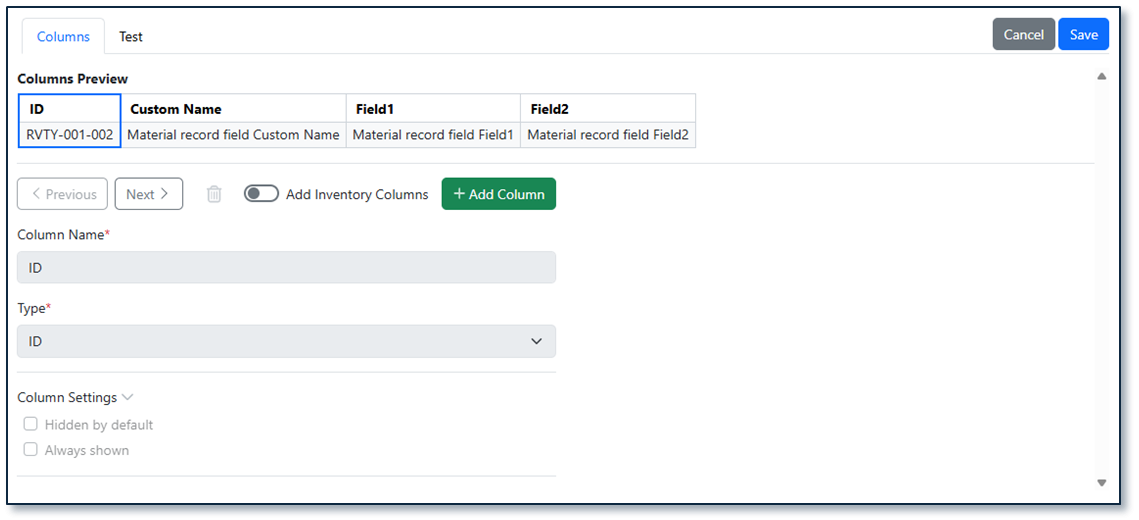
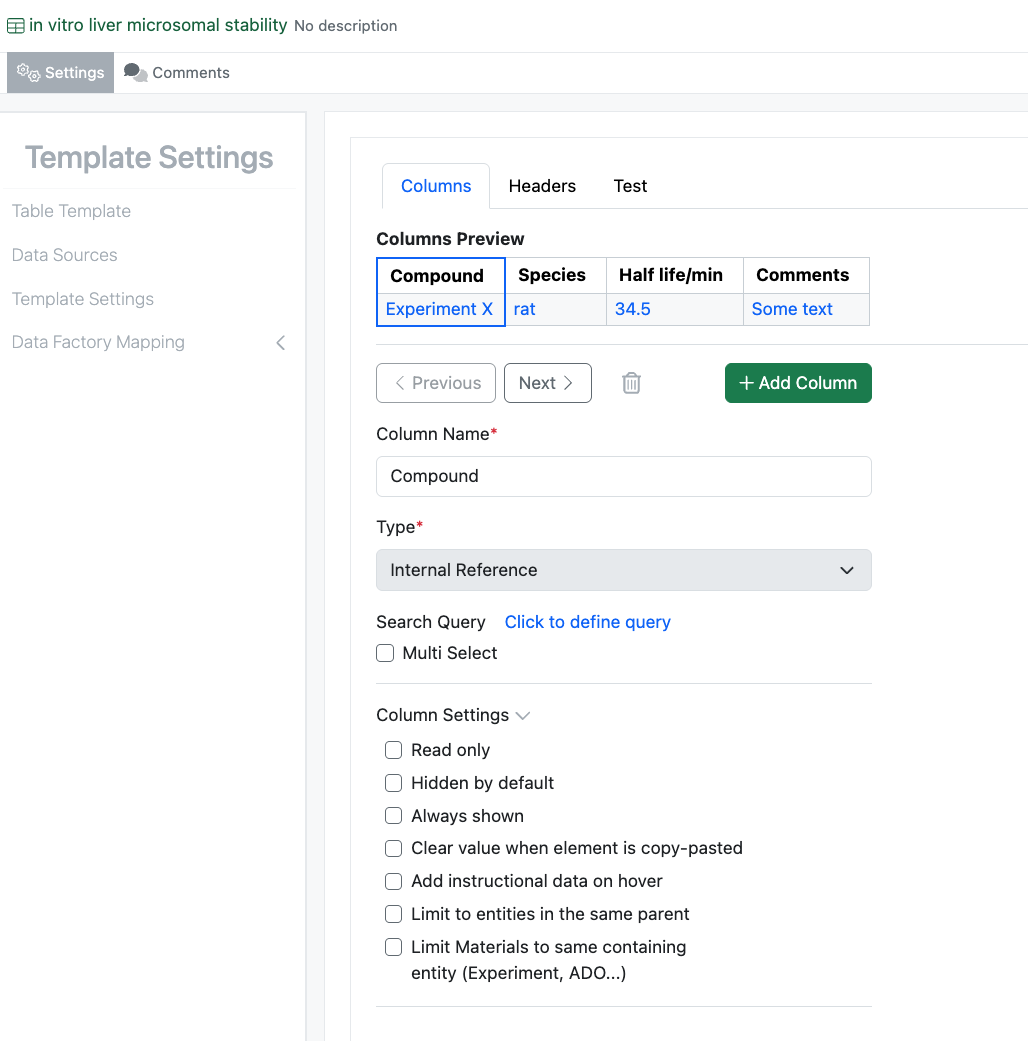
The user interface for Admin configuration for materials tables in Signals Configuration has been updated and is now available to all systems.
Tasks and Requests
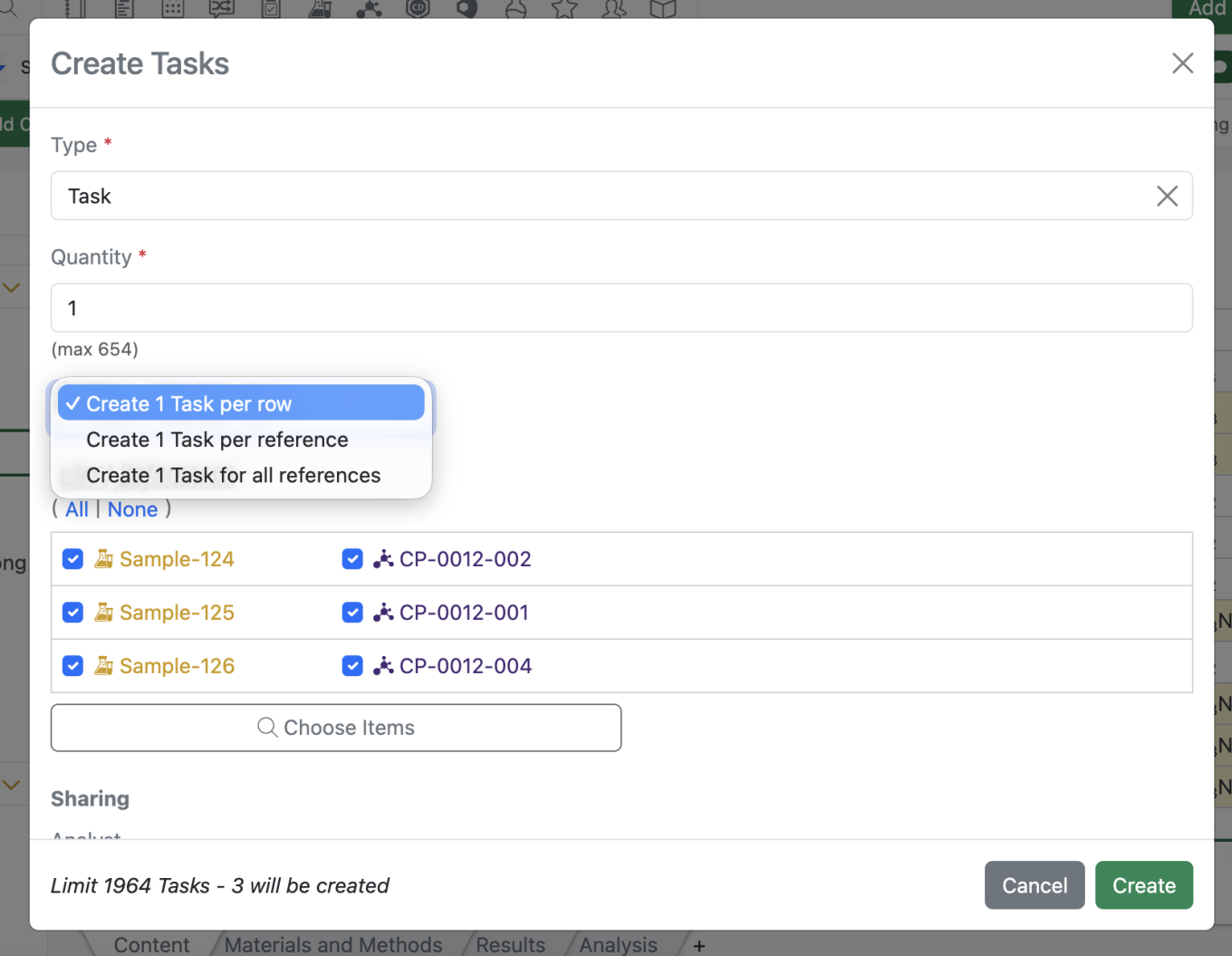
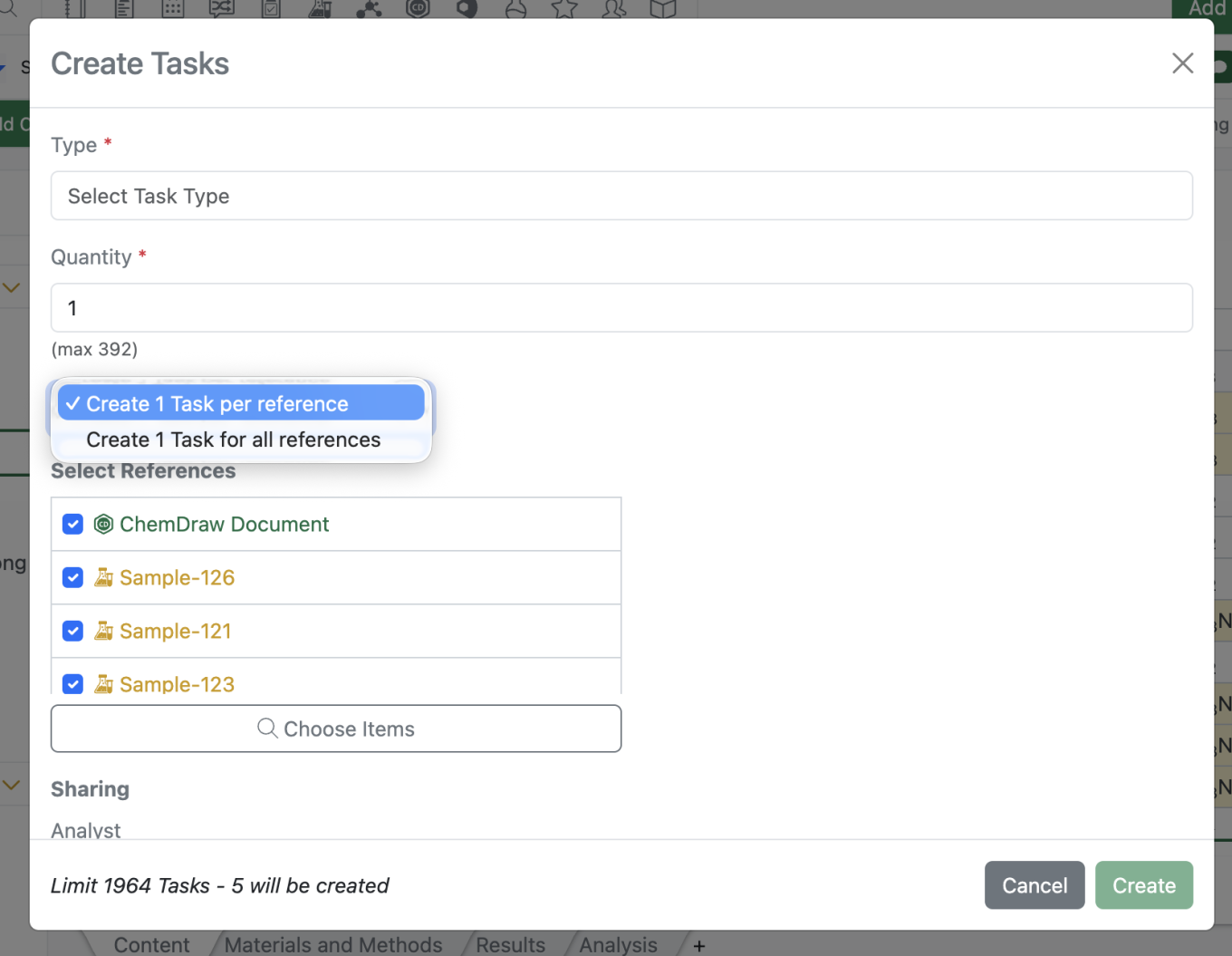
The maximum number of tasks has been increased from 2000 to 4000 to better accommodate workflows that require multiple tasks per sample.
Administration
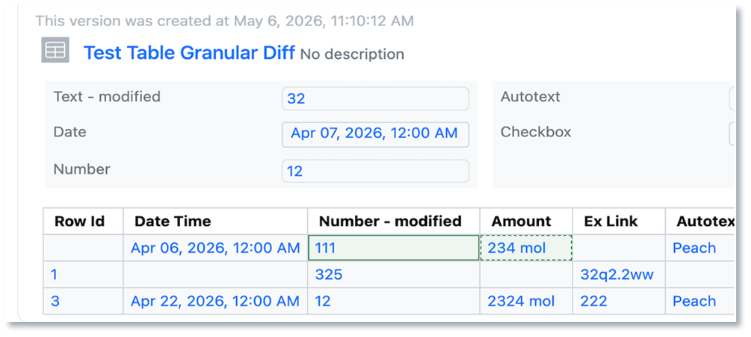
Display of granular audit trail changes within text elements are now available to all systems.
Integrations & APIs

We have increased the API key limit from 25 to 100.

We have added API support for exporting individual monomer libraries to JSON.

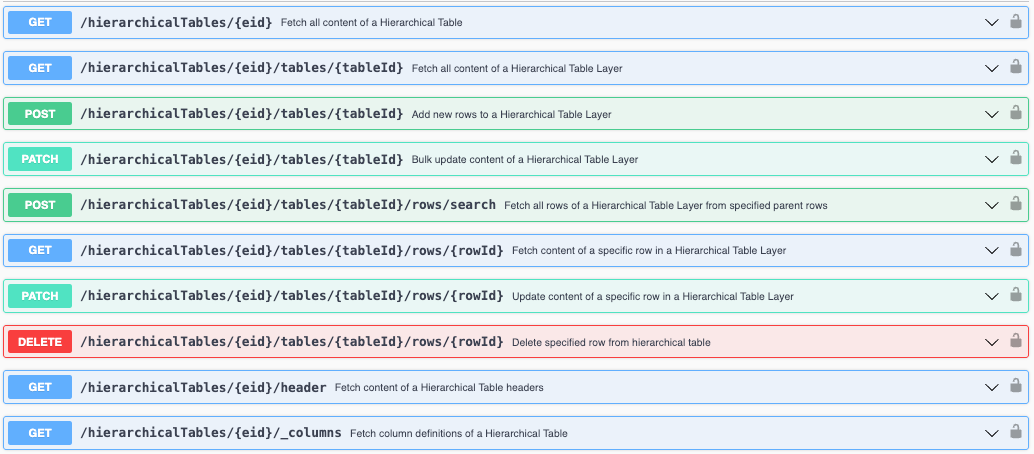
We have added a new set of asynchronous APIs to bulk export containers as either a csv or sdf file, defaulting to csv. This follows our standard pattern for asynchronous APIs of start job, check status, and download the content. You may optionally specify a list of container barcodes to export; if not provided, it will export all containers, up to 600,000. Optionally, you may also include filters to only return containers which match the filters. 'Container Type', 'Status', 'Location', 'Content Entity Type' and 'Material Library' are currently supported filters. Lastly, you must include the set of fields, with a minimum of one, to include in the export. Barcodes, fields, and filters are all specified in the request body to initiate the export job. See the Swagger page for full details and examples.

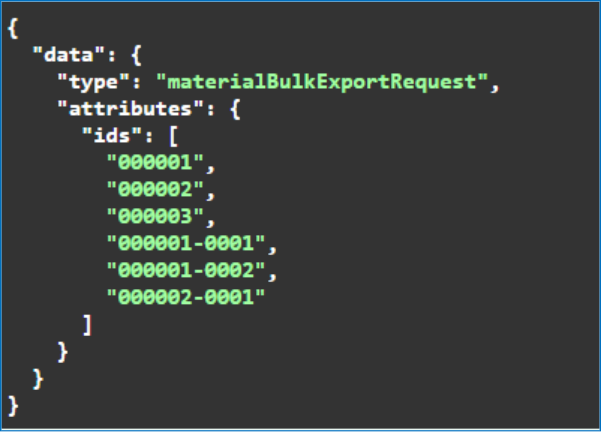
We have enhanced existing APIs for bulk exporting material libraries. You may now specify a list of materials, by ID, to export in the request body. If not provided, the entire library will be exported.

We have added a new set of APIs for our Synergy product to fetch the list of Data Exchange files, the data exchange report file, and the Data Exchange results table file by table name.

We have enhanced the bulk update for CRO users to include updating Departments when including them in a column in the bulk update csv.
Beta Features
The following capabilities are in beta and are available for users, administrators and developers on the Signals platform upon request. Please contact your account representative or our support team if you would like access to the following features.
Fundamentals
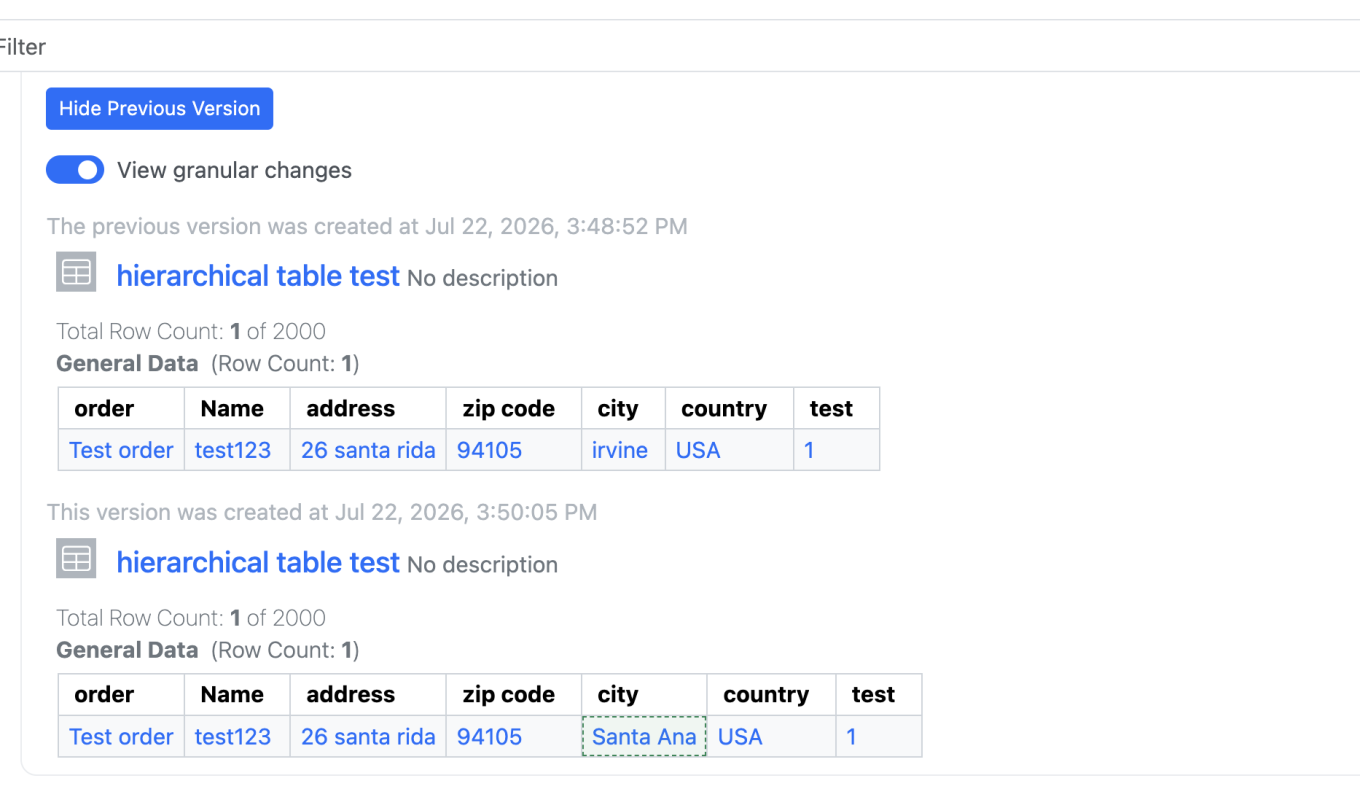
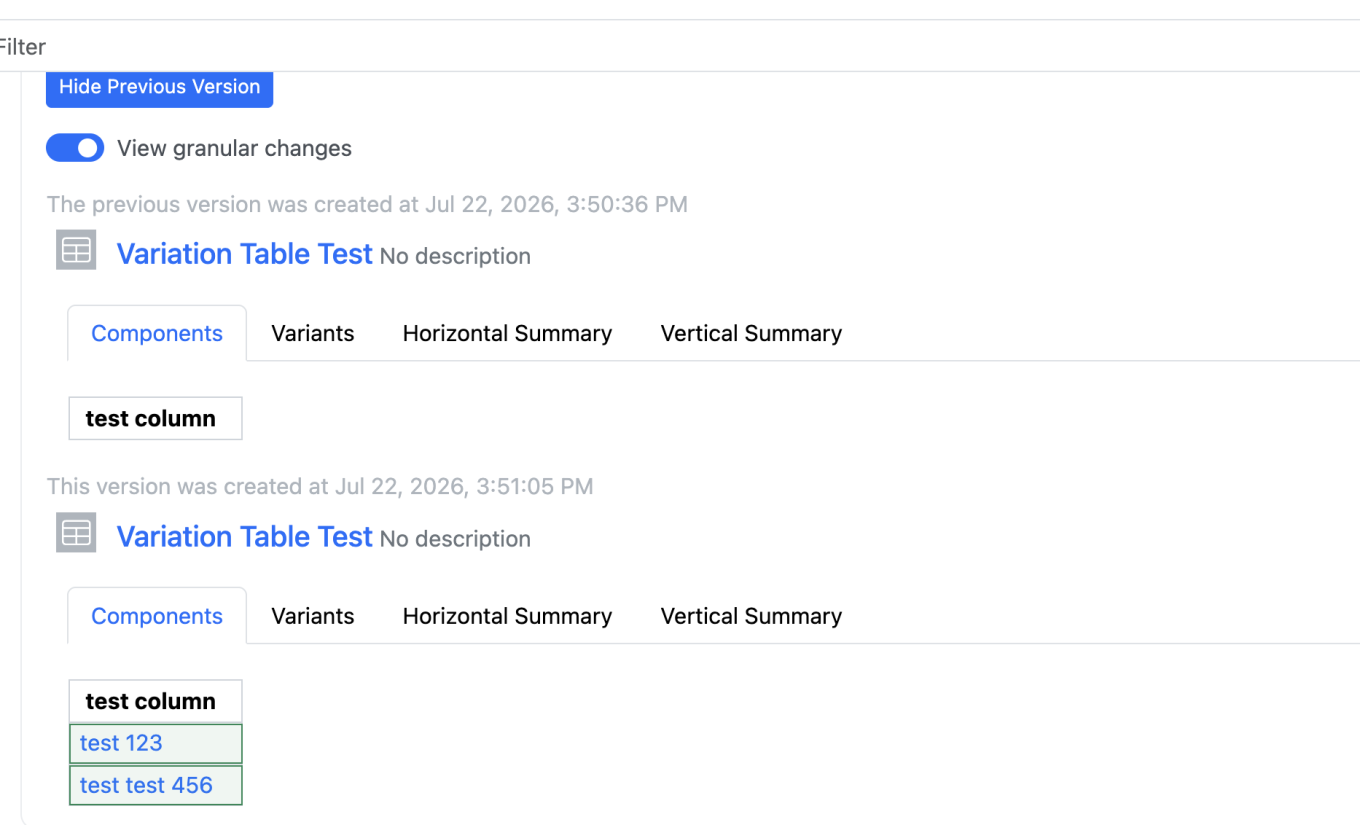
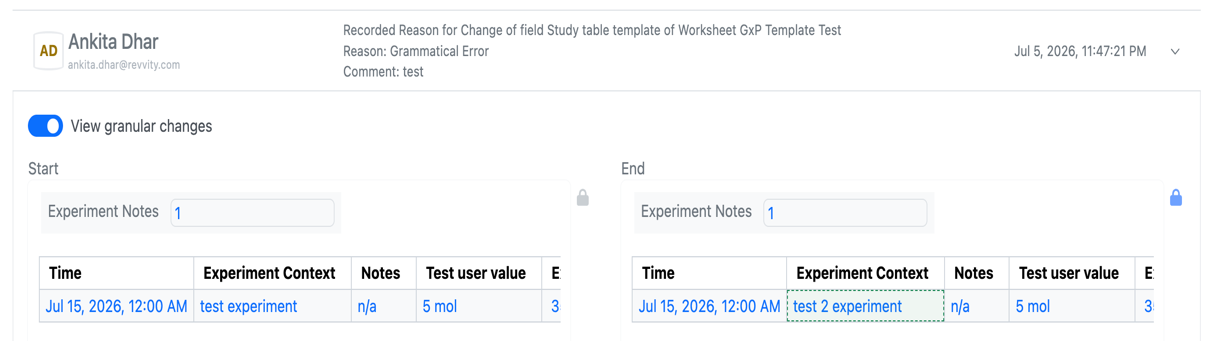
Audit trail displays highlighted granular changes for structured tables and worksheets. The structured tables included are the following: variation tables, hierarchical tables, samples tables, materials tables, task tables, work tasks, design tables, synergy experiment tables, & sample tables. When users compare an audit record with a previous version, there is a "view granular changes" toggle. Selecting this toggle will show users a clear visual summary: gray highlighting shows text that was edited or removed, green highlighting shows newly added, and dashed boarder green highlighting indicates updated text (beta).
SAR & Decisioning
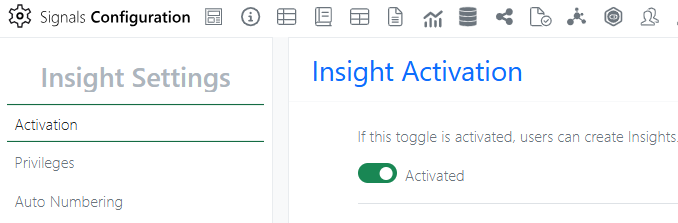
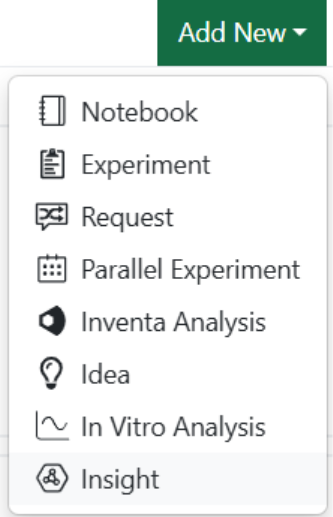
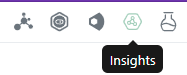
Insights is a new Signals object (beta) that lets users query Data Factory and generate summary or SAR tables directly in Signals. After an Administrator enables the feature, users can create Insights from the Add New menu or the dedicated Smart Folder.
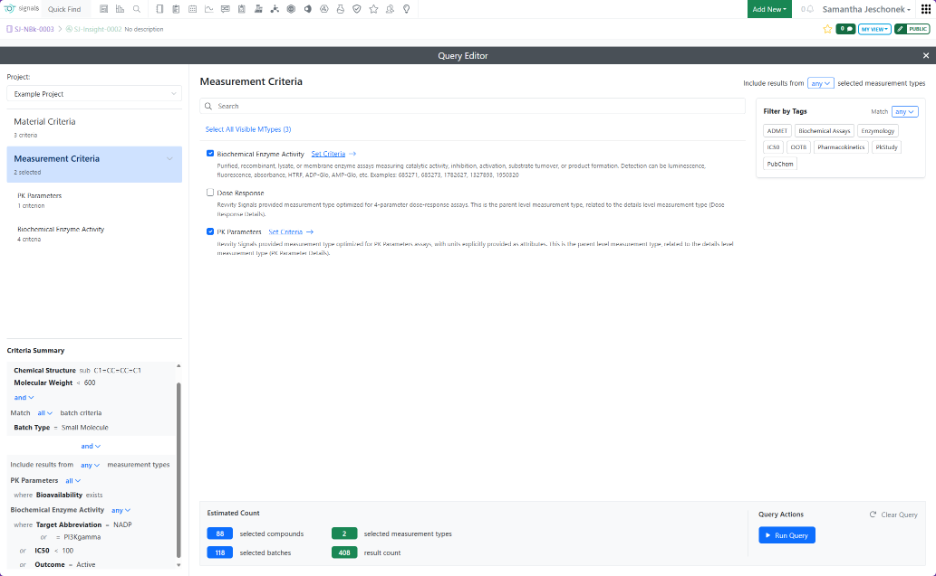
When creating an Insight, users define a Data Factory query by specifying criteria for materials, measurements, or both.
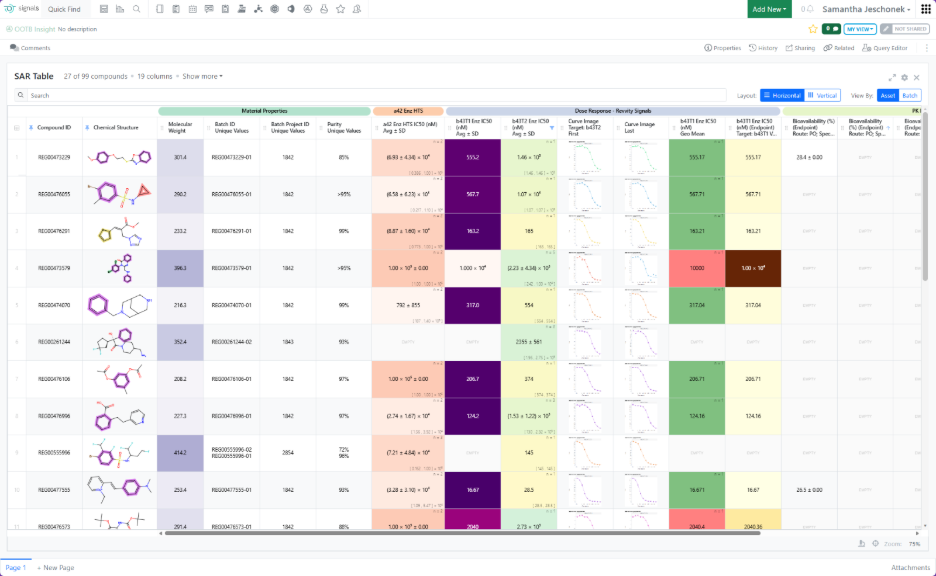
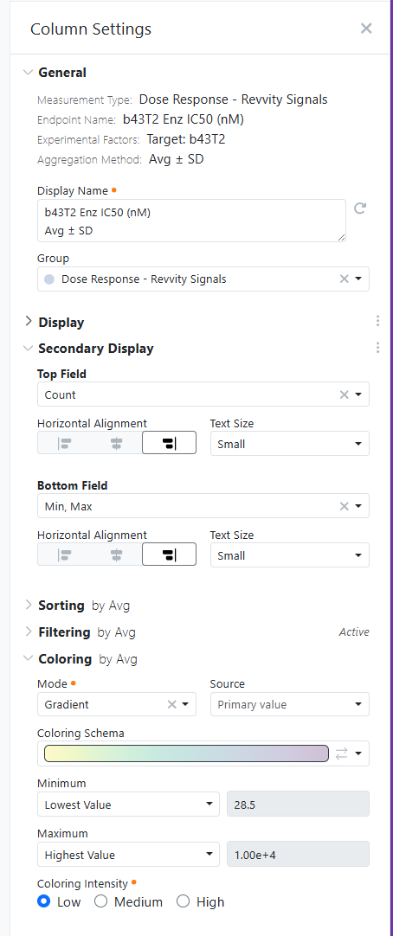
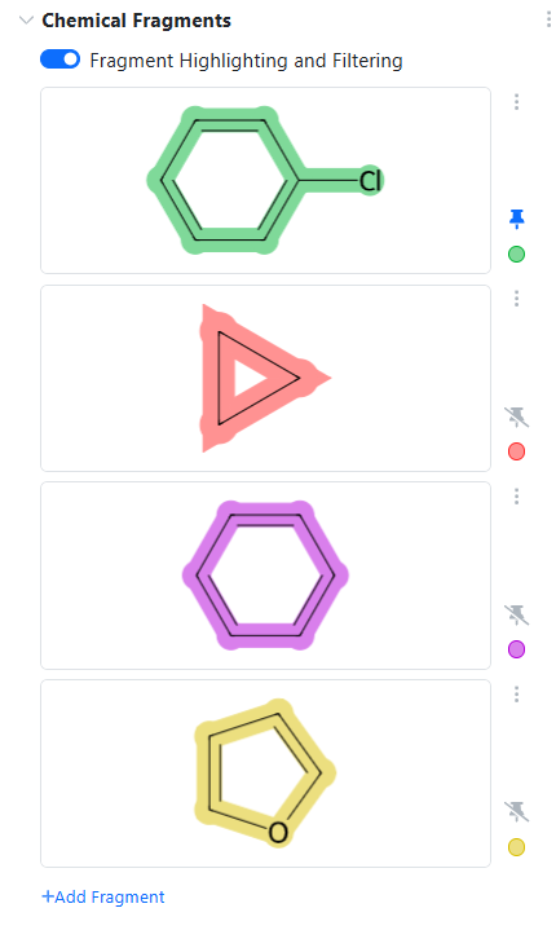
Running the query automatically generates an aggregated summary table, or SAR table, based on the selected criteria. Users can configure the table by renaming columns, controlling numeric display, adding secondary values within cells such as count, applying color options, filtering, and sorting. Some field types, including Chemical Structures, include additional formatting capabilities, such as chemical fragment highlighting. Column settings are available by right clicking the column header.
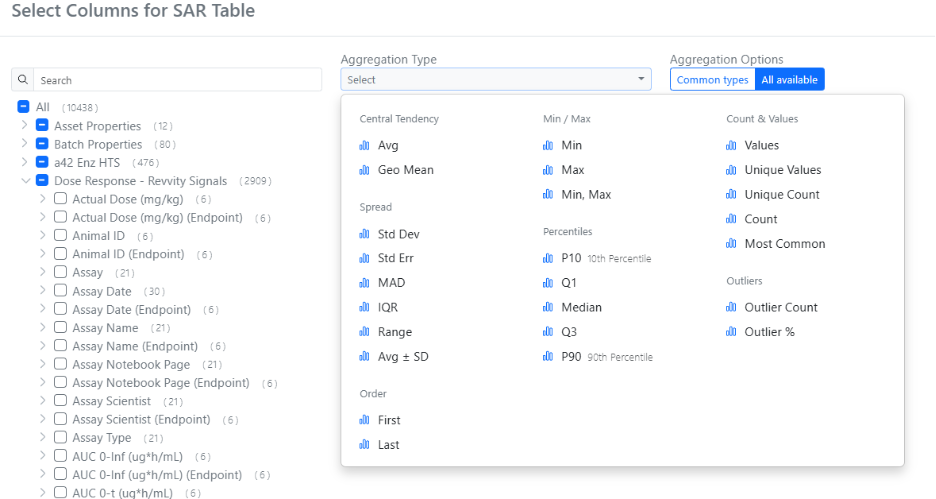
After a query completes, Insights returns a broad set of columns. Users can choose which columns to display from the Column Selector under Show more > More Options, using search and aggregation-type filters to find the most relevant columns.
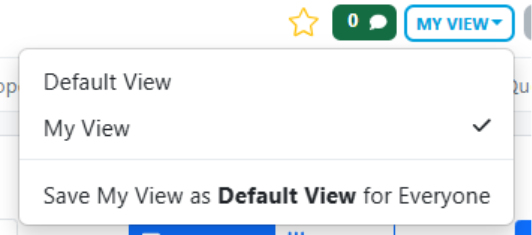
Configuration changes are automatically saved to each user’s personal view and persist locally in the browser. Users with Write access to the Insight can save their personal view (“My View”) as the Default view for all users, supporting a consistent shared layout while preserving individual flexibility.
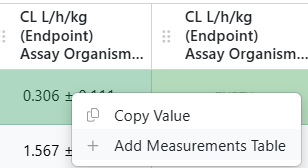
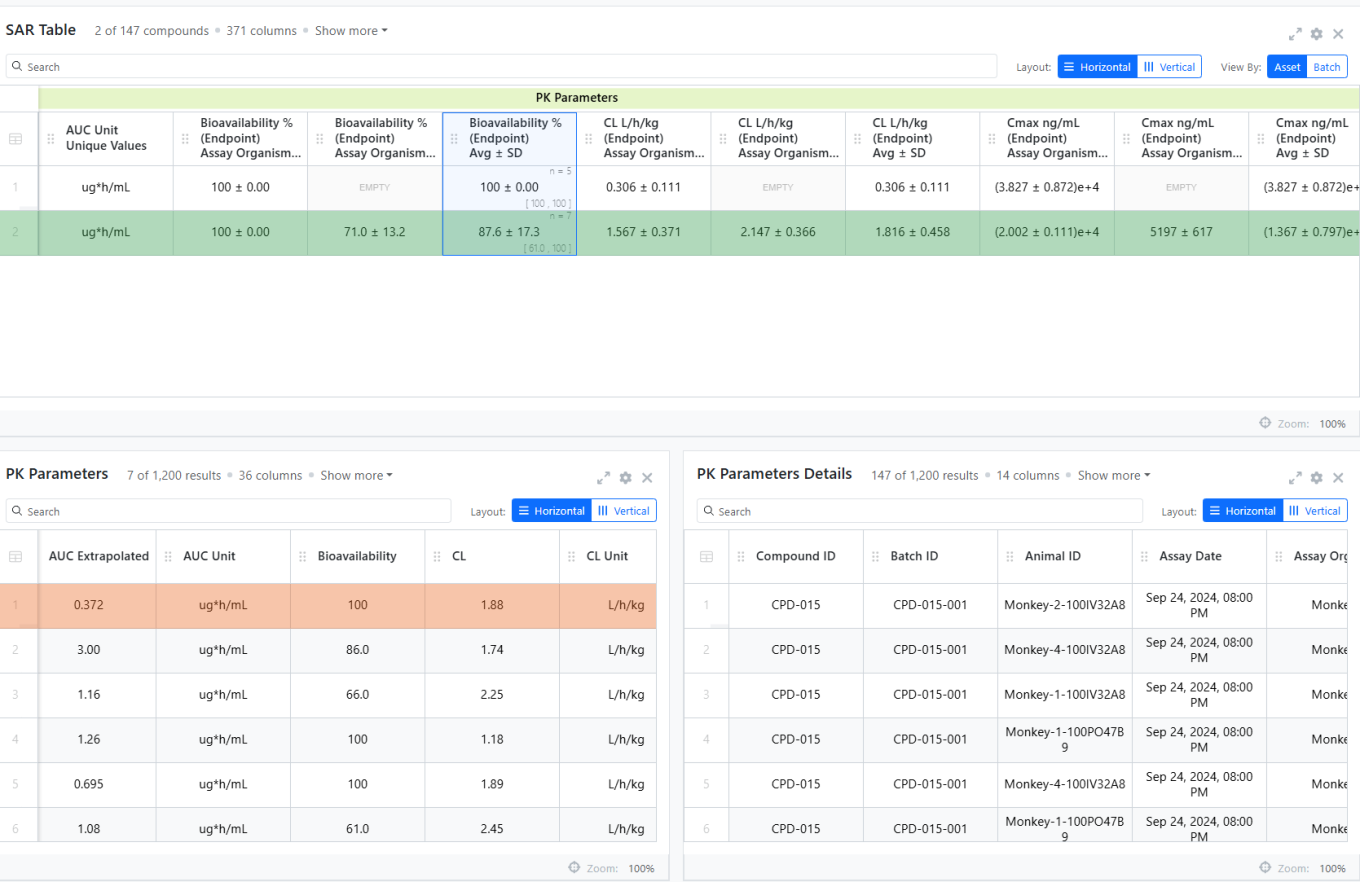
From a summary or SAR table, users can right-click any cell to add the corresponding Measurement table containing the individual rows behind the aggregated result. If the measurement type has an associated Details measurement type, it is retrieved automatically. An Insight can include multiple Measurement tables for different measurement types.
Synergy
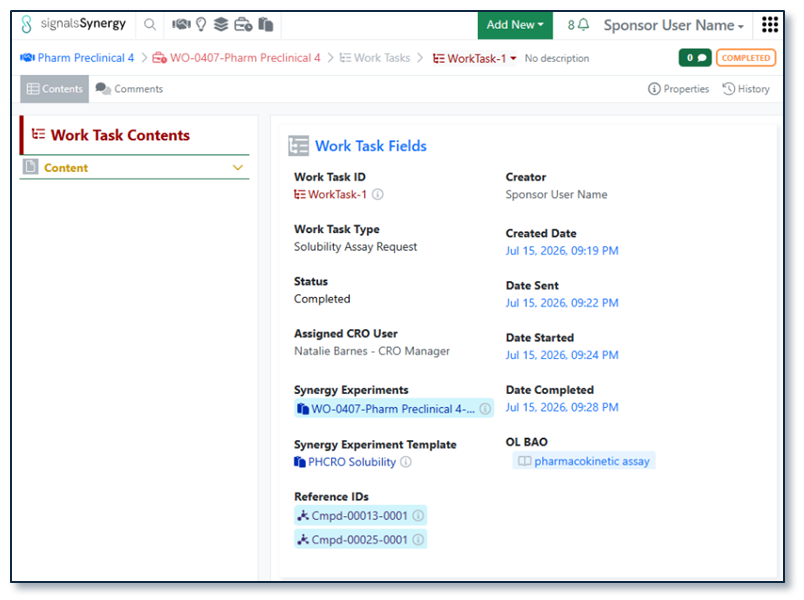
As part of the existing Synergy Work Tasks beta feature, Work Tasks have several new properties. Sponsors often want to track how long it takes a CRO or CRO Department to perform certain tasks. Thus, Work Tasks now track the date/time the Work Task was sent (Date Sent), started by the CRO (Date Started), and completed by the CRO (Date Completed). These properties are visible on the Work Task, via search, and via API.
Finally, Work Tasks properties and templates are now supported in Configuration Transfer.
Administration
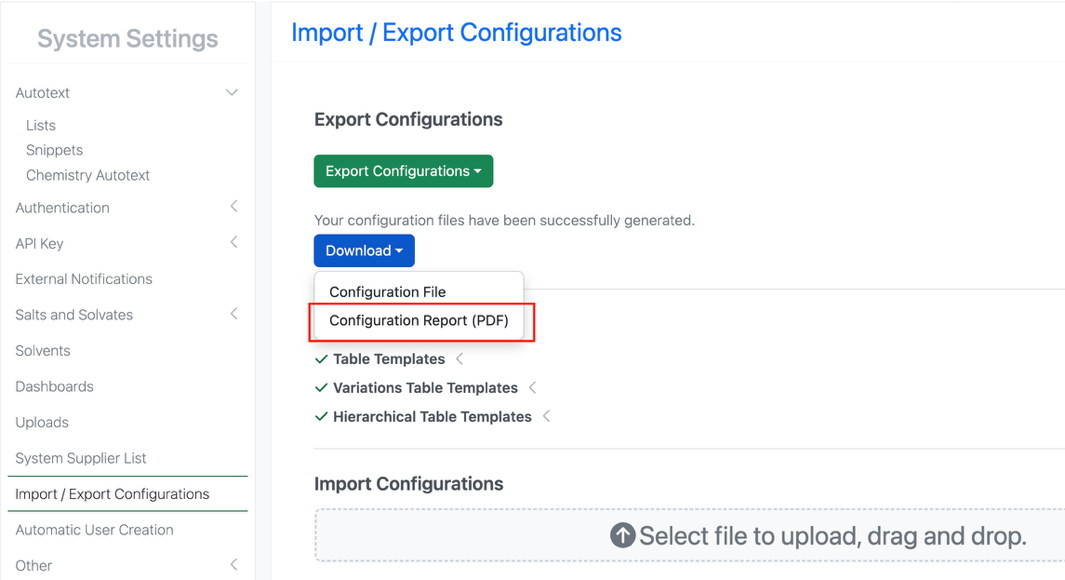
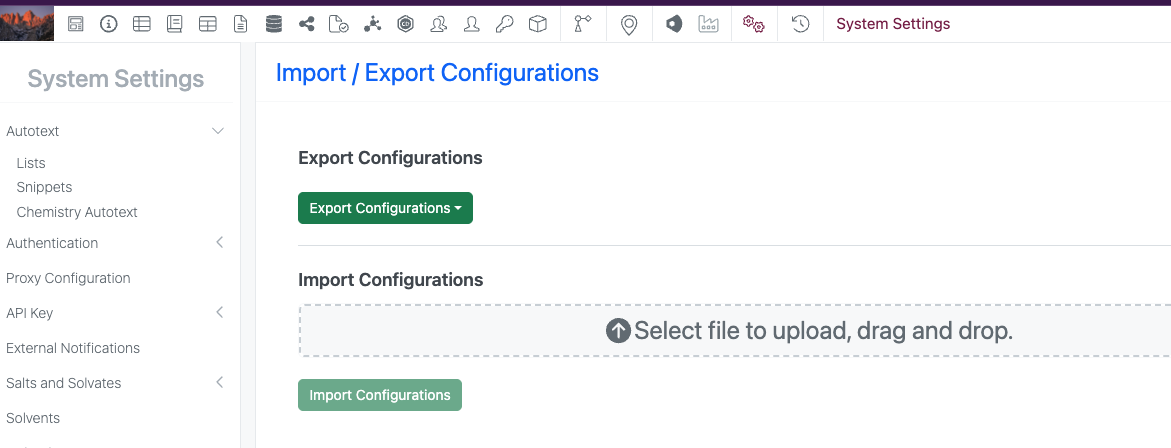
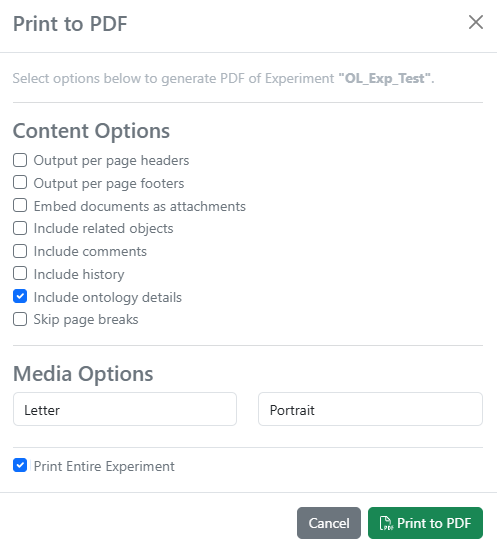
A matching Configuration Report (PDF) generates based on the selective configuration export. When users select specific objects to export during configuration migration, a matching Configuration PDF Report will generate in an export modal based on the object selections made (beta).