What's New
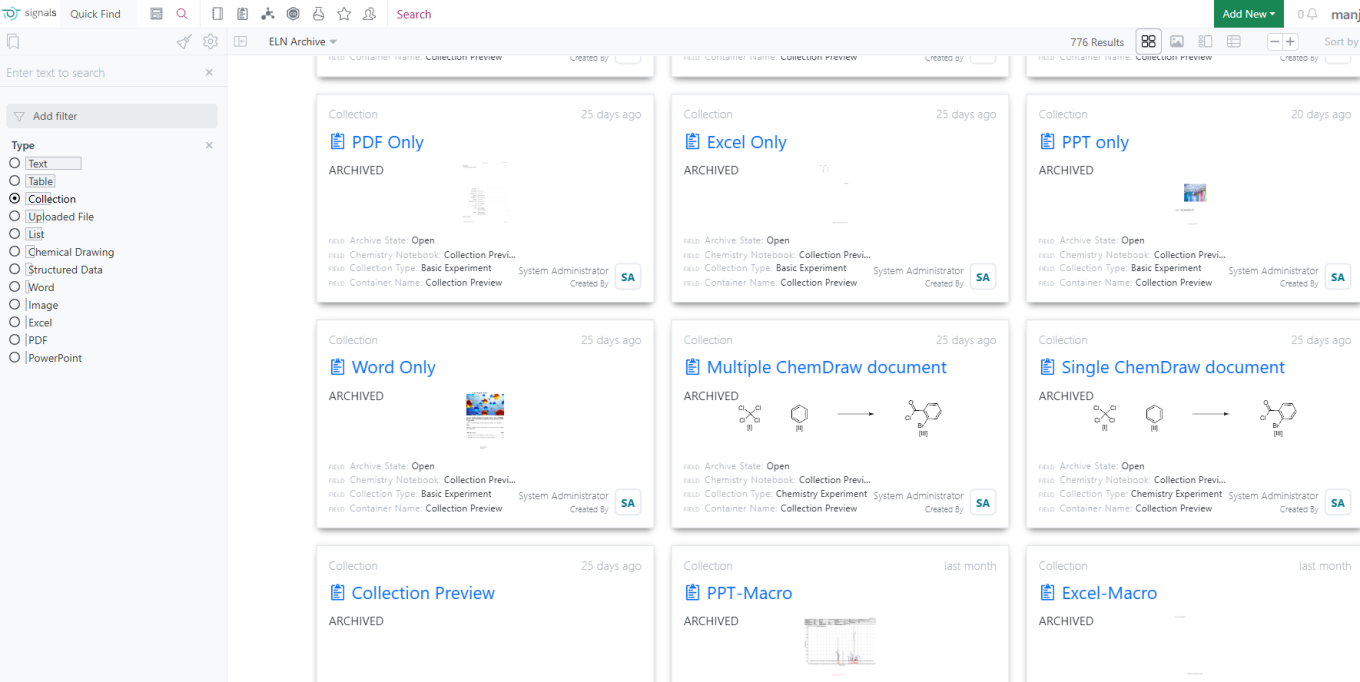
This version 25.3 release of Signals brings a series of calculation improvements to ADTs, Variation Tables and Samples. We have extended the view of data types in the ELN Archive. We have extended Signals Synergy with duplicate checking on Designs, and improved our Materials handling of containers and sequences. The updated ChemDraw sketcher and the Materials Lineage views are now fully available to all systems. We have continued to work on our ongoing beta capabilities for Signals Synergy and added beta callabilities around publishing Variation Tables, a common Suppliers list, and providing a new architecture for Signals Data Factory. Finally, we have also fixed a number of small bugs.
The following improvements are available for users, administrators and developers on the Signals platform. Certain features may only be available with appropriate licensing and/or with enablement by an administrator.
- Fundamentals
– Spotfire Connector PostgreSQL available
- Synergy
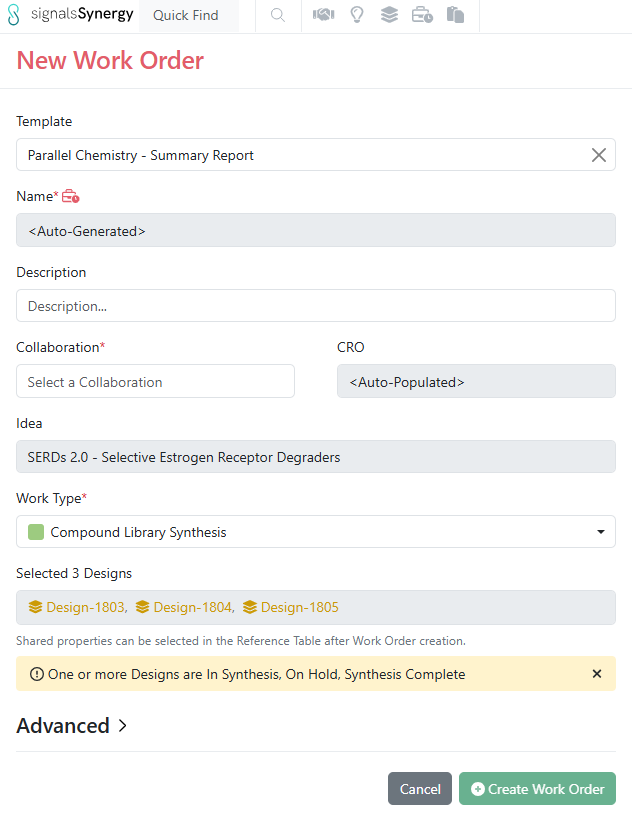
– Custom Work Order templates
– Duplicate checking on Designs
– Designs Import now provides a file report of failed and duplicate Designs
– Share Design Status to CROs in Work Order Reference Tables
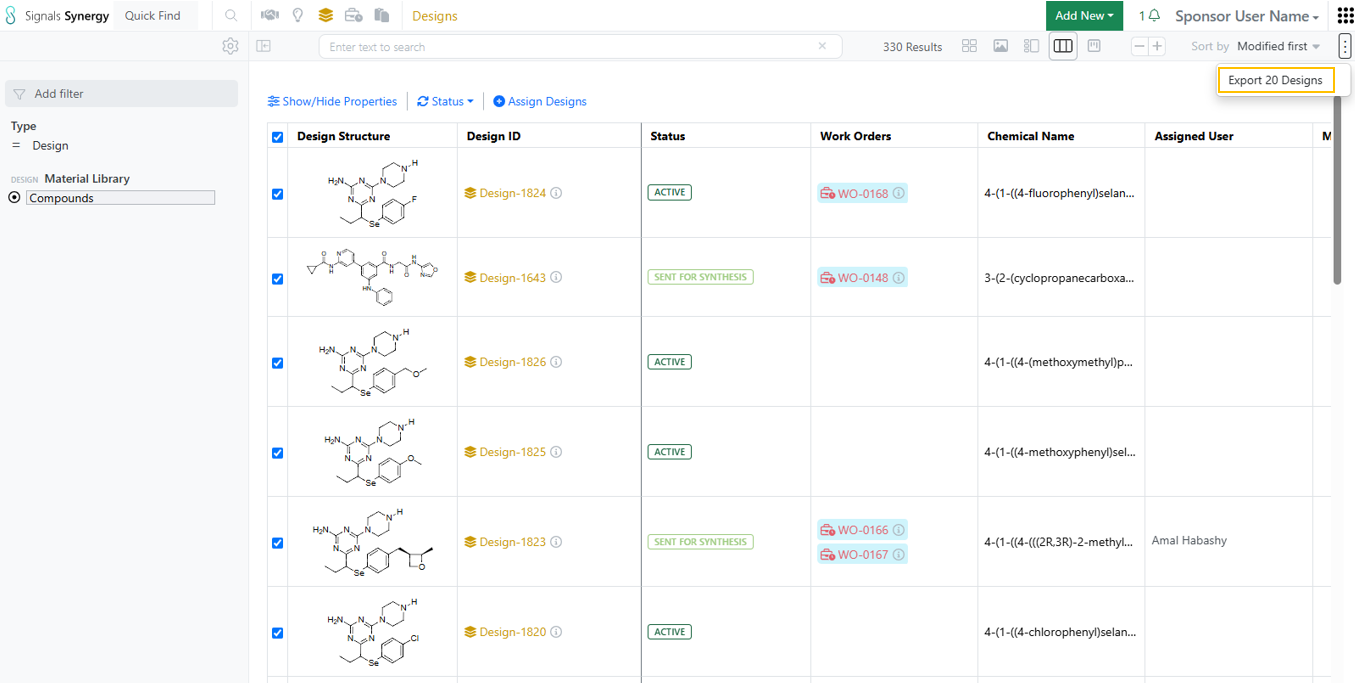
– Bulk internal assignment from Designs Smart Folder Data Grid view
– Bulk Design status update from Designs Smart Folder Data Grid view (beta)
– Kanban board view in Designs Smart Folder for Designs synthesis tracking (beta)
- Chemistry
– New ChemDraw editor available to all systems
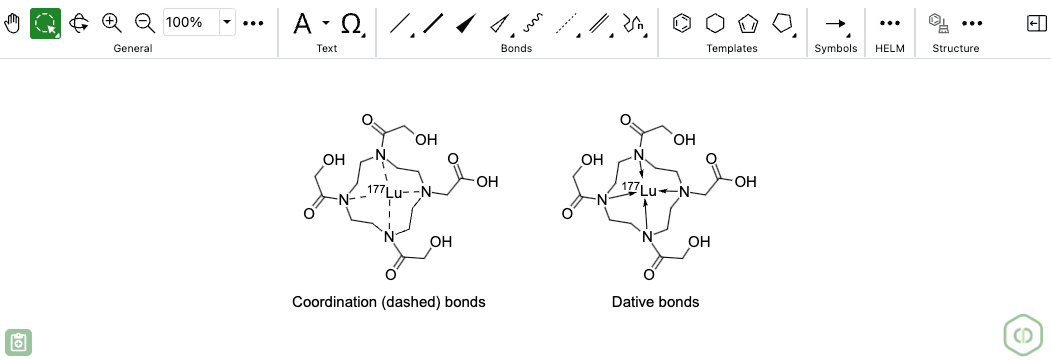
– Chemical Symbols available to all systems
– Generate complementary strand tool available to all systems
– HELM Auto-pair tool available to all systems
– Show 3' and 5' ends of oligonucleotides available to all systems
– Join tool available to all systems
– HELM in-line annotation support for monomers and polymers
– Biopolymer connections now appear curved instead of sharp corners
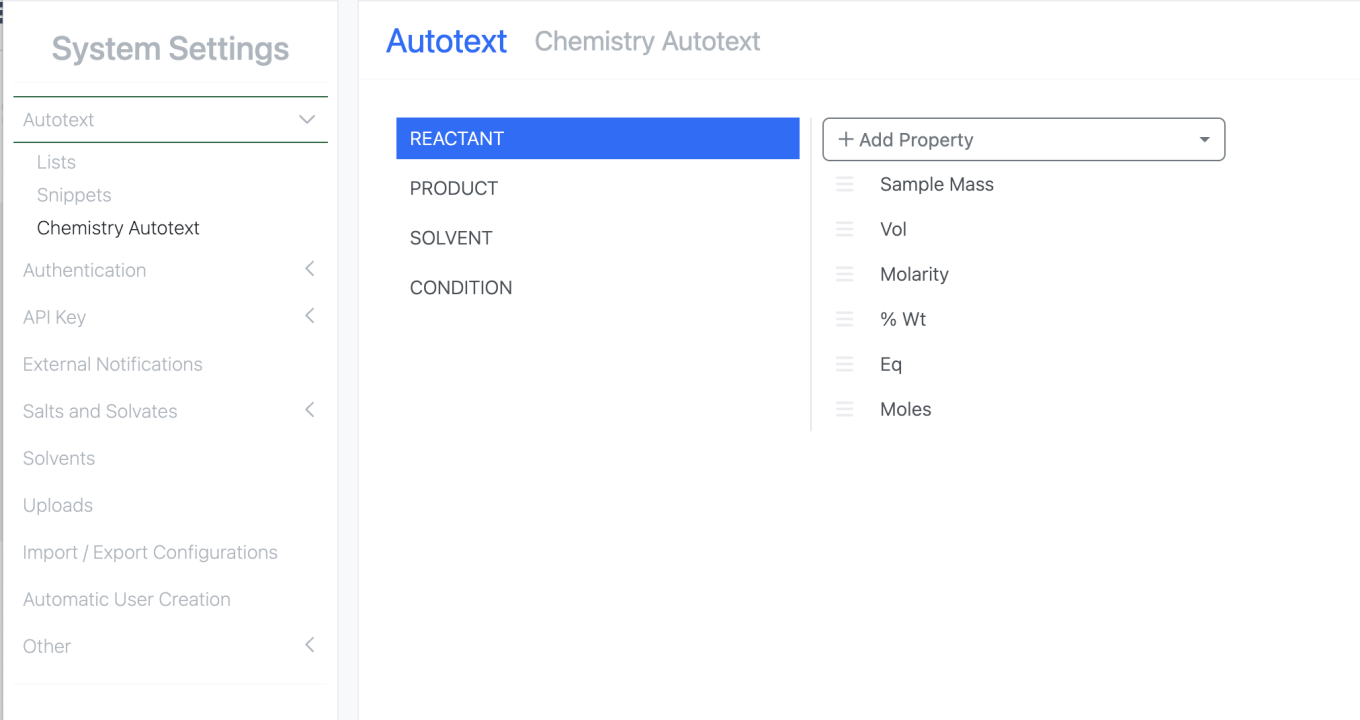
– Addition of new property type and Radioactivity parameter to Reactants table
- Admin Defined Tables & Variation Tables
– Publish Variation Tables to Inventa (beta)
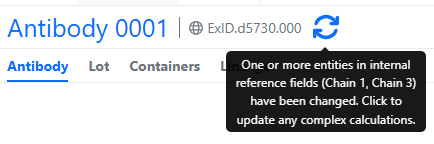
– Aggregate and Conditional Aggregate calculations in Headers
– Standard Deviation-Sample calculations
– Row number function
– Addition of padding to a number
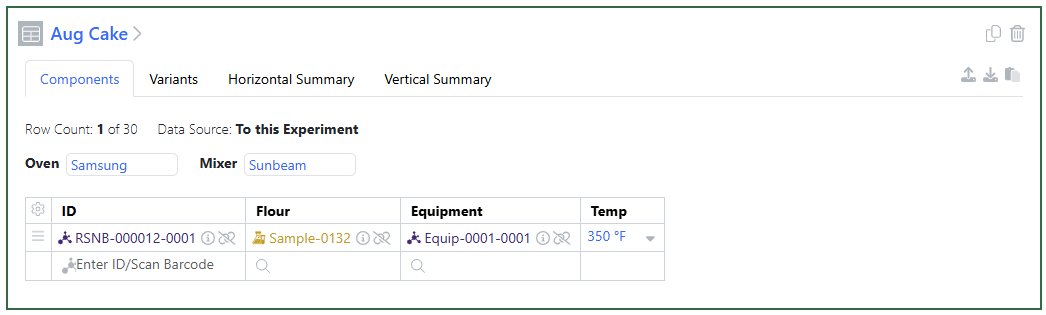
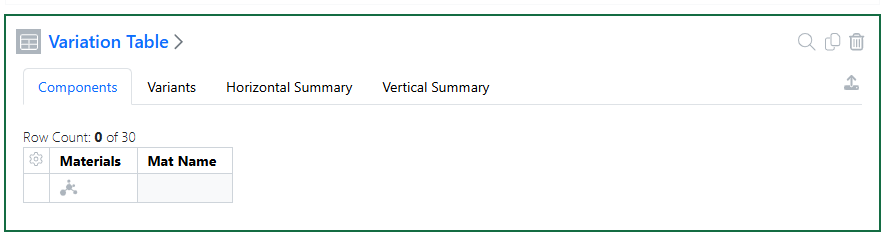
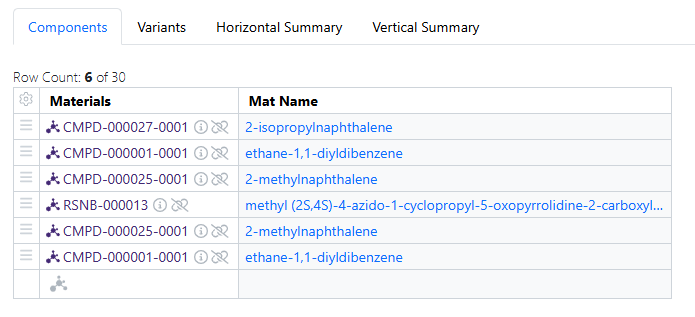
– Hide Components in the Variants
- Samples
– Addition of Radioactive Yield as a calculated property in Samples
– Update to Sample Table and Sample Summary Table via csv upload
- Inventory
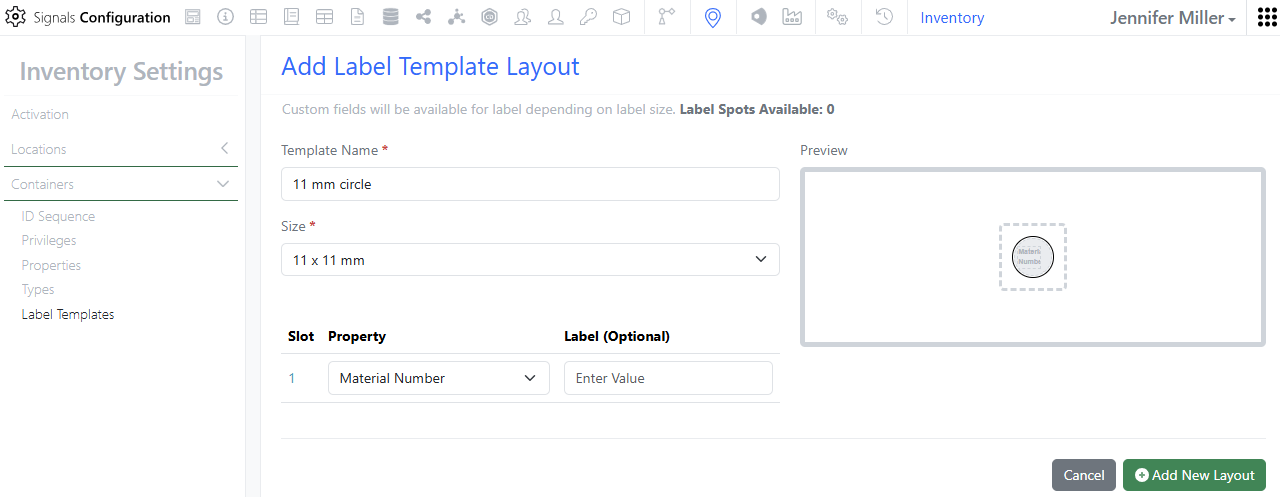
– 2 new labels
– Update to Containers Search Table column filters
– System Supplier List (beta)
– Move Locations to other locations- including grid locations
– Manage Inventory Attributes separately
- Materials
– Visualization of lineage-parent relationships and batches available to all systems
– Prepopulate name from sequence file during registration
– Disallow Reset of Material Library if Containers exist
– Add Materials to a Material Table and Link to Container later
- ELN Archive
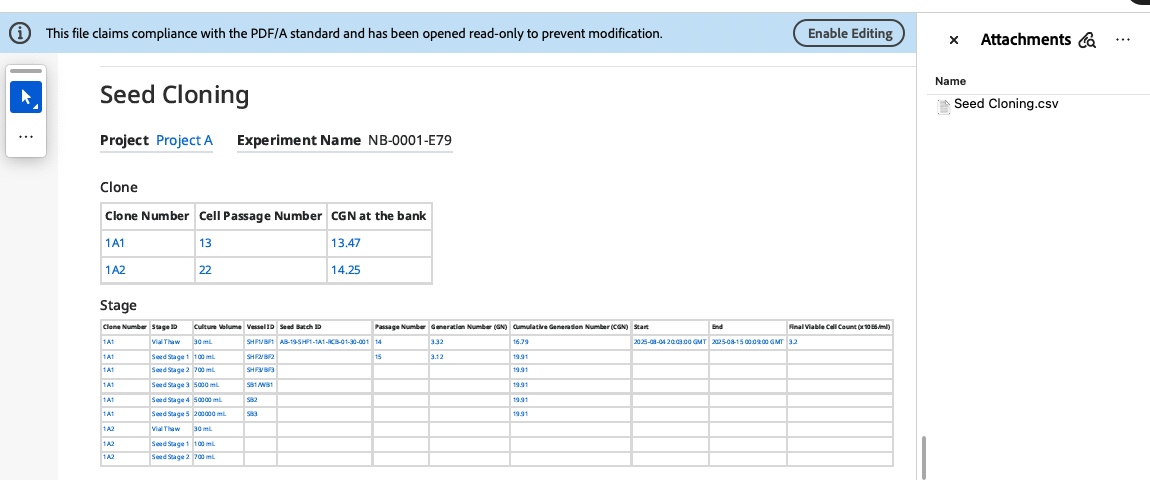
– Support extraction/archive of BioAssay/Structured Data Protocol Definition configuration and display using Primary/Summary Data in Structured Data Viewer from the Signals Notebook
– Protocol and Summary Definition General Field configurations
– Protocol and Summary Definition Graph Templates and CurveFit templates Configuration
– Protocol Definition Analysis Template configurations
– Protocol and Summary Definition Calculation Configurations for fields
– Structured Data – Data loading and pagination
– Support Extraction/archive of E-Notebook Master details table field contents
- Administration
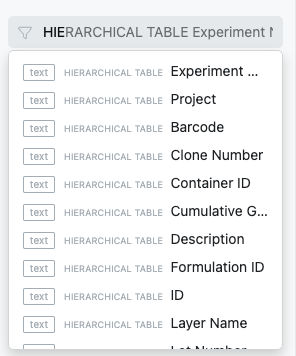
– Update to Hierarchical Attribute lists to allow for children to have multiple parents
– Rearchitected SDF Projects, improved performance with row-level updates, and new methods for project creation and data publication (beta)
– Spotfire for Signals Custom Apps Configuration available for Private Cloud Linux support
- Integrations & APIs
– API Key limit increased to 25
– Additional Chemical Structure formats for Material Import
– New Material Table actions to update/sync with Material Library
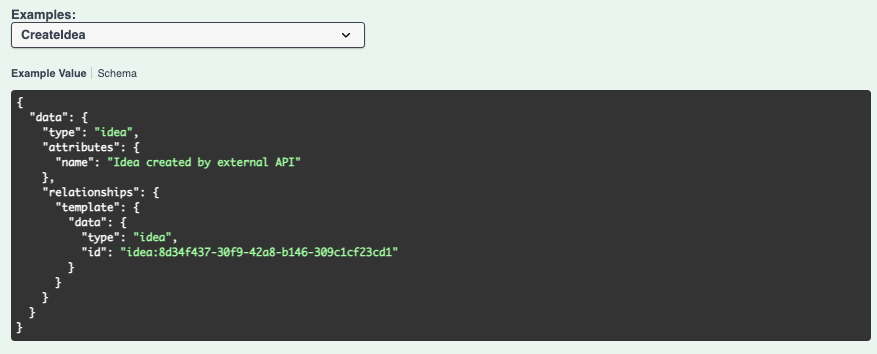
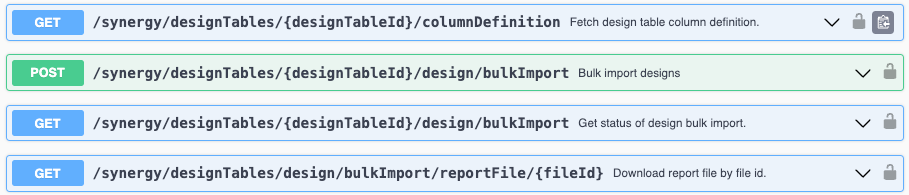
– New APIs to fetch Synergy Designs and their Structures
– External Actions available for Synergy Design Tables
– Print Synergy Experiment to PDF API
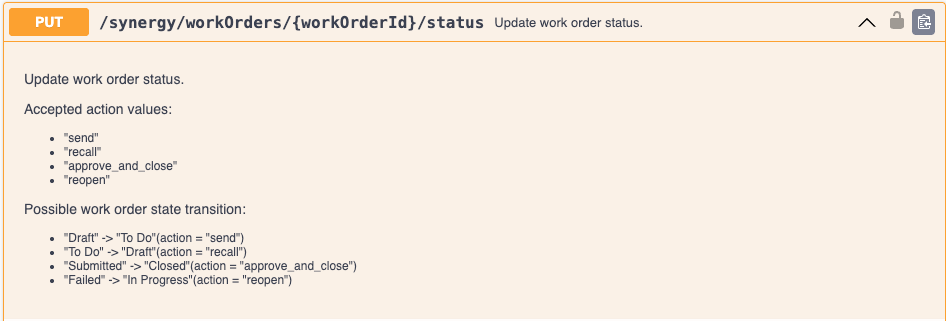
– New APIs for updating Reference Tables in Synergy Work Orders
We also fixed several small bugs in this release. Details of the enhancements are described below.
The following OnDemand videos for Signals Notebook End Users are now available
- Worksheets - Learn to fill out your Worksheet
Administrators should be aware that the SDF primary API: DELETE /project-service/projects/{projectUid} has been deprecated in favor of the public DELETE /api/v1/projects/{projectId}
Developers should note that with the enhancement to Hierarchical Attribute lists—allowing child options to have multiple parents—there is a minor change in the attribute fetch response. The "hierarchicalOptions" array previously containing only the options not associated with a parent value ("parentValue": "") will now include the full list of options.
Administrators should note that this release of Signals Notebook implements a 7000-atom limit for chemical structure registration and search. With these updates, users cannot submit structures exceeding 7000 atoms as search inputs and structures containing more than 7000 atoms cannot be registered with uniqueness checks in the system.
Developers should note that we will be changing the GET/entities endpoint to no longer allow for both “trashed” and “untrashed” items to be fetched simultaneously. The "includeOptions" will continue default to "untrashed" when no explicit parameters are specified. This change will only impact customers who are explicitly setting “includeOptions” to “trashed,untrashed” or any combination including both. This change will occur in a future release.
Developers should note that we will be removing the “totalCapacity” and “availableCapacity” attributes from Container entities. These two fields are not used by or visible in the UI and have no functional usage. These properties have long been deprecated and replaced by the singular “amount” property. This change will occur in a future release.
Administrators are recommended to subscribe to the channels within our support news site found at https://support.revvitysignals.com/hc/en-us/categories/360004446171-Support-News which contains more information about releases and other pertinent product information.
This content is anticipated for release on our Production E3 environments, and for Private Cloud customers on our deferred release schedule, in July 2025.
Further Details
The following improvements are available for users, administrators and developers on the Signals platform. Certain features may only be available with appropriate licensing and/or with enablement by an administrator.
Fundamentals

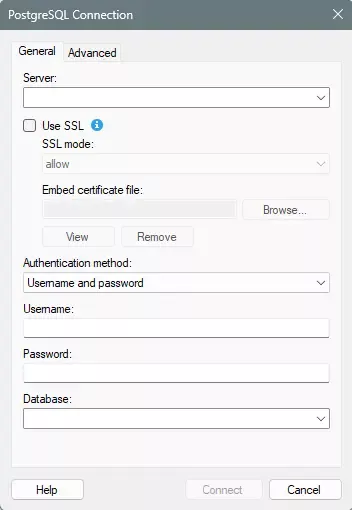
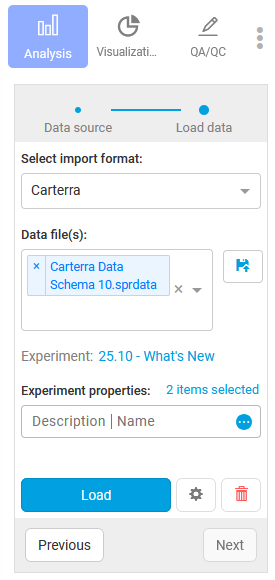
Spotfire Connector PostgreSQL is available within Spotfire for Signals. Data Connection information must be embedded in analysis file. Authoring, editing, and creating new is supported in Spotfire for Signals Analyst while Spotfire for Signals Online can consume existing.
Synergy
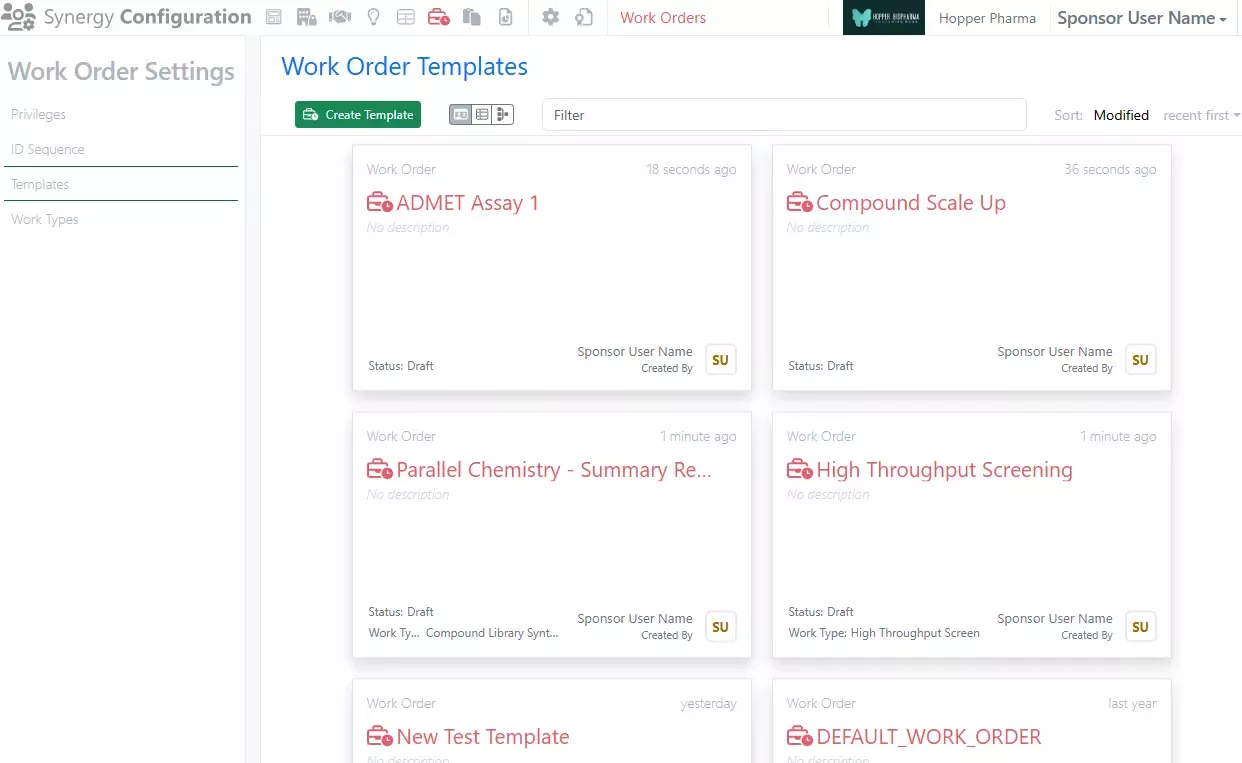
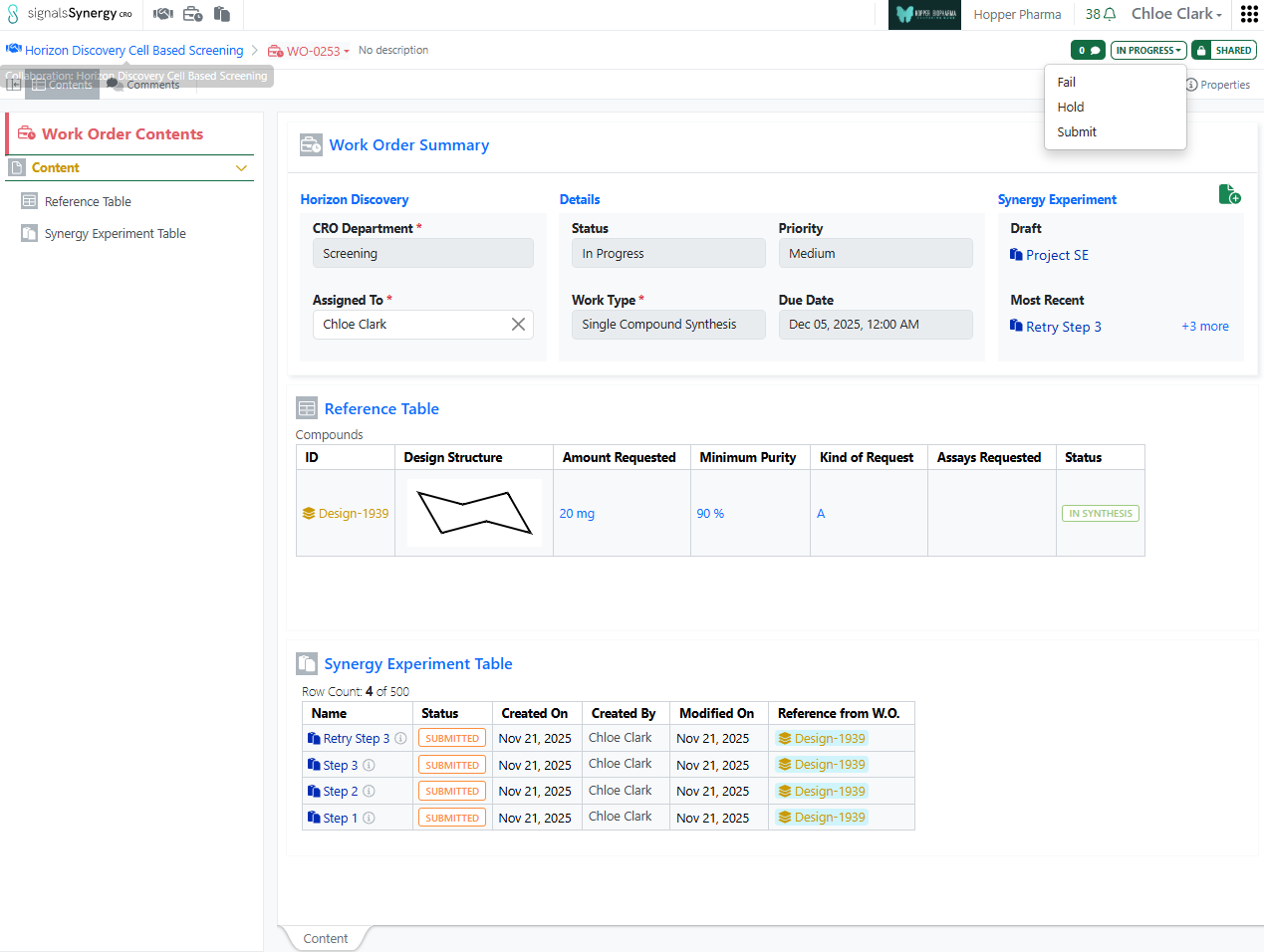
Synergy Administrators can now add custom Work Order templates, allowing for varying Work Order templates for different types of work.

Several enhancements to Design functionality are also included. First, duplicate checking is now available during Design creation and Design import. Designs are compared across all Designs of the same material library using the Uniqueness rules of the library (structure only). During single Design creation, if a duplicate is identified, the user can Cancel or Treat as Unique after reviewing duplicate Designs.

During Design import, the user can specify whether to Don’t Submit Duplicates or Treat as Unique. In addition, Designs import now provides an optional Report of failures, failures and duplicates, or all results.

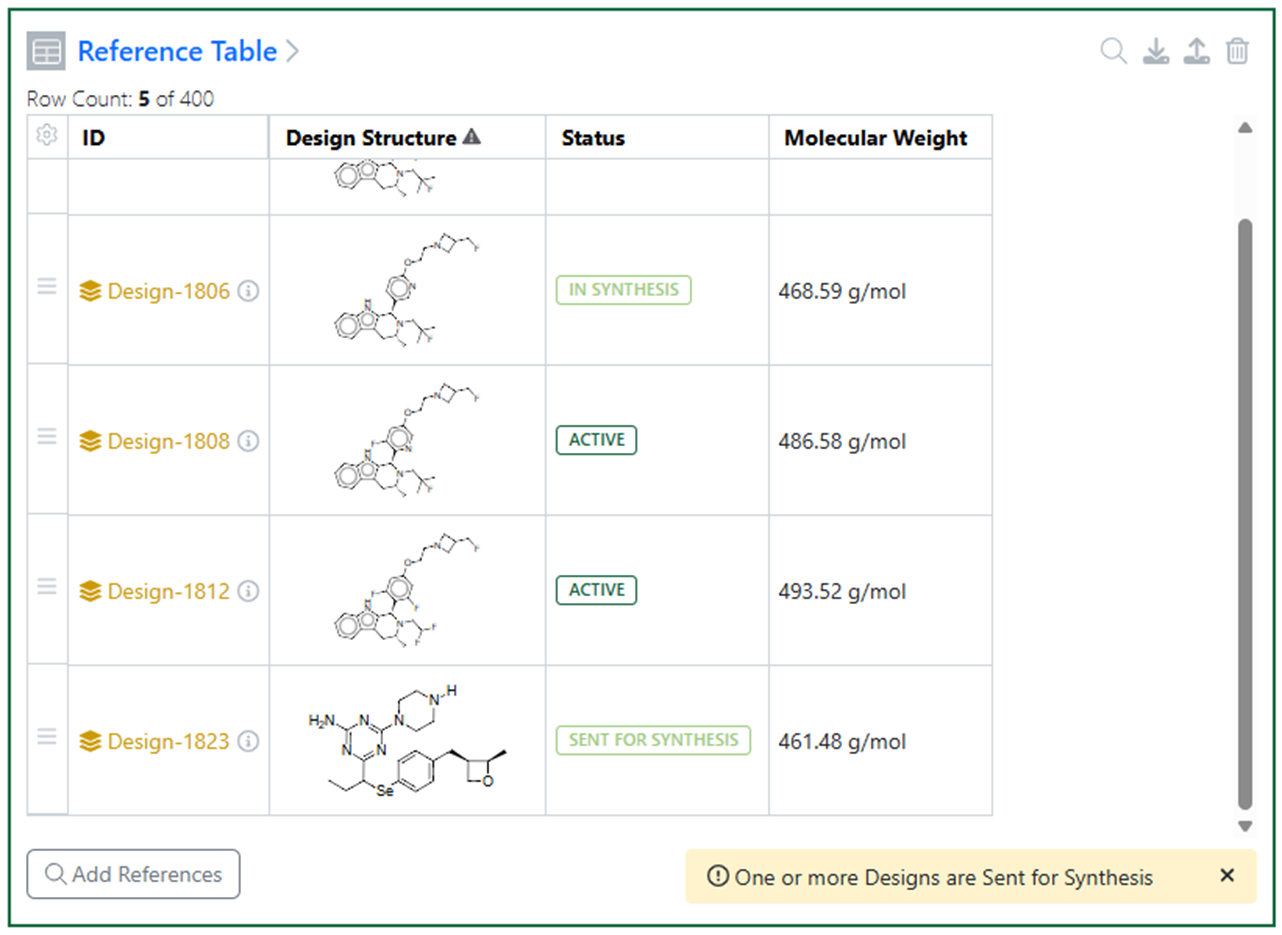
Design Status can now be shared with the CRO via the Reference Table, allowing the Sponsor to keep the CRO informed of changes. (See beta section for expanded Design Statuses.)

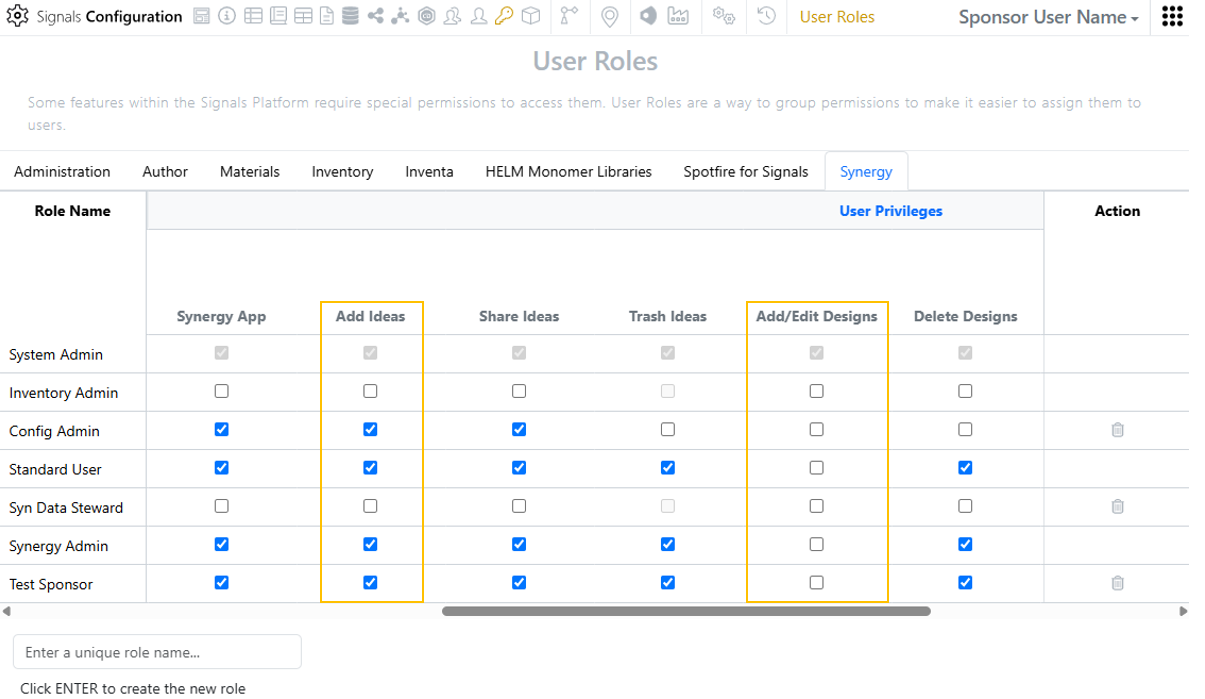
Bulk assignment of Designs to an Internal User (Sponsor) or Internal Group can now be made from the Designs Smart Folder Data Grid View as well as from the Designs Table.
Chemistry

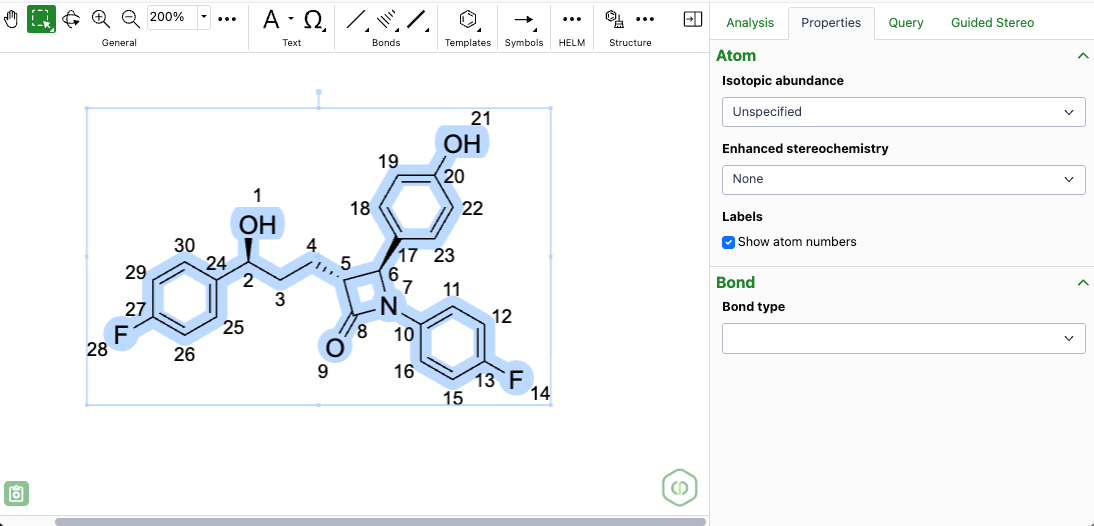
The new ChemDraw editor is available to all systems. This redesigned drawing interface features a dynamic toolbar, enhanced zoom controls, and several new tools. Additionally, it introduces resizable panels for templates, properties, queries, and guided stereo annotations, offering users a more comprehensive and efficient drawing experience.
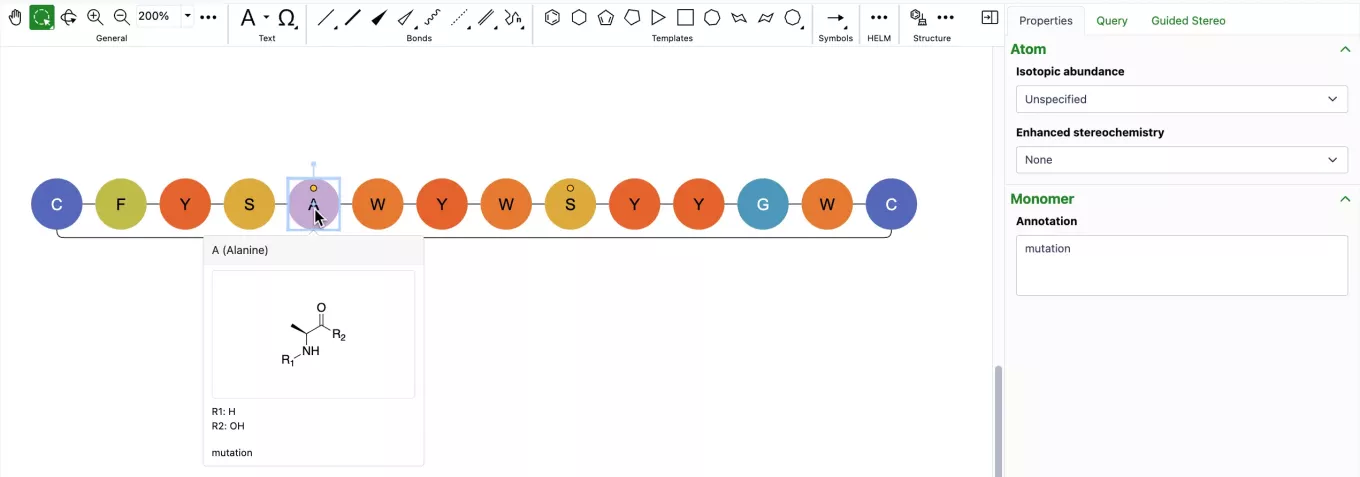
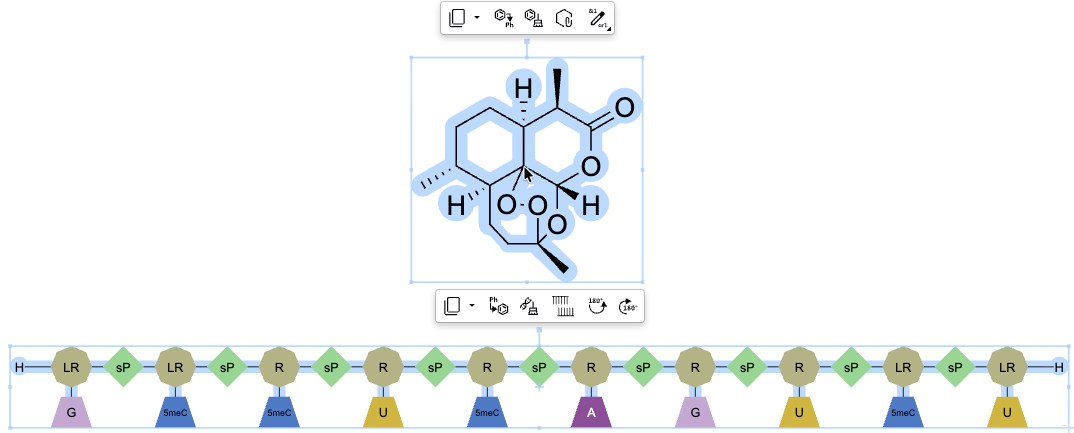
Annotation capabilities are now available for monomers and biopolymers through the properties panel. When a monomer or biopolymer is selected, users can access a new Annotation field in the Biopolymer section, allowing them to add simple text and descriptions to specific parts of their sequence. For annotated monomers, a badge appears on the graphic to indicate the presence of an annotation which is also viewable in the hover-over preview.
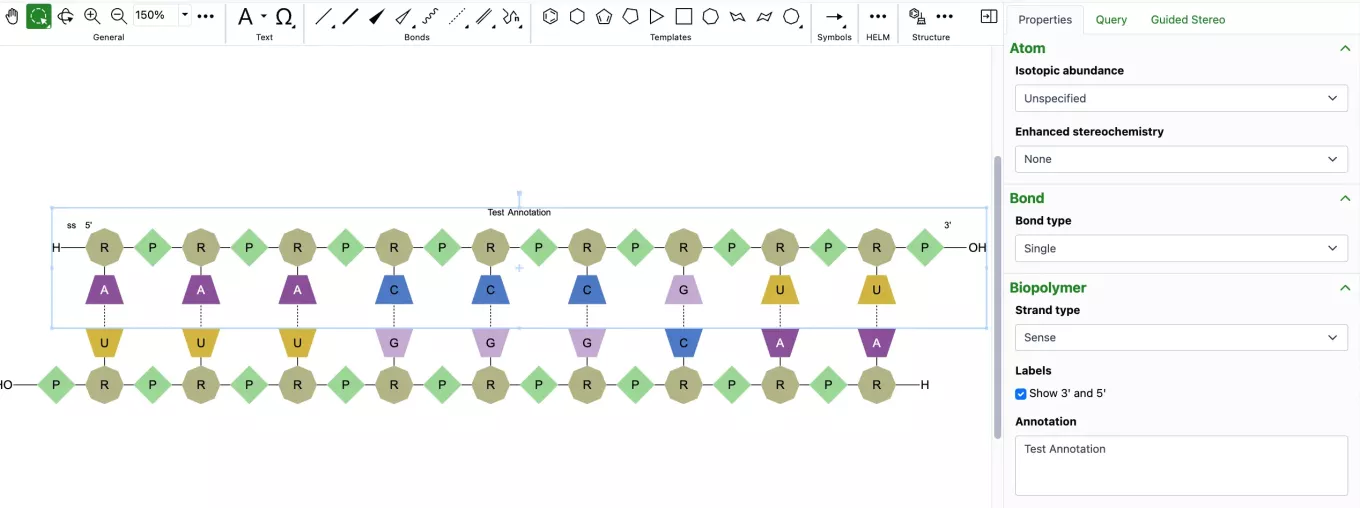
Biopolymer annotations are directly added to the ChemDraw canvas, appearing centered above or below the sequence. These annotations are added as in-line annotations to the HELM string when copied, and can also be imported through HELM strings.
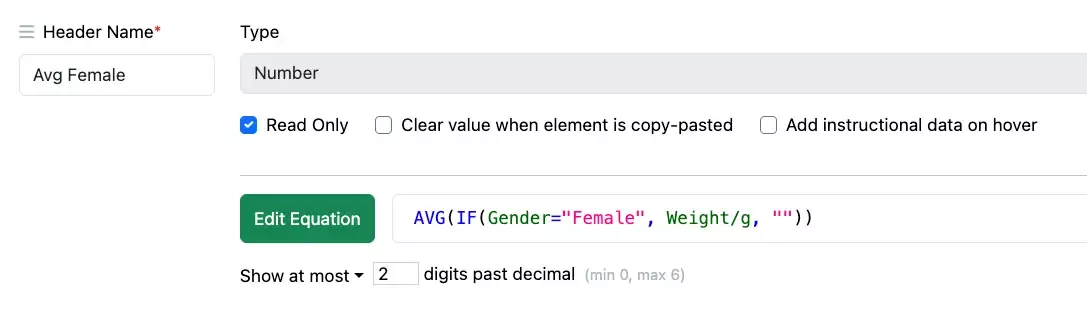
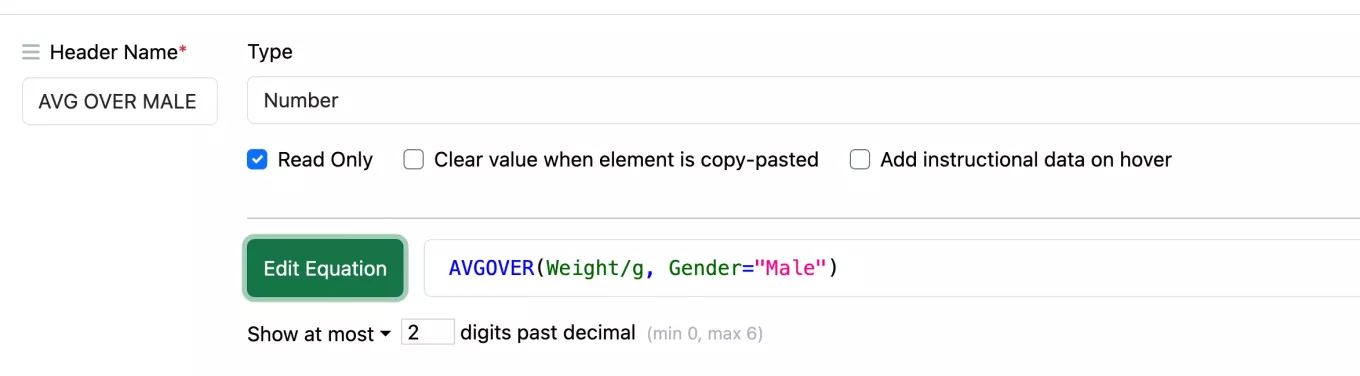
Conditional aggregate calculations in the Header can be constructed using an OVER function, such as AVGOVER, with the format AVGOVER(Arg1, Arg2=Arg3) and where Arg1 is a Number column being aggregated, Arg2 is a Text column being compared to Arg3, when the comparison is true the value is aggregated.
IF functions also allow greater flexibility to operate within other functions, so conditional aggregate calculations can also be enabled using an IF statement inside the aggregate function. Such a nested function would follow a construction similar to AVG (IF(Arg1, Arg2, Arg3) where Arg1 sets up the condition being tested, and Arg2 and Arg3 are the results used if the condition is met, or not met.
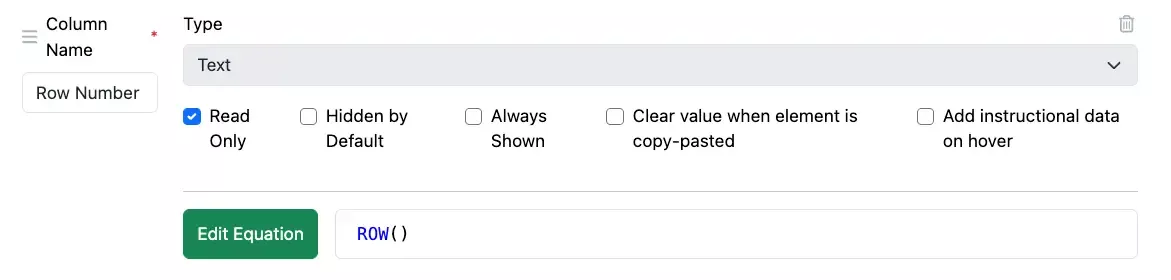
A new function, ROW(), has been added to calculate the row number. The function contains no arguments and outputs a number, the function can be used in an equation on a Number or Text property and included within more complex equations. ROW() will be recalculated if the rows are moved or rows are removed.
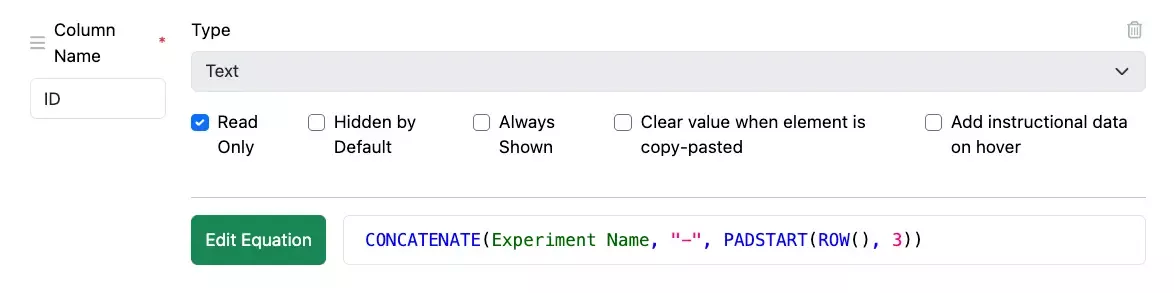
For cases when the number requires padding, an additional function PADSTART has been added. This function is constructed as PADSTART(Arg1, Arg2, Arg3) where Arg1 is a number that is padded, and Arg2 defines the number of digits the number is padded to. The third argument is optional and allows definition of the character used for padding, if not set then a zero is used. This function will operate only on a property of type Text and can be included in a more complex equation.
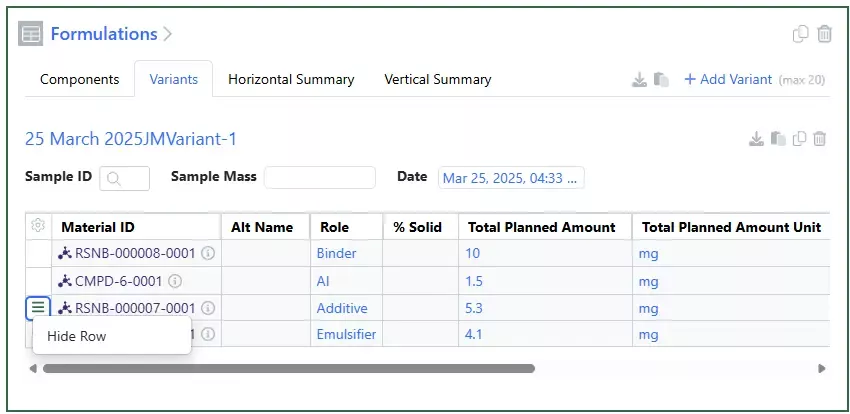
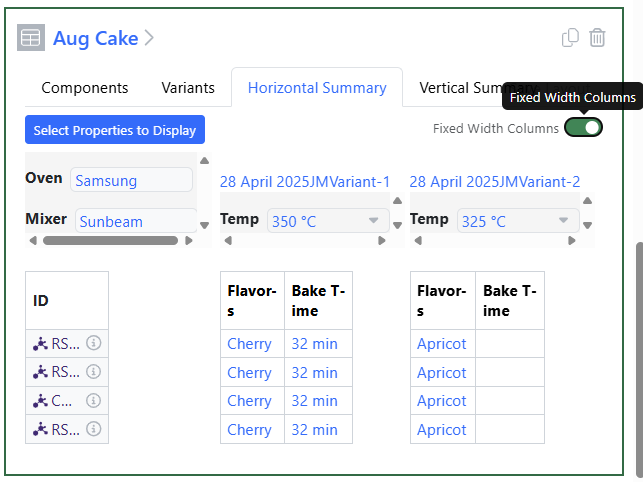
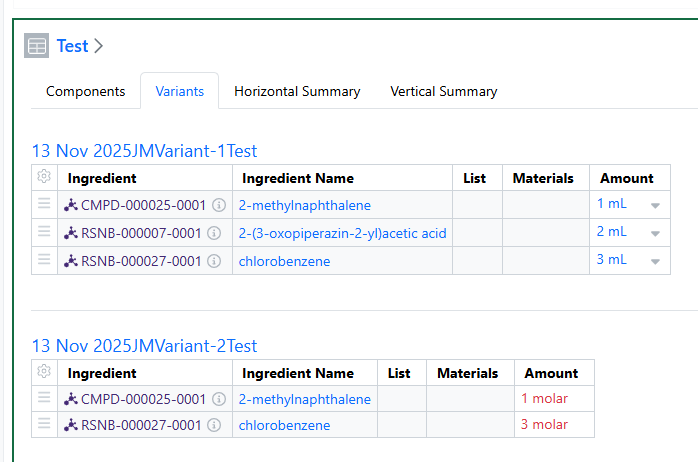
Users are now able to Hide Components in Variants if they do not need all the components for a given variant:
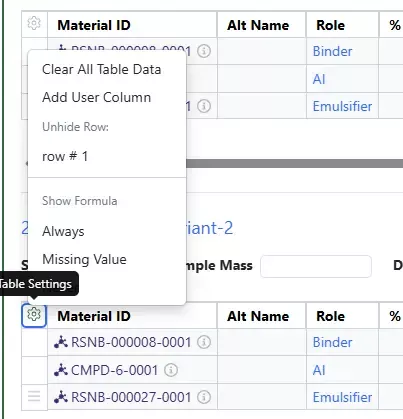
Only rows that do not have user entered data are allowed to be hidden. If users duplicate the variant, the hidden row will remain hidden. To unhide the row, click in the gear icon.
Hidden rows are not part of calculations and will be ignored if used in a row designated calculation.
Samples
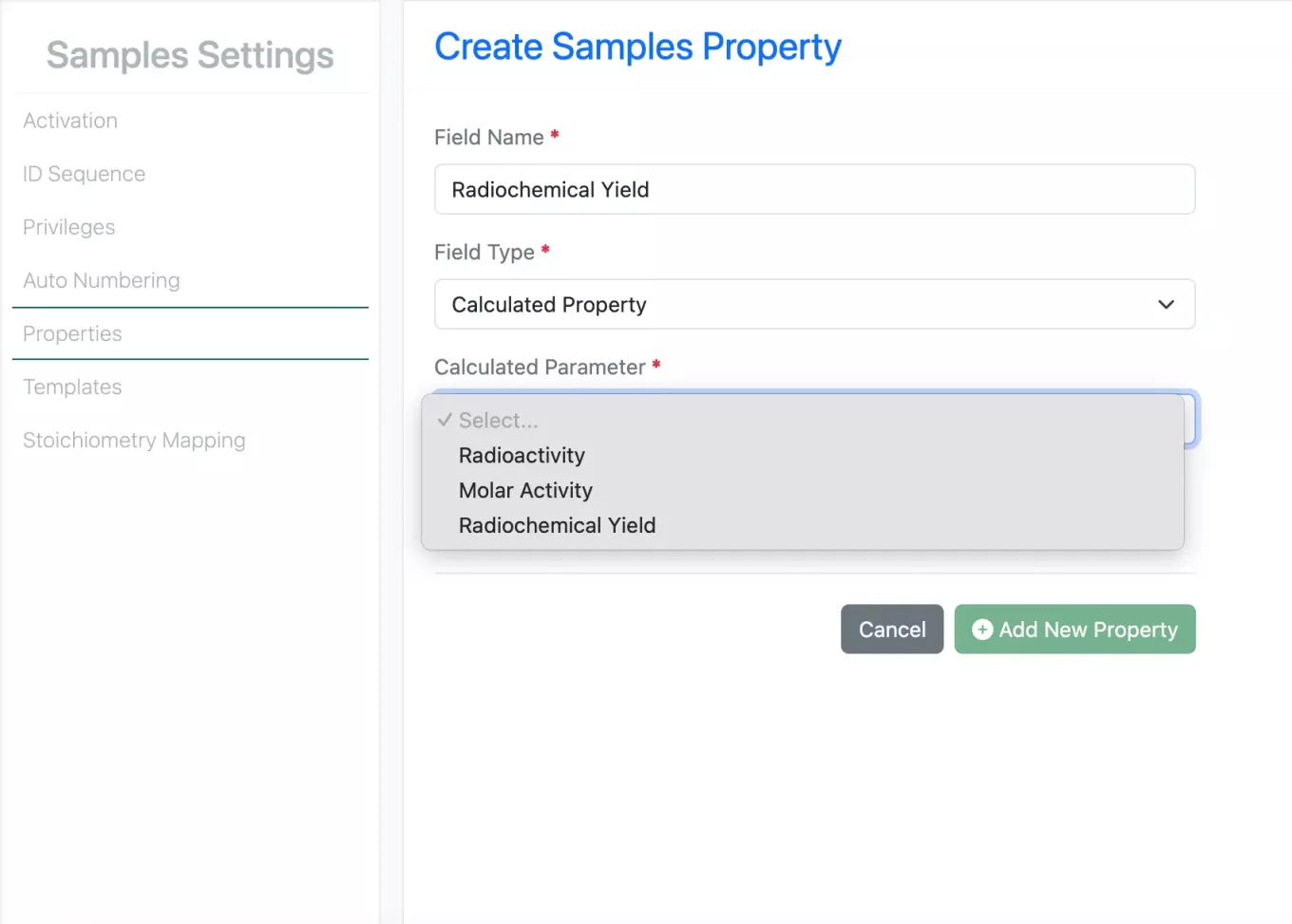
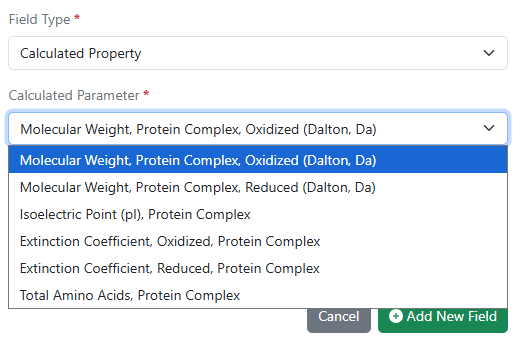
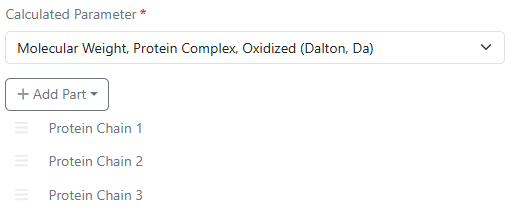
A new calculated property parameter, Radiochemical Yield is now available for Samples. The Radiochemical Yield is calculated as follows:
Sample Radiochemical yield = Sample Radioactivity / Limiting Reagent Radioactivity
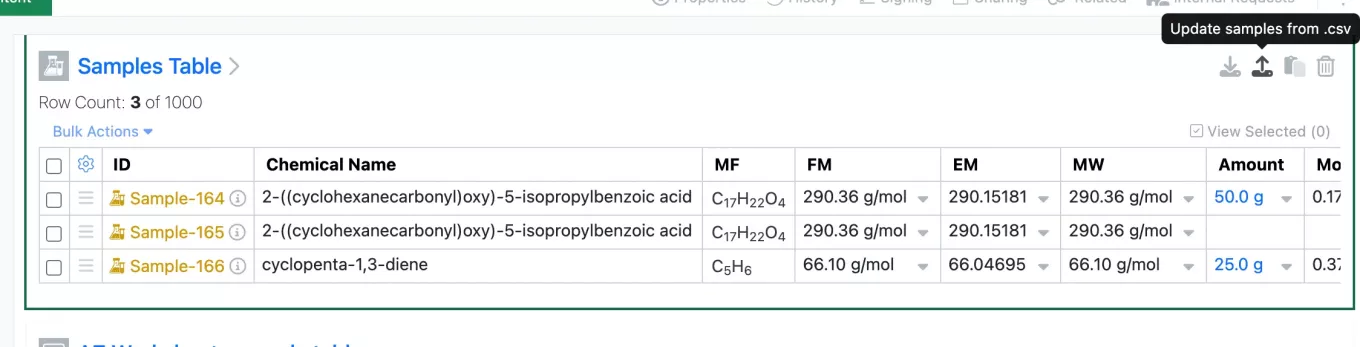
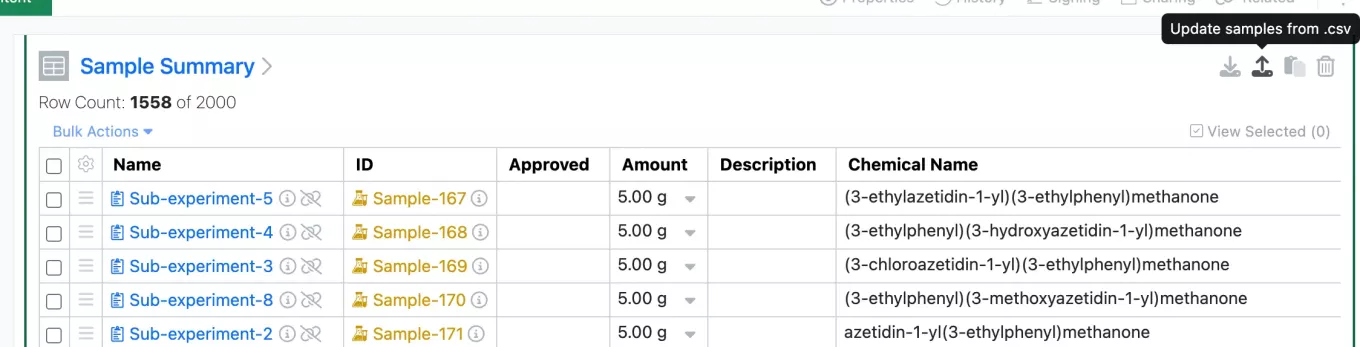
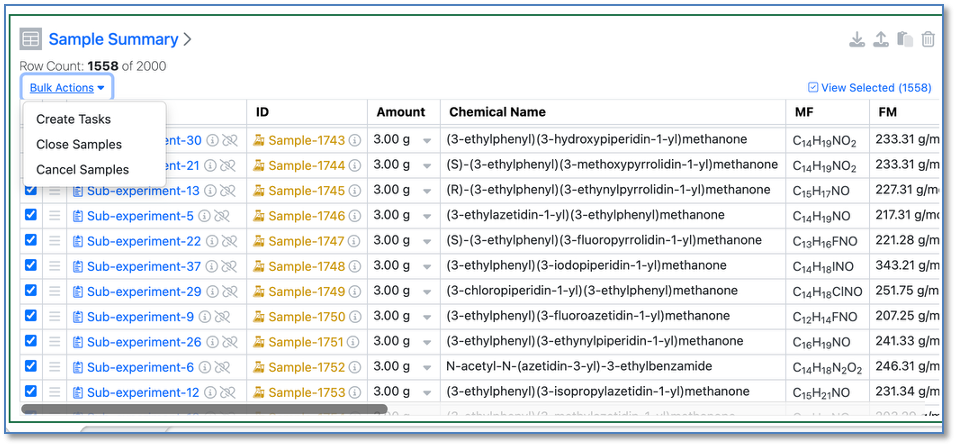
The Sample Table in an Experiment and Sample Summary Table in a Parallel Experiment can now be updated via csv upload. Samples cannot be added or removed via the csv upload. Only Active Samples will be updated by a csv.
Inventory
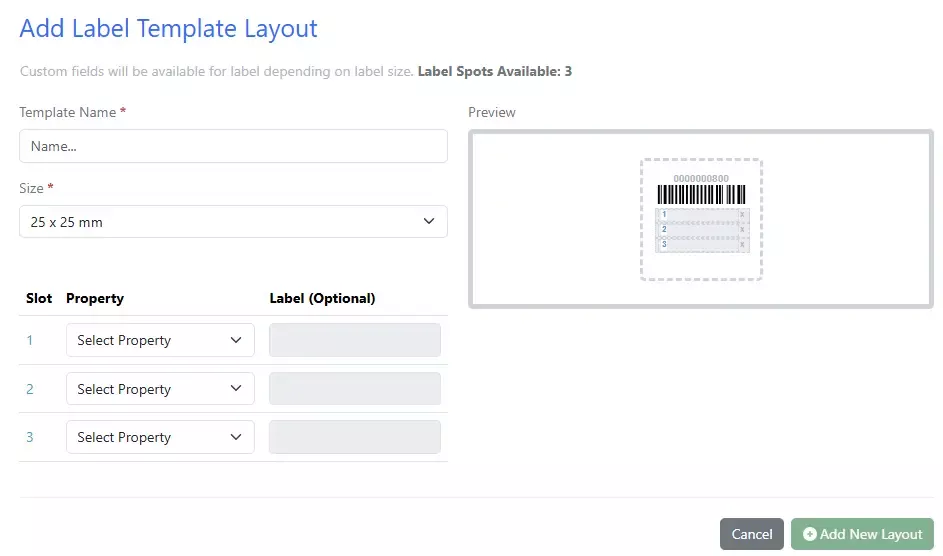
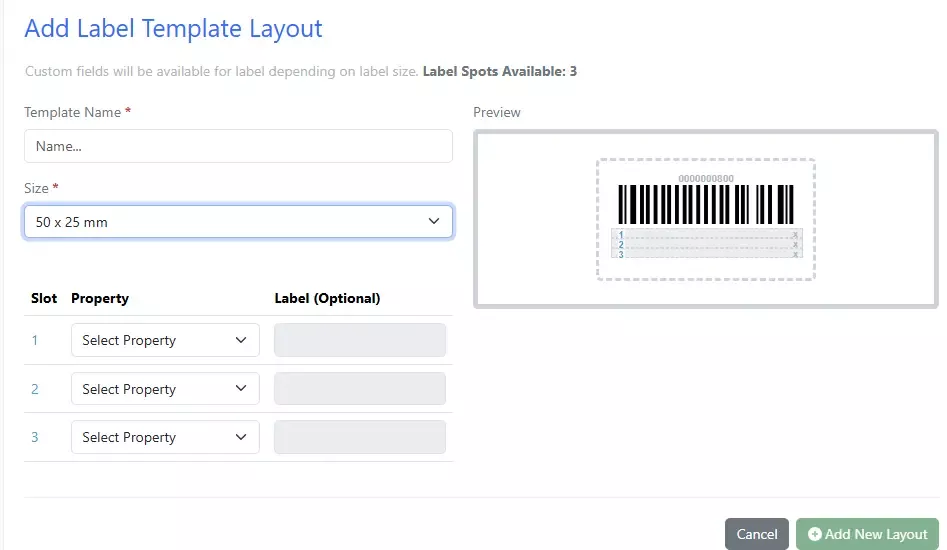
2 new labels are now available for smaller containers: 50 x 25mm and 25 x 25mm
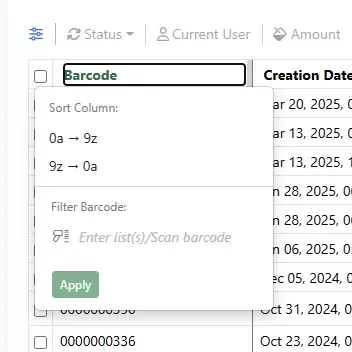
Update to Containers Search Table column filters. An Apply button has been added to all the filter columns so that users do not have to click out of the box/filter for the update:
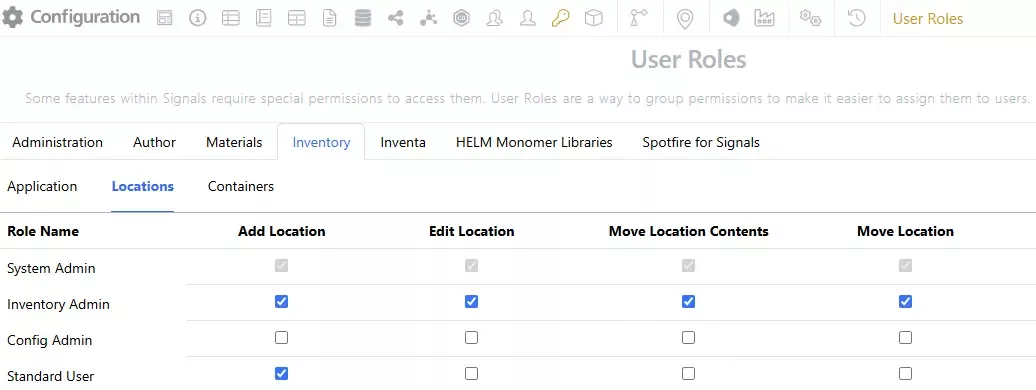
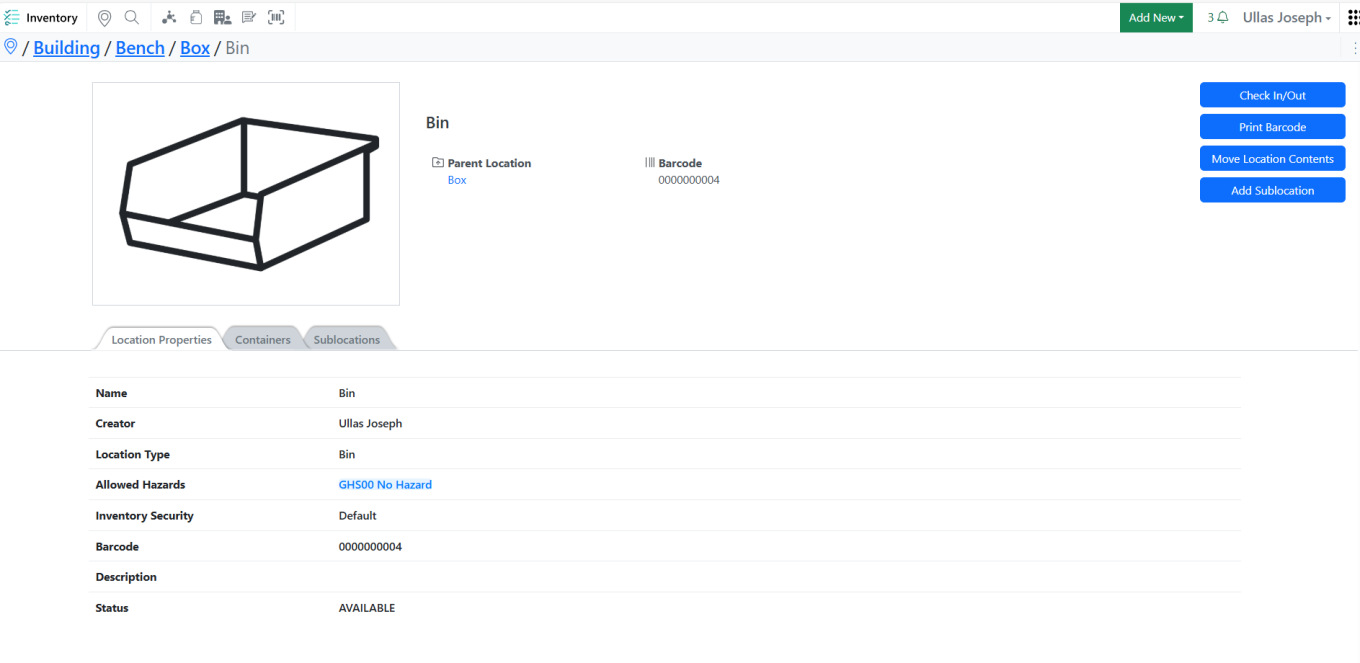
Move Locations to other locations- including grid locations. A new Move Location option has been added to the Inventory. The previous Move Location privilege has been renamed to Move Location Contents and will move the contents of the entire location including the sublocations and containers and is recommended for Administrators only; ex: a freezer breaks, and the entire contents need to be moved to another freezer. The new Move Location privilege is for moving locations within/to other locations and can be assigned to users; ex: user takes a box with containers from the freezer to the bench.
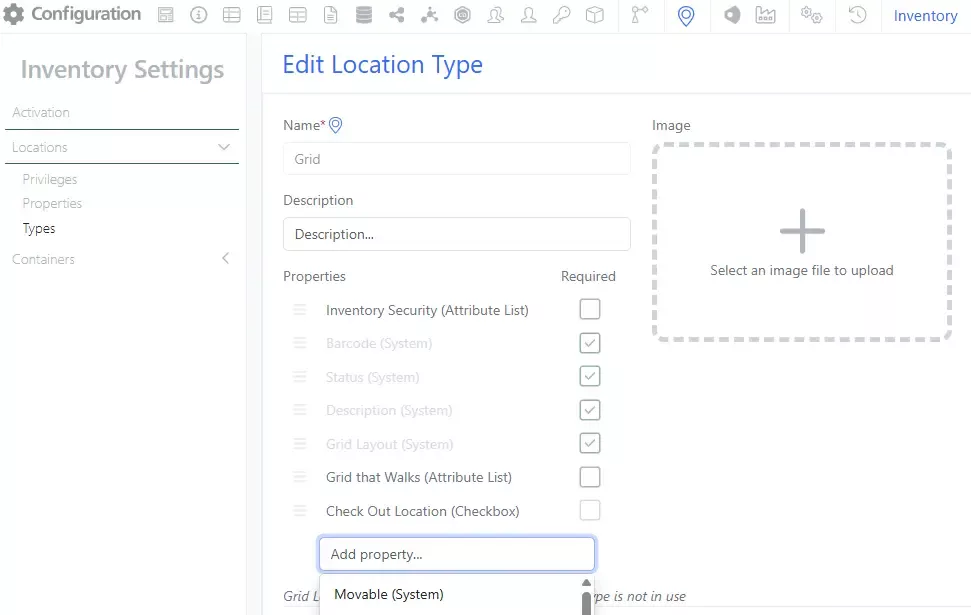
For a location to be considered movable, the Location Type will need to be updated by an administrator to have the Movable (System) property. This update can be done to existing Types or new Location Types.
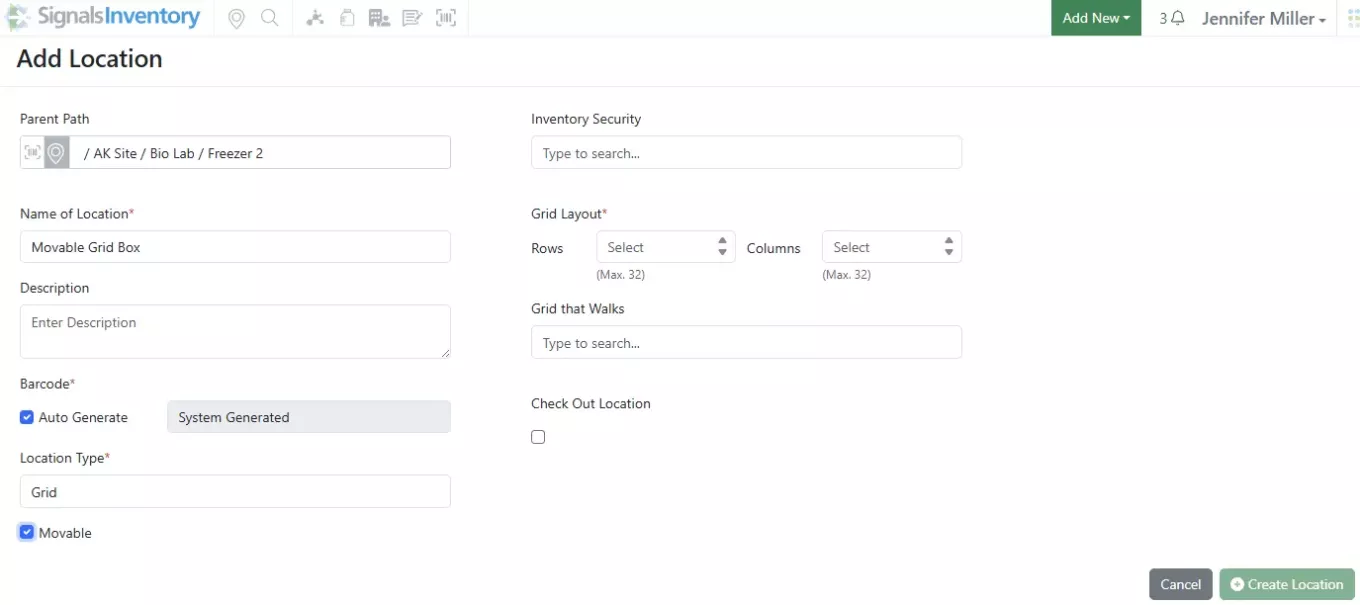
When a new instance of the Location Type is created, the user will be presented with a checkbox for if this Location should be able to be moved:

This is available for gridded locations and non-gridded locations:
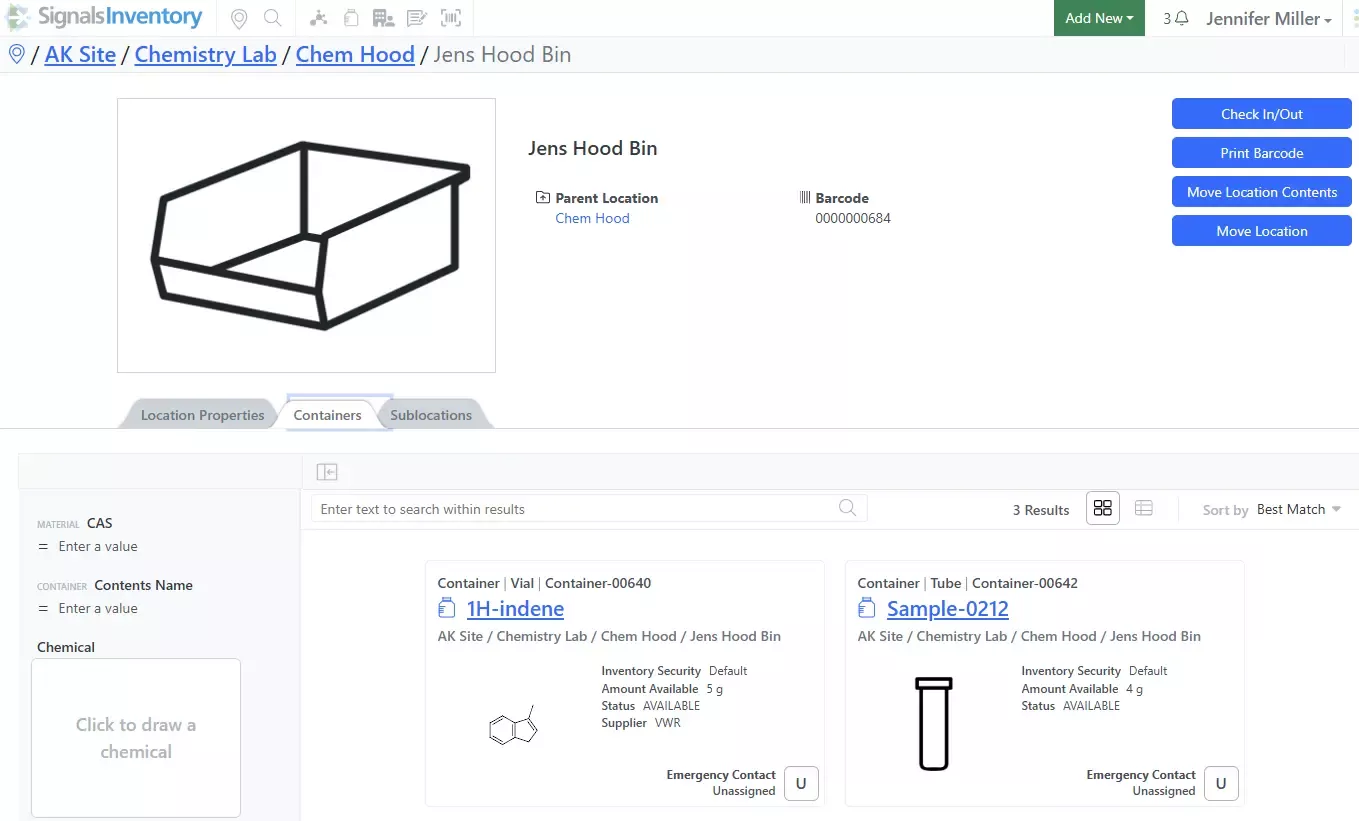
If the location is a movable location and the user has the correct privilege, they will see a Move Location button:
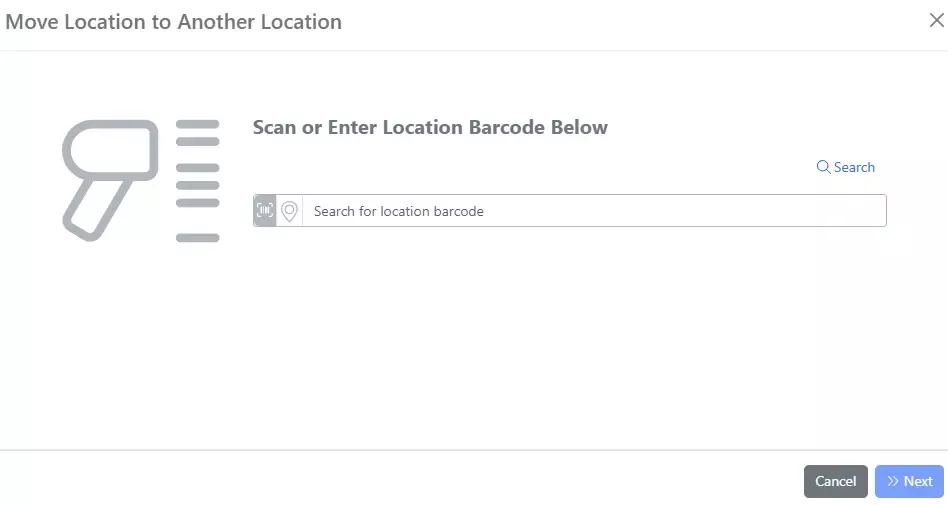
Locations can be found by barcode, type ahead or using the Search icon in the top right corner:
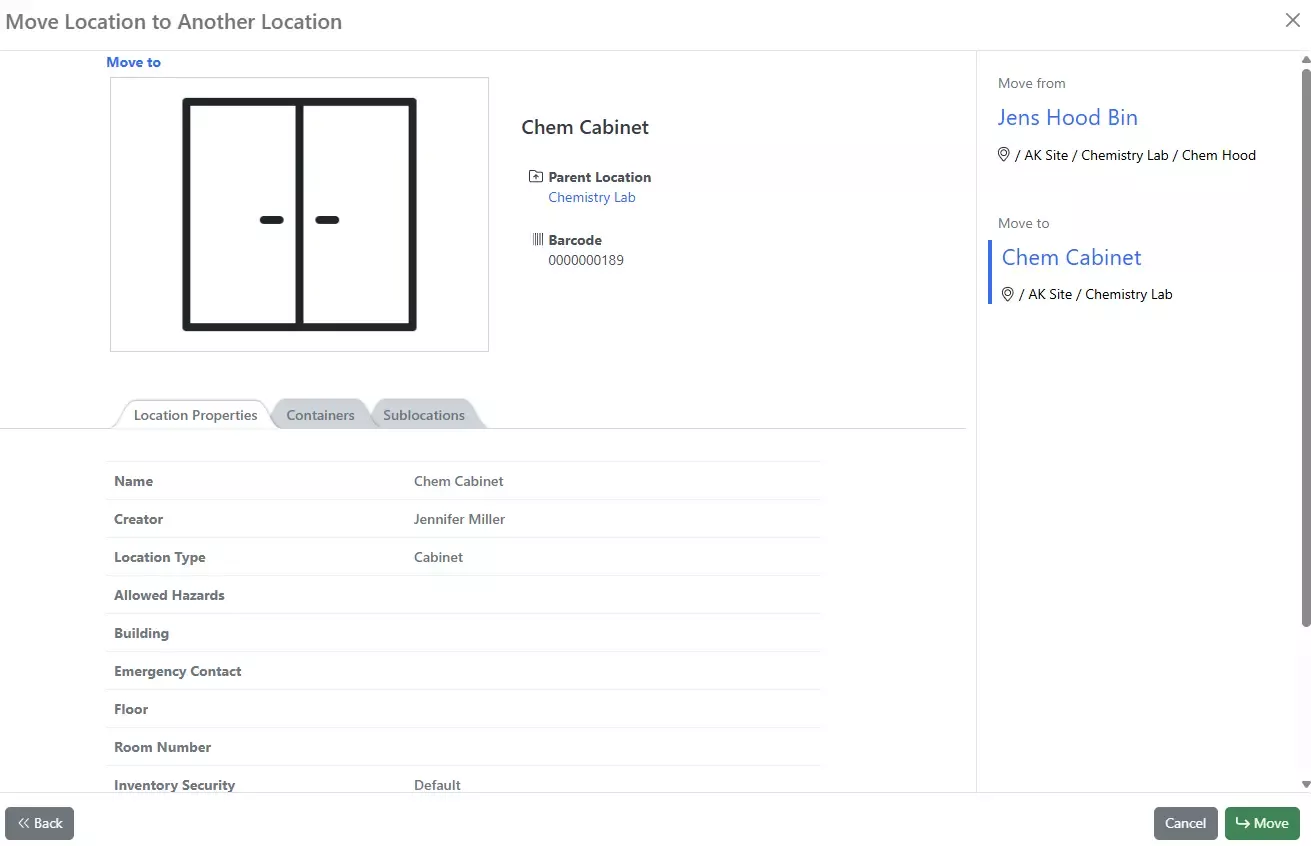
Once a location has been selected the move will be started. This may take a few minutes:
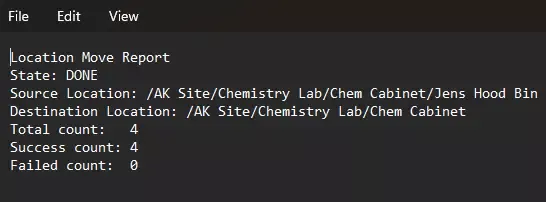
A report will be generated:
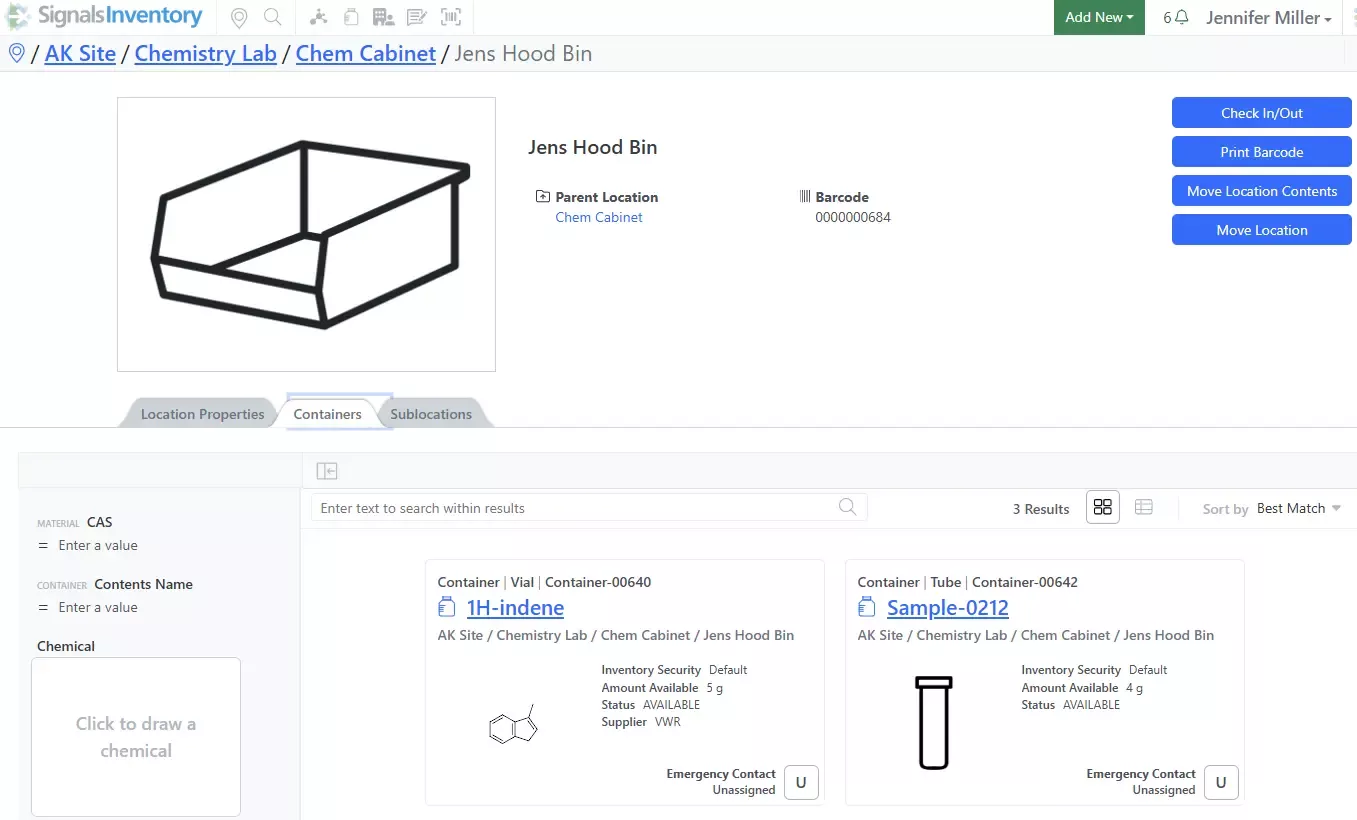
The location as well as the containers and sublocation with containers will be moved:
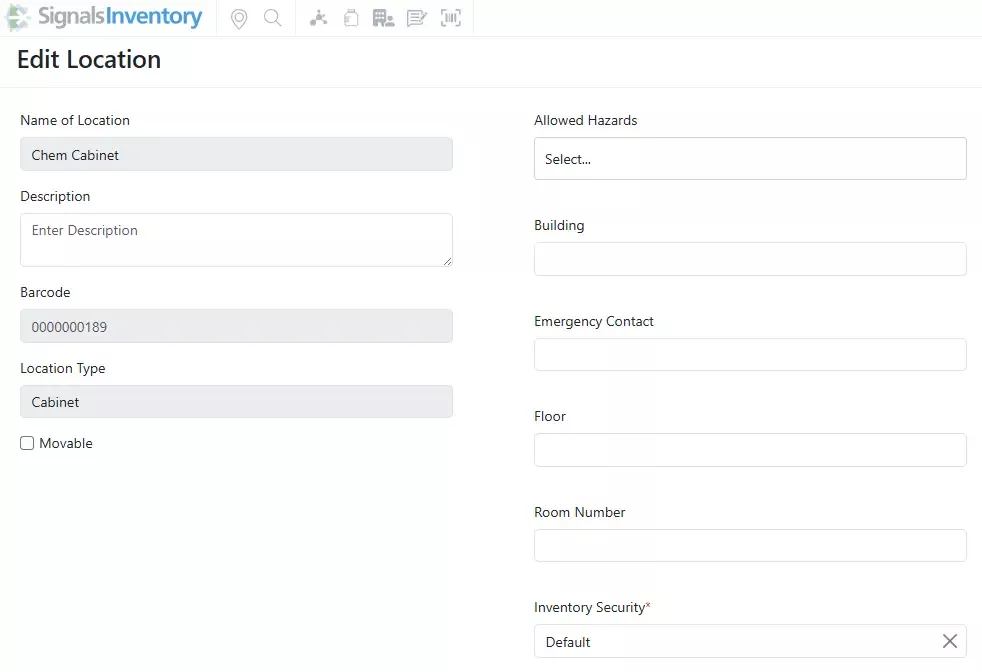
Currently existing locations can be updated by users with Edit privileges to the Location. The Movable checkbox will be available to be updated:

Manage Inventory Attributes separately. For organizations that do not want to give Inventory Administrators control over all Attributes in Signals Notebook, the Inventory Attributes have been separated out and a new privilege called Manage Inventory Attributes has been created.
This will give the Inventory Administrator full control over Inventory Security, Container and Location Library Attributes.
Materials
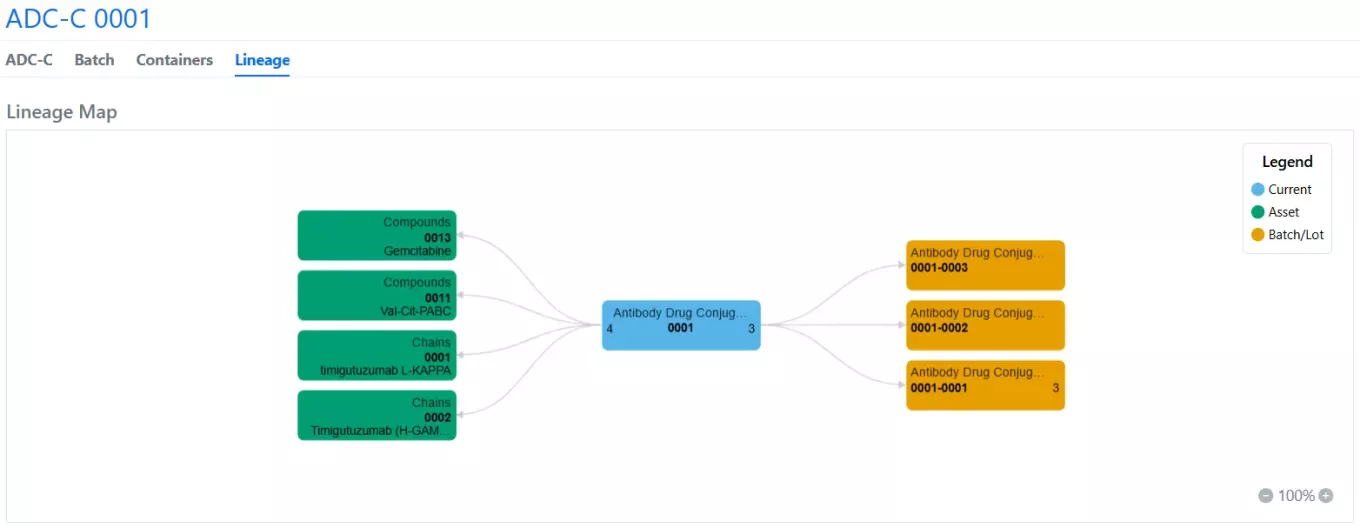
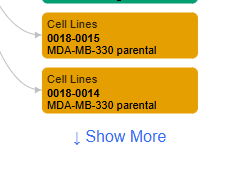
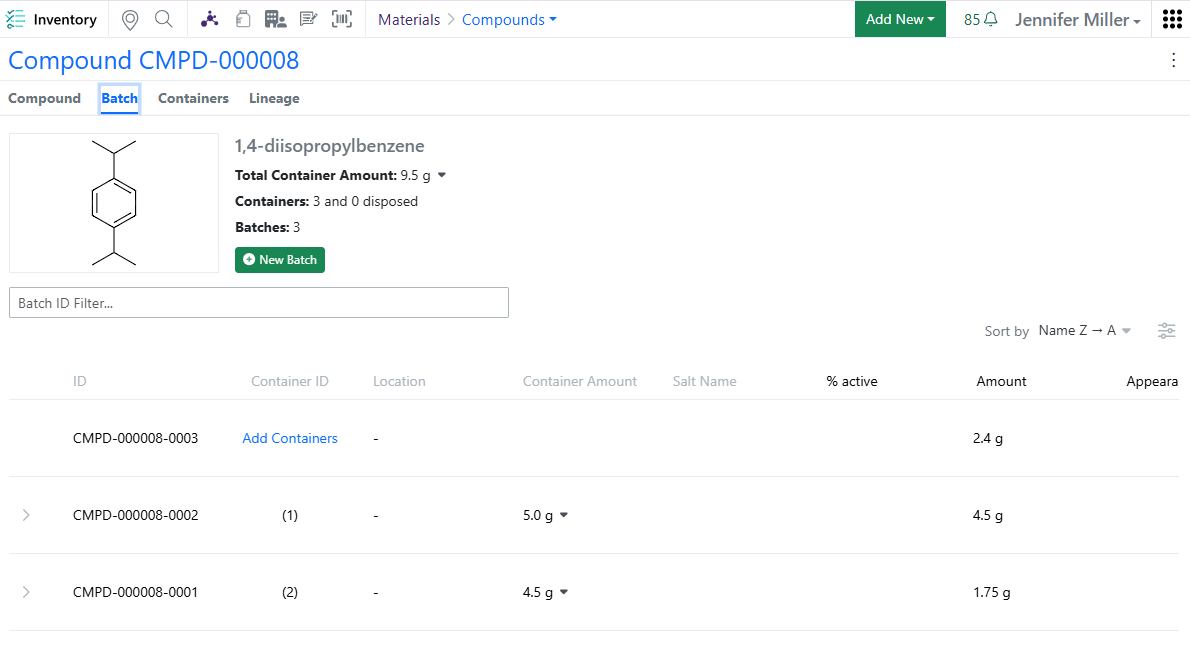
The material lineage visualization feature is now available to all systems. Lineage-parent relationships and batches are displayed in a new Lineage tab to allow end-users to visually explore related entities.
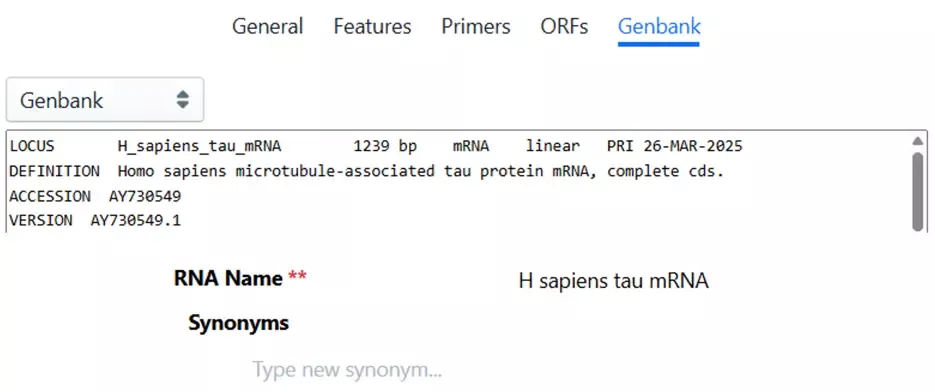
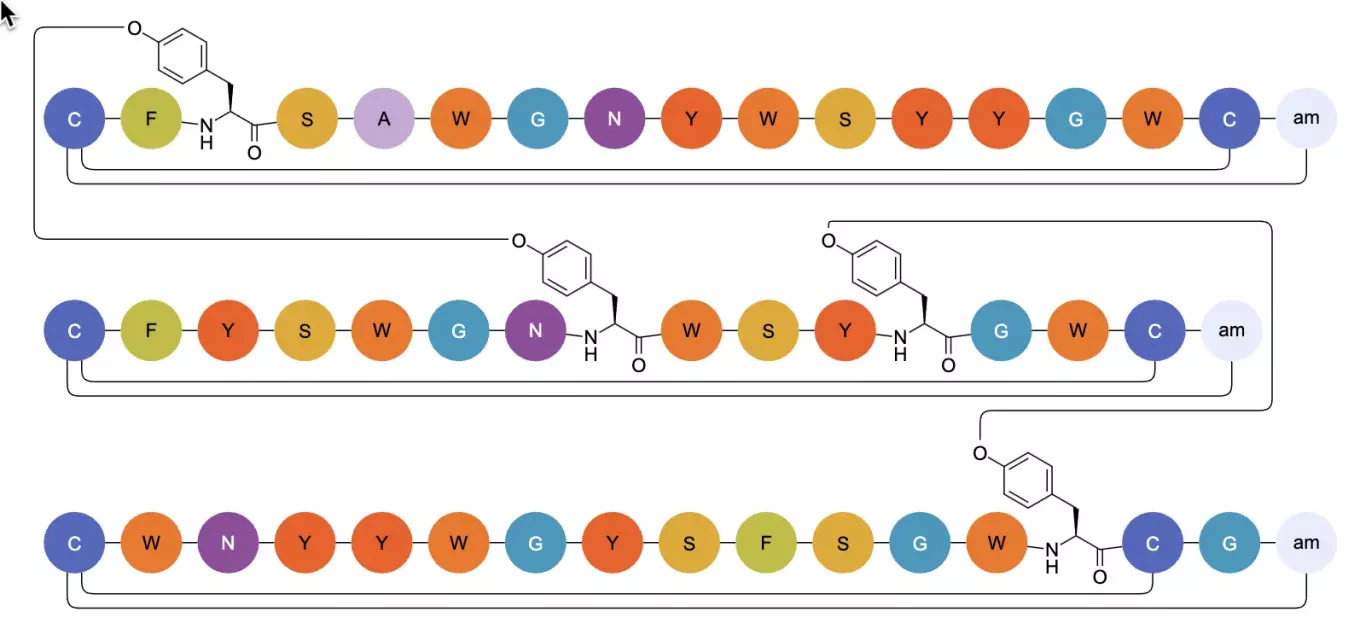
Biopolymer visualization has been refined in this release with the introduction of curved crosslinks and connections, replacing the previous sharp-cornered design. This enhancement significantly improves the visual clarity of complex structures, allowing users to easily distinguish between crosslinks and chemical linkers between monomers.
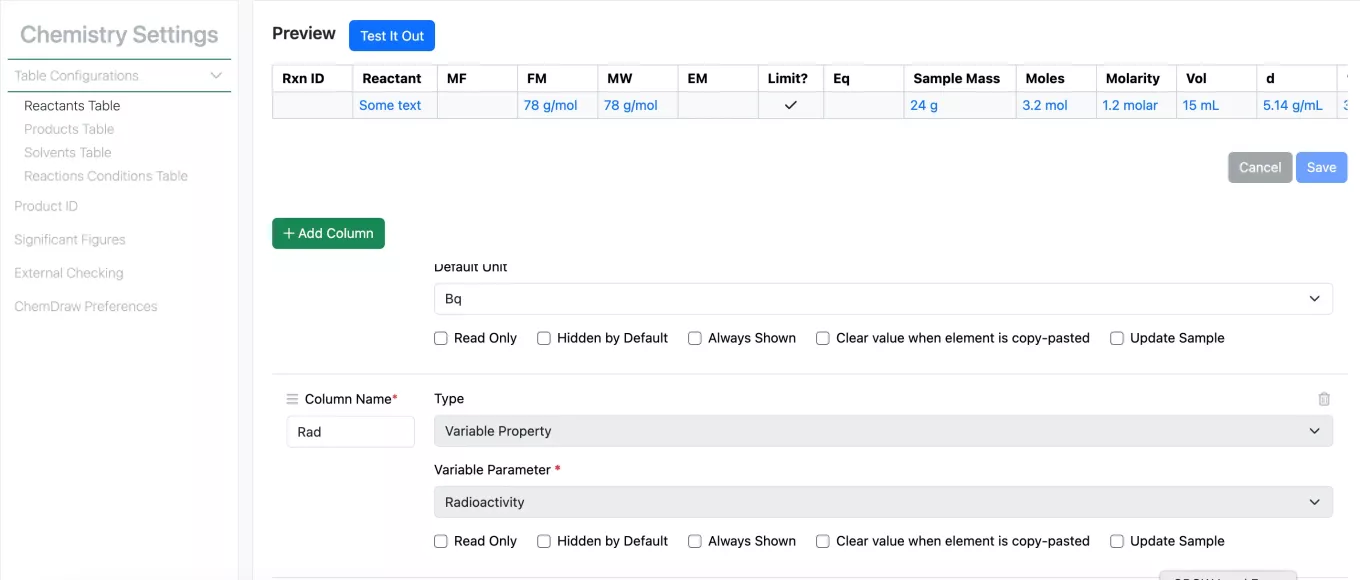
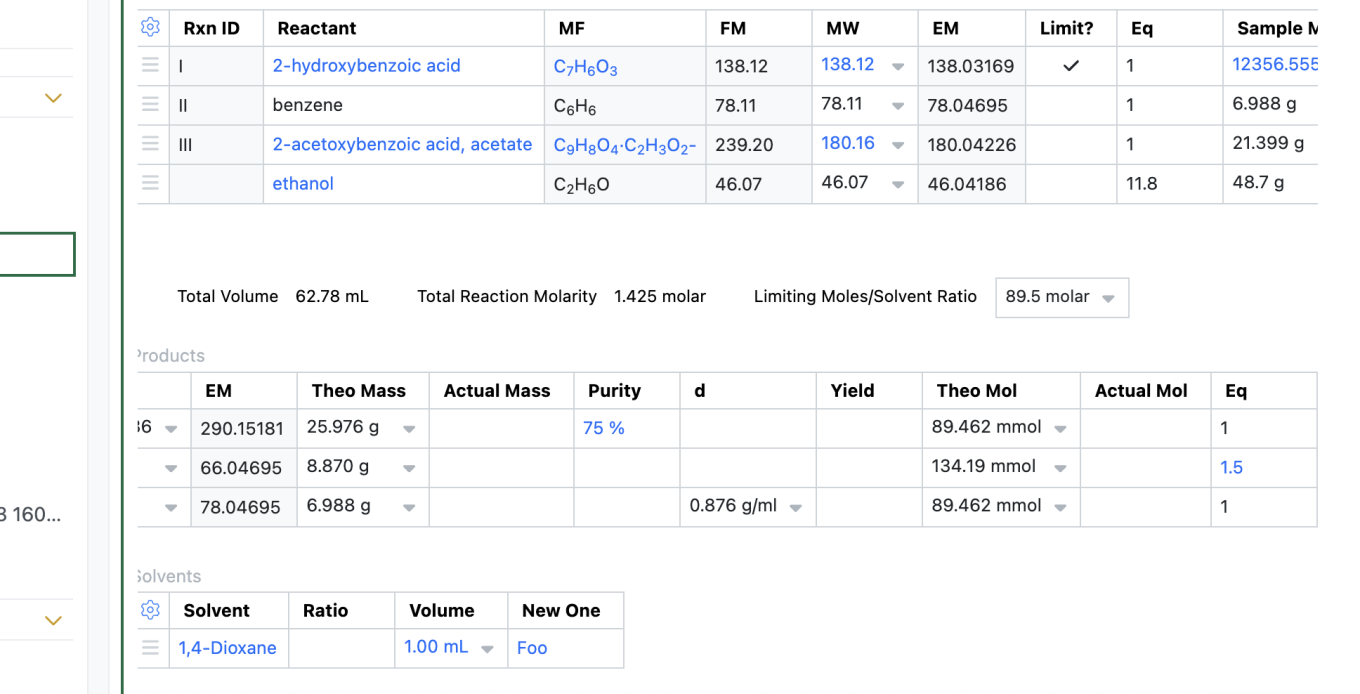
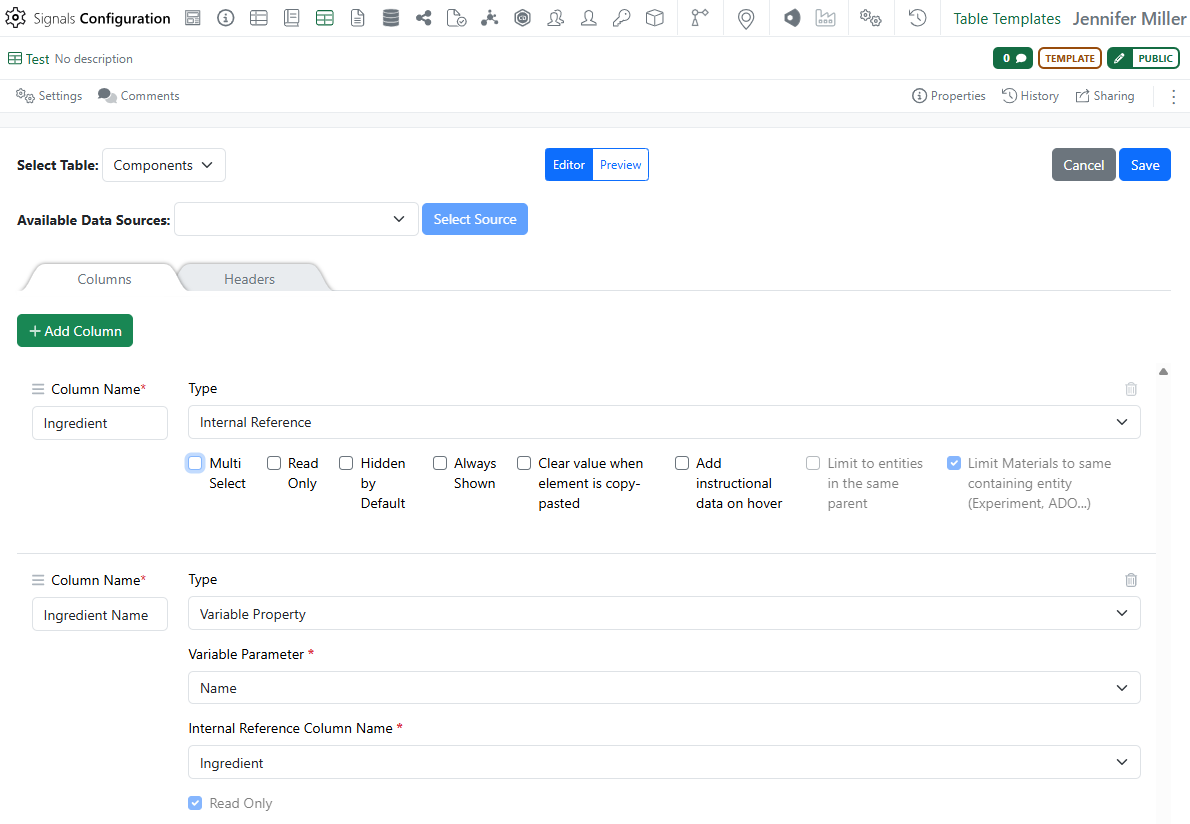
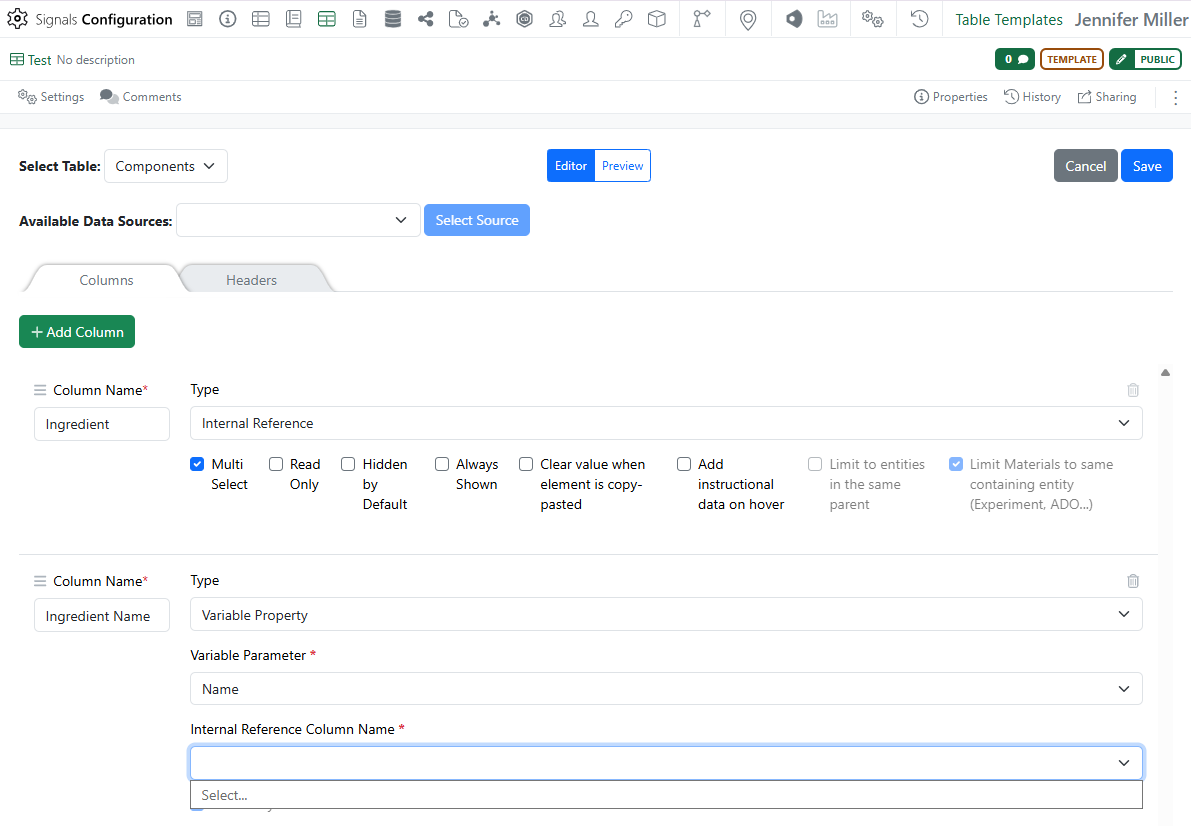
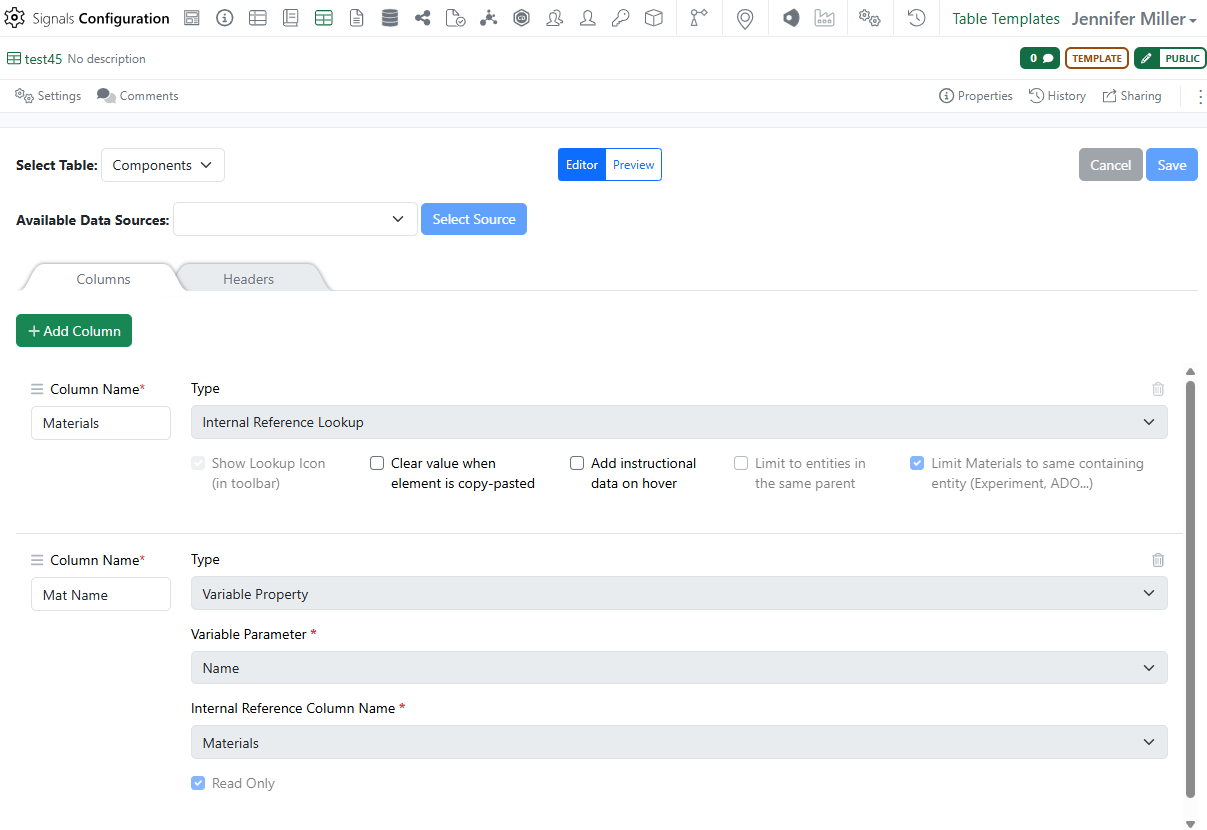
To better allow for calculations utilizing Stoich values a new property type, Variable Property, has been added to the Reactants table. Currently the Variable property includes the Variable Parameter, Radioactivity.
Admin Defined Tables & Variation Tables
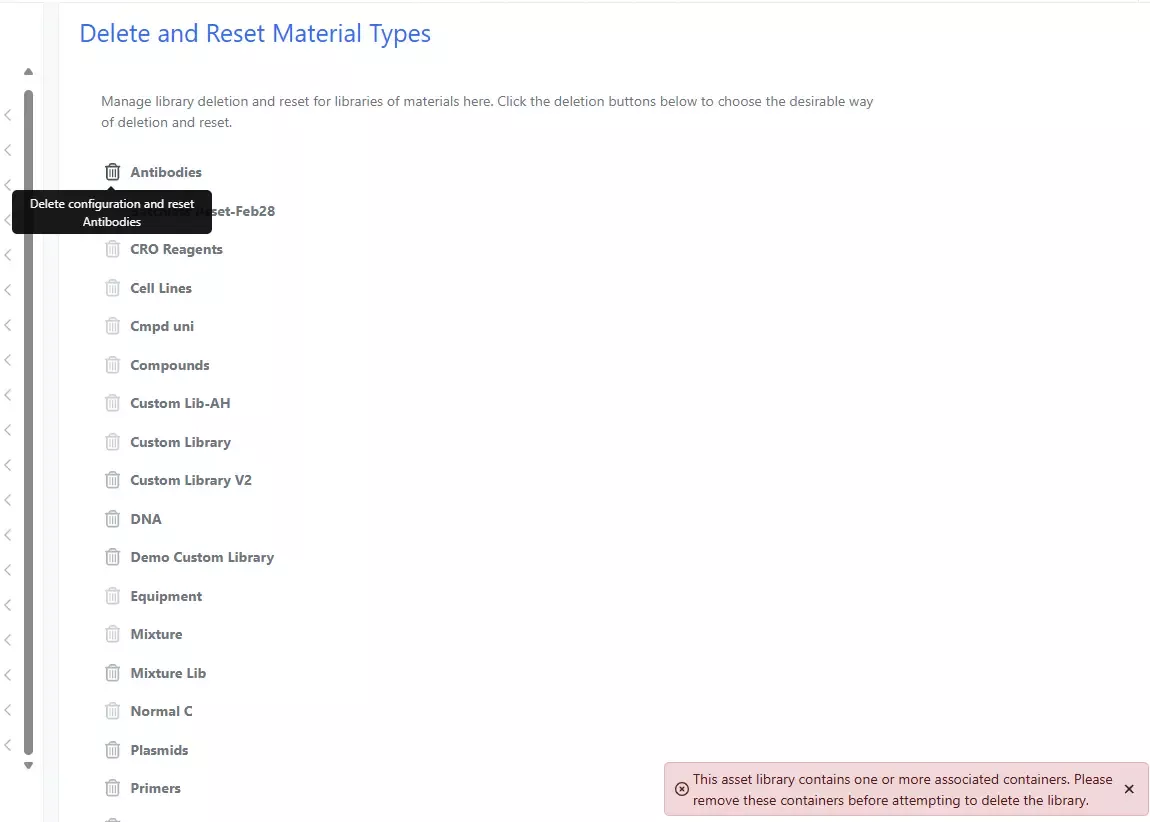
Disallow Reset of Material Library if Containers exist. Administrators are no longer able to accidentally delete and reset a Material Library that has containers associated:
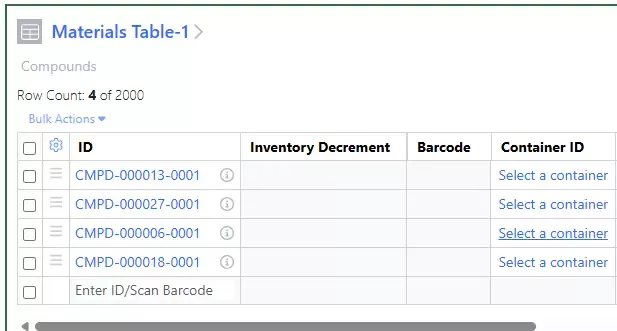
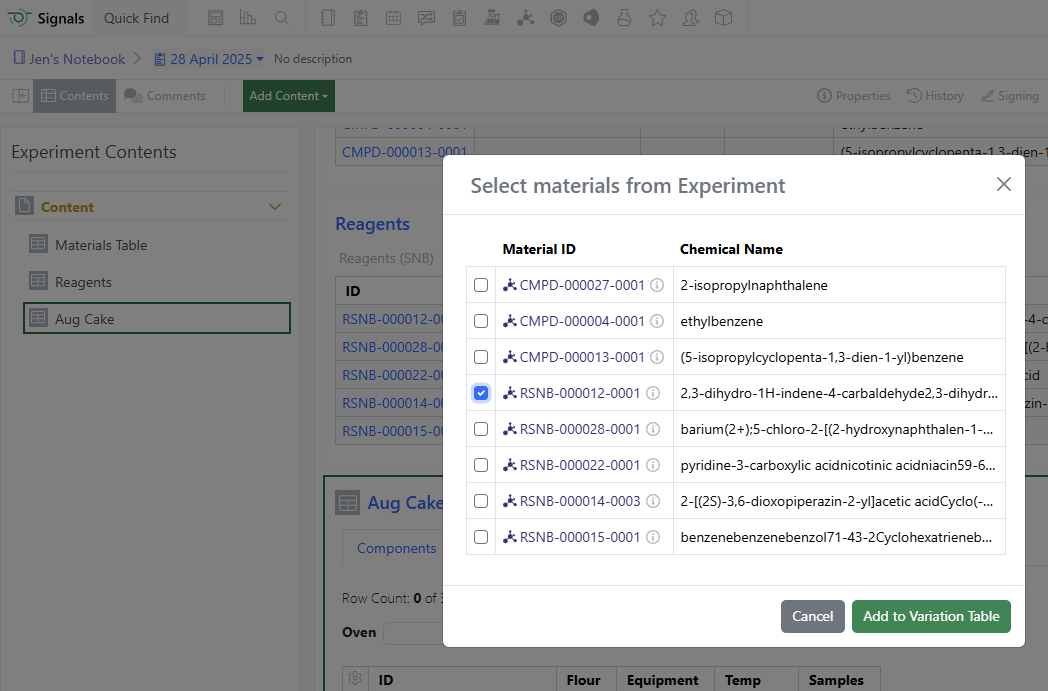
Add Materials to a Material Table and Link to Container later. Users that would like to use the Materials Table for planning before acquiring a container can now select a container at a future time:
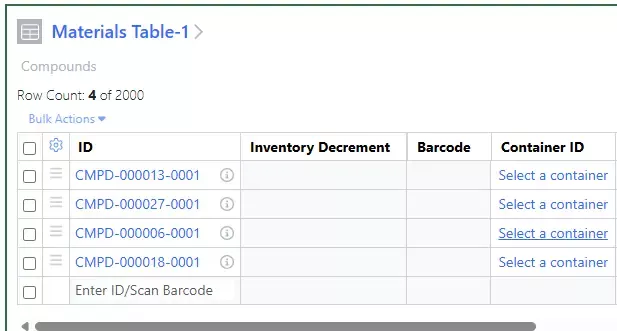
Clicking on the Select a container will give users the list of available containers to choose from:
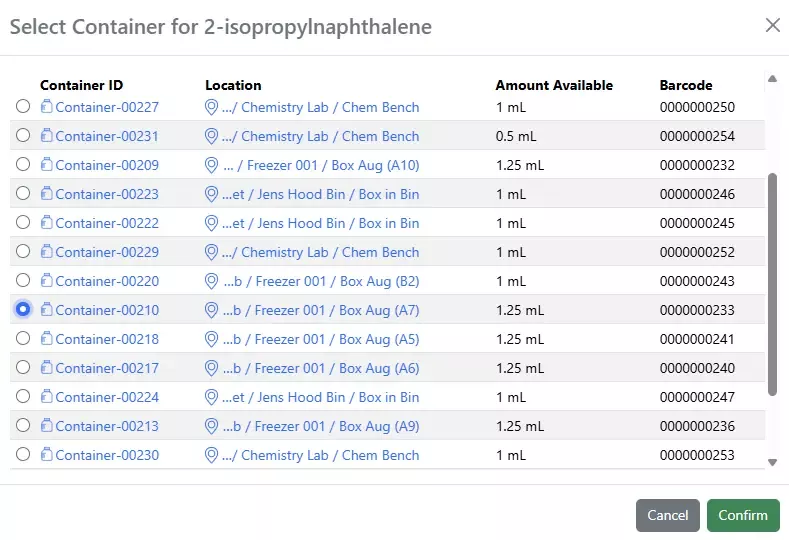
Clicking on the Select a container will give users the list of available containers to choose from:
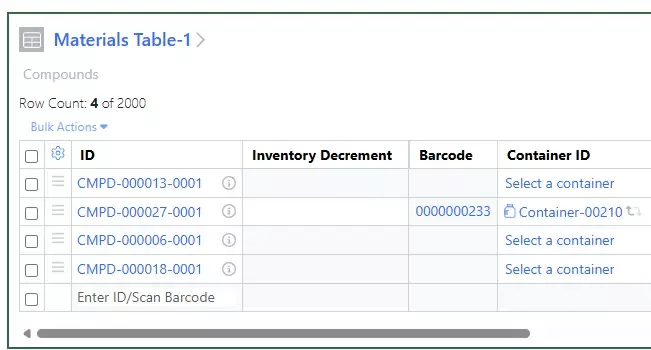
After the container has been selected the Inventory Decrement cell will become active and the icon to switch the container will become available:
ELN Archive
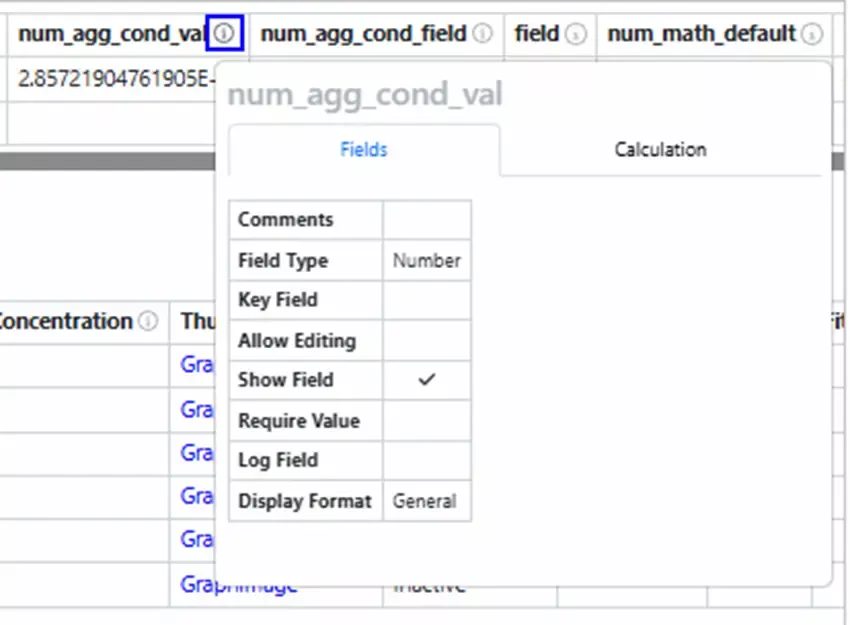
An information icon ("i") now appears next to each column header in the Primary/Summary data section of the Structured Data Table View.
Hovering over the icon opens a popup that shows the field's general settings in a table format.
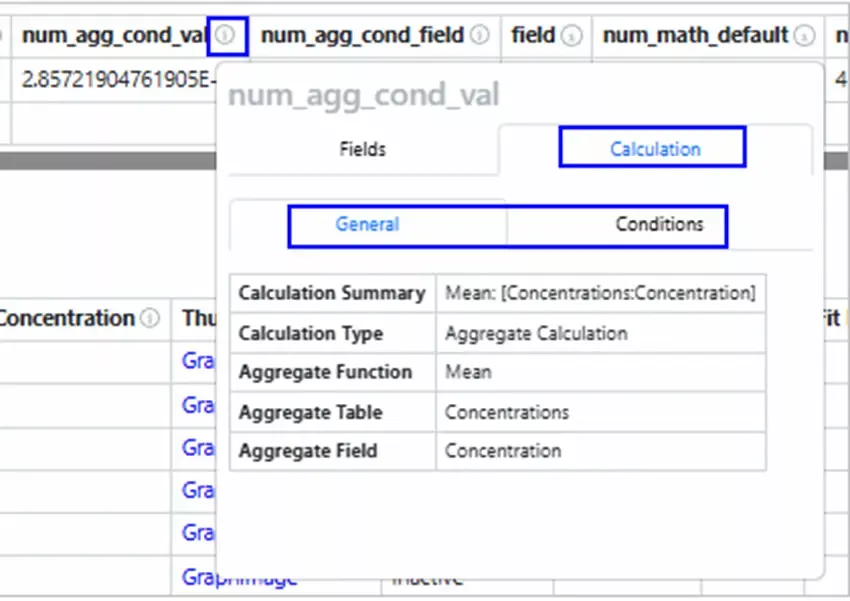
Hovering over the "i" icon next to a field name in the Primary/Summary data section shows a popup with the Calculation tab if there's a calculation, the General configurations by default, and the Condition tab if there are any conditions.
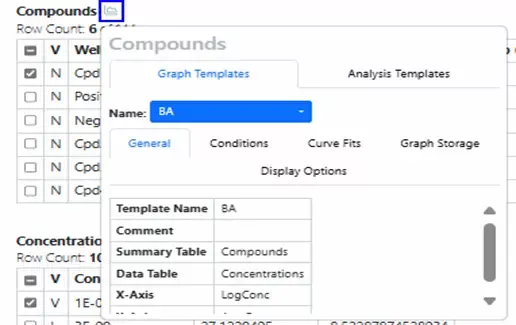
In the Structured Data Table View, a graph icon appears at the table level. When you hover over the graph icon, a popup window displays the Graph Templates configurations.
Note: The graph icon is only available if the table has any graph configuration or analysis template defined.
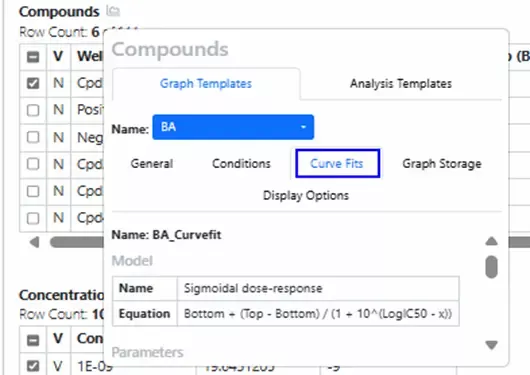
The Curve Fit template information is available in the graph templates configuration pop-up window, under the Curve Fits tab.
Note: Only Curve-Fits used by graph templates can be viewed here.
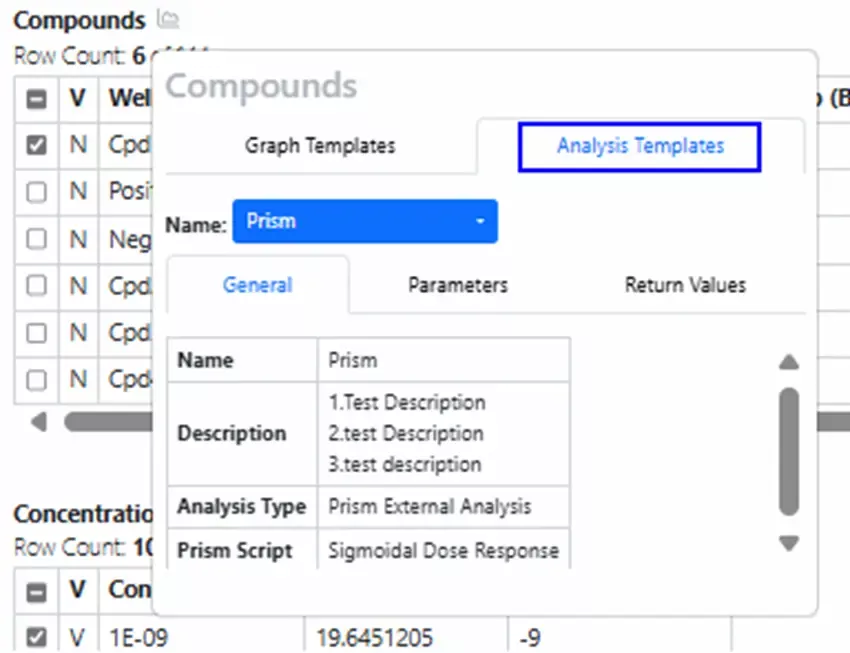
The Analysis Templates information is available in the graph templates configuration pop-up window.
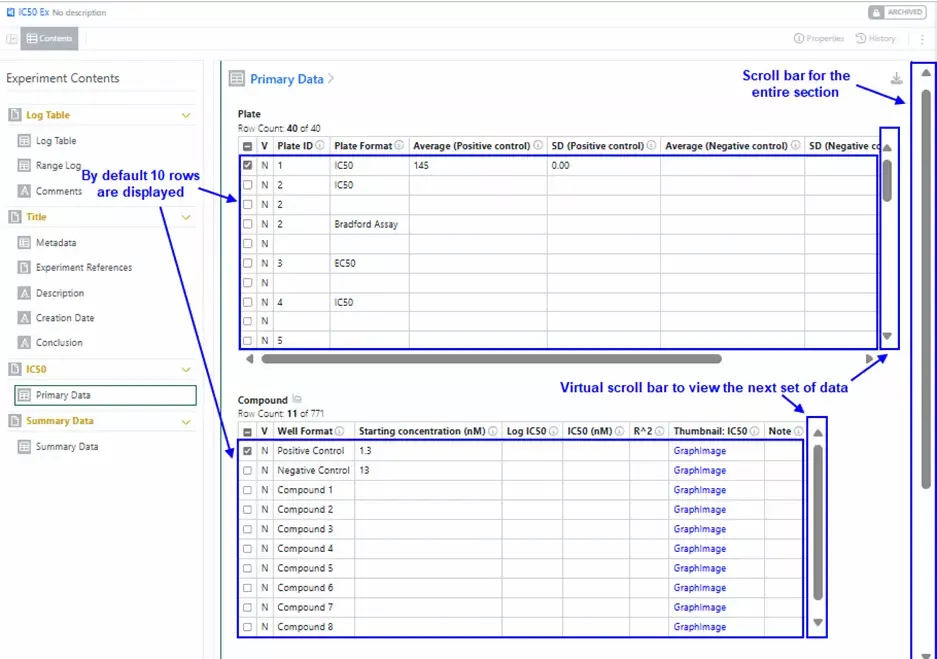
The Structured Data viewer maintains a hierarchical data structure with parent-child relationships. It supports pagination with virtual scrolling for large selections. The default view shows ten rows, with more rows loading via vertical scrolling.
Note: If the Structured Data table size exceeds 20 MB, the Signals Structured Data viewer will display the message “Unable to render the table view due to large content size.” Data will only be available for download as a .csv file.
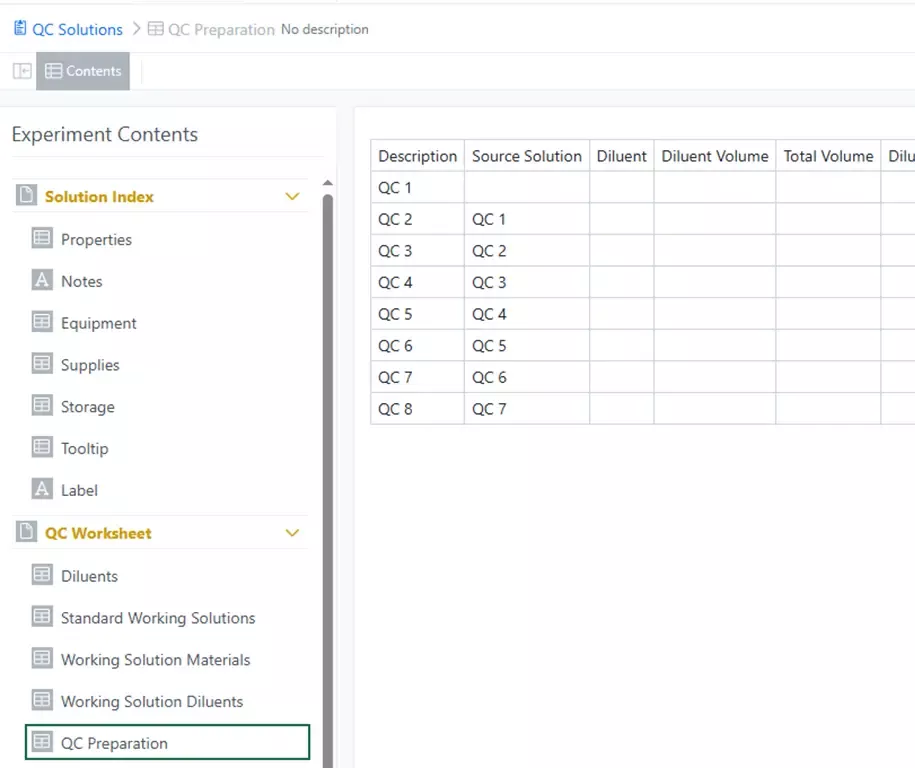
Support displaying the contents of Master Details table fields in Signals Notebook as table element types.
Administration
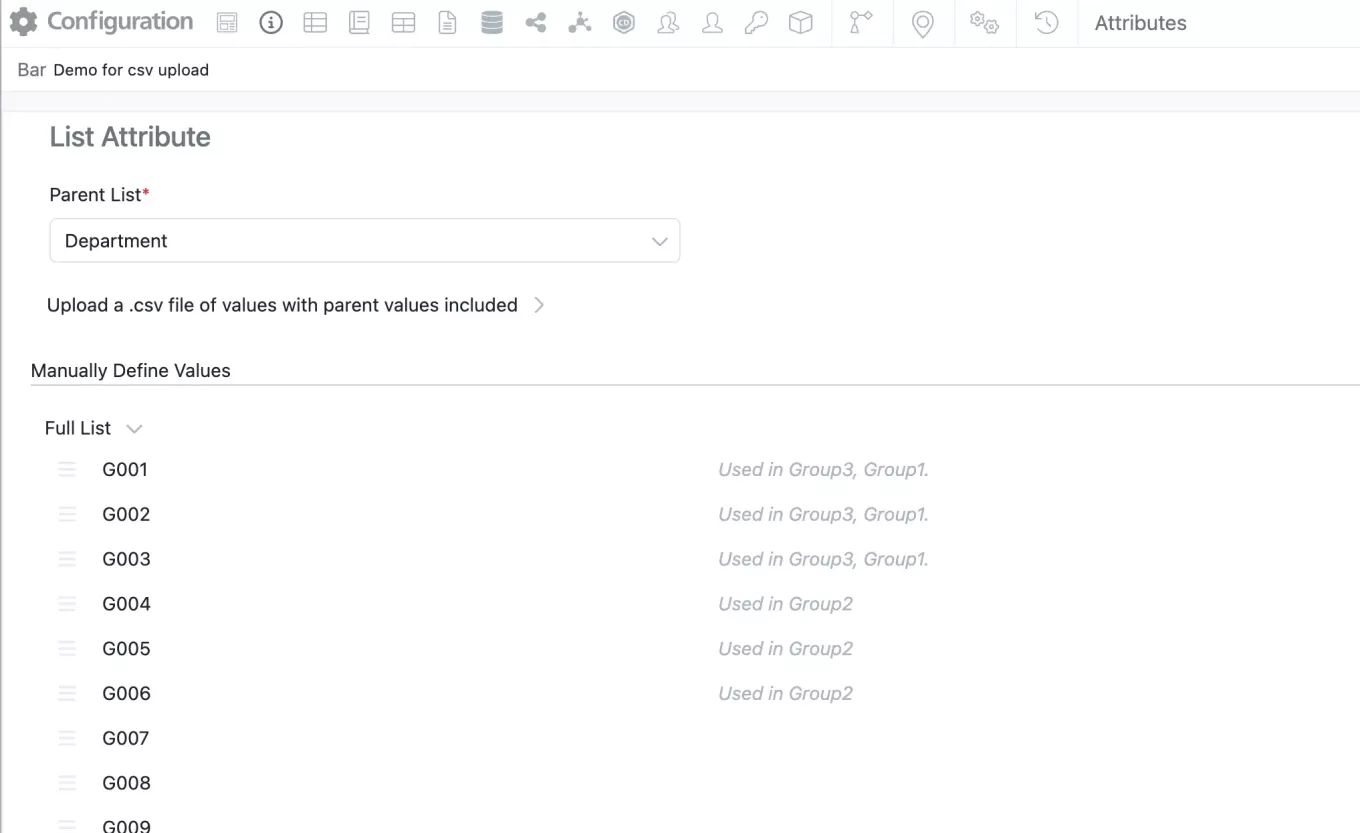
The user experience for administrator managing hierarchical attributes has been updated to facilitate assigning child value to multiple parents.
Admins can now review the full list at the top where each child value has its parents indicated to the right of the value. Values can no longer be dragged from the top list to the parents but values can be reordered within a parent by click and drag. As before new values can be added by typing the value directly into “Add New Value” either in the Full list or directly under a specific parent. If the value is entered under a specific parent it will also appear on the Full List.
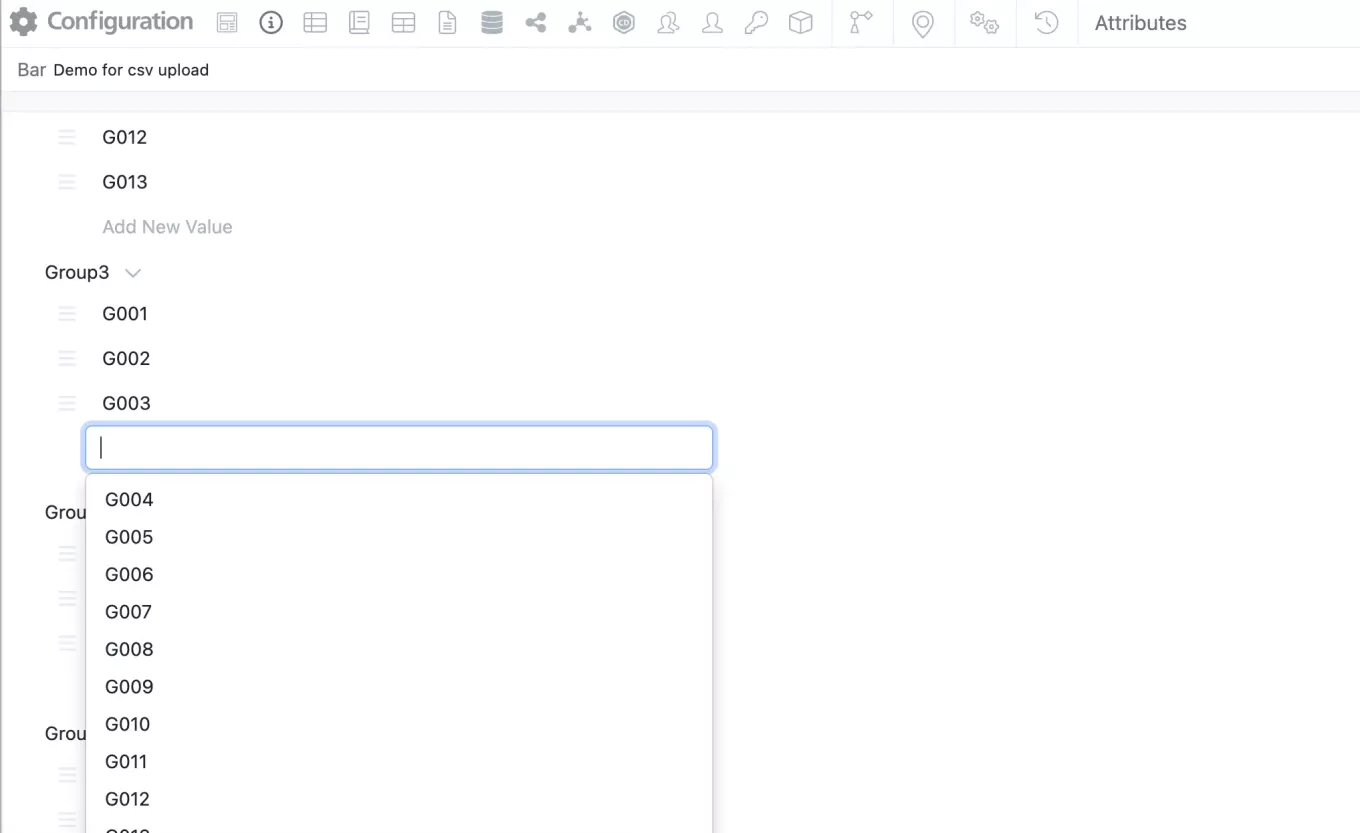
Admins should now be able to add values directly under the parent either from the available dropdown or type-ahead.
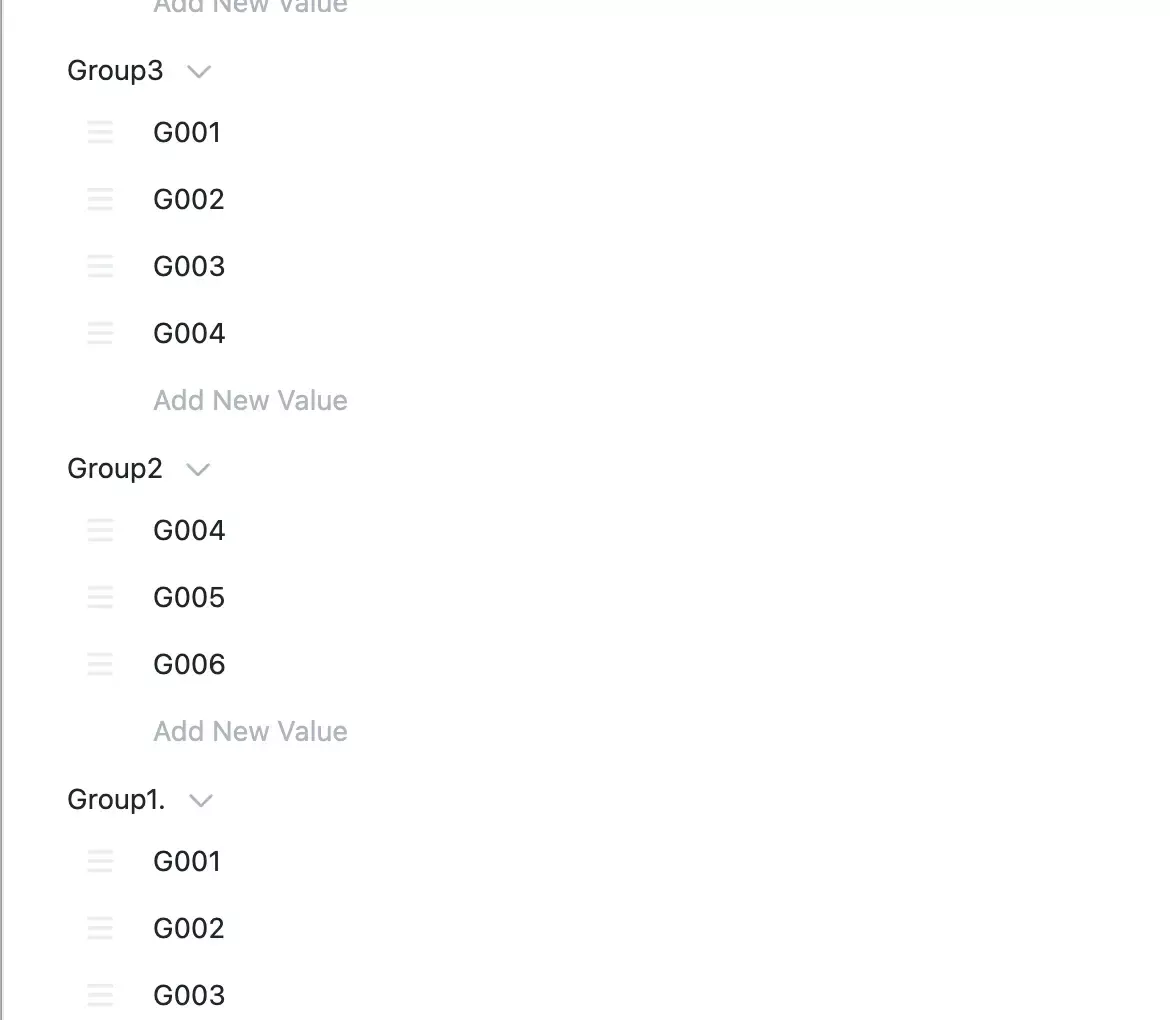
Child values can be added to multiple parents but cannot be added to the same parent multiple times. Values can be removed from a specific parent by selecting the trashcan next the value.
To remove a child value from the list (including all parent lists), the value should be deleted from the Full List.
This new option to assign a child value to multiple parents is also available via csv upload. The behavior of the csv upload is unchanged.
Signals Research Suite Private Cloud environments with Spotfire for Signals Custom Apps enabled now support Linux. Each Custom App requires a Windows and Linux version for full functionality within Spotfire for Signals Analyst and Spotfire for Signals Online. Deployment now allows selection but still fully replaces current deployment. Audit Log specific to Spotfire for Signals Custom App Configuration now available.
Integrations & APIs

Synergy Designs can be fetched via a new API endpoint /synergy/designs/{designId}. This will contain a JSON detailing the attributes, fields, field definitions and other related data for a design. This will not download the chemical structure of the design.

The chemical structure of a design can be exported via the existing entity export API. The format to export in is specified as a URL parameter with the same options available as other existing entities with chemical structures.
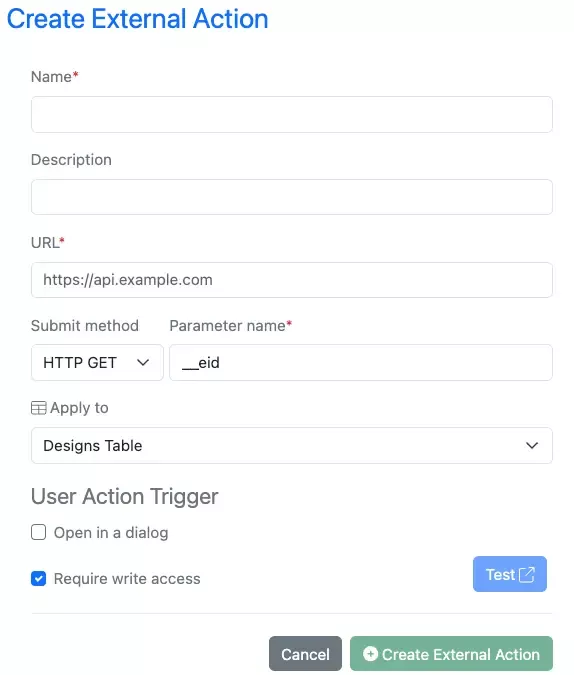
External Actions are now available to be configured for Synergy Design Table.

The existing endpoints for exporting entities to PDF have been enhanced to allow for Synergy Experiments to be printed to PDF.
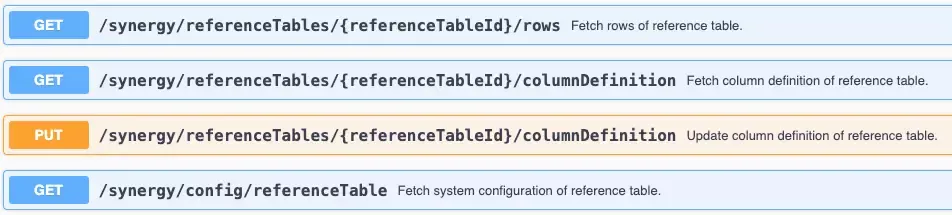
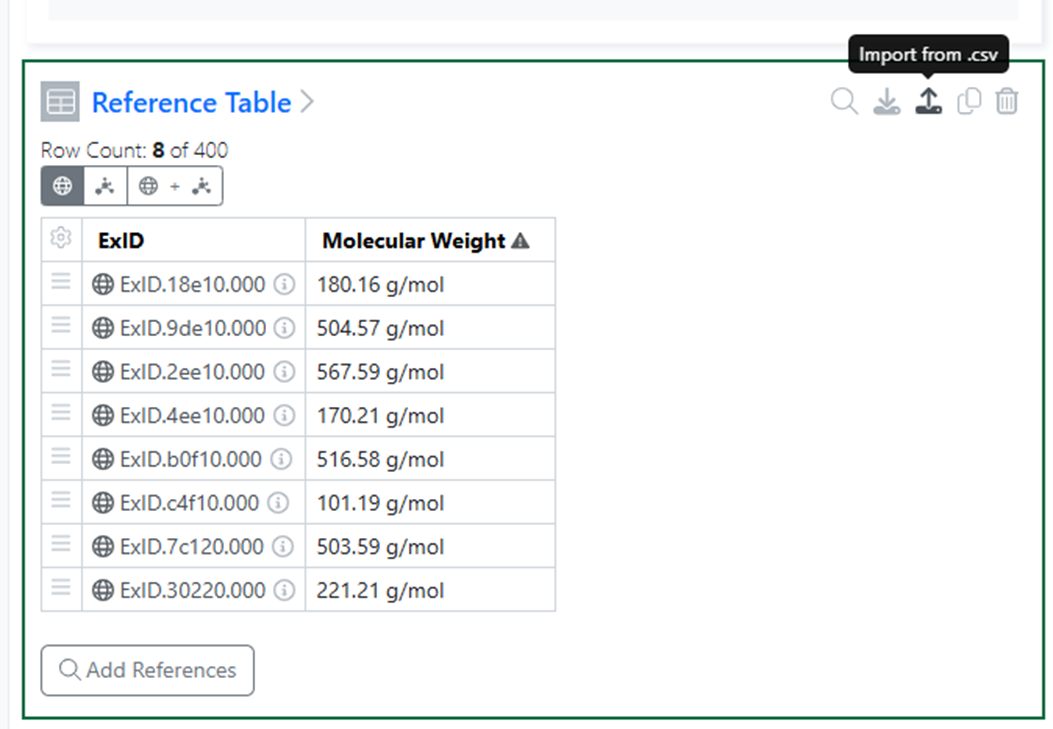
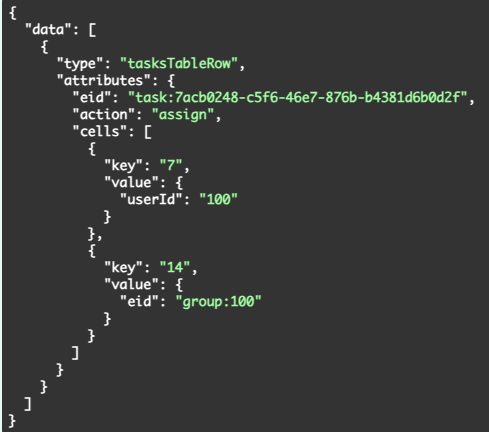
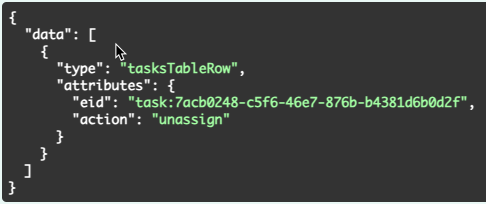
New APIs for updating fetching the details of a Reference Tables and configuring which properties of the referenced entity are available as Shared Properties to the CRO as columns in the table. This include an API to fetch the available properties based on the referenced entity.
The API Key limit has been increased to 25.
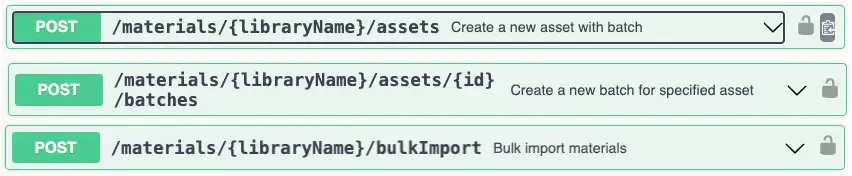
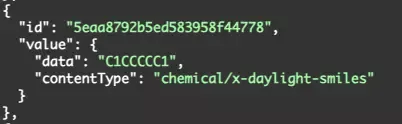
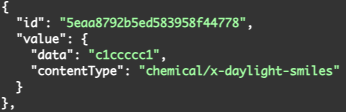
Endpoints for importing materials via the External API using the JSON request body have been enhanced to allow for Smiles, HELM, and InChI chemical structures. Previously this only allowed for CDXML. To add non CDXML the “contentType” must be specified in the request body.

A set of new actions have been introduced to allow syncing Material Tables with their matching Material library in both directions.
The endpoint PATCH /materialsTable/{materialsTableID} has been enhanced to add two new actions, “updateFromMaterials”, for syncing of a row with its material library and “updateToMaterials”, for updating a material library at the same time as a row. These are only available for single row updates, not as part of a bulk actions.
Further Details
The following capabilities are in beta and are available for users, administrators and developers on the Signals platform upon request. Please contact your account representative or our support team if you would like access to the following features.
Synergy
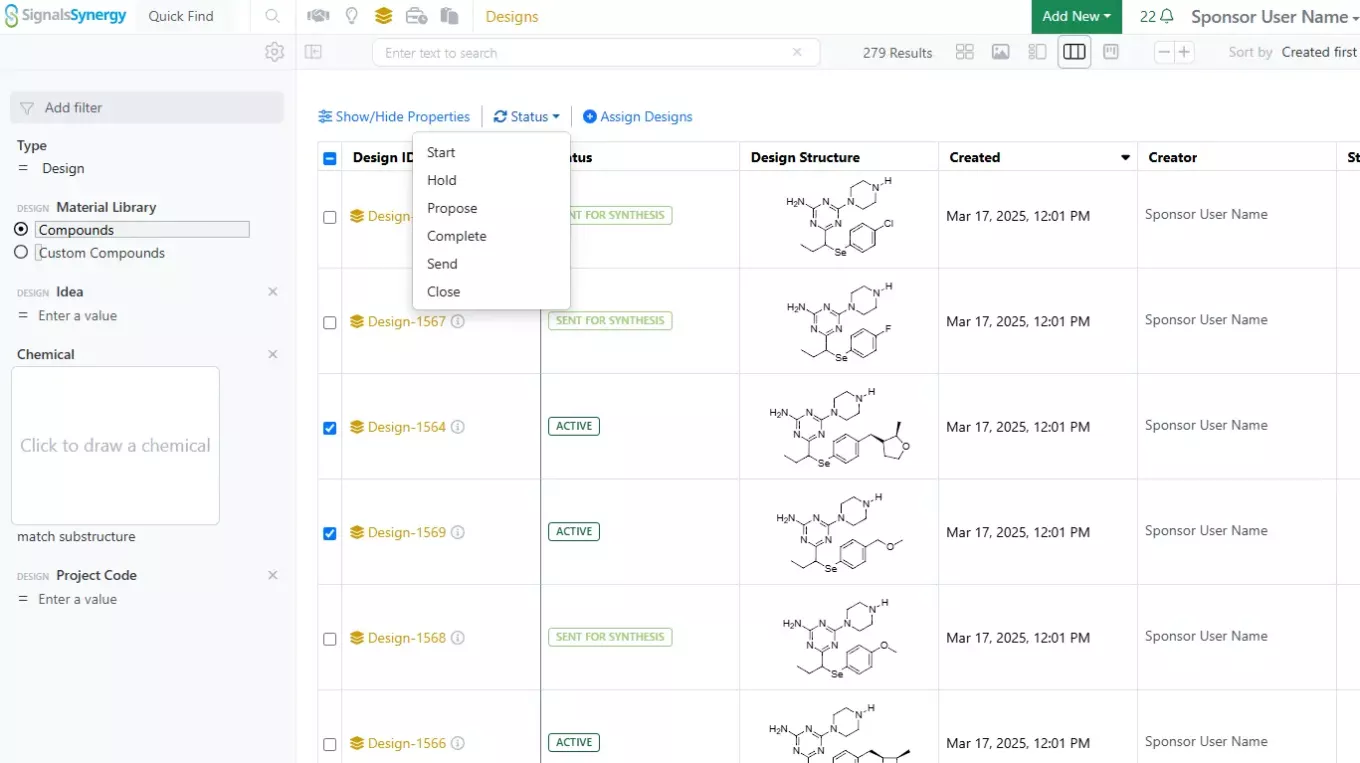
We have further enhanced our design synthesis tracking features. Design Statuses can now be bulk updated from the Designs Smart Folder Data Grid View.
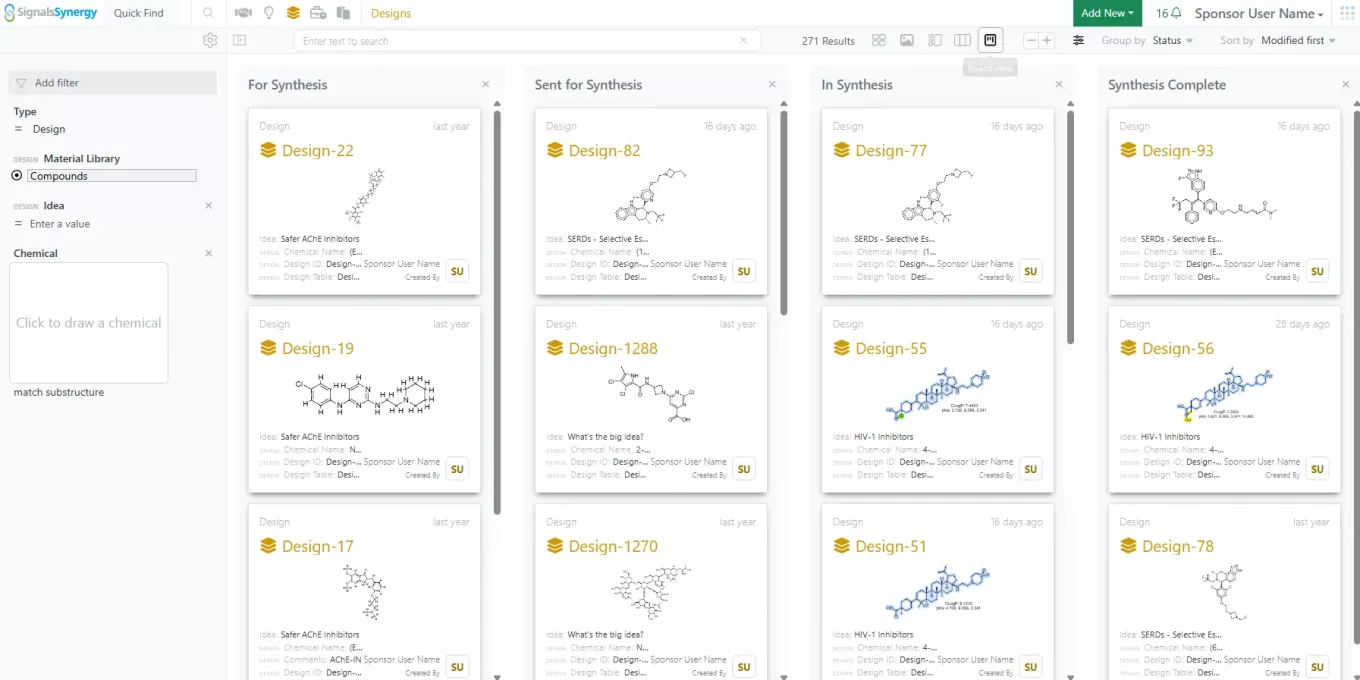
In addition, the Designs Smart Folder now offers a Kanban Board view for Designs by Status. This board allows chemists to track the progress of Designs through the synthesis pipeline from proposed to synthesis complete.
Admin Defined Tables & Variation Tables
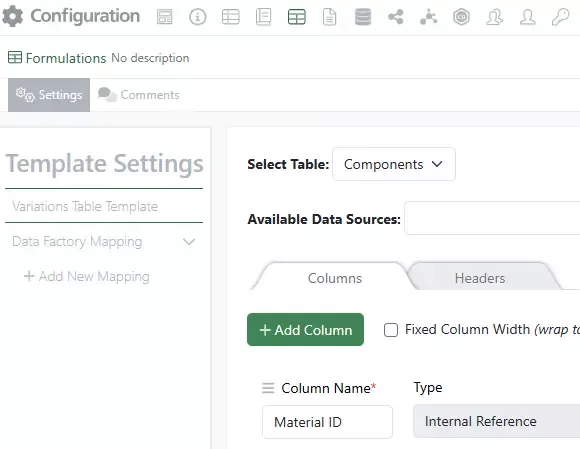
Administrators can now map Variation Tables to publish data to Inventa:
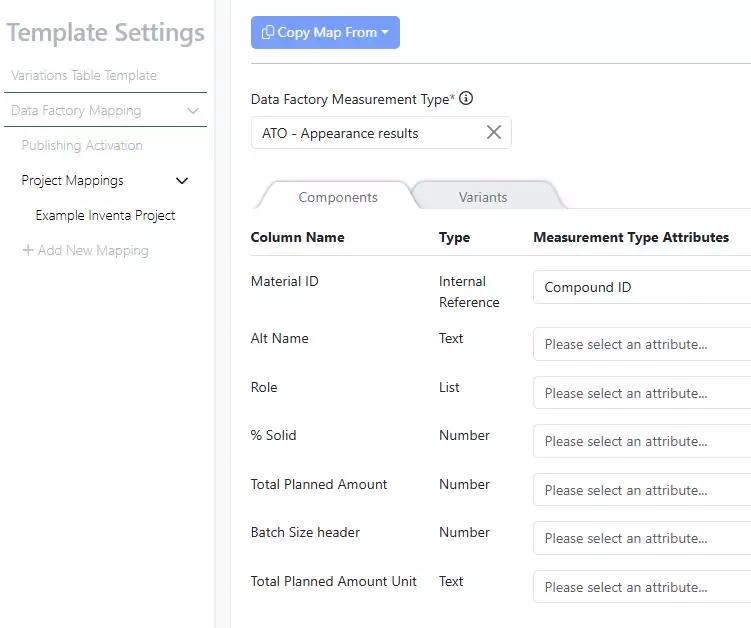
Note that all the component columns and headers are listed in one place for mapping:
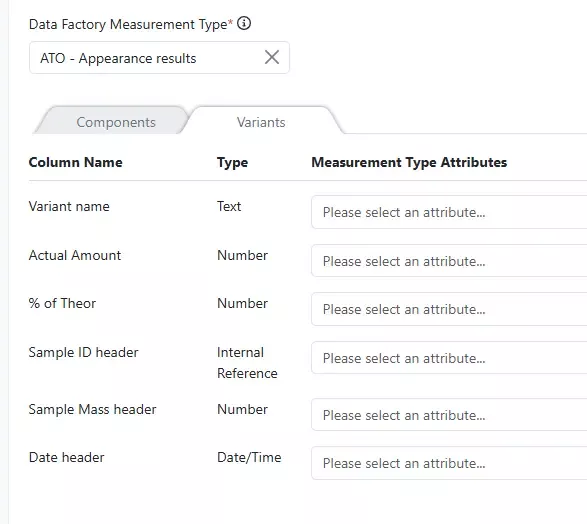
Switch to the Variants tab to continue to map additional attributes. Both columns and headers are listed together:
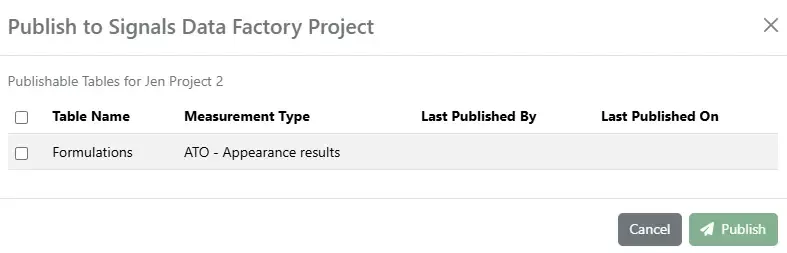
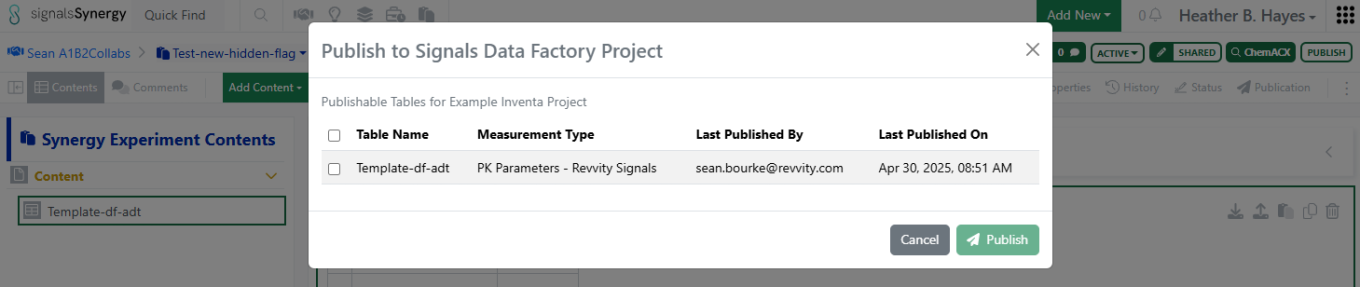
For users to be able to publish the Variation Table, the map must be activated. Users will see the Variation Table(s) as options for publication:
Inventory
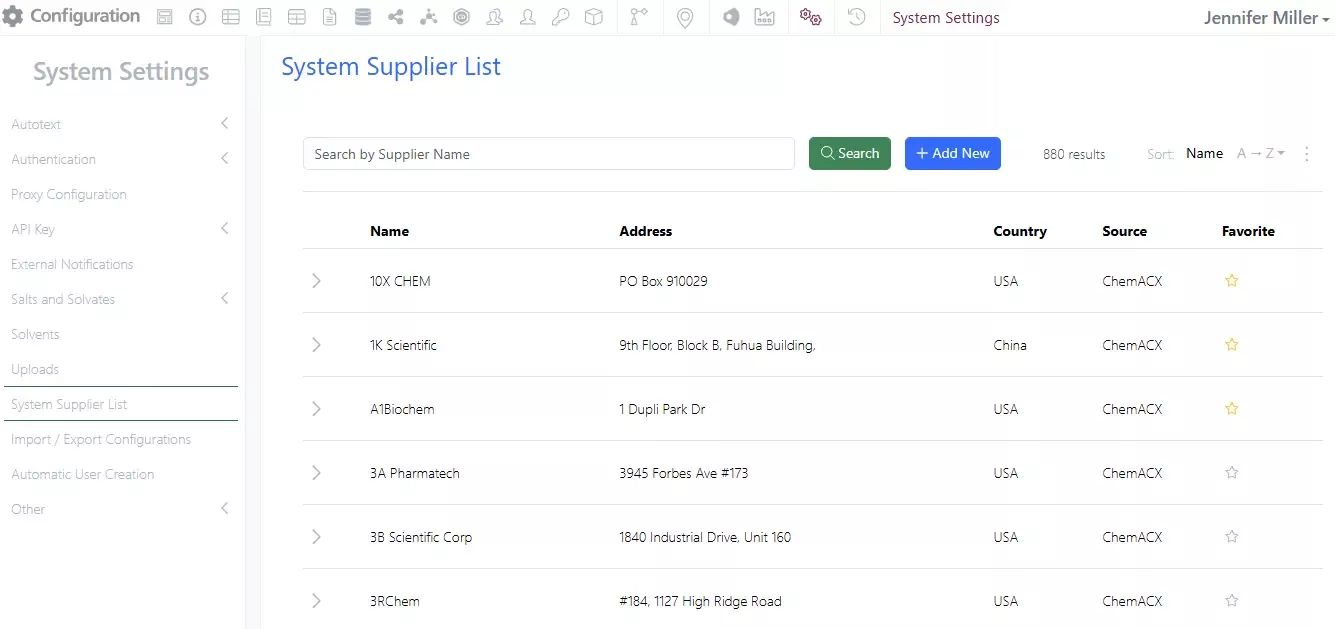
In the System Settings there is a new option for a centralized Vendor/Supplier List that can be added to. The list is pre-populated with the Suppliers from ACX. Administrators can mark “Favorite” Suppliers by clicking in the star:
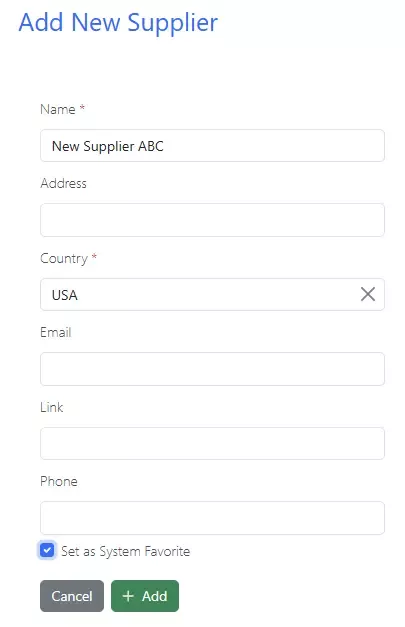
Administrators can add New Suppliers as needed:

Only Administrator added Suppliers will be available for editing or deleting:
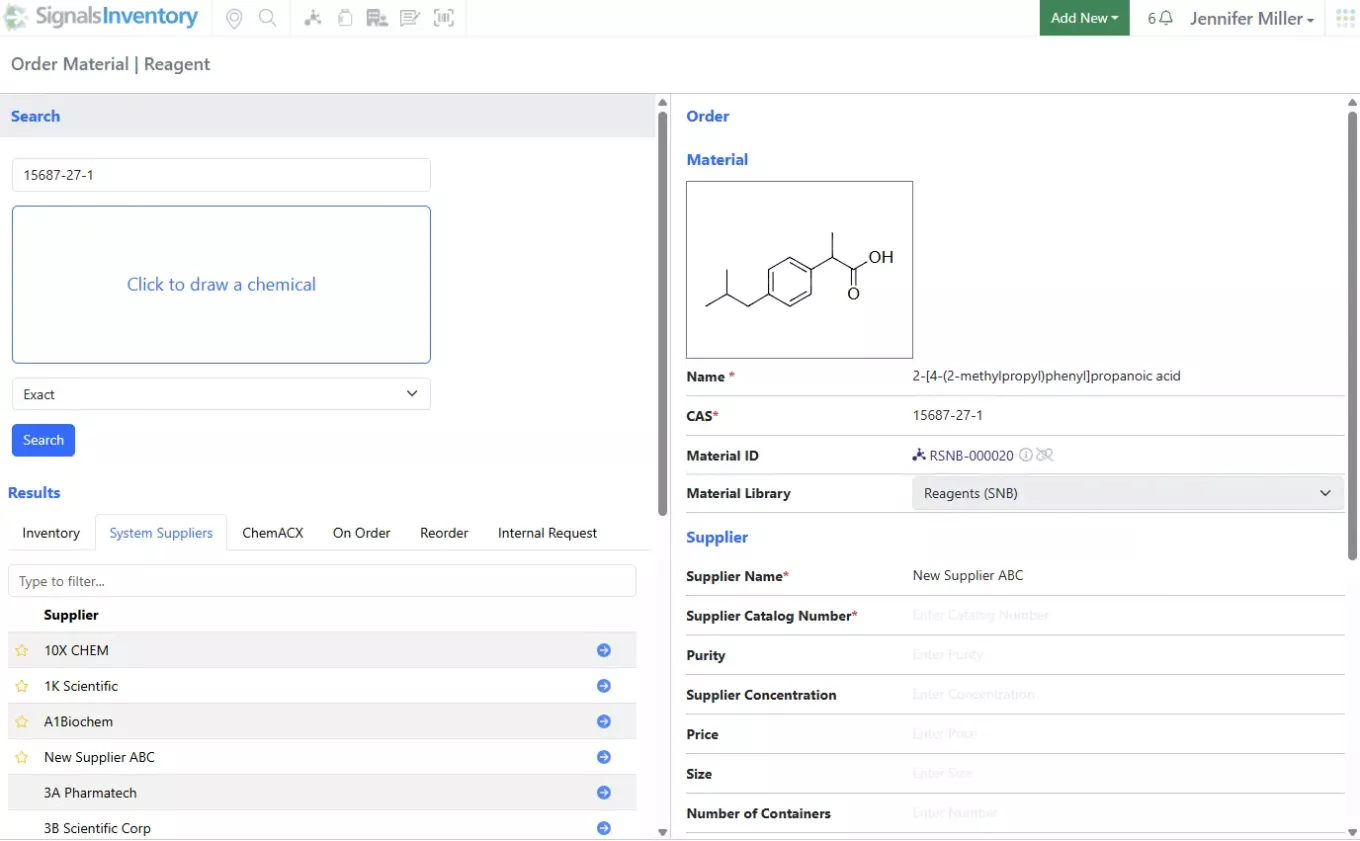
Users will be able to see the System Supplier List in the Order workflow under the System Suppliers tab. The favorite Suppliers will show at the top of the list:
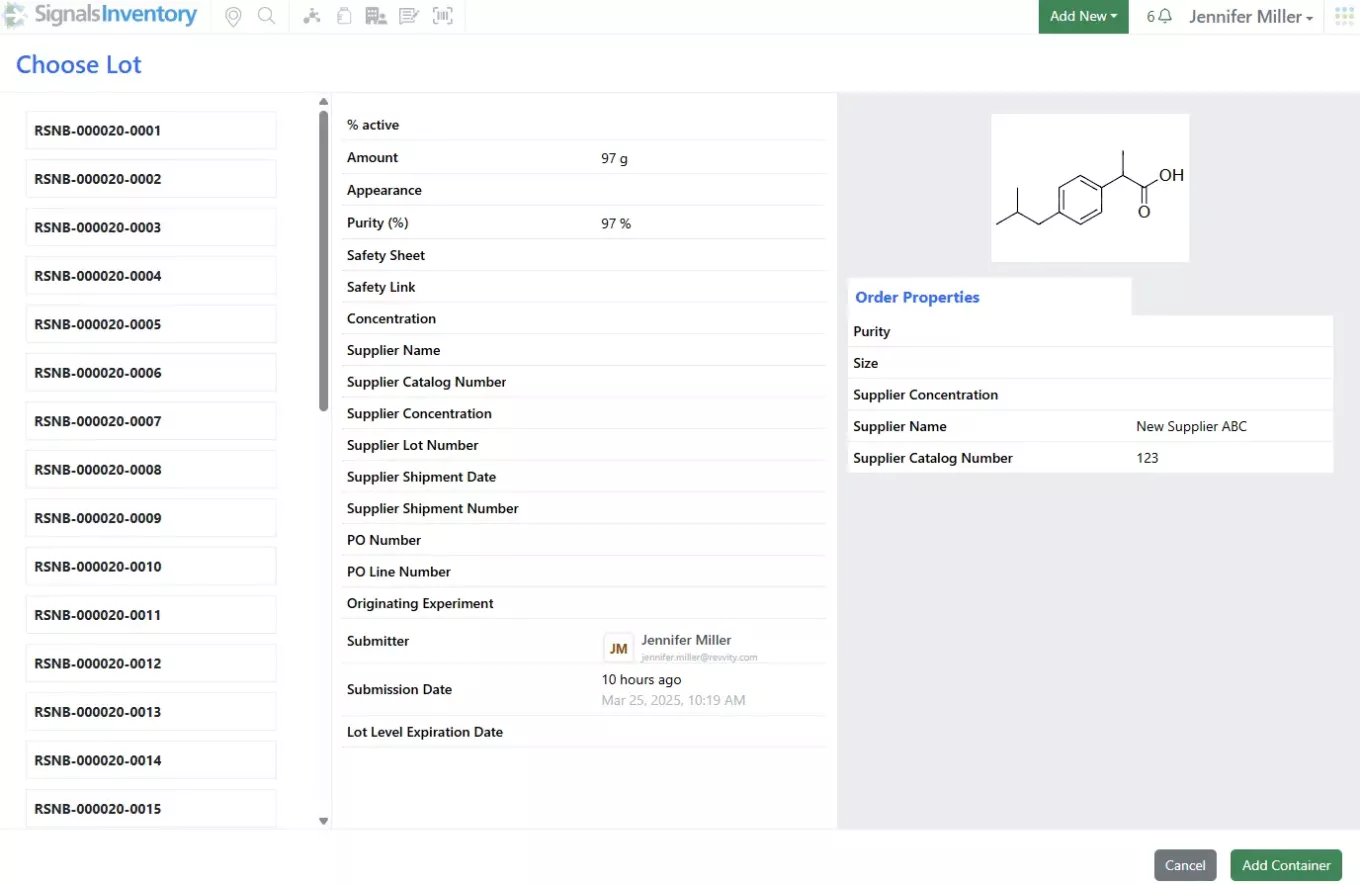
Administrators and Inventory Administrators will see the Suppliers in the Receiving workflow
Administration
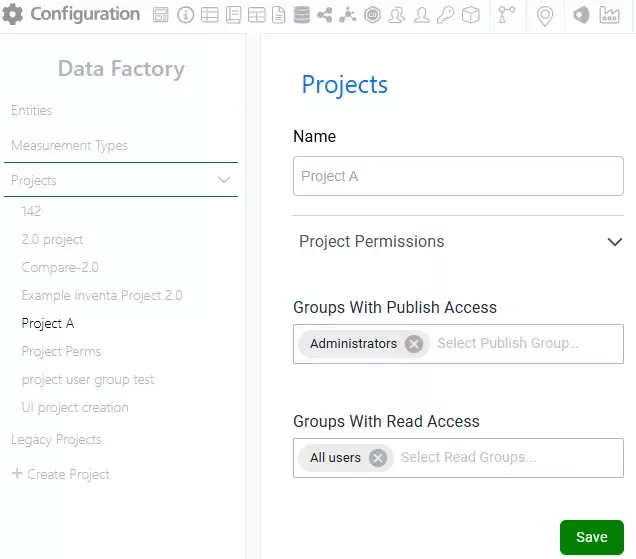
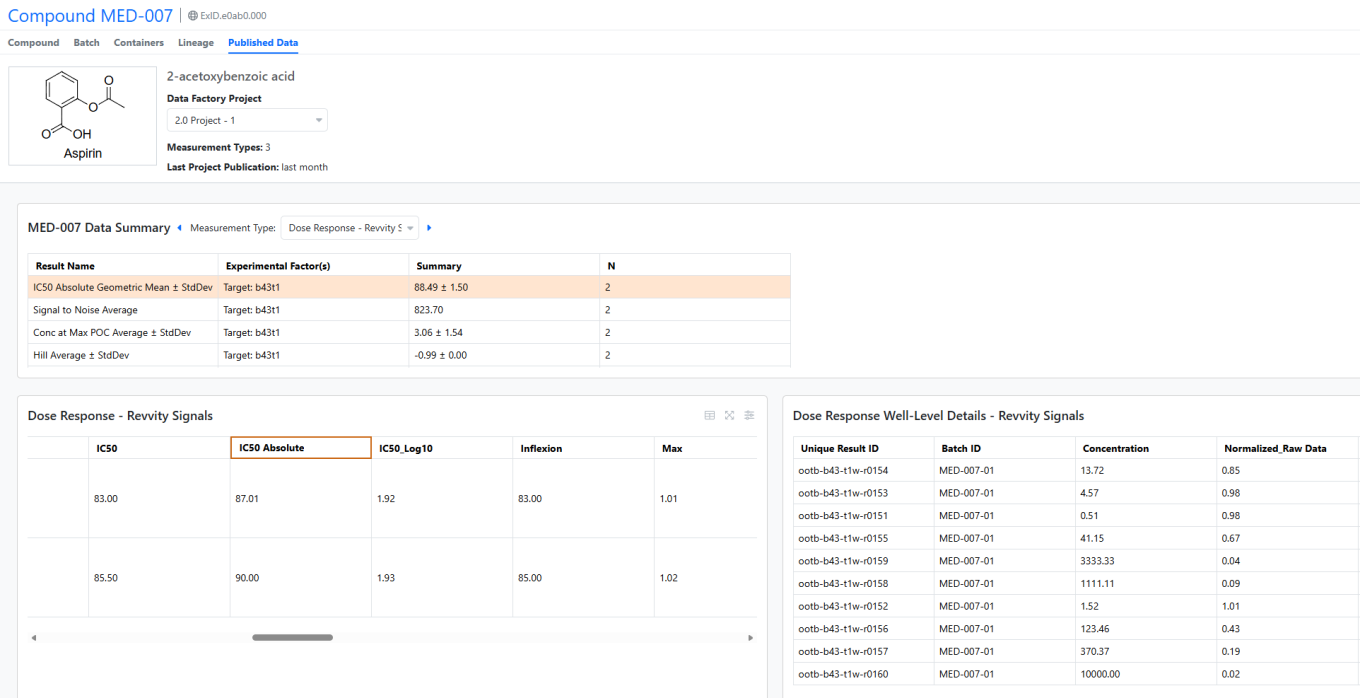
Rearchitected SDF Projects, improved performance with row-level updates, and new methods for project creation and data publication (beta)
Data Factory has been redesigned for enhanced performance, introducing row-level update capabilities. Data is now referenced by a user-defined, unique result ID rather than organized into datasets.
As a result, the Project Management page, now located in Signals Configuration, has been significantly streamlined.
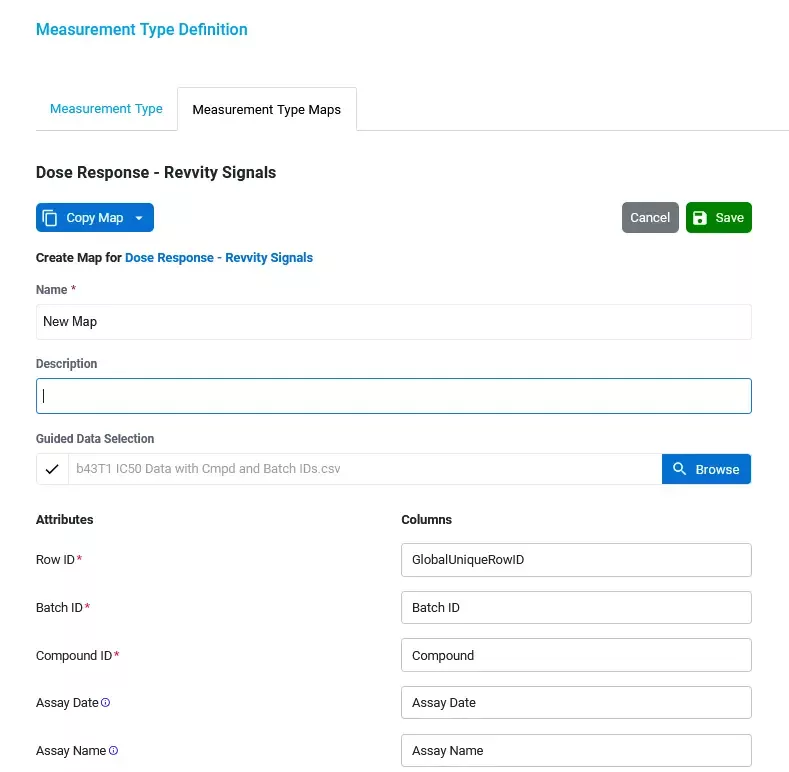
Entity and Measurement Type maps can be created directly on their respective definition pages within Signals Configuration. Admins may use an optional reference file for column mapping. All measurement type maps must include a unique result ID mapping to enable row-level updates.


Users can publish data directly from the Inventa Dashboard using these admin-defined maps. They'll receive notifications upon completion and can review publication reports from the Inventa dashboard.

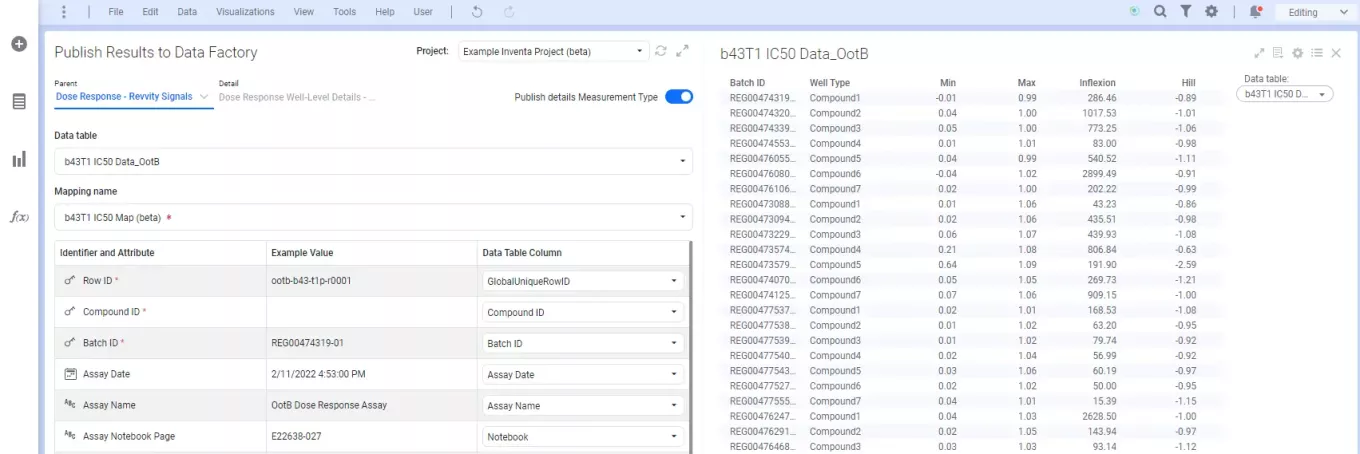
For workflows in Spotfire for Signals, users can leverage the new Publish Results to Data Factory app. Note that legacy projects will continue to use the legacy Publish Measurements App.
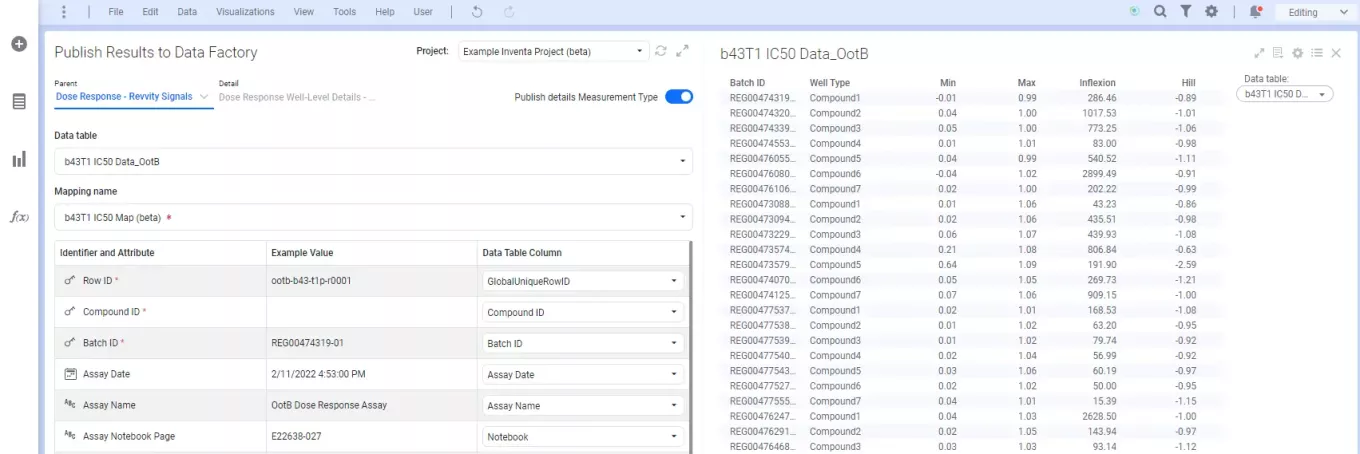
For workflows in Spotfire for Signals, users can leverage the new Publish Results to Data Factory app. Note that legacy projects will continue to use the legacy Publish Measurements App.


Publication is also supported through new public APIs, which can be reviewed in the “Data Factory Public API 2.0 Document”