
What's New
We are delighted to release our new version of Signals, 26.3. This release brings enhancements in In Vitro Analysis, Synergy, Inventory, and Chemistry amongst others. We have extended beta capabilities around graphing in tables and curve fit definitions. The beta capabilities around calculated properties for protein complexes are now available to all systems. Finally, we have also fixed a number of small bugs.
The following improvements are available for users, administrators and developers on the Signals platform. Certain features may only be available with appropriate licensing and/or with enablement by an administrator.
- Fundamentals
– The PDF export of experiments can be converted to local time in ISO 8601 format - Data Workflows & Analytics*
– Personal Templates support in the In Vitro Analysis
– Initial support for custom curve fit definitions and publication (beta) - Synergy†
– Move Designs Table to different Idea
– Move Design(s) to different Designs Table or Idea
– Chemical Search for shared Chemical/Design Structures in Reference Tables for Sponsor and CRO
– Reference Table property search for Sponsor and CRO - Chemistry
– Support for pairing of multiple RNA/DNA strands to a single sequence
– Structure searching for monomers in HELM Monomer Curation application - Tables
– End user adjustment of Scatter Plots (beta) *
– Export of image from Scatter Plots (beta) *
– Highlight selected rows or points in the Scatter Plot and Table (beta) *
– Conditional calculations can be contained within conditional calculations
– Increase component limit from 30 to 50 in the Variation Table - Samples
– Empty Sample tables in Templates - Inventory
– Allow Multiple Additions of the Same Container in Materials Table and Stoichiometry Table
– Add multiple (same) sublocations to a parent location easily
– New Labels - InventoryGo ‡
– Reconciliation and Rectification
– Move
– Consume - Materials
– Calculated properties for protein complexes available to all systems
– Inherited Properties for materials available to all systems
– Log P, predicted pKa, and additional compound calculated properties
– Configurable display units for calculated molecular weights - Search
– New options for circular and linear Biological sequence searches - Administration
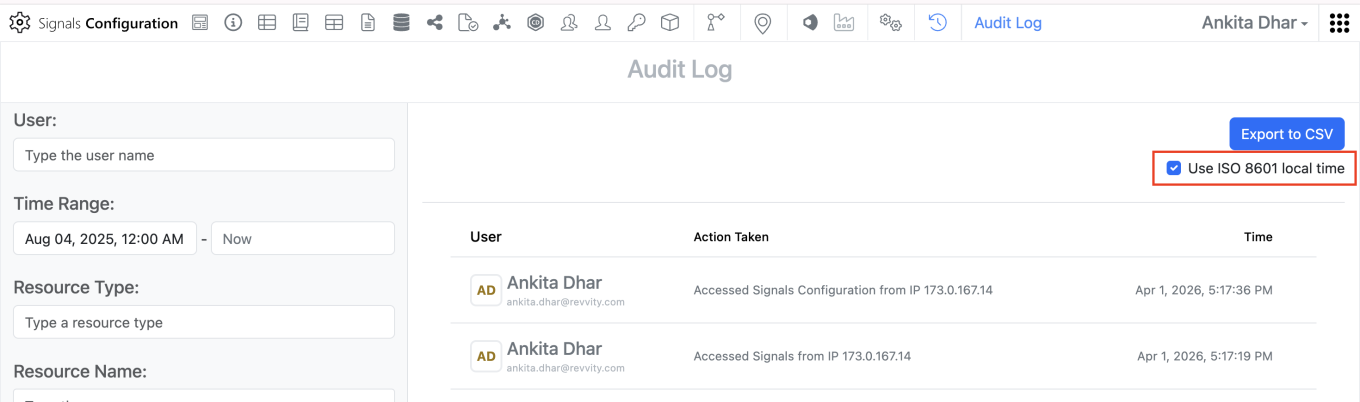
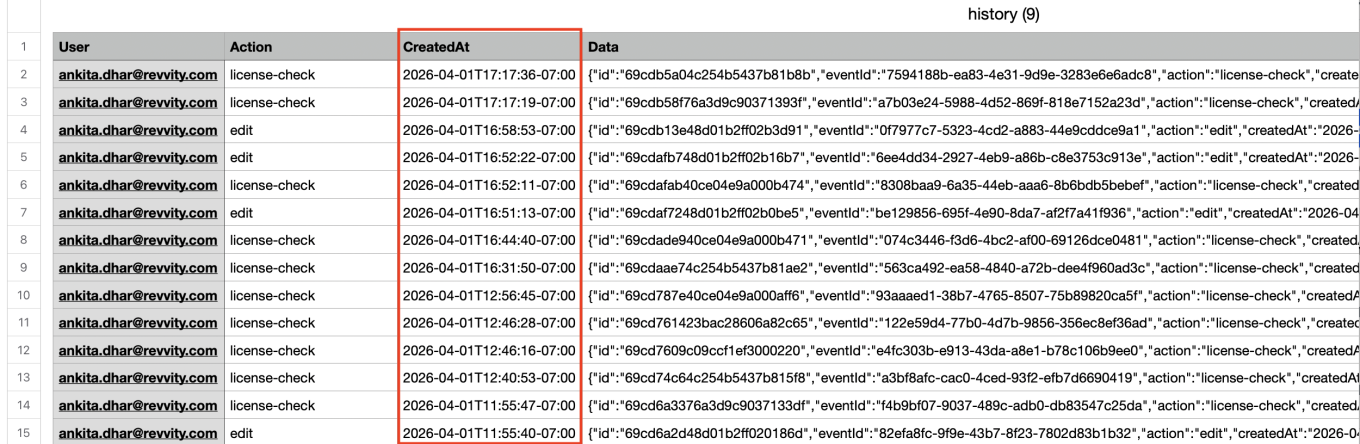
– The 'created at' field in the system audit trail CSV export can be converted to local time in ISO 8601 format
– Spotfire for Signals Custom Apps Configuration available for Private Cloud exports Spotfire for Signals Online Debug Logs * - Integrations & APIs
– Selected rows in an Hierarchical Table can be identified in an External Action *
– External Action for Edit Reviewers
– API to create a Reference Table in a Work Order
– API to add a reference(s) to a Reference Table
– API for date based data extraction for SDF
– Additional Chemical Structure formats for updating Materials
– PKCE Support for Bearer Token Exchange
* Requires Signals One license
† Requires Signals Synergy license
‡ Requires InventoryGo license
We also fixed several small bugs in this release. Details of the enhancements are described below.
Administrators should be aware that we have retired most of the In Vivo Apps from the Signals One App Store in Spotfire. Specifically the following Apps are no longer available: Study Designer, Dose Preparation, Baseline Capture, Sequence Of Events, Sequence File Generator, Mass Spec, Dose Verification, Business Rules, and Data Model Designer. The PK Parameters App continues to be supported and will remain in the Signals App in Spotfire in Signals One.
Administrators should be aware that we will have retired the CRAIS Checker capability from Signals Notebook and Signals One. This capability, which was only available via request, was built to allow integration specifically to the Patcore CRAIS Checker database. Such workflows have been superseded by the Chemical "External Checking" capability which can be used against any chemical compliance database.
Data Factory Administrators should note that legacy Data Factory projects will be fully deprecated in a future release. A straightforward migration path will be provided in an upcoming release to support this transition.
Data Factory administrators should also note that the Advanced Security policies in Inventa apply an "AND" logic across all user groups, restricting access if any groups lack permissions. This behavior differs from the standard Signals security model and will be fixed to align with the standard in a future release.
Administrators are recommended to subscribe to the channels within our support news site found at https://support.revvitysignals.com/hc/en-us/categories/360004446171-Support-News which contains more information about releases and other pertinent product information.
This content is anticipated for release on our Production E3 environments, and for Private Cloud customers on our deferred release schedule, in July 2026.
Further Details
The following improvements are available for users, administrators and developers on the Signals platform. Certain features may only be available with appropriate licensing and/or with enablement by an administrator.
Fundamentals
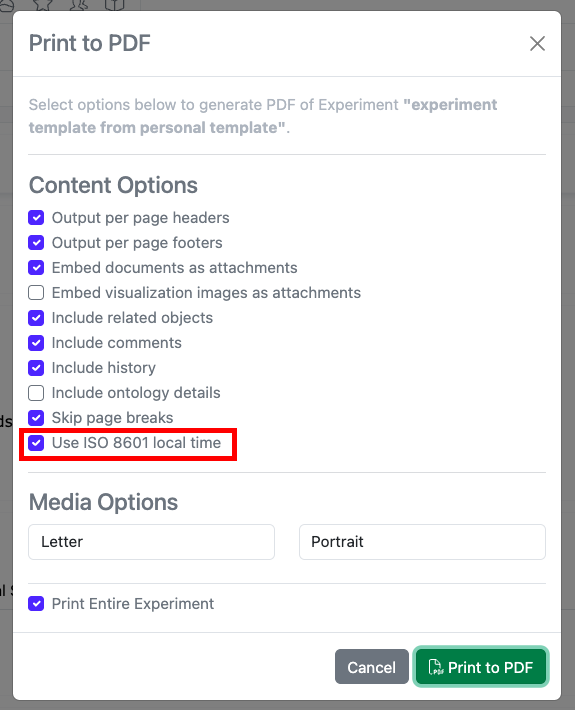
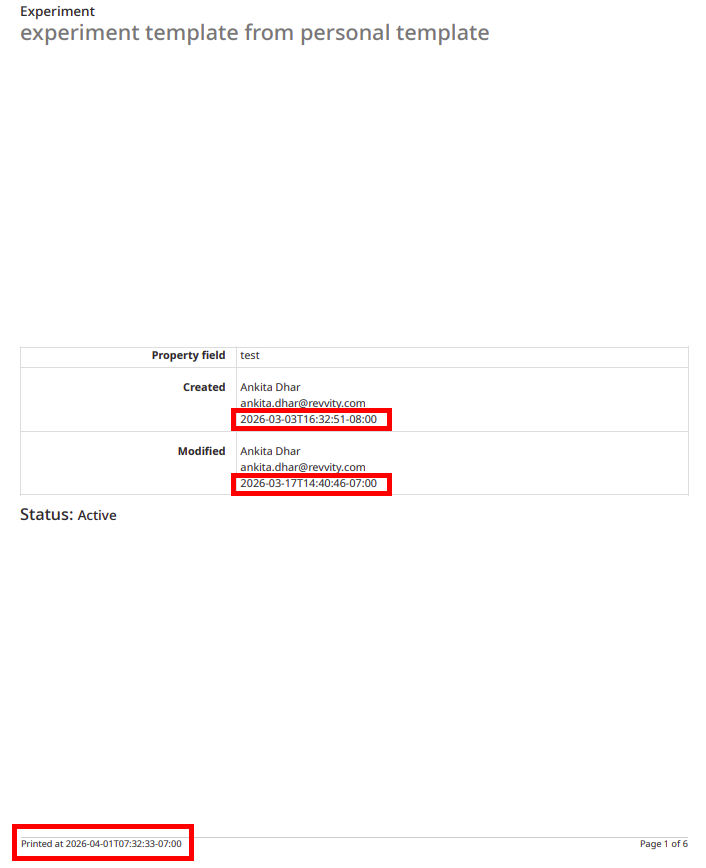
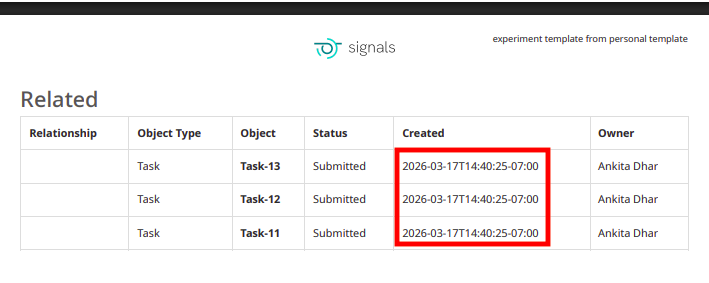
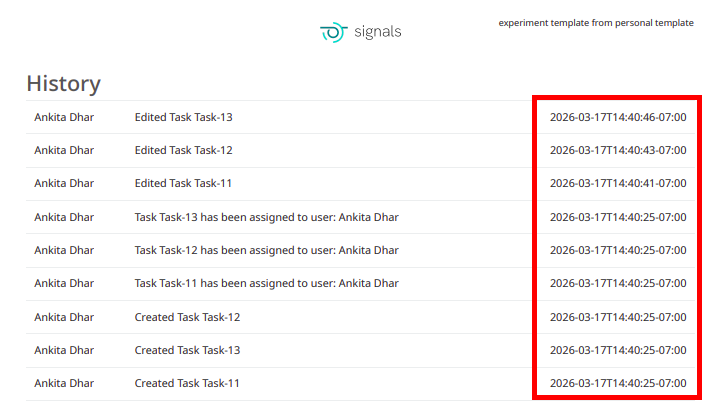
The PDF export of experiments can be converted to local time in ISO 8601 format. When end users select the ‘Print to PDF’ option in an experiment, a new setting can be selected to “Use ISO 8601 local time” which will convert timestamps throughout the PDF to local military time with a UTC offset.
Data Workflows & Analytics
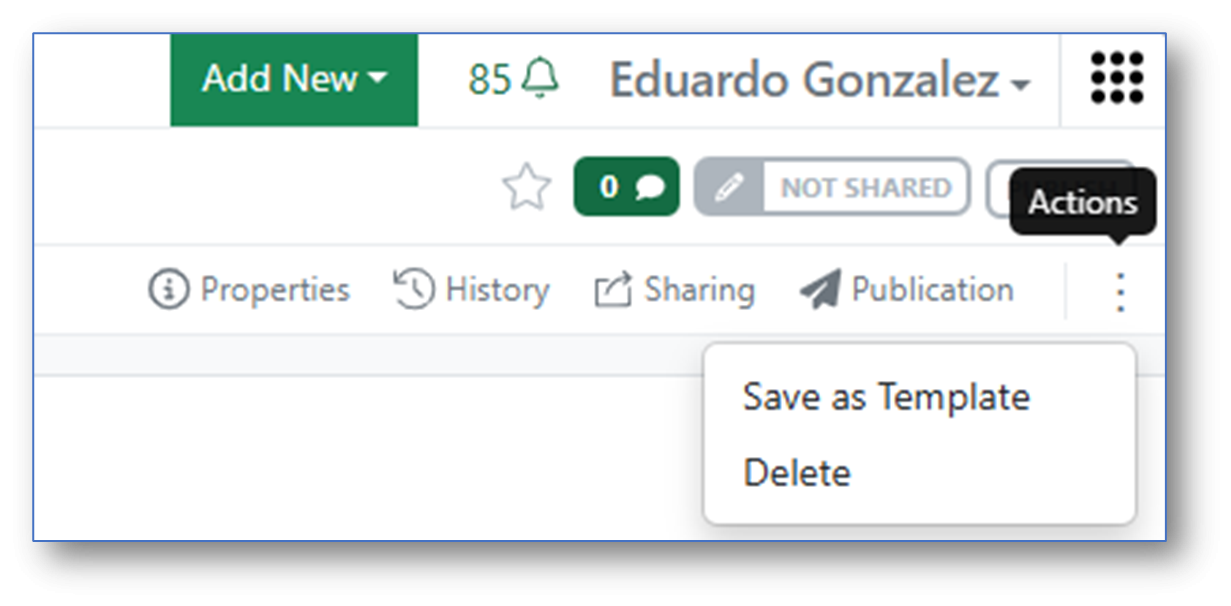
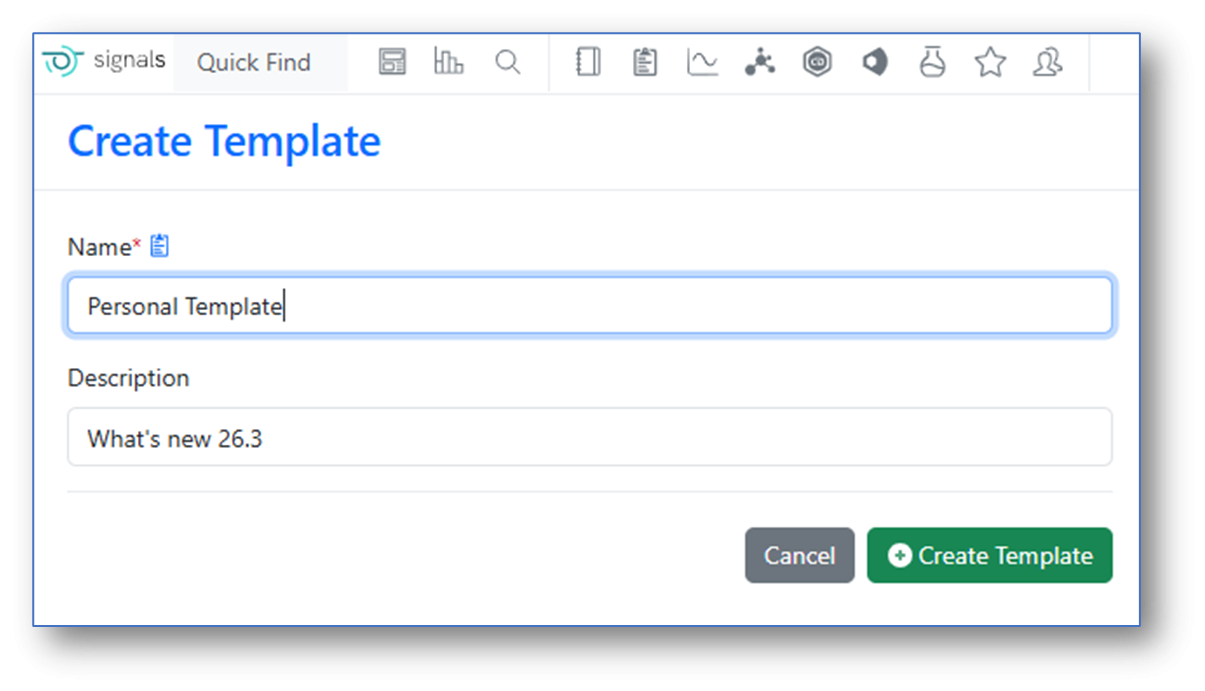
In Signals One, In Vitro Analysis users can now save an instance of an In Vitro Analysis object as a personal Template:
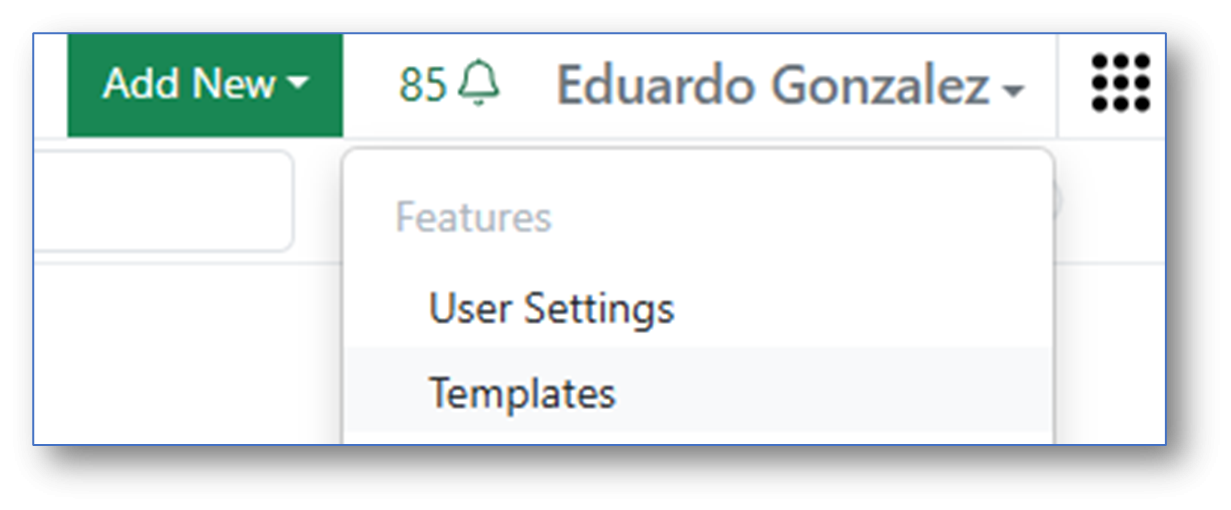
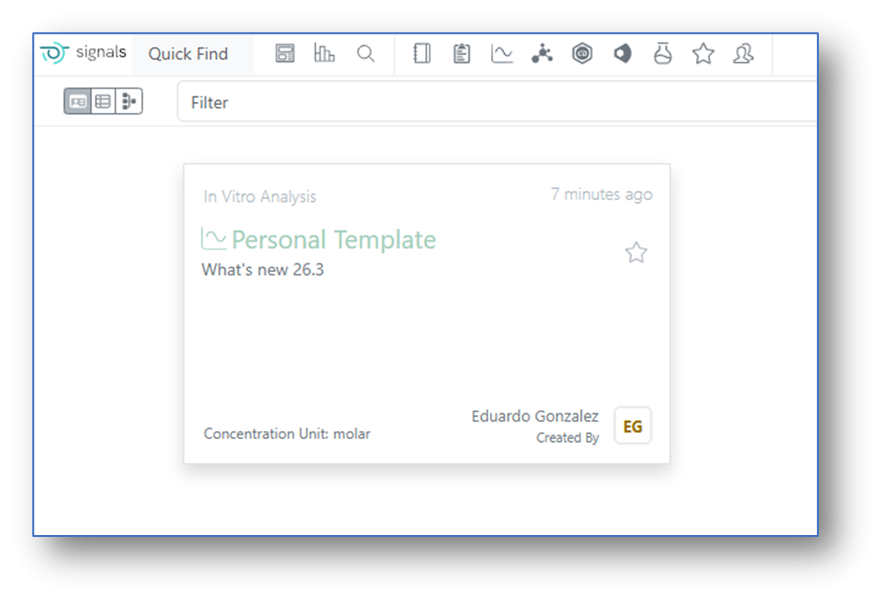
Saved In Vitro Analysis personal Templates become then available for the user for subsequent new analysis.
Synergy
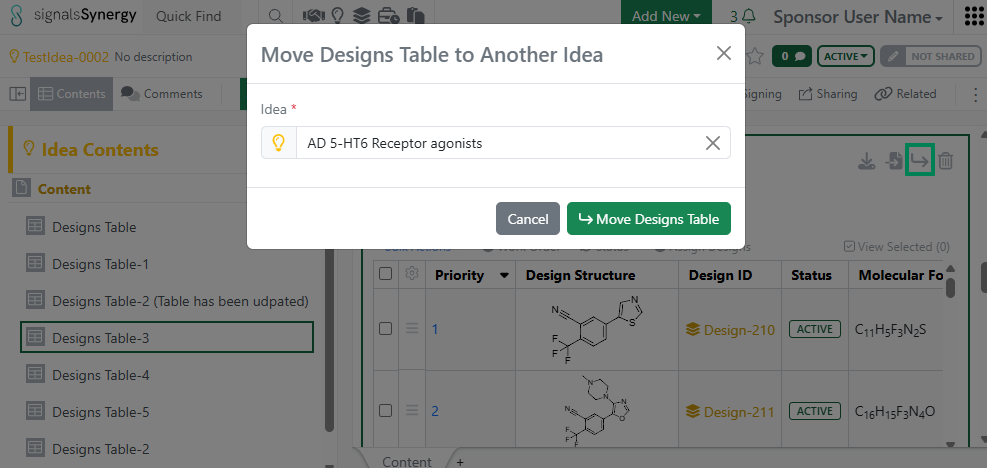
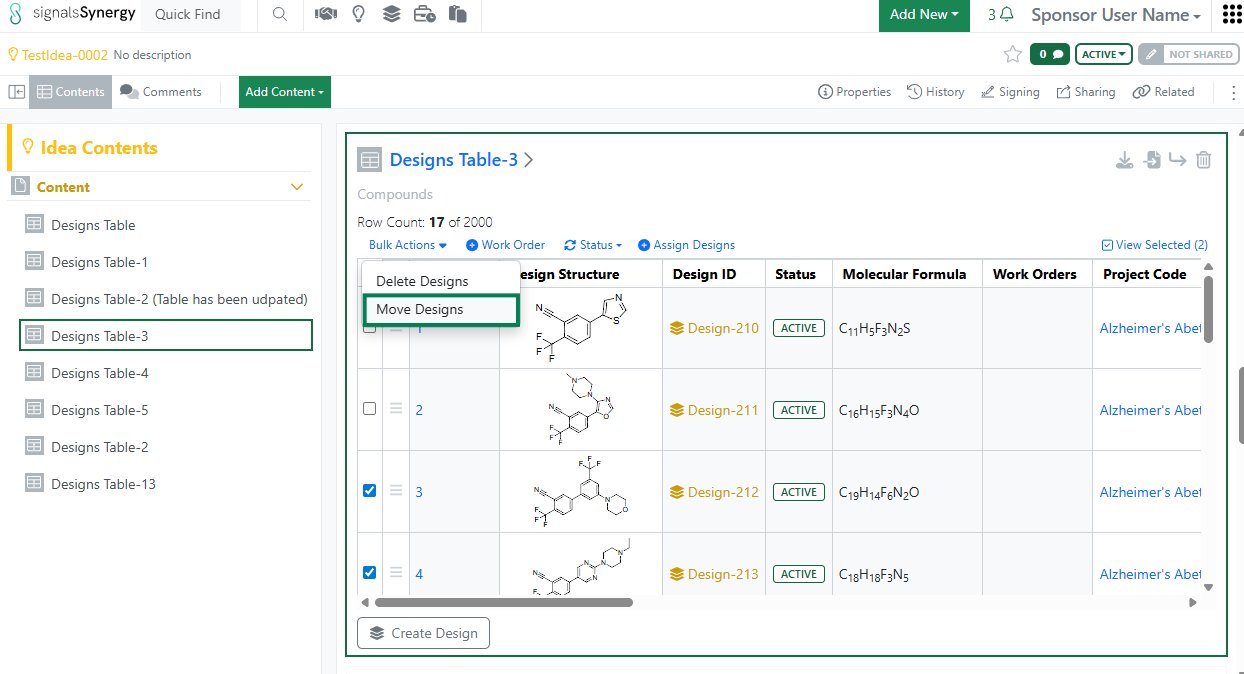
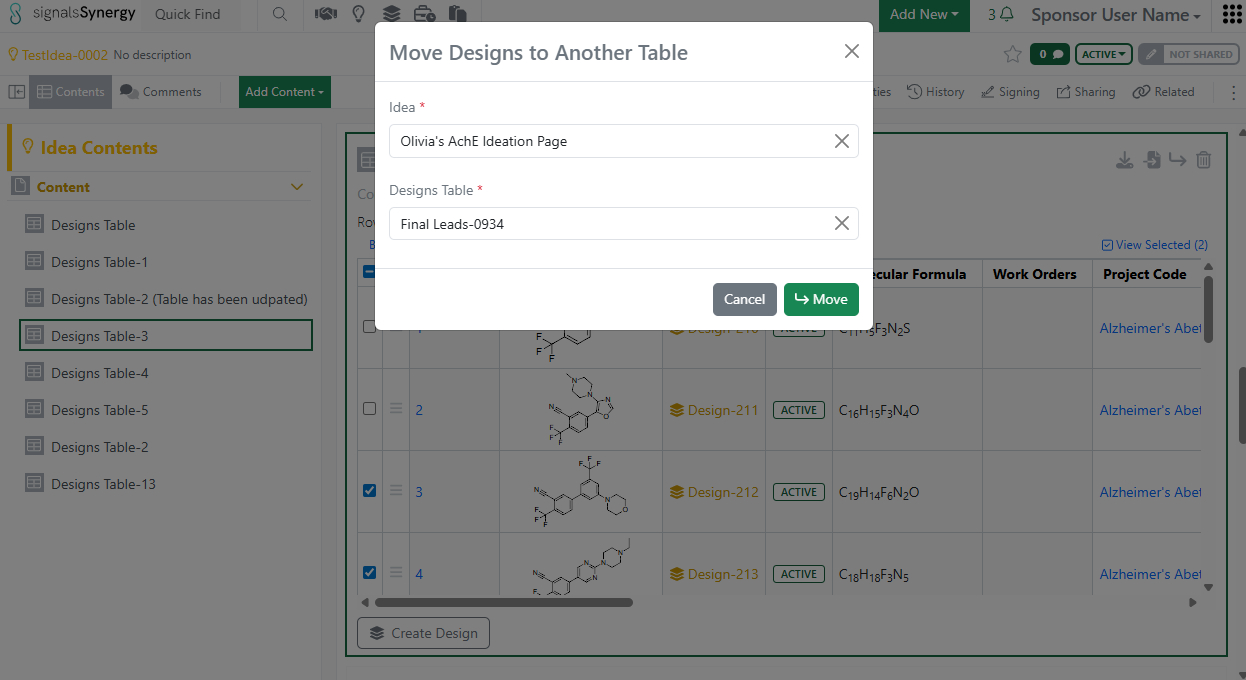
Given the new privilege to Move Designs, a Sponsor user can now move a Designs Table to a different Idea or move selected Design(s) to a different Designs Table. The user must have Full Control to an Idea in order to move Designs.
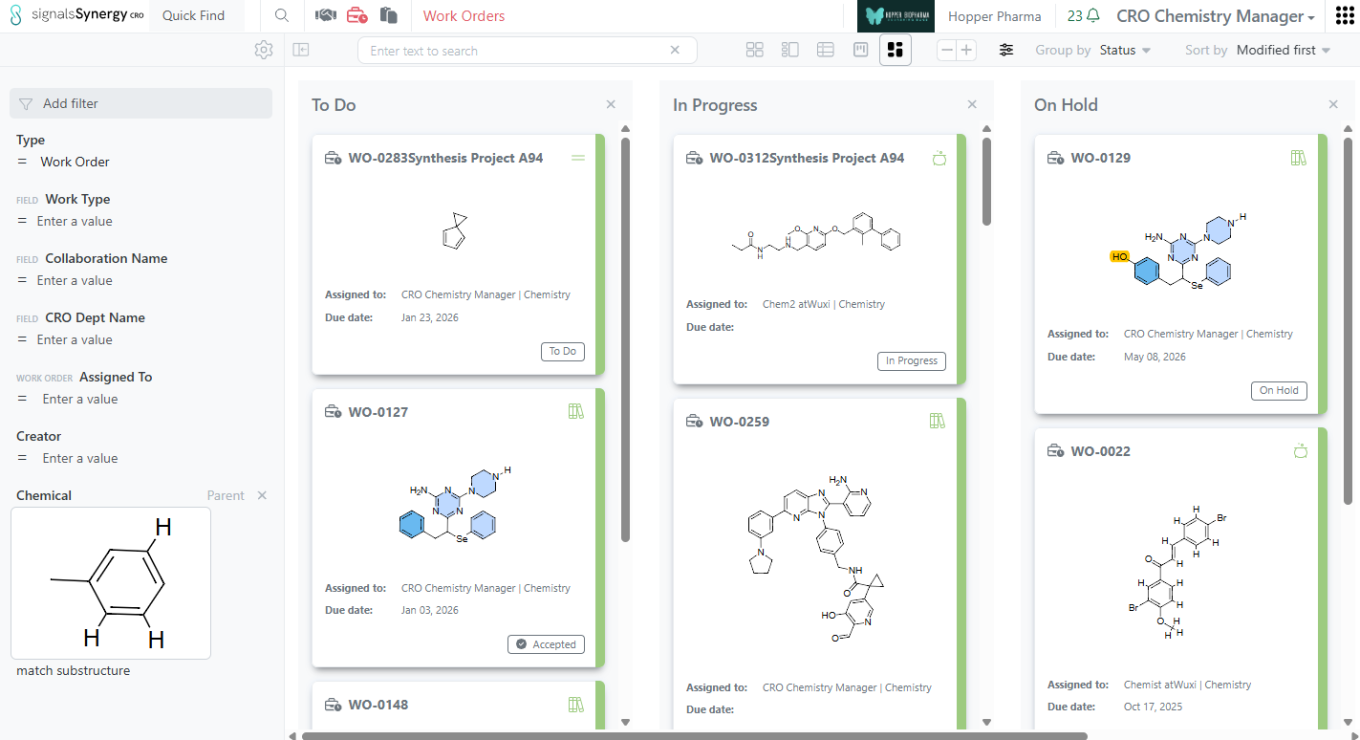
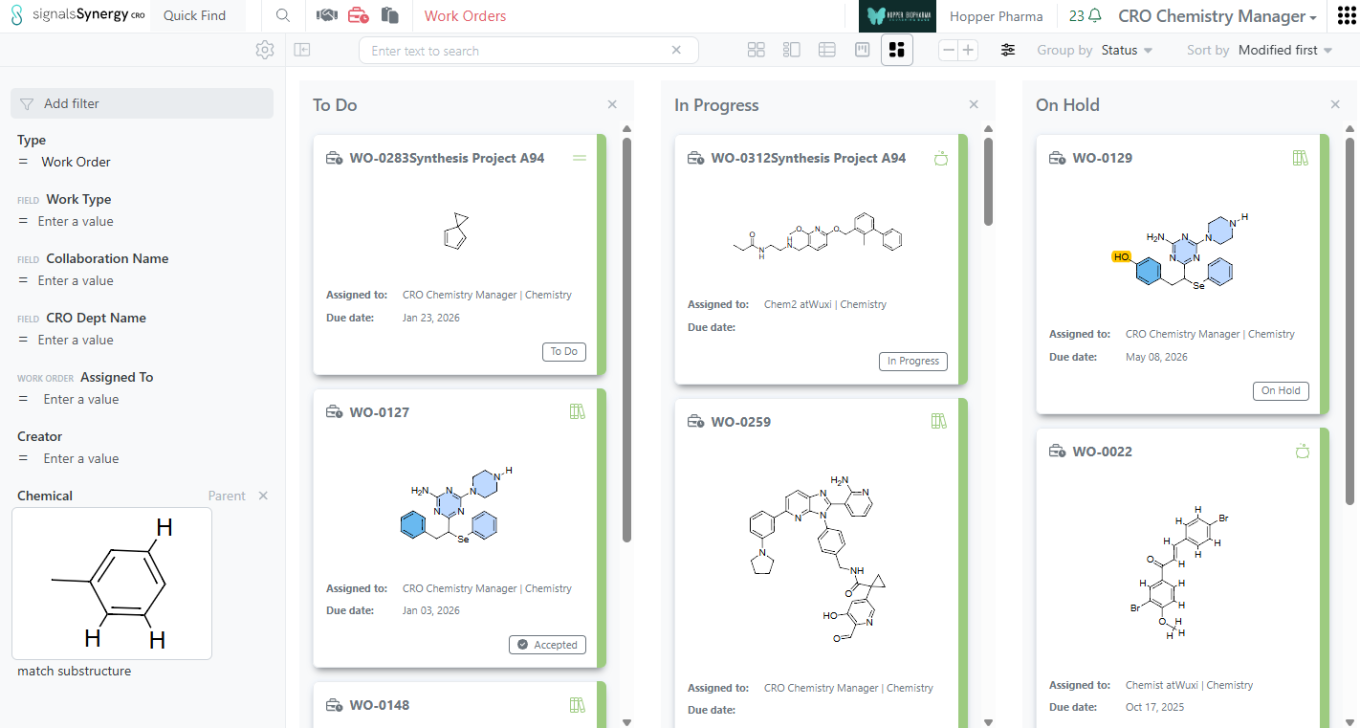
As a Sponsor or CRO user, I can now search for my Work Orders based on the content of the Reference Table (e.g., list of Designs to be made or batches to be tested). Reference Tables allows the Sponsor to selectively share a sub-set of Design or Material Asset or Batch properties when requesting Design synthesis or assays to be run. If a Design Structure or Chemical Structure is included in the properties shared to the CRO, the Sponsor and CRO can use Chemical search to find the Work Orders containing a specific structure or sub-structure within Advanced Search or the Work Order Smart Folder. Note that the Chemical filter should be set to Parent to ensure that the Work Order containing the Reference Table is found.
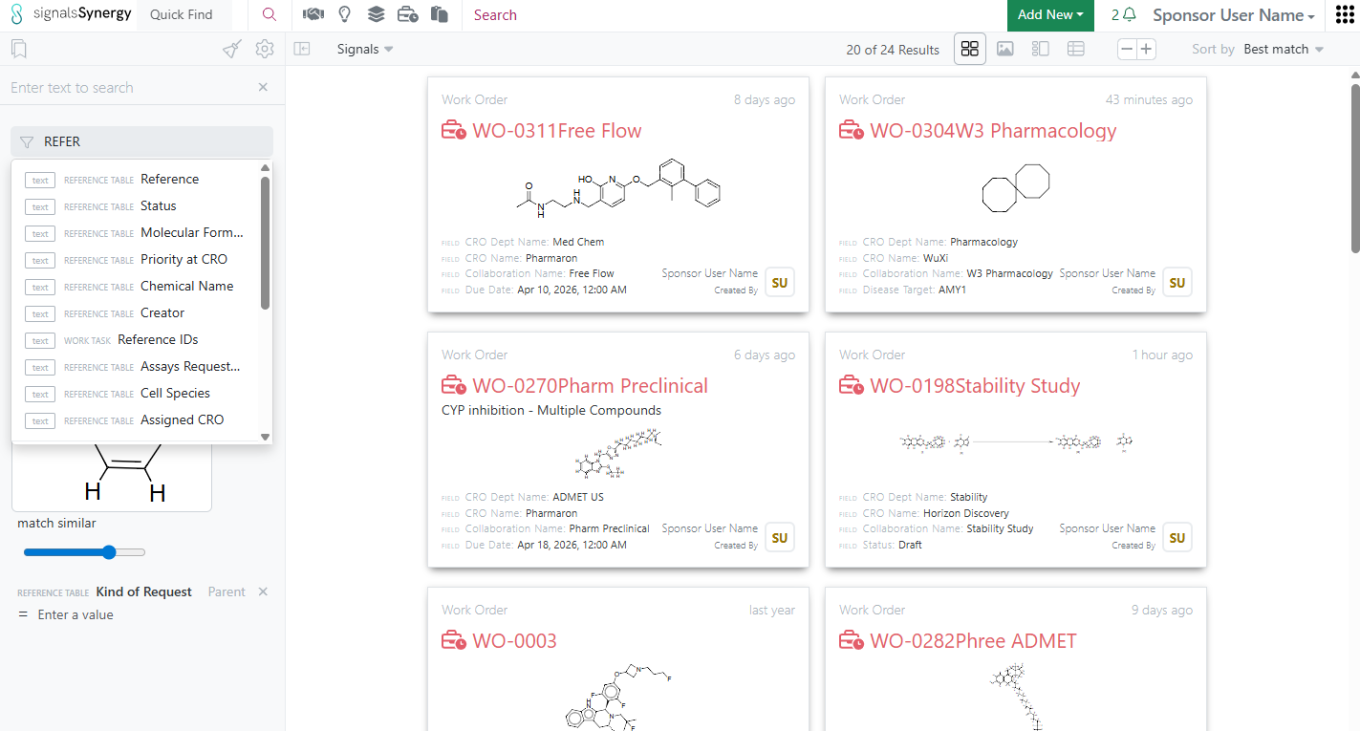
In addition, non-structure properties shared in the Reference Table can also be used when searching for Work Orders within Advanced Search or the Work Order Smart Folder.
Chemistry
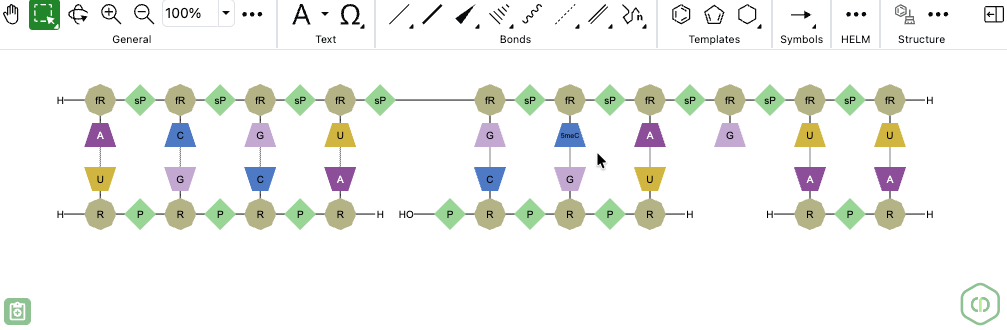
ChemDraw now allows users to draw biopolymers with multiple complementary RNA strands for a single sense strand. When a set of hydrogen-bonded RNA sequences is created, ChemDraw detects the sense strand, identifies each first-degree complementary strand, and automatically places each complement beneath the sense strand according to hydrogen bond positions. The sense backbone is stretched as needed to minimize overlap, enabling side-by-side display of complements with proper alignment.
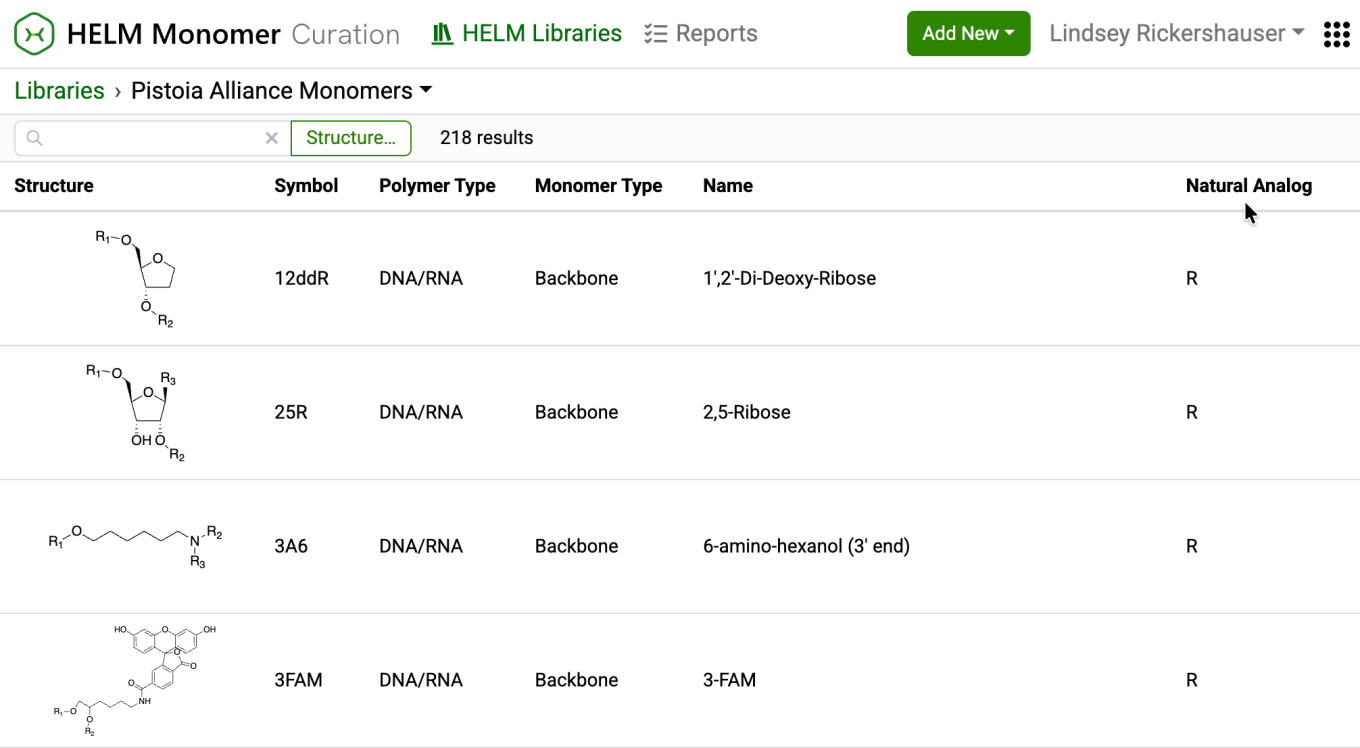
New capabilities have been added to the HELM Monomer Curation application for filtering and searching monomers based on chemical structures. Available as a button next to the text search field in the HELM Libraries list view, the ‘Structure…’ button opens a structure editor.
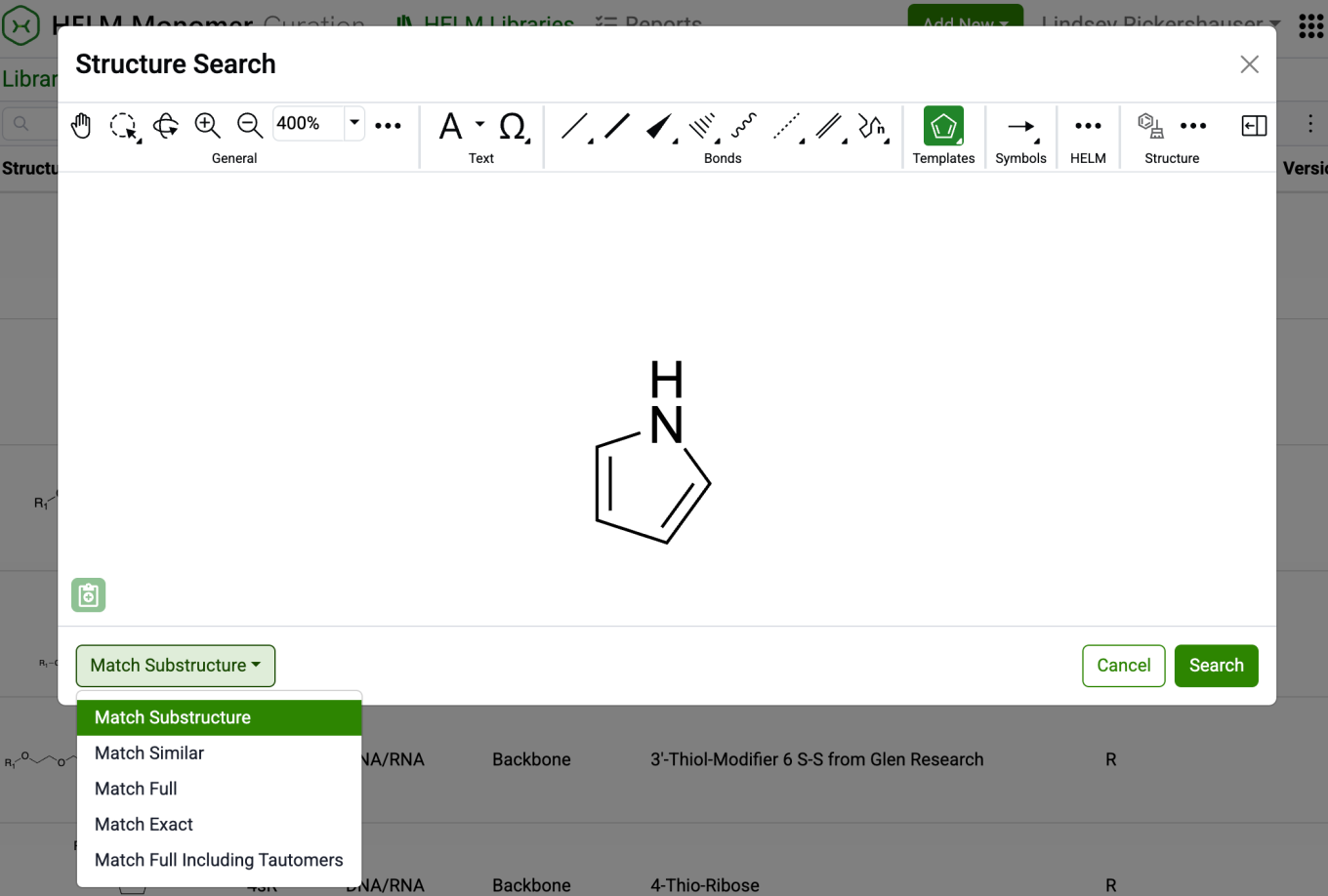
After drawing a structure, users can select from substructure, similarity, full, and exact search options. Selecting ‘Search’ will then initiate the search filter.
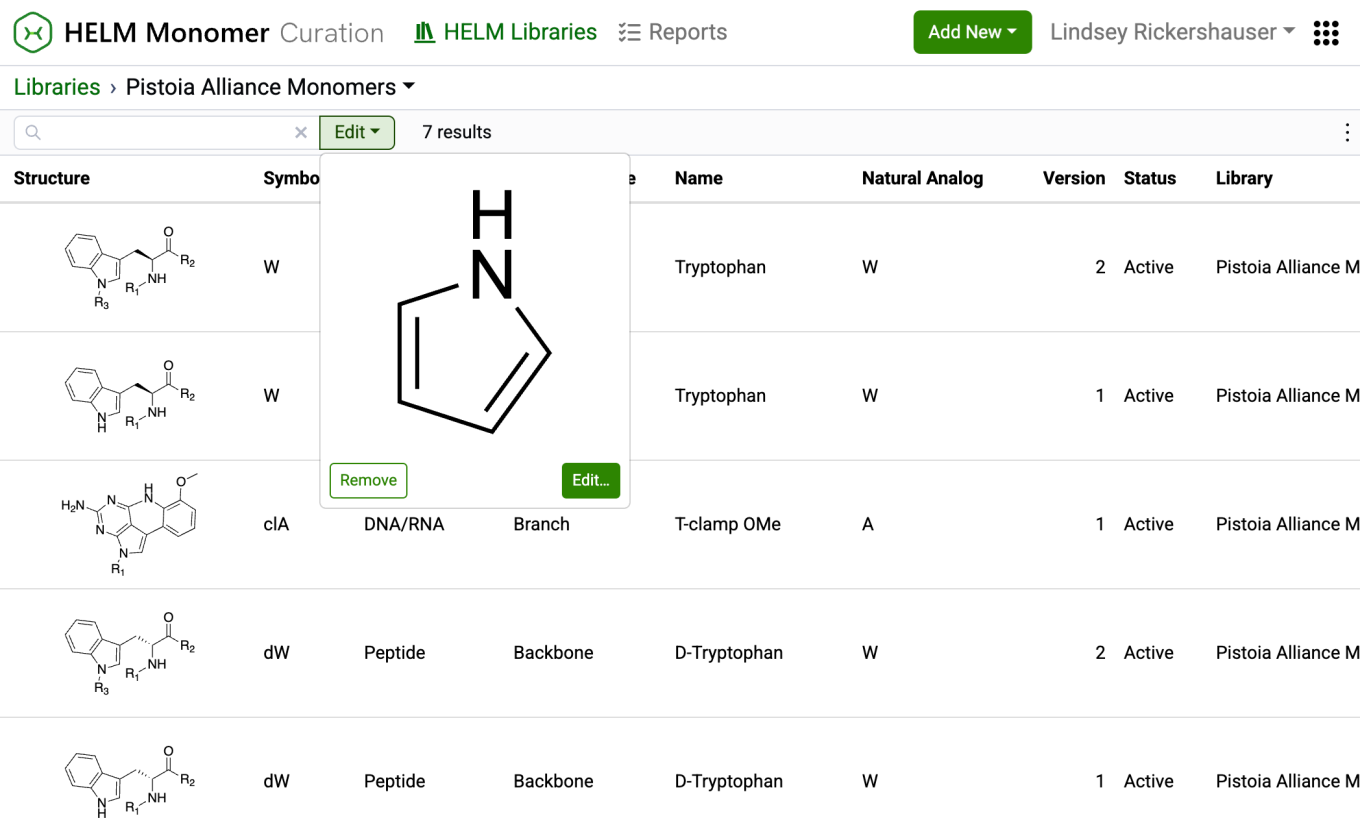
After completing a structure search, the ‘Structure…’ button transforms into an ‘Edit’ button. Selecting this button allows for previewing the structure, making changes to it, or removing it from the search filter. Structure searches can be combined with text-based searches to refine results even further.
Tables
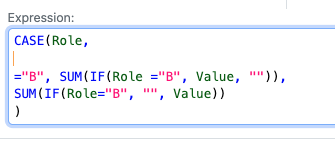
Conditional calculations are now allowed to be used within other conditional calculations, such as within a CASE statement. For example a CASE statement can use another conditional statement such as an IF for each clause. A use case is to enact specific aggregate calculations over restricted values, such as if the sum of a given component in a formulation, such as water, is needed for an additional calculation.
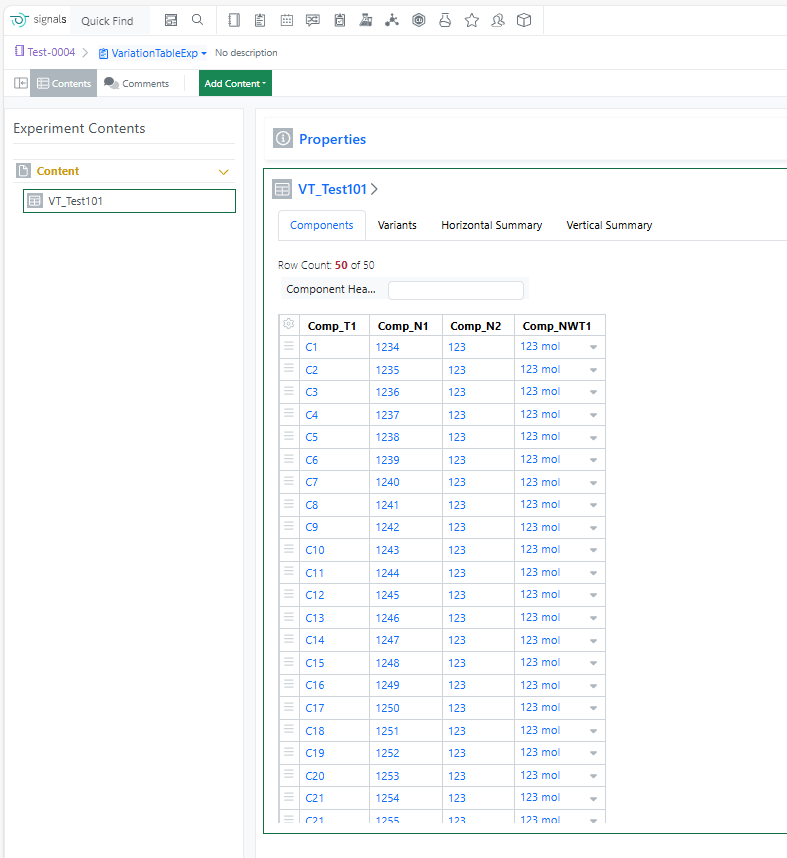
The component limit in the Variation Table has been increased from 30 to 50, enabling more complex experimental designs and reducing the need to split large variations across multiple tables.
Samples
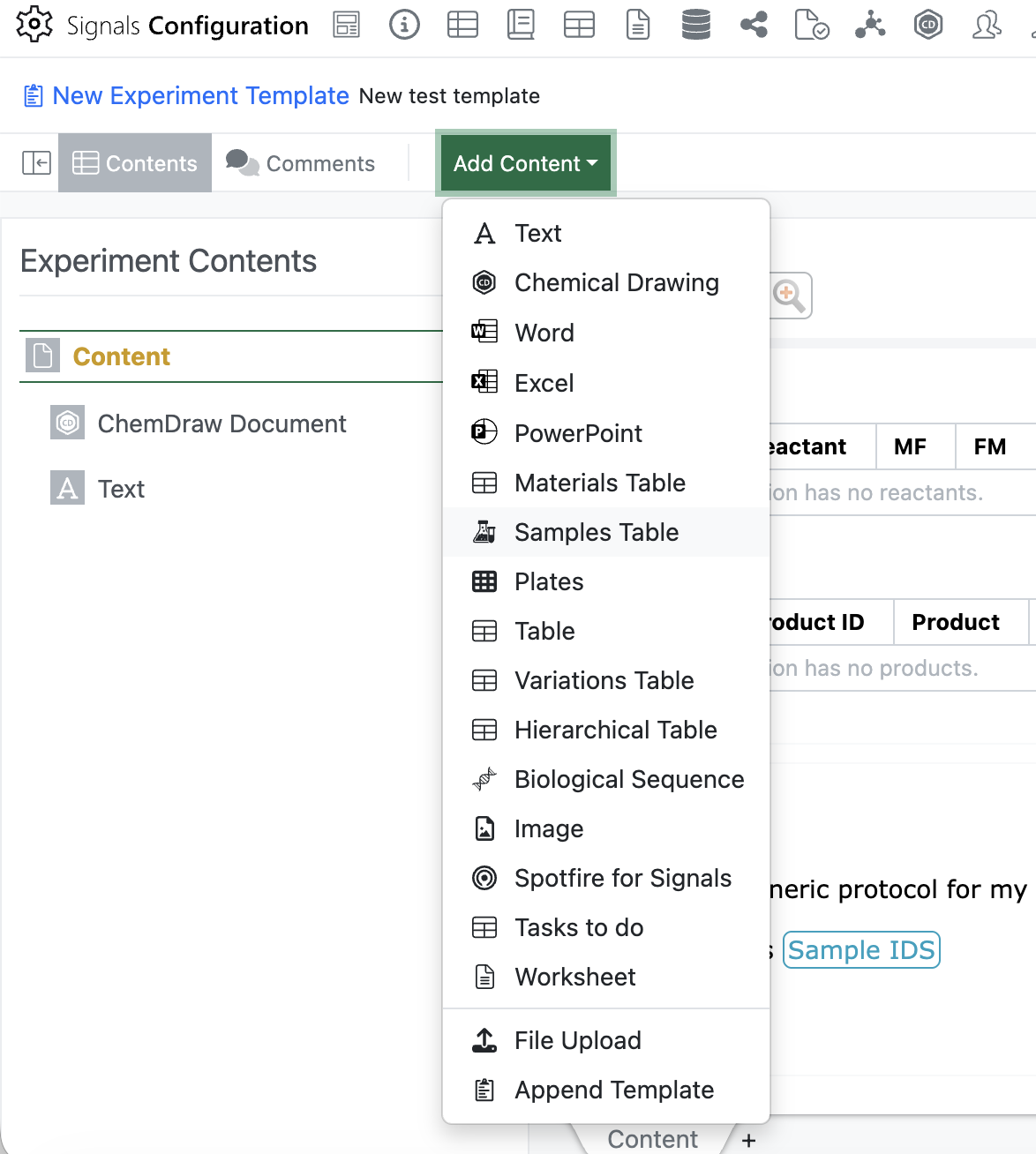
Admins will now be able to add an empty Sample Table to an Experiment or Experiment-like object template using the “Add Content” menu. Only one sample table is allowed in each template, once the sample table has been inserted it will be removed from the “Add Content” menu.
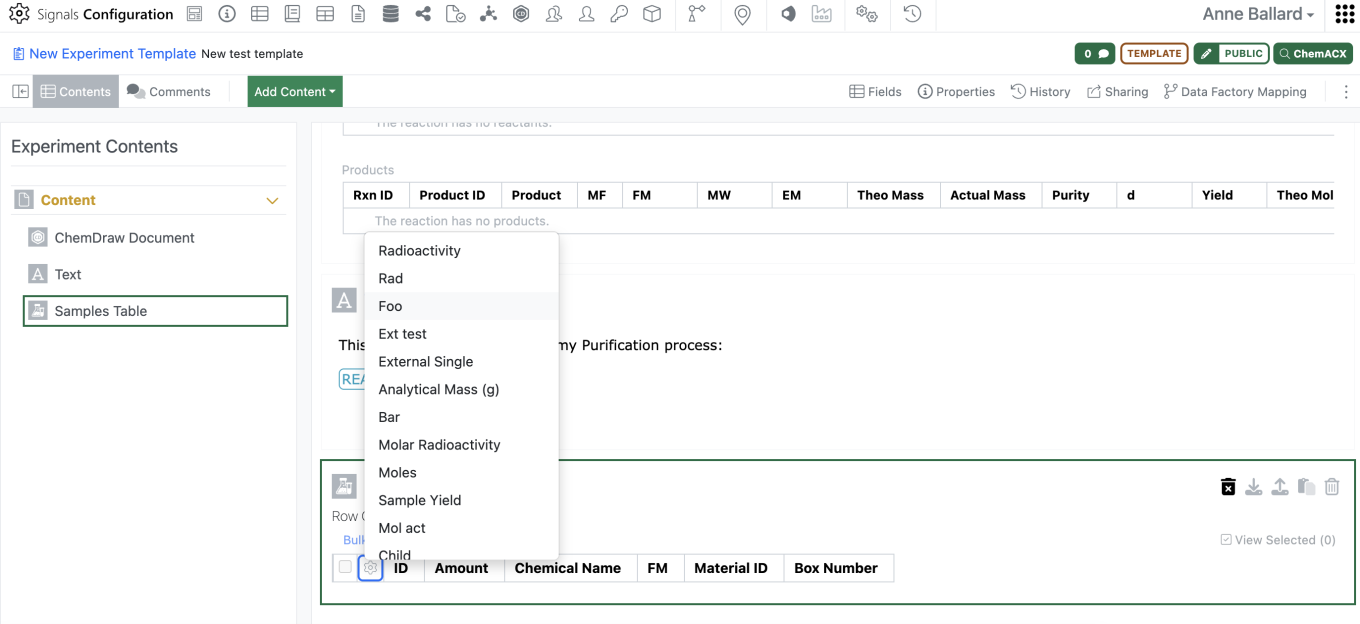
Admins should be able to then move the empty sample table to wherever in the template they would like to have the Sample table. Admins are also able to preselect the columns for the sample table in the template using the gear icon in the left corner.
For an end user, when creating the experiment, if there is an empty sample table in the template the empty sample table will appear in the experiment. When the user adds a sample, it will be added to the existing sample table with the selected columns as defined in the template. This will allow admins to vary which sample columns are shown from template to template without utilizing multiple sample templates.
If a user deletes all samples from the sample table, they will now need to delete the empty sample table with an additional click. The empty sample table can be included in the experiment copy function without including the samples.
Inventory
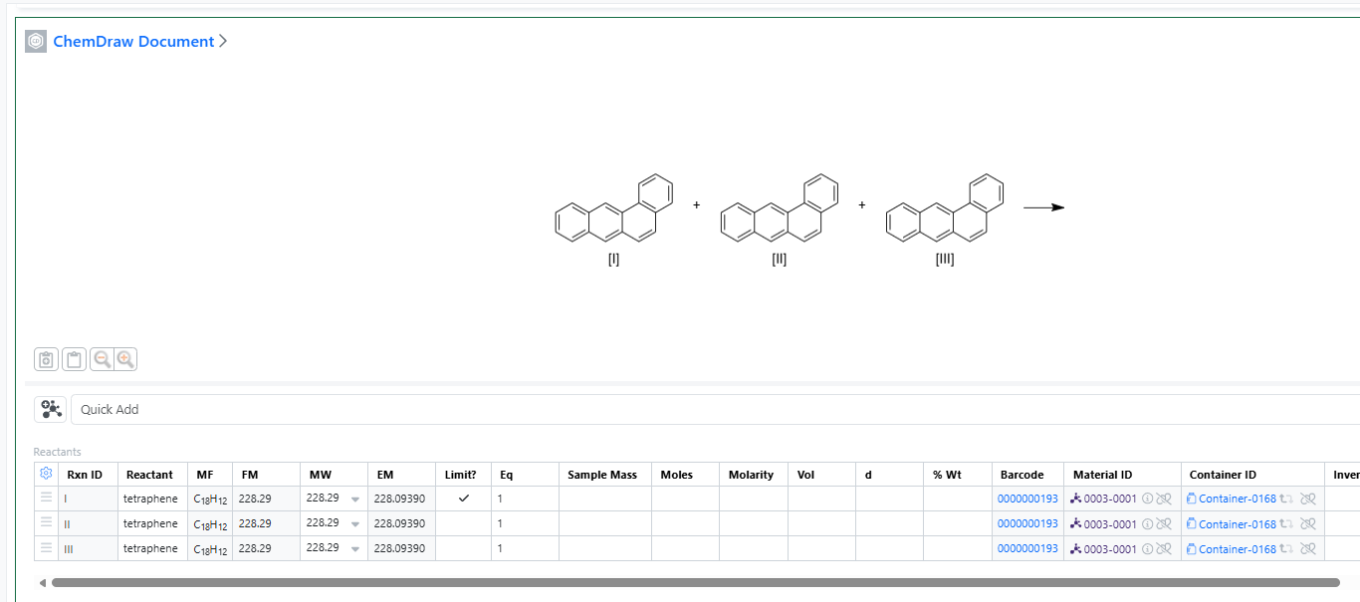
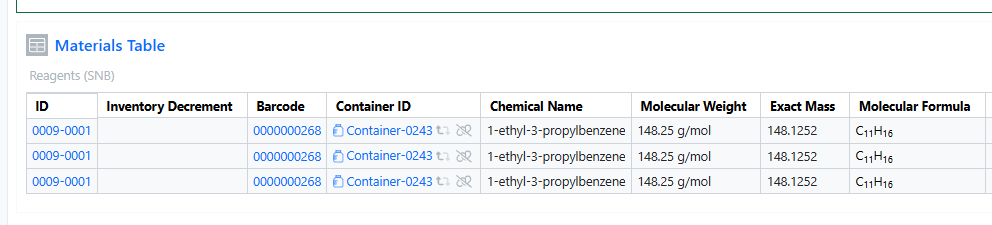
You can now add the same container multiple times in both the Materials and Stoichiometry tables. This enhancement improves procedure documentation clarity, stoichiometric accuracy, and inventory traceability, especially for workflows involving repeated dosing, split additions, or multi‑step reactions.
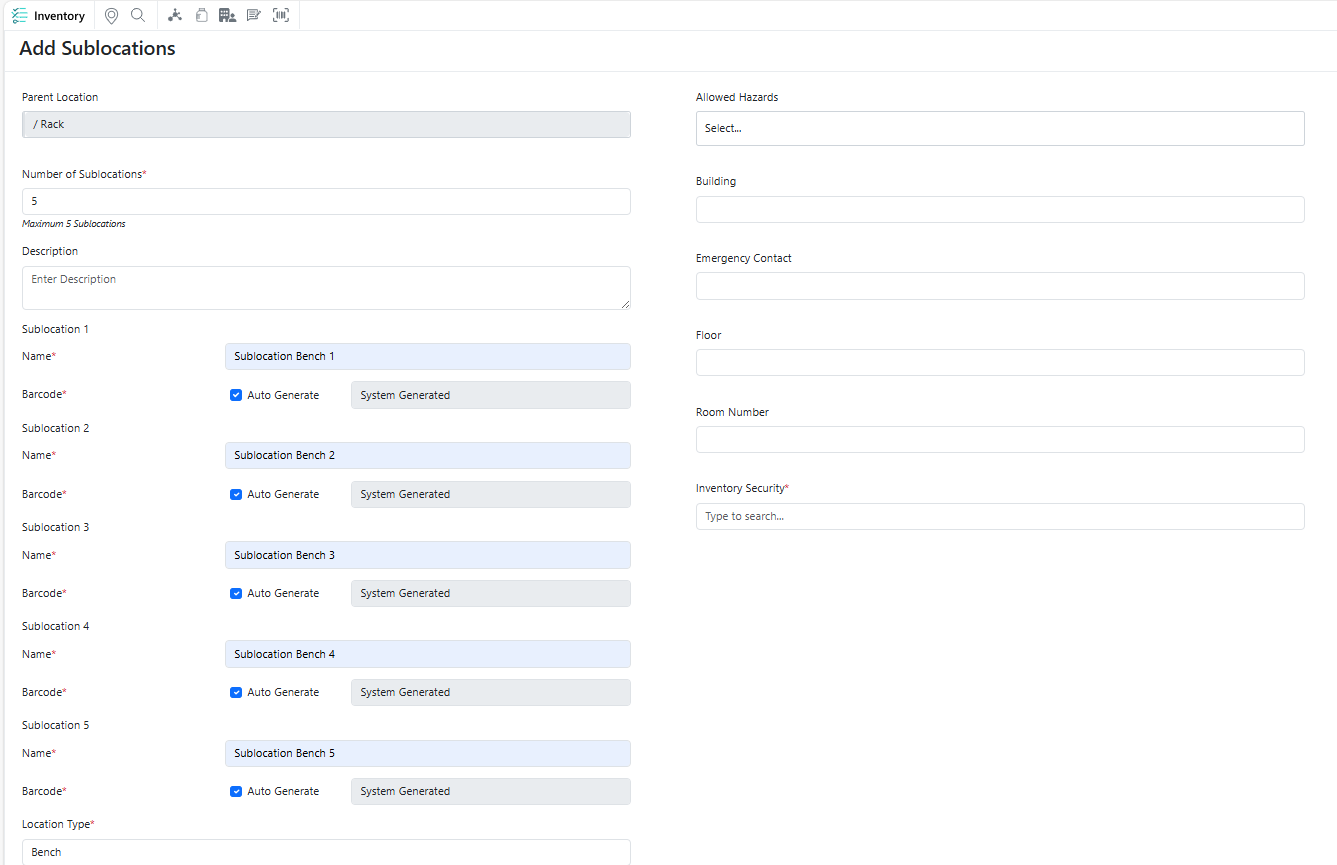
You can now quickly create multiple identical sublocations under a single parent location, making it easier to build and manage hierarchical location structures at scale while reducing repetitive setup effort.
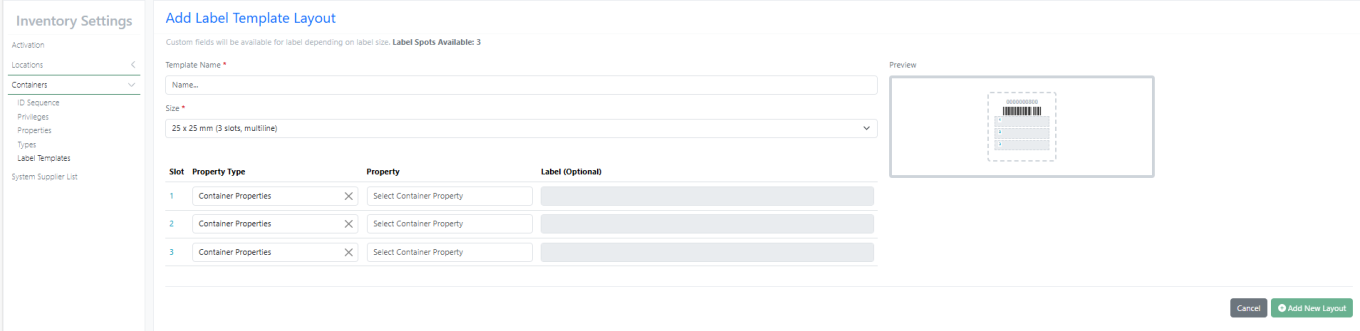
New Label – 25 X 25 mm (3 slots, multiline) supports multiline with font size 6
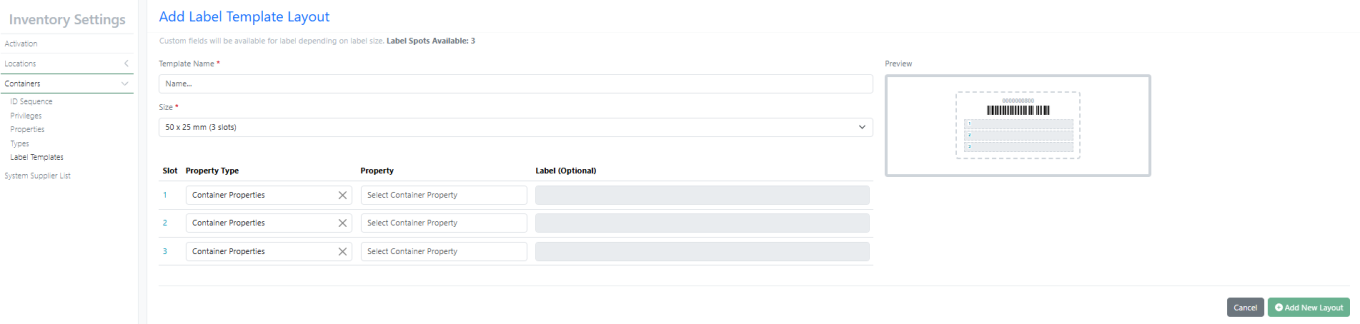
New Label – 50 X 25 mm (3 slots) supports multiline with font size 8
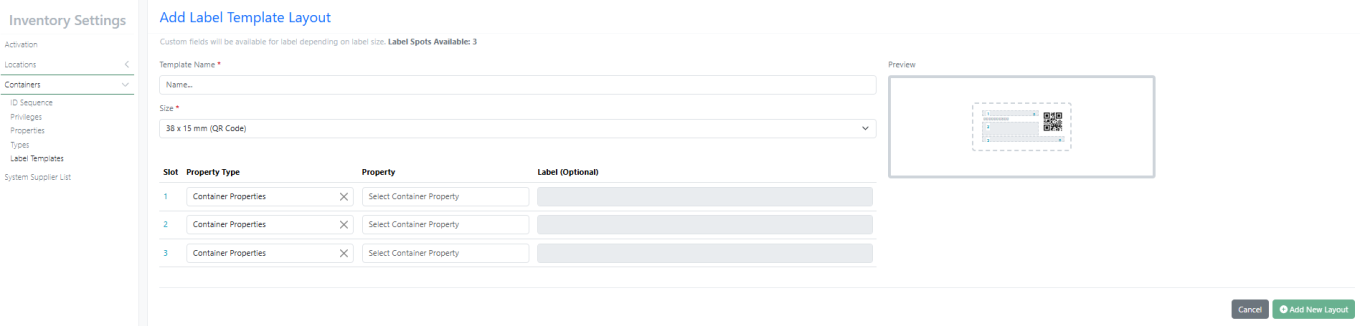
New Label – 38 X 15 mm (QR Code)
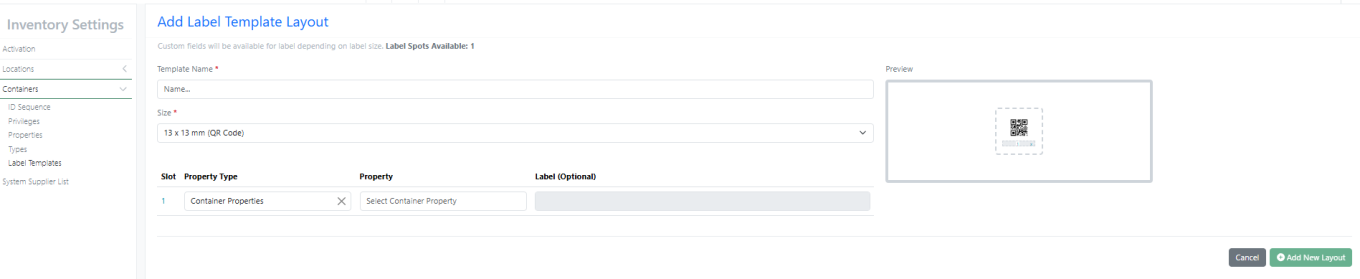
New Label – 13 X 13 mm (QR Code)
InventoryGo
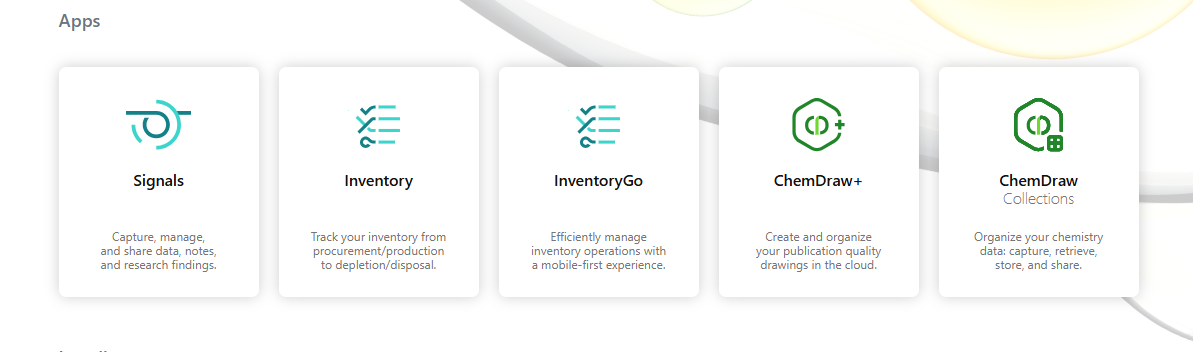
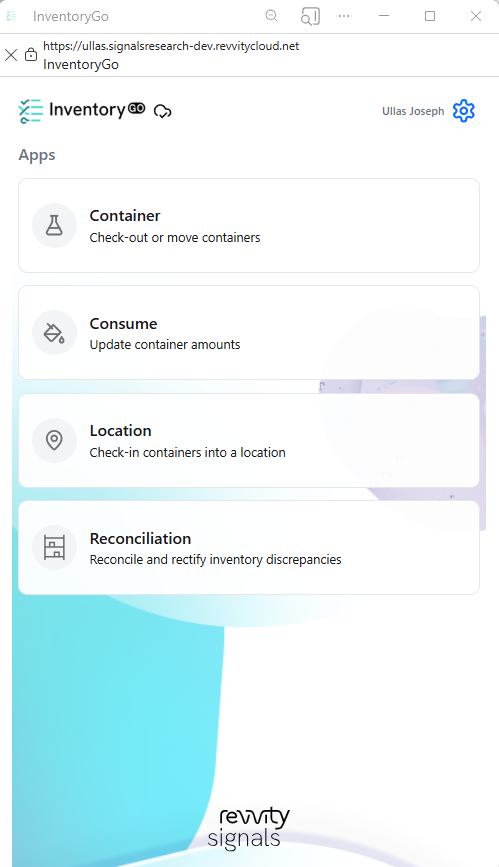
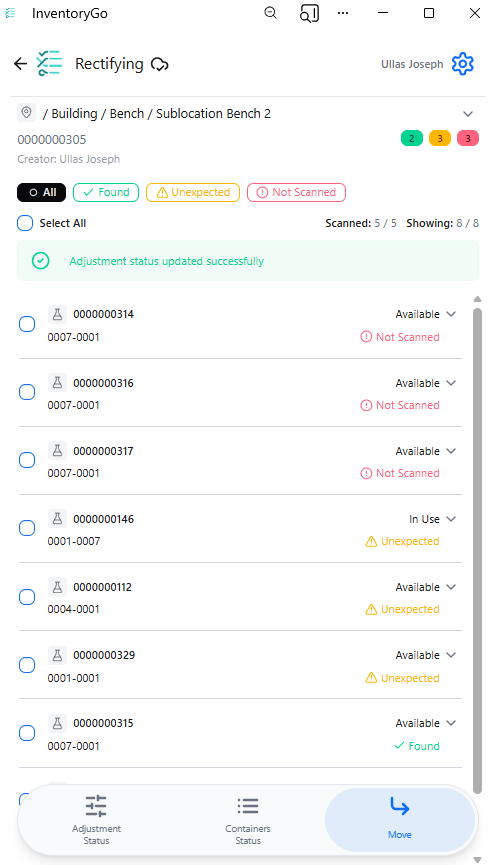
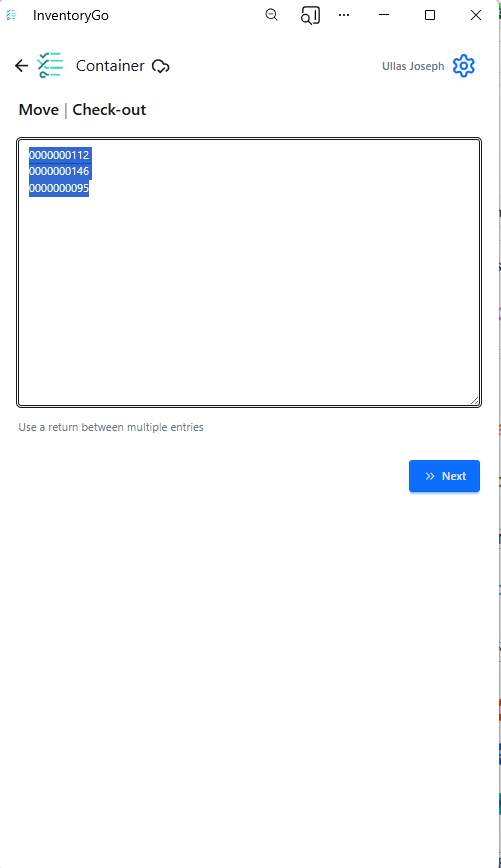
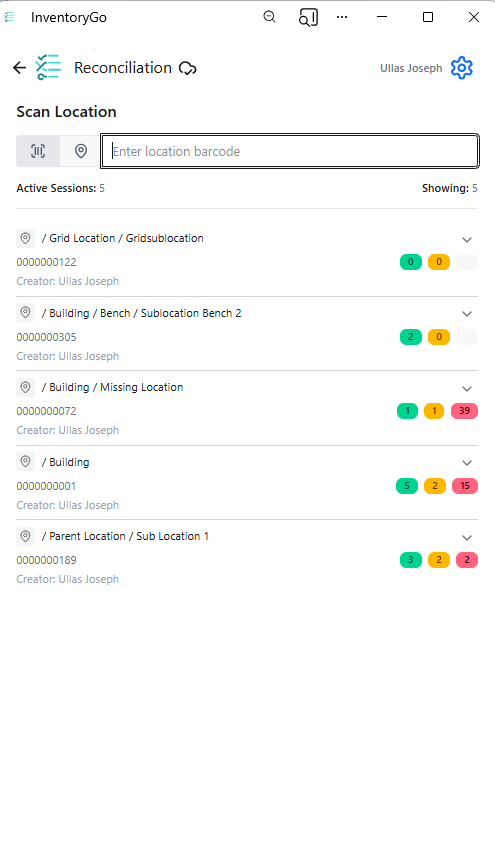
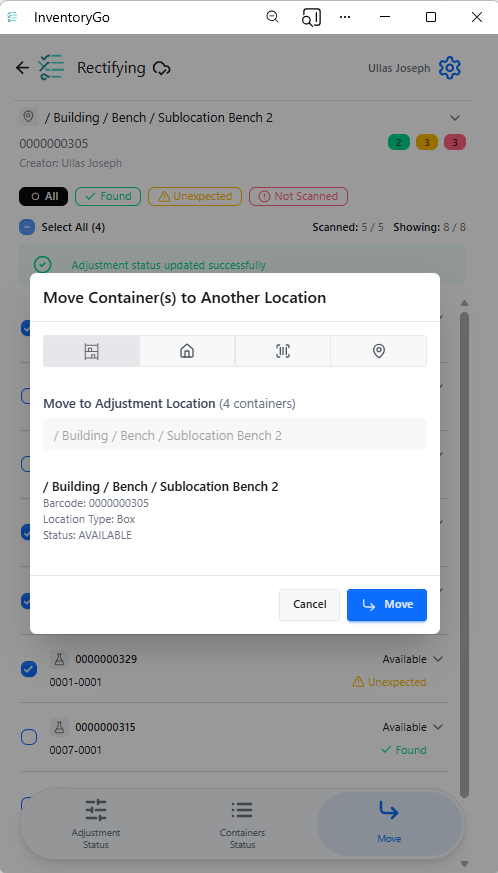
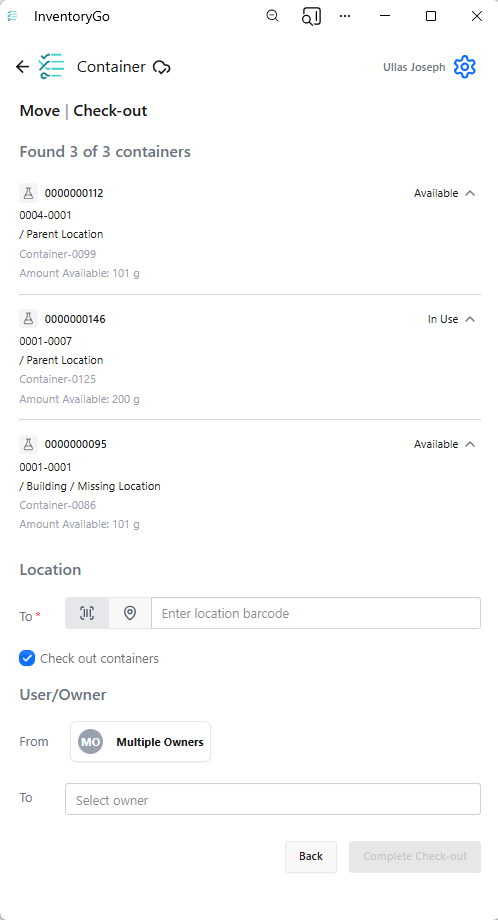
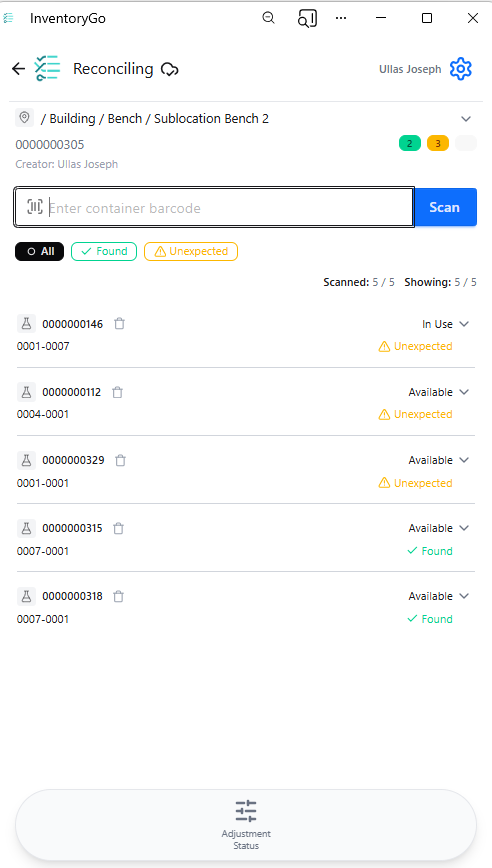
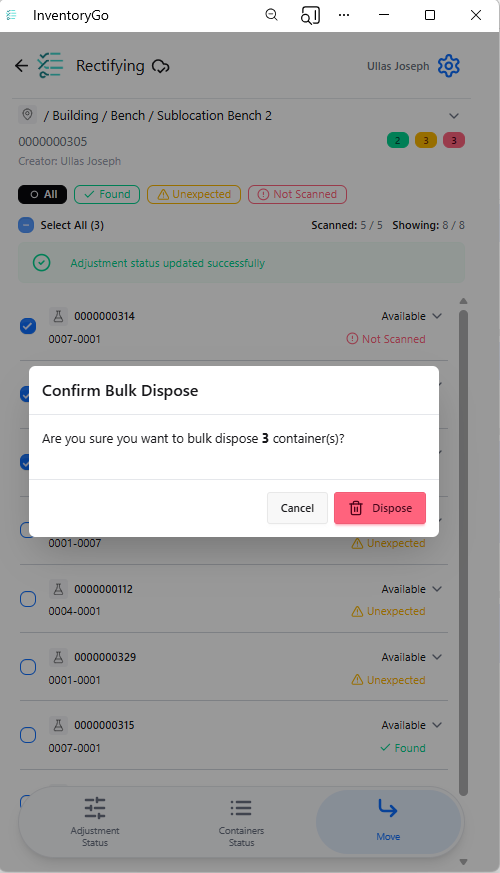
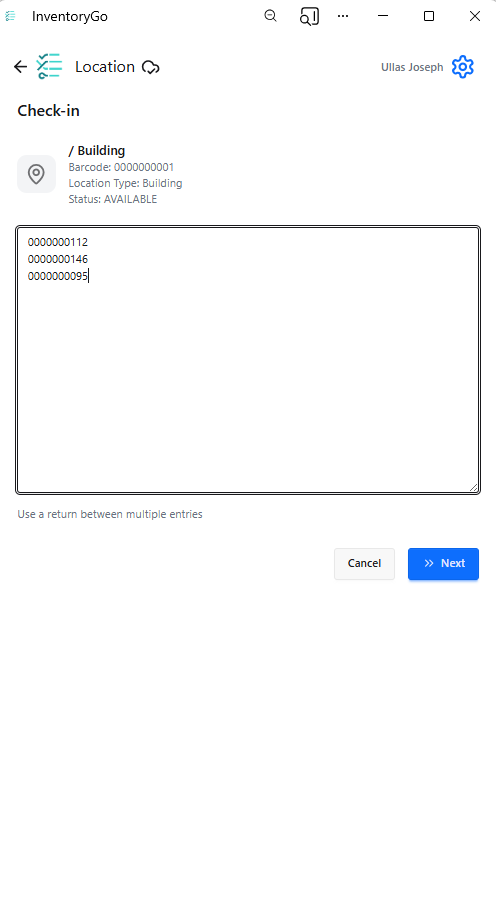
InventoryGo introduces mobile‑first inventory workflows that enable Reconciliation and Rectification, along with Move and Consume actions directly from the lab or storage location. Users can quickly reconcile physical inventory against system records, correct discrepancies, move containers between locations, and update consumed quantities through a streamlined, scan‑based experience—improving inventory accuracy, productivity, and audit readiness. InventoryGo is available as an add‑on capability. Please contact your Sales Associate for more information on enabling InventoryGo for your tenant.
Materials
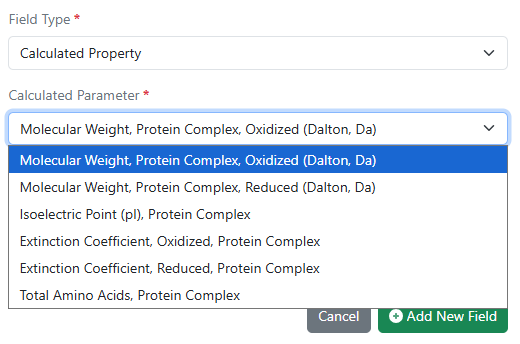
Calculated properties for protein complexes for Custom and Protein material types and the preconfigured Antibodies library are now available to all systems. Molecular weight, isoelectric point, extinction coefficient, and total length can now be computed for complexes comprised of multiple protein parts linked to via internal references.
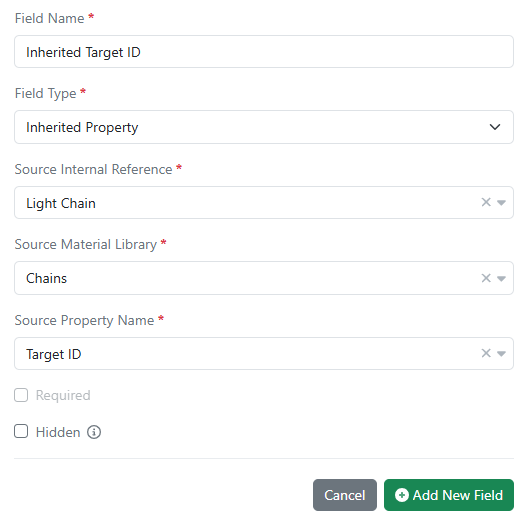
Inherited properties in all material libraries are now available in all systems. Data field values can now be passed down (i.e. inherited) from one material to another using internal reference links. Updates to the source data are automatically propagated to any inheriting entity and are kept in sync.
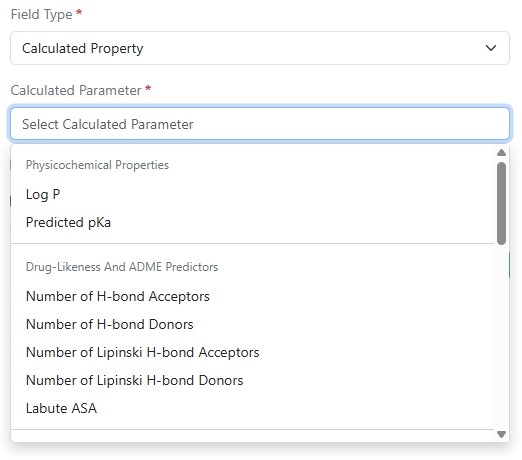
Log P, predicted pKa, and additional calculated properties are now available in Compound and Normalized Compound material types and the preconfigured Reagents (SNB) library. Administrators can selectively choose from a variety of physicochemical properties, drug-likeness and ADME predictors, structure and topology, ring system, atomic composition, and stereochemistry calculations.
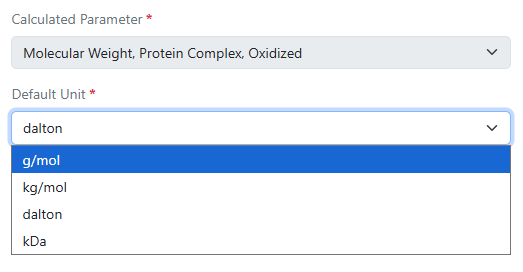
Administrators now have the ability to choose different display units for calculated molecular weight properties in DNA, RNA, Protein, and Custom material types and the preconfigured Antibodies, Plasmids, and Primers libraries. Options include g/mol, kg/mol, dalton, and kDa.
Search
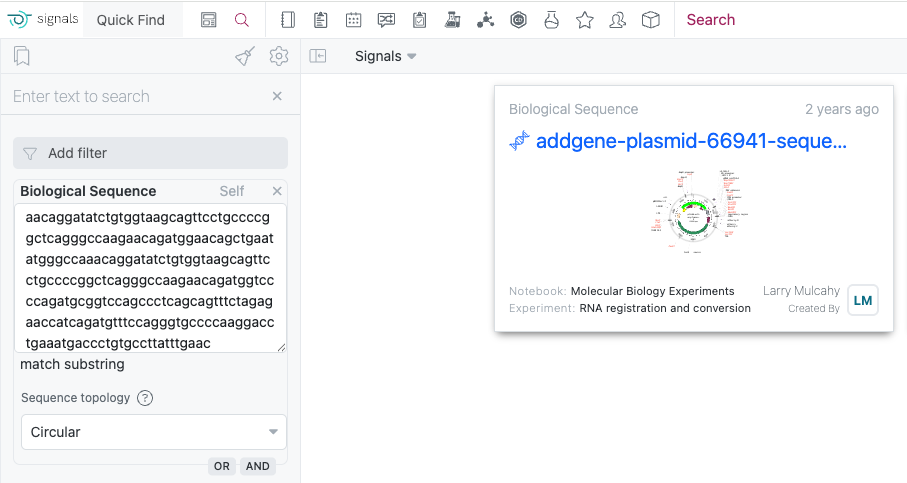
The Biological Sequence search now includes enhanced topology options to optimize your search results. The Linear option is for standard DNA and protein sequences, while the Circular option is ideal for plasmid searches where your target sequence may span across the junction between the end and start positions of the circular DNA molecule.
Administration
Signals One Private Cloud environments with Spotfire for Signals Custom Apps enabled now allow the export of Spotfire for Signals Online Debug Logs.
The ‘Createdat’ and ‘modifiedat’ fields in the system audit trail CSV export can be converted to local time in ISO 8601 format. When admins export the system audit trail to CSV, they can adjust the format of timestamps by selecting the “Use ISO 8601 local time” option. This setting will convert the ‘createdAt’ and ‘modifiedat’ timestamps within the CSV to local military time with a UTC offset.
Integrations & APIs
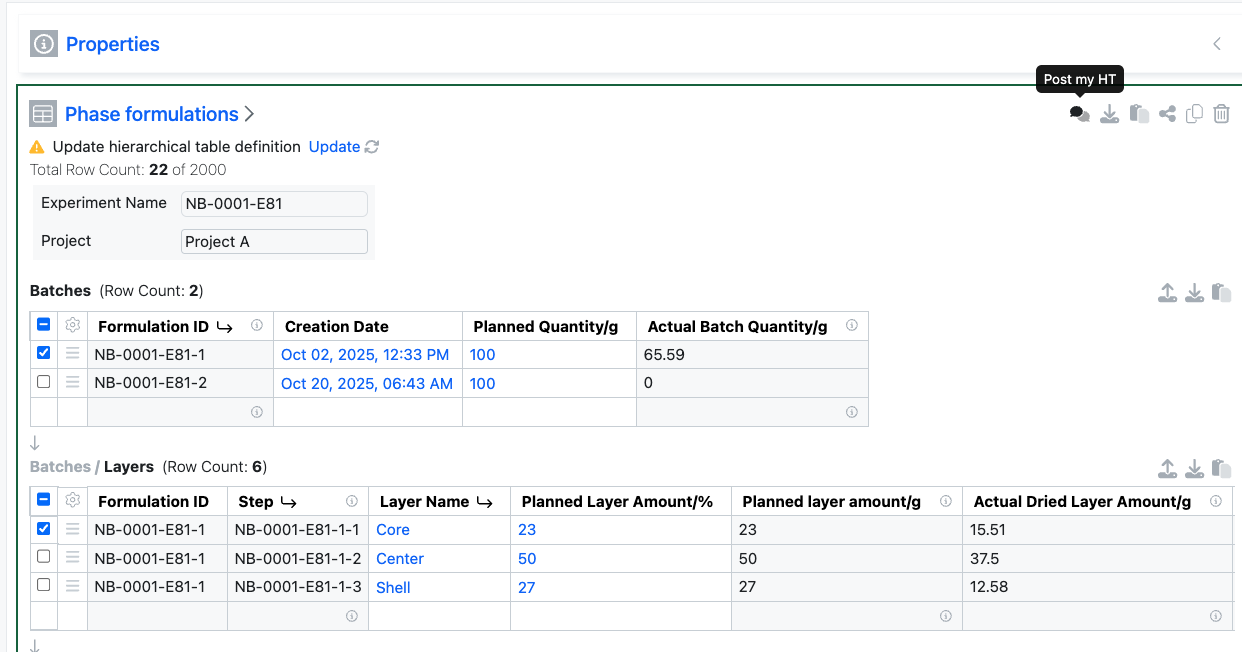
External Actions configured with a POST action on Hierarchical Tables will now include details of the selected rows and table layers within the body of the response.
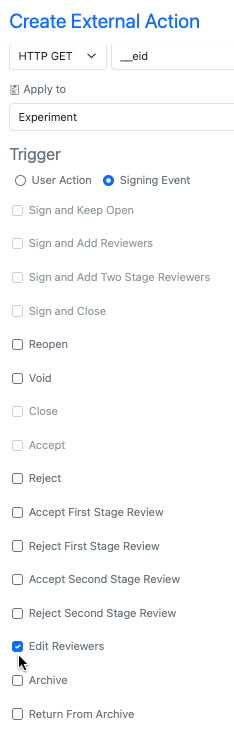
We have added a new signing event external action trigger for “Edit Reviewers” this allows for maintaining any external actions used for initially adding reviewers to also be used if those reviewers are edited.
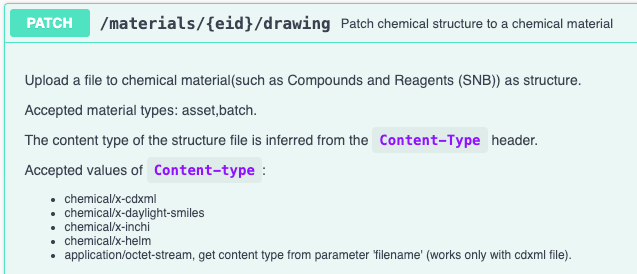
We have enhanced the API for patching material chemical drawings to accept additional chemical structure formats. The API now supports SMILES, InChI, and HELM chemical structures. You must specify the which in the request “Content-type” header. For the new content types the “filename” parameter will be ignored.

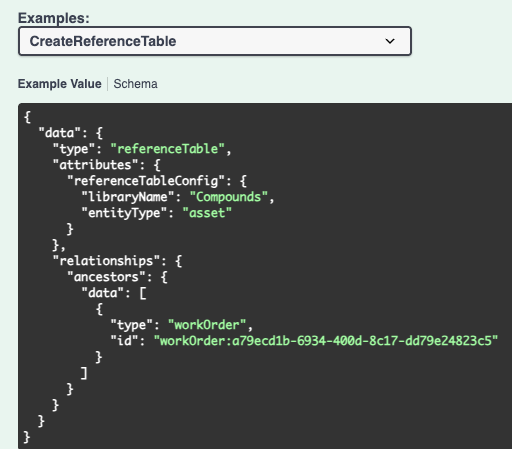

We have enhanced existing APIs to allow for creating Reference Tables in Synergy Work Orders. The library and entity type must be included in the request body. This will create a new reference table with no columns configured. Existing APIs for editing the displayed columns should be utilized to show columns.

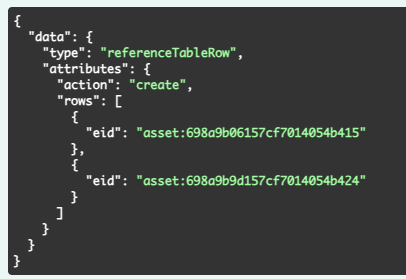
We have added new APIs to add or delete reference(s) for existing Reference Tables. You must specify the action (create or delete) and the specific entities for the rows being added or deleted.
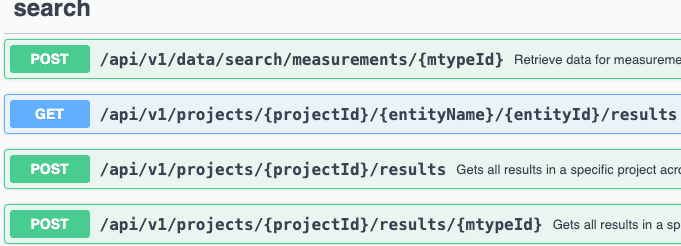
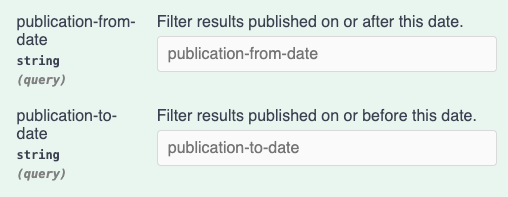
We have enhanced the search APIs for Signals Data Factory. You may now specify publication-from-date and publication-to-date as URL parameters in ISO 8601 format. This will filter results to the specified ranges.

We have added support for Proof Key for Code Exchange (PKCE) to our Bearer Token authorization flows. This is now an option for all current and future clients. This does not replace or break the Implicit Grant flow, it only adds the additional option. Additional details are available in the admin System Configuration Guide.
Beta Features
The following capabilities are in beta and are available for users, administrators and developers on the Signals platform upon request. Please contact your account representative or our support team if you would like access to the following features.
Data Workflows & Analytics
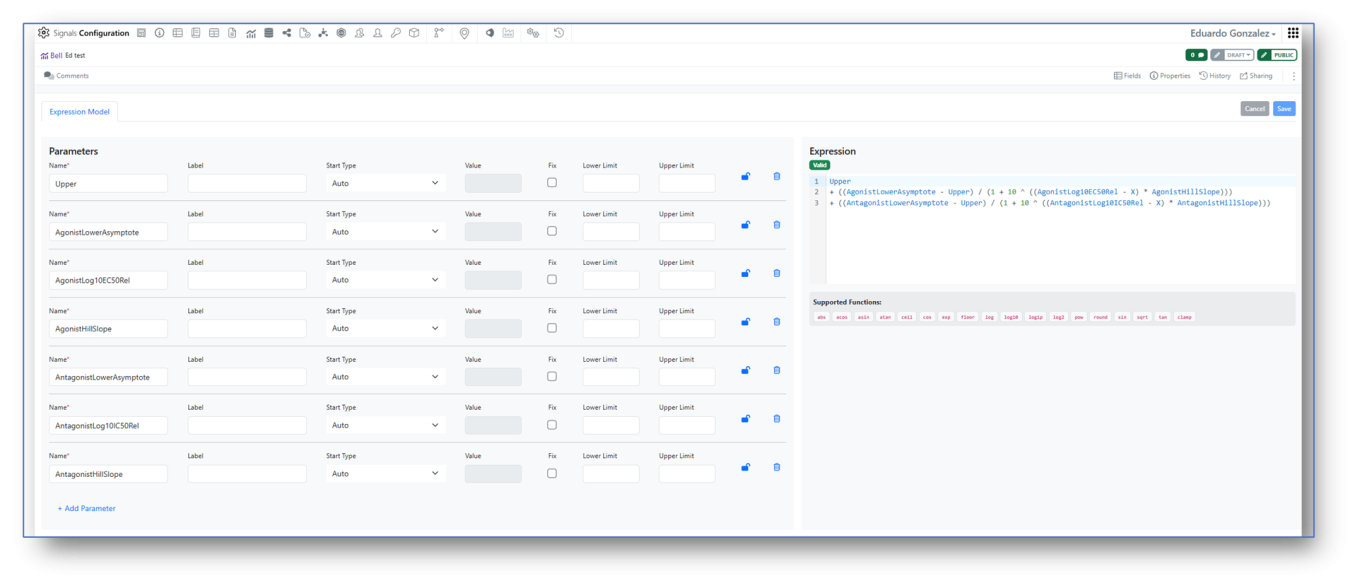
Signals Configuration allows creation of custom Analytics definitions for Curve Fitting. A mathematical Expression Editor is now available in conjunction with the settings associated to the expression parameters, which can be locked to ensure consistent start values and limits.
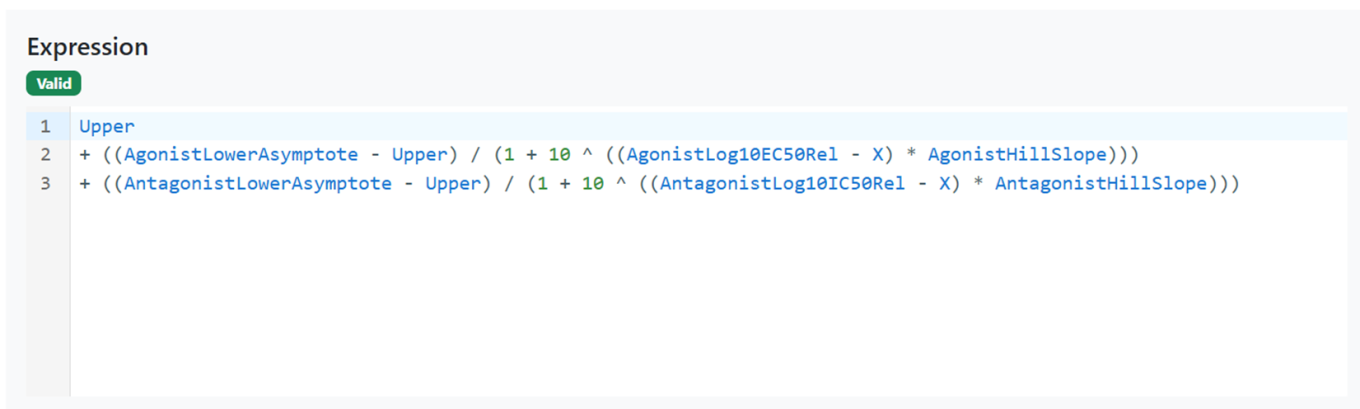
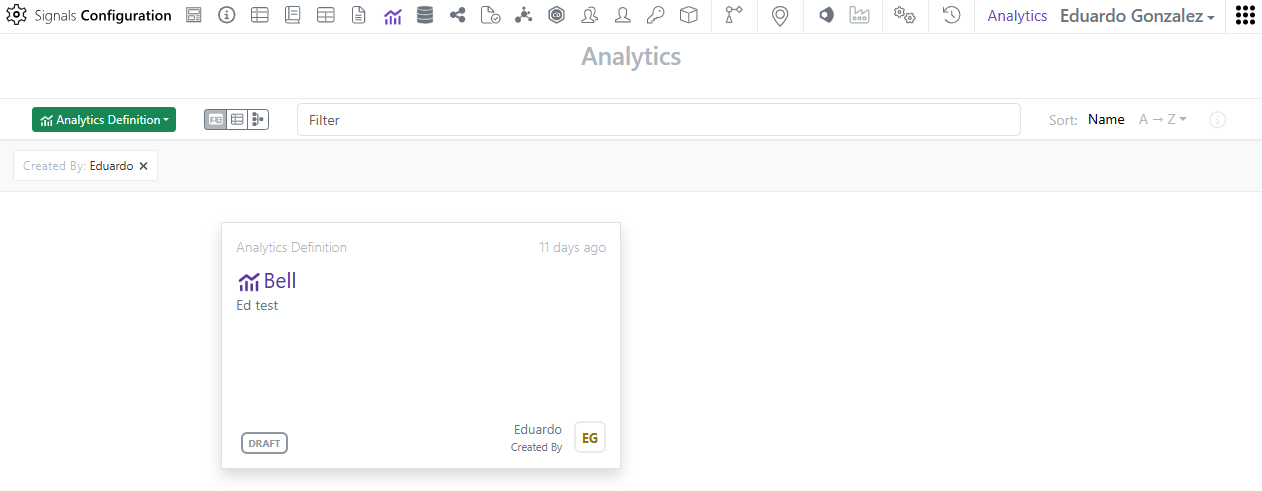
Access to the custom Analytics definitions is restricted to System administrators and Users with the “Manage Analytics Definitions” permission. The multi-line editor checks the validity of the expression that can then be saved, enabled and shared for curve fitting (here an example of a bell-shaped expression).
The custom endpoints of a curve fit can be published for subsequent SAR & Decision Making.
Tables
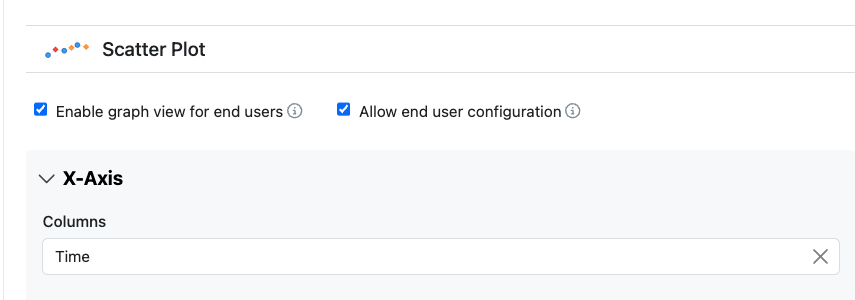
Configuration administrators can now give end users the ability to alter the configuration of Scatter Plots. The option to allow end users this ability is defined within the Visualization settings.
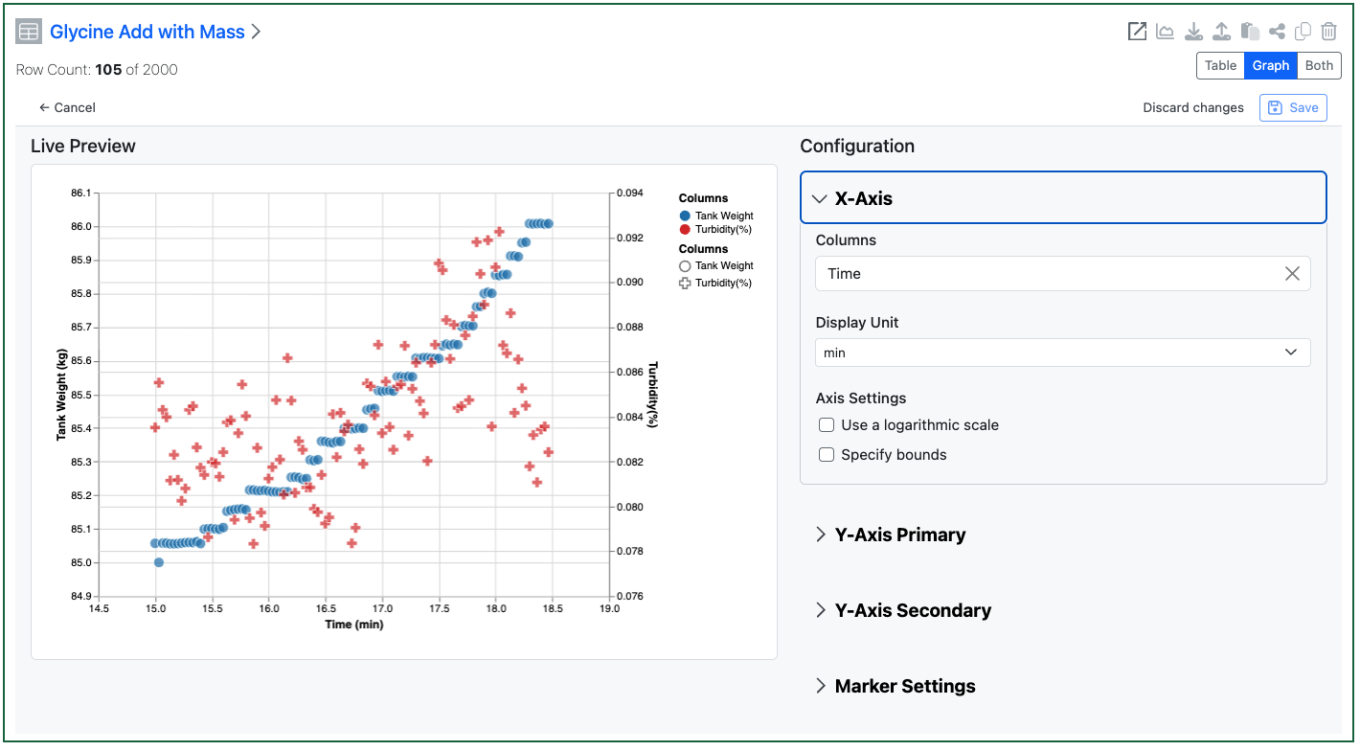
The end user can then access the setup of the chart to change the display of the axes etc. Changes are saved on demand if the user has Edit on the Experiment.
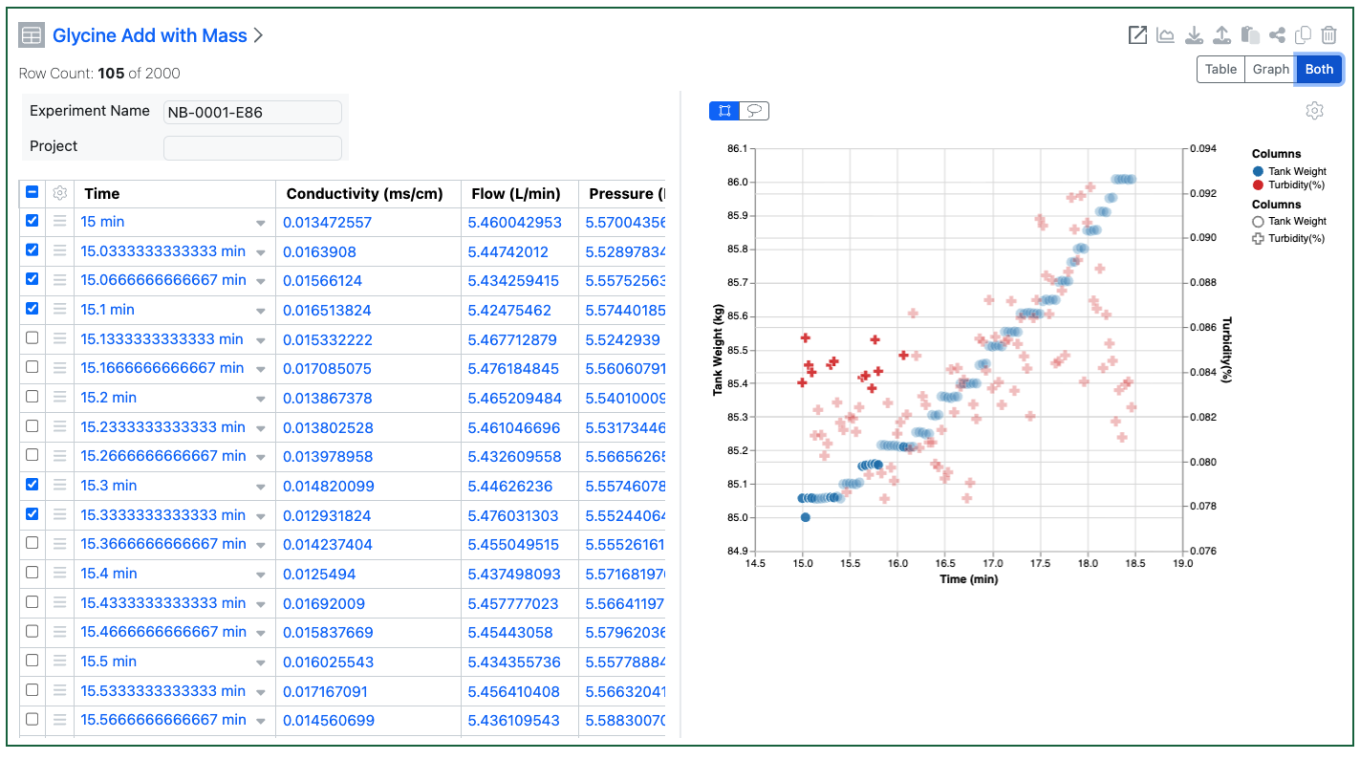
The end user can also decide to see the table and graph simultaneously. Selections in the table are highlighted in the graph view, and visa-versa. Users can select in the graph via dragging a rectangle or using a lasso to select an irregular area.
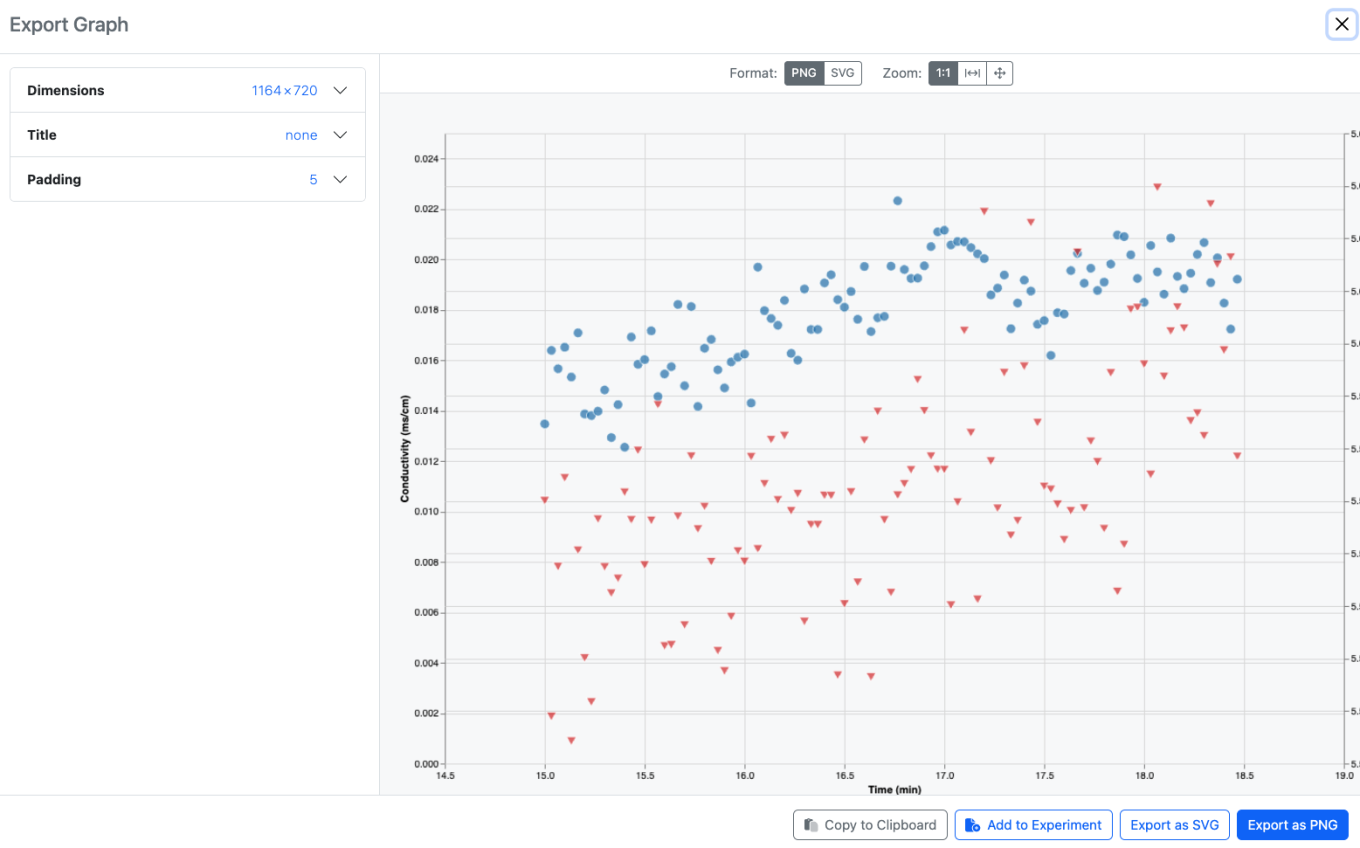
Users can also export an image of the graph, either to their clipboard, or as a downloaded file, or as an Image File directly back into the same experiment. Note that the exported image reflects the saved graph, unsaved changes by the end user will not be shown.