
What's New
We are delighted to release our new version of Signals, 26.5.
The following improvements are available for users, administrators and developers on the Signals platform. Certain features may only be available with appropriate licensing and/or with enablement by an administrator.
- Fundamentals
- Publish ontology fields to Data Factory
- Bookmarks in Smartfolders
- Caching of Stoich grid data while Chemical drawing is in Edit mode
- Addition of “Weeks” as an additional Unit in the Duration Measure
- Bulk Register Materials from Samples Tables and Samples Summary Tables
- Display warning message when cloning experiment based on a template user cannot access - Data Workflows & Analytics*
- Additional Quality Control and Curve Fitting metrics
- Publication of all Quality Control and Curve Fitting metrics - Synergy†
- CRO users can now use CRO Advanced Search to reference items in internal fields
- External actions on Work Orders
- Sponsor Admin can bulk update CRO Departments for CRO users
- Define default values, including Synergy Experiment Template, on Work Tasks Templates (beta) - Tables
- Add a Container to an existing row in an Inventory enabled Admin Defined Table or Variation Table
- Add a Container to an existing row in an Inventory enabled Hierarchical Table*
- Line Charts on Admin Defined Tables*
- Checkbox, Variable Measure and Variable Property can be used on the categorical axis of a Bar Chart on Admin Defined Tables* - BioDesign°
- Users can now register BioDesign Sequences in a Material Library and reference BioDesign Sequences - Inventory
- Move containers out of grid locations during disposal directly from the container search table
- Add container properties to the Reactants table - InventoryGo ‡
- Enable Auto Complete Rectification in InventoryGo with configuration to move Not Scanned and Unexpected containers to an admin‑defined location - Materials
- Additional calculated properties for protein complexes
- UI update to material tables configuration (beta)
- Mark fields as Read-Only in Materials - Administration
- Use multiple headers with the SciBite CENtree External Ontology Source
- Selective export for configuration migration (beta) - Integrations & Interfaces
- Hide/Unhide columns API
- Move Experiment to new Notebook API
- Return from Archive API
- Fetch Individual Material Libraries definitions API
- Fetch all CRO users API
- Additional CRO APIs for Chemical Drawings
* Requires Signals One license
† Requires Signals Synergy license
‡ Requires InventoryGo license
° Requires Signals BioDesign License
We also fixed several small bugs in this release. Details of the enhancements are described below.
The following OnDemand videos for Signals Synergy are now available:
- Recording your Chemical Synthesis in Signals Synergy
Administrators should note that this release includes an upgrade to Spotfire® 14.6 LTS. Users will receive the updated version as part of the standard upgrade experience.
Developers should note the Materials API now includes the calculated property on a field definition only when its value is true. Previously it was inconsistently included (with value false) for admin-defined properties. Note that calculated is true only for certain system-default material properties, and not for admin-defined properties.
All CRO users in the assigned CRO Department can now Start a Work Order. This is a relaxed requirement, which previously required the assigned CRO user or CRO Department Manger to Start Work.
Administrators should note that we are planning to resolve an inconsistency in the way non global numbering currently works for Parallel Experiments, Requests, Inventa Analysis objects and In Vitro Analysis objects. These objects will now take the next number in sequence regardless of object type. The current behavior is that they take the next number in sequence for the given object type. This change will occur in a future release.
Data Factory Administrators should note that legacy Data Factory projects will be fully deprecated in a future release. A straightforward migration path is now available to support this transition. A specific deadline has not yet been scheduled.
Data Factory administrators should also note that the Advanced Security policies in Inventa apply an “AND” logic across all user groups, restricting access if any groups lack permissions. This behavior differs from the standard Signals security model and will be fixed to align with the standard in a future release.
Administrators are recommended to subscribe to the channels within our support news site found at https://support.revvitysignals.com/hc/en-us/categories/360004446171-Support-News which contains more information about releases and other pertinent product information.
This content is anticipated for release on our Production E3 environments, and for Private Cloud customers on our deferred release schedule, in November 2026.
Further Details
The following improvements are available for users, administrators and developers on the Signals platform. Certain features may only be available with appropriate licensing and/or with enablement by an administrator.
Fundamentals
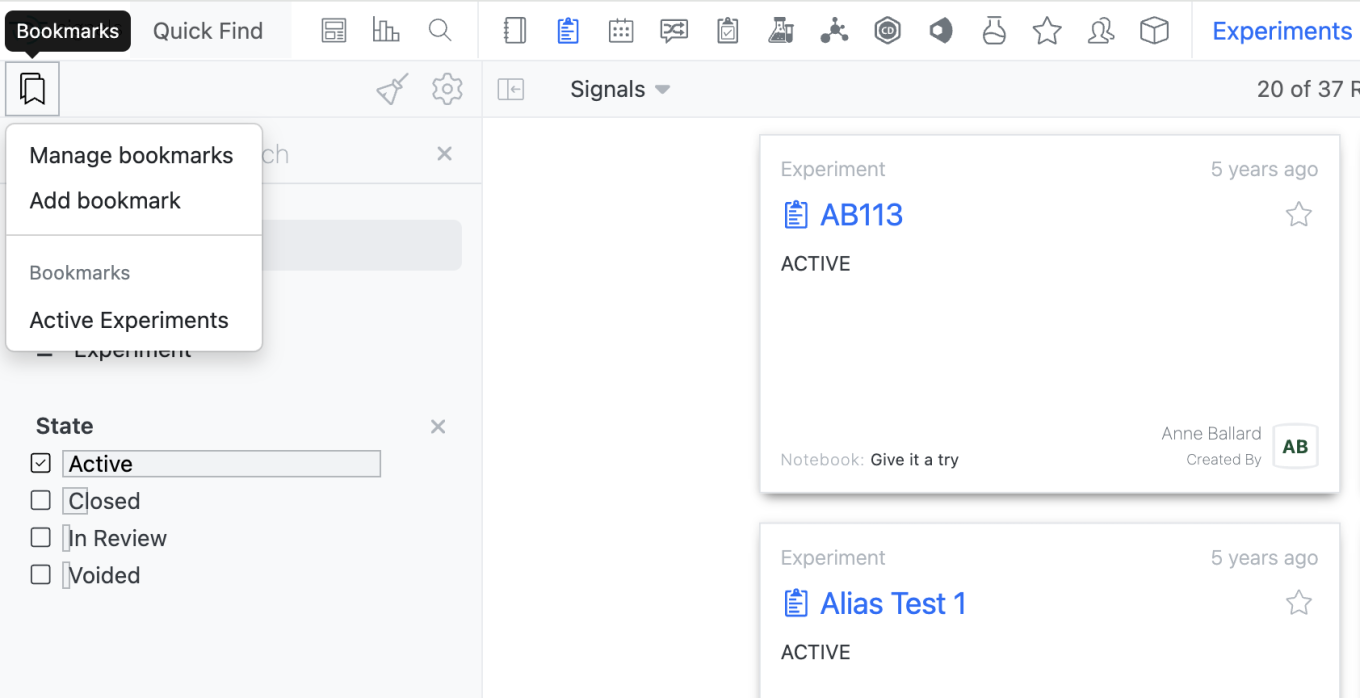
Users will now be able to save bookmarks in Smarfolders as they are able to do in Advanced Search. Is a Smartfolder, a user can add a Bookmark by selecting the Bookmark Icon in the left corner. Only bookmarks made within the given Smarfolder will be usable within that Smartfolder.
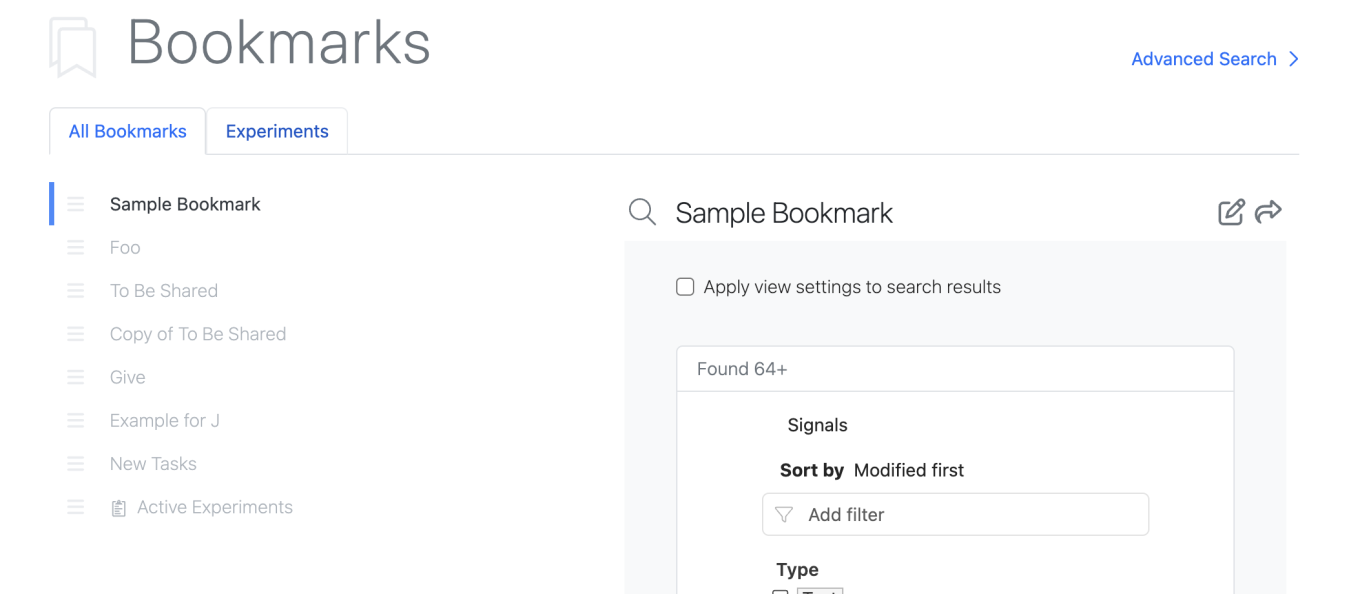
All bookmarks can be utilized in Advanced Search.
The Manage Bookmarks page also reflects the bookmarks available in the Smartfolders.
Smartfolders with saved Bookmarks will appear at the top with a tab allowing the user to view bookmarks for that Smartfolder only. Additionally, Smartfolder specific bookmarks are identified with the entity icon in the All Bookmarks list.
In the Chemical Drawing, user entered data in the stoich grid will now be cached as the user is editing the chemical drawing so structures that leave the reaction perception do not lose user entered stoich data. Previously if a structure left the reaction perception or was reordered, user entered data would be cleared.
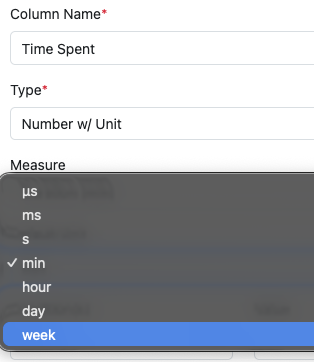
The Number with Unit Measure Duration now supports “week” as an additional Unit.
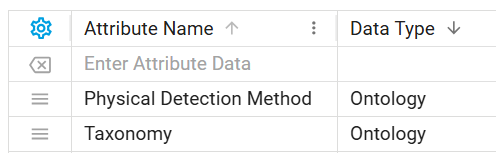
Ontology fields are now supported in Data Factory publication. Data Factory administrators can create ontology-type attributes and use them in publication maps for Signals objects (tables, experiments, materials, and more).
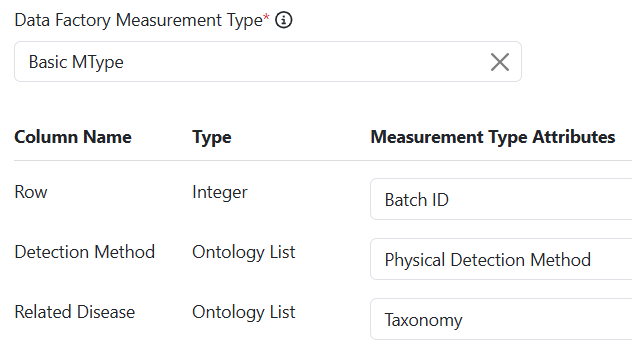
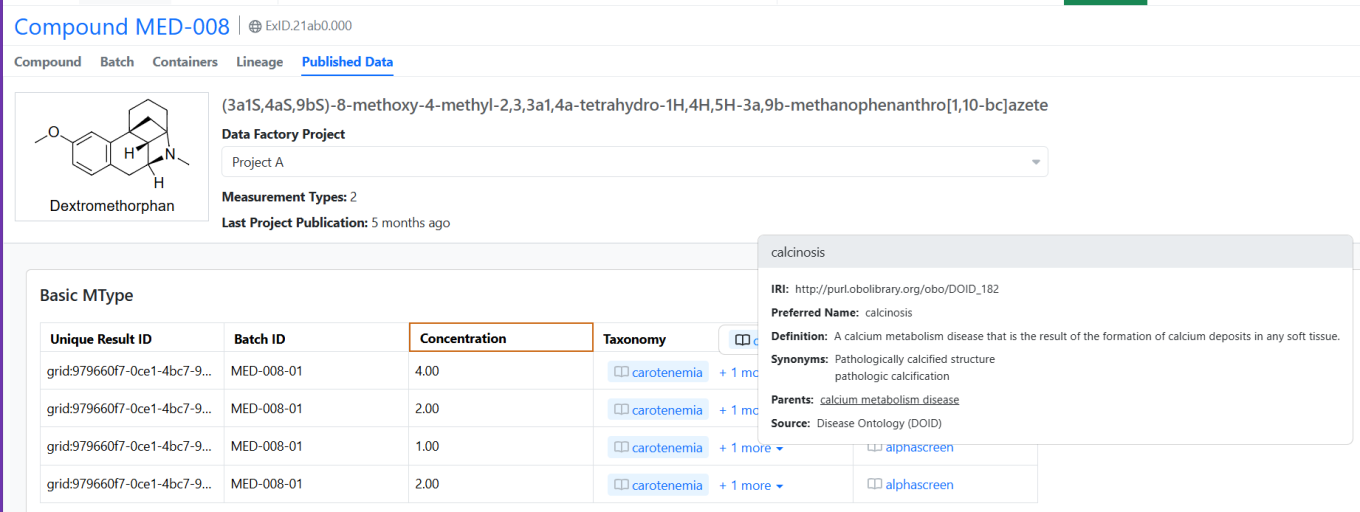
Published terms retain their ontology context in Signals, displaying an ontology indicator with interactive hover details for each term. In Spotfire applications, ontology terms are rendered as plain text.
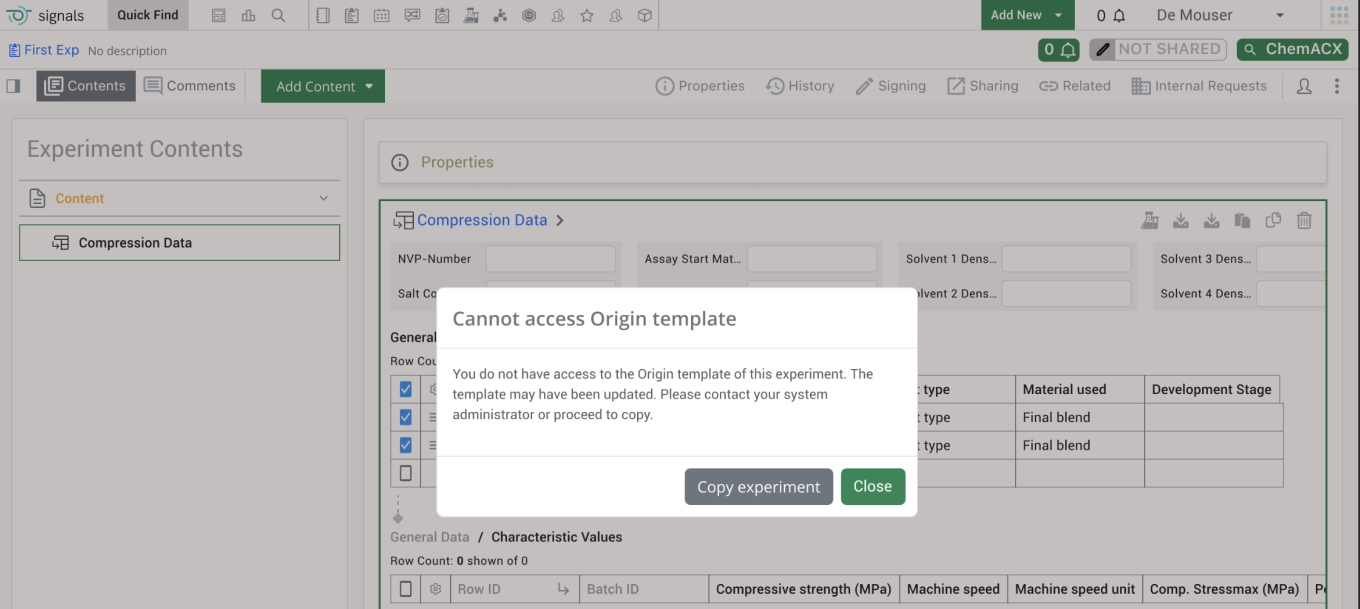
End users will see a warning message when they are cloning an experiment that is based on a template that the end user cannot access. The warning message will alert the end user that they do not have access to the origin template associated with the experiment and the template may have been updated. It also encourages end users to reach out to their administrator to update their access to the template.
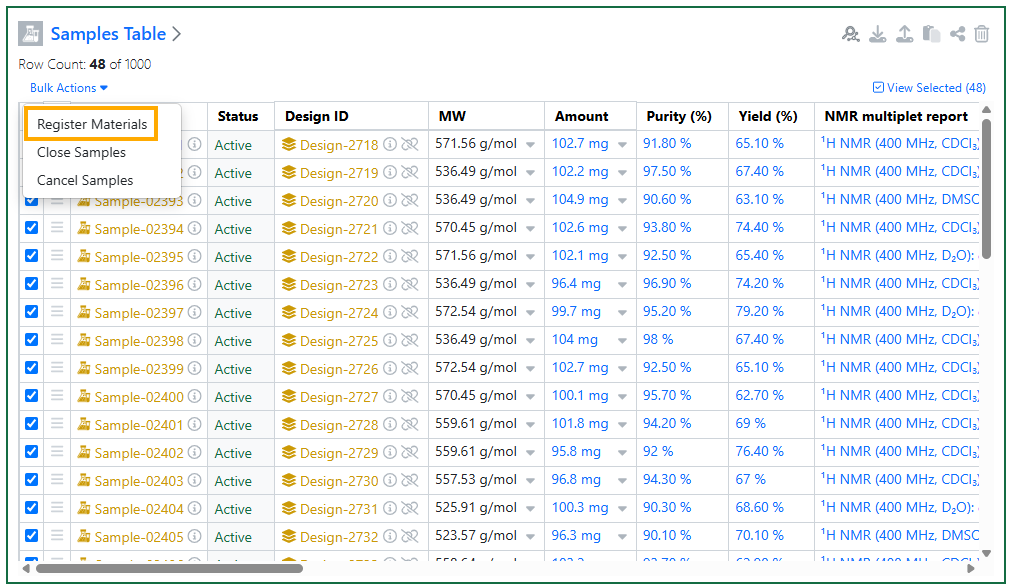
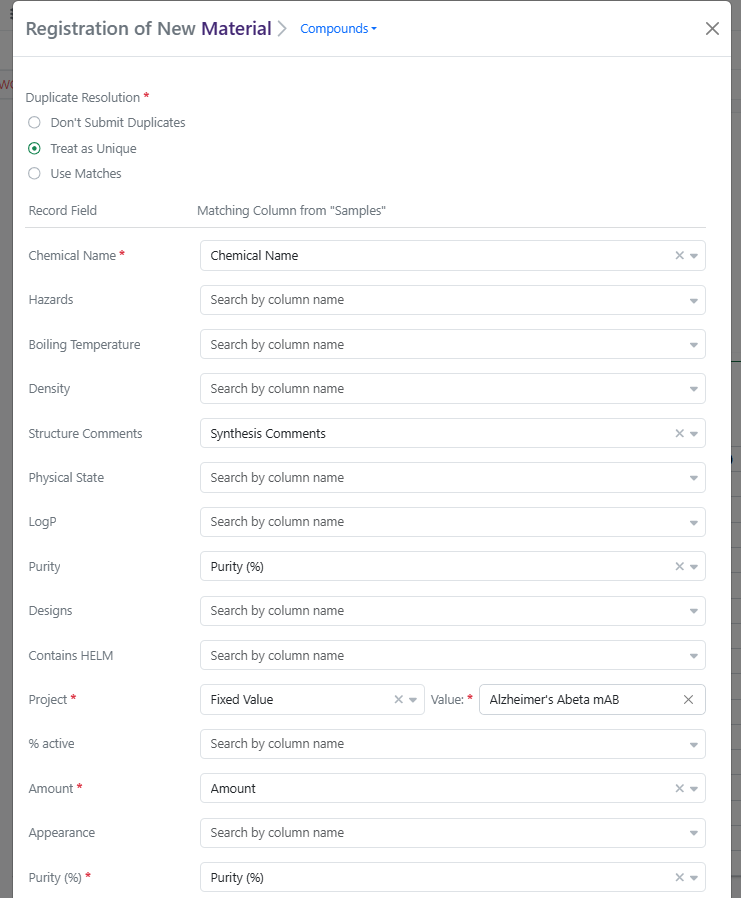
Finally, users can now bulk Register Materials from Samples Tables and from Samples Summary Tables. This feature applies to Experiments, Synergy Experiments, admin-defined custom Objects, and Parallel Experiments. When one or more Active Chemical Samples are selected in a Samples Table, the user can select Bulk Actions > Register Materials. Register Materials will open a modal where the user can select a Compounds or Normalized Compound library and then map Samples columns to Material Record Fields, with an option to apply Fixed Values to all Samples where applicable. (Note: Default mapping of Samples fields to Material fields can be configured by the administrator in Signals Configuration > Materials > Compounds (or other library) > Sample Mapping.) Clicking Register Compounds will start bulk registration, during which the Samples Table will be locked. Any errors with registration will be displayed on the table after registration completes. For tenants with Synergy, if a Sample is related to a Design ID, registration will capture the Originating Design on the Material and update the Design to Synthesis Complete.
Synergy
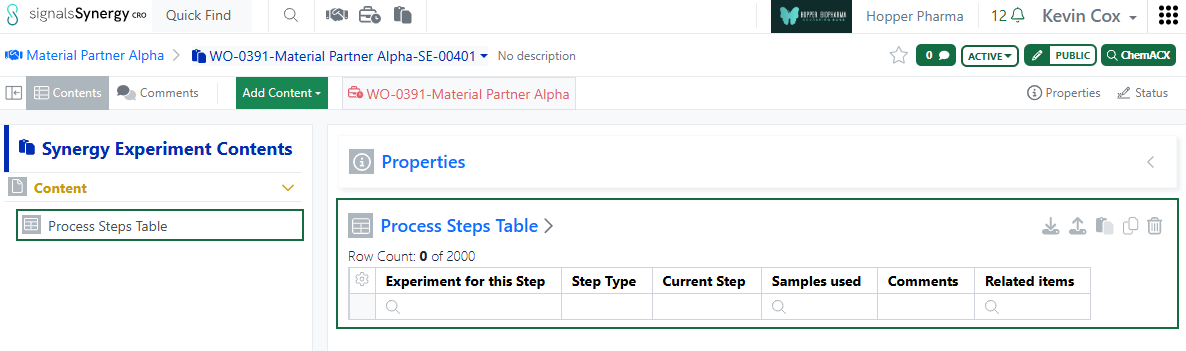
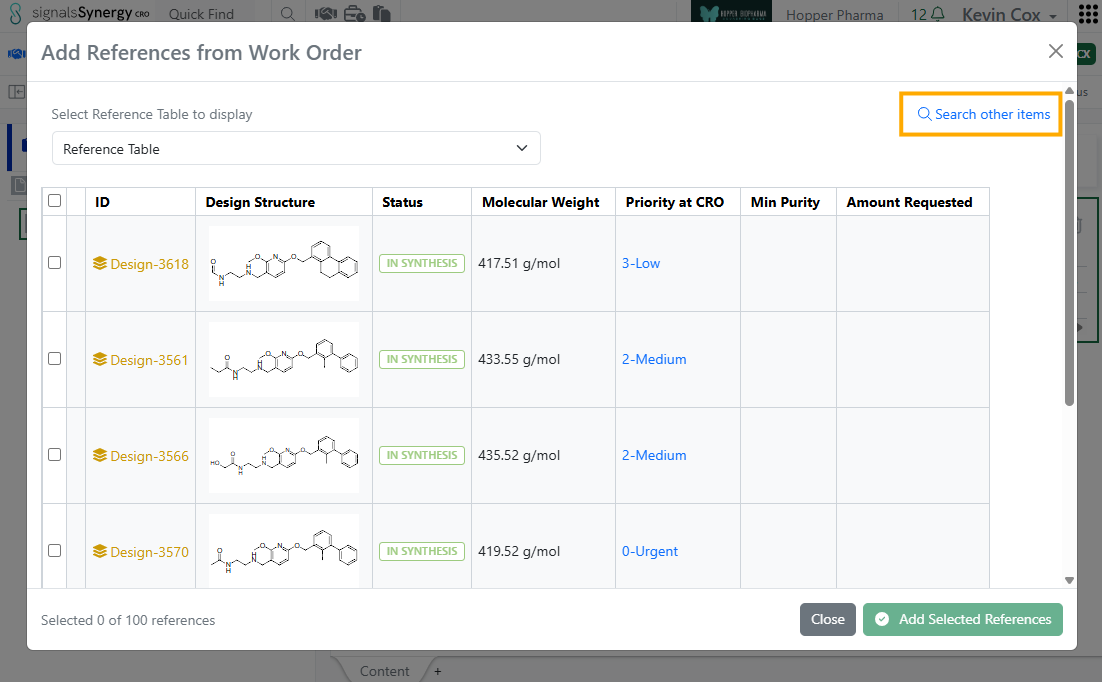
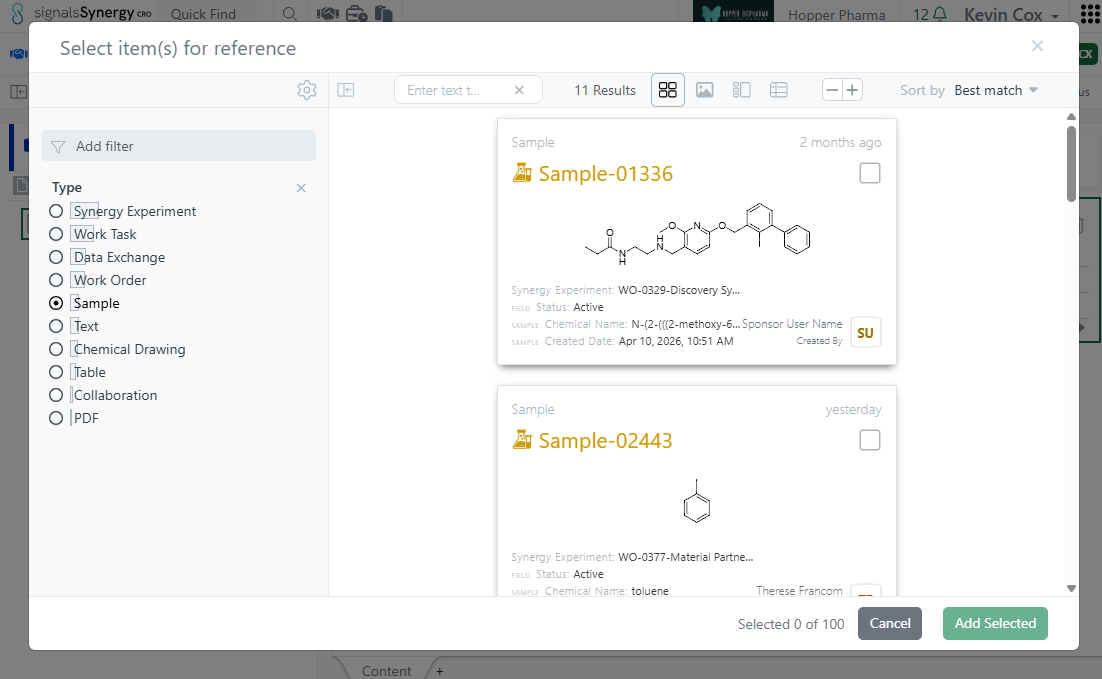
In this release, we expanded the functionality of internal references fields for CRO users. Previously, internal reference fields, such as those in Admin-Defined Tables, always directed the CRO user to Work Order Reference Tables. This allowed the CRO user to reference relevant Designs or Materials in their Synergy Experiments. In 26.5, internal references have been expanded to allow referencing from Work Order Reference Tables or using CRO Advanced Search (any entities they have access). When the CRO user first clicks on the magnifying glass of an internal reference field (such as in cell in a Table), the modal will allow the user to select references from the associated Work Order Reference Tables, assuming the query defined for the internal reference allows for Designs and/or Materials. To search outside the Reference Tables, the CRO user can click on the blue Search other items option, which opens CRO Advanced Search. From Advanced Search, CRO users can reference other items they have access to, such as related Synergy Experiments, Samples, or documents. This functionality applies to internal references in Synergy Experiment Properties, Stoichiometry Tables, Admin-Defined Tables, Samples Tables, Worksheets, and Text.
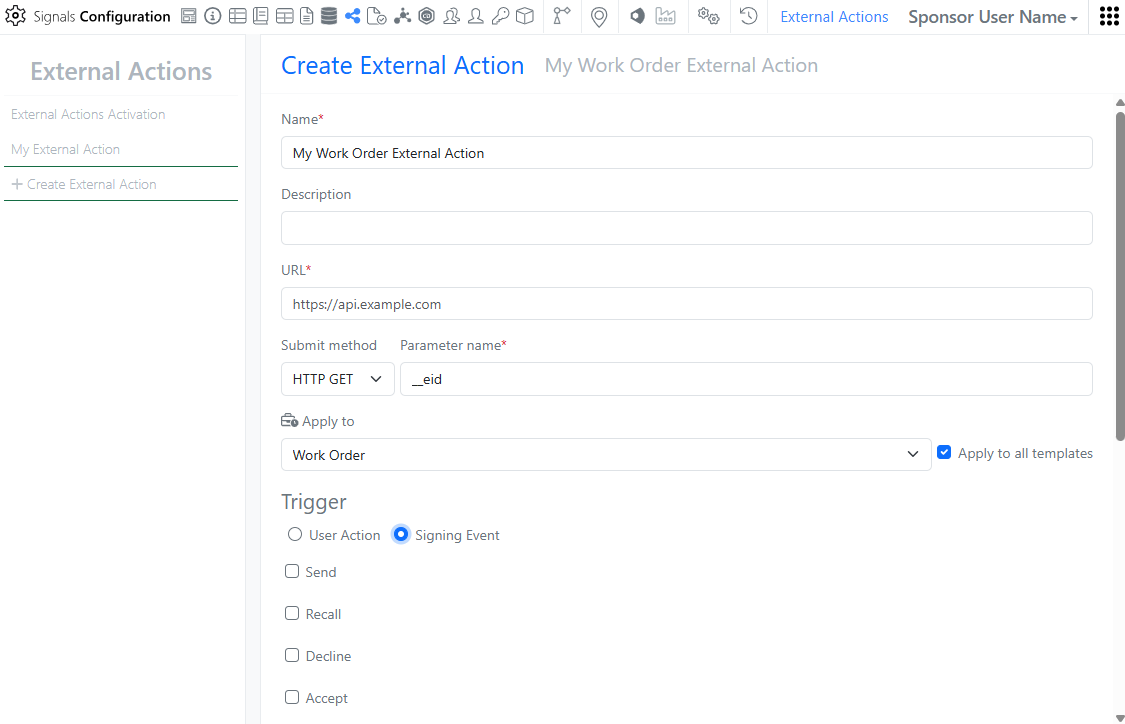
In Signals Configuration, External Actions can now be configured on Work Orders. External Actions can be user triggered or triggered at signing events such as Status changes like Send or Submit. As with other External Actions, the administrator can choose whether to display for the CRO user.
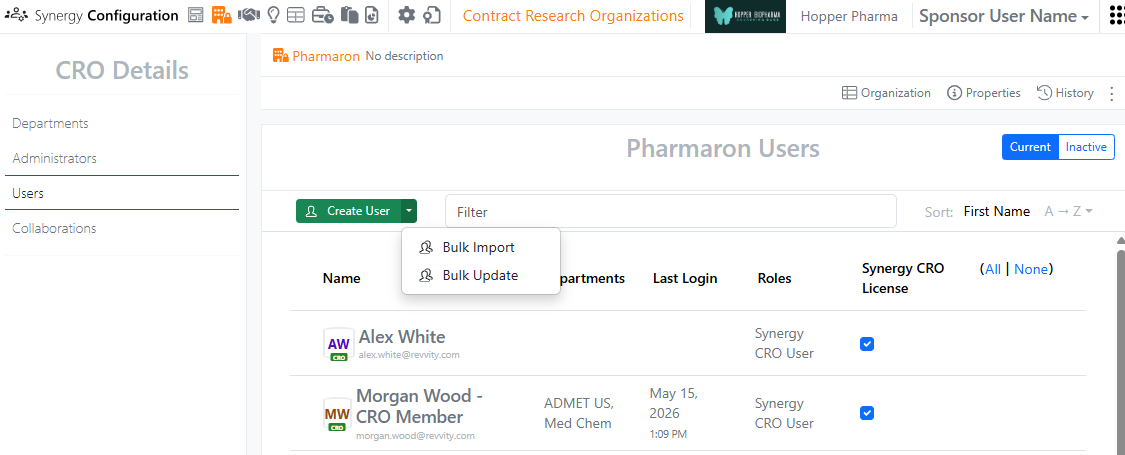
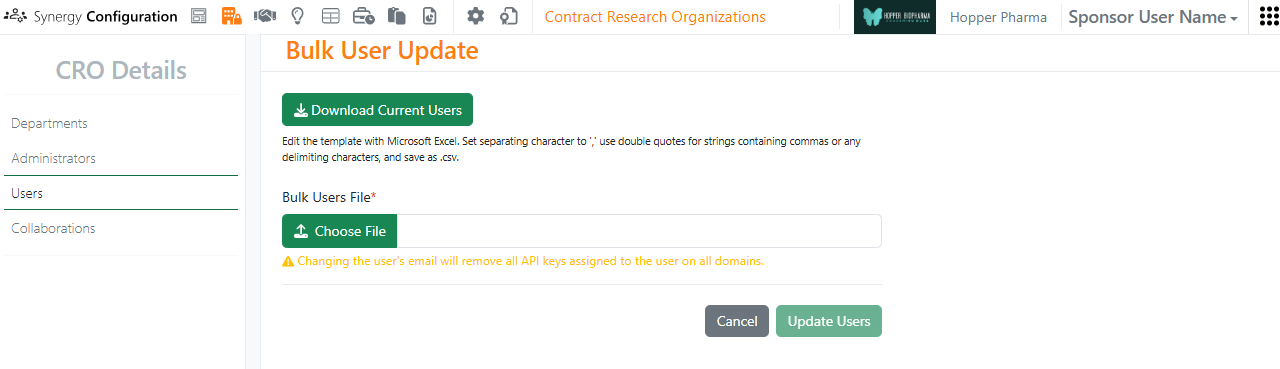

In Synergy Configuration > Contract Research Organizations > specific CRO > Users, Bulk Update CRO users now supports assignment to Departments, as well as setting a user as a Department Manager. A CRO user can be added or removed from Departments and promoted to or demoted from a Department Manager. To see an example of the format, use the Download Current Users button. In the CSV file, Departments are comma separated. For each Department listed, adding |Manager:true will promote the user to a Manager for that CRO Department. Removing |Manager:true will demote the user to only a Member of that CRO Department.
Data Workflows & Analytics
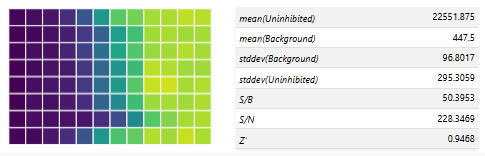
Additional Quality Control (QC) and Curve Fitting metrics will now be computed, displayed and available for publication:
- Signal-to-Background (S/B) ratio per plate
- Signal-to-Negative Control (S/N) ratio per plate
- Z` (Prime) Factor per plate
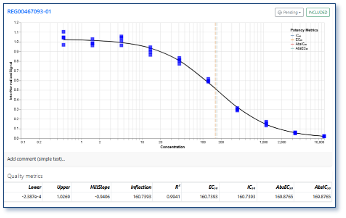
- Absolute EC/IC50 value from curve fit parameters for logistic regression curves
Users will now be able to select which QC and Curve Fitting metrics are published from all the available ones in a flexible manner.
Tables
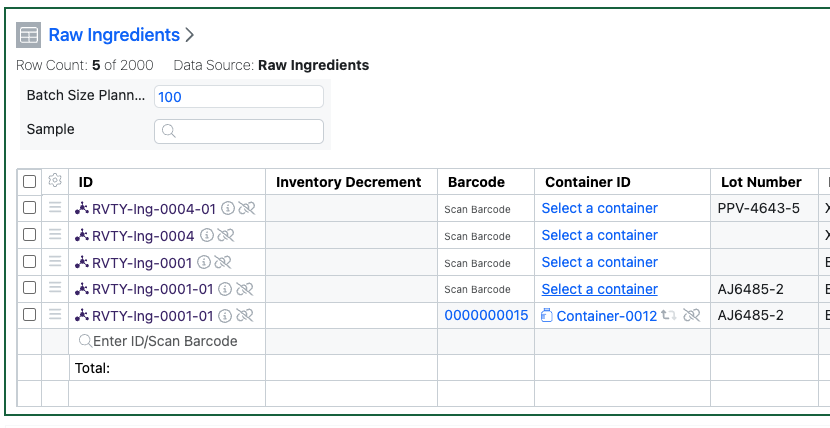
Admin Defined Tables, Variation Tables and Hierarchical Tables now allow Containers to be added to existing rows in Inventory linked tables. If the table uses the Inventory Columns that allow input of Containers, Assets or Batches via an Internal Data Source, the scientist can now add the Container in a subsequent action to adding an Asset or Batch. The scientist can either scan the barcode, or access a view of the appropriate Containers to choose from. Only Containers containing Batches of that Asset can be added.
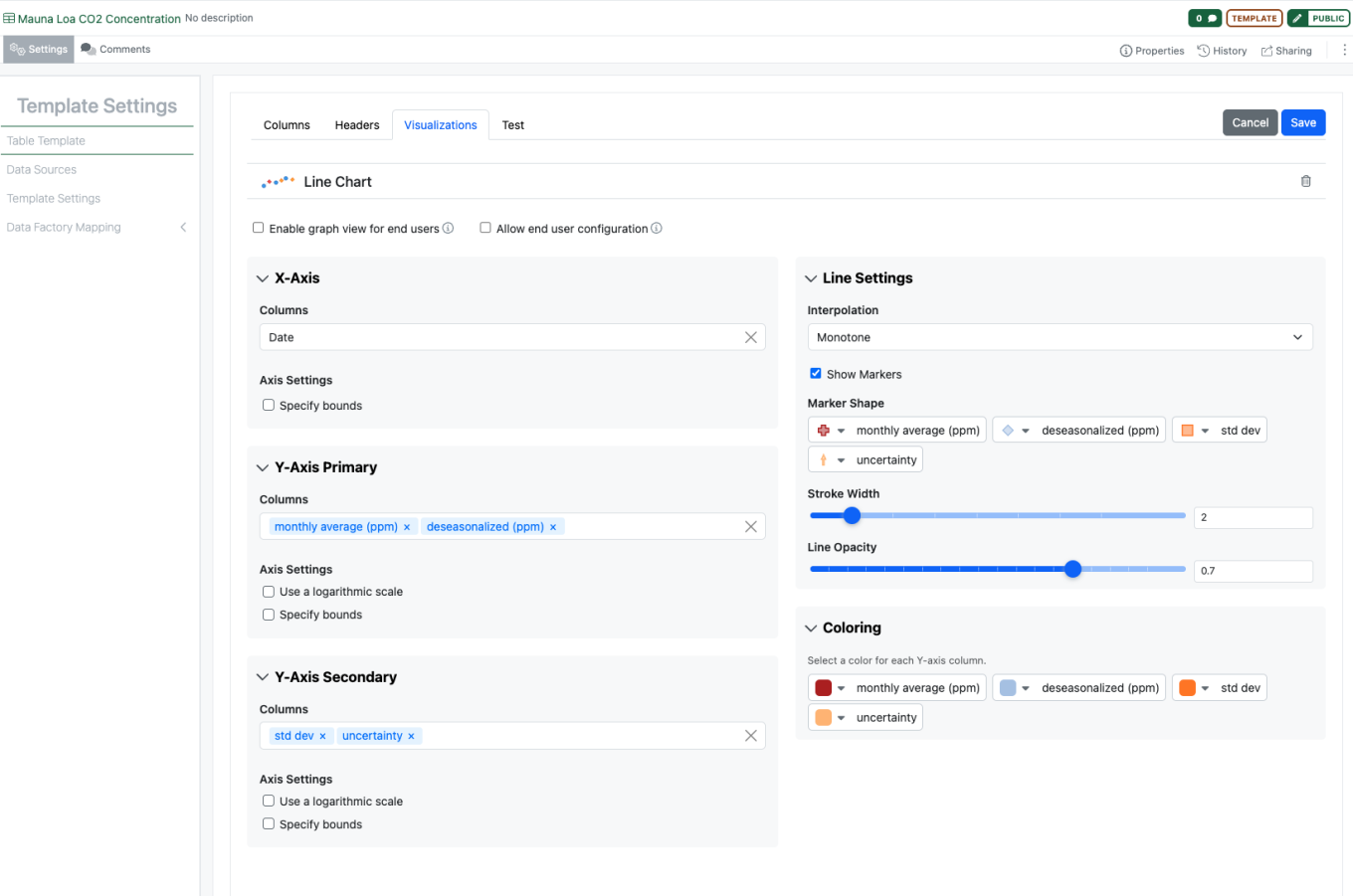
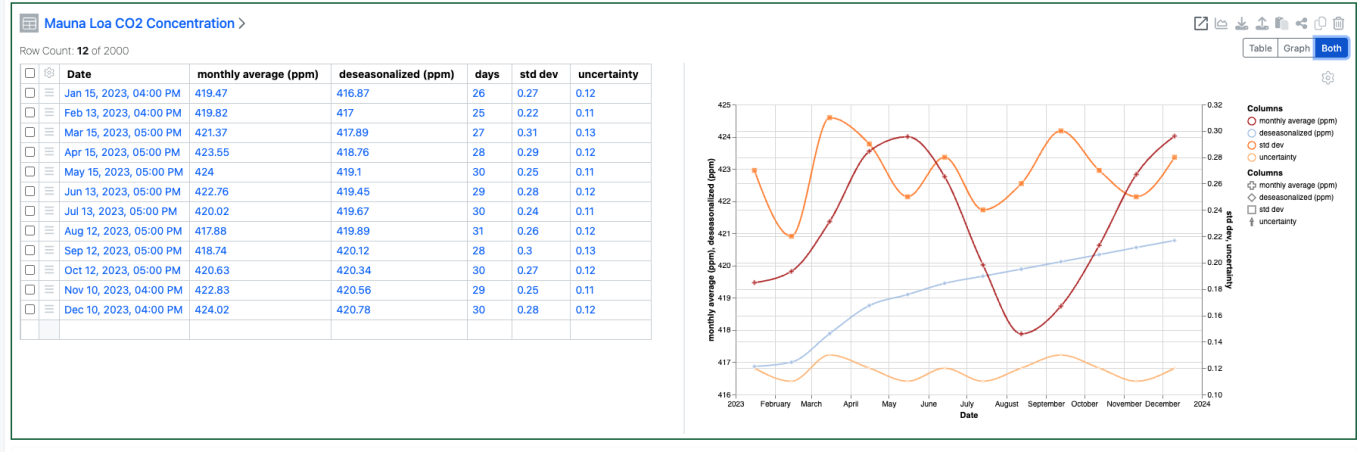
Configuration Administrators can now choose to define a Line Chart on Admin Defined Tables. Similar to the definition of Scatter Plots and Bar Charts, administrators can define the Line Chart on the Table template including setting properties for the X, Y and Secondary Y Axes. Admins can also define line properties such as color, marker, thickness, opacity and interpolation. The admin can also choose if the end user is able to adjust the settings for the chart.
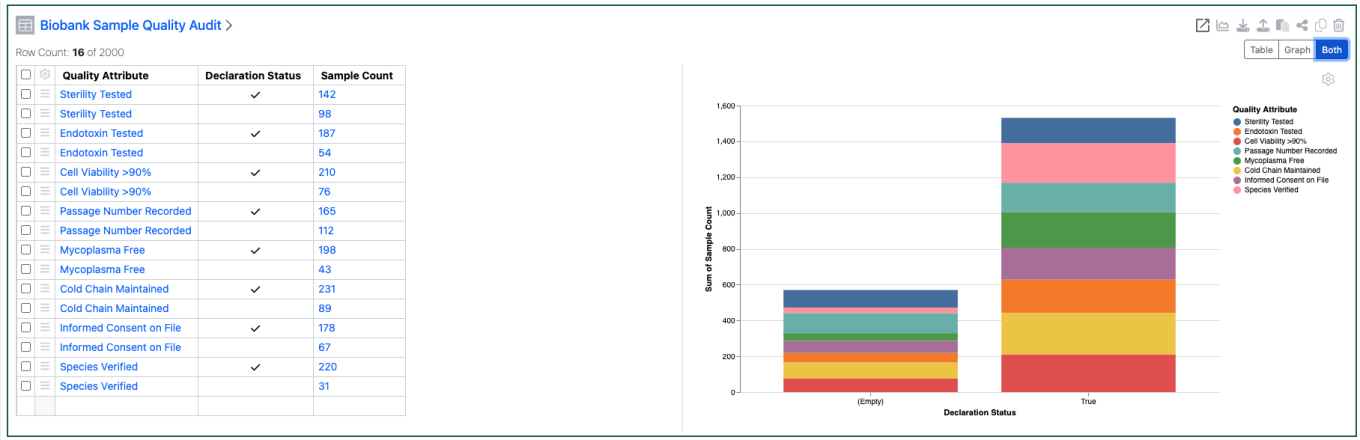
Configuration Admins can now also define that Checkbox, Variable Measure and Variable Properties can be used on the categorical axis of Bar Charts.
BioDesign
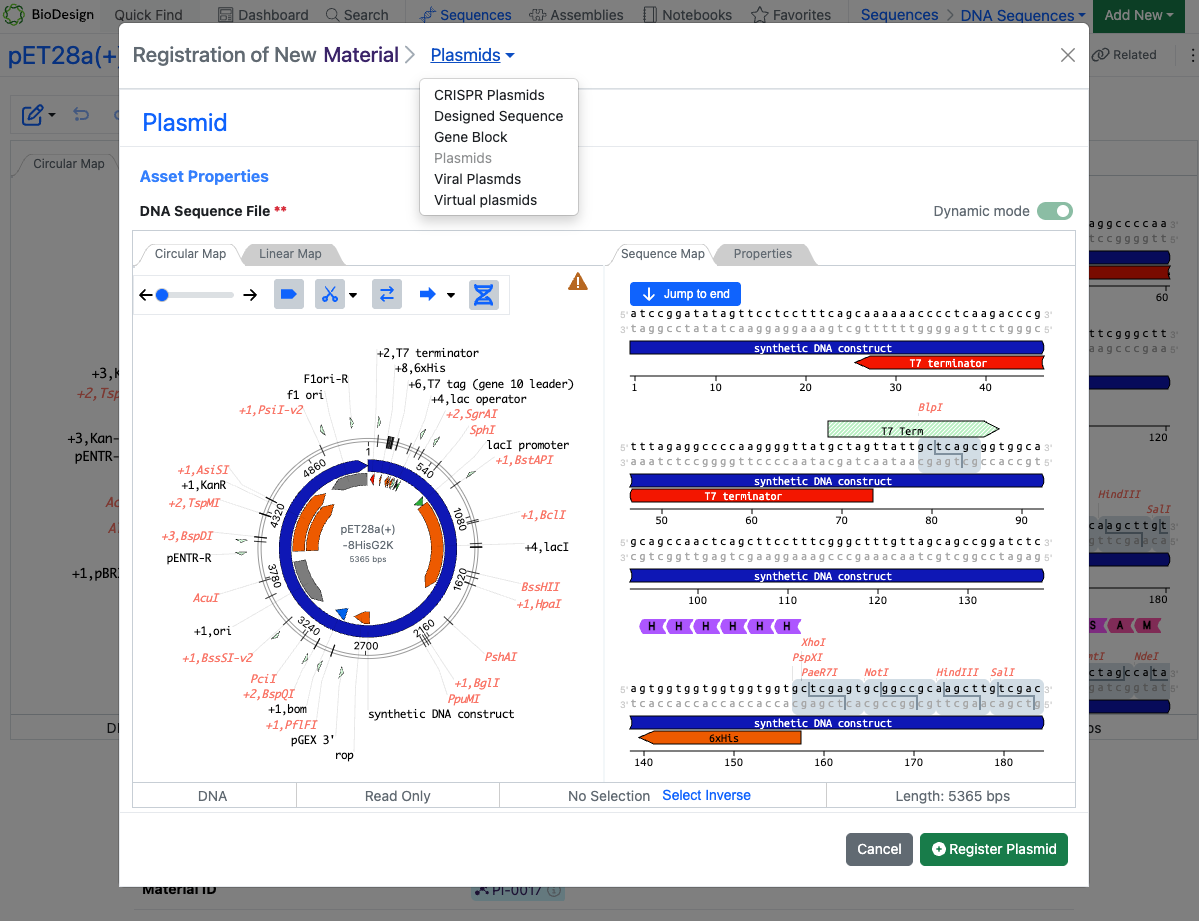
Users with a BioDesign and Signals Notebook or Signals One license can now register BioDesign sequences directly to Signals Materials. The sequence type must match the corresponding Material type. Upon successful registration, links are automatically created between the BioDesign Sequence and the Material in both directions.
Inventory
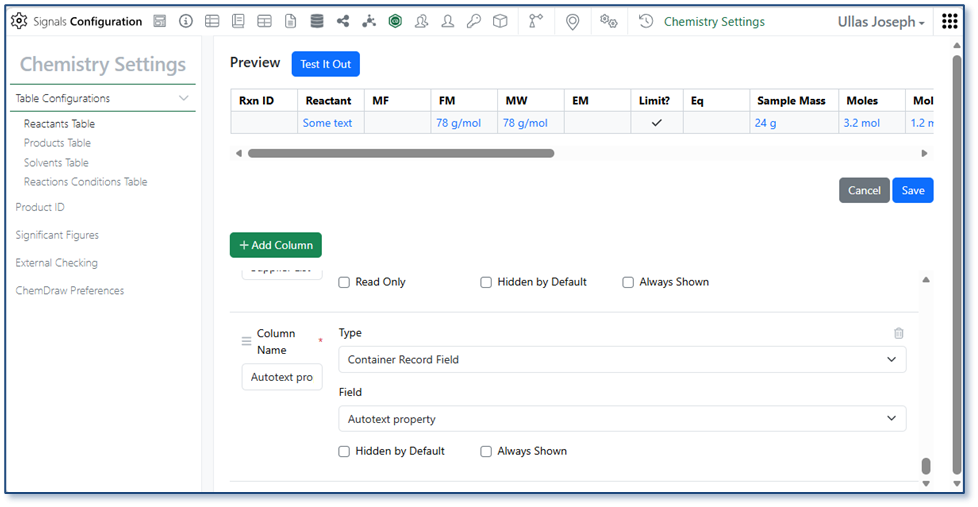
Administrators can now configure container-specific properties to display directly in the Reactants table. Container property columns are available under Container Record Field in the Reactants Table configuration within Chemistry Settings and appear as read-only fields, giving users immediate visibility into container details without leaving the experiment.
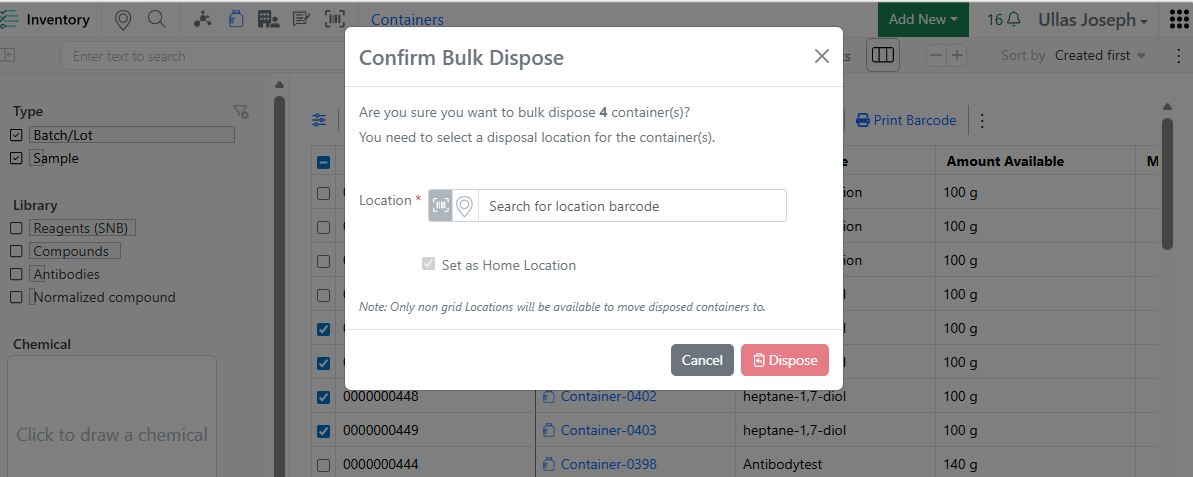
When disposing multiple containers from the Container Search Table, users are now prompted to move grid-located containers to a non-grid location before disposal — consistent with the single-container disposal workflow. This eliminates the need to open and dispose containers one by one, saving time and freeing up grid space more efficiently.
InventoryGo
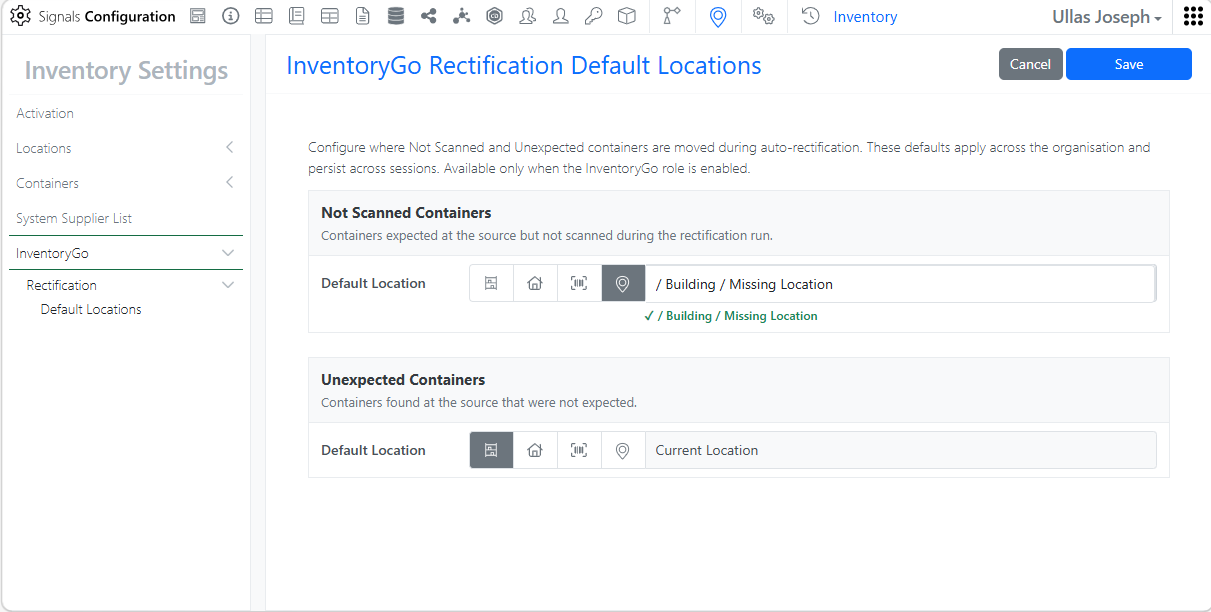
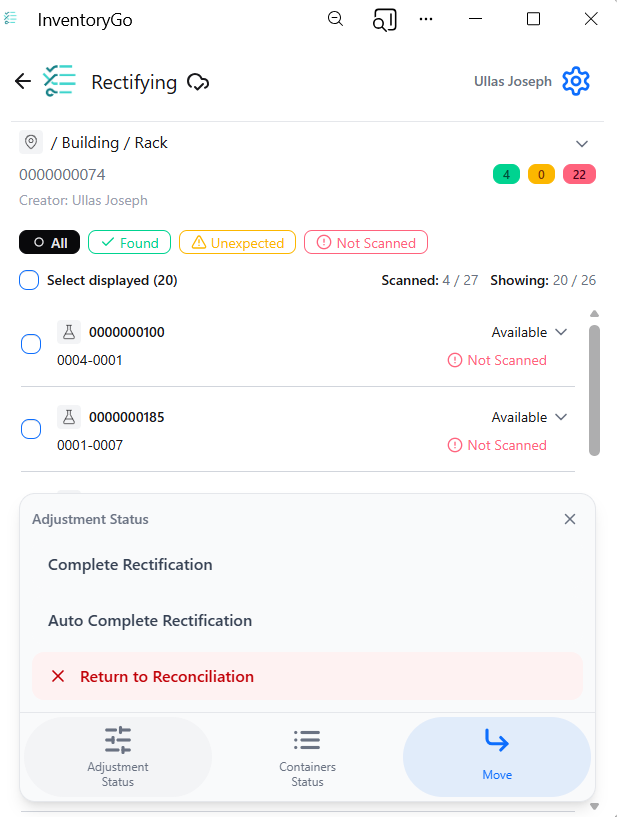
Rectification. Administrators can configure containers to be automatically moved to the currently scanned location or a predefined default location, reducing manual effort and speeding up the rectification workflow.
Materials
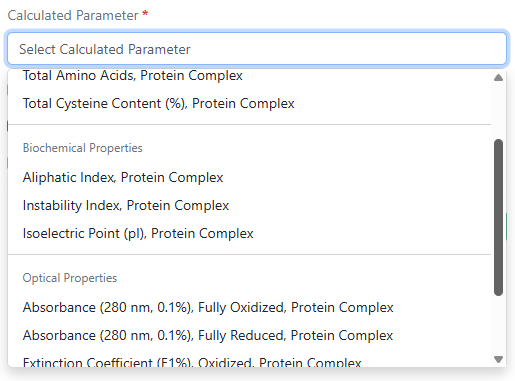
Absorbance (280 nm, 0.1%) fully oxidized, absorbance (280 nm, 0.1%) fully reduced, aliphatic index, instability index, and total cysteine content (%) are now available as additional calculated properties for protein complexes in Custom and Protein library types and in the pre-configured Antibodies library.
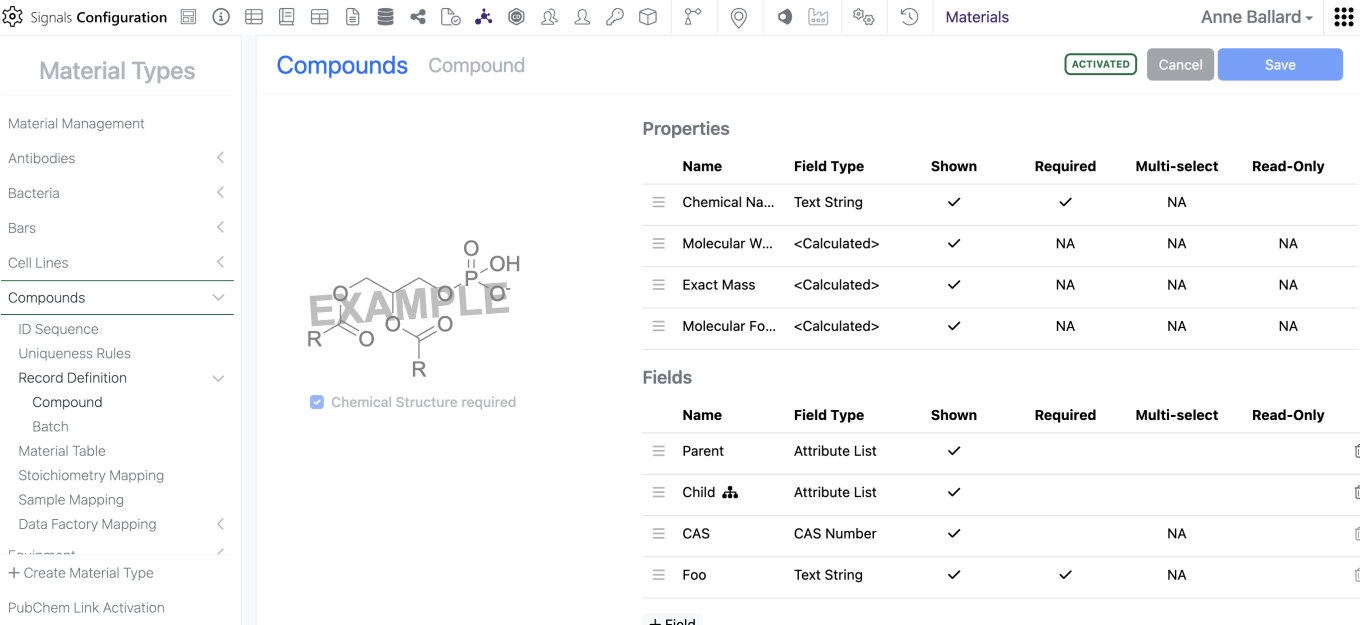
Admins can now mark Material properties “Read-Only” which prevents users from altering the data in the UI but does not limit update via the APIs. This does not alter which properties are available for update via the APIs.
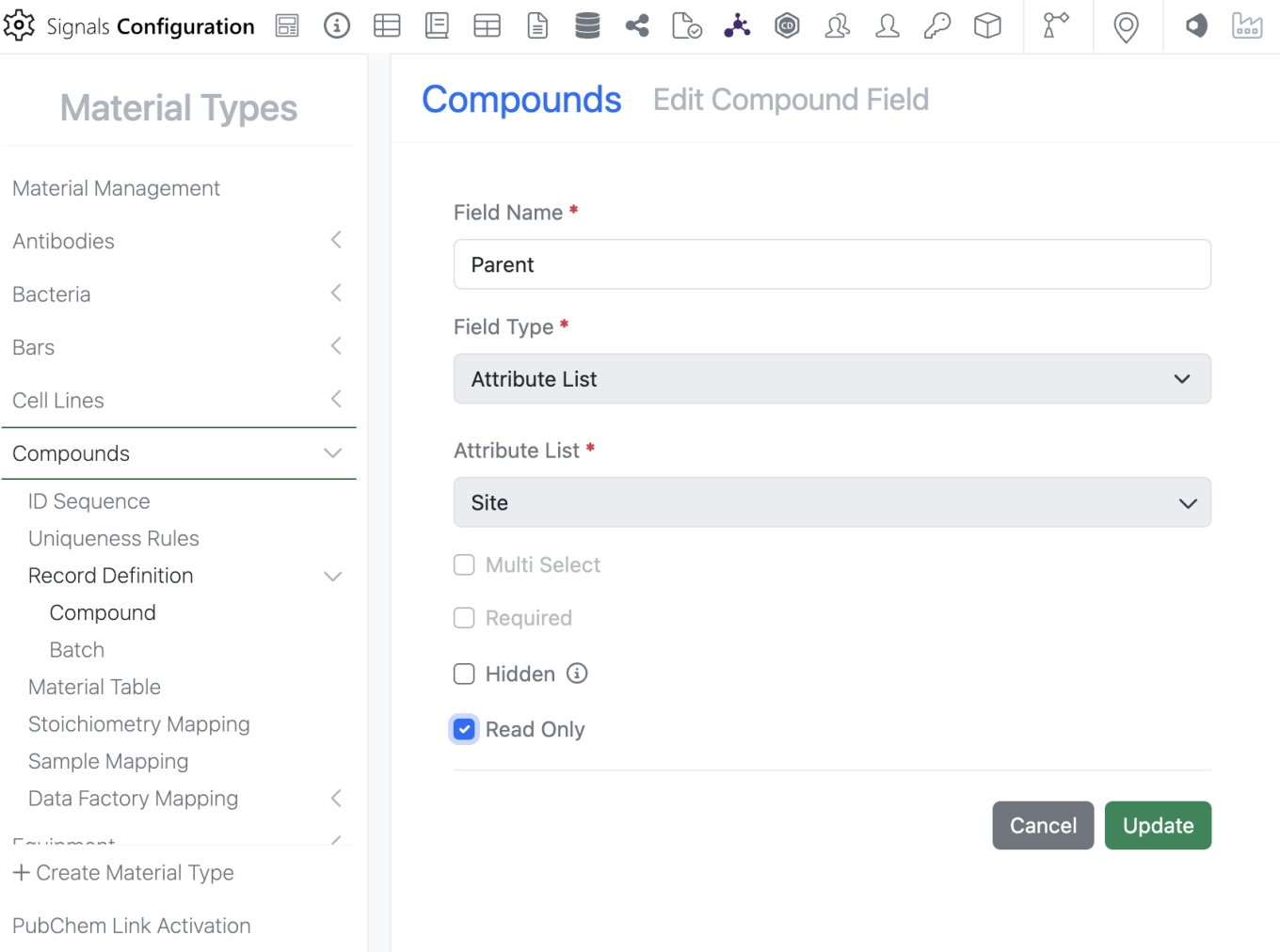
To mark a property as “Read-Only”, the admin can edit the property and select the new “Read-Only” option. Please note that a property can either be “Read-Only” OR “Required”, it cannot be marked as both.
Administration
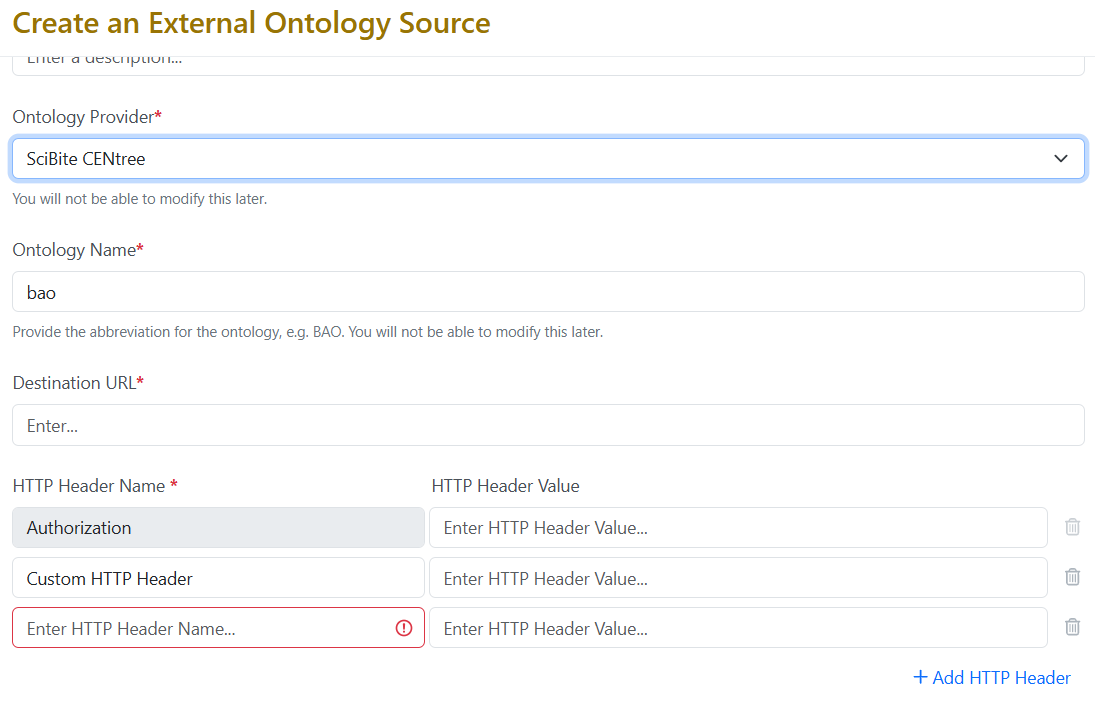
External Ontology Source for the provider SciBite CENtree now support up to twenty custom HTTP headers, enabling compatibility with more complex authentication schemes.
Integrations & Interfaces
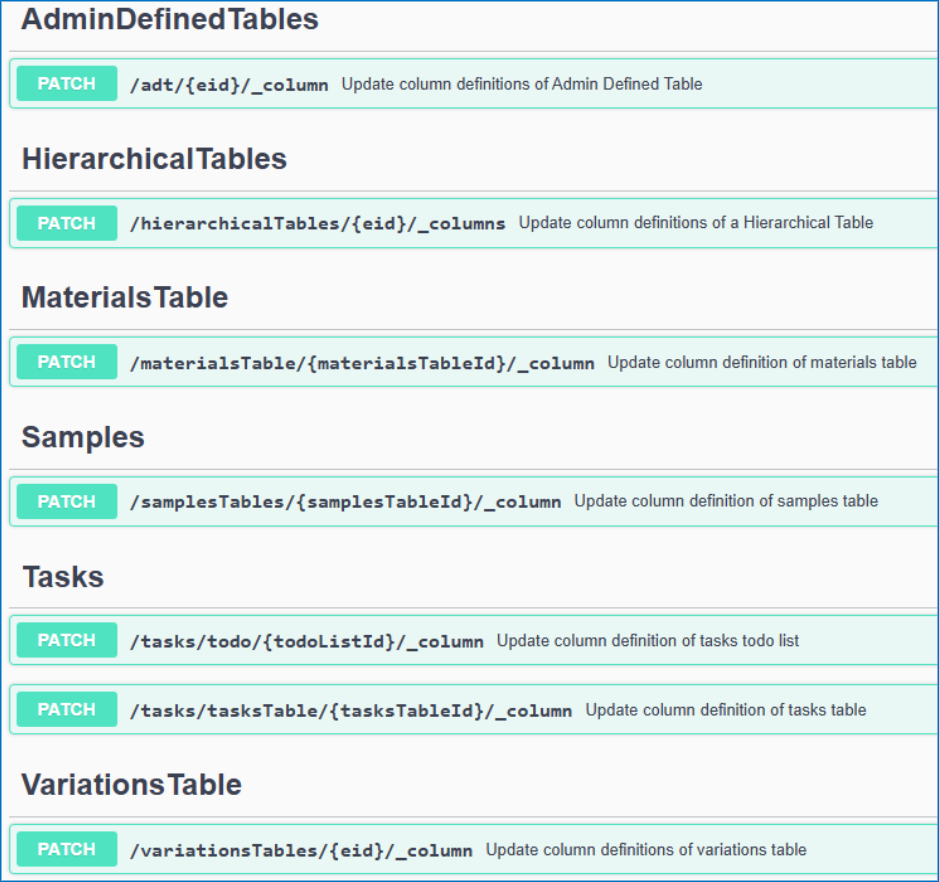
We have added API support for hiding and unhiding of table columns via API.

We have added a new API to move Experiments to different parent Notebooks.

We have added new APIs for returning closed entities from an archive state to Closed.

We have enhanced existing APIs for fetching the Material Library definitions to allow for specifying the specific Material Library to fetch. This is an optional “name” parameter that when not included will return all libraries definitions.
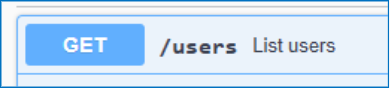

We have enhanced the User fetch API to allow for fetching all CRO users in a tenant. A new “userType” parameter has been added that defaults to “systemStd”. To fetch CRO users this is set to “cro”.

We have enabled additional CRO APIs for interacting with Chemical Drawings. These are intended for use in Sponsor integrations via Bearer Token, CRO users cannot have API keys generated for them.
Beta Features
The following capabilities are in beta and are available for users, administrators and developers on the Signals platform upon request. Please contact your account representative or our support team if you would like access to the following features.
Synergy
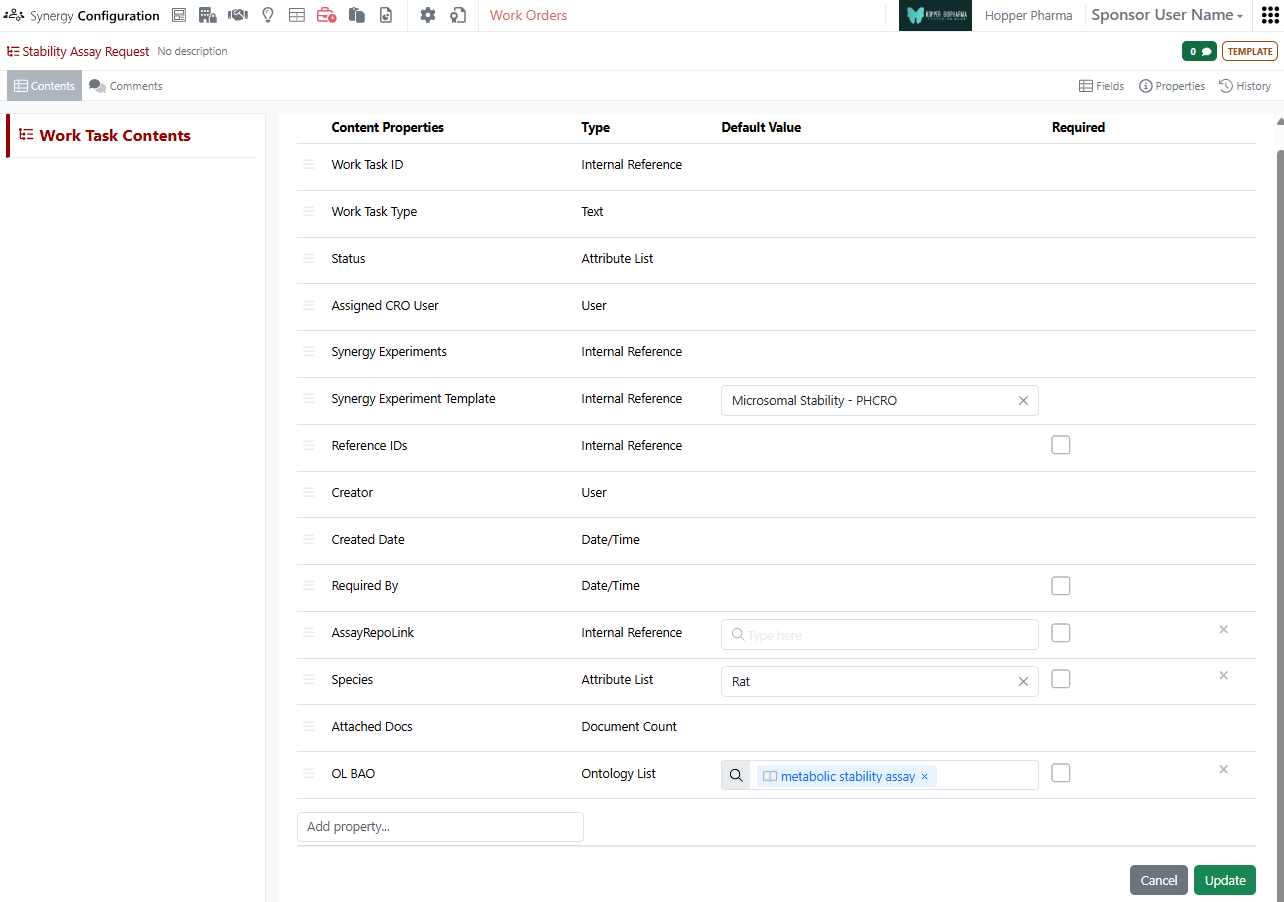
As part of the existing Synergy Work Tasks beta feature, Work Task Templates now support default values. On a Work Task Template, the administrator can specify the default Synergy Experiment Template to be used or default values for other admin-defined properties. When a Work Task is created from this template, the property will be pre-filled with this default value, but can be adjusted if needed. This ensures the Work Task properties are specified correctly for the CRO and reduces the number of clicks and required manual entry by the Sponsor.
Materials
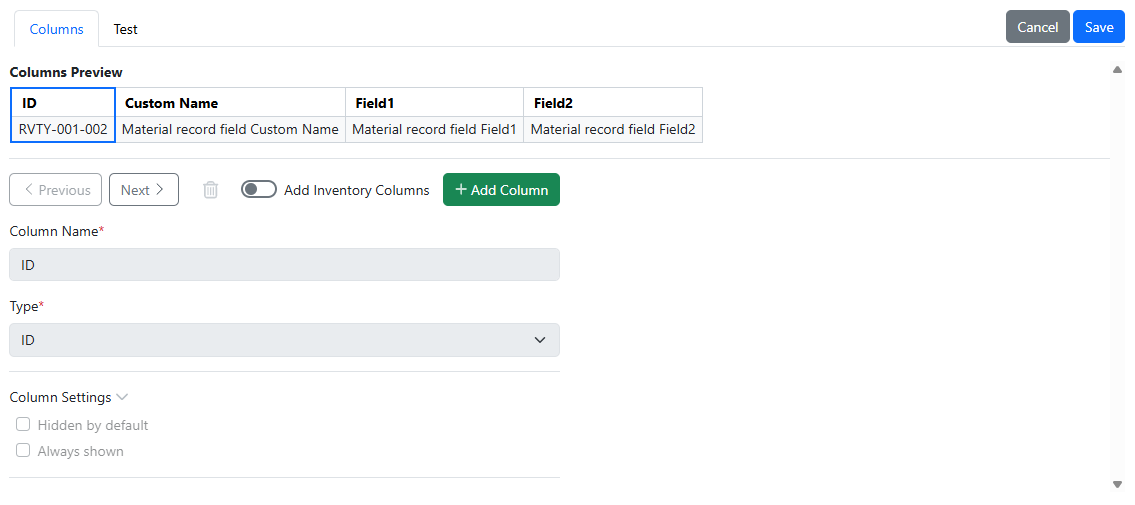
The user interface for Admin configuration for materials tables in Signals Configuration has been updated.
Administration
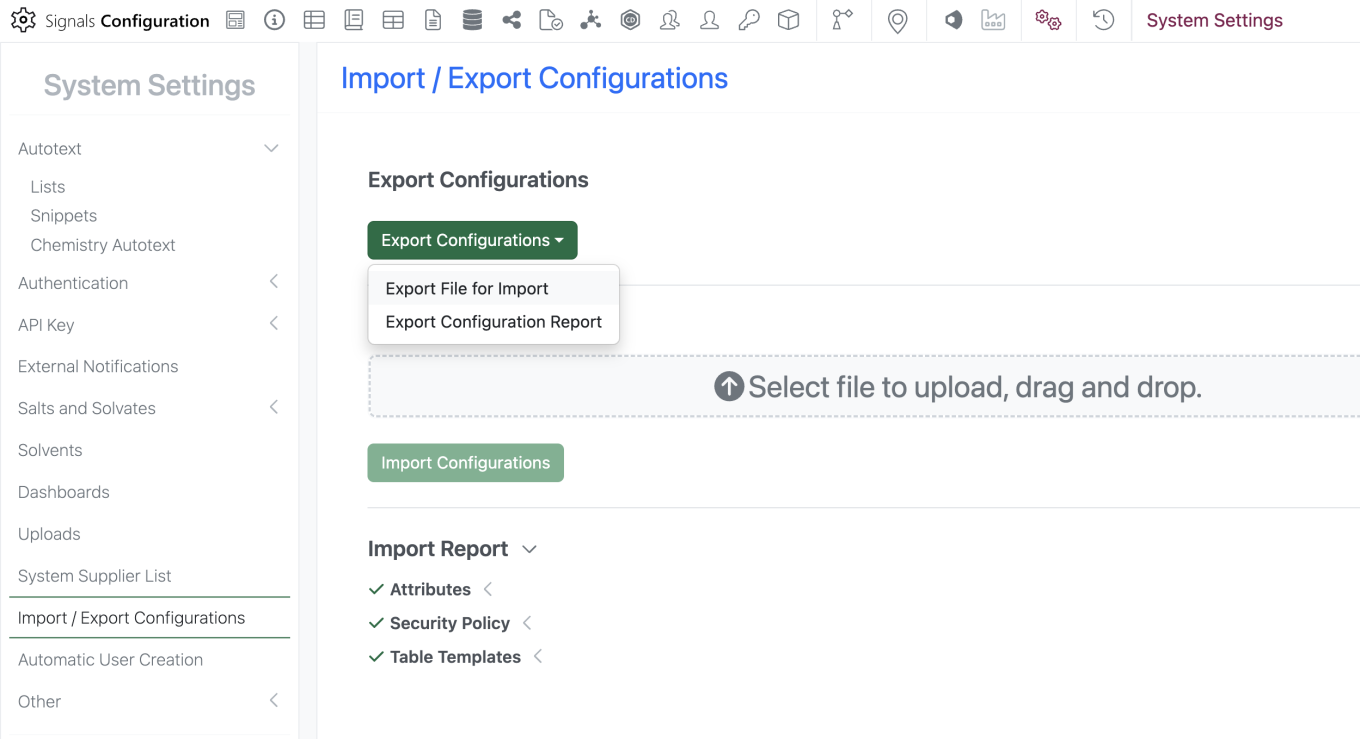
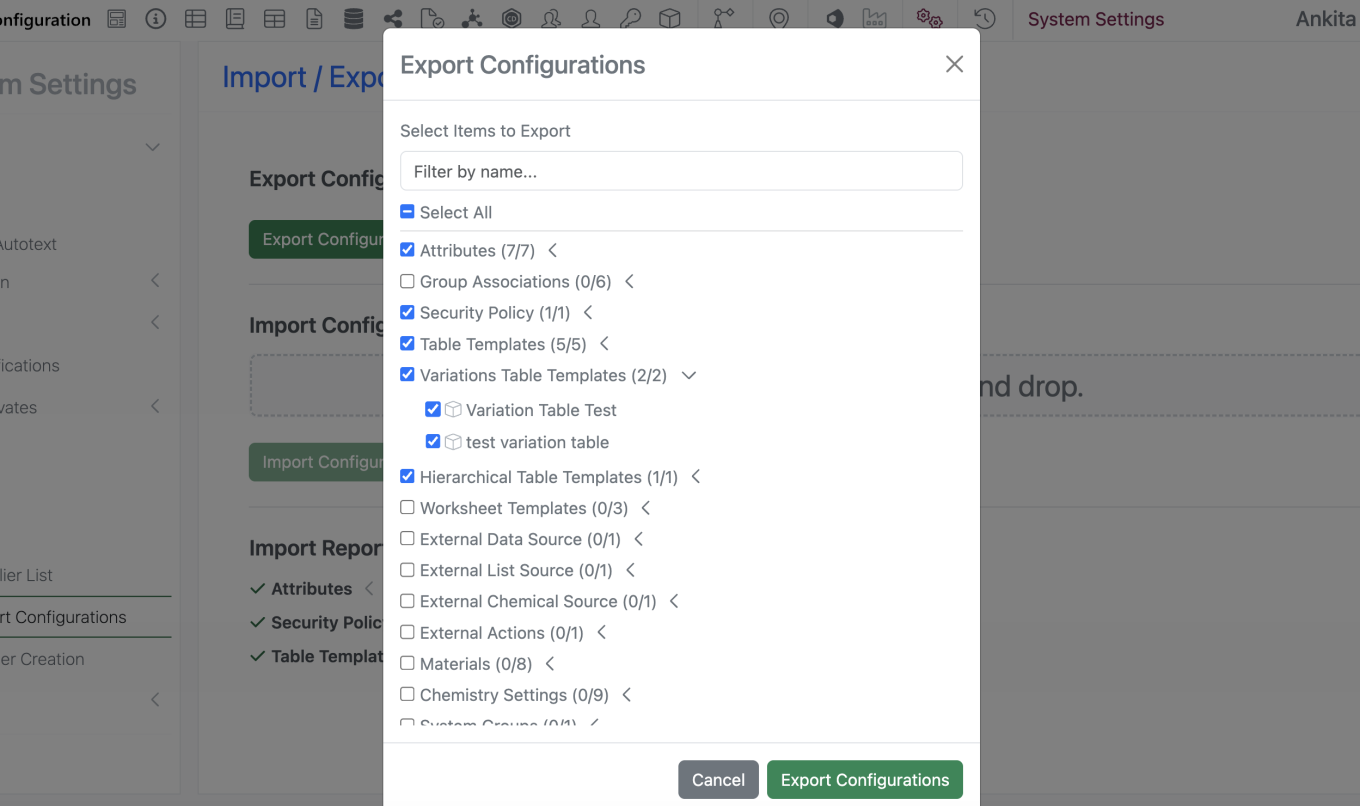
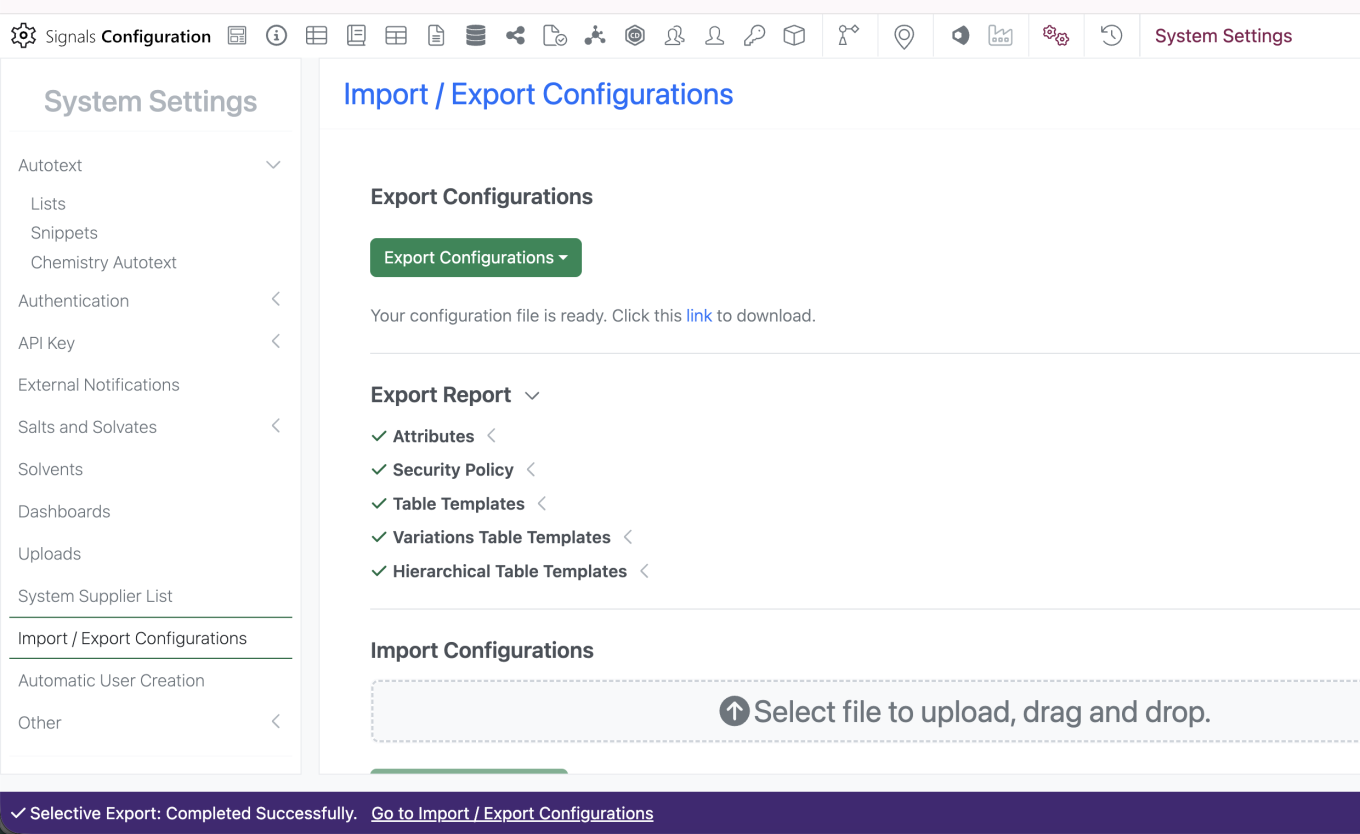
Selective export for configuration migration between tenants is now available. Admins can navigate to the “Import / Export Configurations” interface and select ‘Export Configurations’ > ‘Export File for Import’. Admin is prompted to enter password to navigate to the ‘Export Configurations’ modal. Admin is able to select specific objects to include in the export file and filter by name to narrow down the menu. Admin can select the link to Export the file.