What's New

Explore recent and historical product updates for Revvity Signals' Cloud Native SaaS Software 

Clear All Collapse All

What's New

We are delighted to release our new version of Signals, 26.5.

The following improvements are available for users, administrators and developers on the Signals platform. Certain features may only be available with appropriate licensing and/or with enablement by an administrator.

  • Fundamentals
    - Publish ontology fields to Data Factory
    - Bookmarks in Smartfolders
    - Caching of Stoich grid data while Chemical drawing is in Edit mode
    - Addition of “Weeks” as an additional Unit in the Duration Measure
    - Bulk Register Materials from Samples Tables and Samples Summary Tables
    - Display warning message when cloning experiment based on a template user cannot access
  • Data Workflows & Analytics*
    - Additional Quality Control and Curve Fitting metrics
    - Publication of all Quality Control and Curve Fitting metrics
  • Synergy
    - CRO users can now use CRO Advanced Search to reference items in internal fields
    - External actions on Work Orders
    - Sponsor Admin can bulk update CRO Departments for CRO users
    - Define default values, including Synergy Experiment Template, on Work Tasks Templates (beta)
  • Tables
    - Add a Container to an existing row in an Inventory enabled Admin Defined Table or Variation Table
    - Add a Container to an existing row in an Inventory enabled Hierarchical Table*
    - Line Charts on Admin Defined Tables*
    - Checkbox, Variable Measure and Variable Property can be used on the categorical axis of a Bar Chart on Admin Defined Tables*
  • BioDesign° 
    - Users can now register BioDesign Sequences in a Material Library and reference BioDesign Sequences
  • Inventory
    - Move containers out of grid locations during disposal directly from the container search table
    - Add container properties to the Reactants table
  • InventoryGo
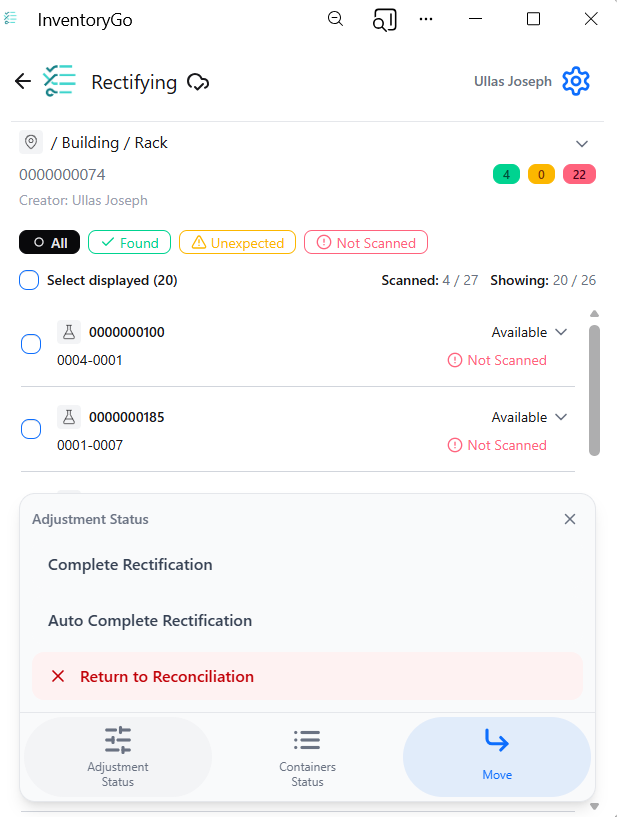
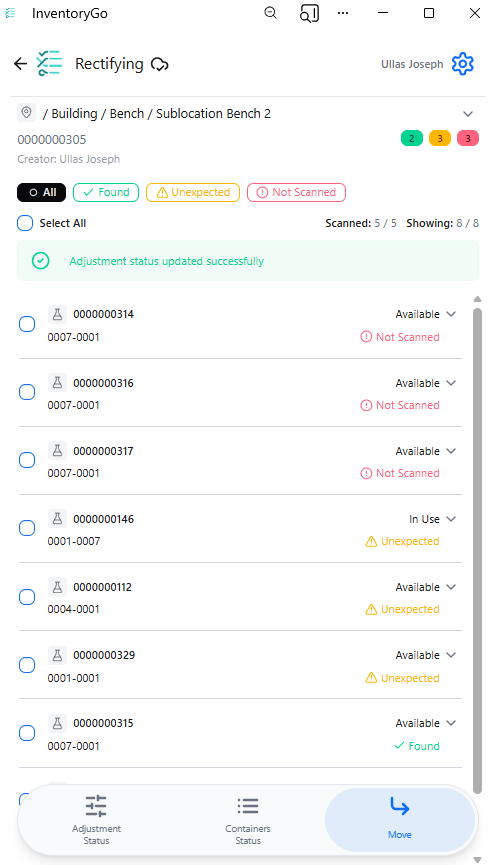
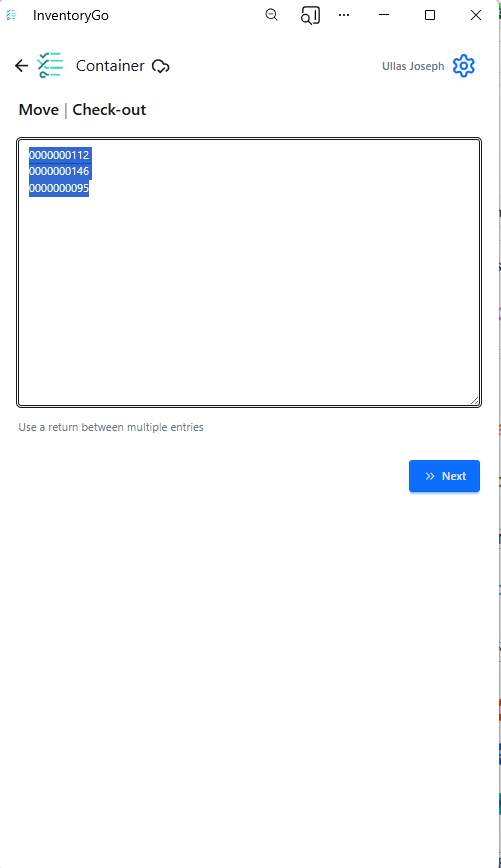
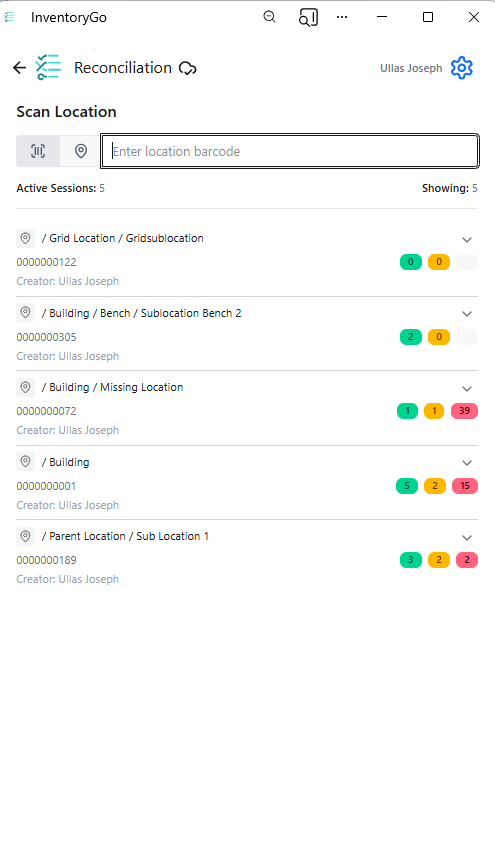
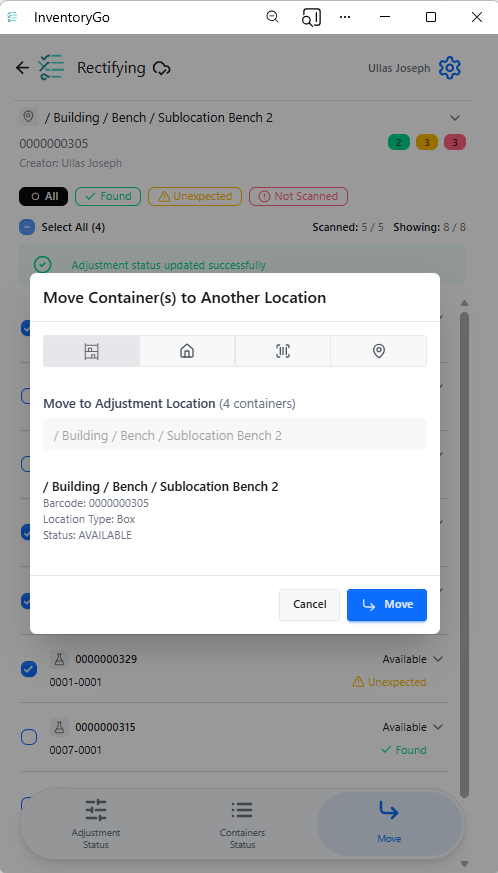
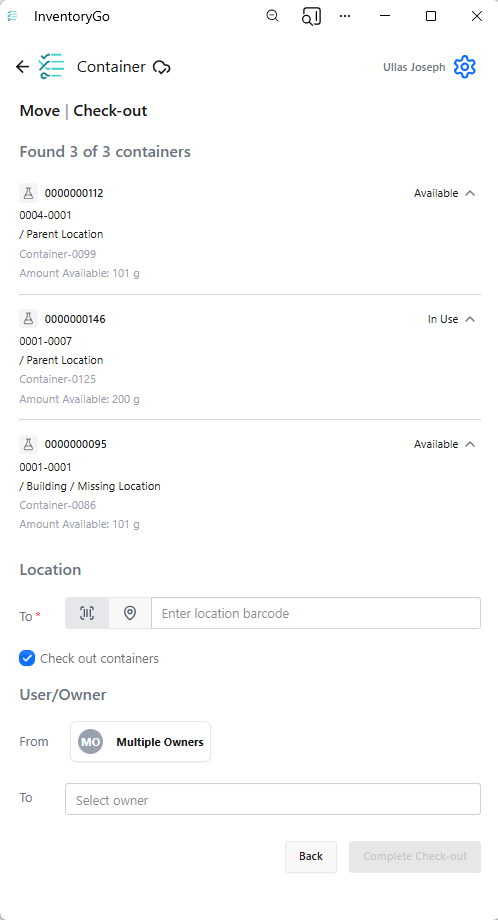
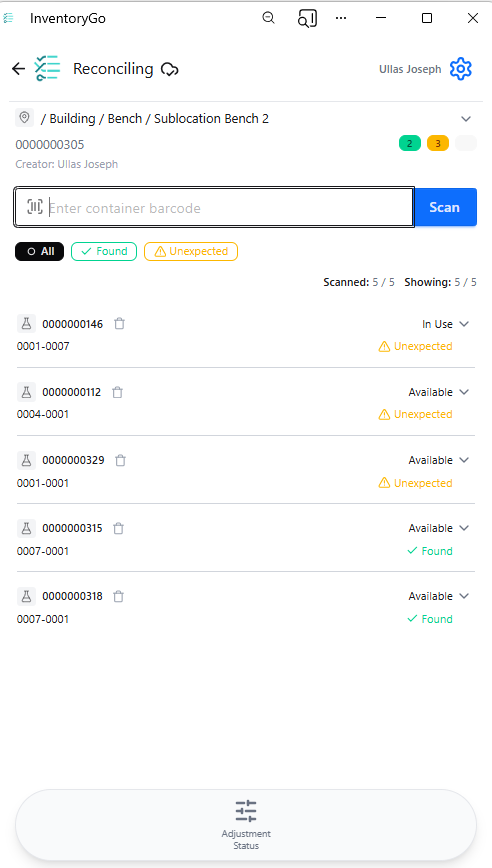
    - Enable Auto Complete Rectification in InventoryGo with configuration to move Not Scanned and Unexpected containers to an admin‑defined location
  • Materials
    - Additional calculated properties for protein complexes
    - UI update to material tables configuration (beta)
    - Mark fields as Read-Only in Materials
  • Administration
    - Use multiple headers with the SciBite CENtree External Ontology Source
    - Selective export for configuration migration (beta)
  • Integrations & Interfaces
    - Hide/Unhide columns API
    - Move Experiment to new Notebook API
    - Return from Archive API
    - Fetch Individual Material Libraries definitions API
    - Fetch all CRO users API
    - Additional CRO APIs for Chemical Drawings

* Requires Signals One license

† Requires Signals Synergy license

‡ Requires InventoryGo license

° Requires Signals BioDesign License

We also fixed several small bugs in this release. Details of the enhancements are described below.

The following OnDemand videos for Signals Synergy are now available:

  • Recording your Chemical Synthesis in Signals Synergy

Administrators should note that this release includes an upgrade to Spotfire® 14.6 LTS. Users will receive the updated version as part of the standard upgrade experience.

Developers should note the Materials API now includes the calculated property on a field definition only when its value is true. Previously it was inconsistently included (with value false) for admin-defined properties. Note that calculated is true only for certain system-default material properties, and not for admin-defined properties.

All CRO users in the assigned CRO Department can now Start a Work Order. This is a relaxed requirement, which previously required the assigned CRO user or CRO Department Manger to Start Work.

Administrators should note that we are planning to resolve an inconsistency in the way non global numbering currently works for Parallel Experiments, Requests, Inventa Analysis objects and In Vitro Analysis objects. These objects will now take the next number in sequence regardless of object type. The current behavior is that they take the next number in sequence for the given object type. This change will occur in a future release.

Data Factory Administrators should note that legacy Data Factory projects will be fully deprecated in a future release. A straightforward migration path is now available to support this transition. A specific deadline has not yet been scheduled.

Data Factory administrators should also note that the Advanced Security policies in Inventa apply an “AND” logic across all user groups, restricting access if any groups lack permissions. This behavior differs from the standard Signals security model and will be fixed to align with the standard in a future release.

Administrators are recommended to subscribe to the channels within our support news site found at https://support.revvitysignals.com/hc/en-us/categories/360004446171-Support-News which contains more information about releases and other pertinent product information.

This content is anticipated for release on our Production E3 environments, and for Private Cloud customers on our deferred release schedule, in November 2026.

Further Details

The following improvements are available for users, administrators and developers on the Signals platform. Certain features may only be available with appropriate licensing and/or with enablement by an administrator.

Fundamentals
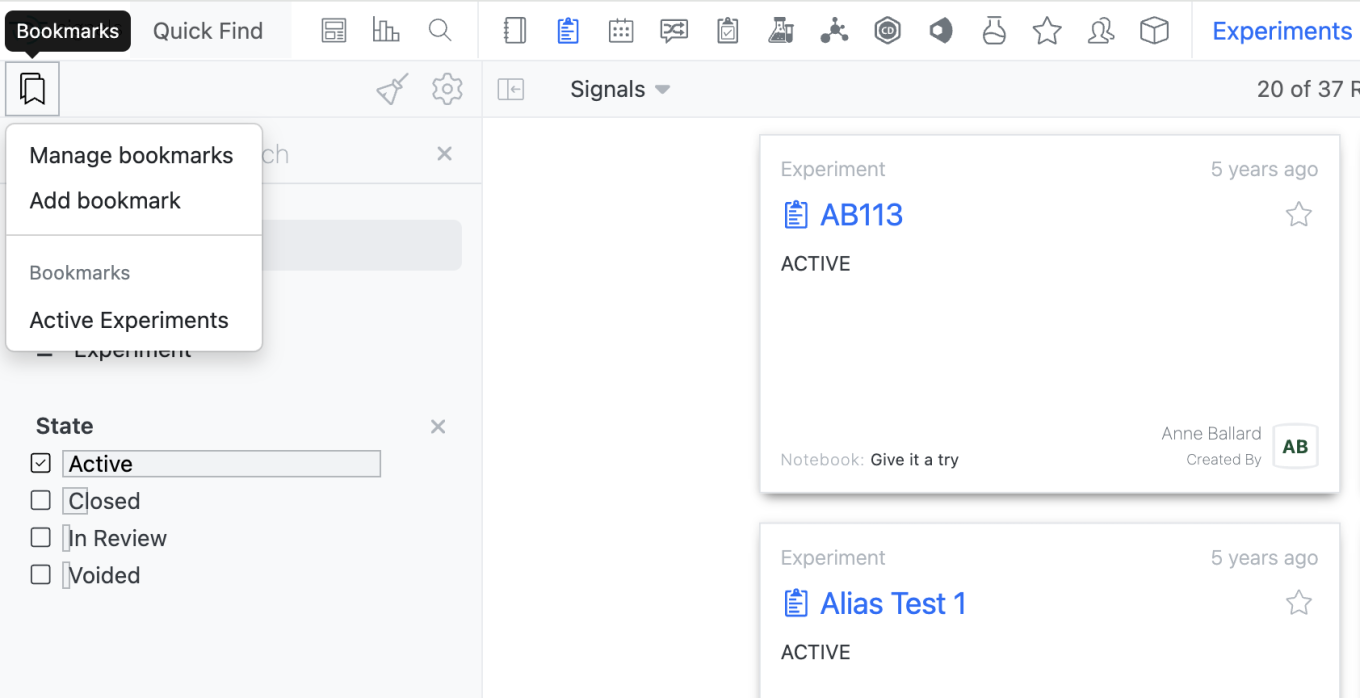
Image 1 from What's New 26.5.docx

Users will now be able to save bookmarks in Smarfolders as they are able to do in Advanced Search. Is a Smartfolder, a user can add a Bookmark by selecting the Bookmark Icon in the left corner. Only bookmarks made within the given Smarfolder will be usable within that Smartfolder.
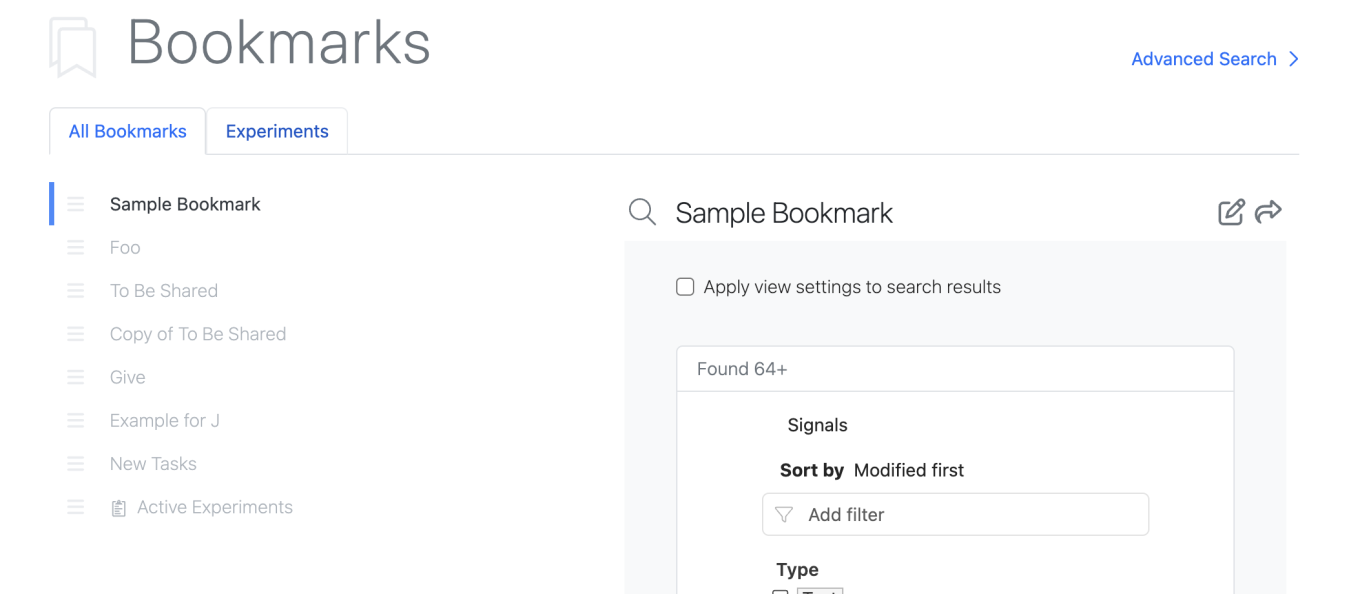
Image 2 from What's New 26.5.docx

All bookmarks can be utilized in Advanced Search.

The Manage Bookmarks page also reflects the bookmarks available in the Smartfolders.
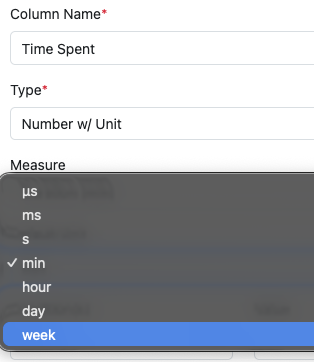
Image 3 from What's New 26.5.docx

Smartfolders with saved Bookmarks will appear at the top with a tab allowing the user to view bookmarks for that Smartfolder only. Additionally, Smartfolder specific bookmarks are identified with the entity icon in the All Bookmarks list.

In the Chemical Drawing, user entered data in the stoich grid will now be cached as the user is editing the chemical drawing so structures that leave the reaction perception do not lose user entered stoich data. Previously if a structure left the reaction perception or was reordered, user entered data would be cleared.

The Number with Unit Measure Duration now supports “week” as an additional Unit.
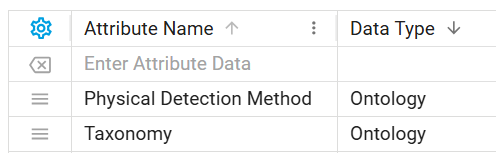
Image 4 from What's New 26.5.docx

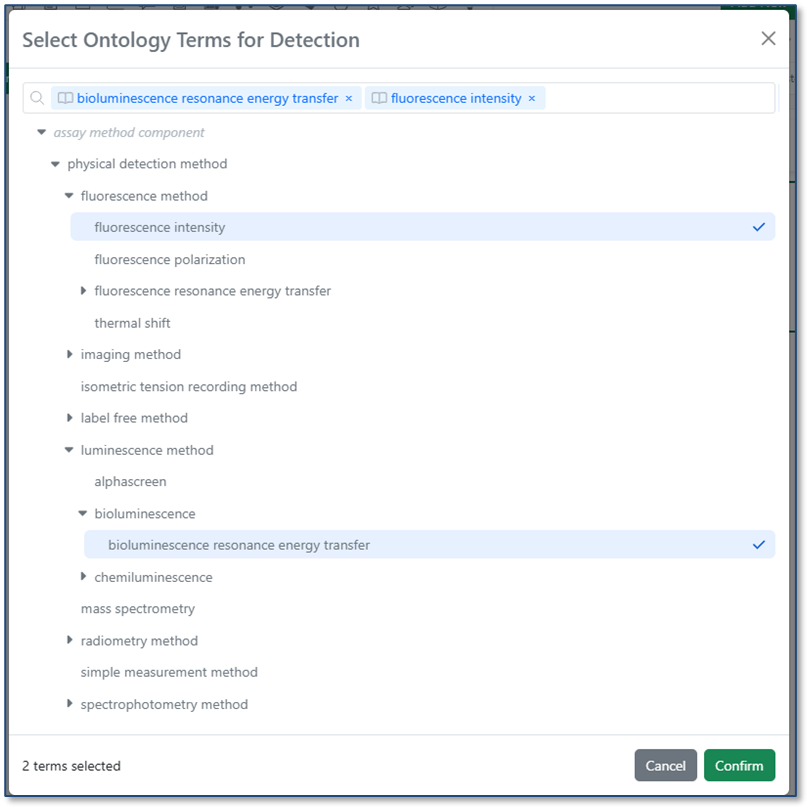
Ontology fields are now supported in Data Factory publication. Data Factory administrators can create ontology-type attributes and use them in publication maps for Signals objects (tables, experiments, materials, and more).
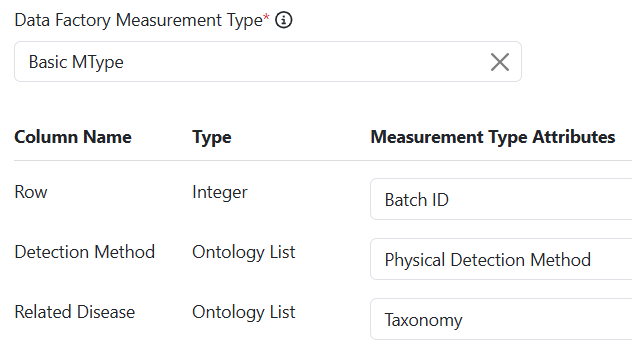
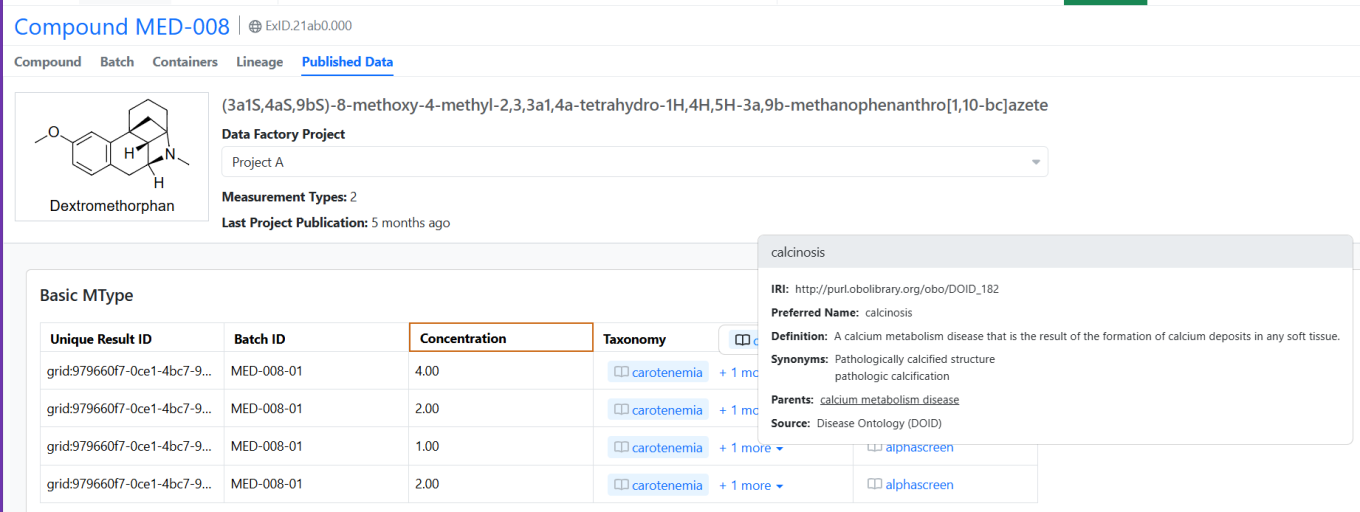
Image 5 from What's New 26.5.docx
Image 6 from What's New 26.5.docx

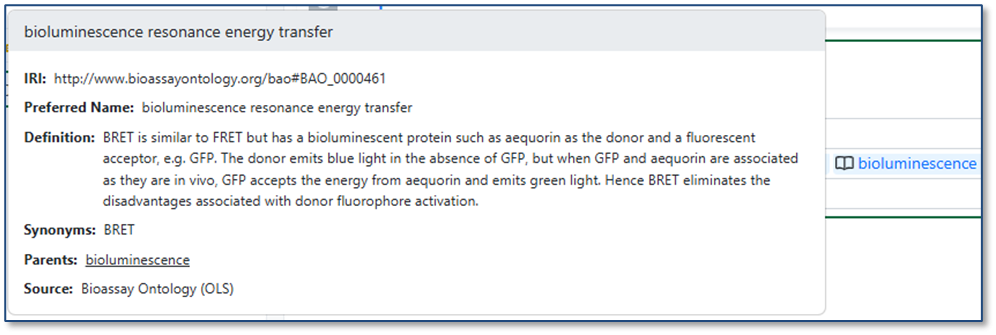
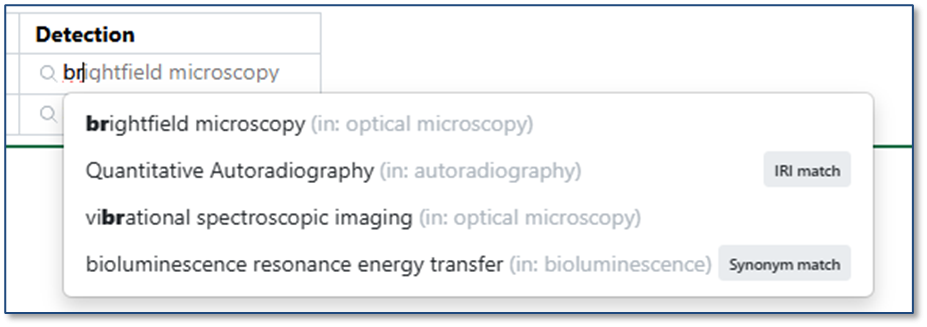
Published terms retain their ontology context in Signals, displaying an ontology indicator with interactive hover details for each term. In Spotfire applications, ontology terms are rendered as plain text.
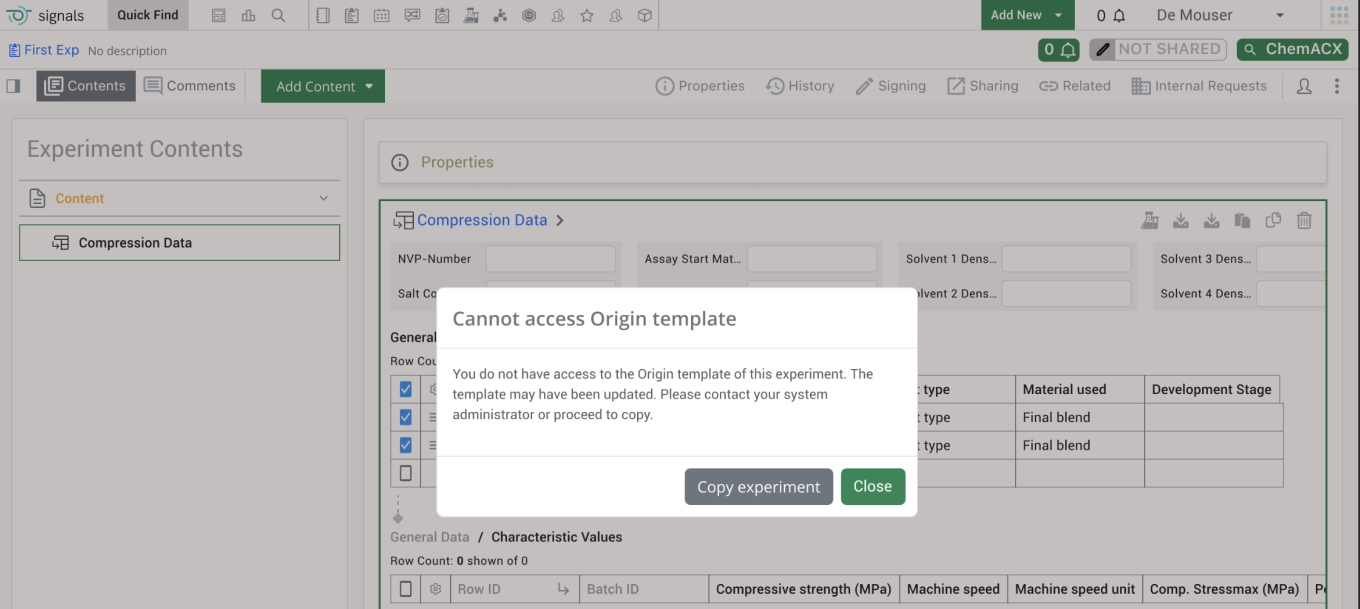
Image 7 from What's New 26.5.docx

End users will see a warning message when they are cloning an experiment that is based on a template that the end user cannot access. The warning message will alert the end user that they do not have access to the origin template associated with the experiment and the template may have been updated. It also encourages end users to reach out to their administrator to update their access to the template.
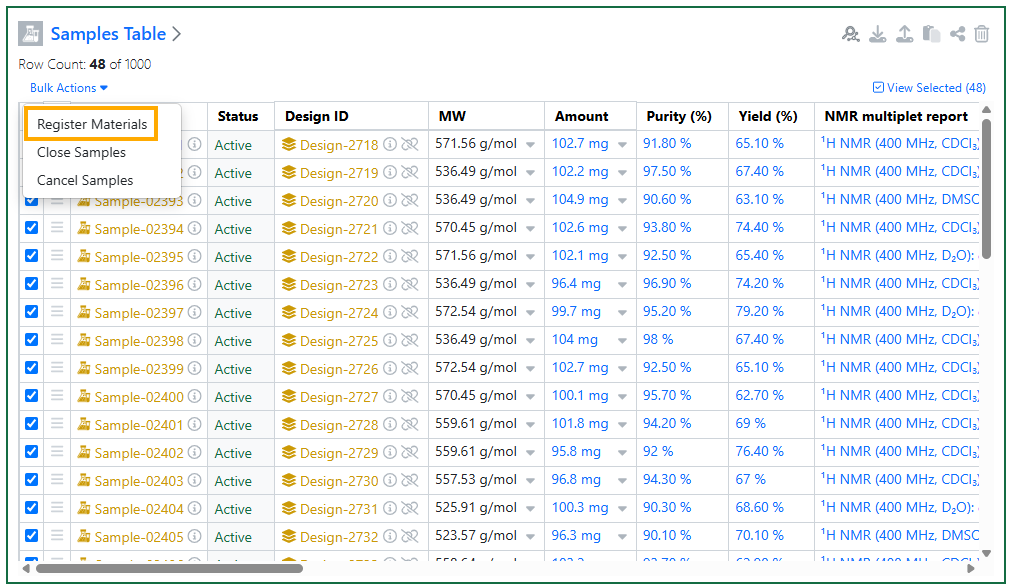
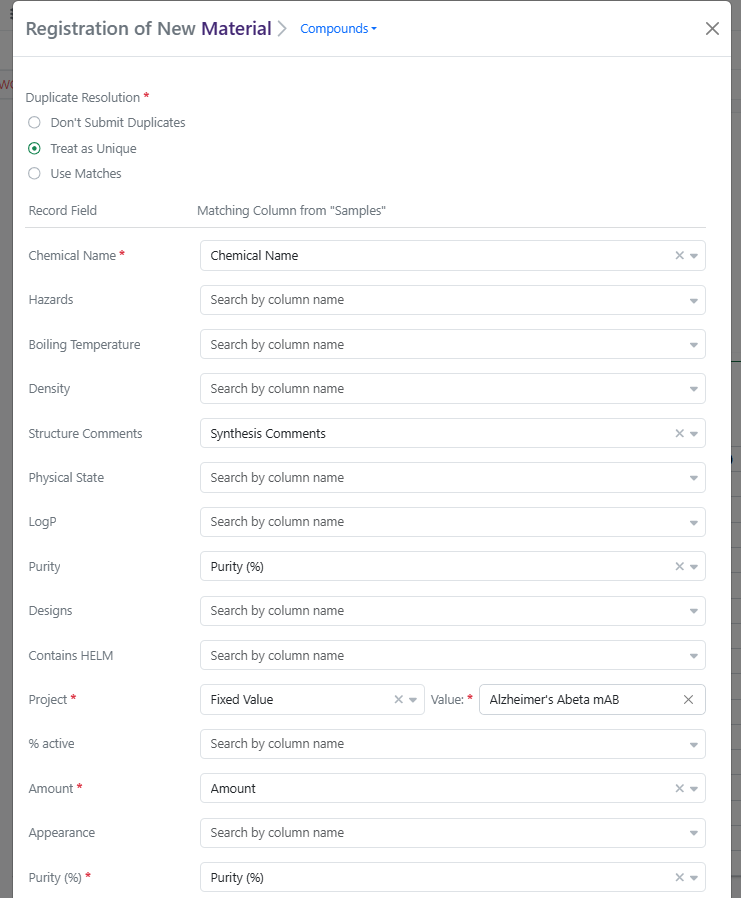
Image 8 from What's New 26.5.docx
Image 9 from What's New 26.5.docx

Finally, users can now bulk Register Materials from Samples Tables and from Samples Summary Tables. This feature applies to Experiments, Synergy Experiments, admin-defined custom Objects, and Parallel Experiments. When one or more Active Chemical Samples are selected in a Samples Table, the user can select Bulk Actions > Register Materials. Register Materials will open a modal where the user can select a Compounds or Normalized Compound library and then map Samples columns to Material Record Fields, with an option to apply Fixed Values to all Samples where applicable. (Note: Default mapping of Samples fields to Material fields can be configured by the administrator in Signals Configuration > Materials > Compounds (or other library) > Sample Mapping.) Clicking Register Compounds will start bulk registration, during which the Samples Table will be locked. Any errors with registration will be displayed on the table after registration completes. For tenants with Synergy, if a Sample is related to a Design ID, registration will capture the Originating Design on the Material and update the Design to Synthesis Complete.

Synergy
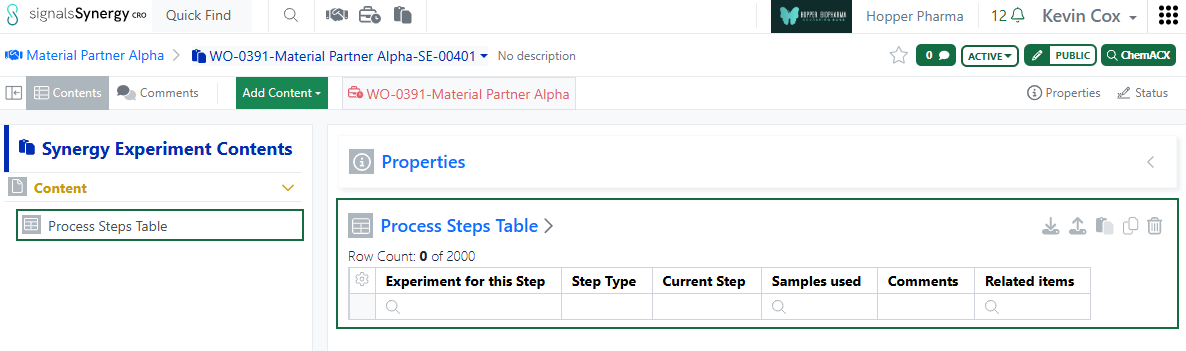
Image 10 from What's New 26.5.docx
Image 11 from What's New 26.5.docx
Image 12 from What's New 26.5.docx

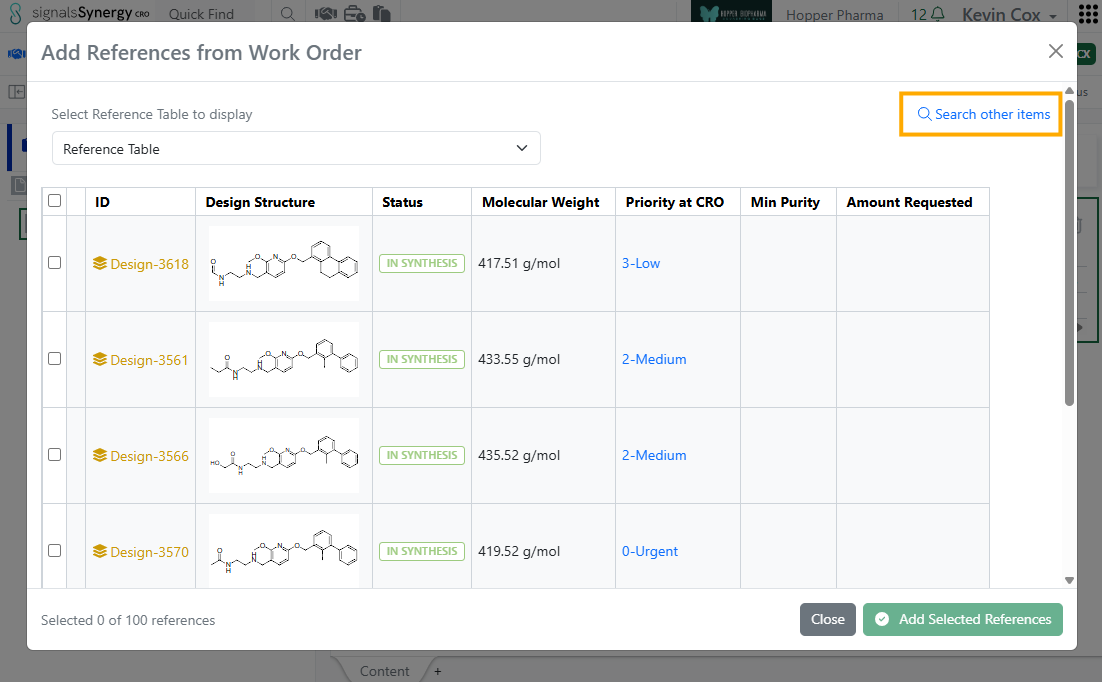
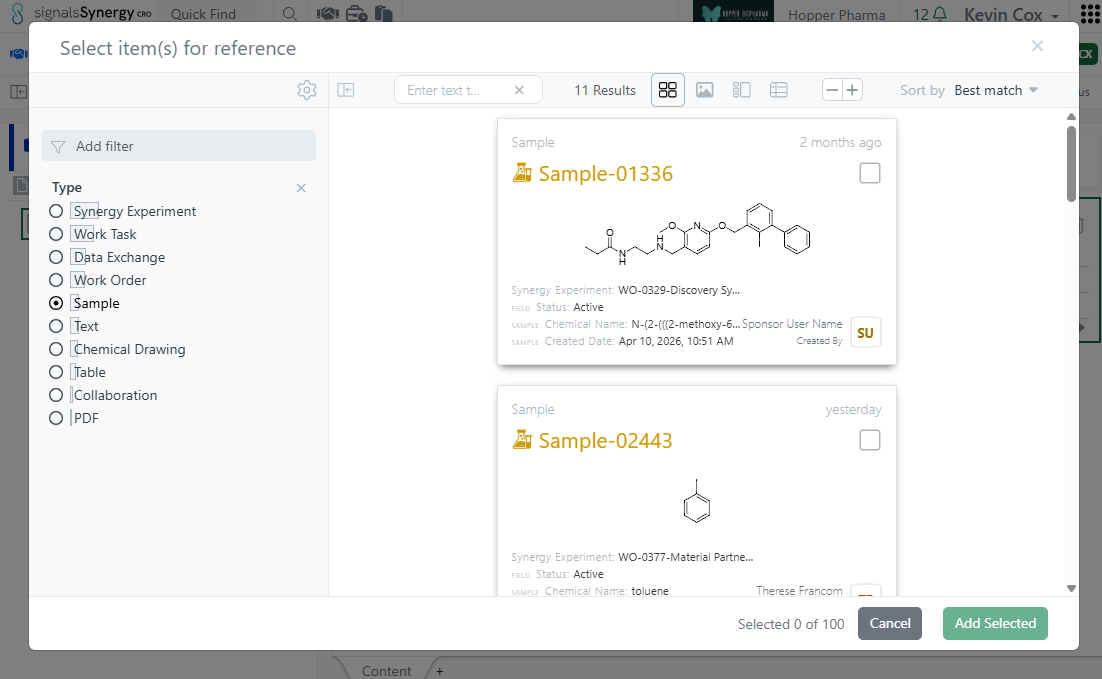
In this release, we expanded the functionality of internal references fields for CRO users. Previously, internal reference fields, such as those in Admin-Defined Tables, always directed the CRO user to Work Order Reference Tables. This allowed the CRO user to reference relevant Designs or Materials in their Synergy Experiments. In 26.5, internal references have been expanded to allow referencing from Work Order Reference Tables or using CRO Advanced Search (any entities they have access). When the CRO user first clicks on the magnifying glass of an internal reference field (such as in cell in a Table), the modal will allow the user to select references from the associated Work Order Reference Tables, assuming the query defined for the internal reference allows for Designs and/or Materials. To search outside the Reference Tables, the CRO user can click on the blue Search other items option, which opens CRO Advanced Search. From Advanced Search, CRO users can reference other items they have access to, such as related Synergy Experiments, Samples, or documents. This functionality applies to internal references in Synergy Experiment Properties, Stoichiometry Tables, Admin-Defined Tables, Samples Tables, Worksheets, and Text.
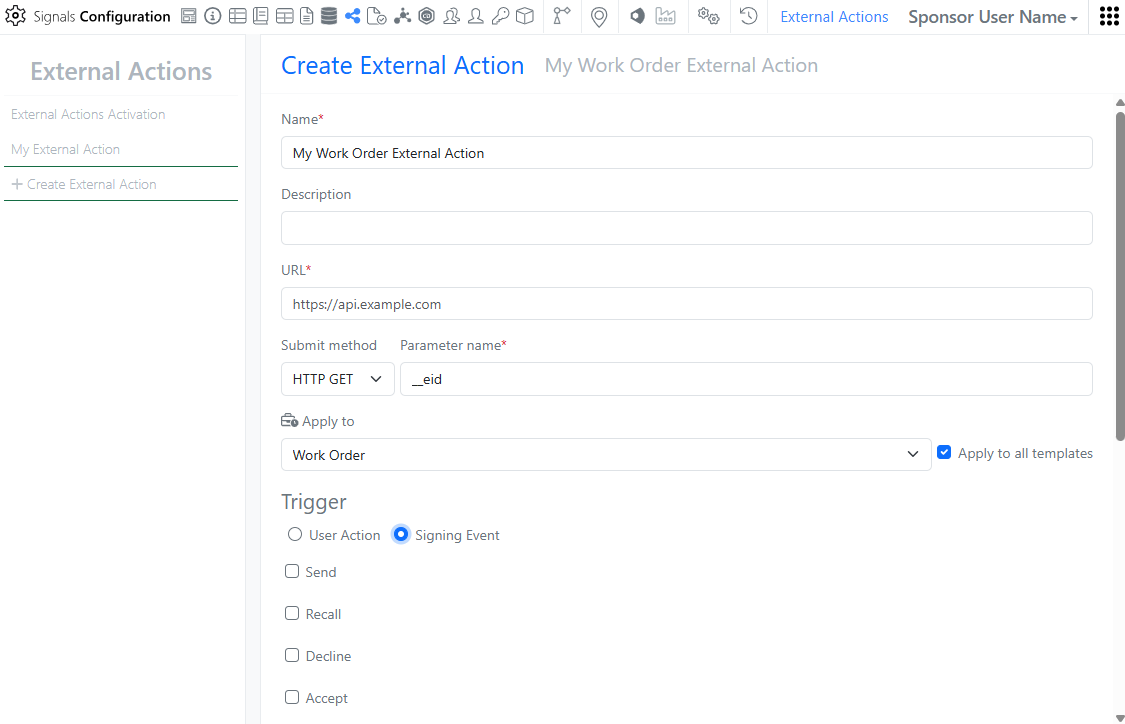
Image 13 from What's New 26.5.docx

In Signals Configuration, External Actions can now be configured on Work Orders. External Actions can be user triggered or triggered at signing events such as Status changes like Send or Submit. As with other External Actions, the administrator can choose whether to display for the CRO user.
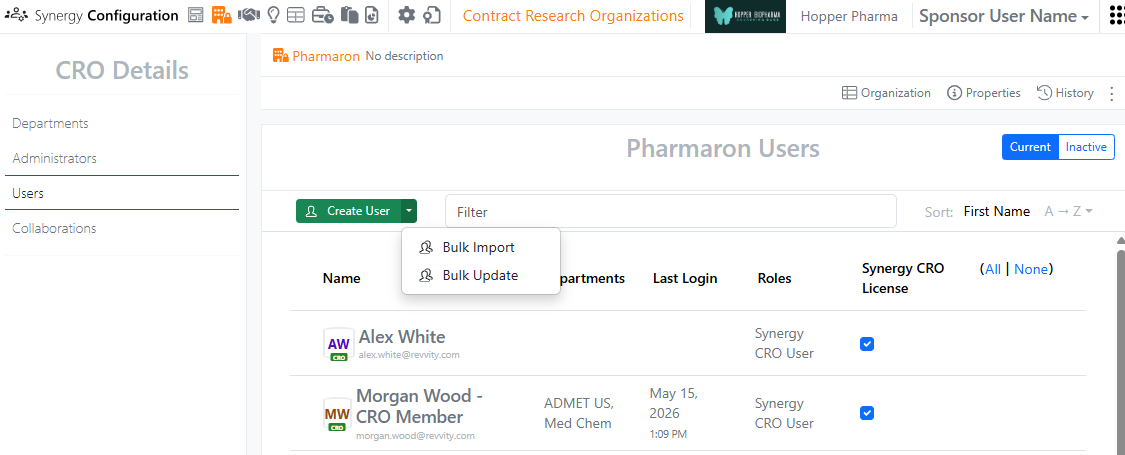
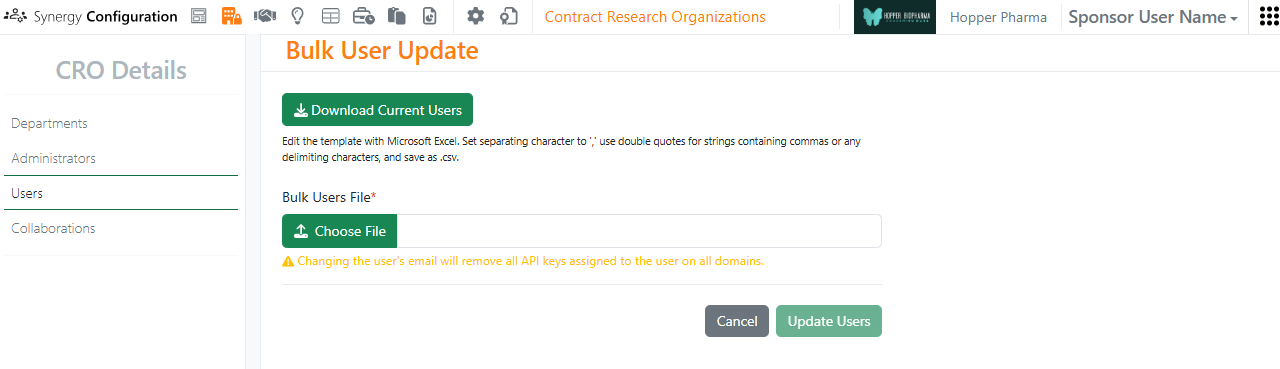
Image 14 from What's New 26.5.docx
Image 15 from What's New 26.5.docx
Image 16 from What's New 26.5.docx

In Synergy Configuration > Contract Research Organizations > specific CRO > Users, Bulk Update CRO users now supports assignment to Departments, as well as setting a user as a Department Manager. A CRO user can be added or removed from Departments and promoted to or demoted from a Department Manager. To see an example of the format, use the Download Current Users button. In the CSV file, Departments are comma separated. For each Department listed, adding |Manager:true will promote the user to a Manager for that CRO Department. Removing |Manager:true will demote the user to only a Member of that CRO Department.

Data Workflows & Analytics
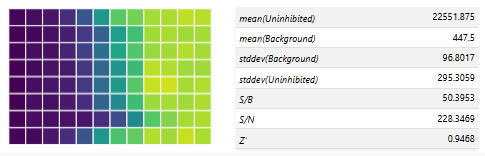
Image 17 from What's New 26.5.docx

Additional Quality Control (QC) and Curve Fitting metrics will now be computed, displayed and available for publication:

- Signal-to-Background (S/B) ratio per plate

- Signal-to-Negative Control (S/N) ratio per plate

- Z` (Prime) Factor per plate
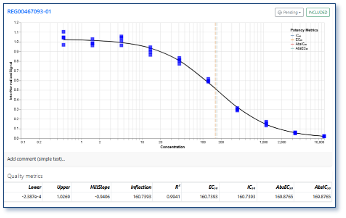
- Absolute EC/IC50 value from curve fit parameters for logistic regression curves

Users will now be able to select which QC and Curve Fitting metrics are published from all the available ones in a flexible manner.

Tables
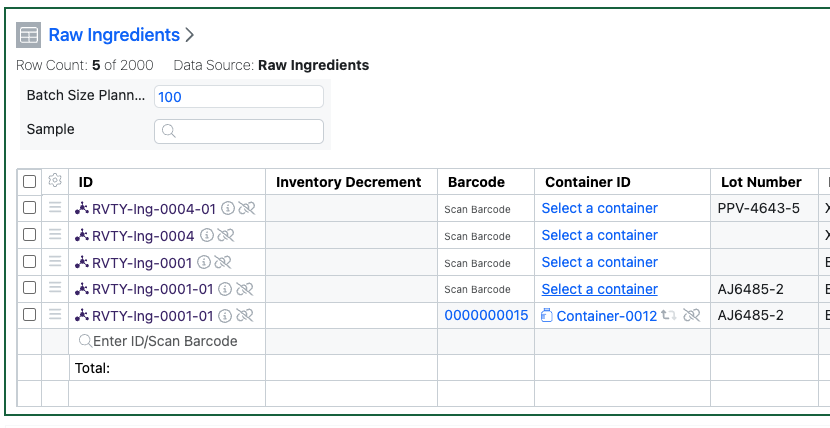
Image 19 from What's New 26.5.docx

Admin Defined Tables, Variation Tables and Hierarchical Tables now allow Containers to be added to existing rows in Inventory linked tables. If the table uses the Inventory Columns that allow input of Containers, Assets or Batches via an Internal Data Source, the scientist can now add the Container in a subsequent action to adding an Asset or Batch. The scientist can either scan the barcode, or access a view of the appropriate Containers to choose from. Only Containers containing Batches of that Asset can be added.
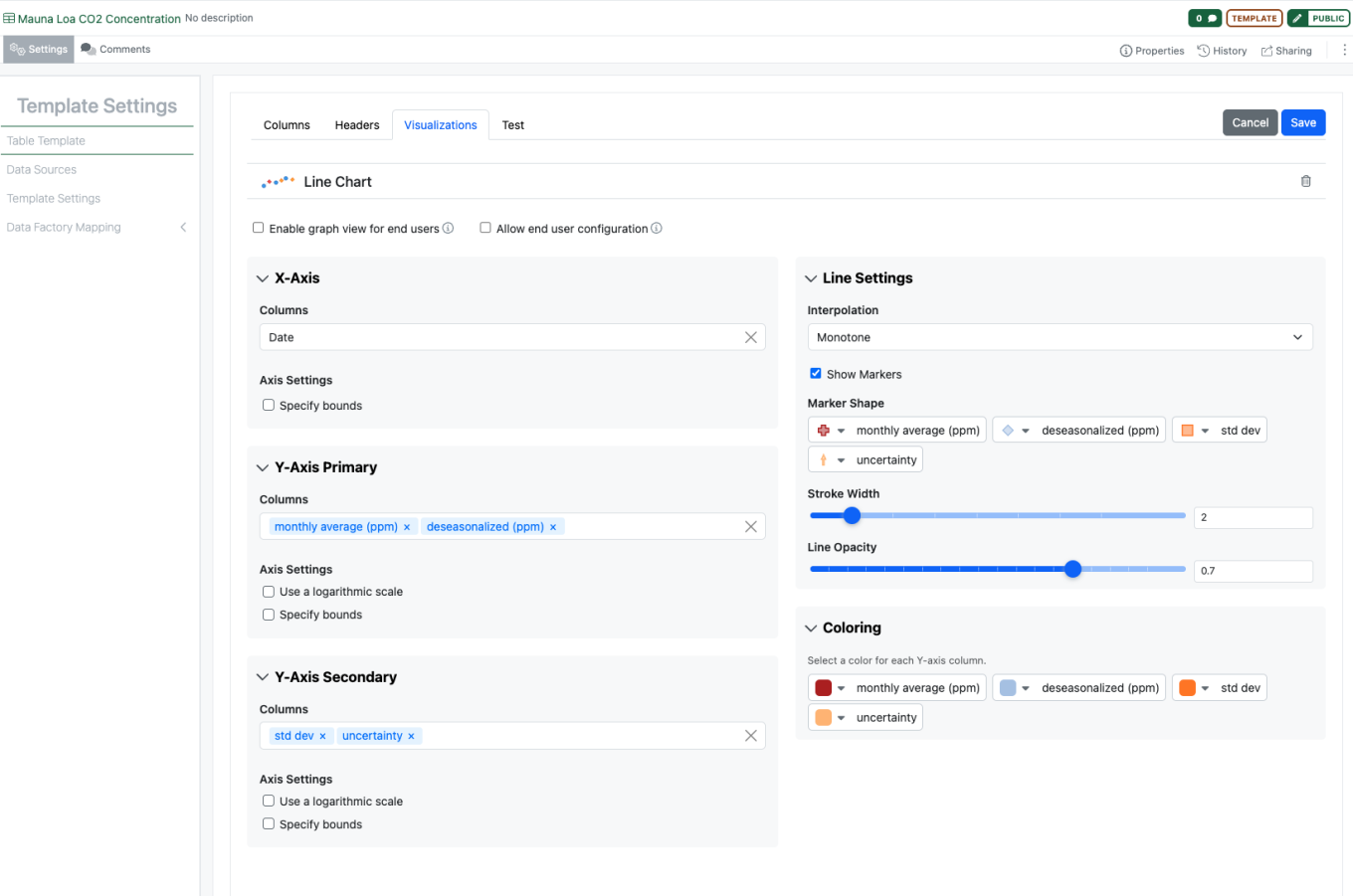
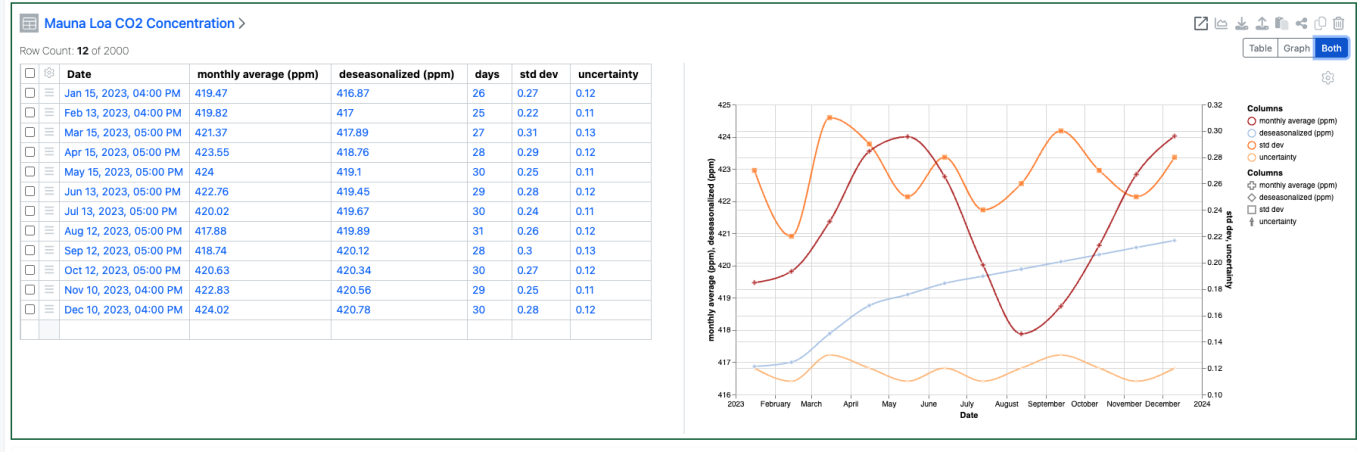
Image 20 from What's New 26.5.docx
Image 21 from What's New 26.5.docx

Configuration Administrators can now choose to define a Line Chart on Admin Defined Tables. Similar to the definition of Scatter Plots and Bar Charts, administrators can define the Line Chart on the Table template including setting properties for the X, Y and Secondary Y Axes. Admins can also define line properties such as color, marker, thickness, opacity and interpolation. The admin can also choose if the end user is able to adjust the settings for the chart.
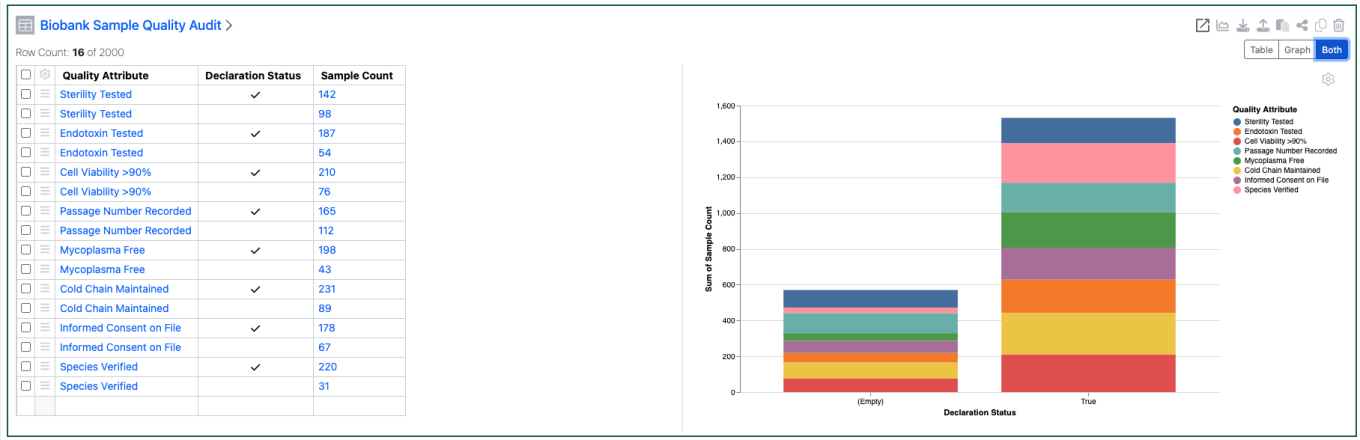
Image 22 from What's New 26.5.docx

Configuration Admins can now also define that Checkbox, Variable Measure and Variable Properties can be used on the categorical axis of Bar Charts.

BioDesign
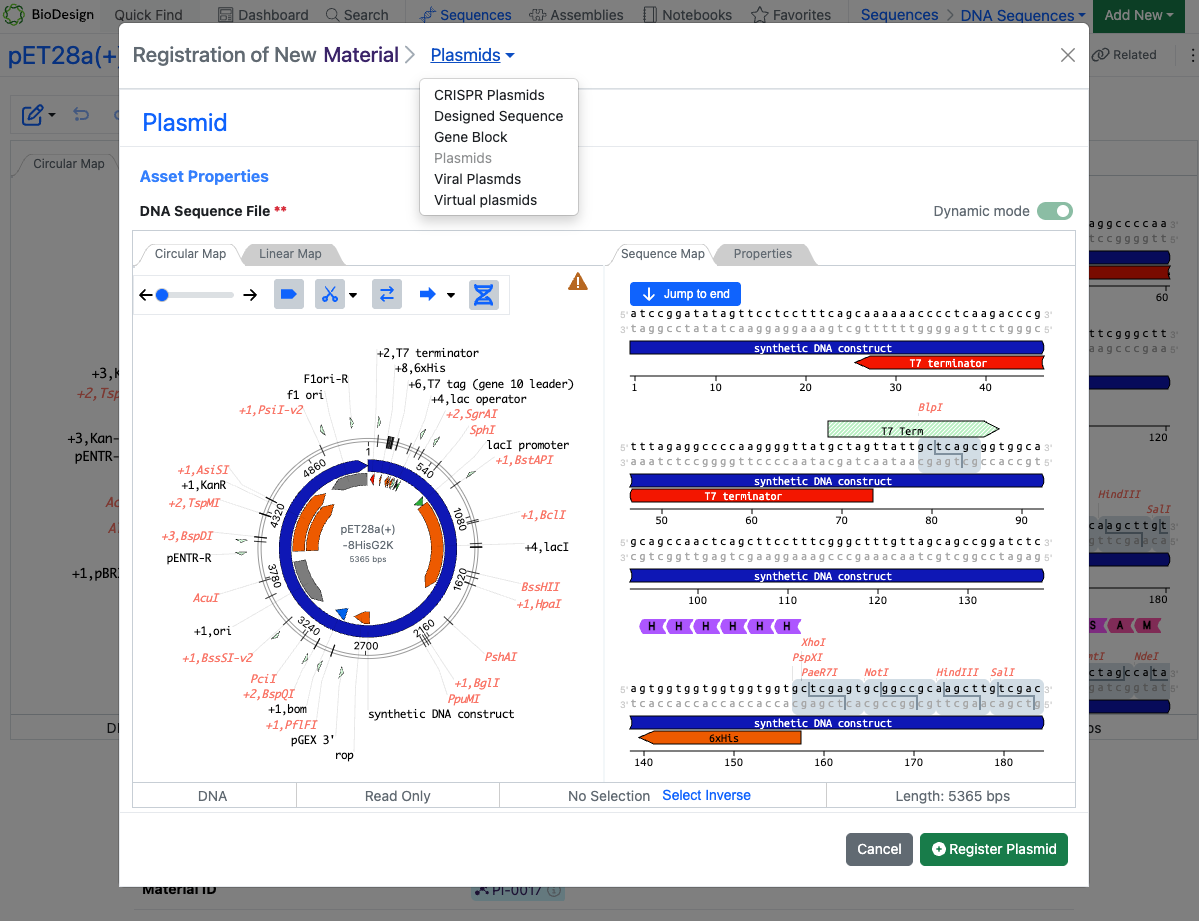
Image 23 from What's New 26.5.docx

Users with a BioDesign and Signals Notebook or Signals One license can now register BioDesign sequences directly to Signals Materials. The sequence type must match the corresponding Material type. Upon successful registration, links are automatically created between the BioDesign Sequence and the Material in both directions.

Inventory
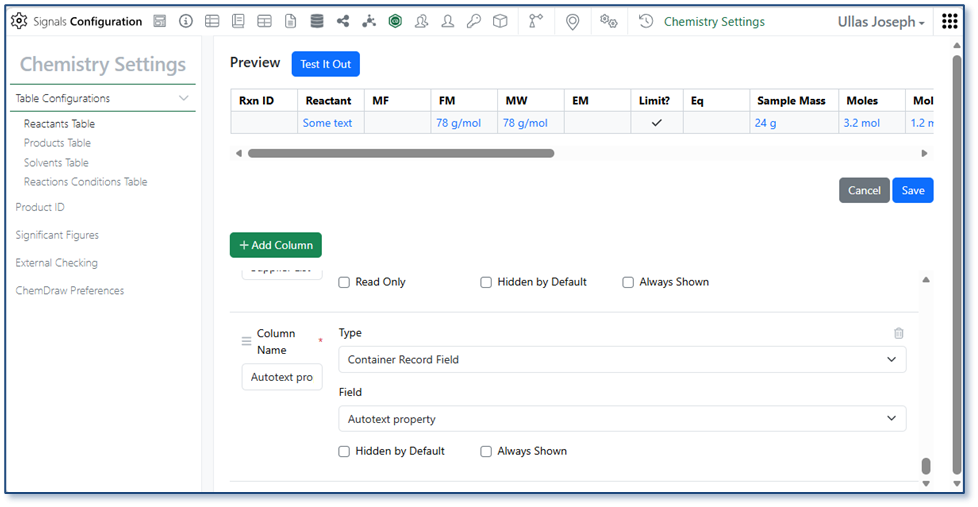
Image 24 from What's New 26.5.docx

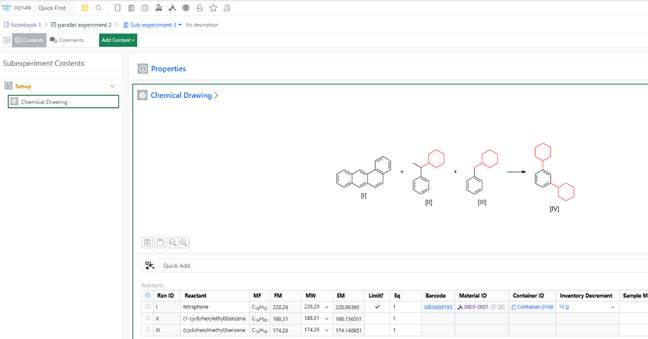
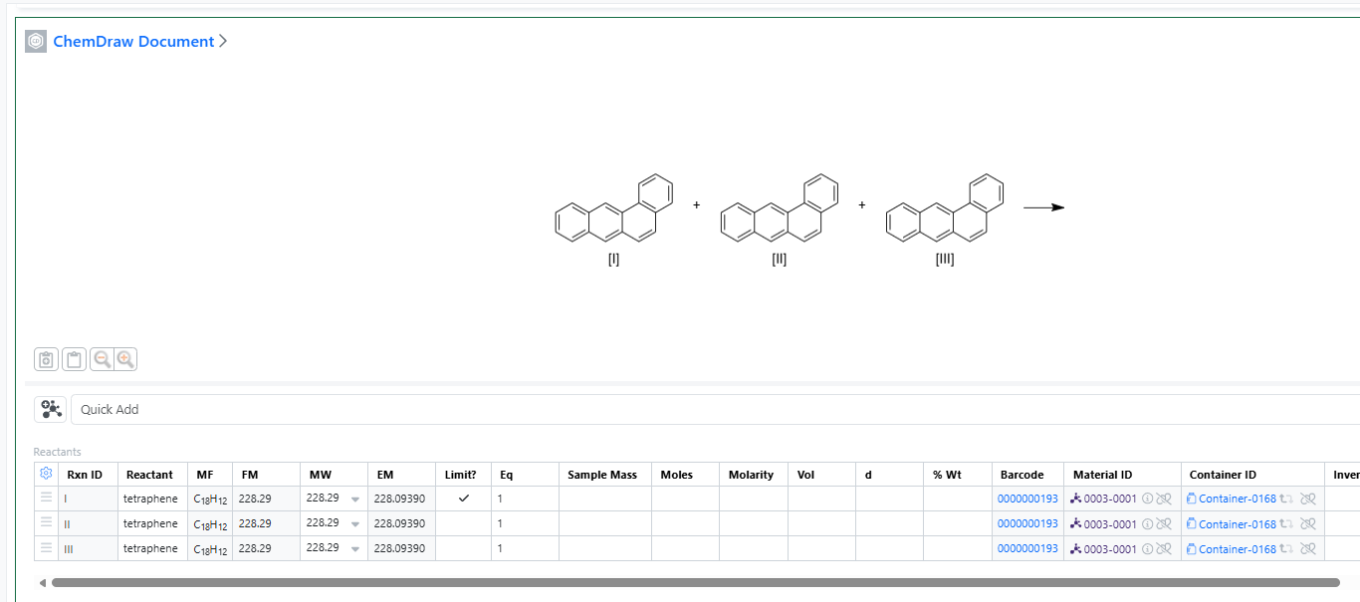
Administrators can now configure container-specific properties to display directly in the Reactants table. Container property columns are available under Container Record Field in the Reactants Table configuration within Chemistry Settings and appear as read-only fields, giving users immediate visibility into container details without leaving the experiment.
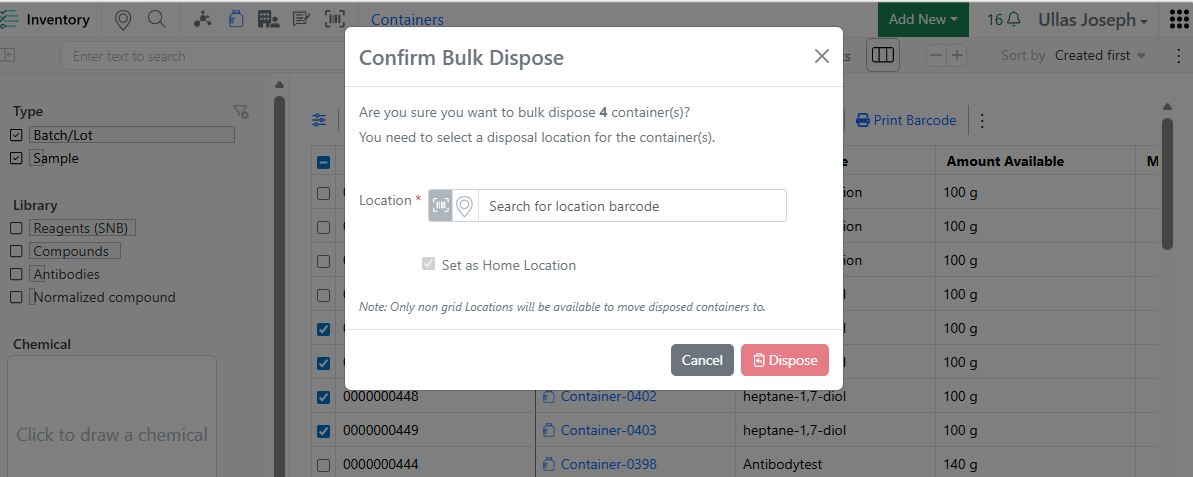
Image 25 from What's New 26.5.docx

When disposing multiple containers from the Container Search Table, users are now prompted to move grid-located containers to a non-grid location before disposal — consistent with the single-container disposal workflow. This eliminates the need to open and dispose containers one by one, saving time and freeing up grid space more efficiently.

InventoryGo
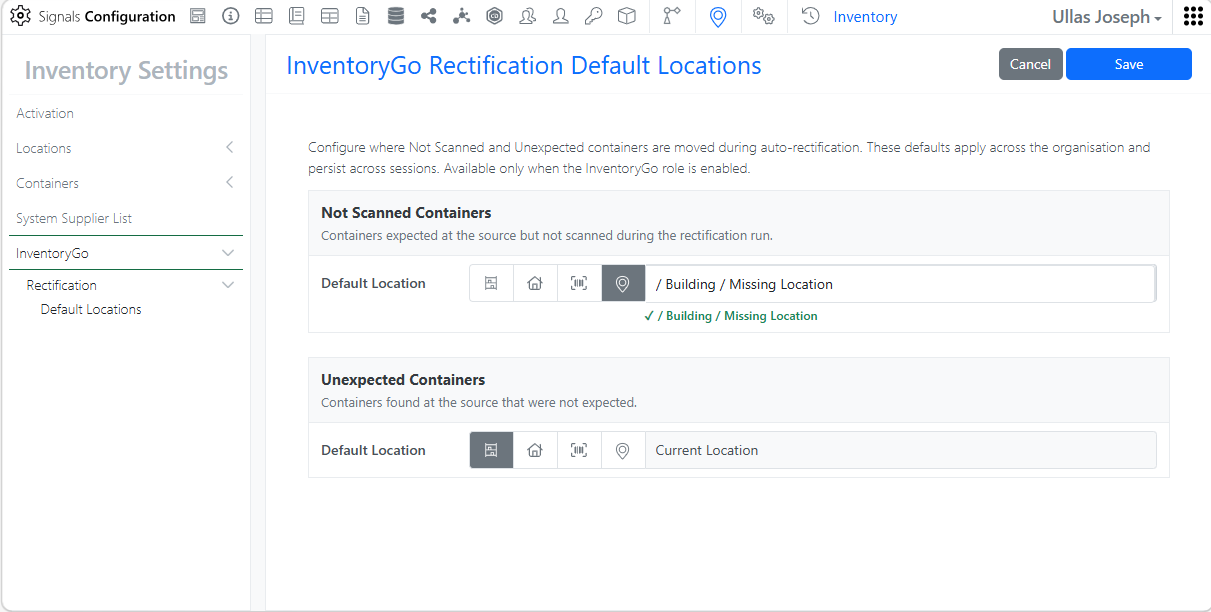
Image 26 from What's New 26.5.docx
Image 27 from What's New 26.5.docx

Rectification. Administrators can configure containers to be automatically moved to the currently scanned location or a predefined default location, reducing manual effort and speeding up the rectification workflow.

Materials
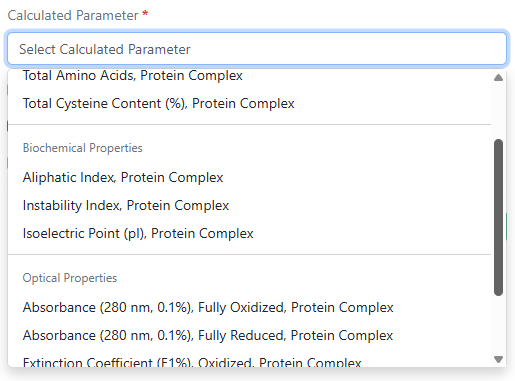
Image 28 from What's New 26.5.docx

Absorbance (280 nm, 0.1%) fully oxidized, absorbance (280 nm, 0.1%) fully reduced, aliphatic index, instability index, and total cysteine content (%) are now available as additional calculated properties for protein complexes in Custom and Protein library types and in the pre-configured Antibodies library.
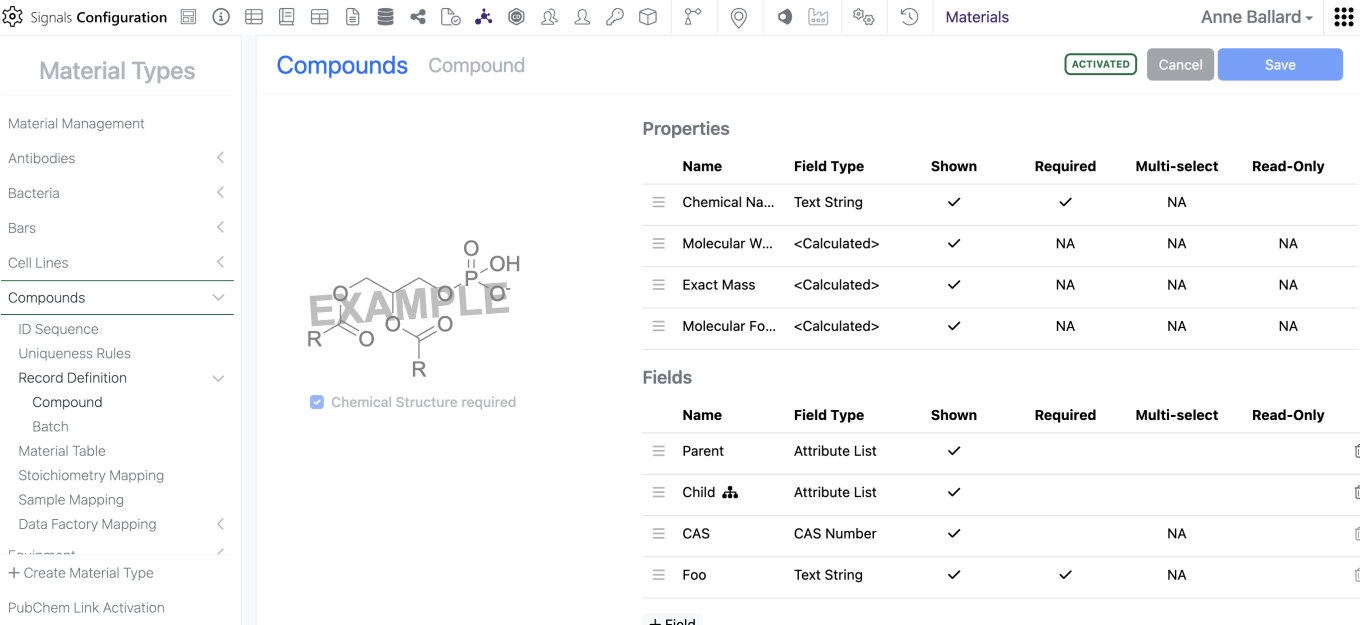
Image 29 from What's New 26.5.docx

Admins can now mark Material properties “Read-Only” which prevents users from altering the data in the UI but does not limit update via the APIs. This does not alter which properties are available for update via the APIs.
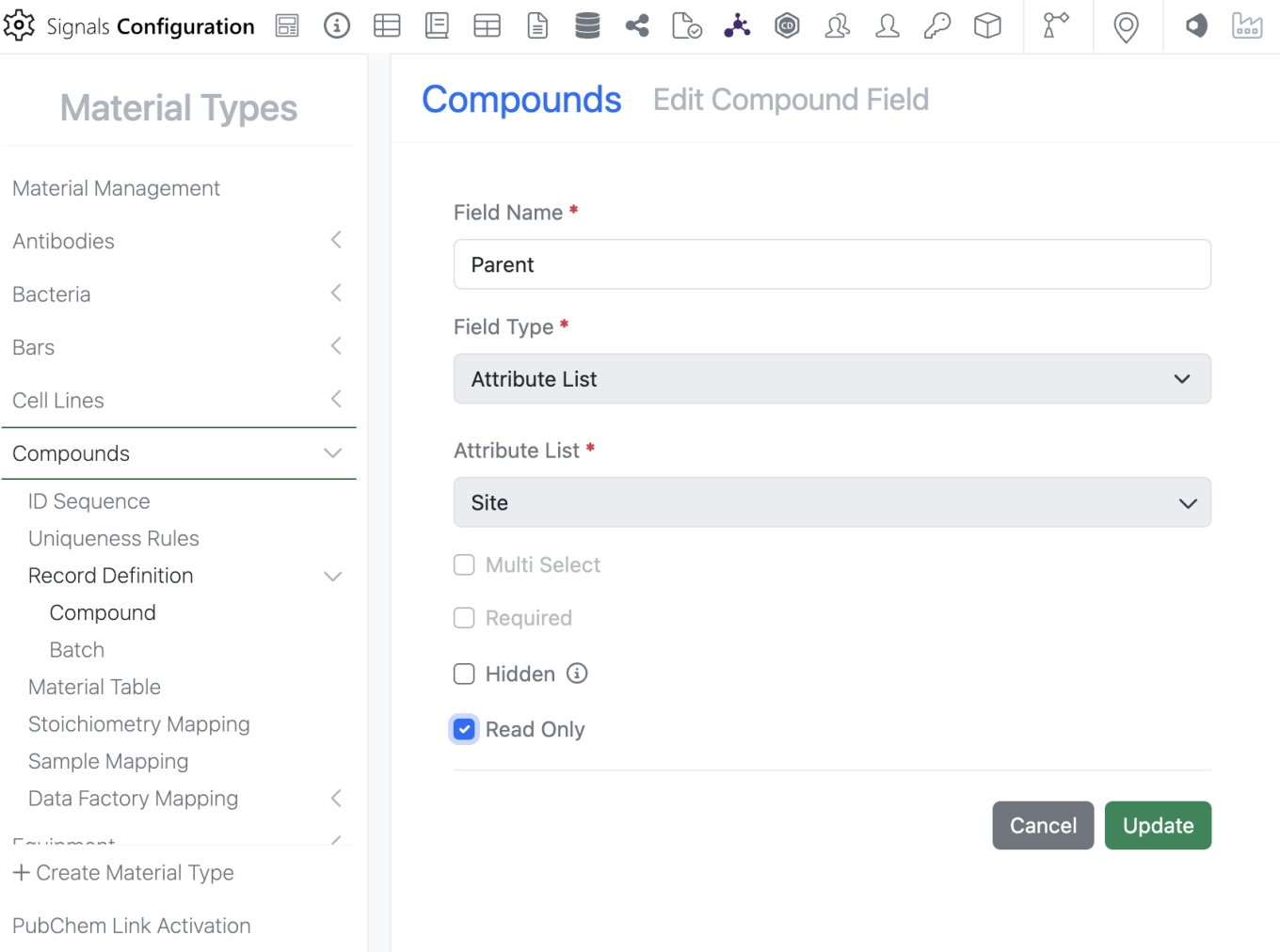
Image 30 from What's New 26.5.docx

To mark a property as “Read-Only”, the admin can edit the property and select the new “Read-Only” option. Please note that a property can either be “Read-Only” OR “Required”, it cannot be marked as both.

Administration
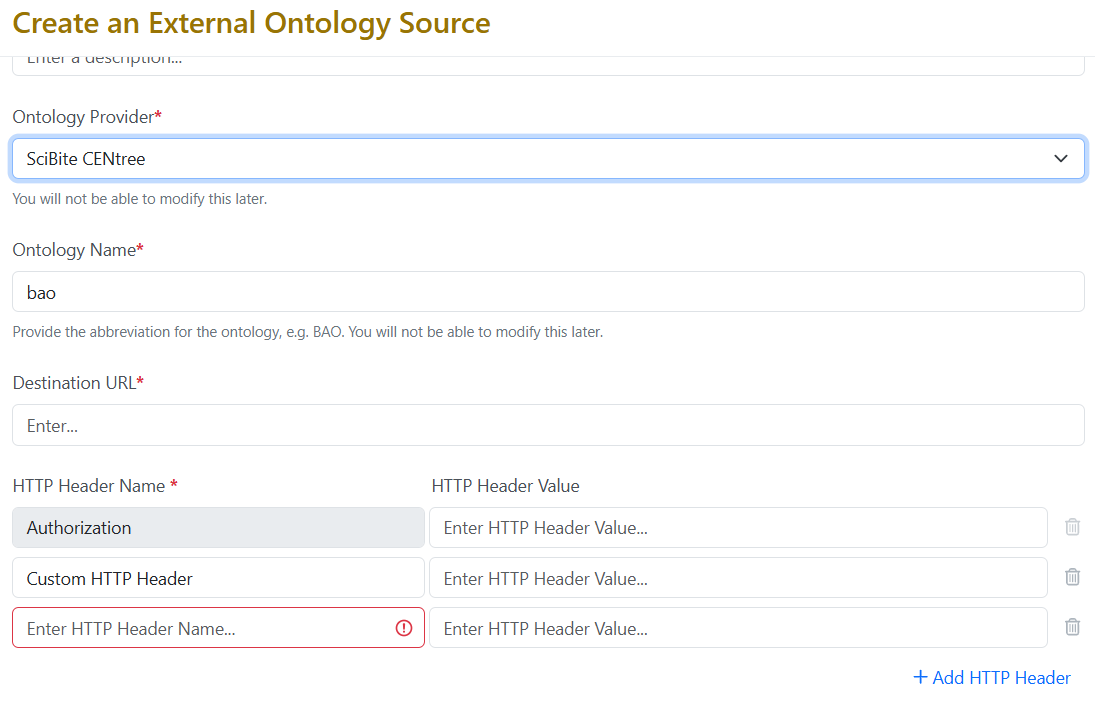
Image 31 from What's New 26.5.docx

External Ontology Source for the provider SciBite CENtree now support up to twenty custom HTTP headers, enabling compatibility with more complex authentication schemes.

Integrations & Interfaces
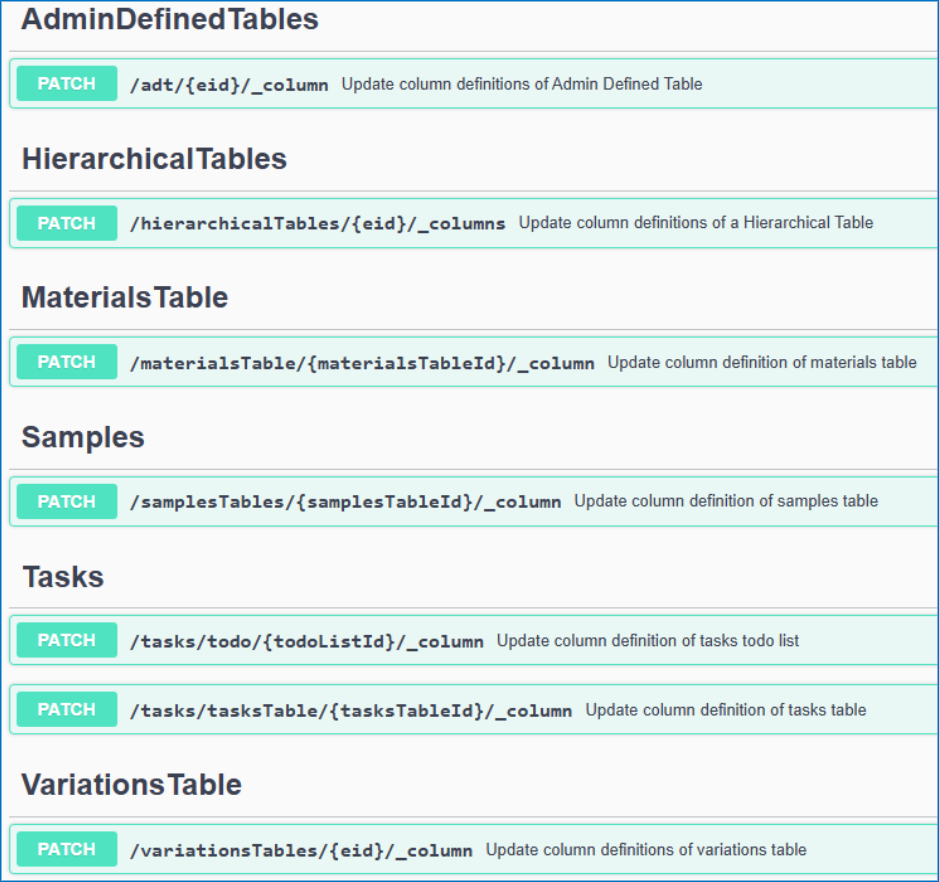
Image 32 from What's New 26.5.docx

We have added API support for hiding and unhiding of table columns via API.

Image 33 from What's New 26.5.docx

We have added a new API to move Experiments to different parent Notebooks.

Image 34 from What's New 26.5.docx

We have added new APIs for returning closed entities from an archive state to Closed.

Image 35 from What's New 26.5.docx

We have enhanced existing APIs for fetching the Material Library definitions to allow for specifying the specific Material Library to fetch. This is an optional “name” parameter that when not included will return all libraries definitions.

Image 36 from What's New 26.5.docx
Image 37 from What's New 26.5.docx

We have enhanced the User fetch API to allow for fetching all CRO users in a tenant. A new “userType” parameter has been added that defaults to “systemStd”. To fetch CRO users this is set to “cro”.

Image 38 from What's New 26.5.docx

We have enabled additional CRO APIs for interacting with Chemical Drawings. These are intended for use in Sponsor integrations via Bearer Token, CRO users cannot have API keys generated for them.

Beta Features

The following capabilities are in beta and are available for users, administrators and developers on the Signals platform upon request. Please contact your account representative or our support team if you would like access to the following features.

Synergy
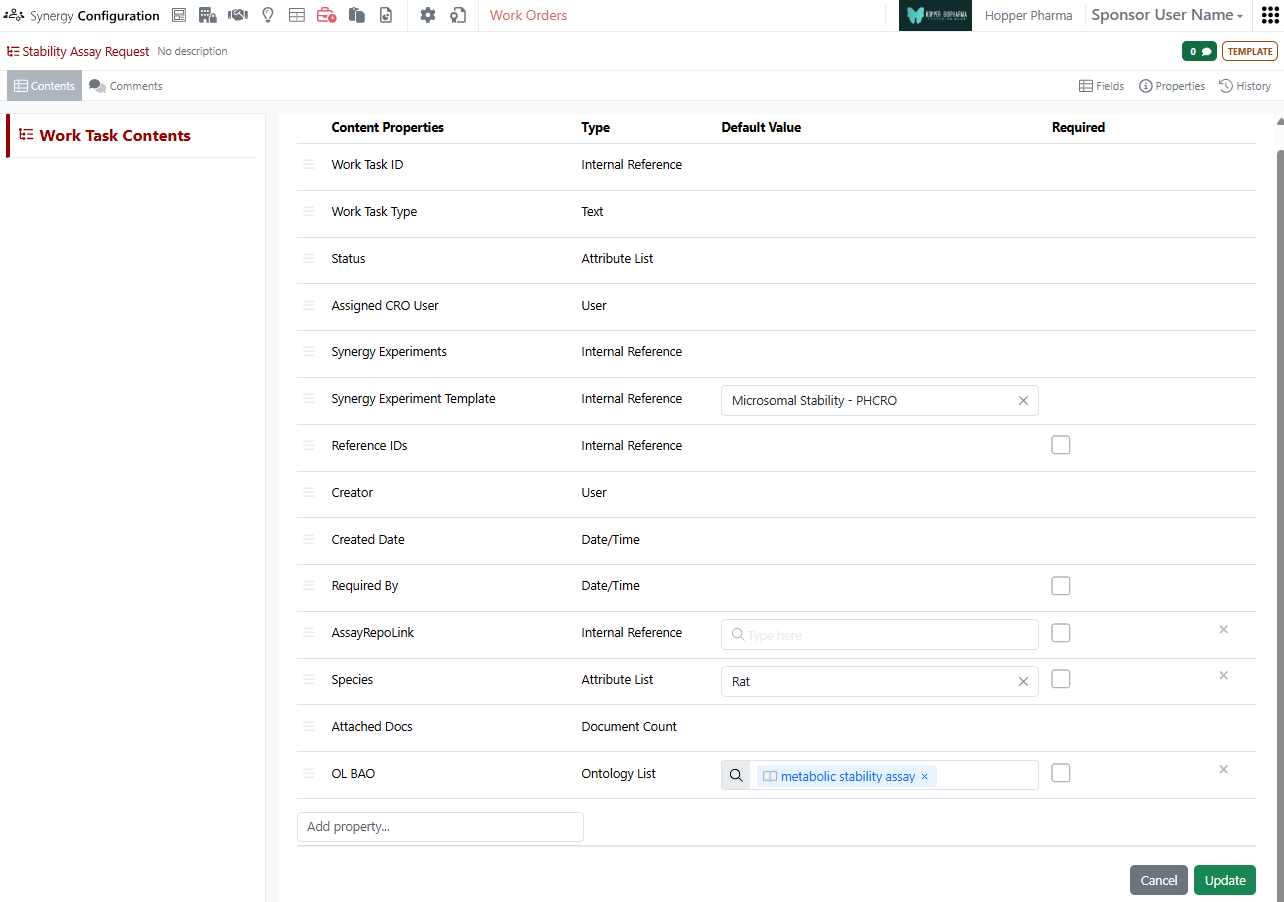
Image 39 from What's New 26.5.docx

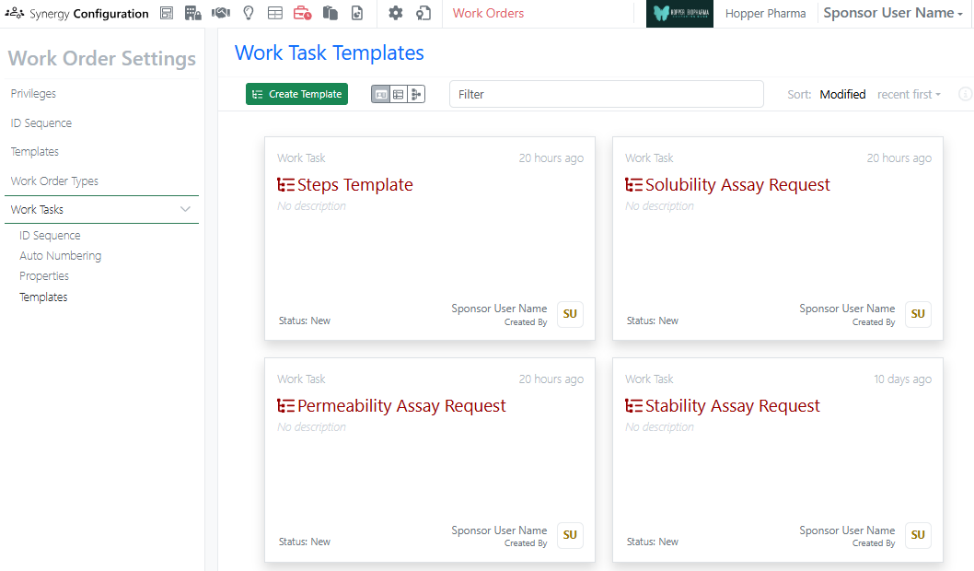
As part of the existing Synergy Work Tasks beta feature, Work Task Templates now support default values. On a Work Task Template, the administrator can specify the default Synergy Experiment Template to be used or default values for other admin-defined properties. When a Work Task is created from this template, the property will be pre-filled with this default value, but can be adjusted if needed. This ensures the Work Task properties are specified correctly for the CRO and reduces the number of clicks and required manual entry by the Sponsor.

Materials
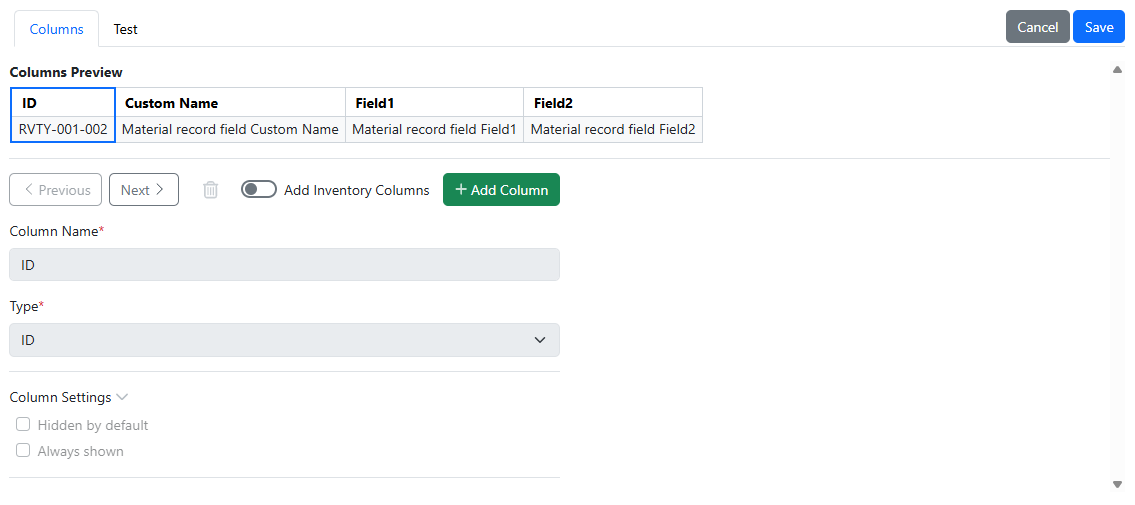
Image 40 from What's New 26.5.docx

The user interface for Admin configuration for materials tables in Signals Configuration has been updated.

Administration
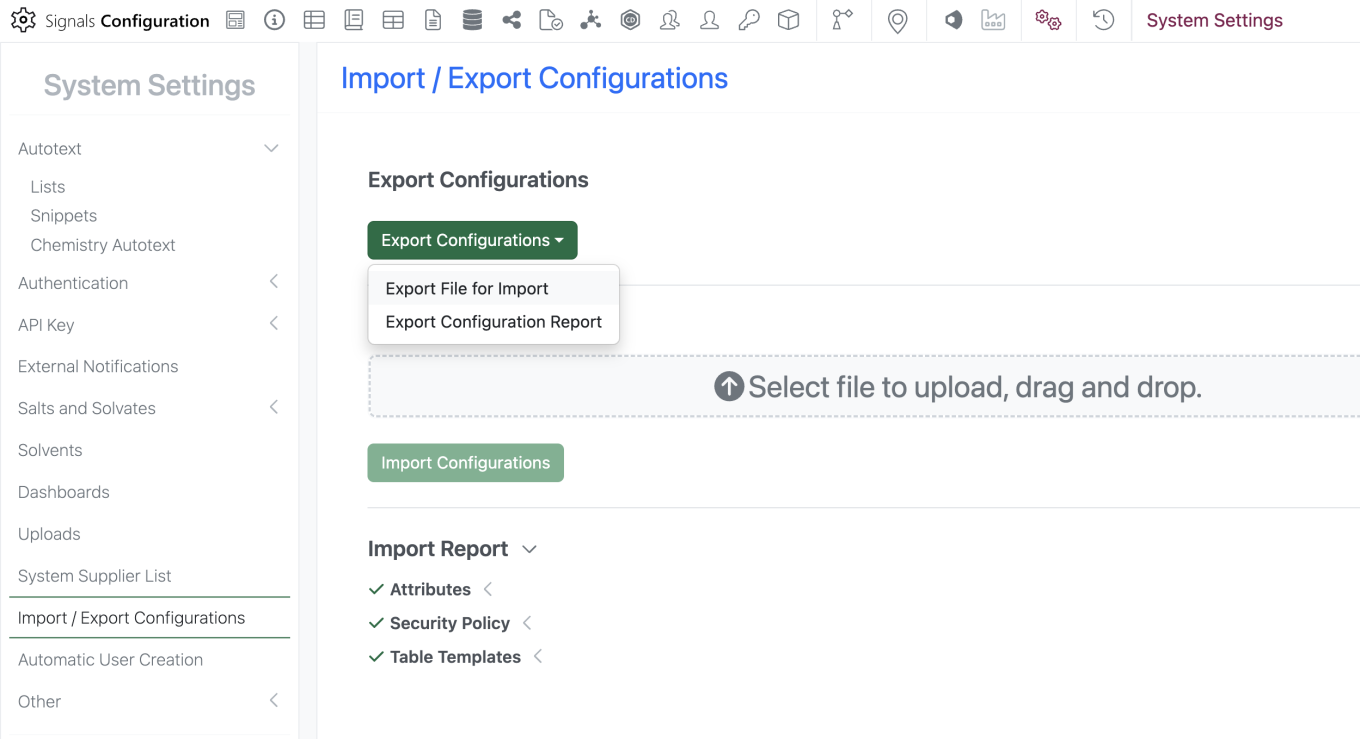
Image 41 from What's New 26.5.docx
Image 42 from What's New 26.5.docx
Image 43 from What's New 26.5.docx

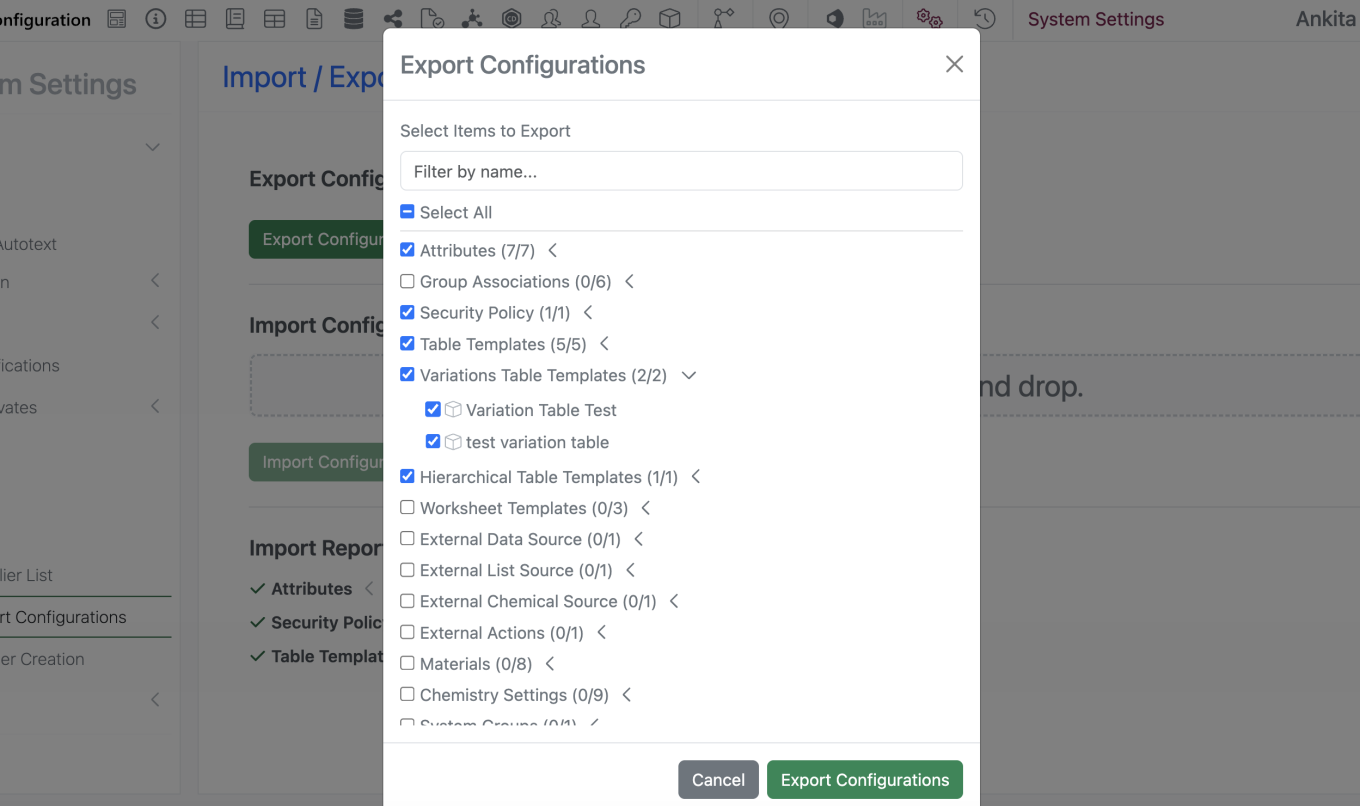
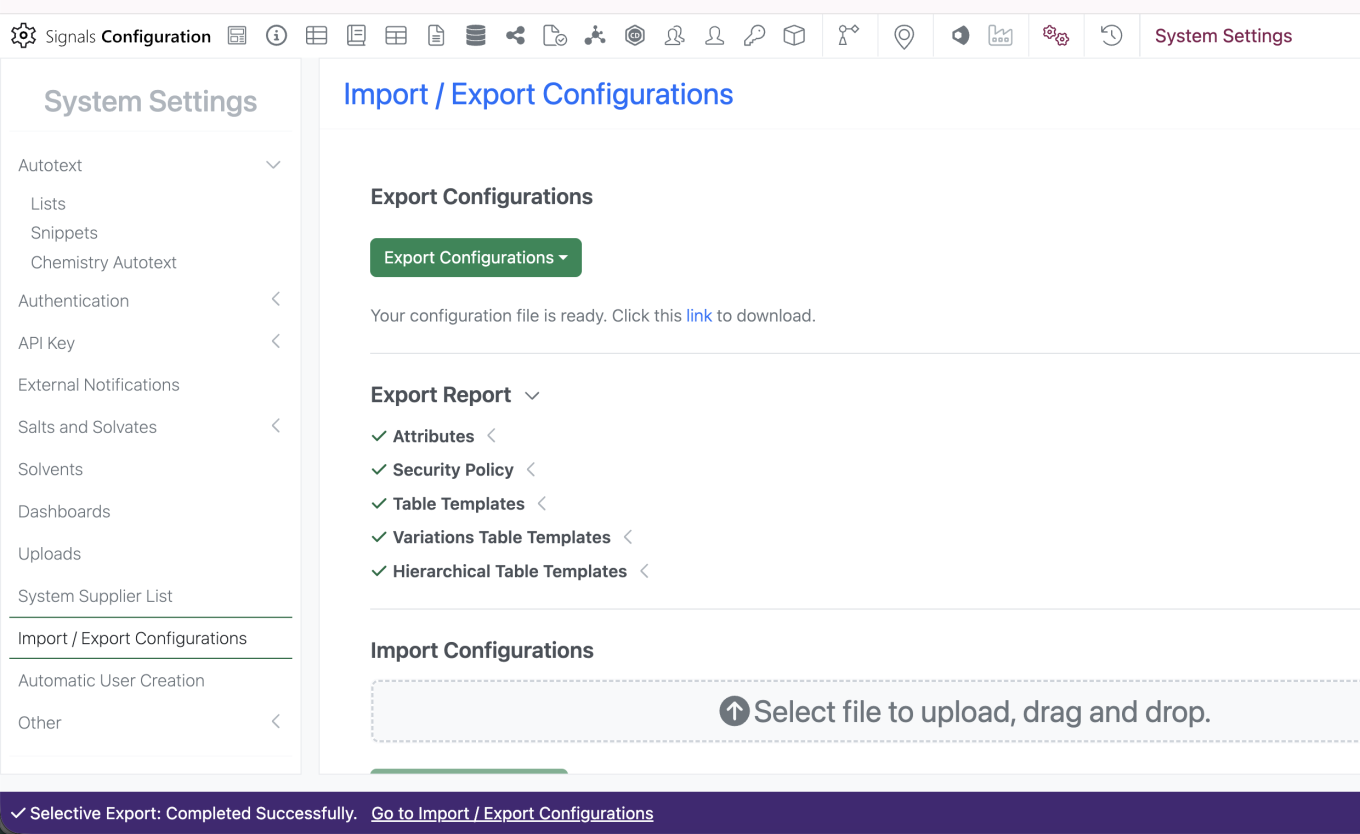
Selective export for configuration migration between tenants is now available. Admins can navigate to the “Import / Export Configurations” interface and select ‘Export Configurations’ > ‘Export File for Import’. Admin is prompted to enter password to navigate to the ‘Export Configurations’ modal. Admin is able to select specific objects to include in the export file and filter by name to narrow down the menu. Admin can select the link to Export the file.
What’s New

We are delighted to release our new version of Signals, 26.4.

The following improvements are available for users, administrators and developers on the Signals platform. Certain features may only be available with appropriate licensing and/or with enablement by an administrator.

  • Fundamentals
    – Ontologies integration allows terms to be used across experiments, materials, tables, and more available to all systems
    – Ontology integration now supported in Synergy, including Collaboration, Idea, Work Order, and Synergy Experiments Templates, as well as Designs and Reference Table fields available to all systems
    – CSV import handling for ontology terms
    – Ontology support for plate templates
    – External Ontology Sources now support SciBite CENtree
    – Audit trail displays highlighted granular changes for text elements (beta)
  • AI
    – Prompt-to-filter (beta)*
  • Data Workflows & Analytics*
    – Data Assembly continuous viewer
    – Median-based robust Normalizations
    – Additional Quality Control metrics
  • SAR & Decisioning*
    – Ontology support on Inventa Analysis templates
    – New ChemCharts Biopolymer data functions
    – ChemCharts Table usability improvements
  • Synergy
    – Collaboration setting allows Sponsor admin to choose whether to use Material IDs or aliased ExIDs with CROs
    – Search for Synergy Experiments based on Work Order
    – System Snippets are available for CRO users
    – Work Tasks in Work Orders (beta)
  • Chemistry
    – Multi-strand and branched complex biopolymers now supported
    – Upload of rdf file types to External Enumerator
  • Tables
    – Definition and display of Scatter Plots on Admin Defined Tables available to all systems*
    – End user adjustment of Scatter Plots available to all systems*
    – Export of image from Scatter Plots available to all systems*
    – Highlight selected rows or points in the Scatter Plot and Table available to all systems*
    – Definition and display of Bar Charts on Admin Defined Tables*
    – Define and display Size By and Transparency on Scatter Plot to enable Bubble Charts on Admin Defined Tables*
  • Inventory
    – Enable container ID and barcode selection directly within Reagent tables
    – Support Inventory Decrement at Sub‑Experiment Level in Parallel Experiments
    – Display container details in Samples table when Material ID is present
    – Multi Select property display in the Container search table
  • InventoryGo
    – Flexible reconciliation workflows introduced: Batch vs. Individual scanning options
  • Administration
    – Migration for legacy Data Factory projects
    – ­Spotfire for Signals Online Access privilege available
    – Admin Defined Dashboards
    – Audit trail displays highlighted granular changes for admin-defined tables (beta)
  • Integrations & Interfaces
    – Ontology API Support
    – Salt Stripping Data for Chemical Drawings fetch API
    – Entity properties on Bulk Export API
    – Update Hierarchical Tables Headers API
    – External Enumerator via API
    – Bulk create Samples via Summary Table via API

* Requires Signals One license
† Requires Signals Synergy license
‡ Requires InventoryGo license

We also fixed several small bugs in this release. Details of the enhancements are described below.

Administrators are recommended to subscribe to the channels within our support news site found at https://support.revvitysignals.com/hc/en-us/categories/360004446171-Support-News which contains more information about releases and other pertinent product information.

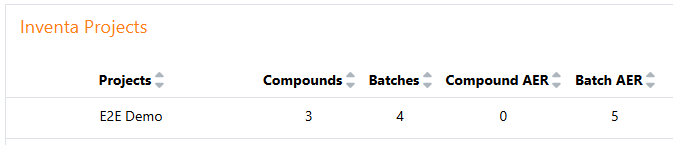
Data Factory administrators should be aware that the Bulk Delete option from the Inventa Dashboard is now available regardless of the “Enable system-generated Unique Result IDs in Spotfire workflows” setting. However, Using Bulk Delete still requires explicit mapping of a Unique Result ID.

Data Factory Administrators should note that legacy Data Factory projects will be fully deprecated in a future release. A straightforward migration path is now available to support this transition. A specific deadline has not yet been scheduled.

Data Factory administrators should also note that the Advanced Security policies in Inventa apply an “AND” logic across all user groups, restricting access if any groups lack permissions. This behavior differs from the standard Signals security model and will be fixed to align with the standard in a future release.

This content is anticipated for release on our Production E3 environments, and for Private Cloud customers on our deferred release schedule, in November 2026.

Further Details

The following improvements are available for users, administrators and developers on the Signals platform. Certain features may only be available with appropriate licensing and/or with enablement by an administrator.

Fundamentals

Image 1 from What's New 26.4-2.docx

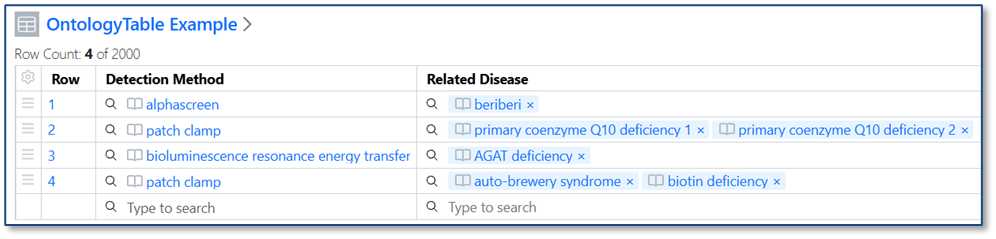
Ontology support is now available for all systems. Administrators may connect to a ontology provider (BioPortal, OLS, or SciBite CENtree) as an External Ontology. Once a specific ontology from that source is connected, Administrators can create a new type of Attribute, Ontology Lists, which contain a subset of terms from the ontology. This Ontology List can be used in templates and properties across signals, including Experiments, Materials, Tables, Samples, Admin Defined Objects, Plates, Inventa Analyses (for Signals One), Synergy Experiments and Design/Reference Tables, and more.

Image 2 from What's New 26.4-2.docx
Image 3 from What's New 26.4-2.docx
Image 4 from What's New 26.4-2.docx

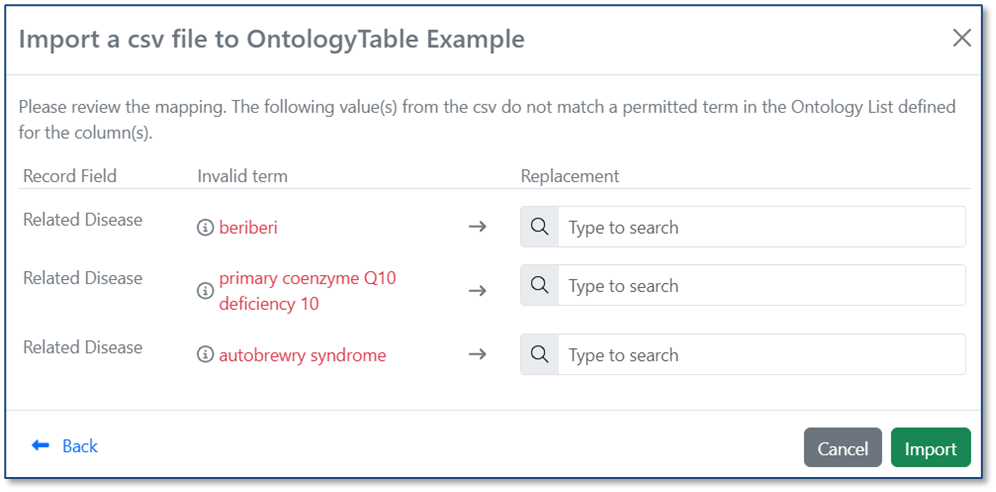
When you import a CSV into a table, ontology values are now validated against the Ontology List for that field. If a value in the CSV matches a term’s preferred name or any synonym, it is automatically mapped to the correct ontology term. If no matching term is found, users can resolve the value during import by selecting the appropriate term from the Ontology List.

Image 5 from What's New 26.4-2.docx
Image 6 from What's New 26.4-2.docx

Data Workflows & Analytics

Image 7 from What's New 26.4-2.docx

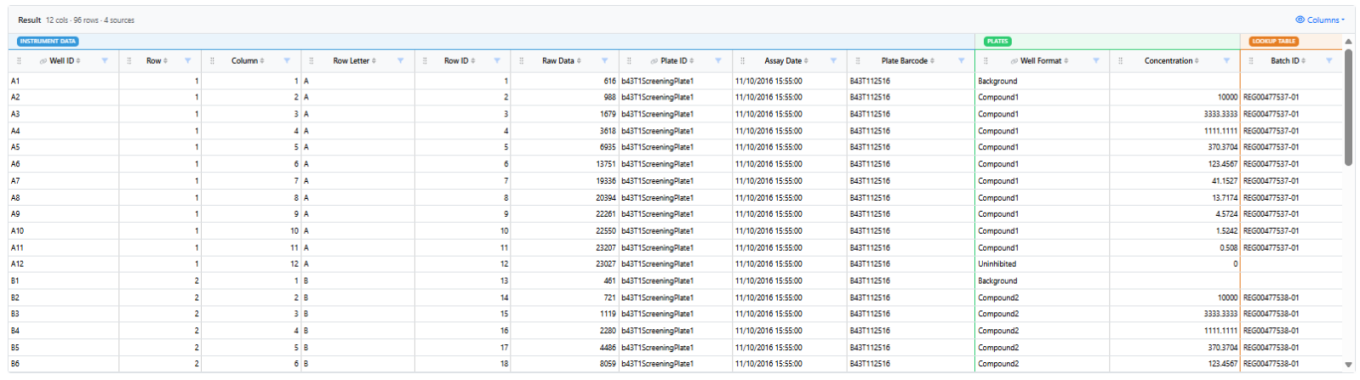
In Signals One, all In Vitro Analysis users will discover that in the Data Assembly step, the 5-rows static preview has been replaced by an interactive viewer with continuous scroll. Numerical and categorical columns can now be filtered, sorted, reordered and hidden to flexibly slice and dice the data that will be used in the Analytics steps. Visual cues indicate the source data of the columns, and which columns were used during the matching process.

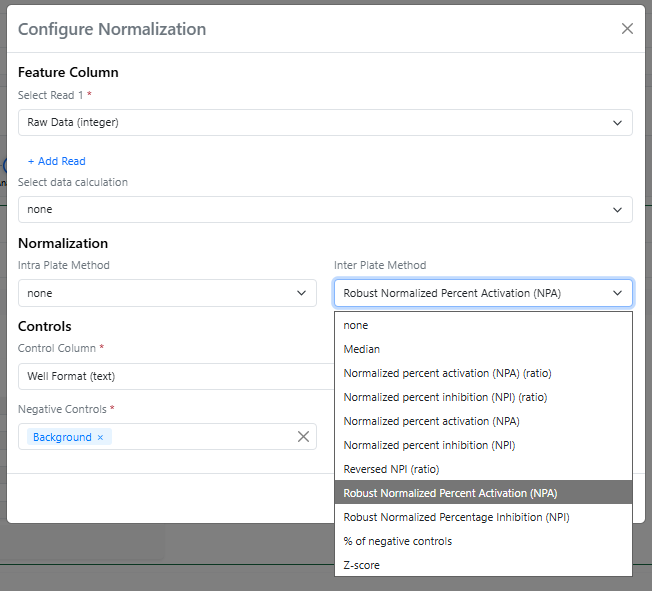
In the Analytics steps of the In Vitro Analysis, a couple of new normalization methods, using the median instead of the average, can now be found in the Inter Plate Method menu, both with the “Robust” prefix.

Image 8 from What's New 26.4-2.docx

The Robust Normalized Percent Activation is calculated using the expression: “(value - median(n)) / (median(p) - median(n)) * 100” while the Robust Normalized Percent Inhibition is calculated using the expression: “(median(p) – value) / (median(p) - median(n)) * 100” (where p and n are the values for positive and negative controls). Median-based normalizations are called "Robust" because they are not heavily influenced by extreme outliers.

Finally, the mean and standard deviation of both positive and negative controls are calculated and added to the Normalization results.

SAR & Decisioning

Image 9 from What's New 26.4-2.docx

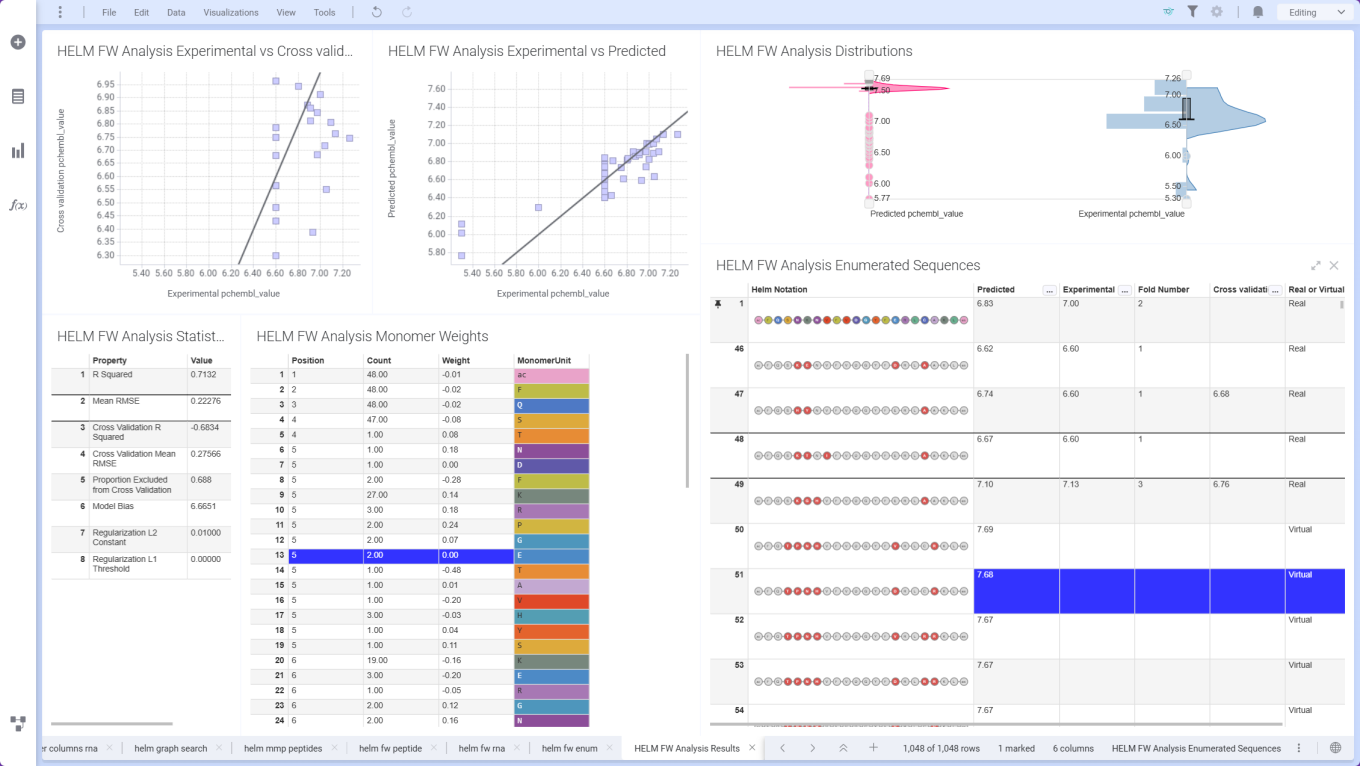
ChemCharts Data Functions introduce Free‑Wilson analysis for HELM sequences, using aligned sequence and property data to quantify position‑specific monomer contributions. Combined with the Free‑Wilson Enumerator, users can design and prioritize novel HELM sequences based on predicted performance.

Image 10 from What's New 26.4-2.docx

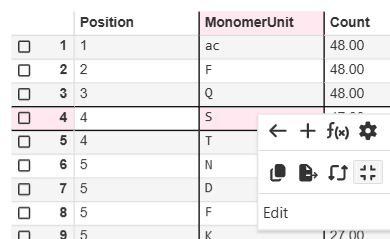
ChemCharts Table Visualizations now support a crosshair, which once activated highlights the cell, row number, and column header when moving the mouse.

Synergy

Image 11 from What's New 26.4-2.docx

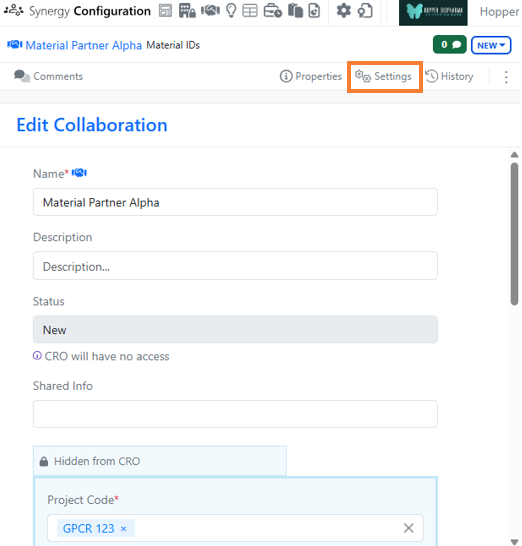
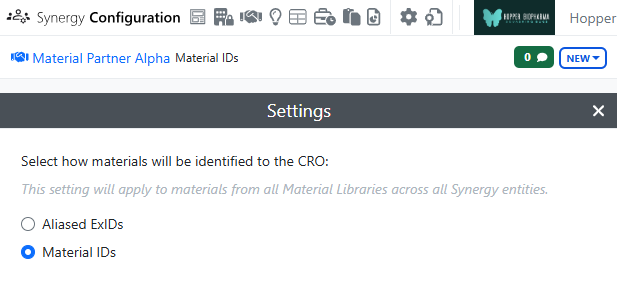
Synergy now allows the administrator to choose whether to use aliased ExIDs or Material IDs with a CRO on a Collaboration-by-Collaboration basis. An administrator with the privilege Manage Collaborations has access to a new Collaborations Settings menu on a Collaboration where the administrator can choose between aliased ExIDs or Material IDs. The default is ExIDs to support the current behavior. This setting can only be changed while the Collaboration is New (before being sent to the CRO) and no child Work Orders are yet created.

Image 12 from What's New 26.4-2.docx

Image 13 from What's New 26.4-2.docx

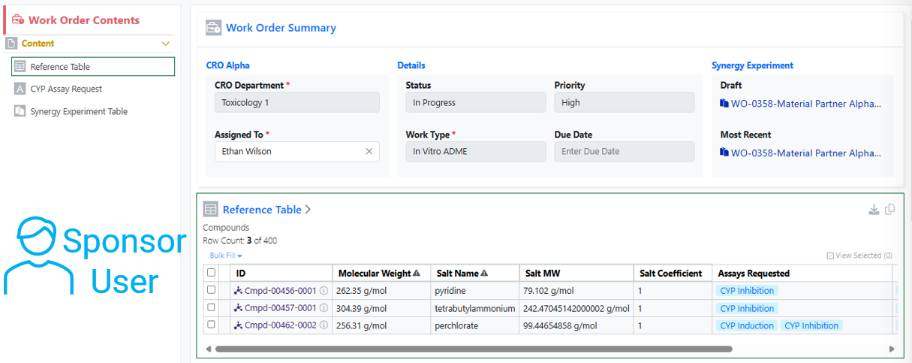
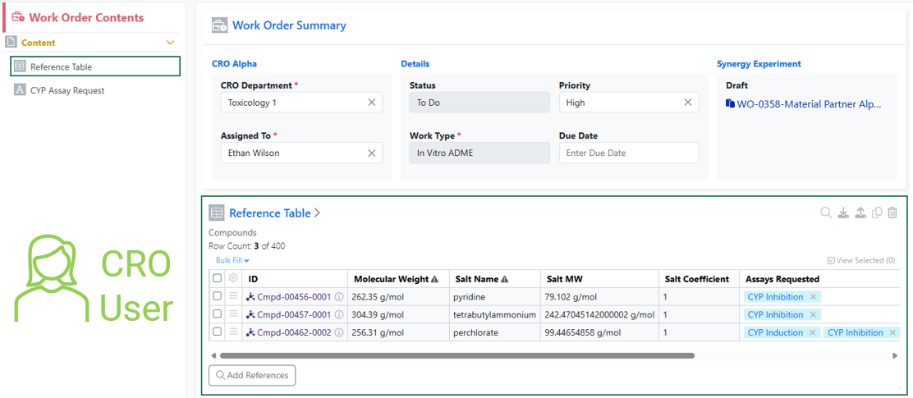
If the Collaboration is set to Materials IDs, materials shared via the Reference Table will display with their Material IDs to both the CRO and Sponsor. The Sponsor will not have a toggle to switch between the IDs, indicating that the Material ID will be shared with the CRO.

Image 14 from What's New 26.4-2.docx
Image 15 from What's New 26.4-2.docx

The use of Material IDs persists throughout the Collaboration in all child Work Orders and Synergy Experiments. For example, when a CRO user populates an internal reference column in an admin-defined table or when the Sponsor registers a Sample in a Samples table, the column will display the Material ID for both the Sponsor and CRO.

Image 16 from What's New 26.4-2.docx

If the Collaboration is set to ExIDs (default), materials shared via the Reference Table will display with their ExIDs to the CRO, and the Sponsor will have a toggle to switch between the ExIDs, Material IDs, or both (existing behavior).

Image 17 from What's New 26.4-2.docx

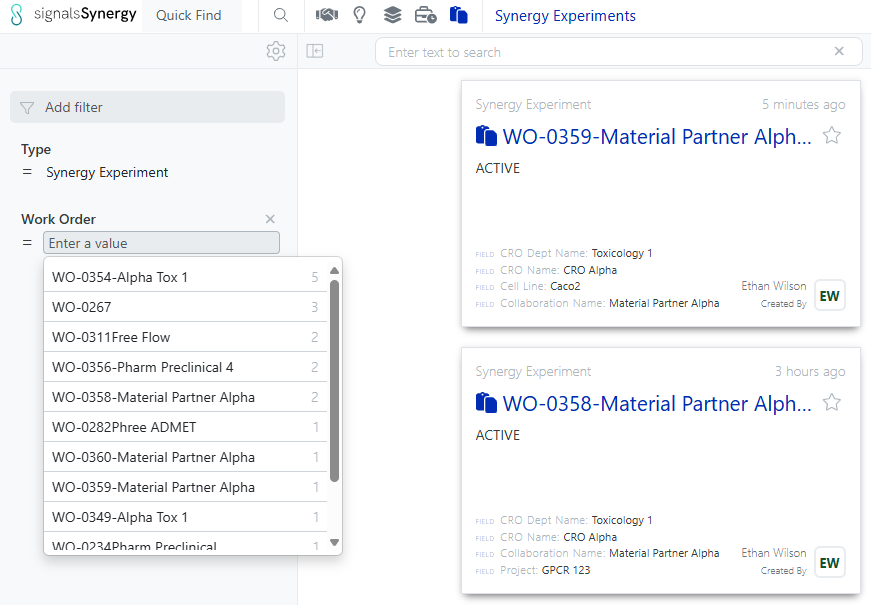
Both Sponsor and CRO users can now search for Synergy Experiments by the associated Work Order ID. The Work Order filter can be added in Advanced Search, typically alongside Type = Synergy Experiment, or to the Synergy Experiments Smart Folder.

Image 18 from What's New 26.4-2.docx

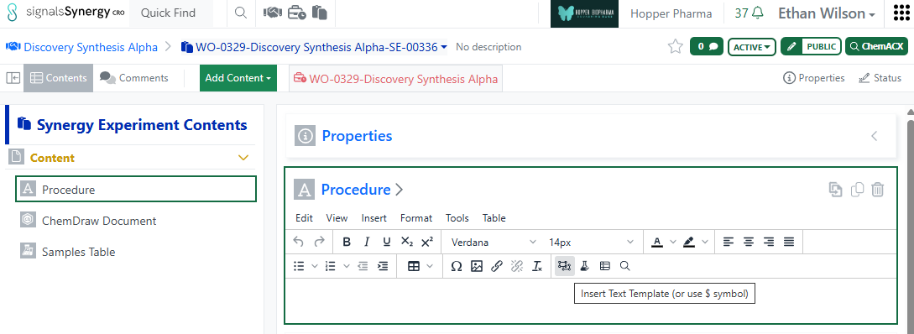
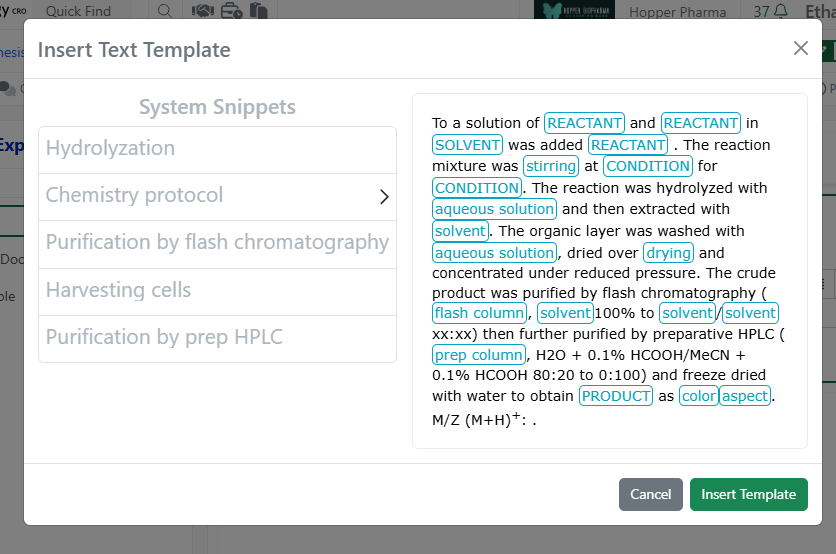
Finally, CRO users can now access and insert System Snippets using the Insert Text Template on any Text element. Note, CRO users cannot save text templates to avoid cluttering the template options for all users.

Image 19 from What's New 26.4-2.docx

Chemistry

Image 20 from What's New 26.4-2.docx

The ChemDraw editor now supports rendering and cleanup of multi-strand and branched complex biopolymers, making these structures easier to display in a clear, aligned, and readable layout.

Image 21 from What's New 26.4-2.docx

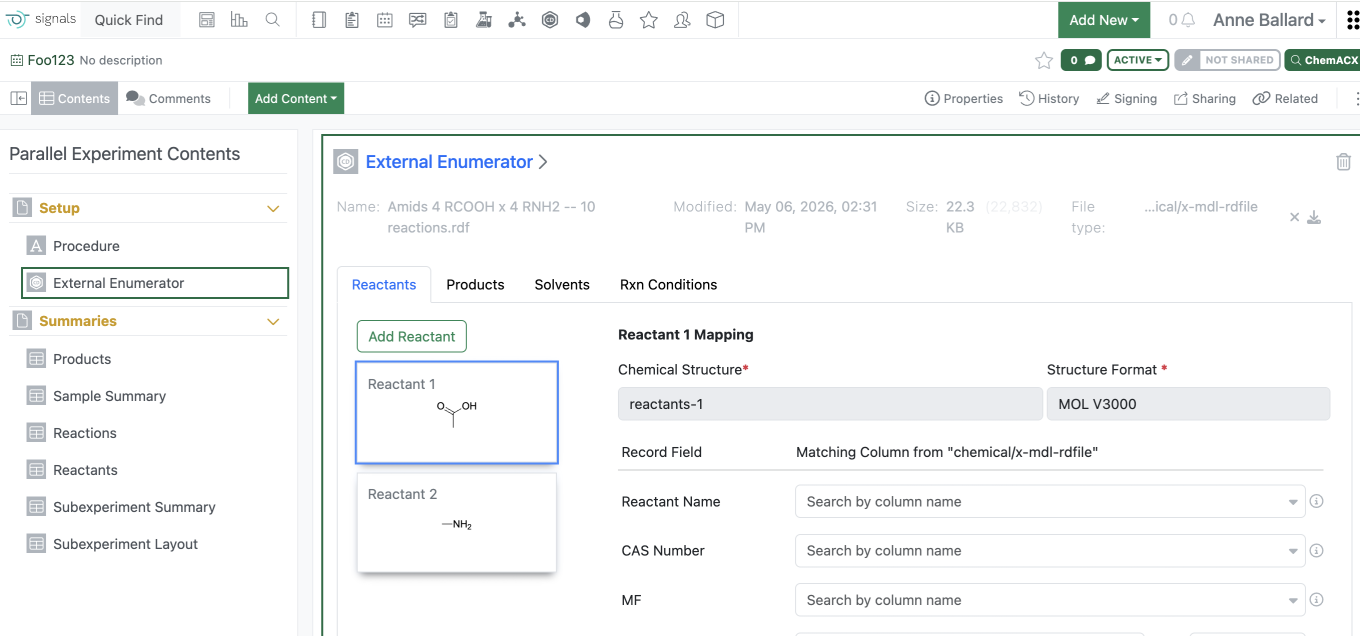
Users are now able to load an RDF type file into the External Enumerator for Parallel Experiment enumeration. Fields within the rdf can be mapped into the external enumerator. Reactant order is defined by the rdf file. Solvent and Rxn Conditions are not commonly included in the rdf file and therefore will need to be added manually.
Additional reactants or products can be added manually similarly to what can currently be managed.

Tables

Image 22 from What's New 26.4-2.docx

Scatter Plots are now available to all tenants. End users require a Signals One license to view and edit charts in ADTs.

Image 23 from What's New 26.4-2.docx

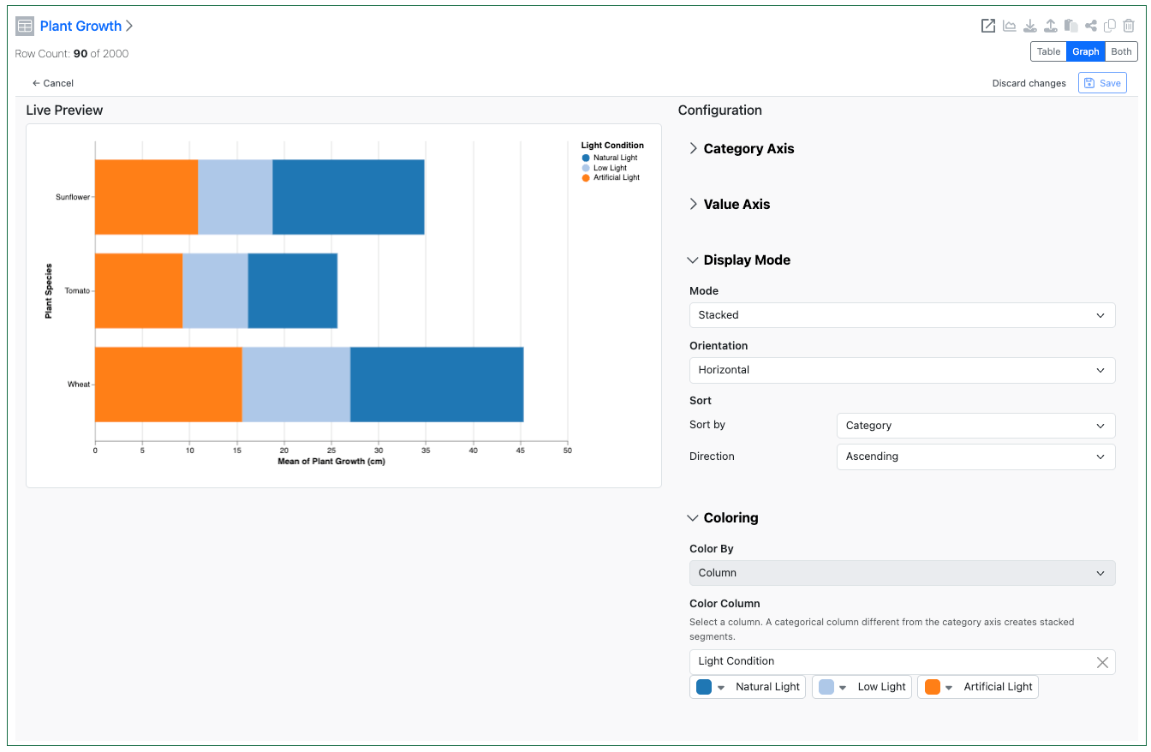
Configuration Administrators can now choose to define a Bar Chart on Admin Defined Tables. Similar to the definition of Scatter Plots, administrators can define the Bar Chart on the Table template including setting properties for the value and categorical axis. The chart can be a simple, stacked or 100% stacked bar chart and can be displayed vertically or horizontally. The admin can also choose if the end user is able to adjust the settings for the chart.

Image 24 from What's New 26.4-2.docx

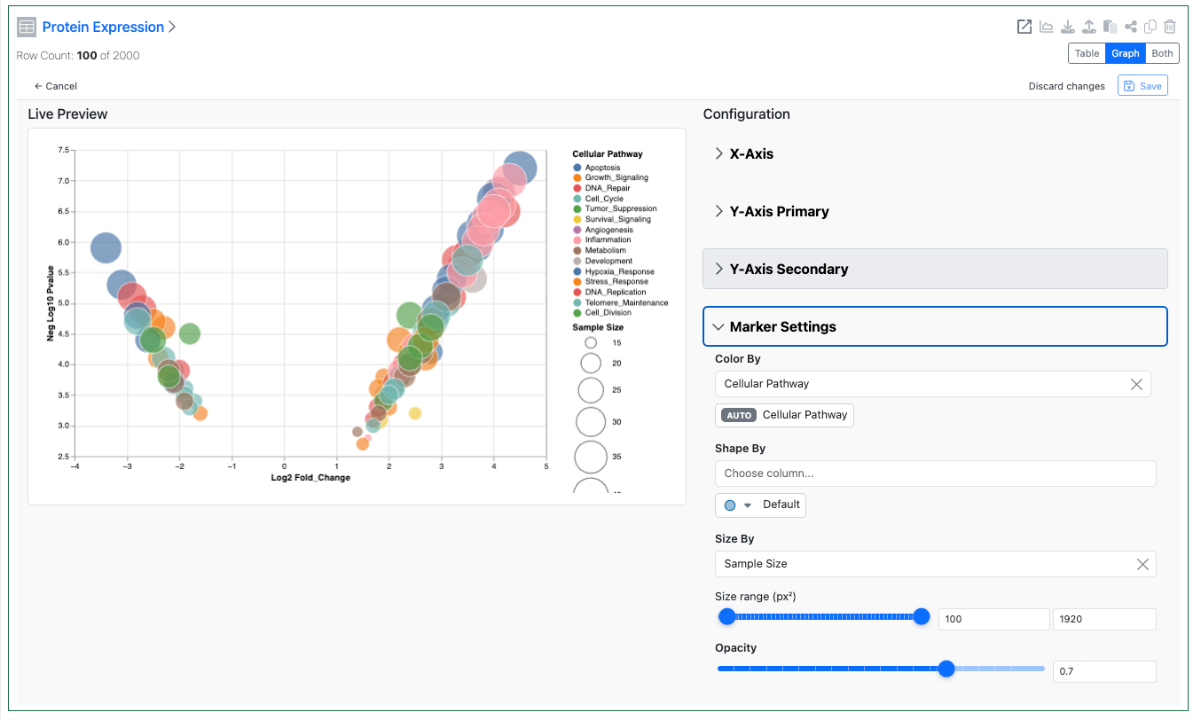
Configuration administrators can also now define a Size By and an Opacity setting for Scatter Charts. These two settings allow for the creation of Bubble Charts using the Scatter Chart type. If the end user is allowed to change chart settings these options are also available directly within the Admin Defined Table.
Inventory

Image 25 from What's New 26.4-2.docx

Users with the right permissions can now assign or reassign containers in cloned or pre-defined experiments, even after container details are cleared, enabling more flexible and accurate inventory workflows in Reagent table.
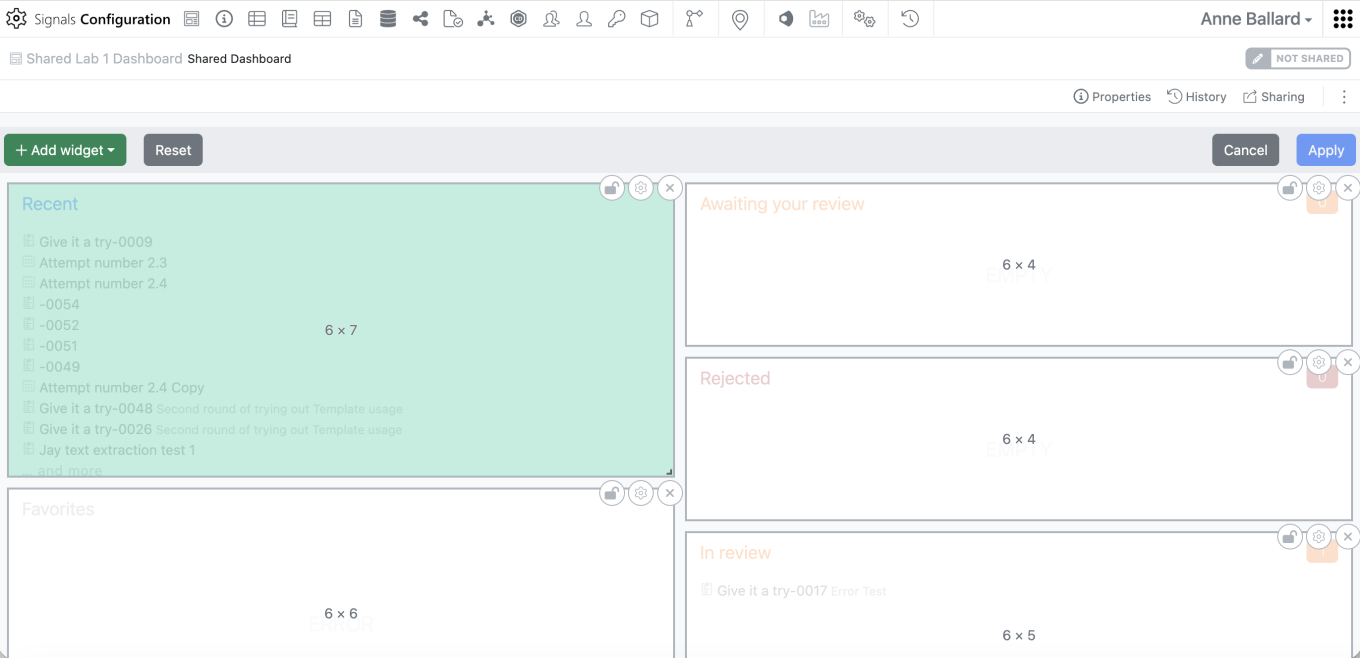
Image 26 from What's New 26.4-2.docx

Inventory Decrement can now be entered at the sub‑experiment level, allowing users to accurately update container usage when working with parallel, cloned, or reagent‑specific sub‑experiments.
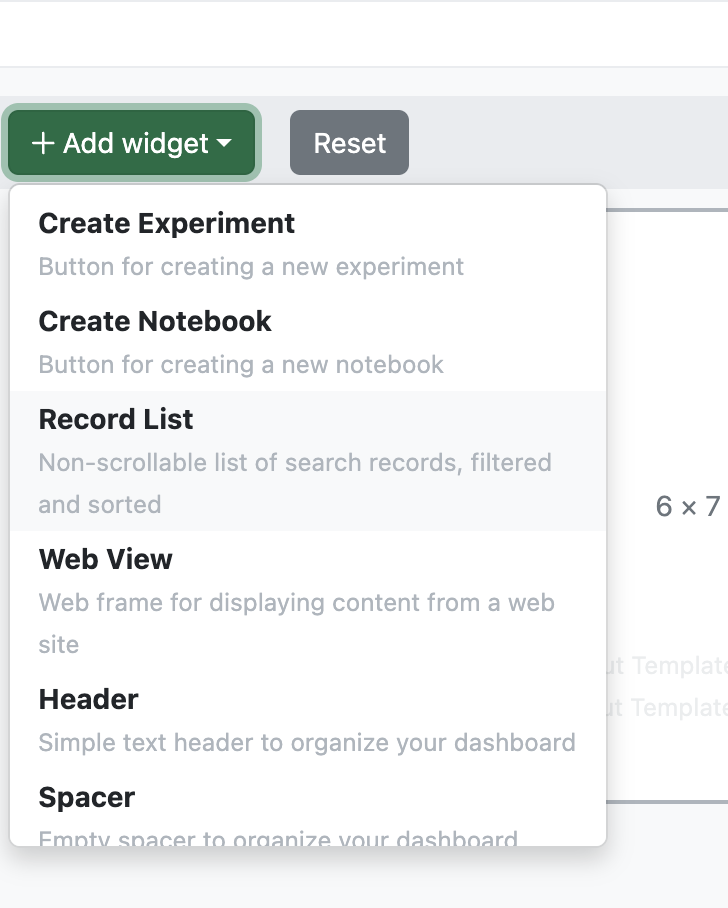
Image 27 from What's New 26.4-2.docx

Container details are now accessible from the Samples table even when a Material ID is provided, ensuring consistent visibility across sample workflows.

Image 28 from What's New 26.4-2.docx

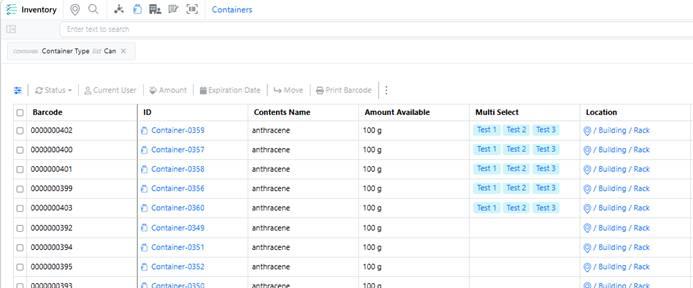
Container multi‑select properties are now available in the Container table, allowing users to view multi‑select container properties directly from the inventory view.

InventoryGo

Image 29 from What's New 26.4-2.docx

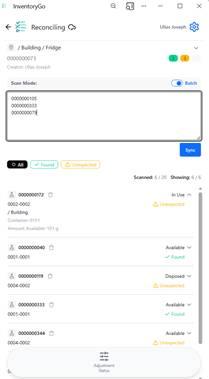
A new Scan List mode has been added to reconciliation, allowing users to scan containers in bulk and fetch results on demand, with a toggle to switch between batch and individual scanning for more reliable and faster workflows.

Administration

Image 30 from What's New 26.4-2.docx

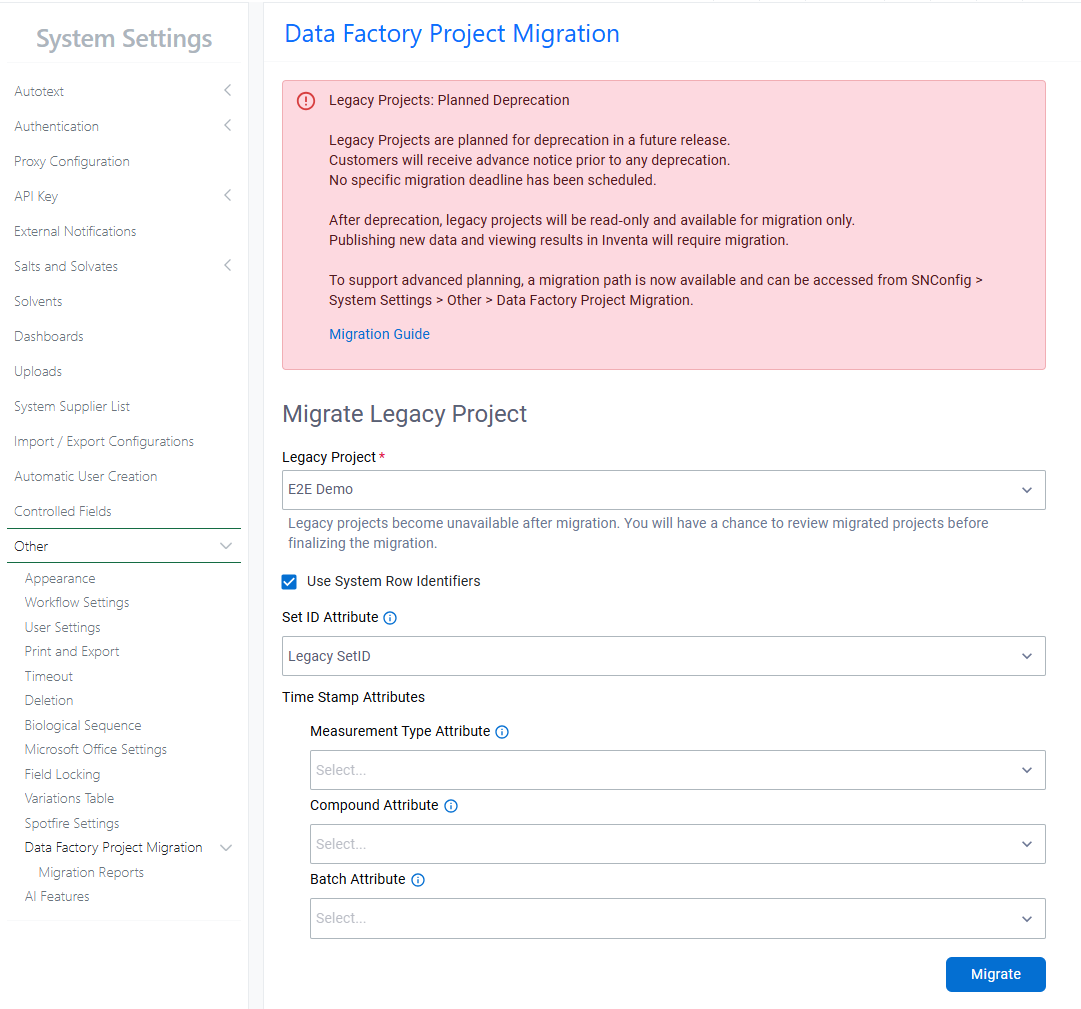
A migration path for legacy Data Factory projects is now available. Legacy Data Factory will be deprecated in a future release; administrators are encouraged to migrate to the latest Data Factory as soon as possible. The Legacy Project Migration tool is available from System Settings > Other. Before migrating, review the Migration Guide within the Signals Configuration Guide.
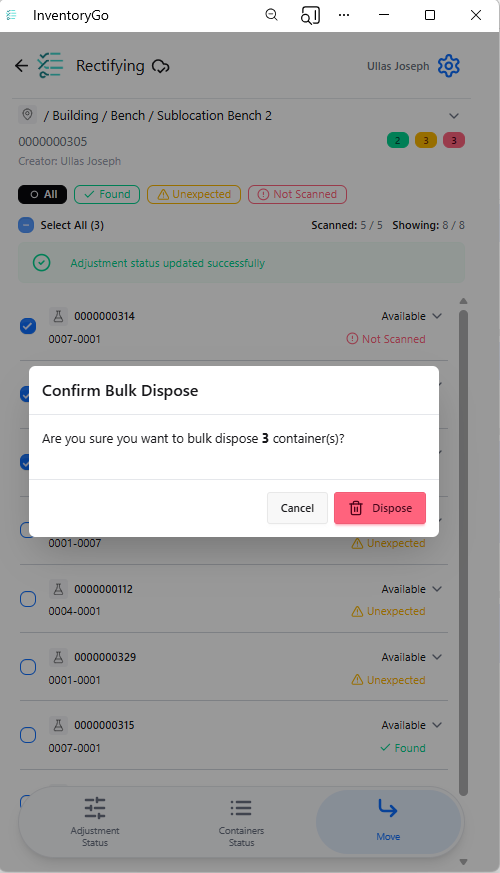
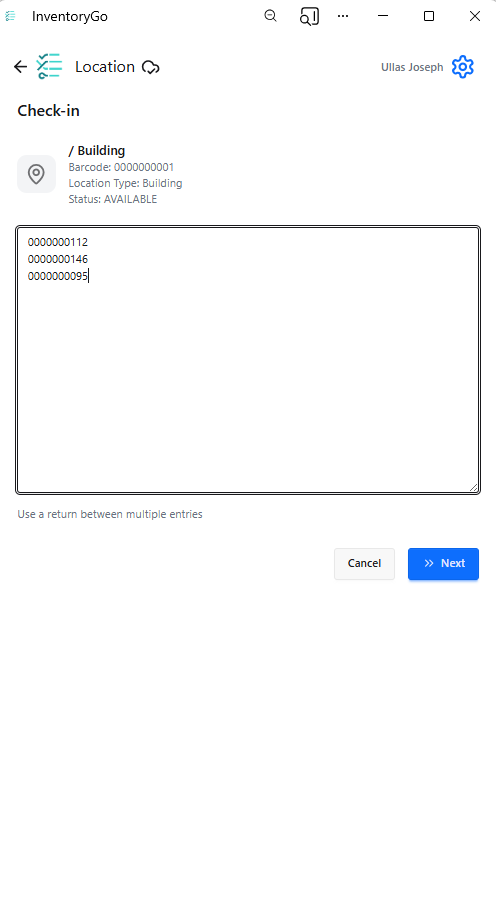
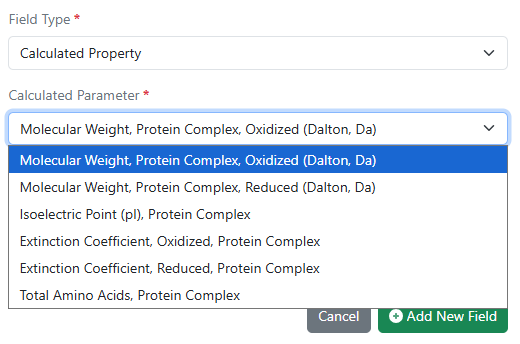
Image 31 from What's New 26.4-2.docx

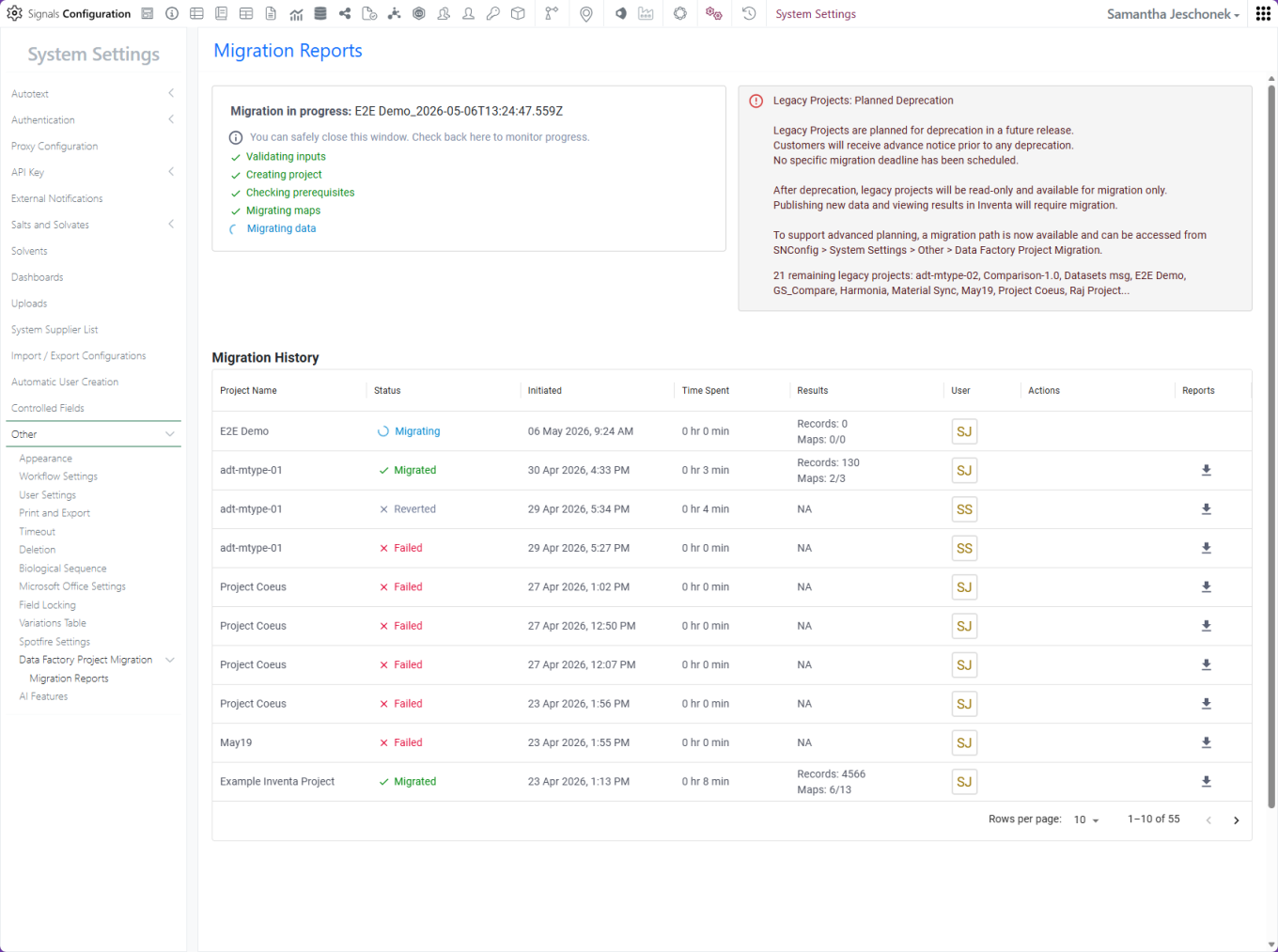
Migration status and history are captured in the Migration Report.

Image 32 from What's New 26.4-2.docx

After a successful migration, administrators can review the migrated project before committing the changes.

Image 33 from What's New 26.4-2.docx

After you commit, the migrated project is ready to use and can be accessed from the Inventa Dashboard. The legacy project is no longer available for publication or data retrieval in Inventa.

Image 34 from What's New 26.4-2.docx
Image 35 from What's New 26.4-2.docx

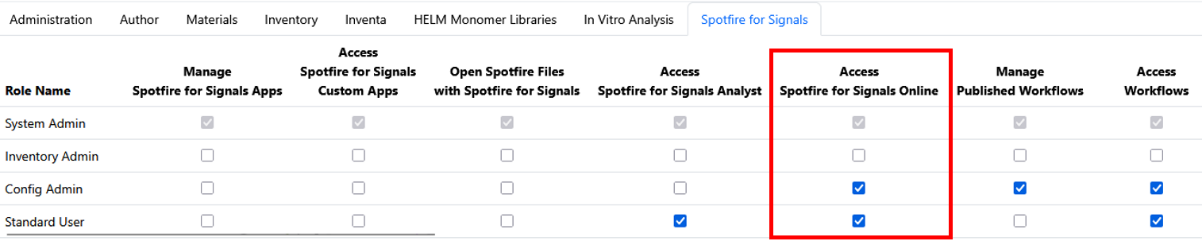
Spotfire for Signals Online Access privilege available to control which users can access and substantiate Spotfire for Signals Online. Users without this privilege will be limited to Spotfire for Signals Analyst use.

Image 36 from What's New 26.4-2.docx

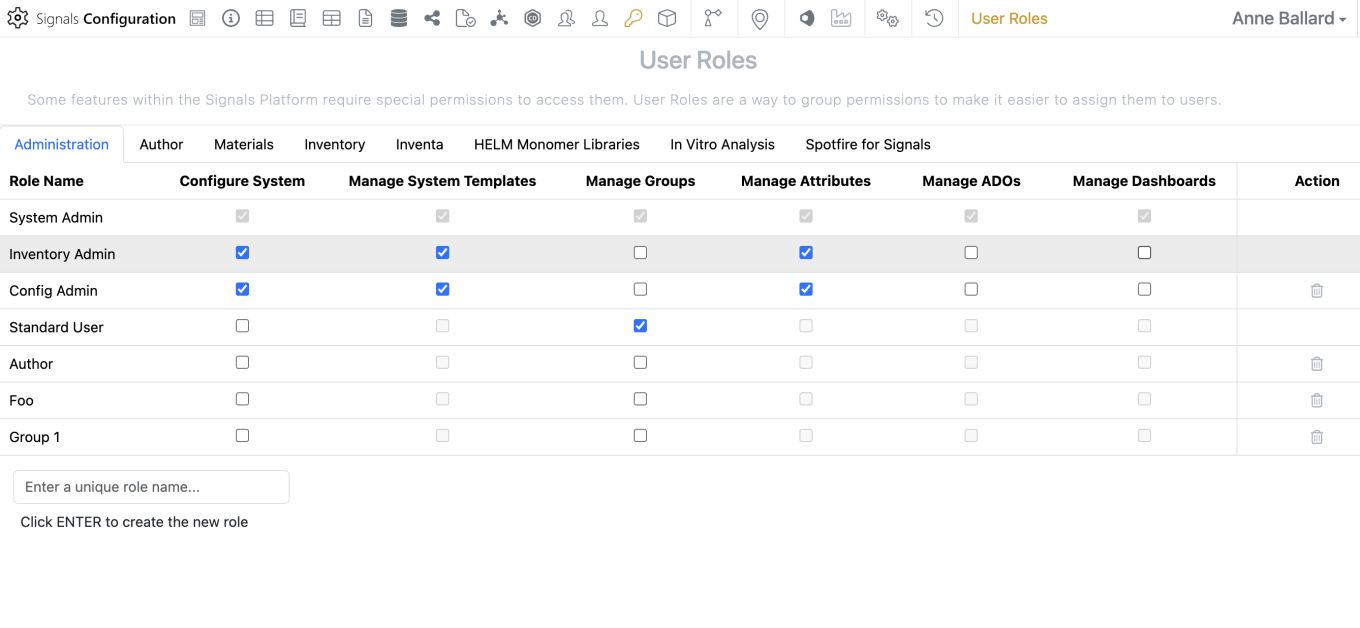
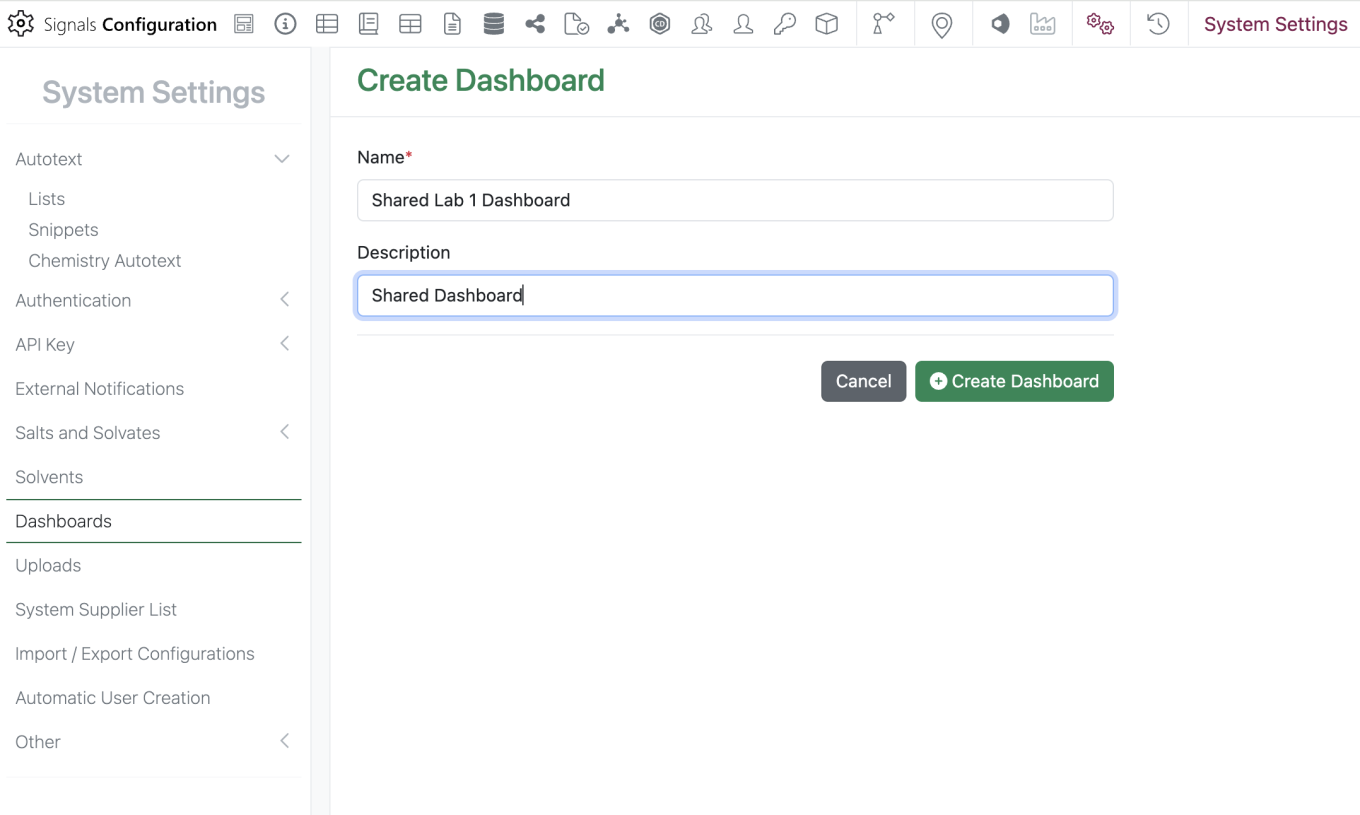
Administrators should now be able to create and share dashboards from the SN Config. To edit, share or create dashboards, a user must have the “Manage Dashboards” privilege and access to the SN Config as Admin Defined Dashboards can only be edited or created within the SN Config.

Image 37 from What's New 26.4-2.docx

The new “Dashboards” section can be found in the System Settings. To create a dashboard, the admin should select the green “Create Dashboard” button then they are prompted to enter a dashboard name and description.

Image 38 from What's New 26.4-2.docx

When the admin clicks on “Create Dashboard” they will be brought to the Dashboard edit screen. Here they can add, remove, edit, or resize widgets similarly to what can be done with a personal Dashboard.

Image 39 from What's New 26.4-2.docx

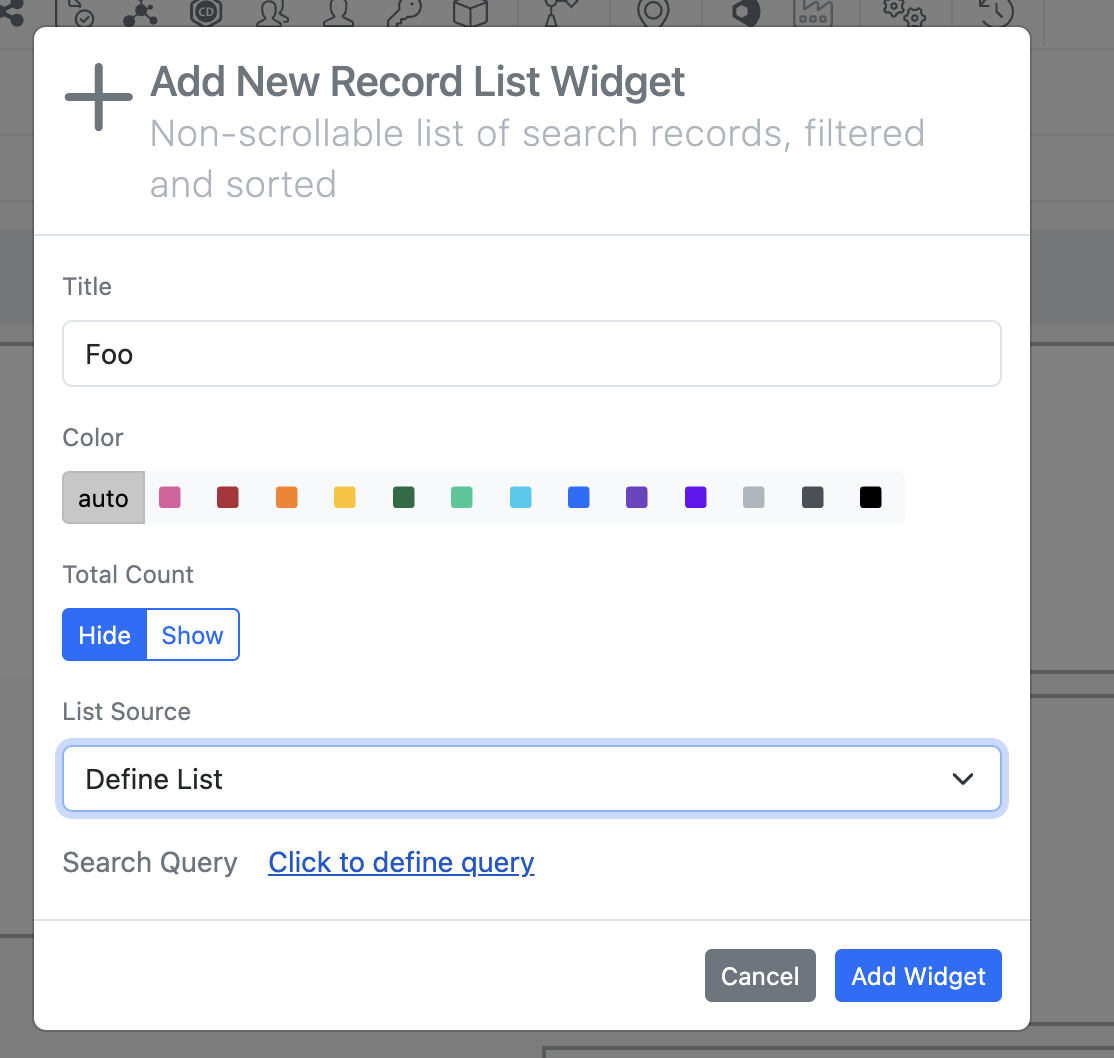
To add a new “Record List”, the most commonly utilized widget, the admin would select “Add Widget” > “Record List”. Under “List Source” the admin can select from a standard set of predefined lists or select “Define List” to create a new search list.

Image 40 from What's New 26.4-2.docx
Image 41 from What's New 26.4-2.docx

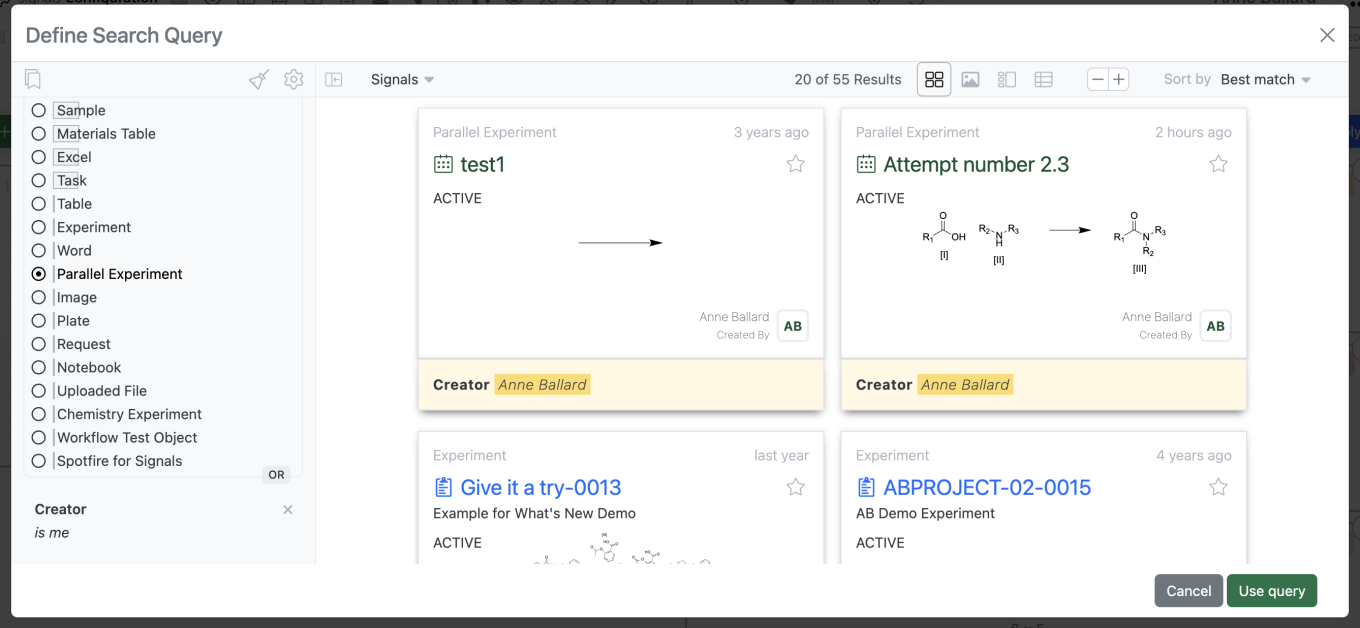
Selecting “Define List” > “Click to define query” brings up a search query builder the admin can utilize to define their search list.

Image 42 from What's New 26.4-2.docx

Changes to the selected dashboard are saved by selecting the blue “Apply” in the top right corner.

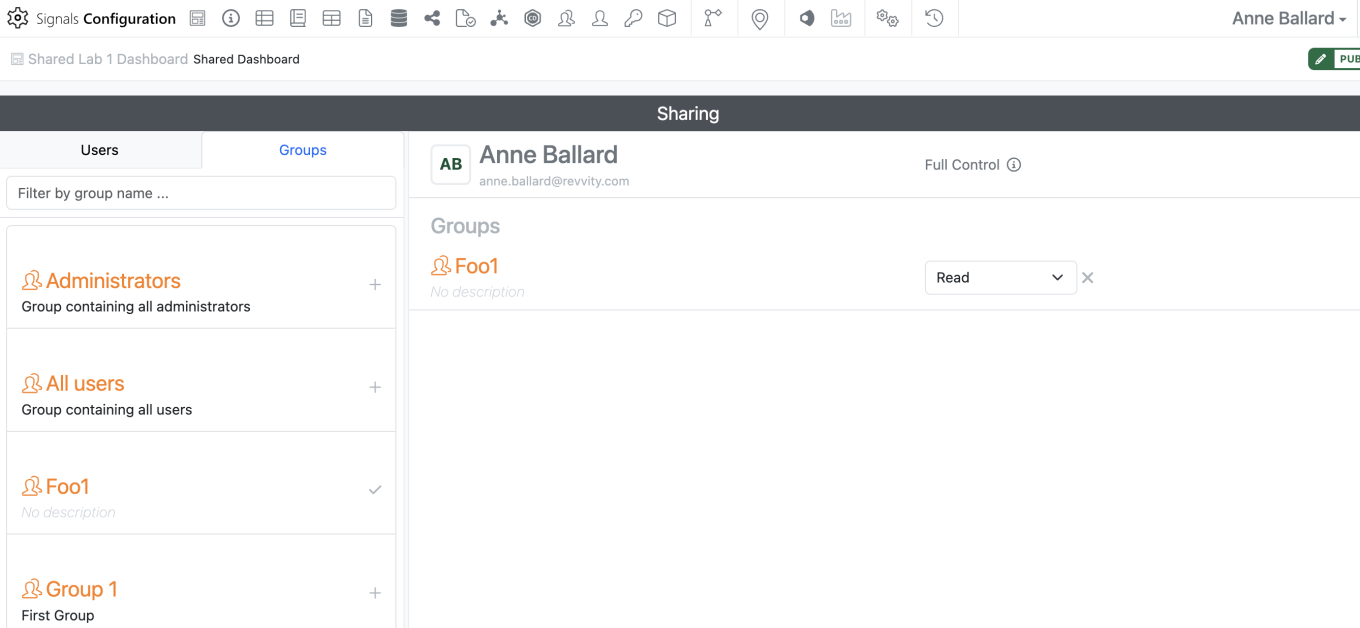
The admin can then share the dashboard with other users or groups similarly to how sharing is managed in other elements.

Image 43 from What's New 26.4-2.docx

Dashboards are automatically shared with Read access. If a dashboard is shared with write access or full control to a user or group that does not have access to the SN Config, they will be unable to edit or share the dashboard as shared dashboards are Read Only outside of the SN Config.

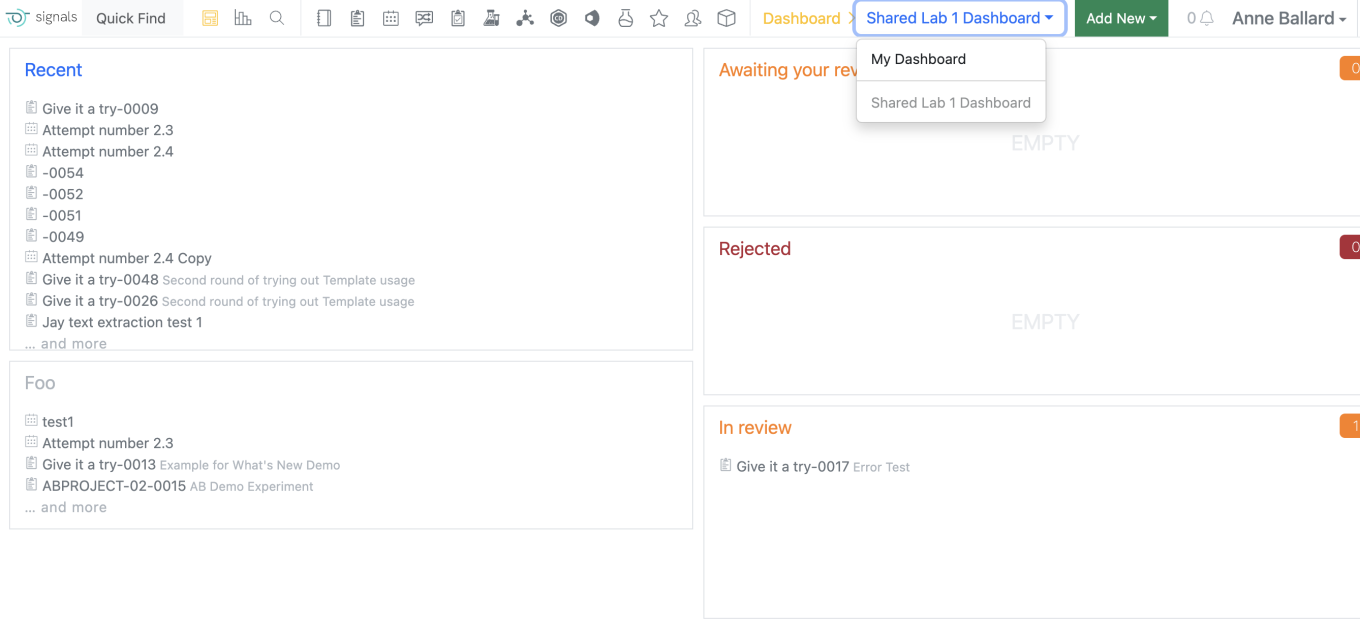
For end users, their current personal dashboard has now been named “My Dashboard” on the dashboard menu. Users are still able to edit their own “My Dashboard” as they were previously able to do. All shared dashboards appear below “My Dashboard”. If the user selects one of their shared dashboards this selection is sticky.

Integrations & Interfaces

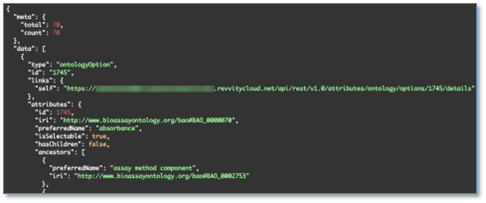
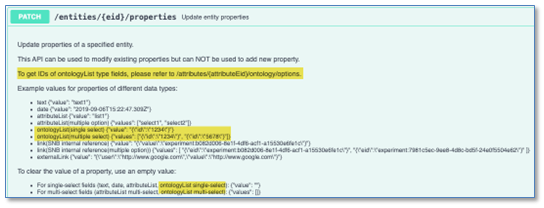
We have added API support for writing to Ontology List fields. These are enhancements to all APIs which write to entities that support Ontology List fields and properties. There are new APIs to fetch and explore Ontology Lists. The “id” values found here are used to set values on Ontology List fields and properties.

Image 45 from What's New 26.4-2.docx
Image 46 from What's New 26.4-2.docx
Image 47 from What's New 26.4-2.docx

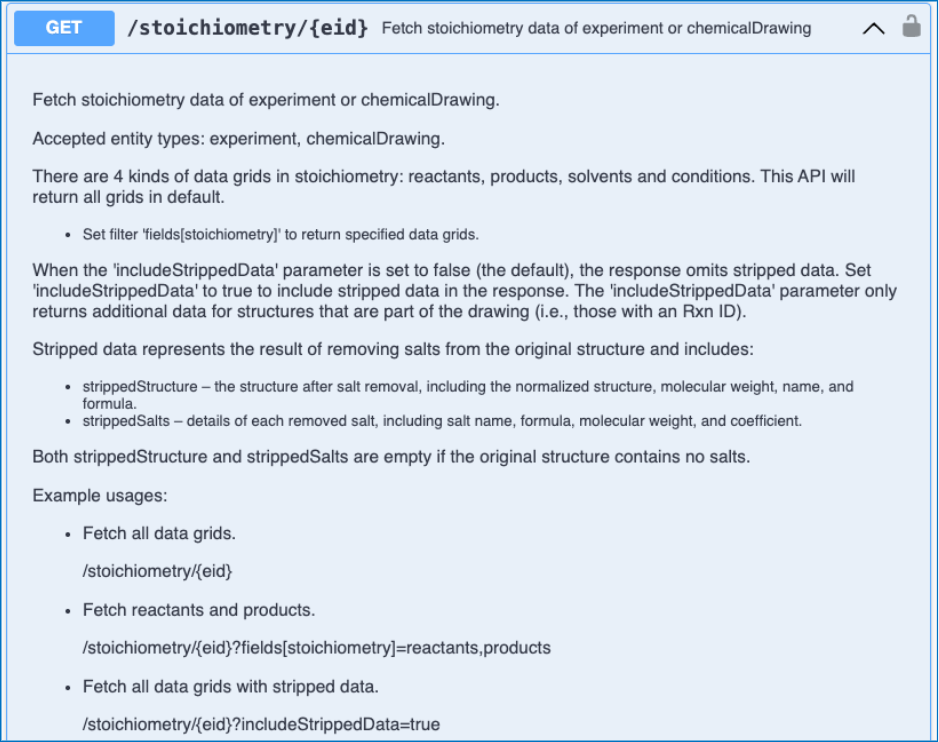
We have enhanced the stoichiometry fetch API to include salt stripping data for a Chemical Drawing. This is a new URL parameter (includeStrippedData) which when true will include the stripped structure and the salts that were stripped from the Chemical Drawing as data in the response.

Image 48 from What's New 26.4-2.docx

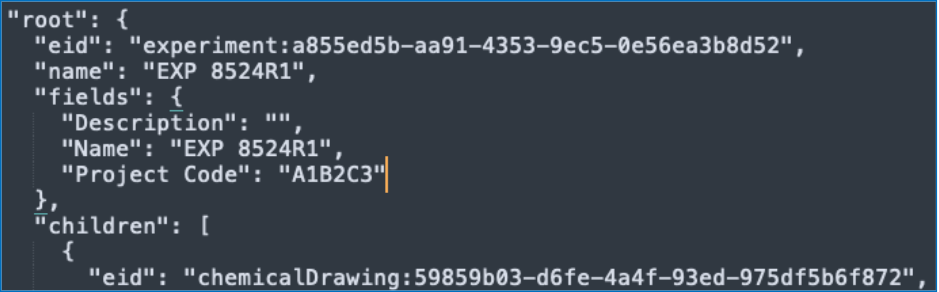
We have enhanced the API for bulk export of an entity to include the entities properties as part of the table of contents.

Image 49 from What's New 26.4-2.docx

We have added a new API to allow patching of Hierarchical Table headers.

Image 50 from What's New 26.4-2.docx

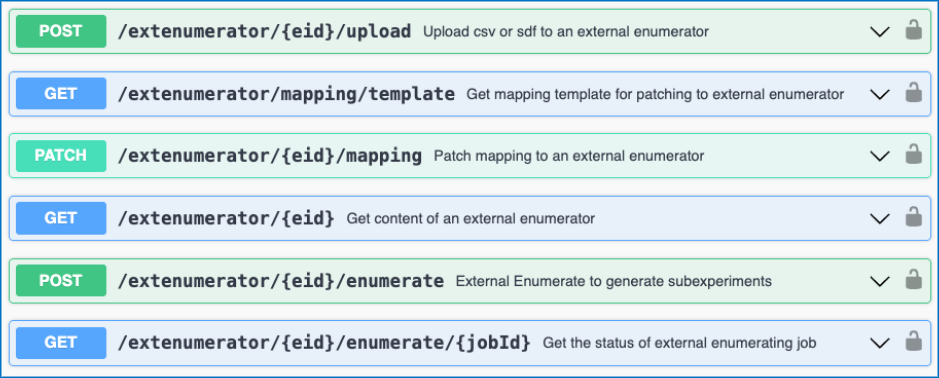
We have added new APIs to support the External Enumerator for Parallel Experiments. These APIs allow for usage of a csv or sdf file upload for use with the External Enumerator. There are APIs to fetch and update the mapping for the external enumerator. Lastly, there are APIs to kick off the enumeration and check its status.

Image 51 from What's New 26.4-2.docx

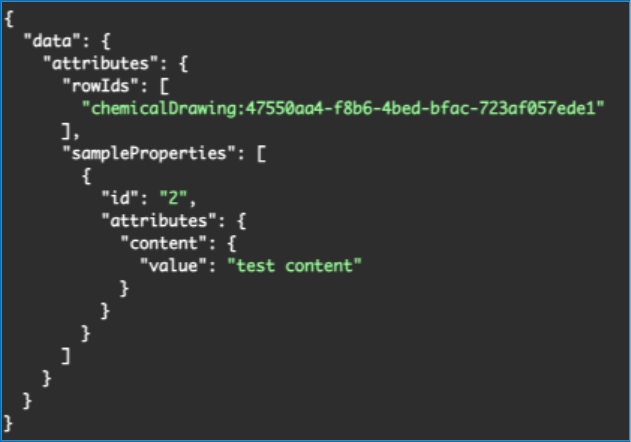
We have added new APIs to support the bulk creation of Samples in a Parallel Experiment Summary table. This is an asynchronous job which has two endpoints, first to create the job and second to check the status. There is a URL parameter to support creating multiple samples per row. The request body allows for specifying specific rowIds to create samples from, defaulting to all rows. You may also optionally specify sample properties for all samples created as part of the request body.

Image 52 from What's New 26.4-2.docx

Beta Features

The following capabilities are in beta and are available for users, administrators and developers on the Signals platform upon request. Please contact your account representative or our support team if you would like access to the following features.

Fundamentals

Image 53 from What's New 26.4-2.docx

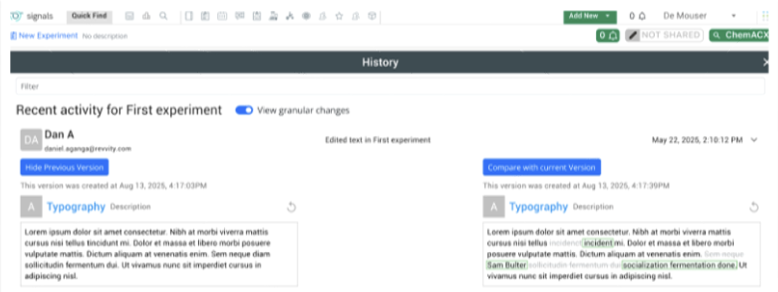
Audit trail displays highlighted granular changes within records for text elements in experiments and experiment-like objects. When users compare an audit record with a previous version, there is a "view granular changes" toggle. Selecting this toggle will show users a clear visual summary: gray highlighting shows text that was edited or removed and green highlighting shows newly added or updated text.

AI

Image 54 from What's New 26.4-2.docx

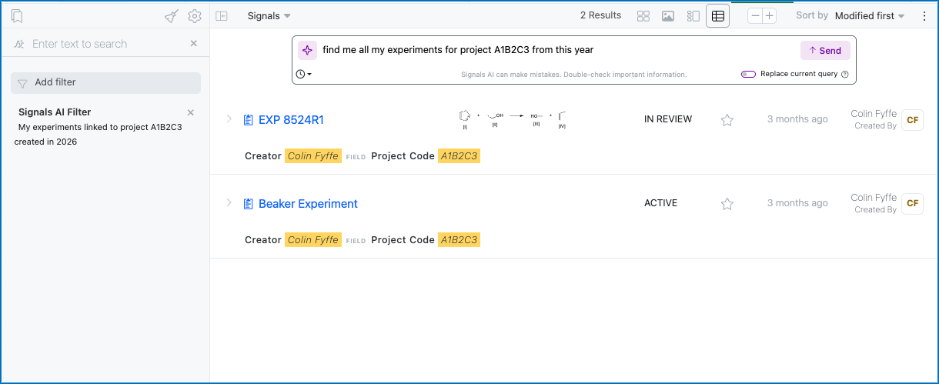
We have added a new Beta AI feature allowing a user in Advanced Search to create a filter using a natural language prompt. This filter will be added on top of your existing filters unless the toggle to replace your existing query is enabled. This is limited to Signals One customers.

Synergy

Image 55 from What's New 26.4-2.docx

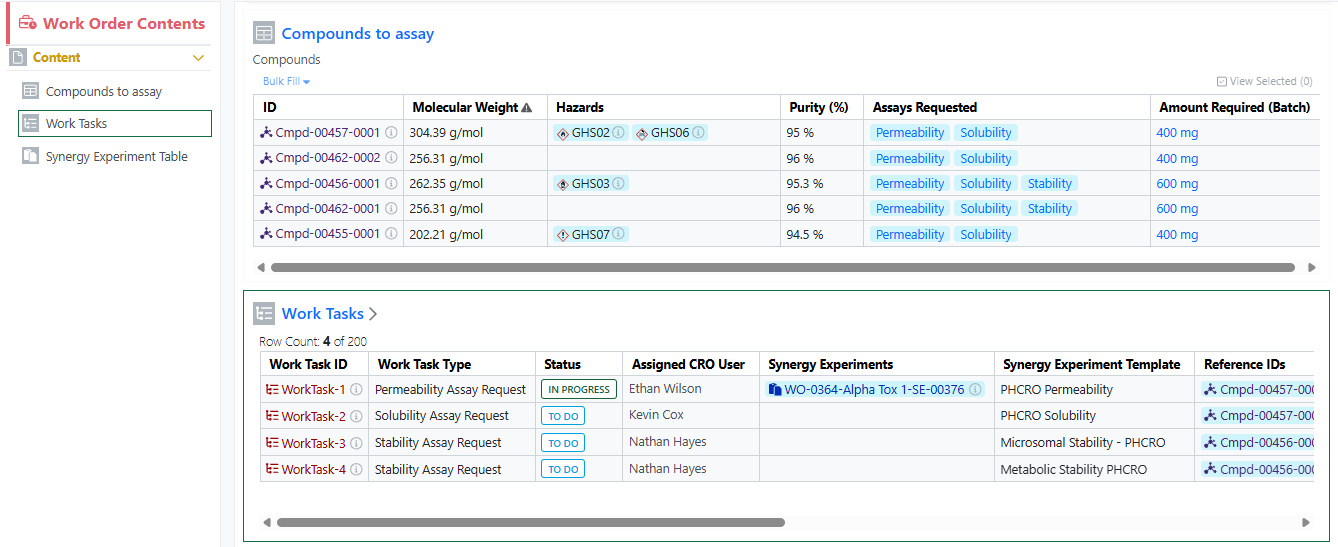
Works Tasks can now be configured and added to Work Orders to create a series of trackable, assignable, and templateable sub-tasks for a Work Order. Work Task properties and templates can be configured in Synergy Configuration > Work Orders > Work Tasks.

Image 56 from What's New 26.4-2.docx

A Sponsor user can add a Work Task to a Work Order when the Work Order is in an editable status (Draft, To Do, On Hold). The Sponsor can optionally specify a Synergy Experiment Template to be used for the Work Task, as well as specify which References the Work Task applies to.

Image 57 from What's New 26.4-2.docx

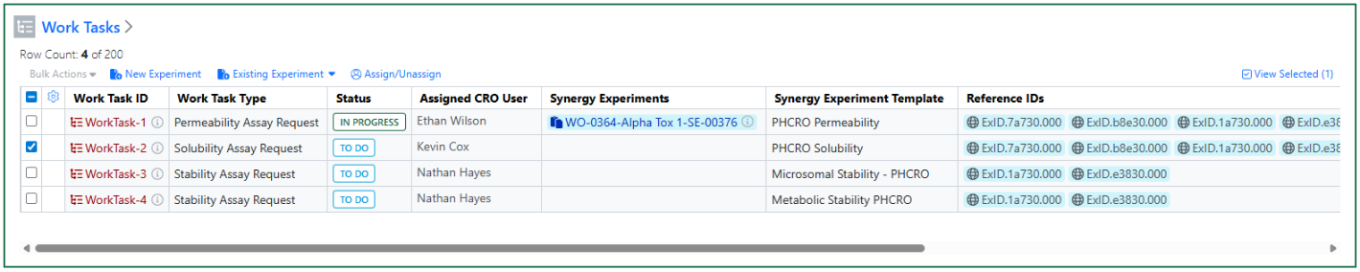
Once a Work Order is sent, Work Task(s) Status changes from New to To Do. A CRO Department manager can optionally assign the Work Task(s) to a CRO user. A CRO user can start one or more Work Tasks by selecting the Work Task(s) and creating a New Experiment or adding the Work Task to an Existing Experiment. The Work Task(s) Status then changes from To Do to In Progress.

Image 58 from What's New 26.4-2.docx

Note, when creating a New Experiment, the specified Synergy Experiment Template will be used when applicable. Also, each Work Task can have multiple Synergy Experiments associated, and additional Synergy Experiments can be added to an In Progress Work Task from the Work Task table in the Work Order.

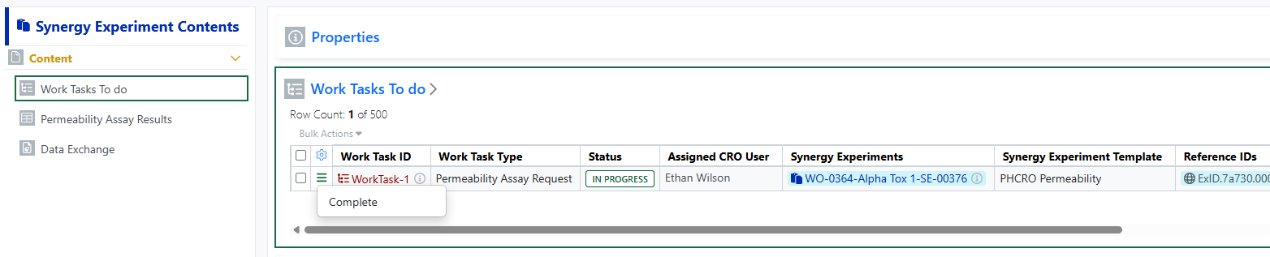
Work Tasks display in a Work Tasks To Do table in each associated Synergy Experiment. When the task is done, the CRO user can Complete the Work Task. Work Task(s) must be Completed before submitting the Synergy Experiment.

Administration

Image 59 from What's New 26.4-2.docx

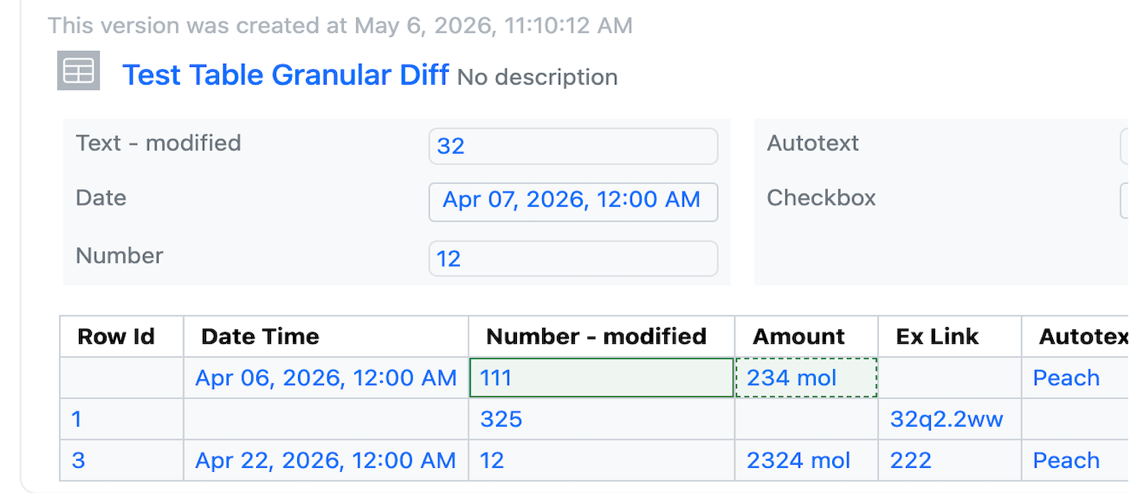
Audit trail displays highlighted granular changes within audit records for admin-defined tables. When admins or users compare a table audit record with a previous version, there is a "View granular changes" option. Selecting this toggle will show users a clear visual summary: gray highlighting shows data that was edited or removed and green highlighting surrounding table cells reflects newly added data. Green highlighting with a dashed border reflects text that was updated.

What's New

We are delighted to release our new version of Signals, 26.3. This release brings enhancements in In Vitro Analysis, Synergy, Inventory, and Chemistry amongst others. We have extended beta capabilities around graphing in tables and curve fit definitions. The beta capabilities around calculated properties for protein complexes are now available to all systems. Finally, we have also fixed a number of small bugs.

The following improvements are available for users, administrators and developers on the Signals platform. Certain features may only be available with appropriate licensing and/or with enablement by an administrator. 

  • Fundamentals
    – The PDF export of experiments can be converted to local time in ISO 8601 format
  • Data Workflows & Analytics*
    – Personal Templates support in the In Vitro Analysis
    – Initial support for custom curve fit definitions and publication (beta)
  • Synergy†
    – Move Designs Table to different Idea
    – Move Design(s) to different Designs Table or Idea
    – Chemical Search for shared Chemical/Design Structures in Reference Tables for Sponsor and CRO
    – Reference Table property search for Sponsor and CRO
  • Chemistry
    – Support for pairing of multiple RNA/DNA strands to a single sequence
    – Structure searching for monomers in HELM Monomer Curation application
  • Tables
    – End user adjustment of Scatter Plots (beta) *
    – Export of image from Scatter Plots (beta) *
    – Highlight selected rows or points in the Scatter Plot and Table (beta) *
    – Conditional calculations can be contained within conditional calculations
    – Increase component limit from 30 to 50 in the Variation Table
  • Samples
    – Empty Sample tables in Templates
  • Inventory
    – Allow Multiple Additions of the Same Container in Materials Table and Stoichiometry Table
    – Add multiple (same) sublocations to a parent location easily
    – New Labels
  • InventoryGo ‡
    – Reconciliation and Rectification
    – Move
    – Consume
  • Materials
    – Calculated properties for protein complexes available to all systems
    – Inherited Properties for materials available to all systems
    – Log P, predicted pKa, and additional compound calculated properties
    – Configurable display units for calculated molecular weights
  • Search
    – New options for circular and linear Biological sequence searches
  • Administration
    – The 'created at' field in the system audit trail CSV export can be converted to local time in ISO 8601 format
    – Spotfire for Signals Custom Apps Configuration available for Private Cloud exports Spotfire for Signals Online Debug Logs *
  • Integrations & APIs
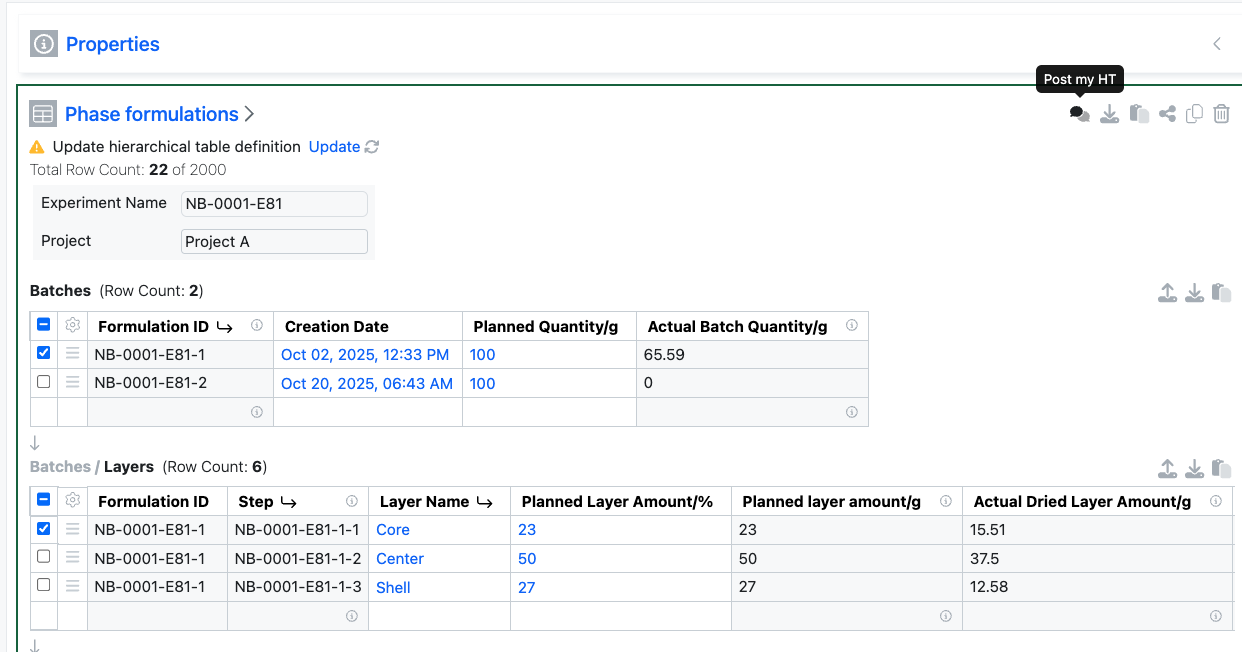
    – Selected rows in an Hierarchical Table can be identified in an External Action *
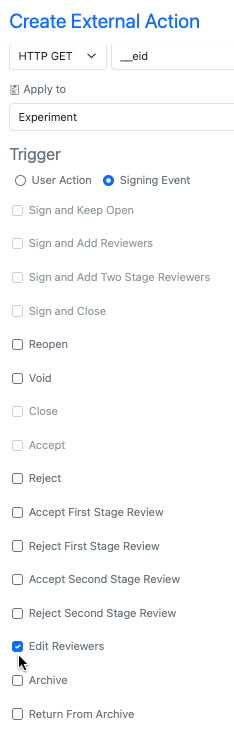
    – External Action for Edit Reviewers
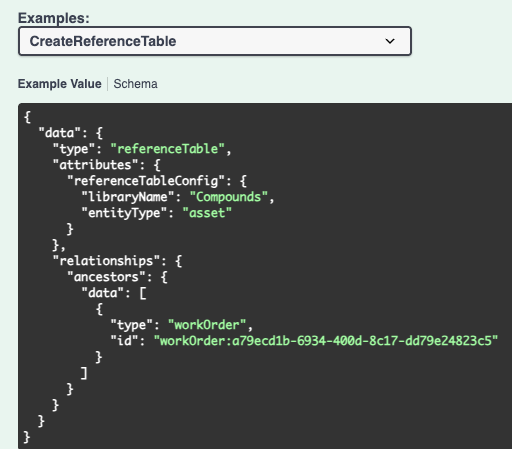
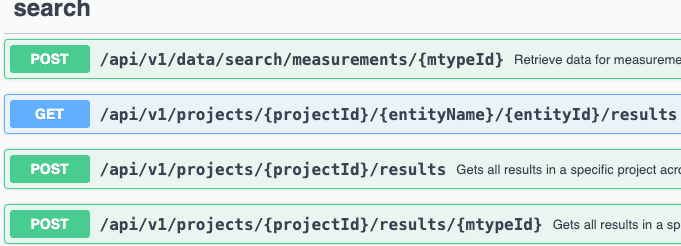
    – API to create a Reference Table in a Work Order
    – API to add a reference(s) to a Reference Table
    – API for date based data extraction for SDF
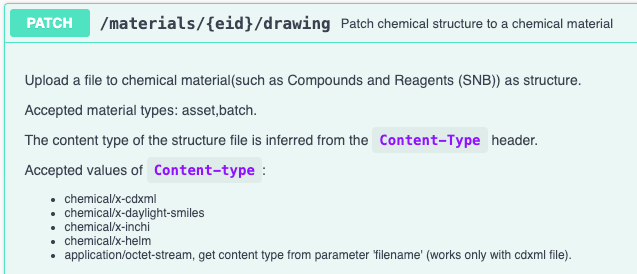
    – Additional Chemical Structure formats for updating Materials
    – PKCE Support for Bearer Token Exchange

* Requires Signals One license
† Requires Signals Synergy license
‡ Requires InventoryGo license
 

We also fixed several small bugs in this release. Details of the enhancements are described below.

Administrators should be aware that we have retired most of the In Vivo Apps from the Signals One App Store in Spotfire. Specifically the following Apps are no longer available: Study Designer, Dose Preparation, Baseline Capture, Sequence Of Events, Sequence File Generator, Mass Spec, Dose Verification, Business Rules, and Data Model Designer. The PK Parameters App continues to be supported and will remain in the Signals App in Spotfire in Signals One.

Administrators should be aware that we will have retired the CRAIS Checker capability from Signals Notebook and Signals One. This capability, which was only available via request, was built to allow integration specifically to the Patcore CRAIS Checker database. Such workflows have been superseded by the Chemical "External Checking" capability which can be used against any chemical compliance database.

Data Factory Administrators should note that legacy Data Factory projects will be fully deprecated in a future release. A straightforward migration path will be provided in an upcoming release to support this transition.

Data Factory administrators should also note that the Advanced Security policies in Inventa apply an "AND" logic across all user groups, restricting access if any groups lack permissions. This behavior differs from the standard Signals security model and will be fixed to align with the standard in a future release.

Administrators are recommended to subscribe to the channels within our support news site found at https://support.revvitysignals.com/hc/en-us/categories/360004446171-Support-News which contains more information about releases and other pertinent product information.

This content is anticipated for release on our Production E3 environments, and for Private Cloud customers on our deferred release schedule, in July 2026.

Further Details 

The following improvements are available for users, administrators and developers on the Signals platform. Certain features may only be available with appropriate licensing and/or with enablement by an administrator.

Fundamentals

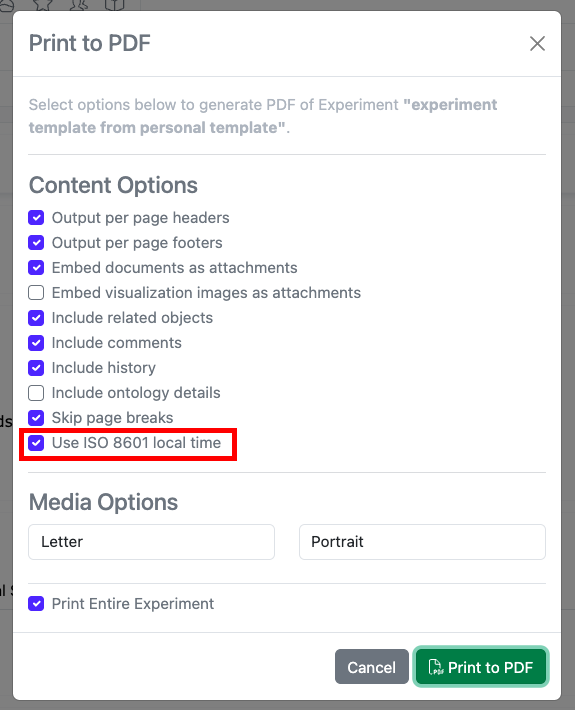
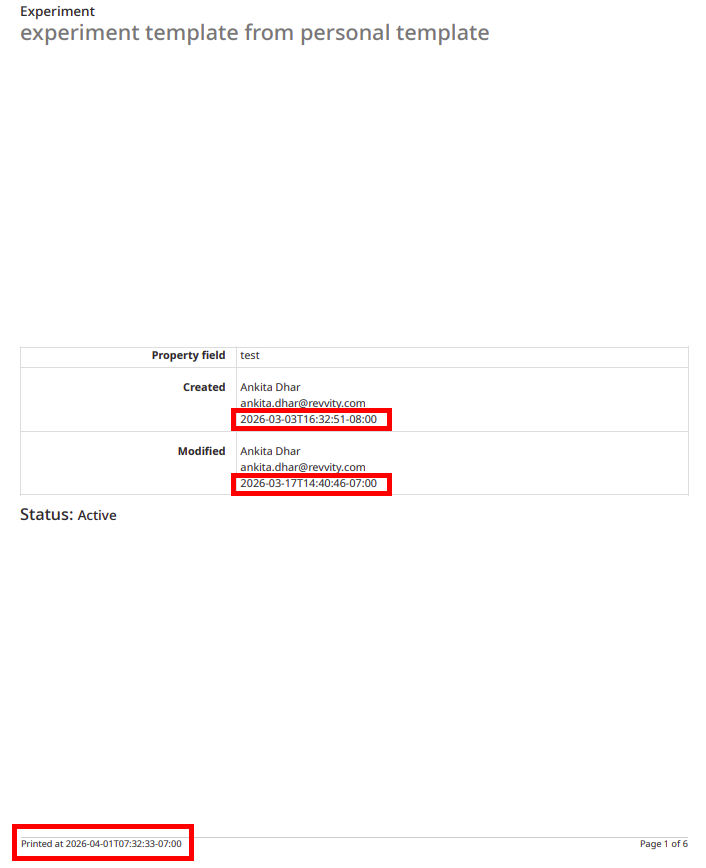
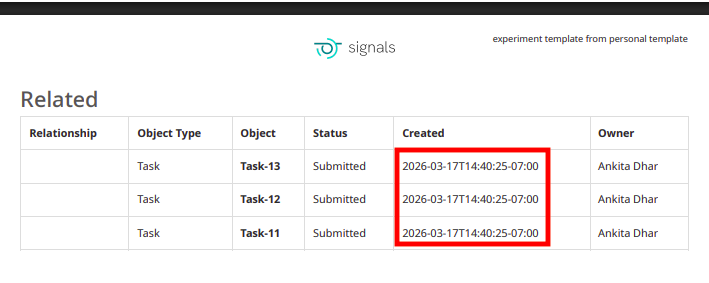
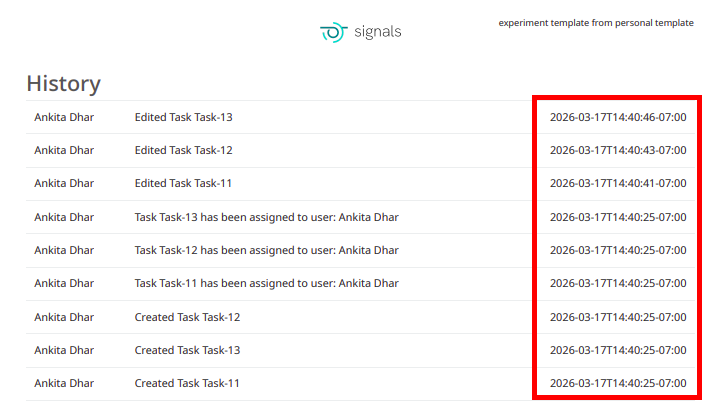
The PDF export of experiments can be converted to local time in ISO 8601 format. When end users select the ‘Print to PDF’ option in an experiment, a new setting can be selected to “Use ISO 8601 local time” which will convert timestamps throughout the PDF to local military time with a UTC offset. 

Data Workflows & Analytics

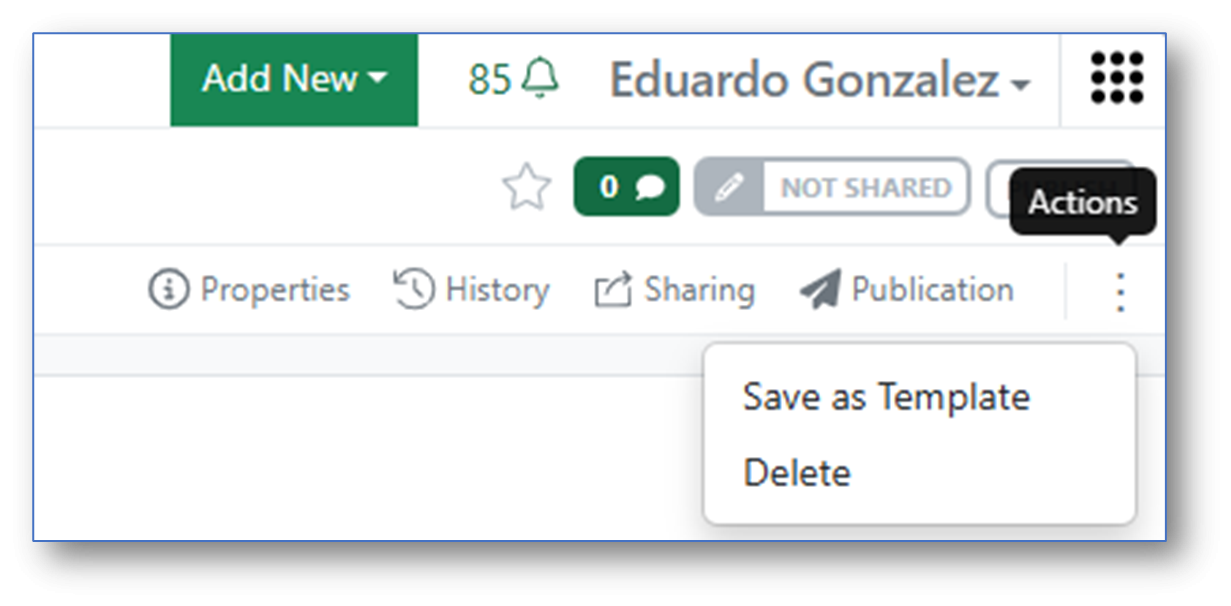
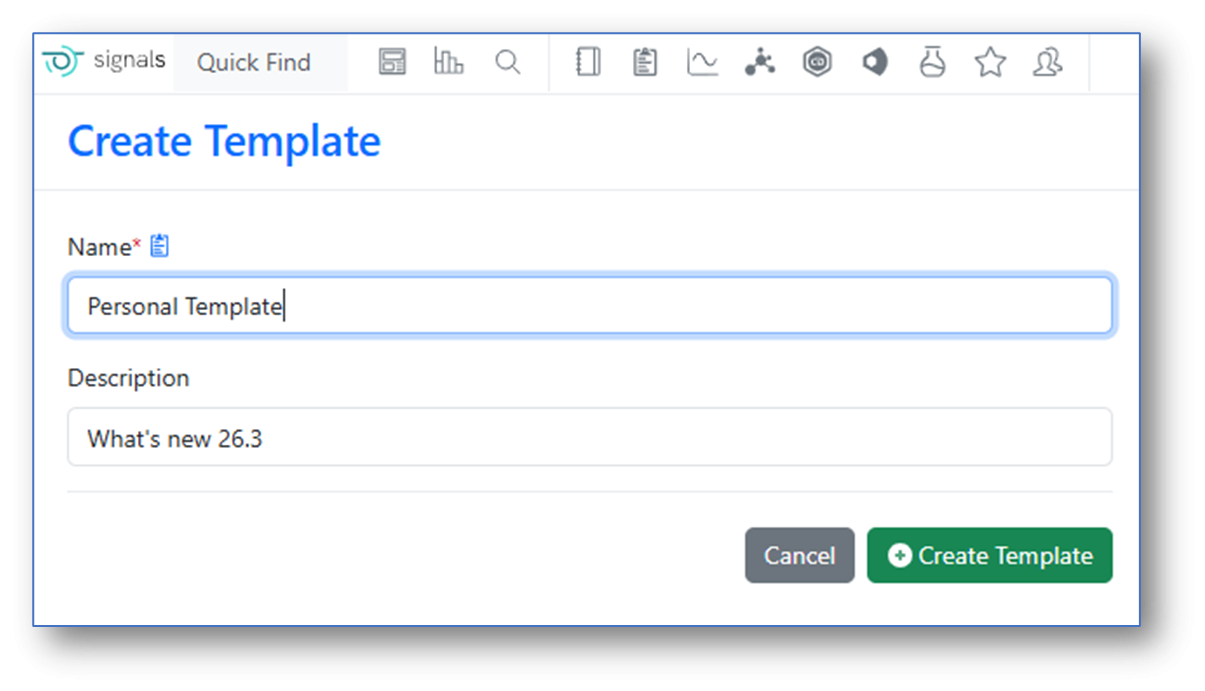
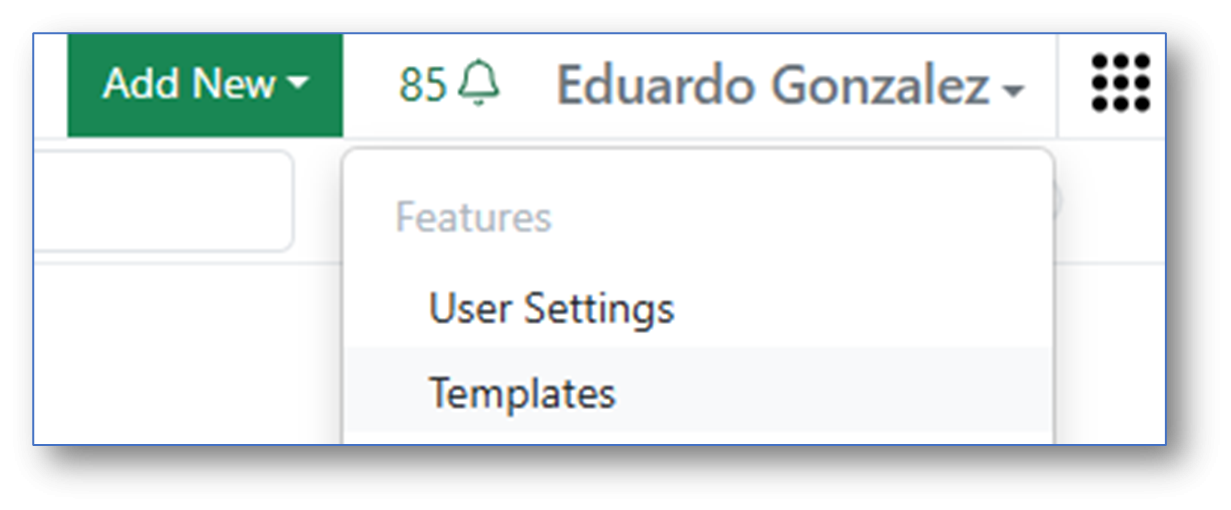
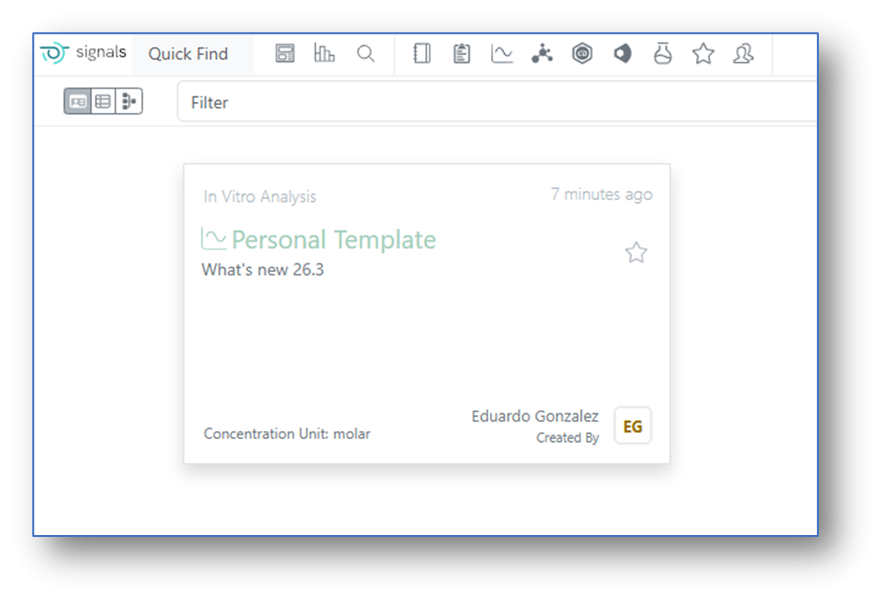
In Signals One, In Vitro Analysis users can now save an instance of an In Vitro Analysis object as a personal Template:

Saved In Vitro Analysis personal Templates become then available for the user for subsequent new analysis.

Synergy

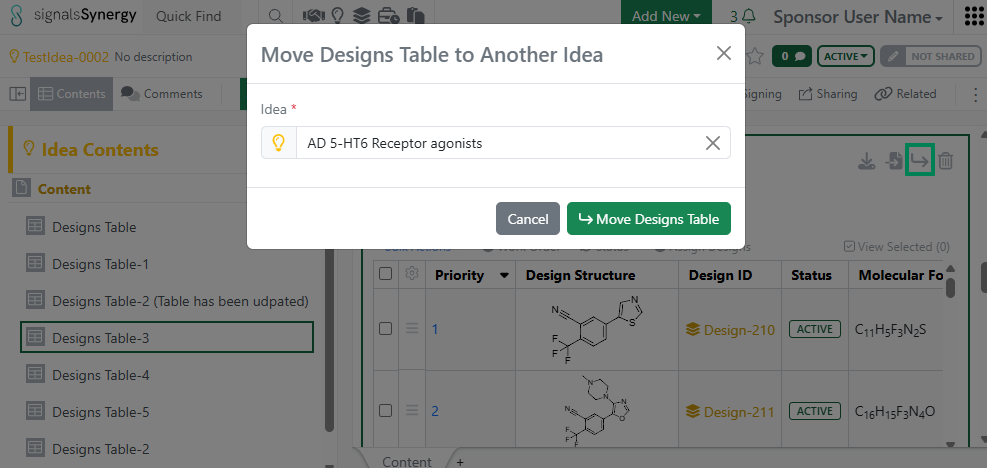
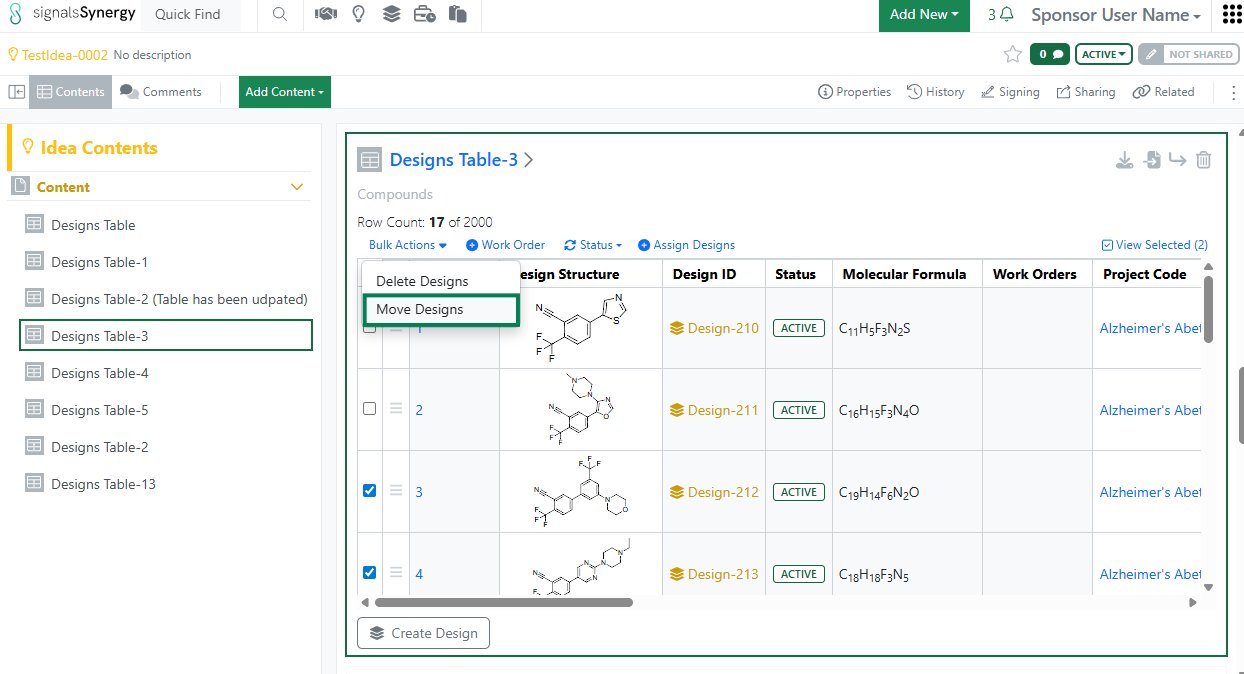
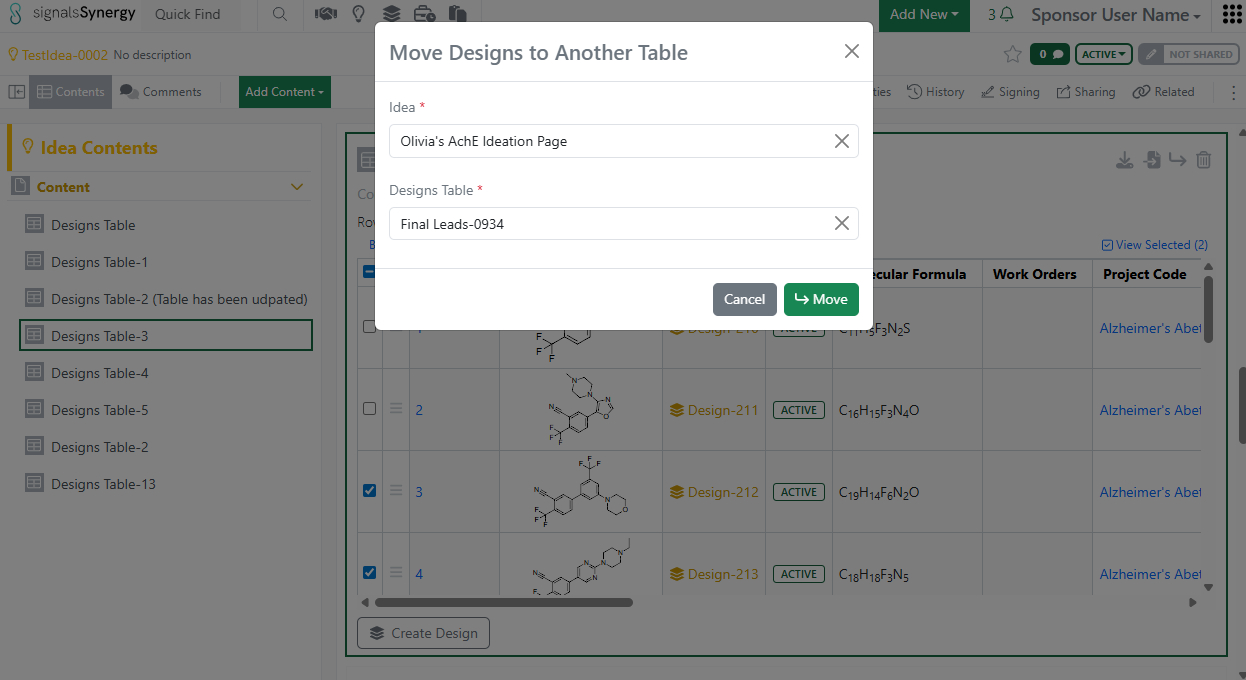
Given the new privilege to Move Designs, a Sponsor user can now move a Designs Table to a different Idea or move selected Design(s) to a different Designs Table. The user must have Full Control to an Idea in order to move Designs. 

As a Sponsor or CRO user, I can now search for my Work Orders based on the content of the Reference Table (e.g., list of Designs to be made or batches to be tested). Reference Tables allows the Sponsor to selectively share a sub-set of Design or Material Asset or Batch properties when requesting Design synthesis or assays to be run. If a Design Structure or Chemical Structure is included in the properties shared to the CRO, the Sponsor and CRO can use Chemical search to find the Work Orders containing a specific structure or sub-structure within Advanced Search or the Work Order Smart Folder. Note that the Chemical filter should be set to Parent to ensure that the Work Order containing the Reference Table is found. 

In addition, non-structure properties shared in the Reference Table can also be used when searching for Work Orders within Advanced Search or the Work Order Smart Folder.

Chemistry

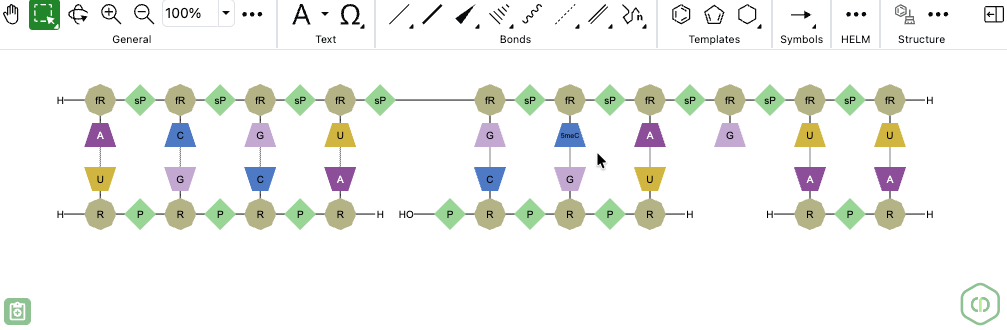
ChemDraw now allows users to draw biopolymers with multiple complementary RNA strands for a single sense strand. When a set of hydrogen-bonded RNA sequences is created, ChemDraw detects the sense strand, identifies each first-degree complementary strand, and automatically places each complement beneath the sense strand according to hydrogen bond positions. The sense backbone is stretched as needed to minimize overlap, enabling side-by-side display of complements with proper alignment.

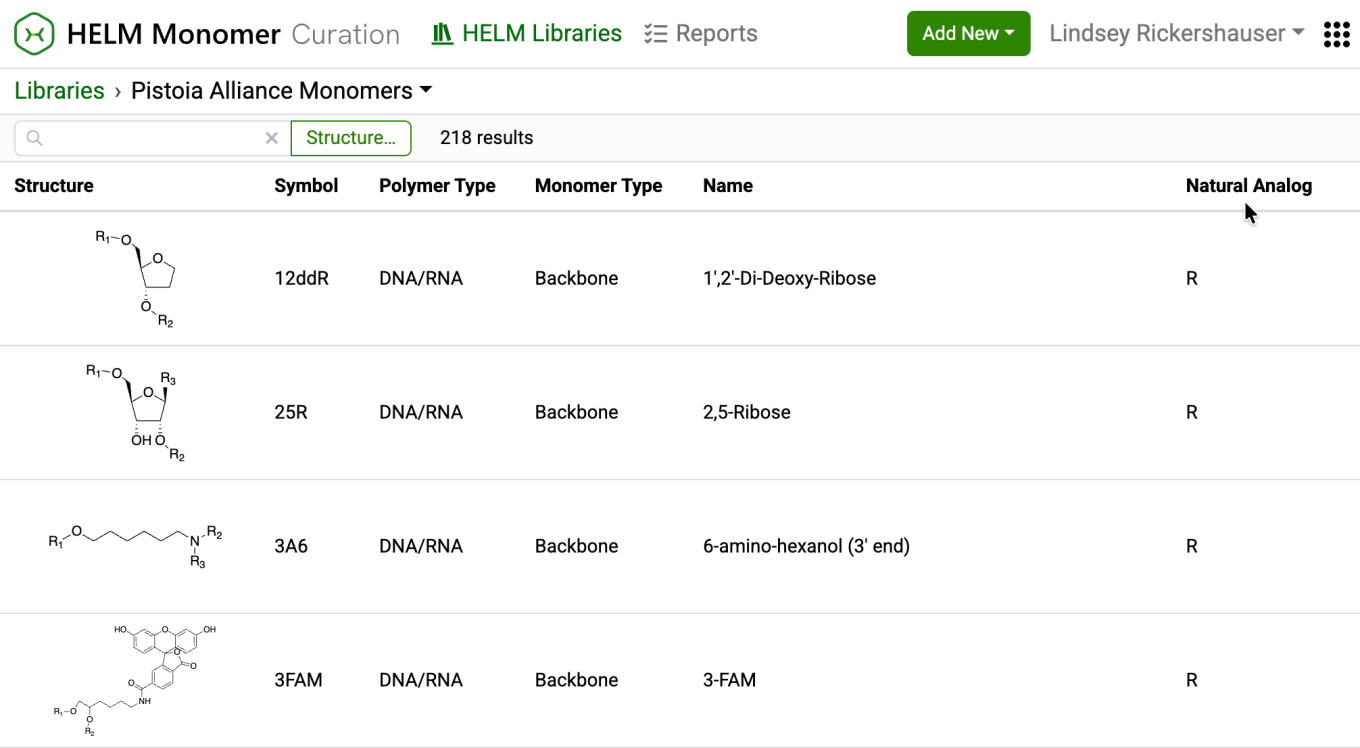
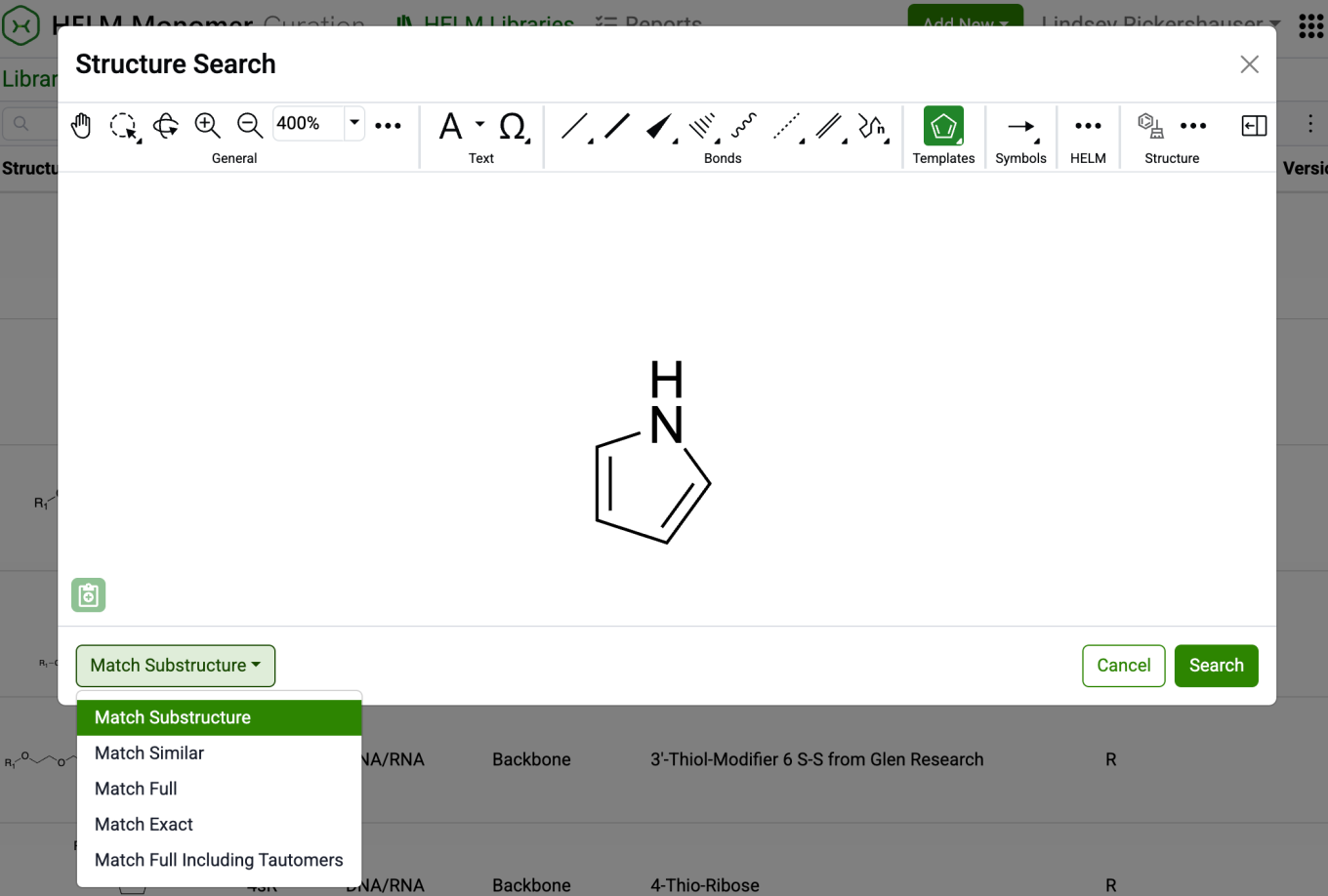
New capabilities have been added to the HELM Monomer Curation application for filtering and searching monomers based on chemical structures. Available as a button next to the text search field in the HELM Libraries list view, the ‘Structure…’ button opens a structure editor. 

After drawing a structure, users can select from substructure, similarity, full, and exact search options. Selecting ‘Search’ will then initiate the search filter. 

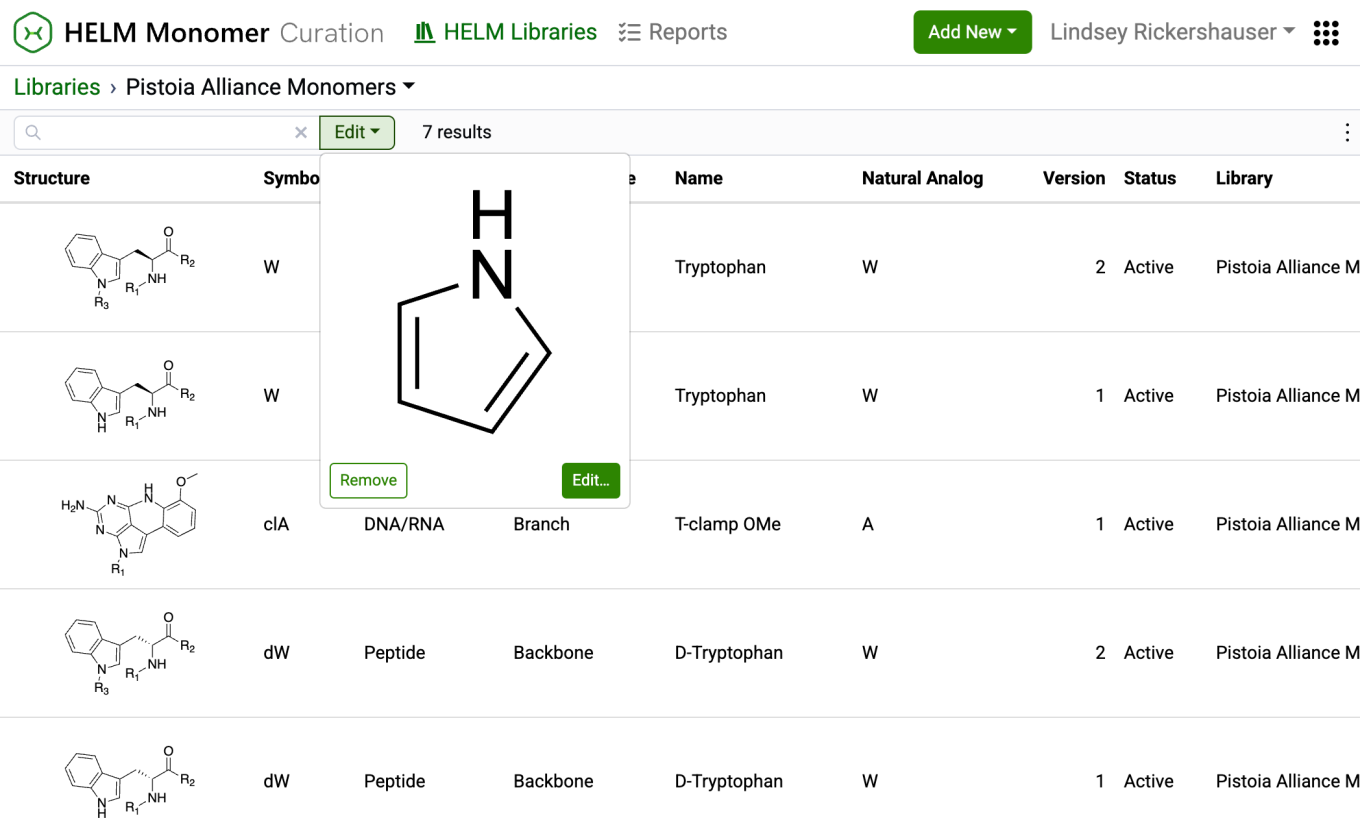
After completing a structure search, the ‘Structure…’ button transforms into an ‘Edit’ button. Selecting this button allows for previewing the structure, making changes to it, or removing it from the search filter. Structure searches can be combined with text-based searches to refine results even further.

Tables

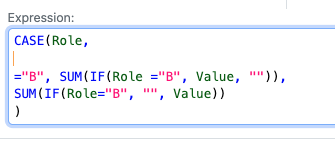
Conditional calculations are now allowed to be used within other conditional calculations, such as within a CASE statement. For example a CASE statement can use another conditional statement such as an IF for each clause. A use case is to enact specific aggregate calculations over restricted values, such as if the sum of a given component in a formulation, such as water, is needed for an additional calculation.

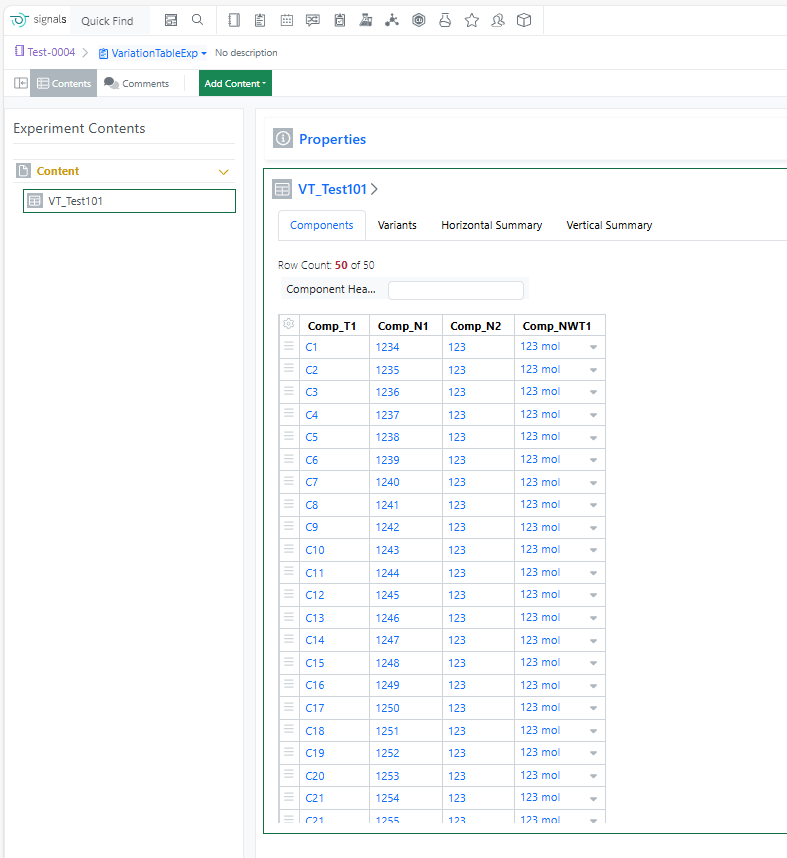
The component limit in the Variation Table has been increased from 30 to 50, enabling more complex experimental designs and reducing the need to split large variations across multiple tables.

Samples

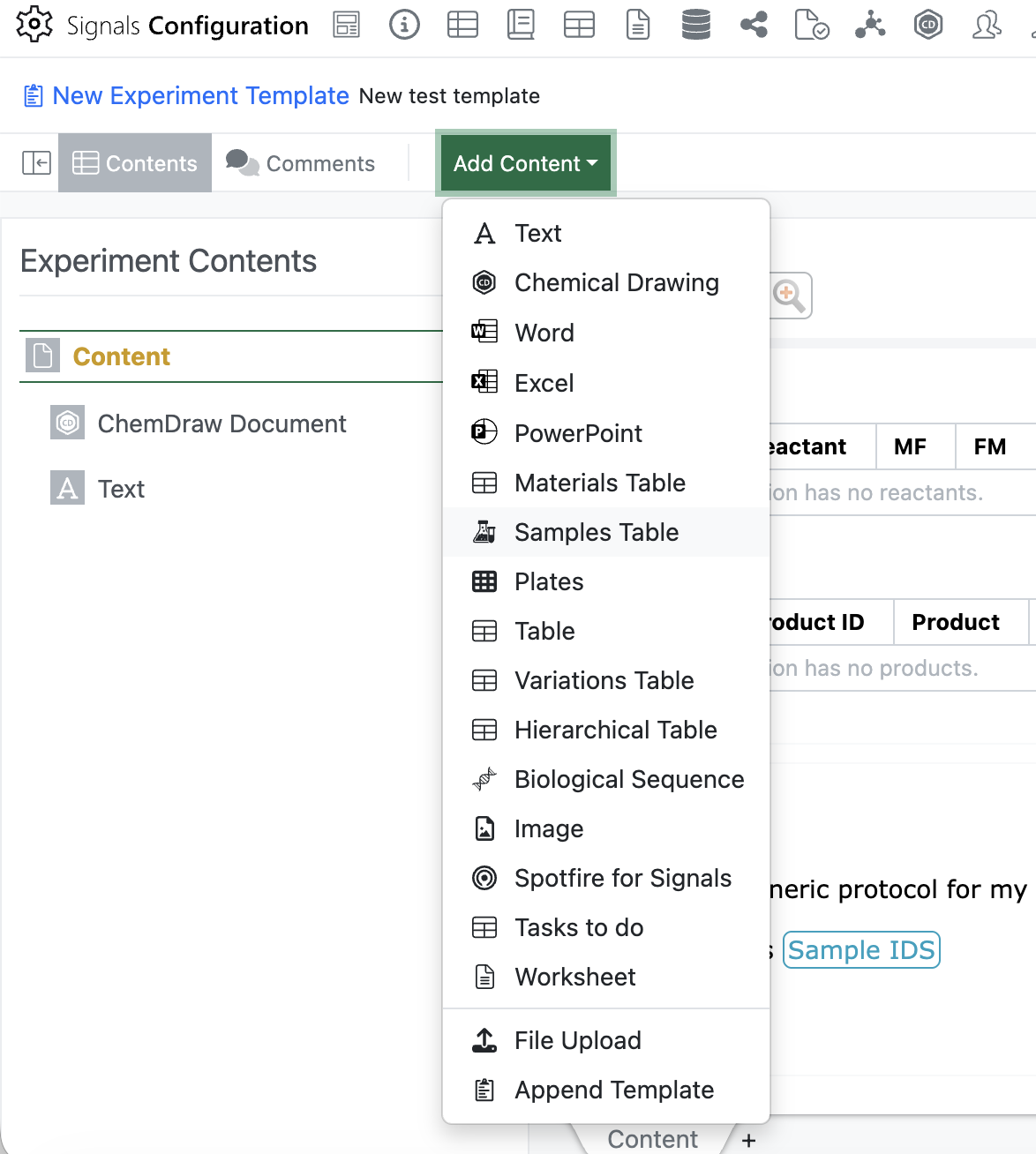
Admins will now be able to add an empty Sample Table to an Experiment or Experiment-like object template using the “Add Content” menu. Only one sample table is allowed in each template, once the sample table has been inserted it will be removed from the “Add Content” menu.

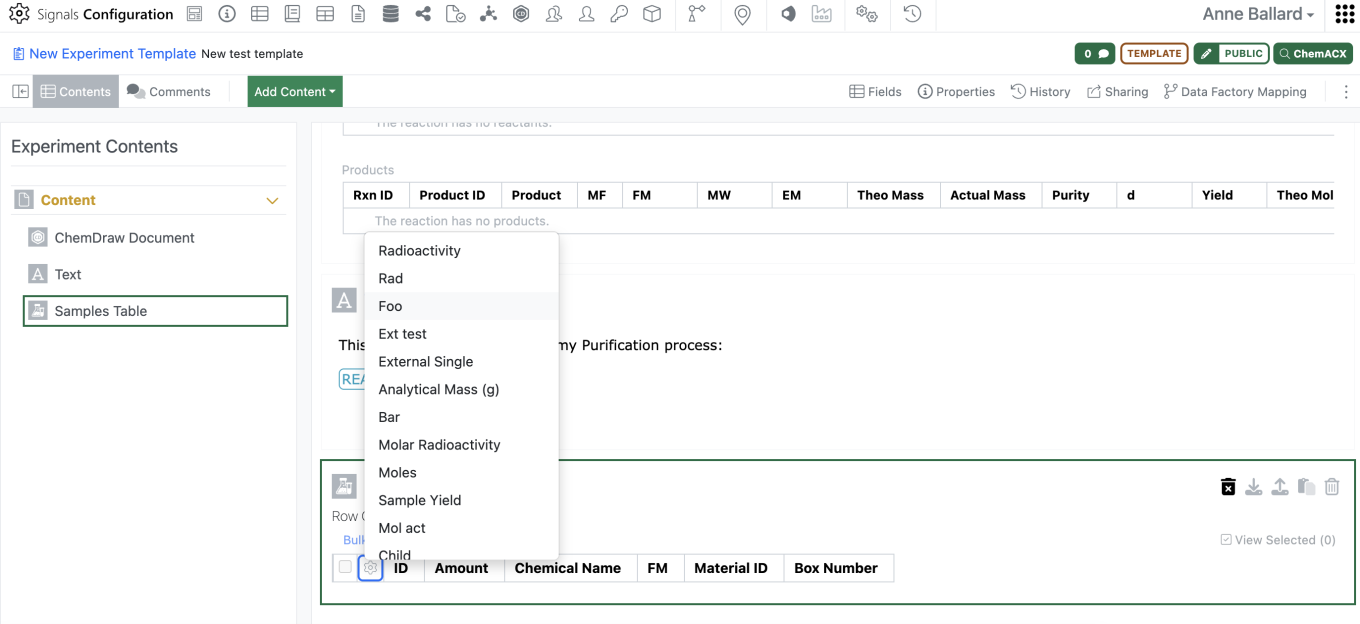
Admins should be able to then move the empty sample table to wherever in the template they would like to have the Sample table. Admins are also able to preselect the columns for the sample table in the template using the gear icon in the left corner.

For an end user, when creating the experiment, if there is an empty sample table in the template the empty sample table will appear in the experiment. When the user adds a sample, it will be added to the existing sample table with the selected columns as defined in the template. This will allow admins to vary which sample columns are shown from template to template without utilizing multiple sample templates.

If a user deletes all samples from the sample table, they will now need to delete the empty sample table with an additional click. The empty sample table can be included in the experiment copy function without including the samples.

Inventory

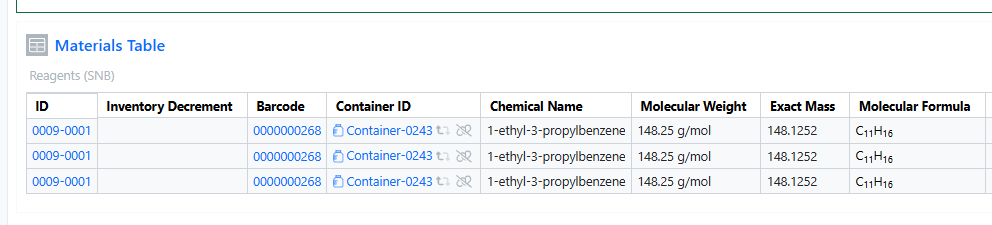
You can now add the same container multiple times in both the Materials and Stoichiometry tables. This enhancement improves procedure documentation clarity, stoichiometric accuracy, and inventory traceability, especially for workflows involving repeated dosing, split additions, or multi‑step reactions.

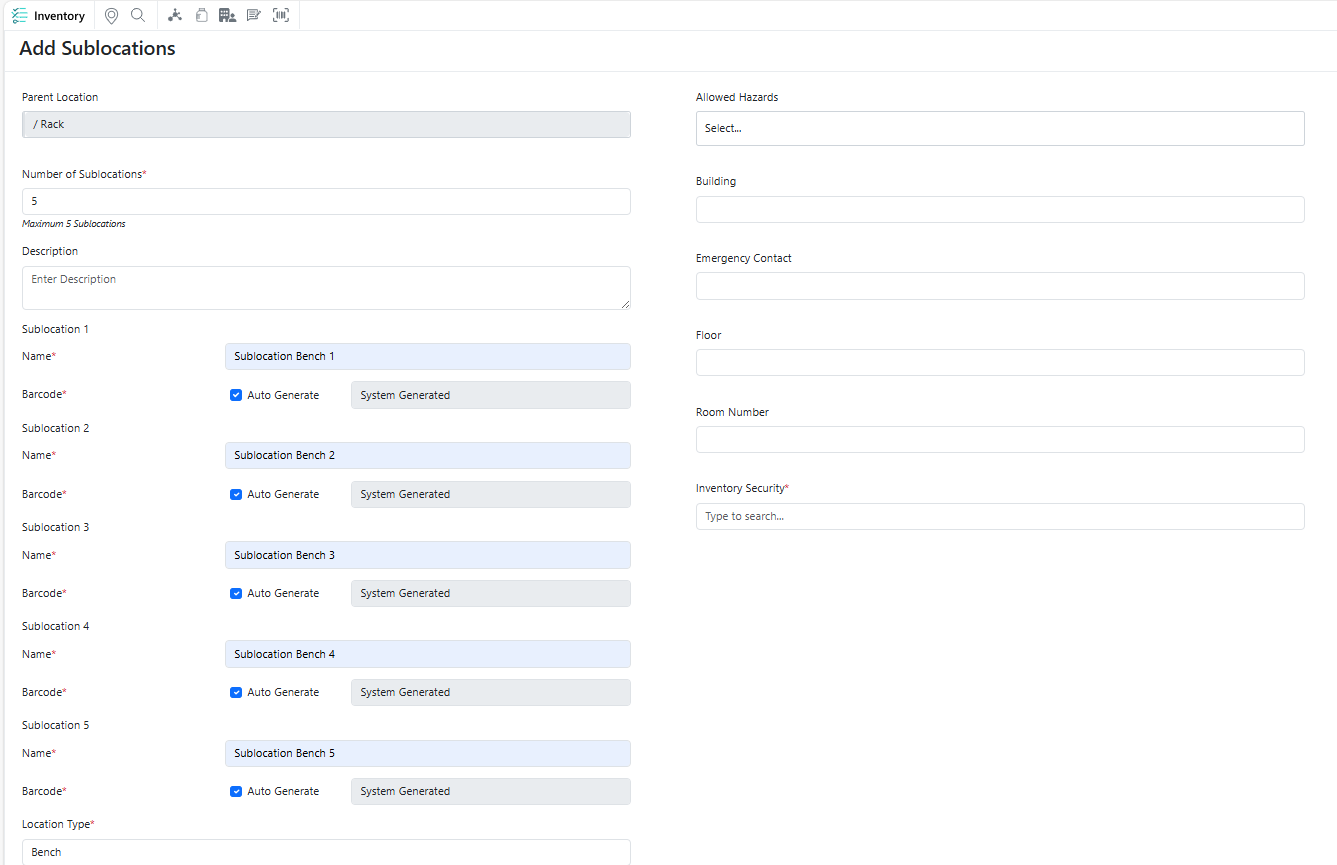
You can now quickly create multiple identical sublocations under a single parent location, making it easier to build and manage hierarchical location structures at scale while reducing repetitive setup effort.

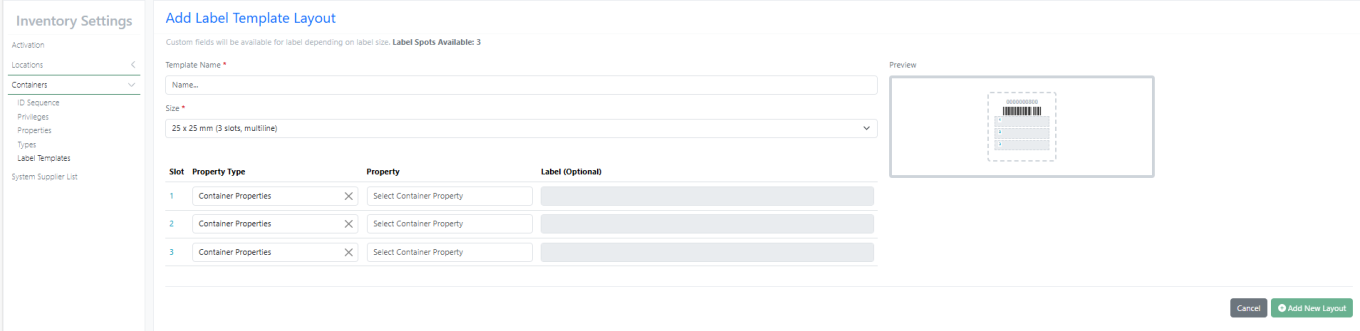
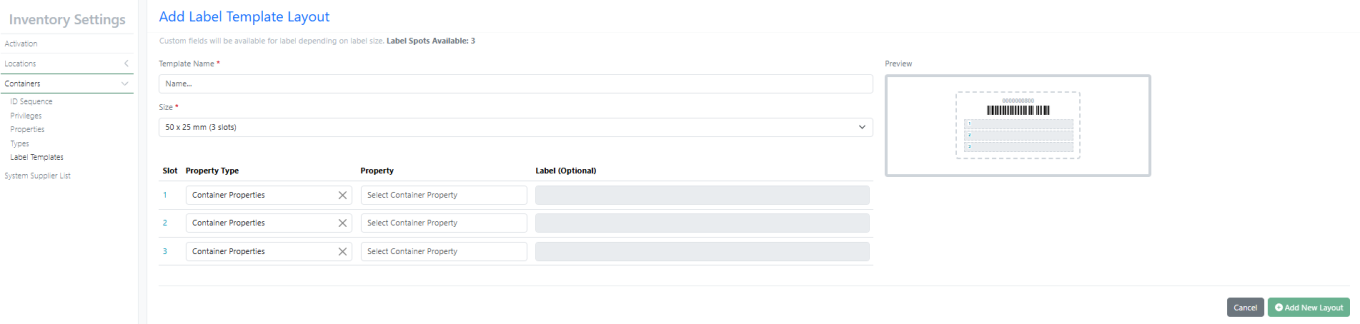
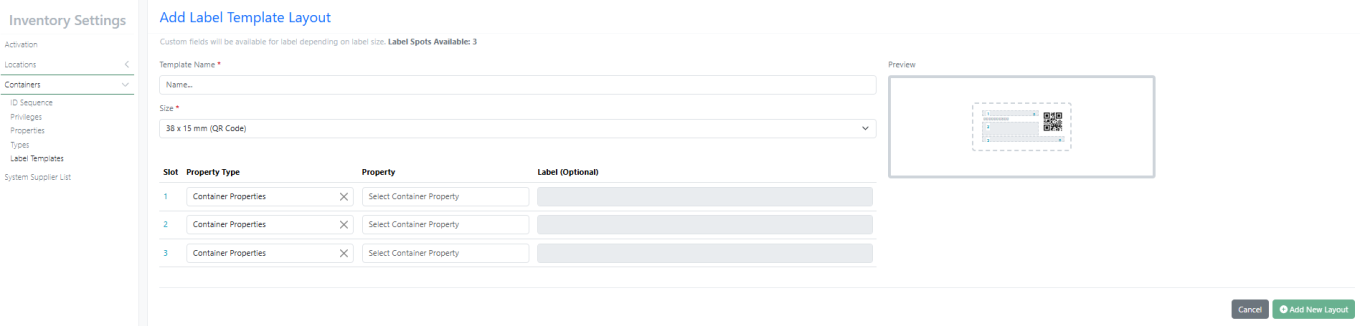
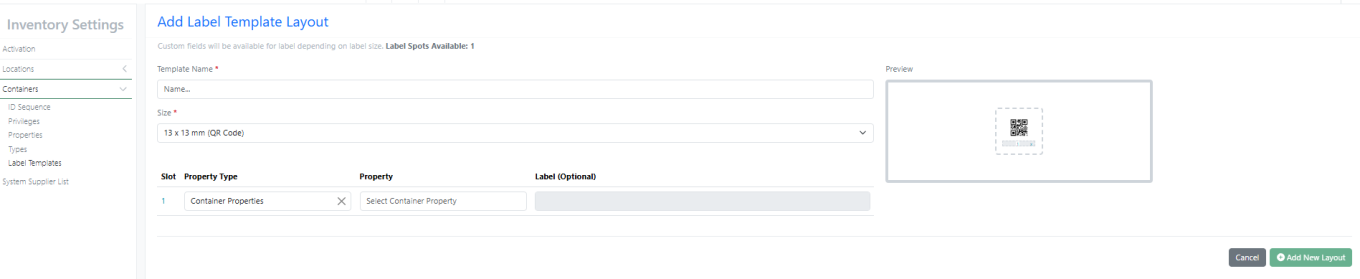
New Label – 25 X 25 mm (3 slots, multiline) supports multiline with font size 6

New Label – 50 X 25 mm (3 slots) supports multiline with font size 8

New Label – 38 X 15 mm (QR Code)

New Label – 13 X 13 mm (QR Code)

InventoryGo

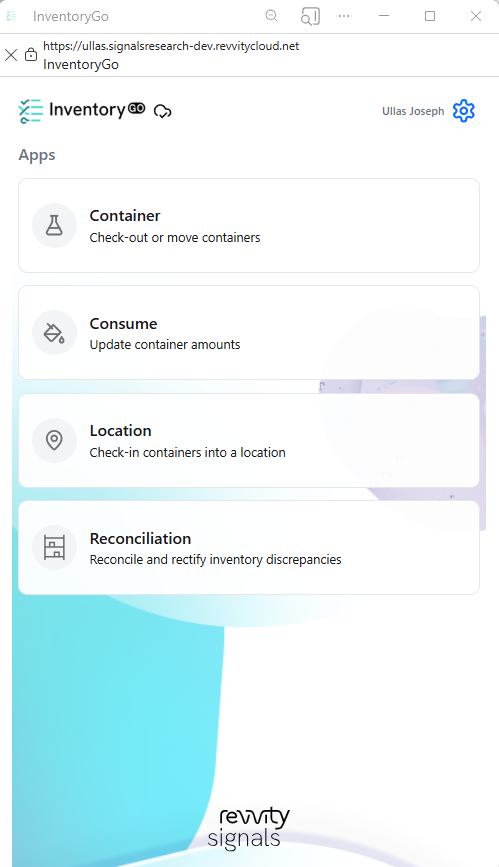
InventoryGo introduces mobilefirst inventory workflows that enable Reconciliation and Rectification, along with Move and Consume actions directly from the lab or storage location. Users can quickly reconcile physical inventory against system records, correct discrepancies, move containers between locations, and update consumed quantities through a streamlined, scanbased experienceimproving inventory accuracy, productivity, and audit readiness. InventoryGo is available as an add‑on capability. Please contact your Sales Associate for more information on enabling InventoryGo for your tenant.

Materials

Calculated properties for protein complexes for Custom and Protein material types and the preconfigured Antibodies library are now available to all systems. Molecular weight, isoelectric point, extinction coefficient, and total length can now be computed for complexes comprised of multiple protein parts linked to via internal references.

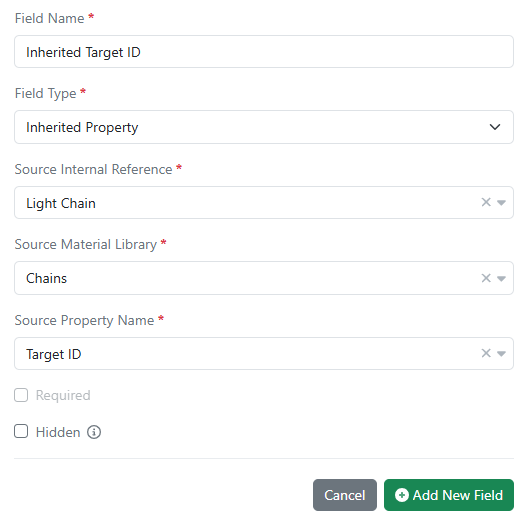
Inherited properties in all material libraries are now available in all systems. Data field values can now be passed down (i.e. inherited) from one material to another using internal reference links. Updates to the source data are automatically propagated to any inheriting entity and are kept in sync.

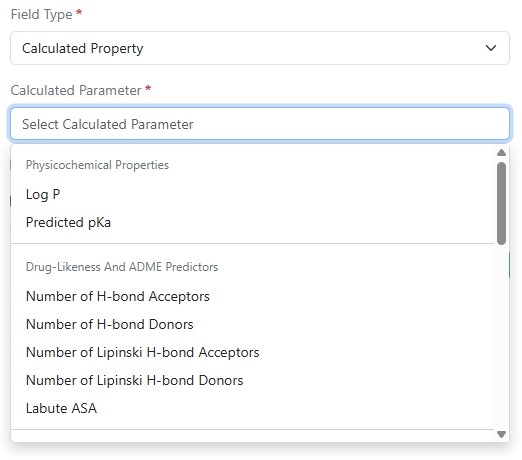
Log P, predicted pKa, and additional calculated properties are now available in Compound and Normalized Compound material types and the preconfigured Reagents (SNB) library. Administrators can selectively choose from a variety of physicochemical properties, drug-likeness and ADME predictors, structure and topology, ring system, atomic composition, and stereochemistry calculations.

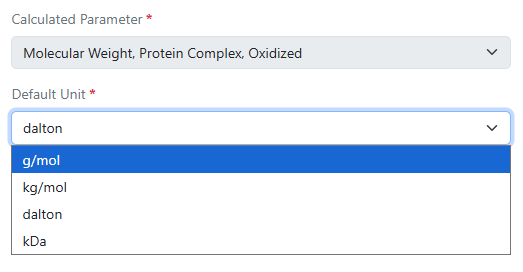
Administrators now have the ability to choose different display units for calculated molecular weight properties in DNA, RNA, Protein, and Custom material types and the preconfigured Antibodies, Plasmids, and Primers libraries. Options include g/mol, kg/mol, dalton, and kDa.

Search

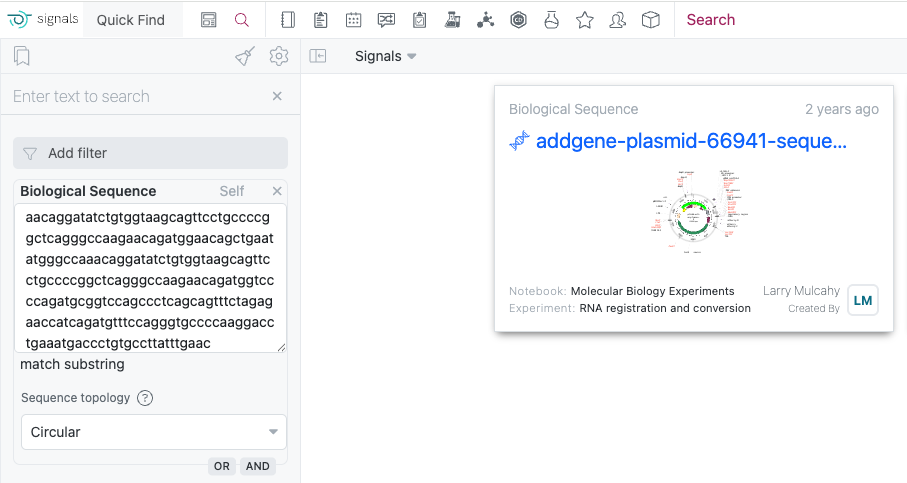
The Biological Sequence search now includes enhanced topology options to optimize your search results. The Linear option is for standard DNA and protein sequences, while the Circular option is ideal for plasmid searches where your target sequence may span across the junction between the end and start positions of the circular DNA molecule. 

Administration

Signals One Private Cloud environments with Spotfire for Signals Custom Apps enabled now allow the export of Spotfire for Signals Online Debug Logs.

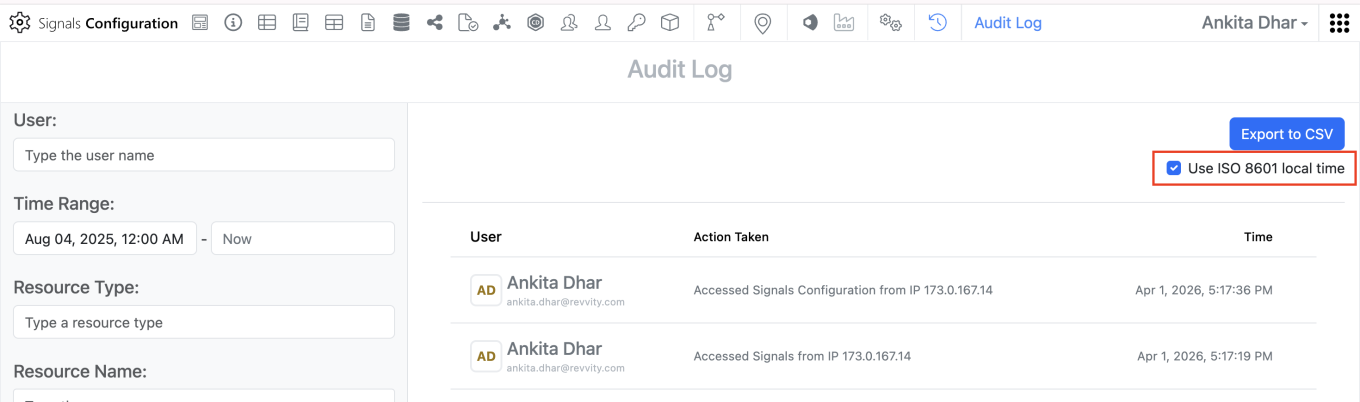
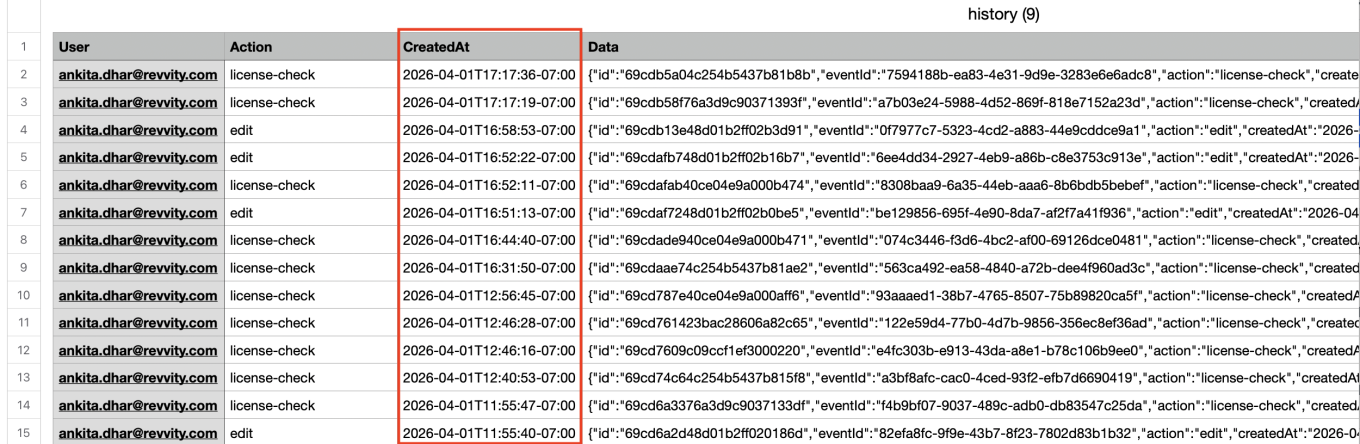
The ‘Createdat’ and ‘modifiedat’ fields in the system audit trail CSV export can be converted to local time in ISO 8601 format. When admins export the system audit trail to CSV, they can adjust the format of timestamps by selecting the “Use ISO 8601 local time” option. This setting will convert the ‘createdAt’ and ‘modifiedat’ timestamps within the CSV to local military time with a UTC offset. 

Integrations & APIs

External Actions configured with a POST action on Hierarchical Tables will now include details of the selected rows and table layers within the body of the response.

We have added a new signing event external action trigger for “Edit Reviewers” this allows for maintaining any external actions used for initially adding reviewers to also be used if those reviewers are edited.

We have enhanced the API for patching material chemical drawings to accept additional chemical structure formats. The API now supports SMILES, InChI, and HELM chemical structures. You must specify the which in the request “Content-type” header. For the new content types the “filename” parameter will be ignored.

We have enhanced existing APIs to allow for creating Reference Tables in Synergy Work Orders. The library and entity type must be included in the request body. This will create a new reference table with no columns configured. Existing APIs for editing the displayed columns should be utilized to show columns.

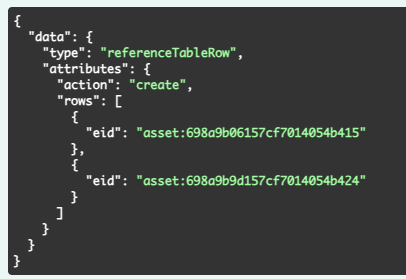
We have added new APIs to add or delete reference(s) for existing Reference Tables. You must specify the action (create or delete) and the specific entities for the rows being added or deleted.

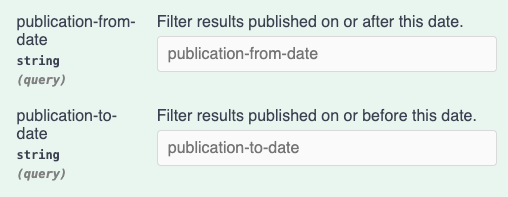
We have enhanced the search APIs for Signals Data Factory. You may now specify publication-from-date and publication-to-date as URL parameters in ISO 8601 format. This will filter results to the specified ranges.

We have added support for Proof Key for Code Exchange (PKCE) to our Bearer Token authorization flows. This is now an option for all current and future clients. This does not replace or break the Implicit Grant flow, it only adds the additional option. Additional details are available in the admin System Configuration Guide.

Beta Features 

The following capabilities are in beta and are available for users, administrators and developers on the Signals platform upon request. Please contact your account representative or our support team if you would like access to the following features.

Data Workflows & Analytics

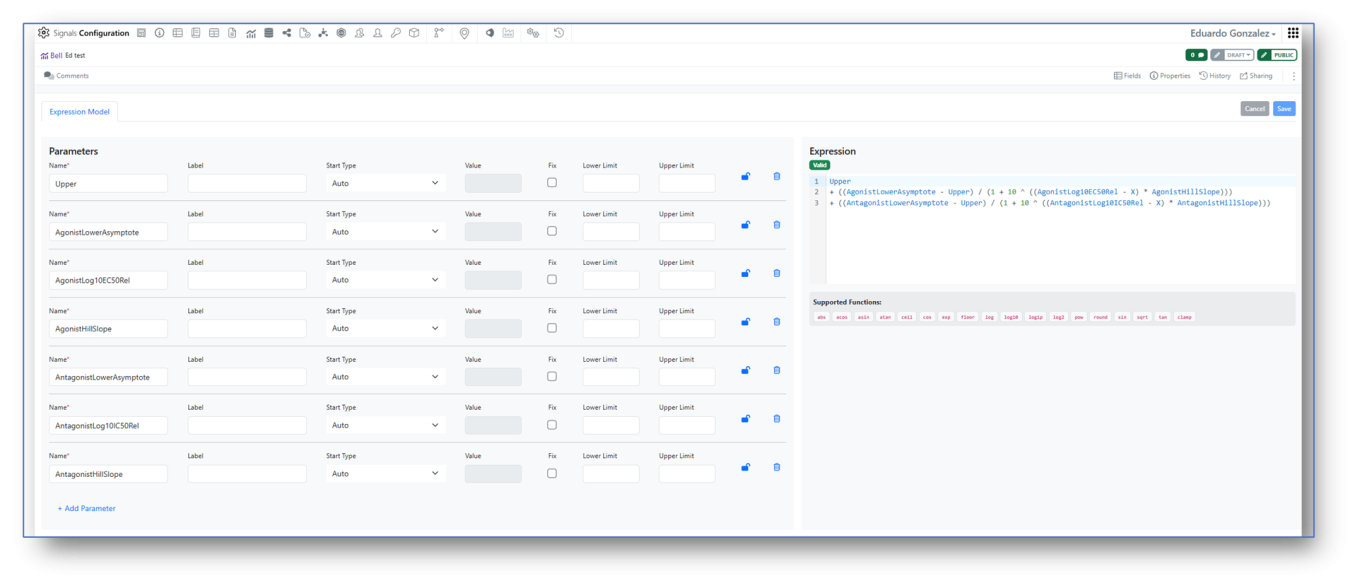
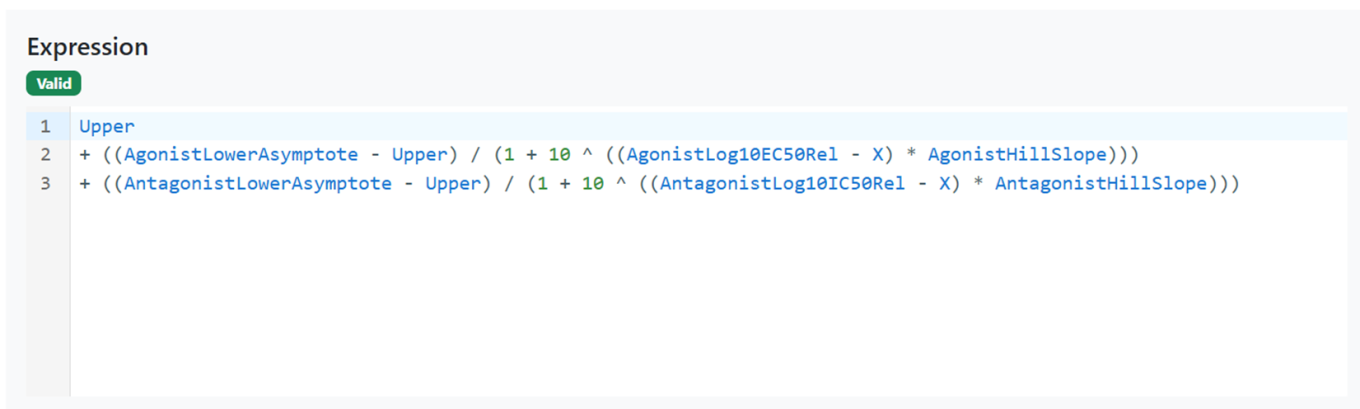
Signals Configuration allows creation of custom Analytics definitions for Curve Fitting. A mathematical Expression Editor is now available in conjunction with the settings associated to the expression parameters, which can be locked to ensure consistent start values and limits.

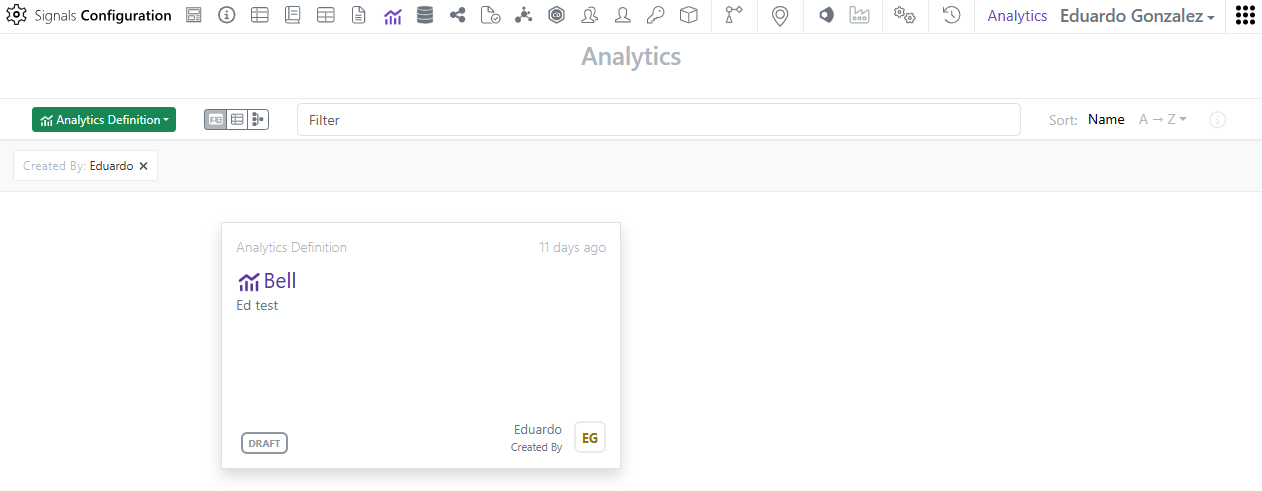
Access to the custom Analytics definitions is restricted to System administrators and Users with the “Manage Analytics Definitions” permission. The multi-line editor checks the validity of the expression that can then be saved, enabled and shared for curve fitting (here an example of a bell-shaped expression).

The custom endpoints of a curve fit can be published for subsequent SAR & Decision Making. 

Tables

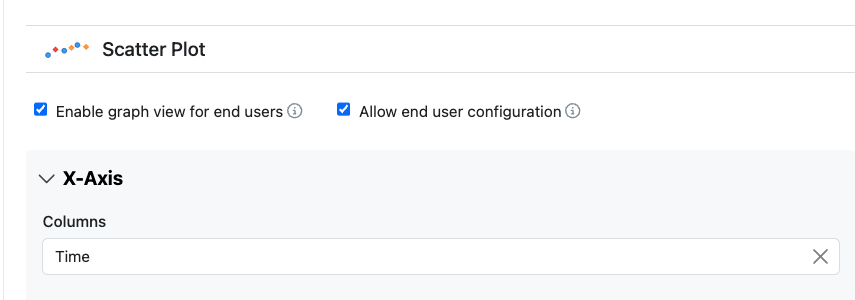
Configuration administrators can now give end users the ability to alter the configuration of Scatter Plots. The option to allow end users this ability is defined within the Visualization settings.

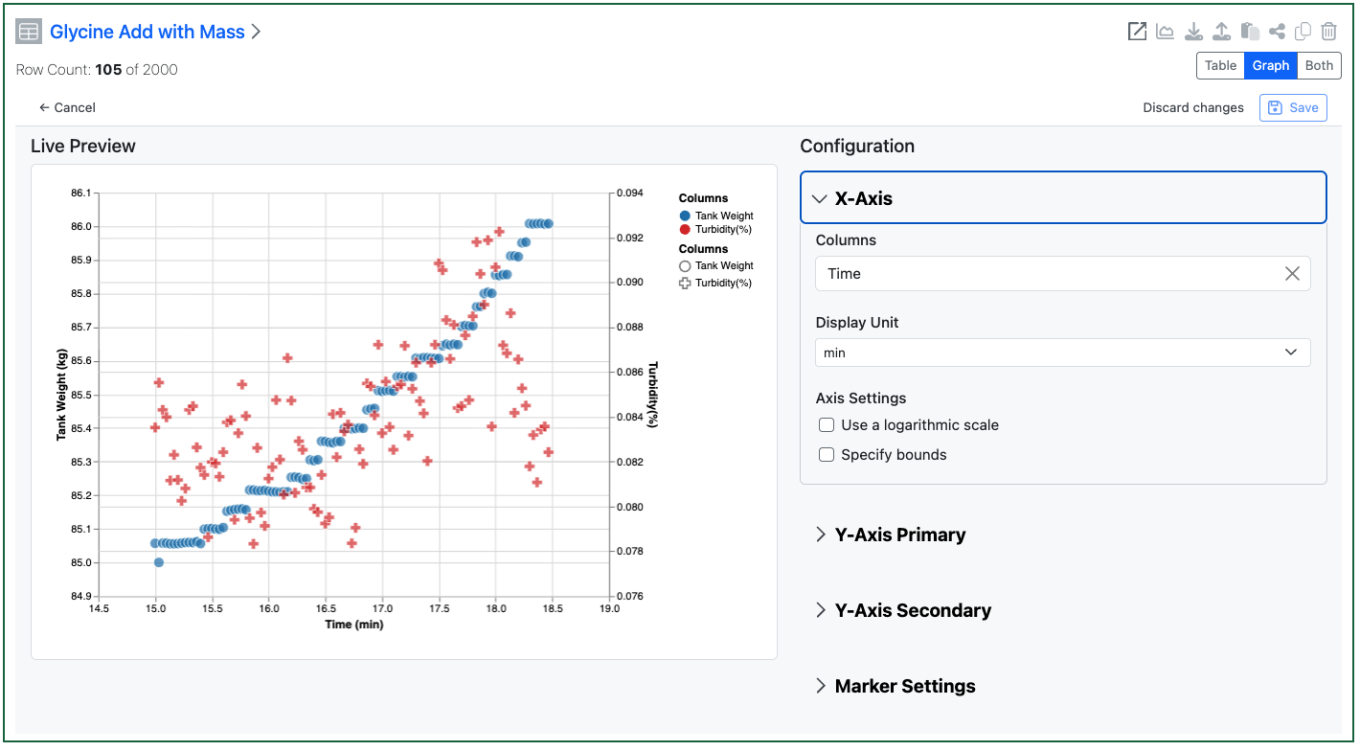
The end user can then access the setup of the chart to change the display of the axes etc. Changes are saved on demand if the user has Edit on the Experiment.

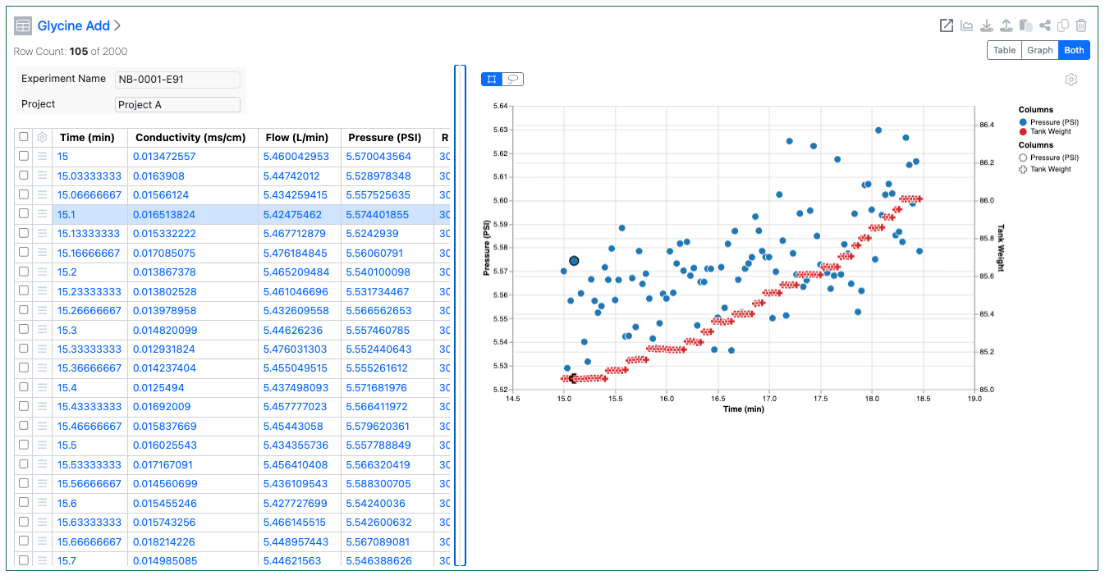
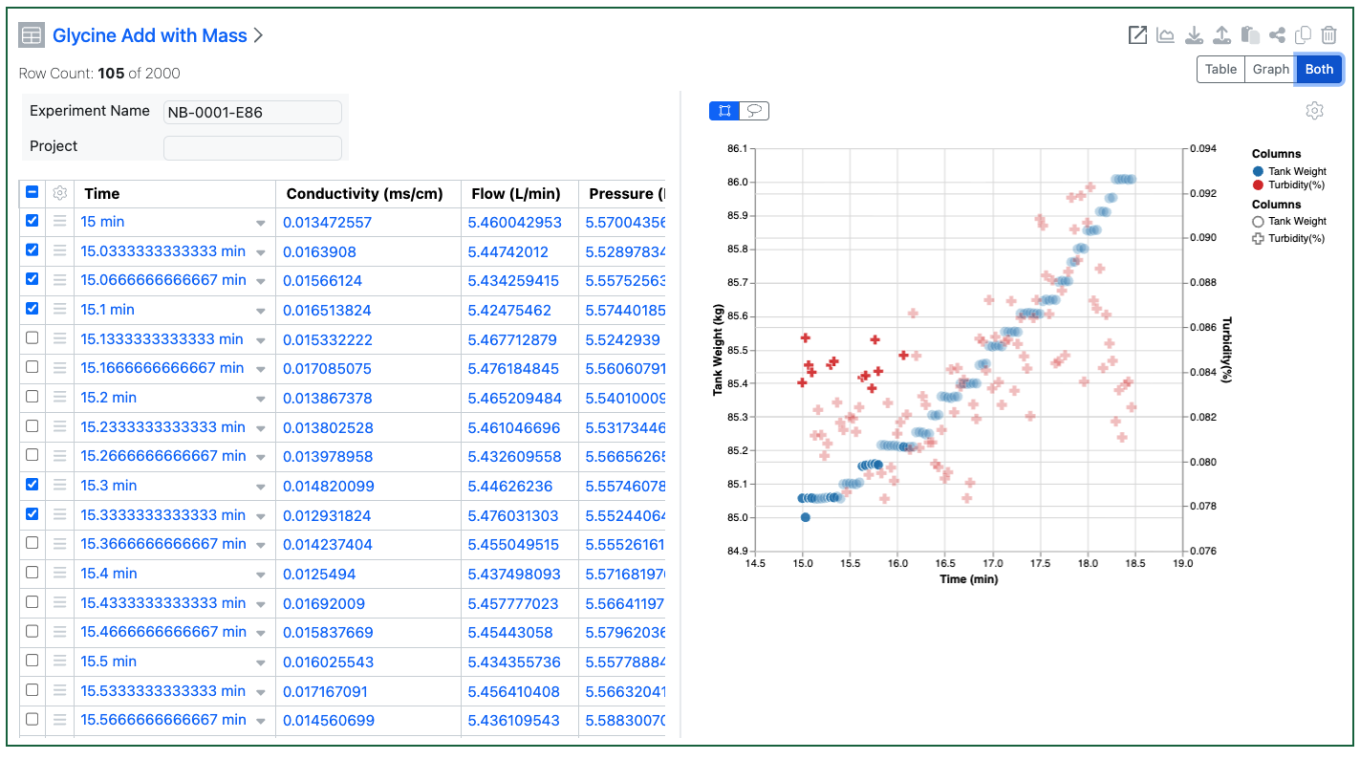
The end user can also decide to see the table and graph simultaneously. Selections in the table are highlighted in the graph view, and visa-versa. Users can select in the graph via dragging a rectangle or using a lasso to select an irregular area.

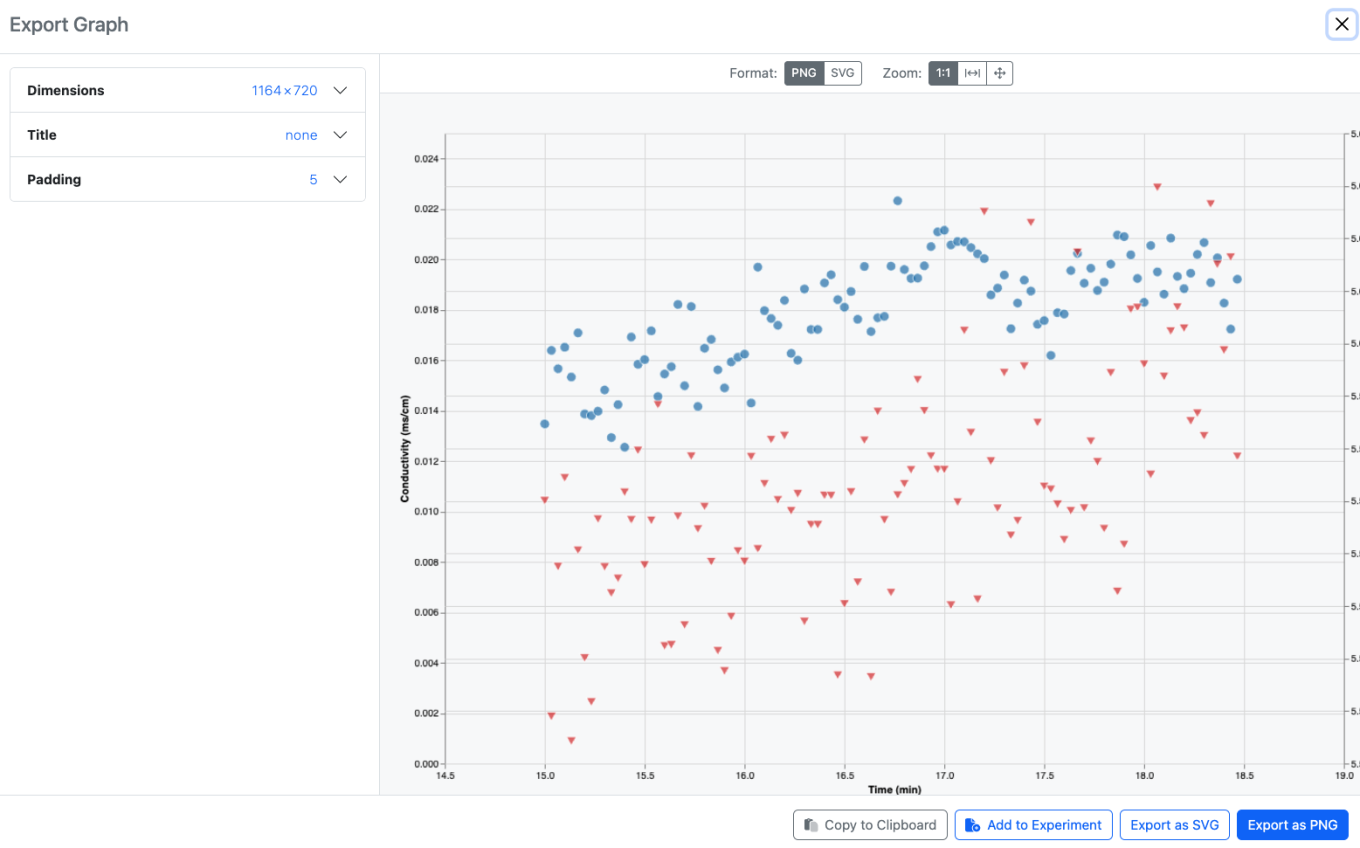
Users can also export an image of the graph, either to their clipboard, or as a downloaded file, or as an Image File directly back into the same experiment. Note that the exported image reflects the saved graph, unsaved changes by the end user will not be shown.