
MetaSense®

Metabolite Identification Software That Makes Decisions Easier

One interactive platform for metabolite identification (MetID)—bringing prediction, data analysis, and biotransformation visualization together. 
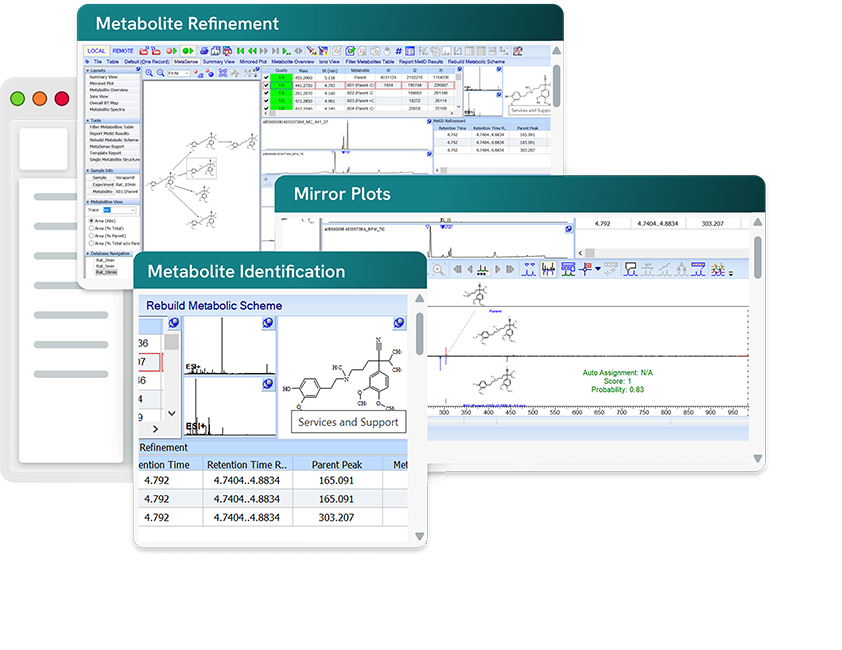
 MetaSense

Explore

Understand Your Biotransformation Data

MetaSense helps you make sense of all your MetID data. Move beyond complex workflows that have you flipping back and forth between a dozen programs. With a single interface for prediction, data analysis, and knowledge dashboards, make data-driven decisions swiftly.

Centralize all MetID data in one interactive workspace with auto-generated biotransformation maps, kinetic plots, and seamless data reprocessing.

Explore metabolism visually by clicking between linked maps and plots to see your data at any depth.

Accelerate confident decisions by uncovering drug metabolism insights and assessing candidate viability faster.
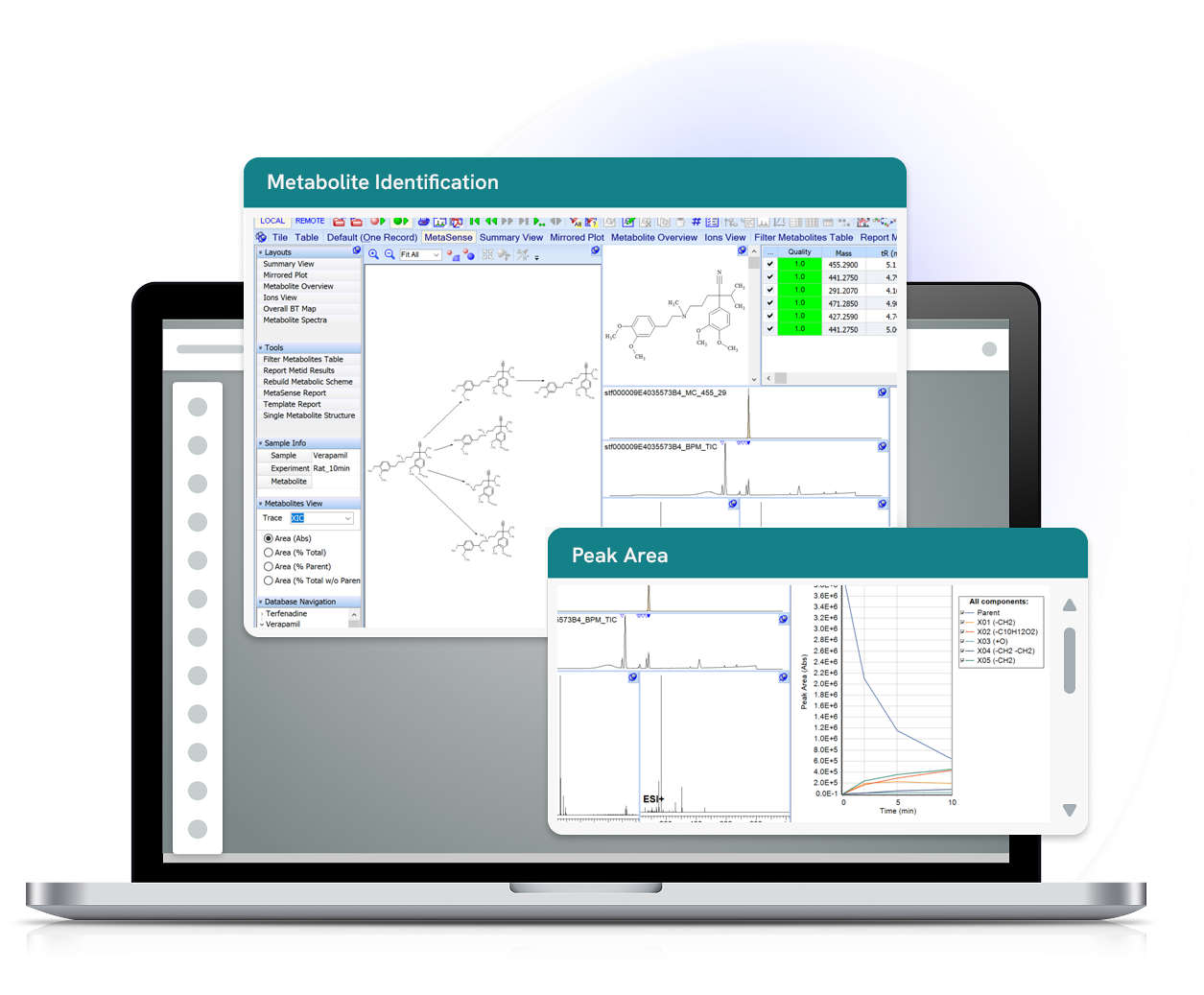
Benefits

One Stop for Your MetID Analysis

Get Straight to What Matters

  • Jump straight to what you want to know: how your compound metabolizes.
  • Breeze through deconvolution, peak detection, peak assignment, and integration with MetaSense’s built-in algorithms.

Understand in a Glance

  • See everything at once—chromatograms, spectra, biotransformation maps, metabolite tables, and kinetic plots.
  • No more flipping between half-a-dozen windows to understand your data and analysis.

Review the Data

  • Interactive linking makes accessing the raw data easy.
  • Delve straight from a summary table or plot into the original chromatograms and spectra, and reanalyze as needed.

Share Your Results

  • Produce customizable reports.
  • Share results with colleagues across your enterprise.

How it Works

Steps to Metabolite Identification

  1. Draw your metabolite and predict its biotransformation using the built-in probabilistic model. Or import metabolite prediction from third-party files. 
  2. Acquire data.
  3. Import your data into MetaSense (or set up your network for automatic import). 
  4. Review the data analysis. Check the mirror plots to confirm identified metabolites. Revise processing parameters if needed.
  5. Draw conclusions about your compound's metabolism form the biotransformation map and kinetic plot. 
  6. Report your results. 

Features of MetaSense

    • Predict metabolites using the built-in probabilistic, structure-based prediction model
    • Define your own unique metabolic reactions
    • Filter metabolites based on specific Phase I & II reactions
    • Select specific reaction types (e.g., amide hydrolysis, GSH conjugation) for prediction
    • Import prediction lists from third-party software (Meteor Nexus and MetaSite) or your own list of metabolites
    • Manually add missing metabolites if necessary
    • Import files in all major-instrument-vendor formats
      Review the list of supported formats
    • Batch process data with the easy-to-use wizard
      • Handle all the data from a series of related incubation studies in one go
    • Use the fractional mass filter for unexpected and untargeted metabolites
    • Verify structures based on MS/MS spectra in conjunction with logD predictions
    • Manually add a metabolite, and MetaSense will screen the LC/MS data for matching peaks across all timepoints
    • See your project at a glance with a dashboard that displays the biotransformation map, kinetic plot, metabolite table, chromatograms, spectra, and associated analytical data
      • Chemical structures and analytical data are interlinked for easy navigation
      • Data is live (can be reprocessed and reanalyzed)
    • Use the mirrored plot view to compare parent and metabolite MS/MS spectra, and confirm metabolite identities
    • Mark ambiguous structures with Markush notation
    • Manually reduce Markush structures to discrete structures as additional data is available
    • Automatically generate biotransformation maps
    • Automatically generate stability and kinetic plots for your API and metabolite(s)
    • Add additional metabolites to the map as necessary
      • Seamlessly update across the dataset: automatically find added metabolites in the data and add them to the metabolite table and kinetic plot
    • Create species-specific biotransformation maps (e.g., human, mouse, rat, dog)
    • View a global biotransformation map containing all metabolites detected in all species
    • Store your project in a searchable, shareable database
      • Include structures (including substructures and Markush structures), reactions, biotransformation maps, spectra, formula weight, and metadata (e.g., sample name, instrument)
      • Link to associated documents (e.g., .docx, .xlsx, .pptx, .pdf, .txt)
    • Search by structure, spectra, text, or other parameters
      • Save complex search queries to repeat your search in other databases
    • Give collaborators access to data and results via the MetaSense web portal
      • Built on JavaScript and accessible from any browser
    • Produce detailed reports as Word documents, PDF files, and *.sk2 files
      • Create customized report templates
    • Use the processing interface as a stand-alone data processor and analyzer to process your other MS, LC/MS, and GS/MS data

    What Our Customers Say About MetaSense

    Quote from Anders Sonesson

    “MetaSense has been an incredibly valuable tool for evaluating metabolites in the pre-clinical safety science team. It delivers higher-quality results, uncovers unexpected biotransformations, and has cut our data processing time in half—making our workflow faster and more efficient.”

    Anders Sonesson Ferring Pharmaceuticals

    Deployment/Integration Options

    How MetaSense Fits into Your Organization

    Work with Any Instruments
    Whatever LC and MS instruments you use, MetaSense can
     work for you. As the leader in vendor-agnostic chemistry 
    software, ACD/Labs partners with dozens of vendors to 
    support > 150 file types and thousands of instruments. 
    MetaSense builds on the cross-vendor support in our 
    Spectrus Platform technology for multi-technique processing.

    Automate Workflows
    Our professional services team can help you set up MetaSense within your corporate IT environment, so data will automatically flow in from your instruments. No copying-and-pasting, USB transfer, or manual transcribing required.

    Compatible with Your Experimentation and Analysis Hardware

    MetaSense FAQs

    Ready to Take the Next Step?

    Talk to our Team

    Schedule a consultation with our experts to discuss your workflow, requirements, and implementation needs

    Contact Us

    Take a Tour

    See how MetaSense helps you to streamline metabolite identification and enhance confidence in every result. 

    Take a Tour

    Stay up to Date

    Stay up to date on all the latest insights, research and product news from Revvity Signals.

    Stay up to Date