
What’s New
We are delighted to release our new version of PhysChem Suite™, Version 2026.
Highlighted Features
- Improved hydrogen bond calculations
- Interactive physicochemical property visualization
- Custom compound names in prediction reports
Administrators are recommended to subscribe to the channels within our support news site found at https://support.revvitysignals.com/hc/en-us/categories/360004446171-Support-News which contains more information about releases and other pertinent product information.
Further Details
Version 2026 introduces more chemically accurate property calculations, interactive visualization of calculated properties, and greater flexibility when generating prediction reports.
Algorithm Improvements
Improved Hydrogen Bond Calculations
You can now expect more chemically accurate hydrogen bond donor and acceptor calculations.
Improvements include:
- Hydrogen bond donor and acceptor calculations now use chemically aware definitions rather than simple nitrogen and oxygen atom counts.
- Sulfur atoms are now recognized as hydrogen bonding sites where appropriate.
- Nitrogen atoms with inaccessible electron pairs, such as pyrroles and nitro groups, are no longer counted as hydrogen bond acceptors.
Ease of Use
Interactive Physicochemical Property Visualization
You can now interact with selected calculated properties to highlight and visualize the atoms or bonds contributing to each property.
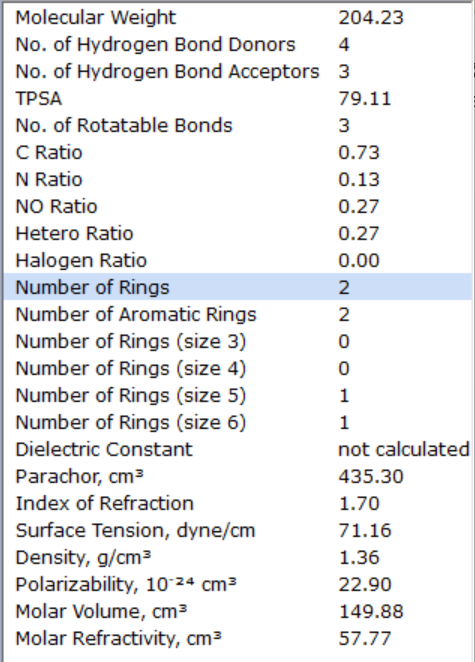
Interactive highlighting is available for the following:
- Number of Hydrogen bond donors
- Number of Hydrogen bond acceptors
- Number of Rotatable bonds
- Number of Rings (also differentiated by ring size)
- Number of Aromatic rings
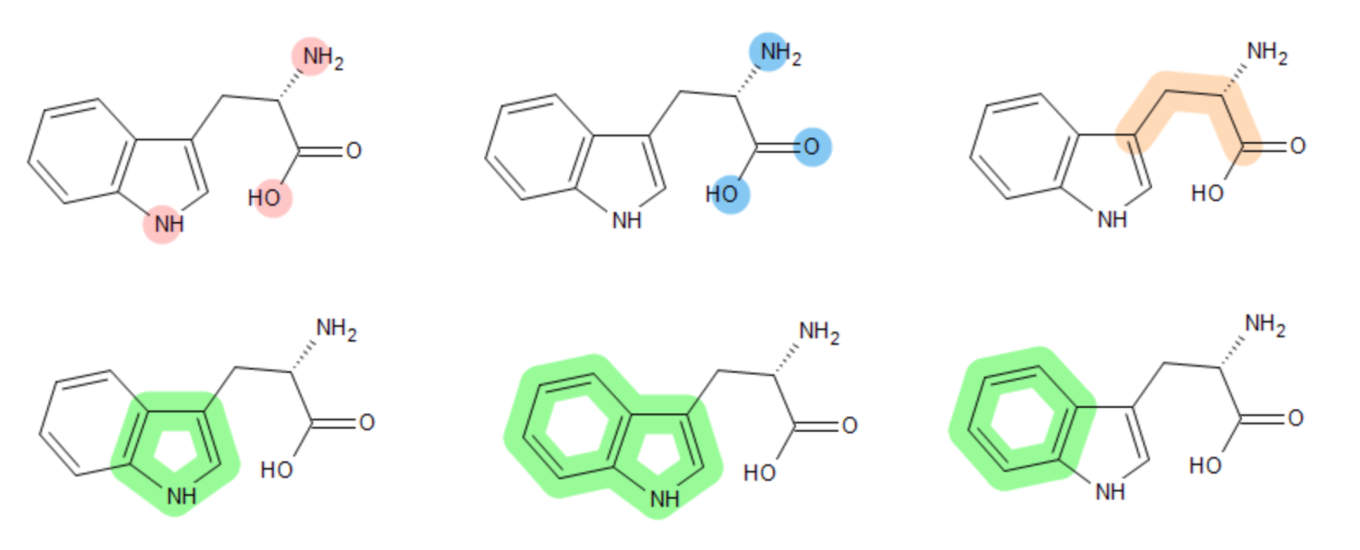
Highlight the contributions of different atoms or bonds.
Reporting
Custom Compound Names in Prediction Reports
You can now customize compound names in PDF and Word prediction reports, providing greater flexibility in report preparation. Override automatically assigned names or add names when none are available.
Features include:
- Override automatically assigned compound names with your preferred name or synonym.
- Add custom names for compounds that cannot be automatically identified.
- Enter custom names when generating single-compound reports.
- Select a spreadsheet column as the source of compound names when generating batch reports.
Percepta Portal
More Flexible Project Import and Merging
You can now combine data from multiple Spreadsheet projects more efficiently while maintaining existing project structures. New import and merge options give you greater control over how compounds, data fields, and duplicate information are matched, helping reduce manual data management when consolidating projects.
- Link matching columns between projects to populate existing fields instead of creating duplicates.
- Merge projects by matching data fields or chemical structures, with configurable structure matching criteria.
- Control how conflicting or unmatched data is handled and preview merge results before importing.
Note: Existing projects created in earlier software versions must be upgraded to generate the structure metadata required for structure-based project merging.
Greater Control Over User and Project Management
You can now manage users, projects, and permissions with greater flexibility across your organization. Expanded authentication, permission, and account management capabilities make it easier to administer shared environments while giving users greater visibility of the projects and resources available to them.
- Configure multiple OpenID providers and automatically assign users to groups based on their authentication method.
- Manage user access more effectively with suspended accounts and more granular permissions.
- Find projects more easily by owner and see how workspace licenses are assigned through user groups.
- Give regular users greater control over their own account information and visibility of shared projects, group memberships, and licensed workspaces.
Ease of Use
You can now complete everyday tasks more efficiently with a range of workflow improvements throughout Percepta Portal. Updates to reporting, spreadsheet editing, and molecular input and output tools help streamline routine activities and reduce the risk of errors.
- Identify expression elements and syntax errors more easily with syntax highlighting in the Expression Editor.
- Avoid unintended deletion of dependent calculations with additional warnings.
- Generate PDF reports for all compounds in a project using batch reporting.
- Copy molecular structures as SMILES or exchange structures using InChI notation.
Simplified Deployment and Administration
You can now deploy and maintain Percepta Portal more easily with updates designed to improve compatibility, reduce deployment dependencies, and simplify software administration.
- Improved startup health checks simplify deployment and container management.
- Automatic compatibility checks help prevent issues caused by incompatible MongoDB or Percepta Kernel versions.
- Updated framework components provide improved Java 17 support.