What's New

Explore recent and historical product updates for Revvity Signals' Cloud Native SaaS Software 

Collapse All

What's New

We are delighted to release our new version of Signals BioDesign, 26.3. This release brings enhancements to search and configuration transfer. Finally, we have also fixed a number of small bugs. 

The following improvements are available for users, administrators and developers on the Signals platform. Certain features may only be available with appropriate licensing and/or with enablement by an administrator. 

  • Search
    - New options for circular and linear Biological Sequence searches 
  • Administration
    - BioDesign settings are now available in Configuration Reports 

Administrators are recommended to subscribe to the channels within our support news site found at https://support.revvitysignals.com/hc/en-us/categories/360004446171-Support-News which contains more information about releases and other pertinent product information.

Further Details

The following improvements are available for users, administrators and developers on the Signals platform. Certain features may only be available with appropriate licensing and/or with enablement by an administrator.

Search
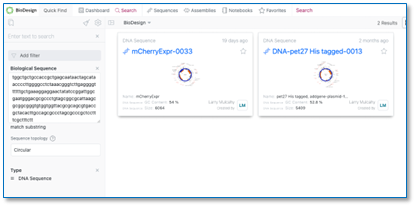
The Biological Sequence search now includes enhanced topology options to optimize your search results. The Linear option for standard DNA and protein sequences, while the Circular option is ideal for plasmid searches where your target sequence may span across the junction between the end and start positions of the circular DNA molecule.

Administration
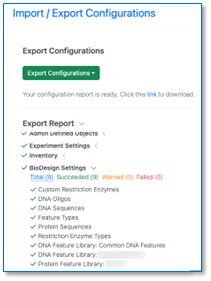
Signals BioDesign is now included in Configuration Reports.
What's New

We are delighted to release Signals BioDesign 26.5. This release introduces new integration with Signals Materials libraries and beta support for Gibson Assembly design. We have also fixed a number of smaller bugs to improve overall product quality.

The following generally available improvements are available to users, administrators, and developers on the Signals platform. Some features may require appropriate licensing and/or administrator enablement.

  • Signals Integration
    - Signals BioDesign is now integrated with Signals Materials libraries
  • Cloning 
    - Gibson Assembly combinatorial assebly (beta)

Administrators are recommended to subscribe to the channels within our support news site found at https://support.revvitysignals.com/hc/en-us/categories/360004446171-Support-News which contains more information about releases and other pertinent product information.

Further Details

This section provides additional detail about generally available improvements and beta capabilities included in Signals BioDesign 26.5. Some features may require appropriate licensing and/or administrator enablement.

Signals Integration

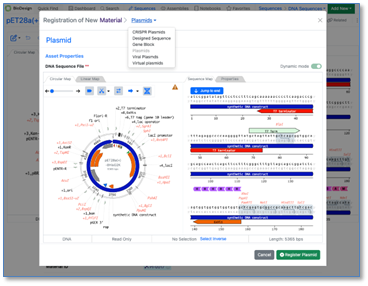
Users with a BioDesign and Signals Notebook or Signals One license can now register BioDesign sequences directly to Signals Materials. The sequence type must match the corresponding Material type. After successful registration, links are automatically created between the BioDesign sequence and the Material in both products.

Beta Features

The following beta capabilities are available to users, administrators, and developers on the Signals platform upon request. Please contact your account representative or the support team if you would like access to these features.

Cloning

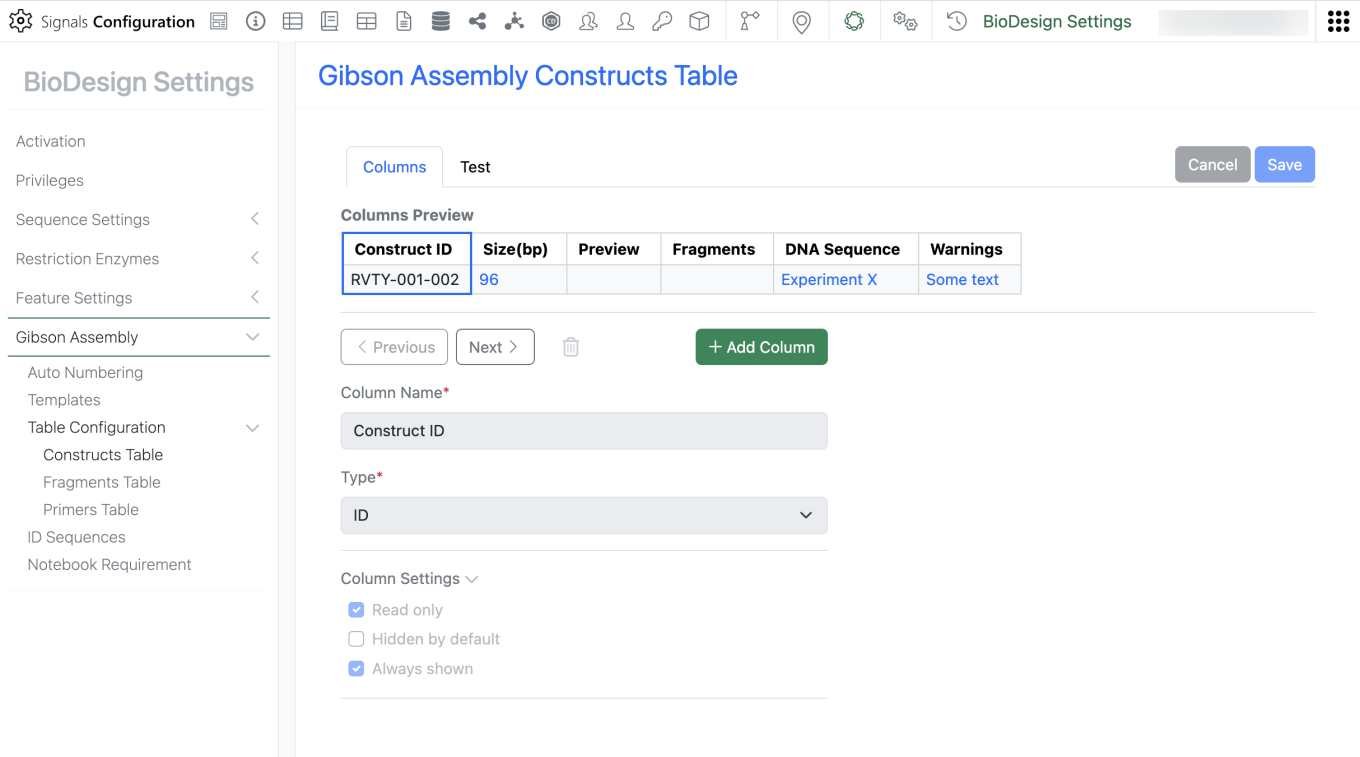
Administrators can now configure templates that allow users to design combinatorial assemblies using the Gibson Assembly cloning method. A dedicated settings section in Signals Configuration allows administrators to manage and customize Gibson Assembly configurations for their users.

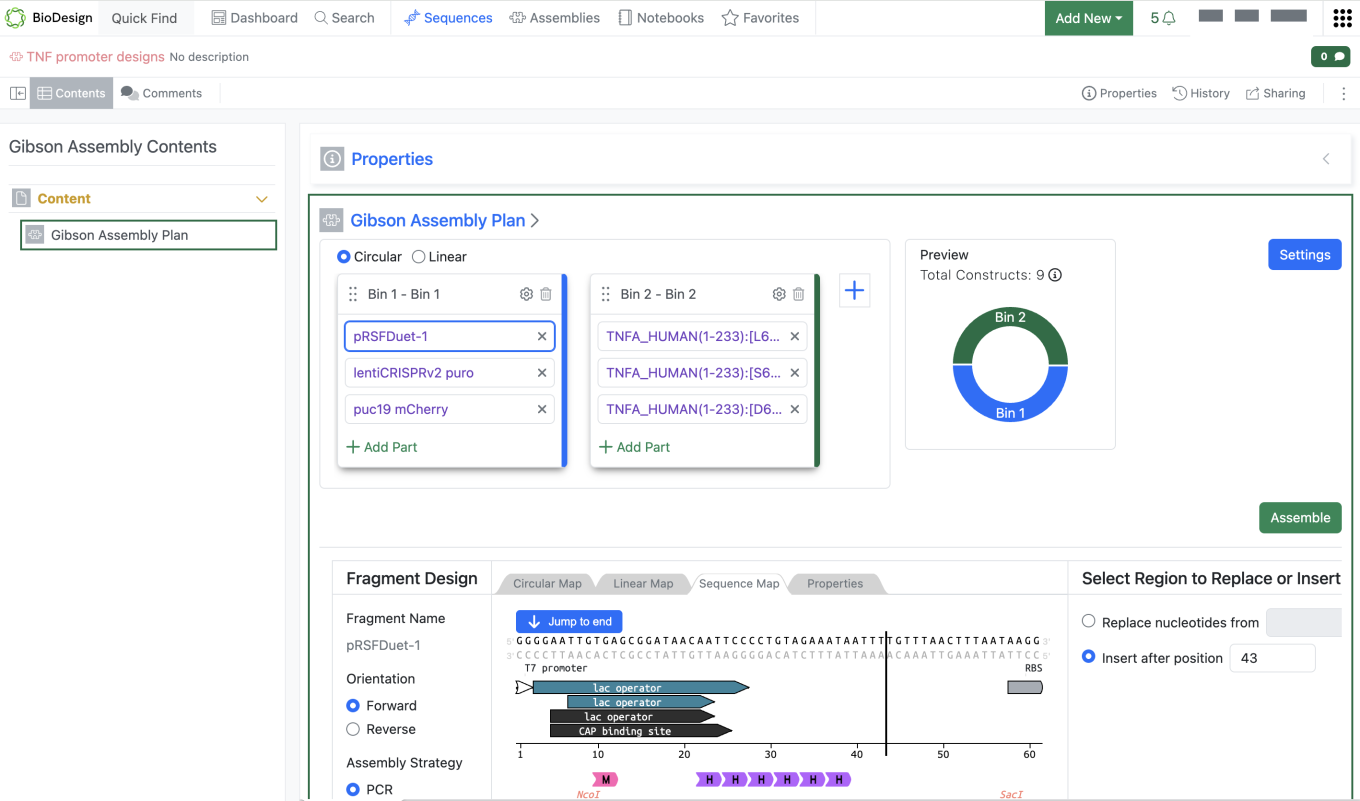
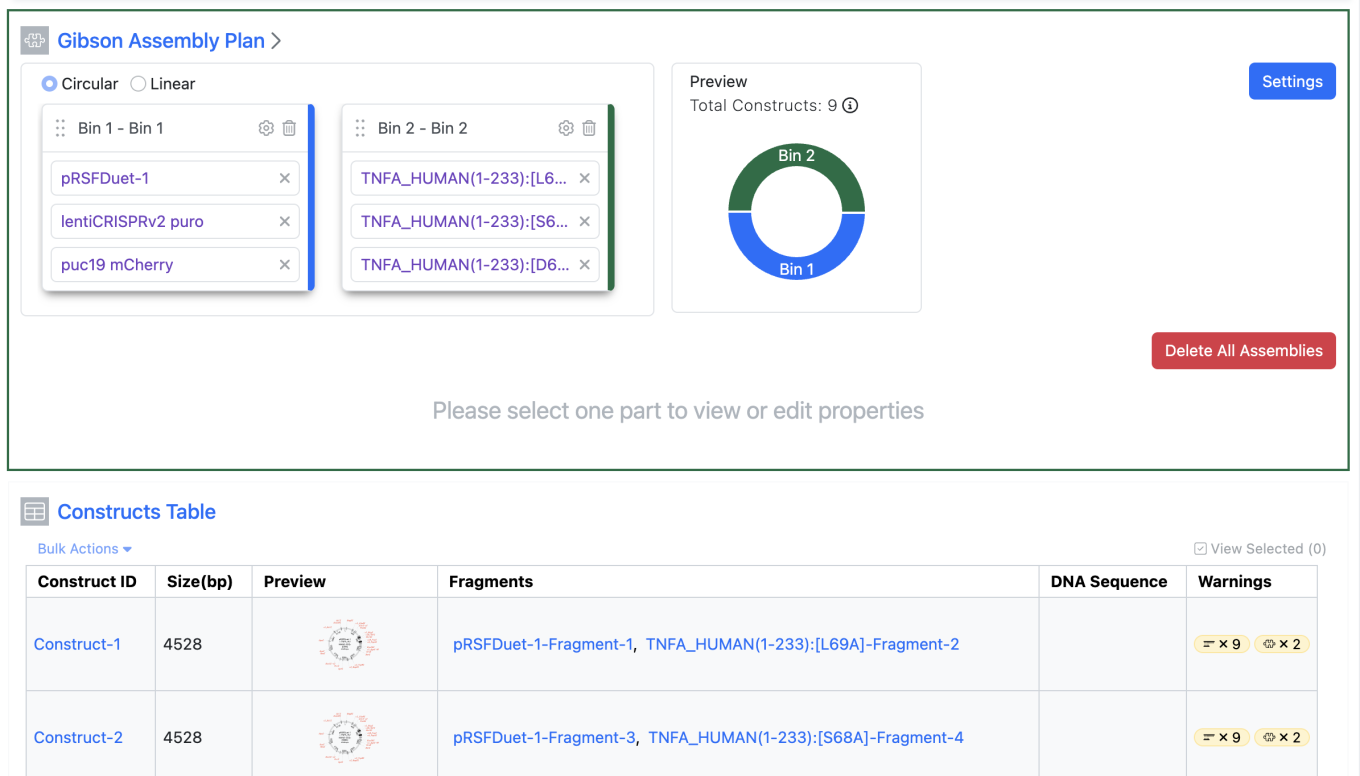
Users can design up to 1,000 molecular constructs using the Gibson Assembly method. They can start an assembly from the Sequences Folder or the new Assemblies folder, and assemblies can also be organized in Notebooks. After launching a Gibson Assembly, users add sequences to the Assembly planner, choose how each fragment should be assembled, adjust settings, and proceed with the assembly.

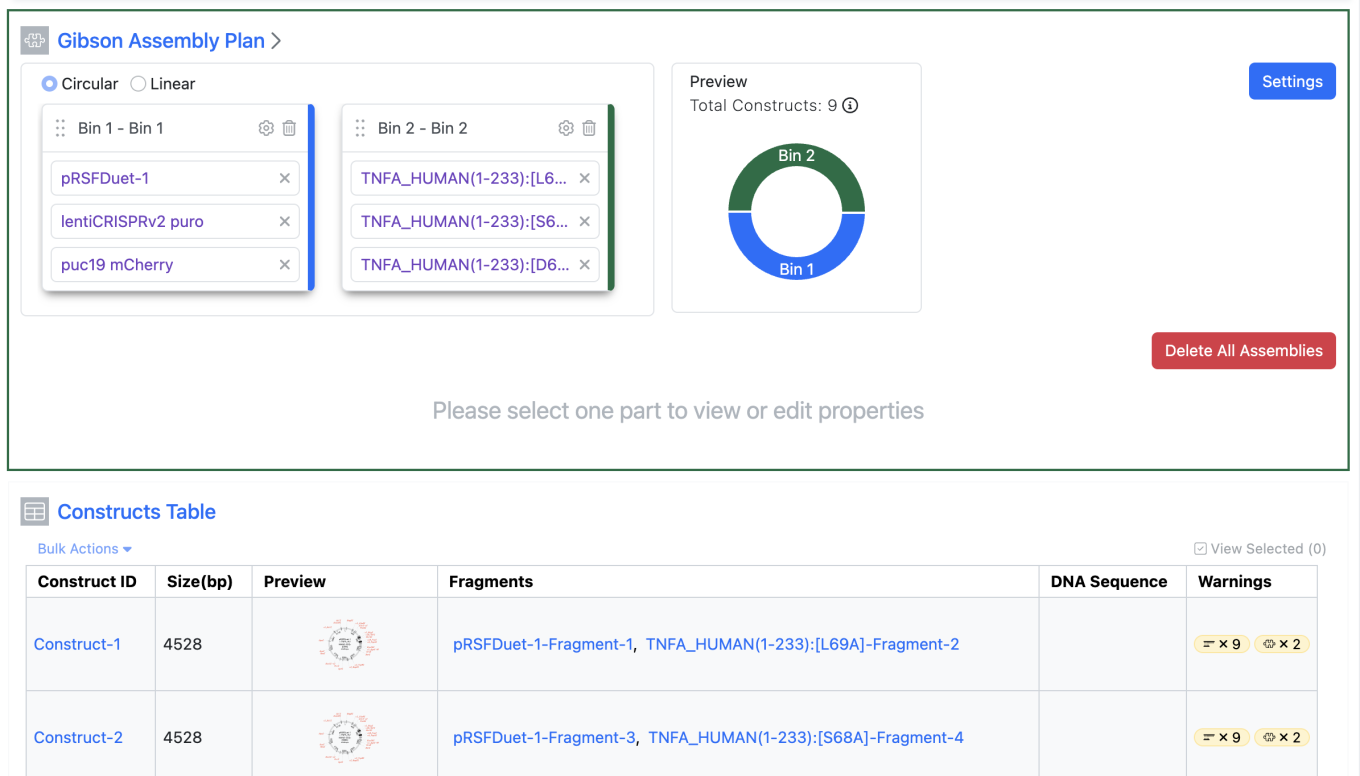
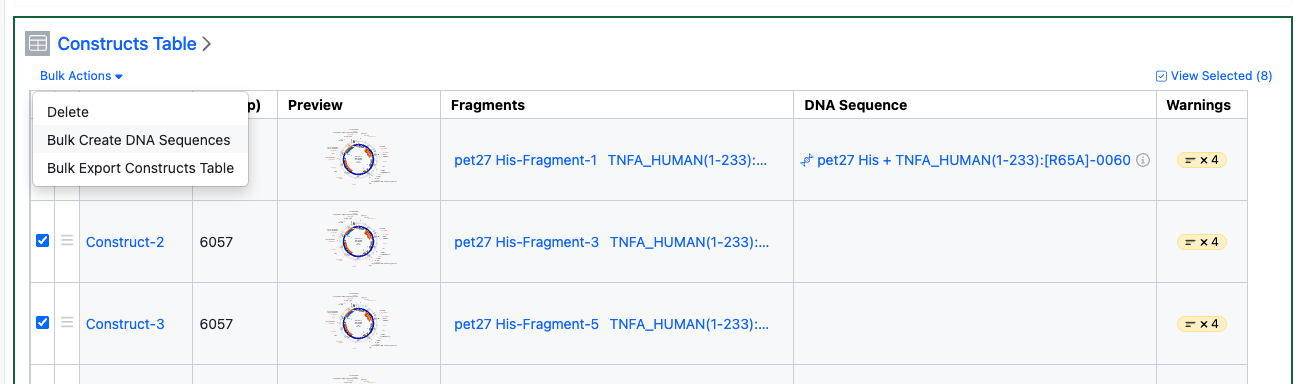
After the design is complete, the user can proceed with assembly. Because the assembly is combinatorial, every sequence in Bin 1 is combined with all sequences in subsequent bins. The planner previews the total number of constructs that will be generated by the plan. For longer-running processes, users can optionally receive in-app and email notifications. When the run is complete, the Gibson Assembly provides outputs for Constructs, Fragments, and Primers. Users can inspect any warnings or errors that occur during the assembly process.

To adjust settings and rerun the Gibson Assembly, use the Delete All Assemblies option after the run completes. This clears the generated assembly outputs so the user can revise the settings and run the assembly again.