Revvity Signals™ One, including Signals Notebook, Update
What’s New
We are delighted to release our new version of Signals, 26.7.
The following improvements are available for users, administrators and developers on the Signals platform. Certain features may only be available with appropriate licensing and/or with enablement by an administrator.
- Fundamentals
- Register Assays and their Variants in the new Assay Library (beta)*
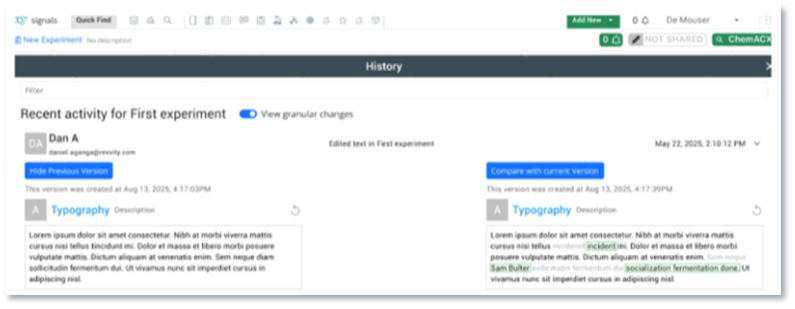
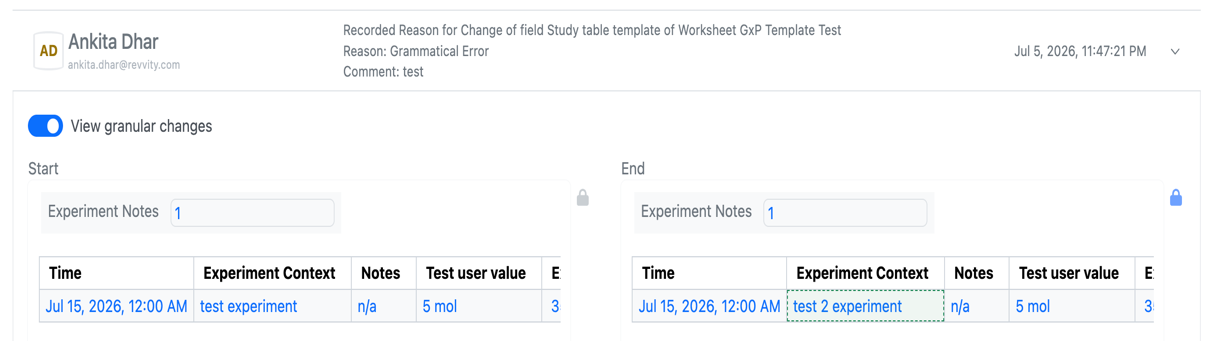
- Audit trail displays highlighted granular changes for layout changes
- Performance improvements to Parallel Experiments External Enumeration - AI*
- Prompt-to-Filter is available to all systems
- AI Explorer (Beta) - Data Workflows & Analytics*
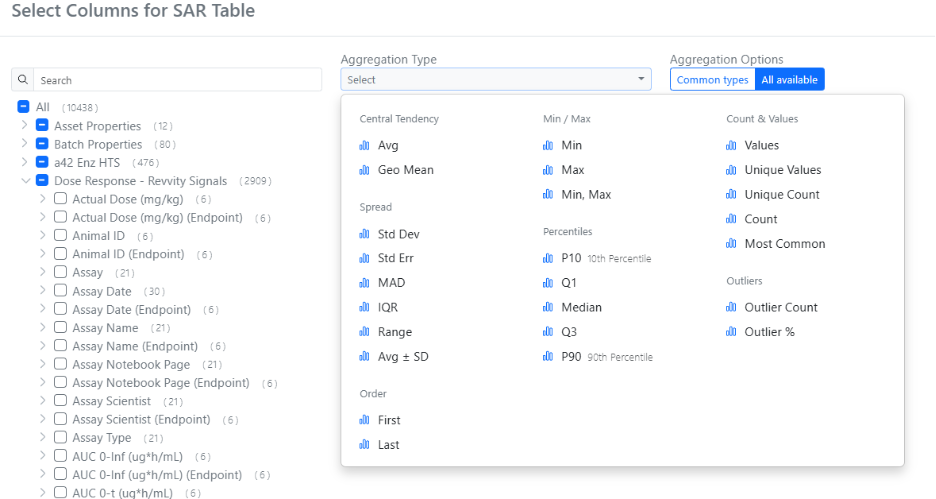
- Additional set of plate, batch and curve-based metrics - SAR & Decisioning*
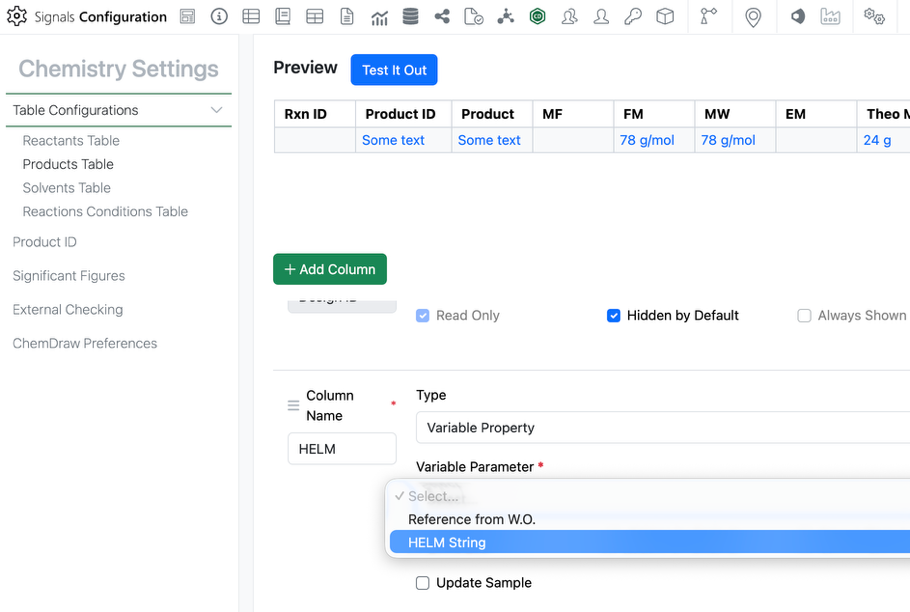
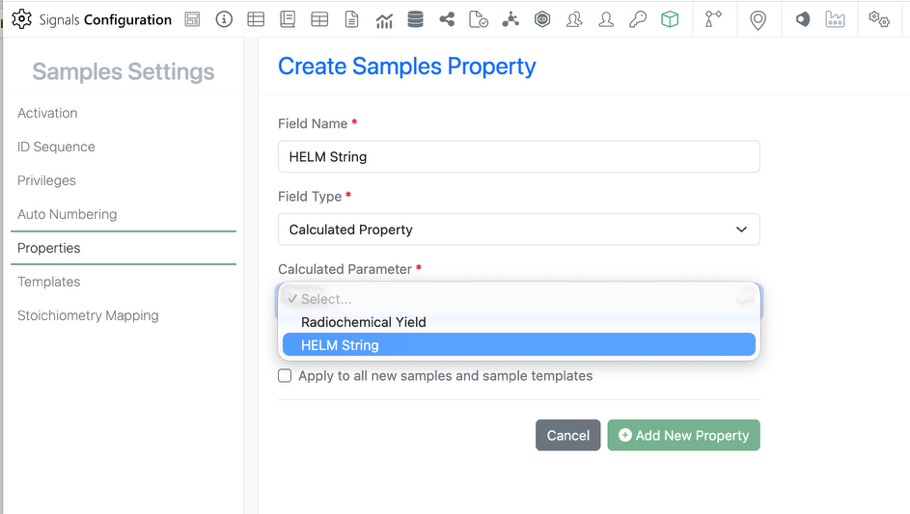
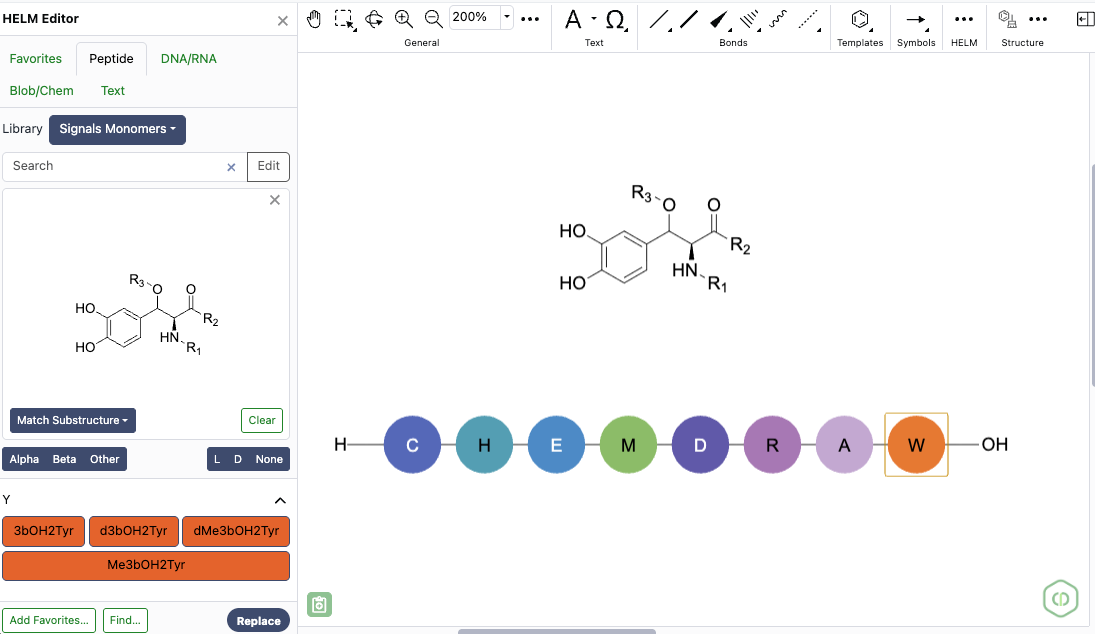
- Use new ChemCharts data functions to convert structures to HELM, and to calculate nucleotide and protein properties
- Define number formatting directly within ChemCharts visualizations - Synergy†
- Workflow and privilege options to allow CRO users to Close and/or Reopen their Synergy Experiments
- Global auto-numbering controls for Work Orders
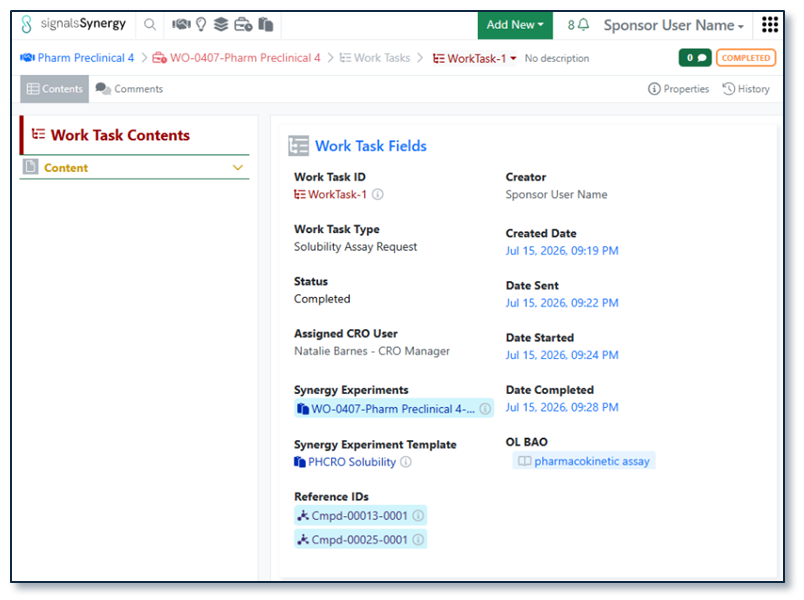
- Work Tasks in Work Orders is available to all systems
- Define default values, including Synergy Experiment Template, on Work Tasks Templates is available to all systems
- Notification to Sponsor administrators when a CRO admin adds or deactivates a CRO user
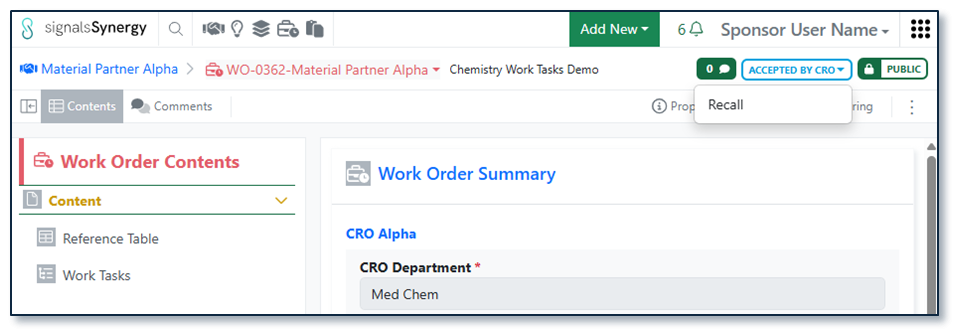
- Notification to CRO user when a Work Order is recalled
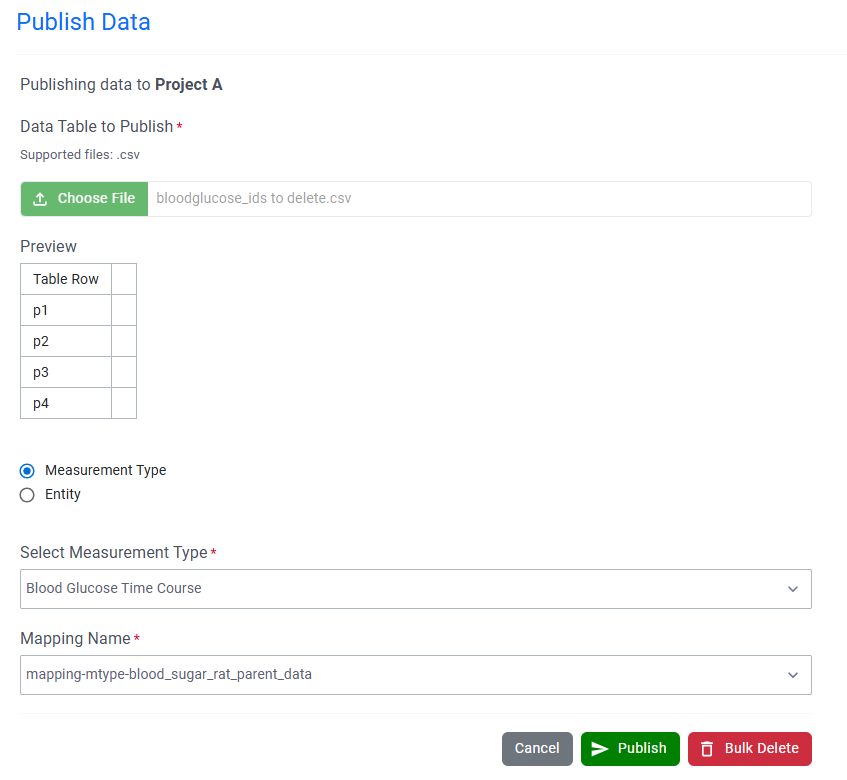
- Publish Data Exchange Results Tables from Synergy Experiments (beta) - Chemistry
- Copy individual structures from Reactants or Products tables
- Naming of mixtures now reflects component ratios - Tables
- Bucketed numerical column can be used for Categorical axis on a Box Plot*
- Color Box Plots by aggregated numerical values*
- Define if outliers are displayed in a Box Plot*
- Hover over segments in Box Plots to see associated rows*
- Add a second property to the Categorical axis of Box Plots*
- Display secondary data of a Box Plot in a table*
- Define a categorical column for markers in a Line Chart*
- Trellis Charts* - Inventory
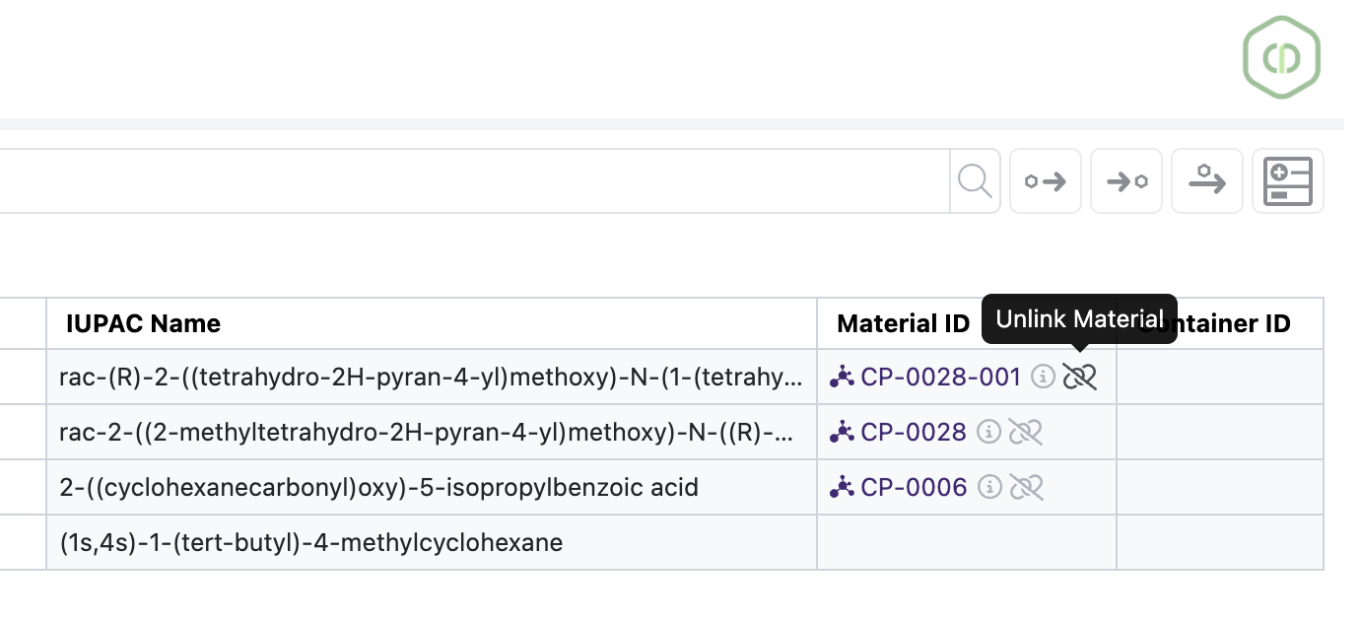
- View Container Location Details in Stoichiometry and Materials tables
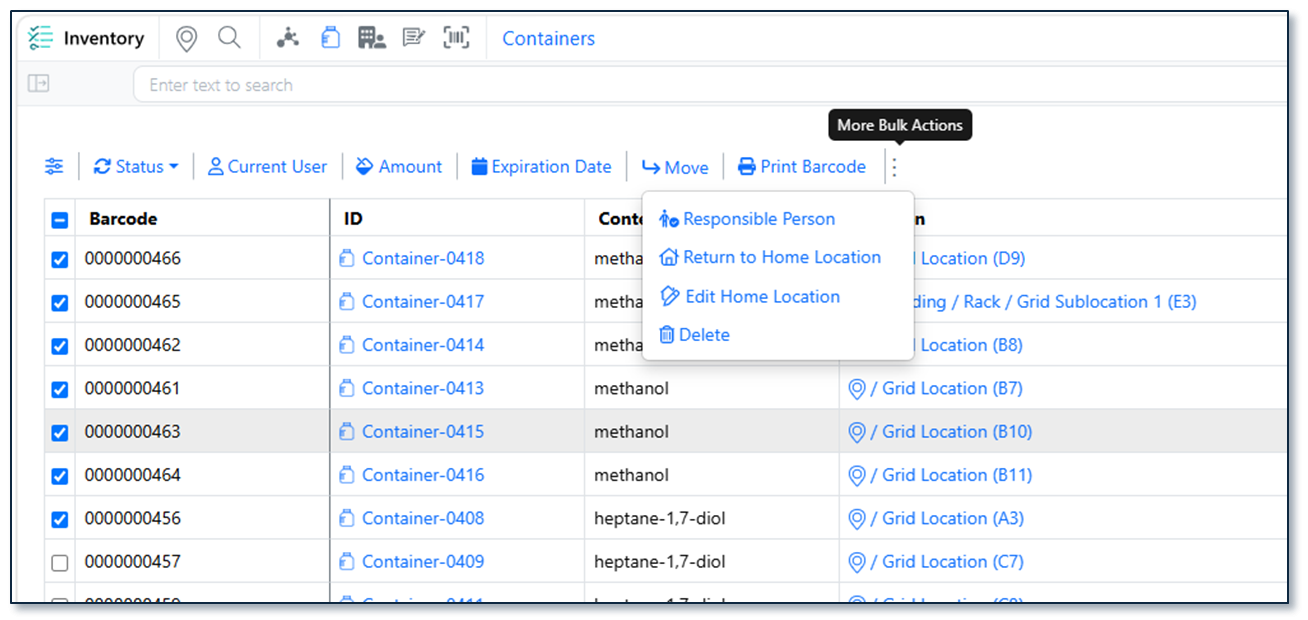
- Bulk Edit Home Locations with Blank Home Location Support
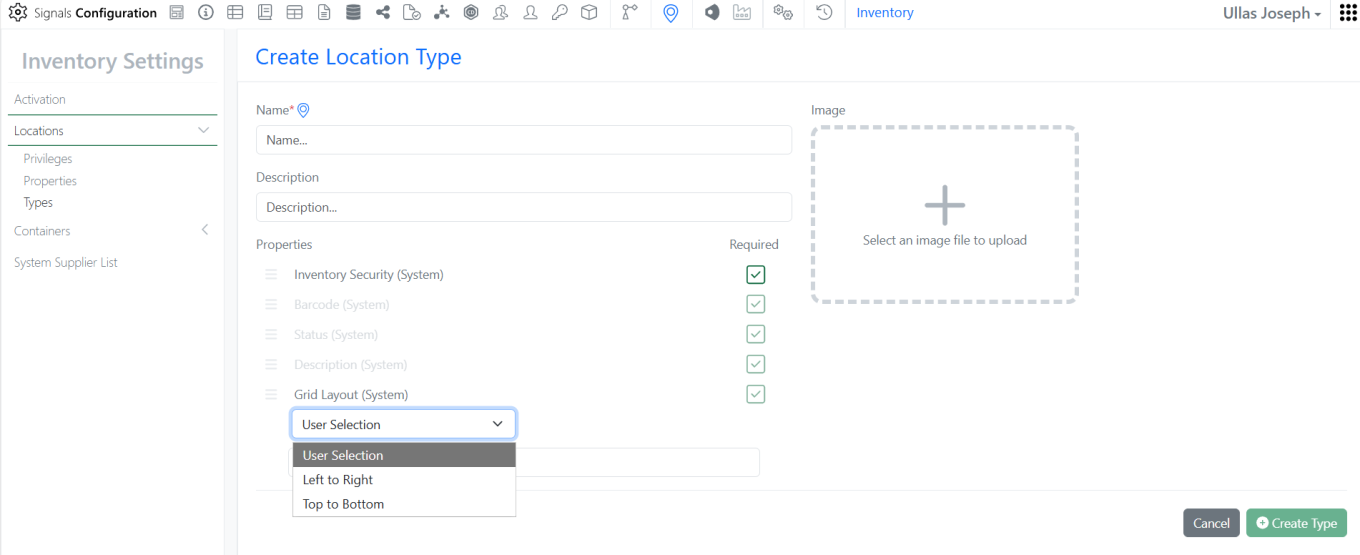
- Home Location Assignment Enhancements in Create/Edit Grid Location and Bulk Edit workflows with visual indicators and validation to ensure Home Location uniqueness
- Improved Auto Fill Grids logic to automatically select occupied grid cells and skip only cells that are already assigned as Home Locations
- Added row-level warning indicators in Inventory Decrement Auto Fill to clearly identify containers that are ineligible for inventory decrement
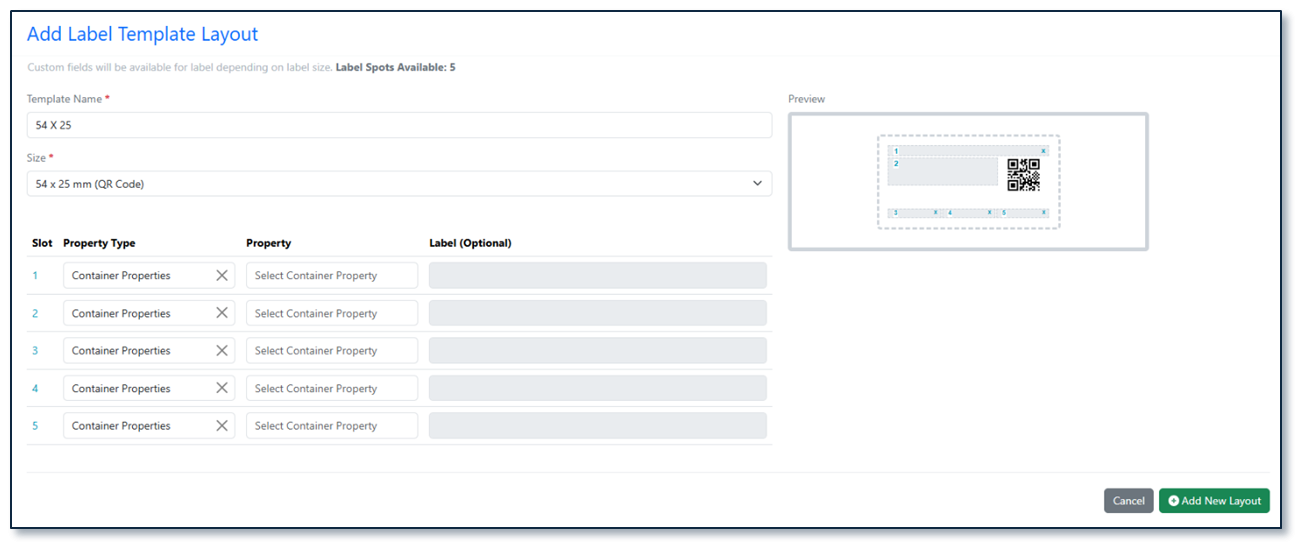
- New Label Templates (76×25 mm (6 slots) & 62×29 mm QR) - InventoryGo ‡
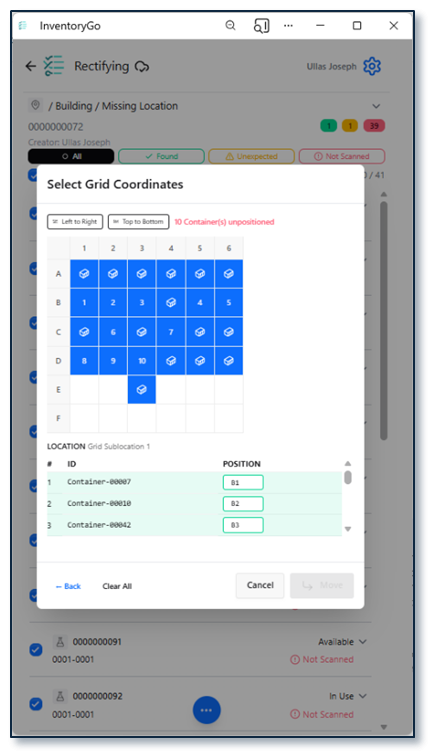
- Grid Position Selection During Check In/Out
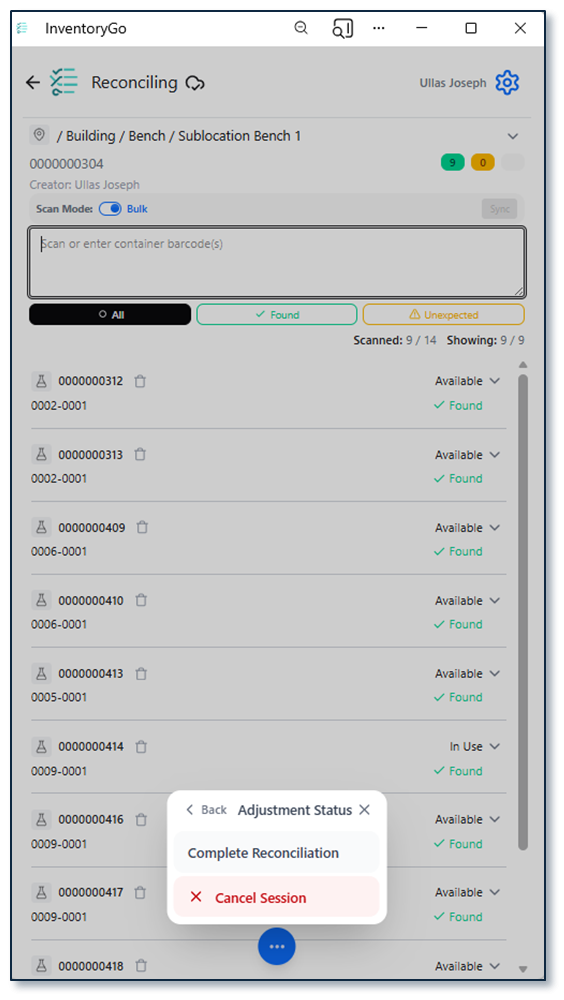
- Material ID & Expiration Date in Reconciliation Reports
- Confirmation Prompts for Delete in Reconciliation Actions and Consume workflow
- Reconciliation Details in Inventory Application for both Locations and Container - Tasks and Requests
- Complete Task within same experiment - Administration
- Access Data Factory audit events from the Signals audit log*
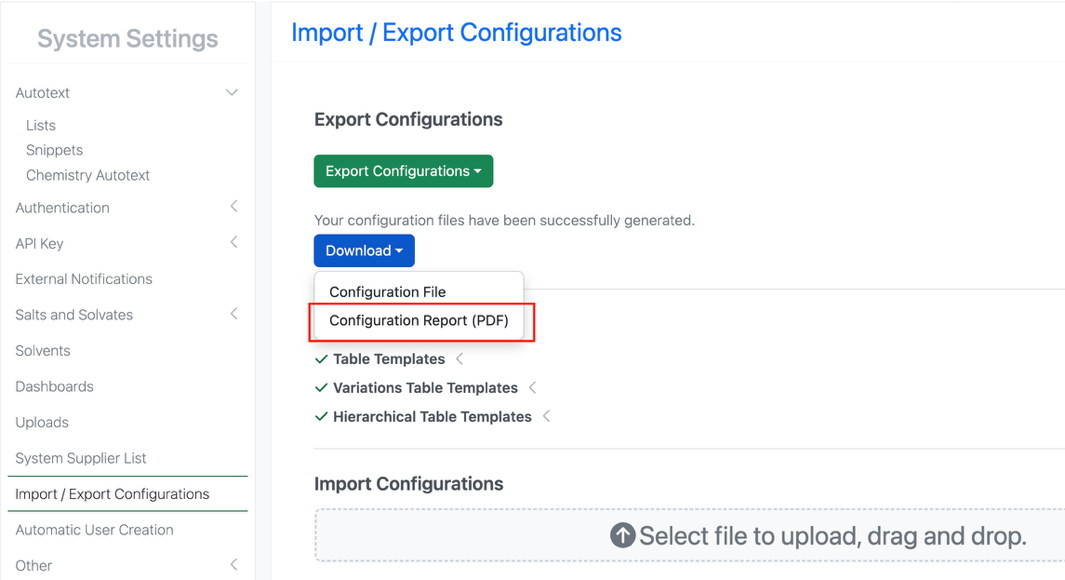
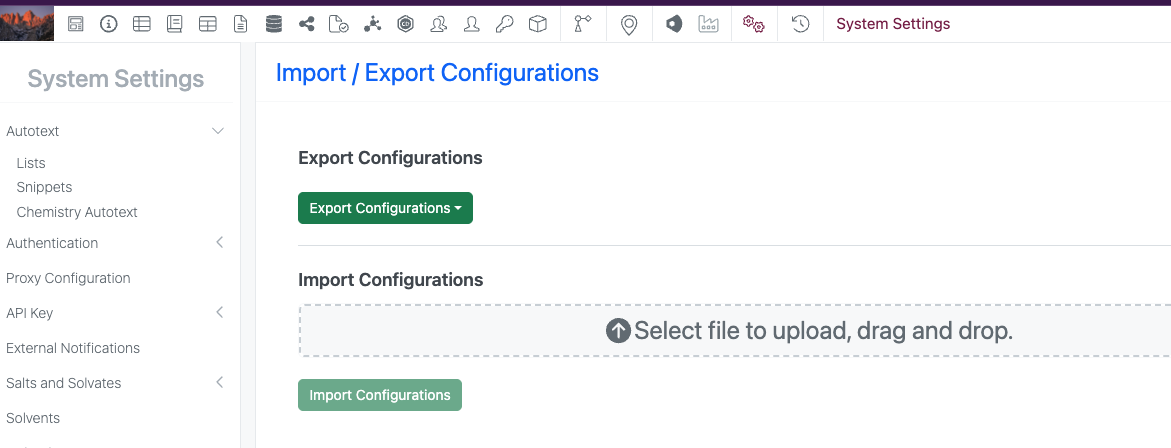
- Selective export for configuration migration is available to all systems
- A matching Configuration Report (PDF) generates based on selective configuration export is available to all systems - Integrations & APIs
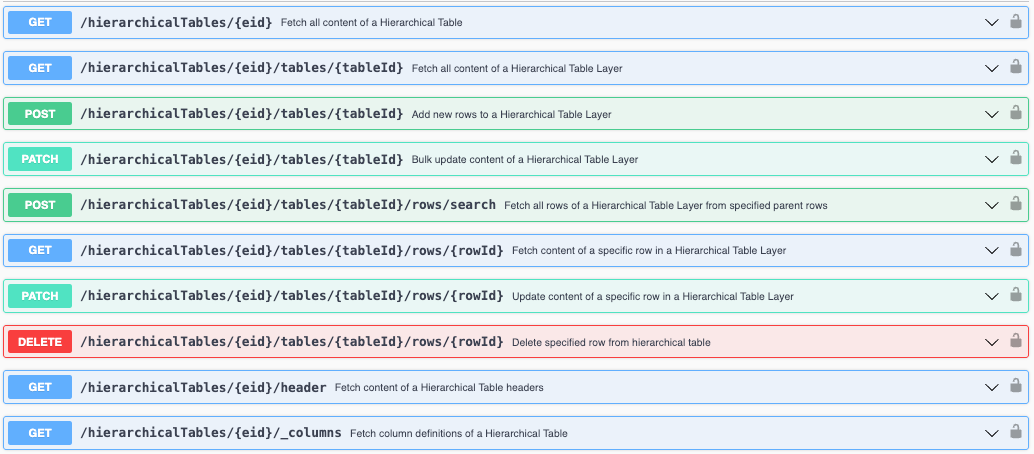
- Revoke Bearer tokens API
- Expanded Chemical Structures output for Material Fetch API
- RDF Files support for External Enumerator API
- Fetch Parser Definitions API - Xynthetica*
- ChemCharts access for RDKit, Percepta, and Tunelab models (beta)
* Requires Signals One license
† Requires Signals Synergy license
‡ Requires InventoryGo license
We also fixed several small bugs in this release. Details of the enhancements are described below.
The following OnDemand videos for Signals Synergy are now available
- Configuring Initial & Ongoing Signals Synergy Needs
- Understanding Fundamental Concepts for Signals Synergy
Data Factory Administrators should complete migration of legacy data factory projects before 27.4; after this, legacy projects will become read-only and no longer support data publication.
Data Factory administrators should also note that the Advanced Security policies in Inventa apply an “AND” logic across all user groups, restricting access if any groups lack permissions. This behavior differs from the standard Signals security model and will be fixed to align with the standard in a future release.
Developers should note that starting in the upcoming 26.8 release, fetching structure data will no longer provide the InChI property for new chemicalDrawing records. Instead, a new property, SMILES, will be provided. Please update any downstream integrations to prepare for using the SMILES field instead of InChI.
Administrators are recommended to subscribe to the channels within our support news site found at https://support.revvitysignals.com/hc/en-us/categories/360004446171-Support-News which contains more information about releases and other pertinent product information.
This content is anticipated for release on our Production E3 environments, and for Private Cloud customers on our deferred release schedule, in March 2027.
Further Details
The following improvements are available for users, administrators and developers on the Signals platform. Certain features may only be available with appropriate licensing and/or with enablement by an administrator.
Fundamentals
Performance improvements to the External Enumerator were completed. Performance for large enumerations was drastically improved.
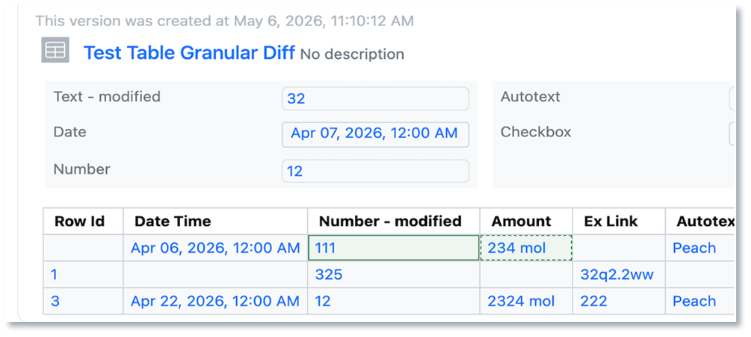
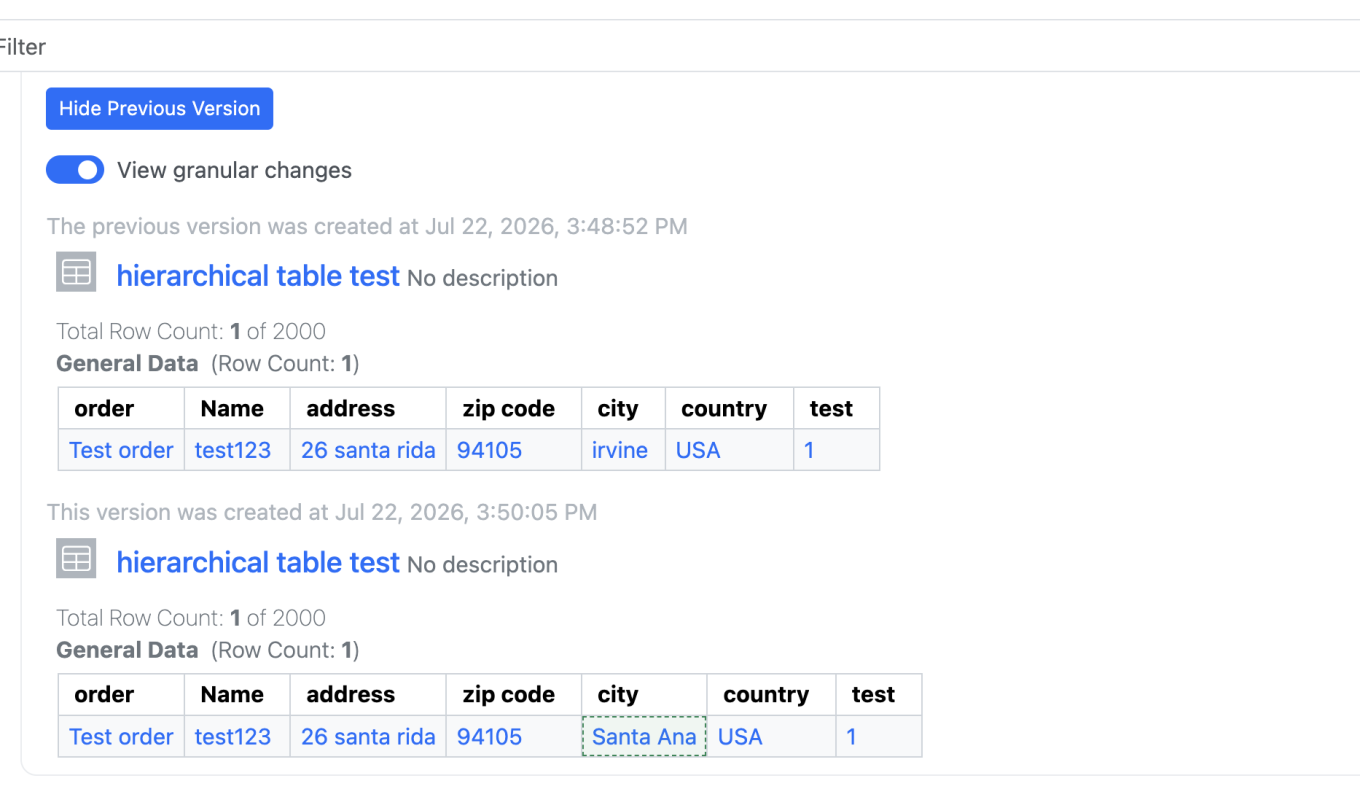
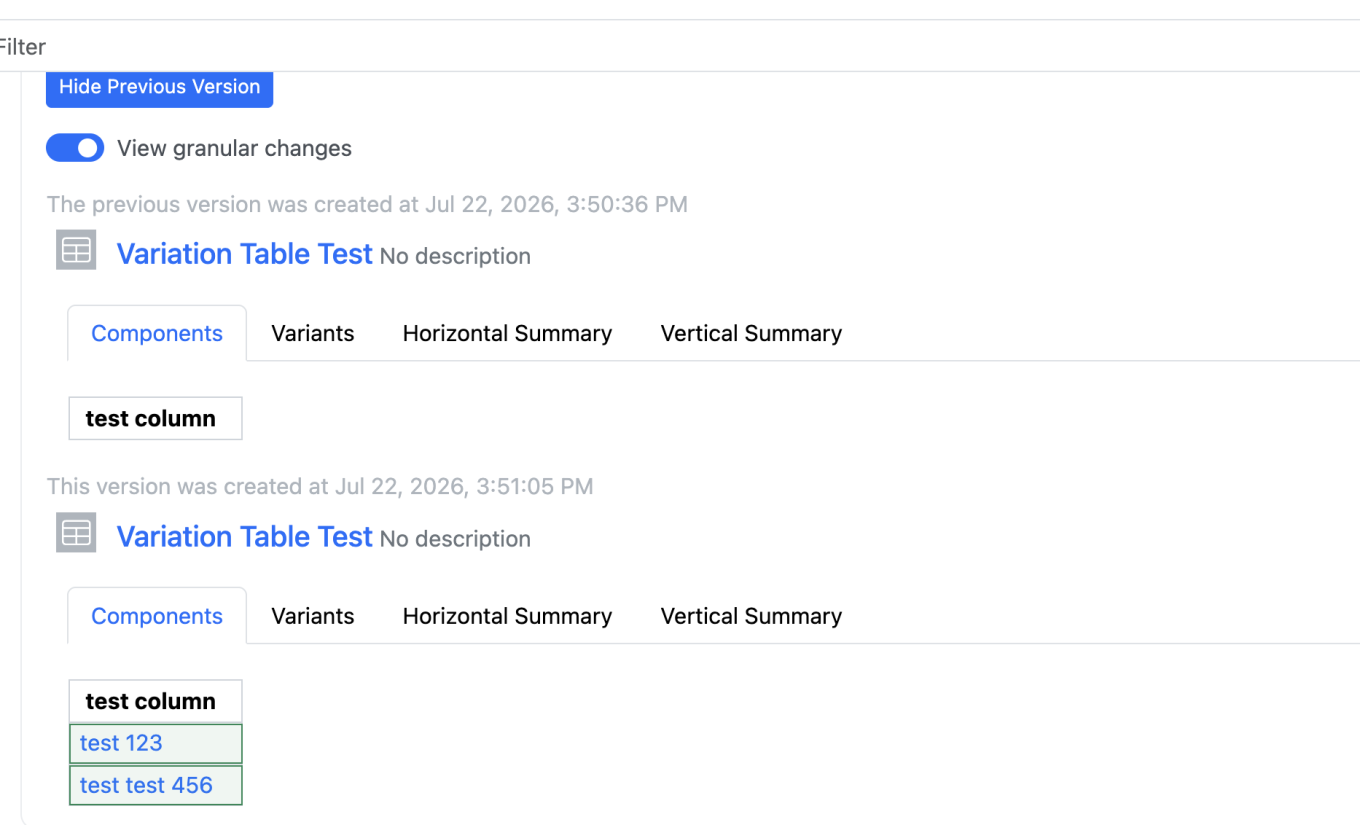
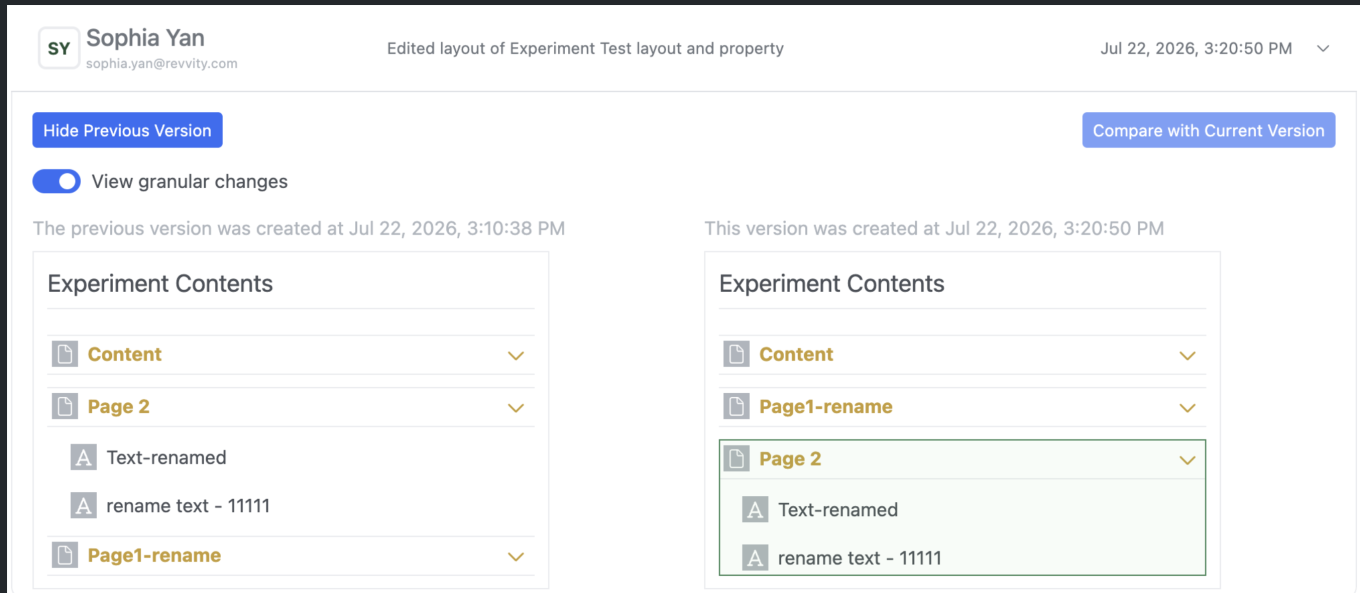
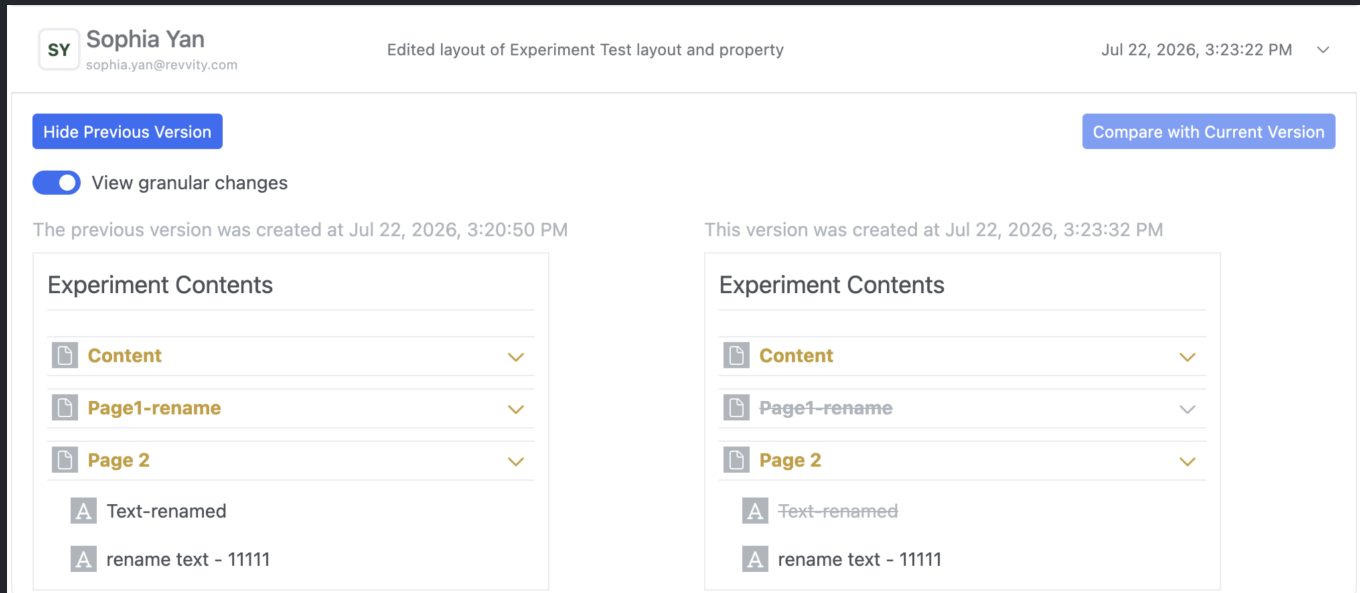
Audit trail displays highlighted granular changes for layout changes. This feature applies to adding, deleting, moving, or renaming a page/element within experiment-like objects, tasks, requests, samples, synergy, work orders/tasks, etc.
AI
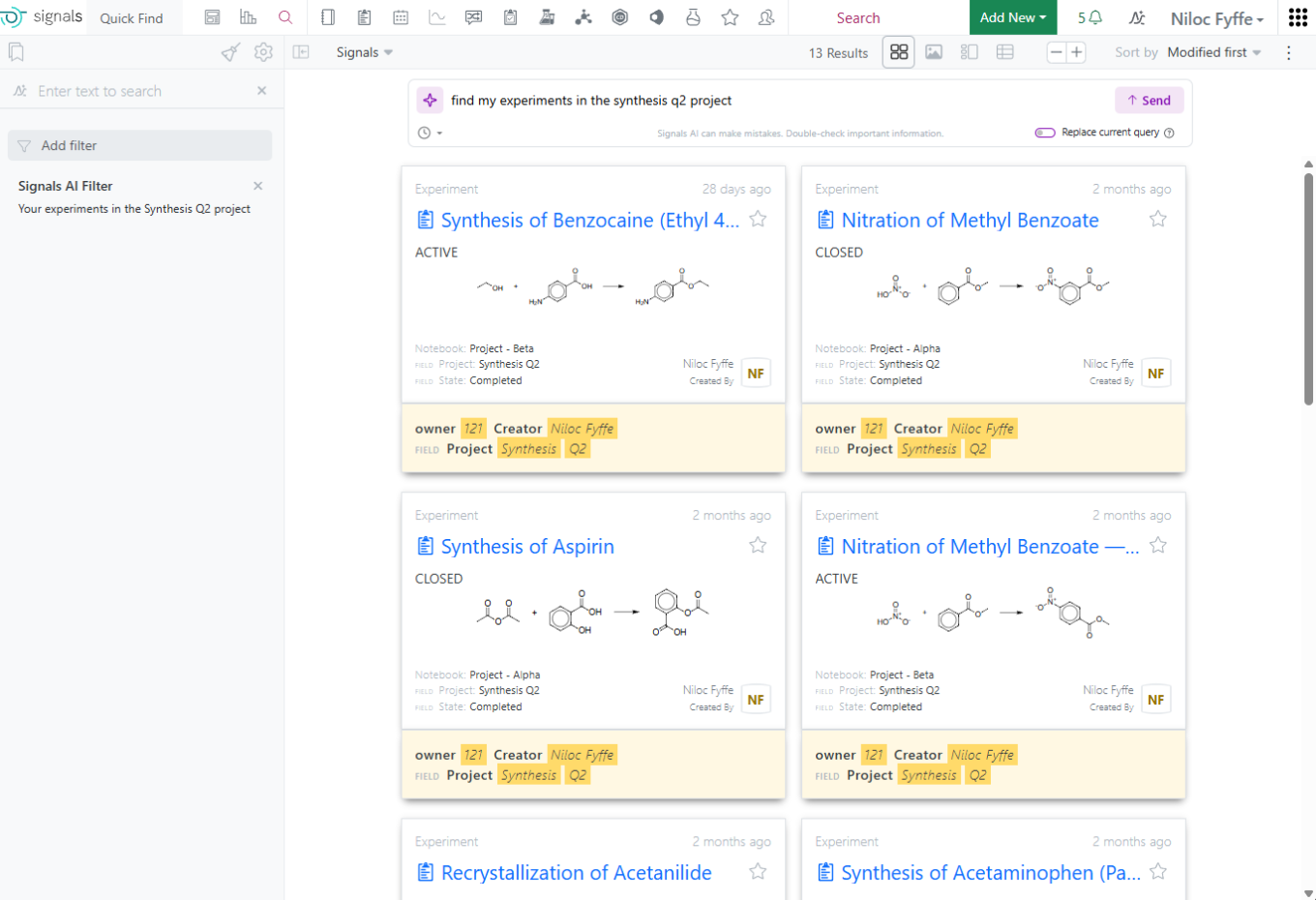
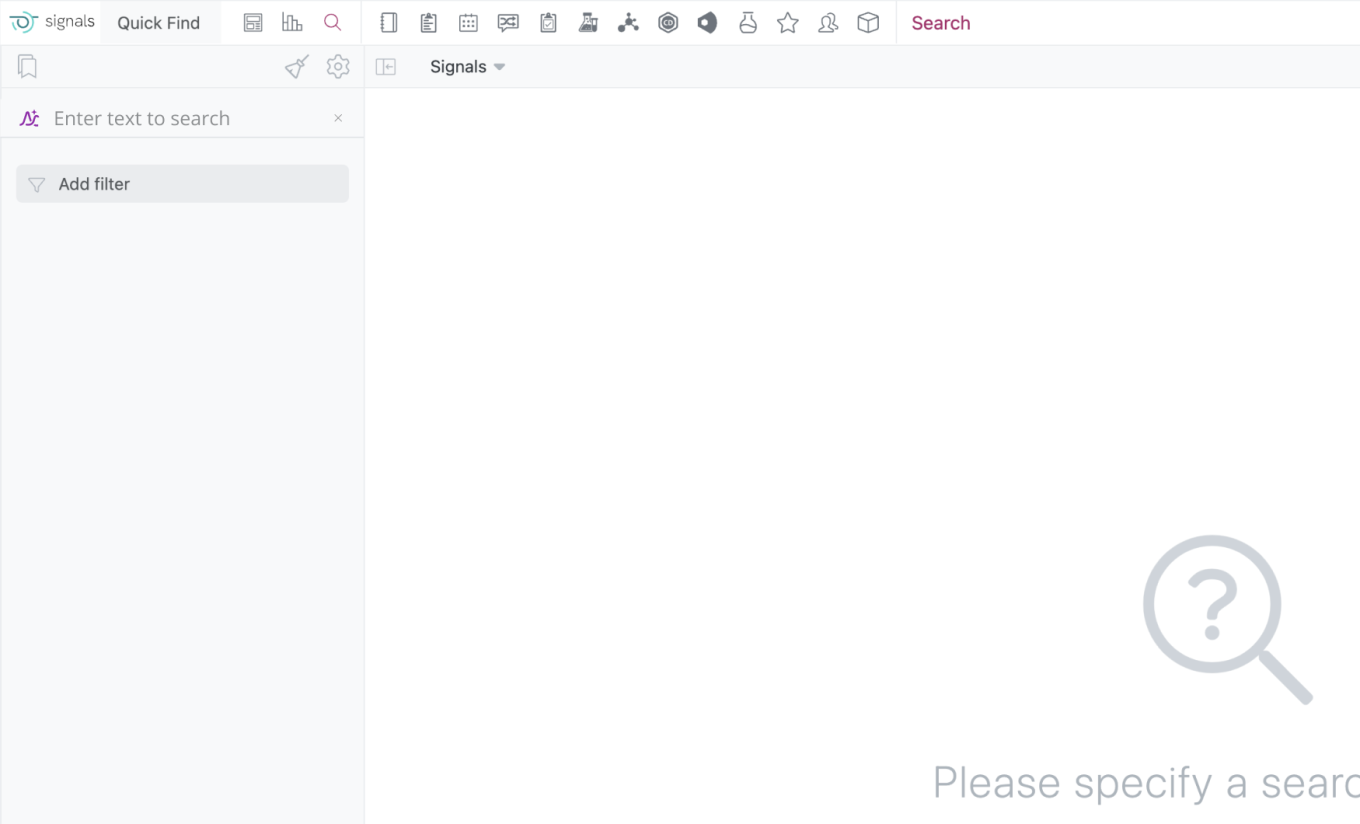
Prompt-to-Filter is available to all systems.
Data Workflows & Analytics
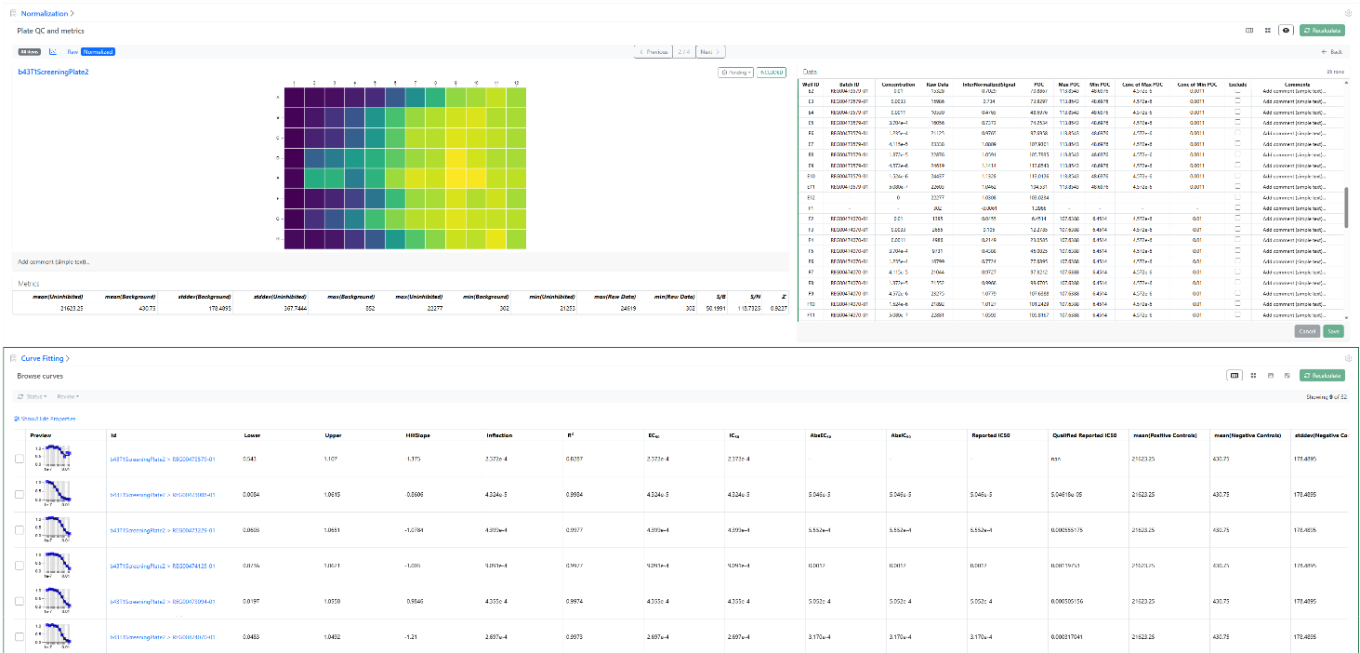
Additional QA/QC Metrics are now available at the level of plate wells (batches) as well as curve fits and can be visualized using the detailed views or the table view of the curve fits.
These new metrics include for each curve a Qualified Reported IC50, based on the maximum and minimum Percentage of positive Control (POC) and the respective dose associated, which can be published and used for decision making.
SAR & Decisioning
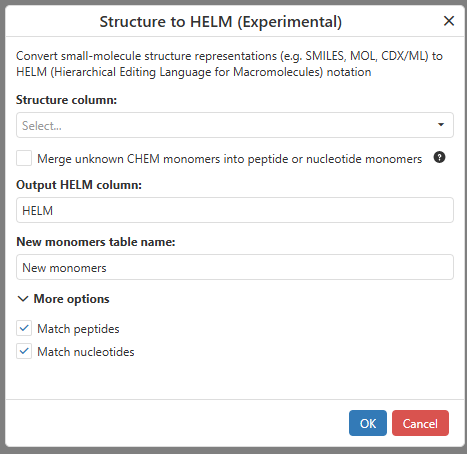
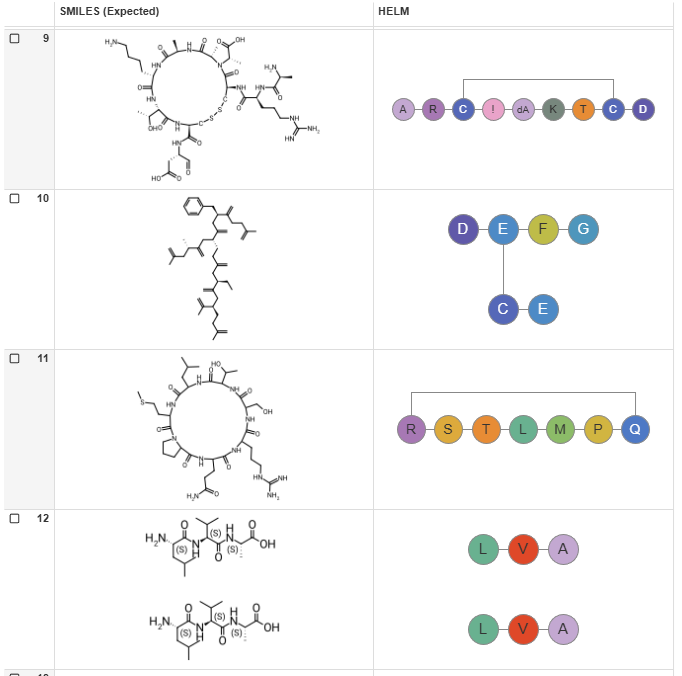
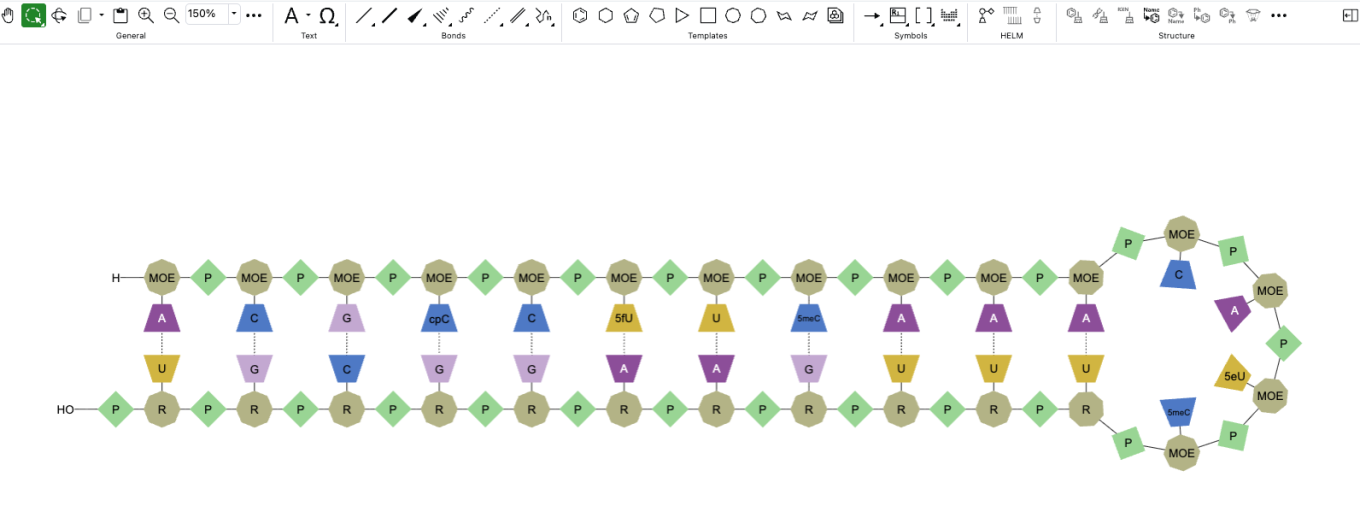
ChemChart’s Structure to HELM data function allows users to convert molecular structures from common chemical formats into HELM notation.
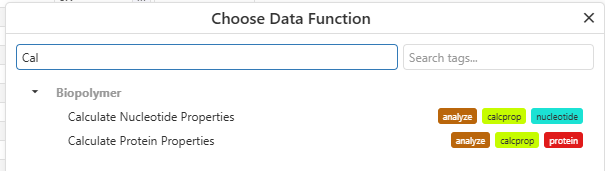
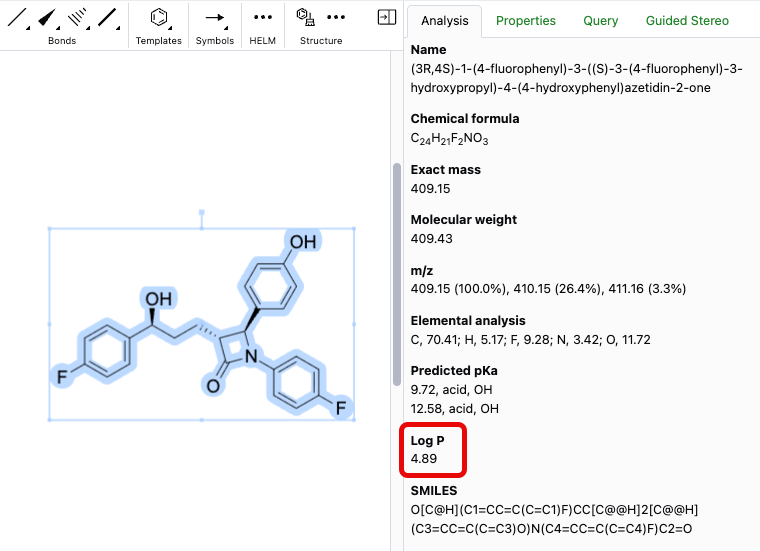
Users can now calculate nucleotide and protein properties directly within ChemCharts. Supported calculations include sequence composition, molecular weight, isoelectric point, aromaticity, extinction coefficients, and other commonly used nucleotide and protein metrics.
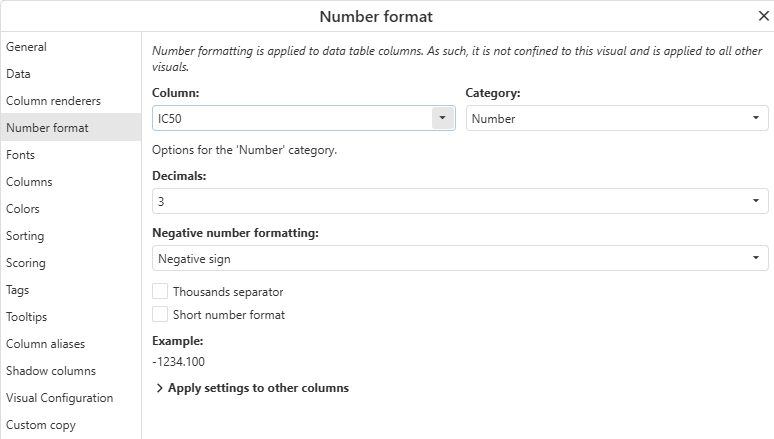
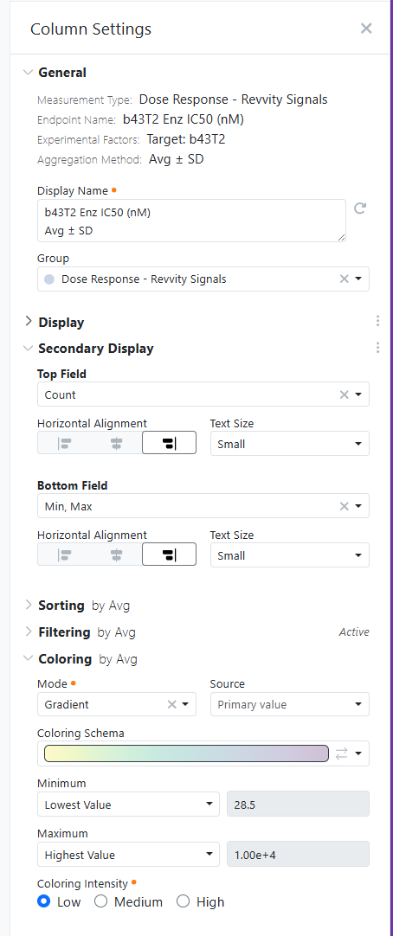
Users can now configure numeric column formatting directly from ChemCharts including decimal precision, scientific notation, and other details. Formatting settings can also be applied to multiple numeric columns at once for consistent data presentation across visualizations.
Synergy
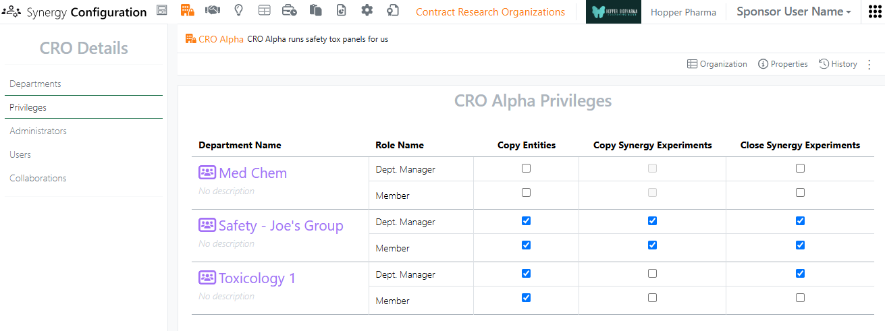

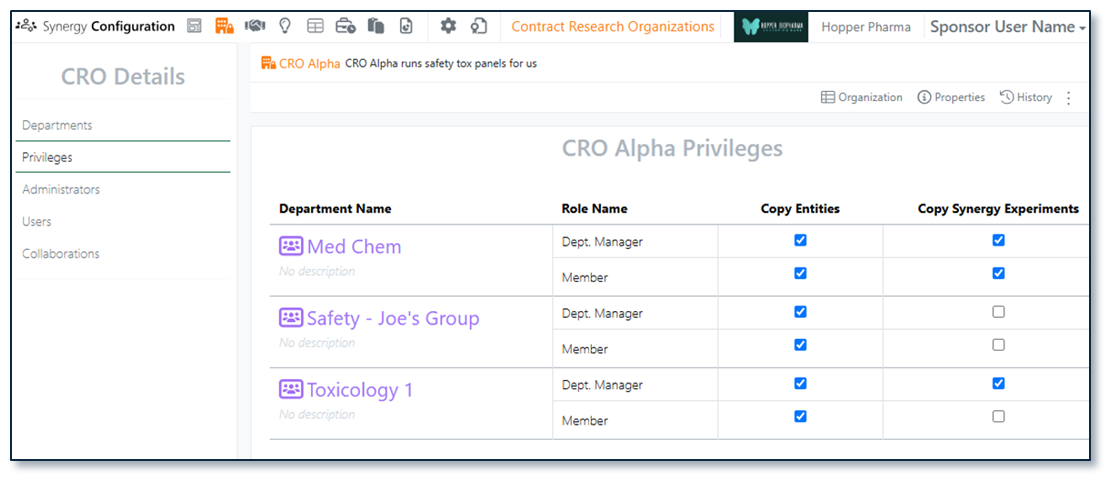
Release 26.6 introduced the concept of CRO privileges in Synergy Configuration. This release introduces a new CRO privilege for Close Synergy Experiments. By default, the Sponsor user is responsible for closing Synergy Experiments after they are submitted by the CRO. However, there are cases where the CRO closing their own Synergy Experiments may be more efficient without compromising necessary oversight. Now, the Close Synergy Experiments privilege is granted to CRO users on a per CRO Department basis, either to all members of the Department or only CRO Department Managers.
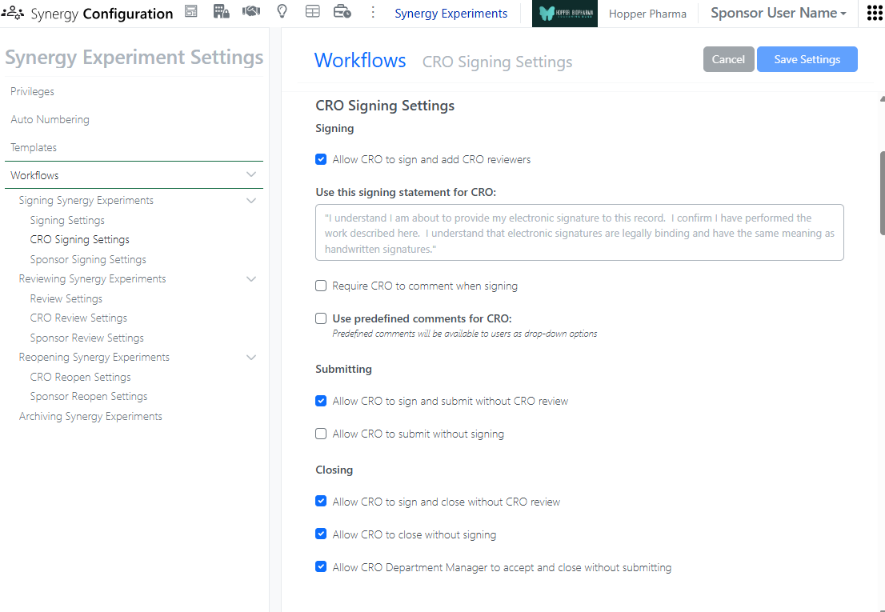
In order to allow privileged CRO users to Close their own Synergy Experiments, the Synergy Experiment Workflows (under Synergy Configuration > Synergy Experiments > Workflows) must also be configured to (i) Allow CRO to sign and close without CRO review, (ii) Allow CRO to close without signing, or (iii) Allow CRO Department Manager to accept and close without submitting. If Allow CRO to sign and close without CRO review is enabled, privileged CRO users will be able to transition a Synergy Experiment from Active to Closed using a Sign and Close option. If Allow CRO to close without signing is enabled, privileged CRO users will be able to transition a Synergy Experiment from Active to Closed using a Close option (no signing required). If Allow CRO Department Manager to accept and close without submitting is enabled, privileged CRO Department Manager will be able to transition a Synergy Experiment from In CRO Review to Closed using an Accept and Close option, when they are assigned as a Reviewer. If all the options are enabled, all options will be available to the CRO users.
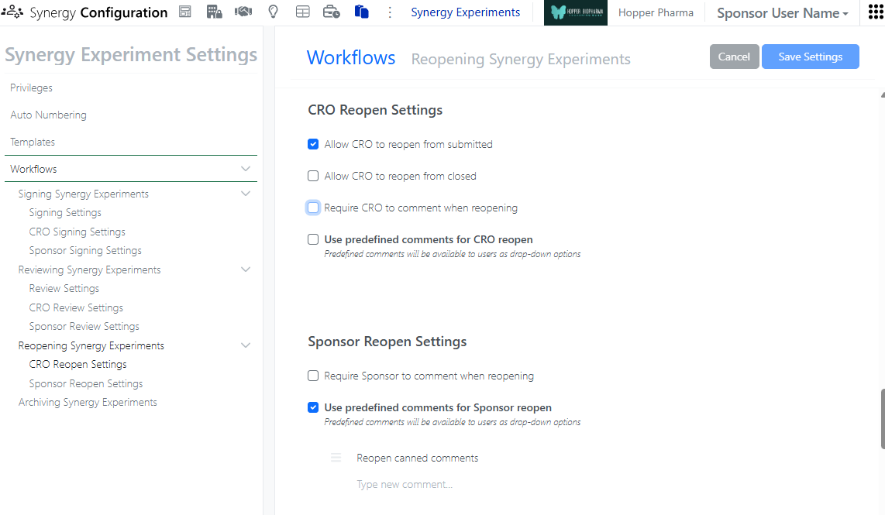
In addition, Synergy Experiment Workflows now provides options to allow CRO users to Reopen their experiments.
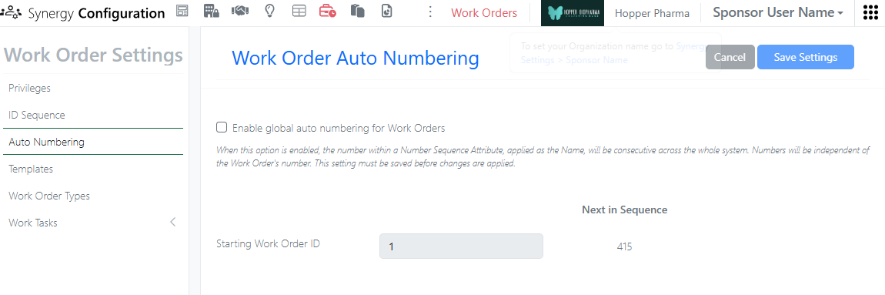
In Synergy Configuration, a Sponsor administrator with the privilege to Administer Synergy can now turn Work Order global auto numbering on or off. By default, Work Order global auto numbering is enabled; each new Work Order will take the next number in sequence, regardless of the Work Order ID sequence and regardless of the location. This is the recommended setting to ensure that Work Order naming is always unique. When Work Order global auto numbering is turned off, a new Work Order will take the next number in sequence in a given Collaboration. This allows sequential numbering of Work Orders within each Collaboration, but does not ensure unique Work Order naming. If global auto numbering is turned off, we recommend including the Collaboration Name in the Work Order ID sequence for clarity.
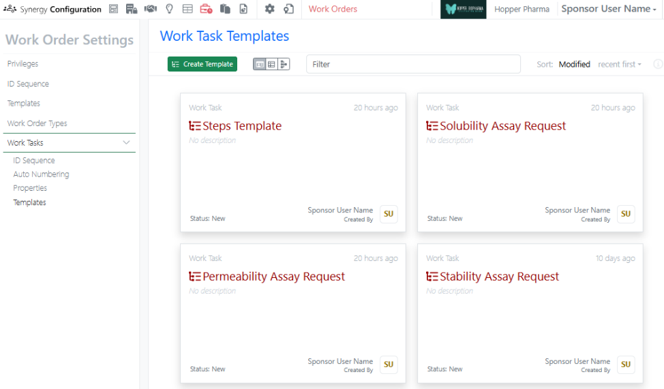
Work Tasks, which can be added to Work Orders, are now available to all systems. Work Tasks create a series of trackable, assignable, and templateable sub-tasks for a Work Order. Work Tasks can be configured in Synergy Configuration > Work Orders > Work Tasks.
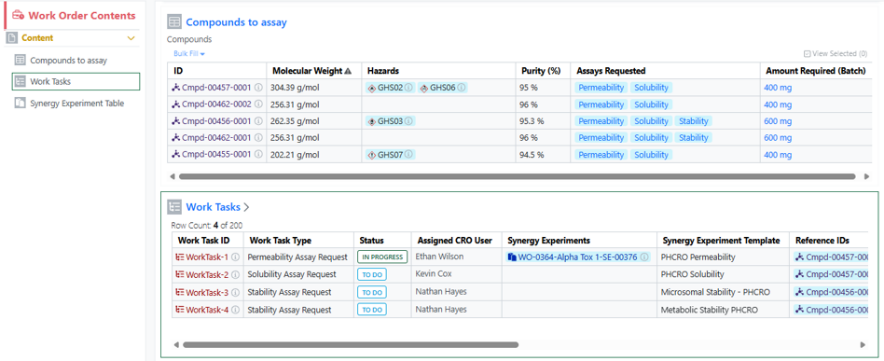
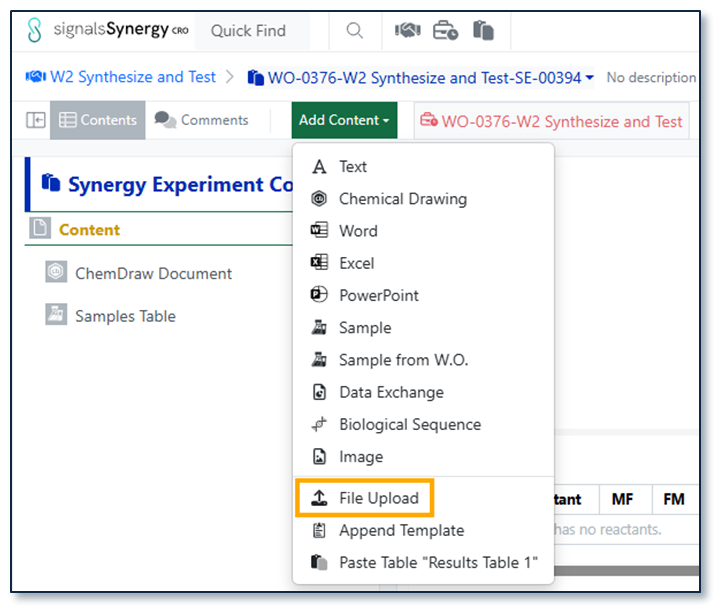
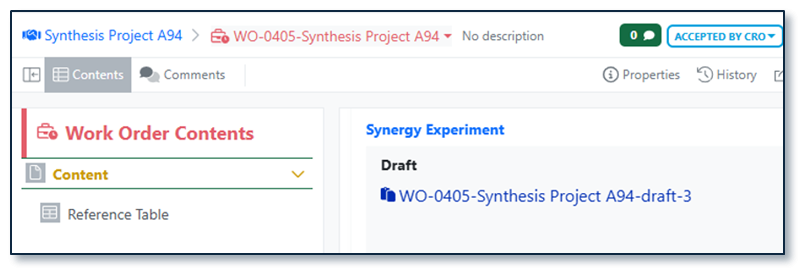
Work Tasks can be associated with specific References (Reference IDs), specified Synergy Experiment Templates, and assigned to different CRO users. Note: When specifying a Synergy Experiment Template for a Work Task, Work Tasks can be added to Work Orders using Add Content or directly from a set of selected References in the Reference Table (new this release). For additional details about Work Tasks, please review What’s new content from 26.5 ad 26.6 or refer to the Help Center.
Two new notifications have been added related to Synergy. First, System and Synergy Administrators can now receive a notification when a CRO Administrator adds, removes (deactivates), or bulk uploads CRO users to their CRO. This allows the Sponsor to manage any required IdP changes (As a reminder, a CRO Administrator is a CRO user granted the Role CRO Admin. The CRO Administrator role is completely optional, but allows the Sponsor to delegate the responsibility of CRO user management to a trusted person(s) at the CRO). Second, CRO users can now receive a notification when a Work Order is recalled by the Sponsor. For both Sponsor and CRO users, notifications are configured under the User Name menu.
Chemistry
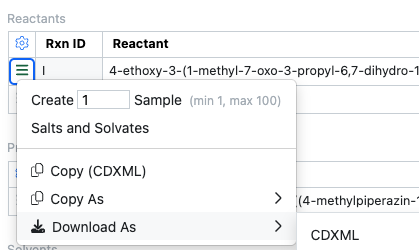
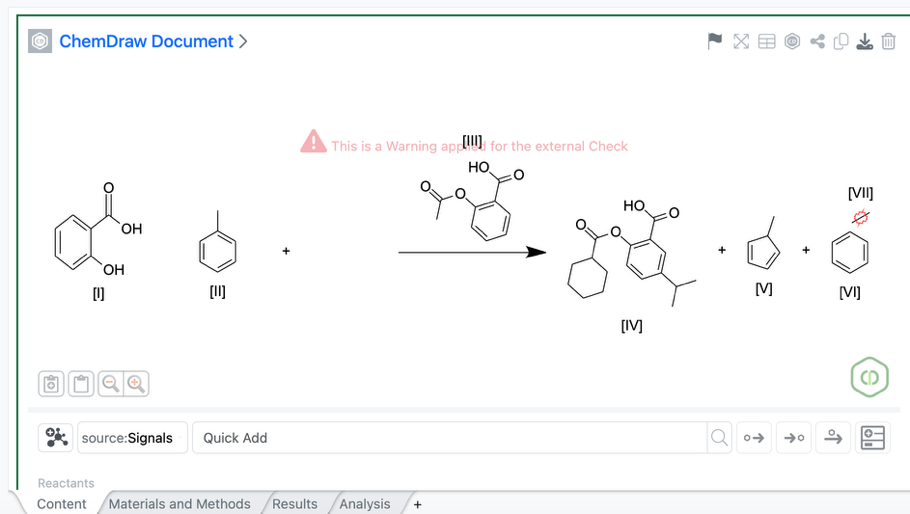
Chemists can copy or download individual chemical structures in CDXML or other chemical formats directly from the Reactants or Products tables. This is also available in content that is not editable such as Closed experiments.
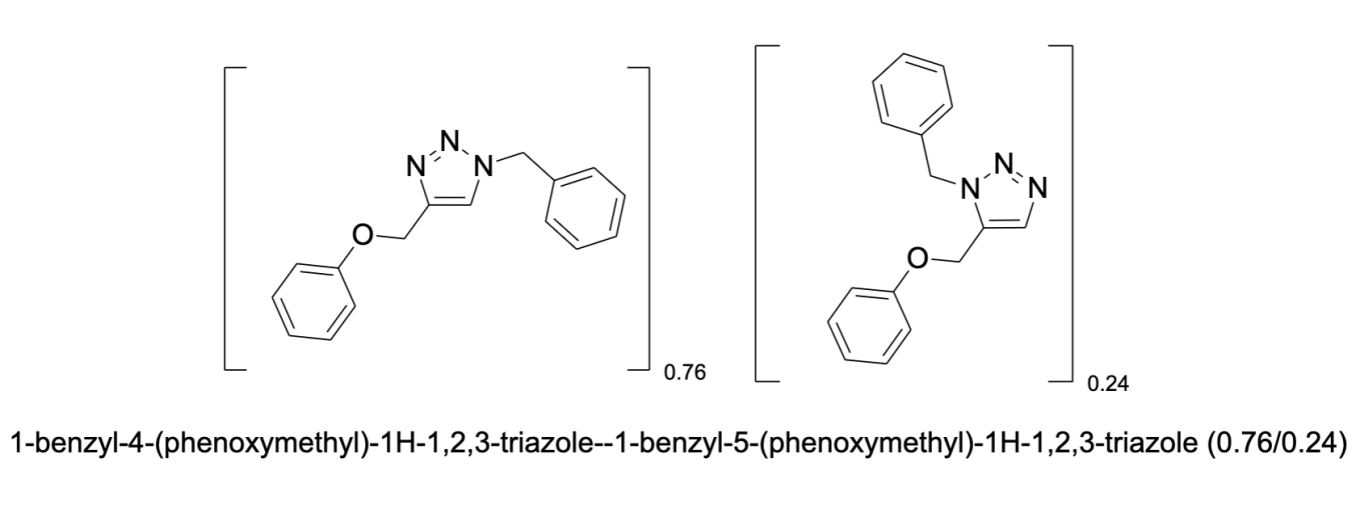
Mixture names in ChemDraw now reflect the assigned component ratios, ensuring generated names display the actual ratio values when custom ratios are defined.
Tables
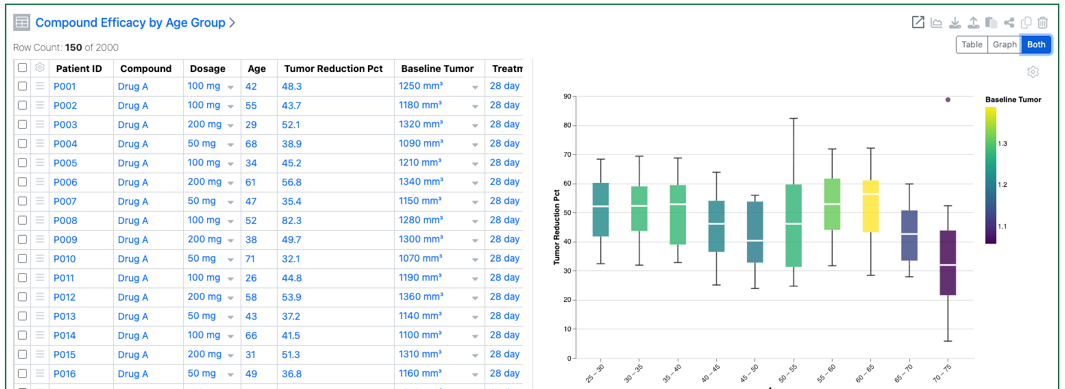
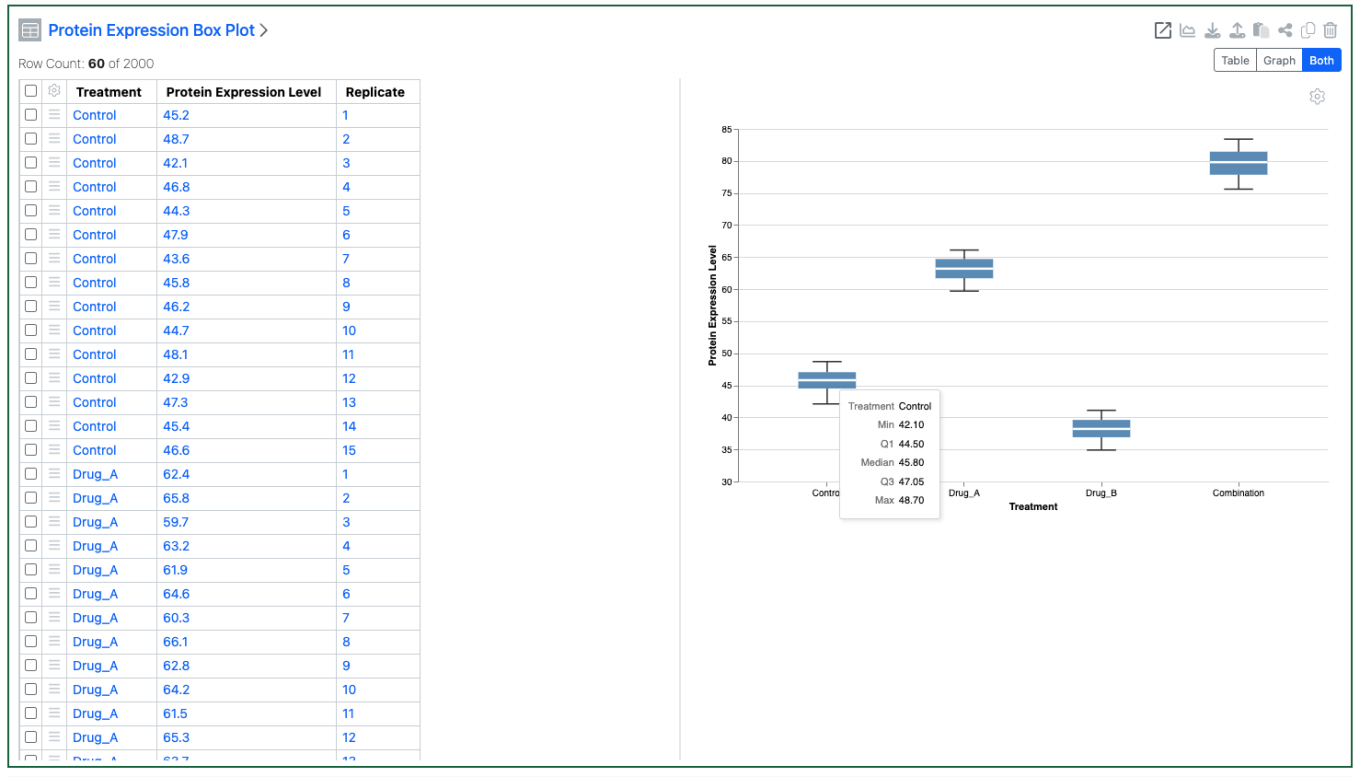
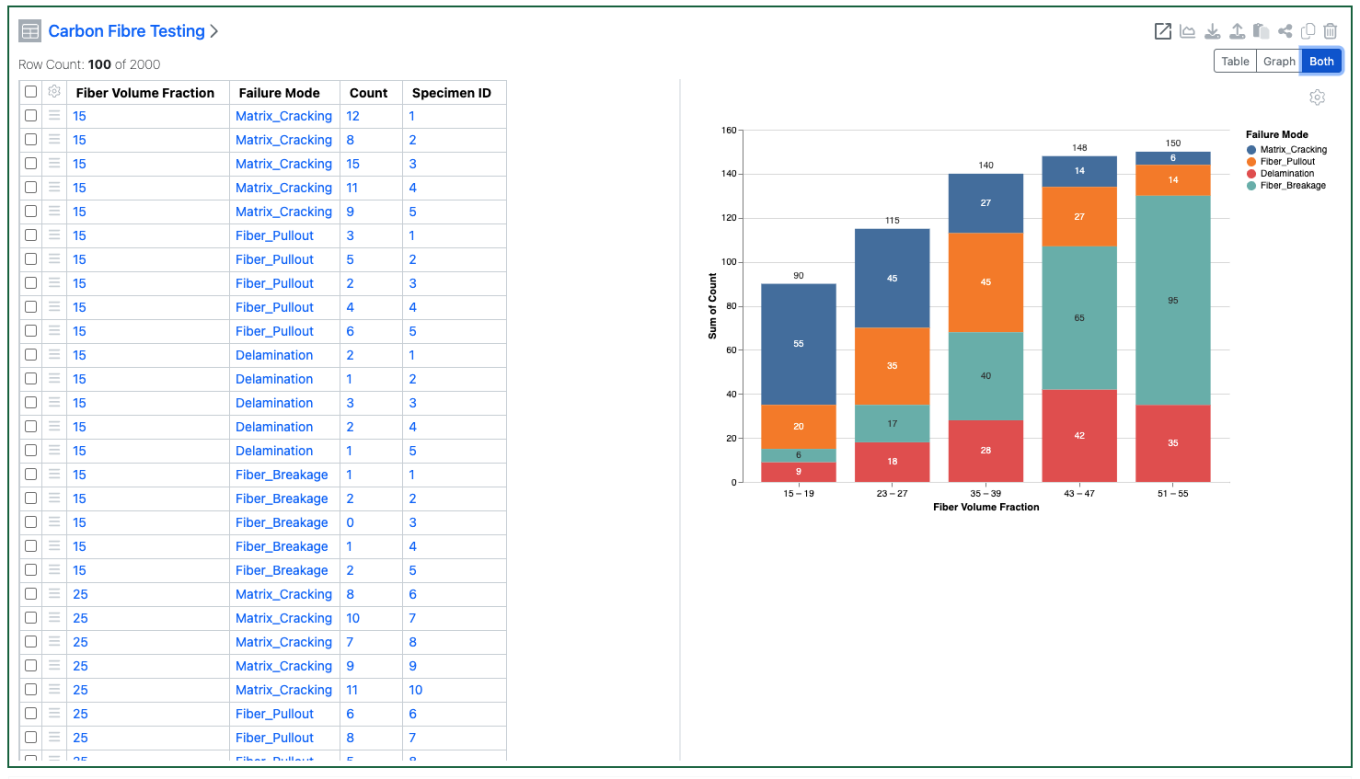
Numerical properties can now be bucketed and used on the categorical axes of a Box Plot. A numerical property can also be used to define the colors of the Box Plot
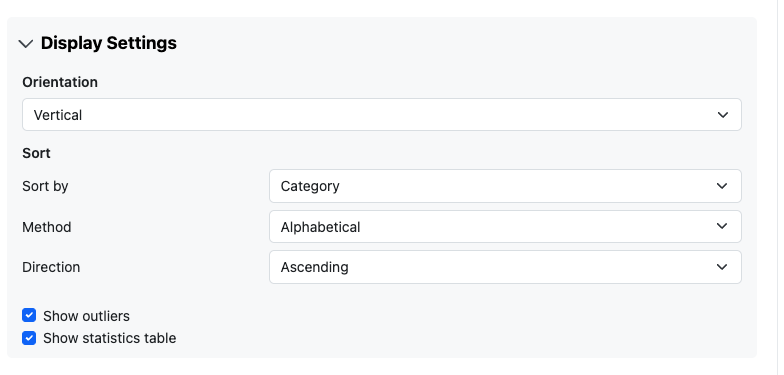
Box Plots can also be configured to show or hide outliers. They can also be configured to show a summary table of the statistics. The statistics table is only available for a vertical oriented box plot.
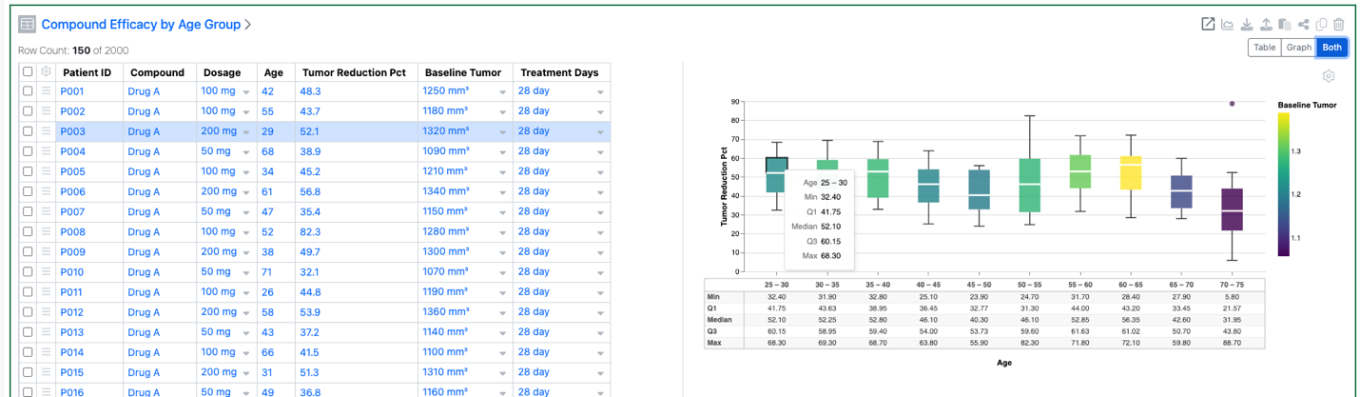
Hovering over a quadrant of the box plot will now highlight the associated rows, and visa-versa.
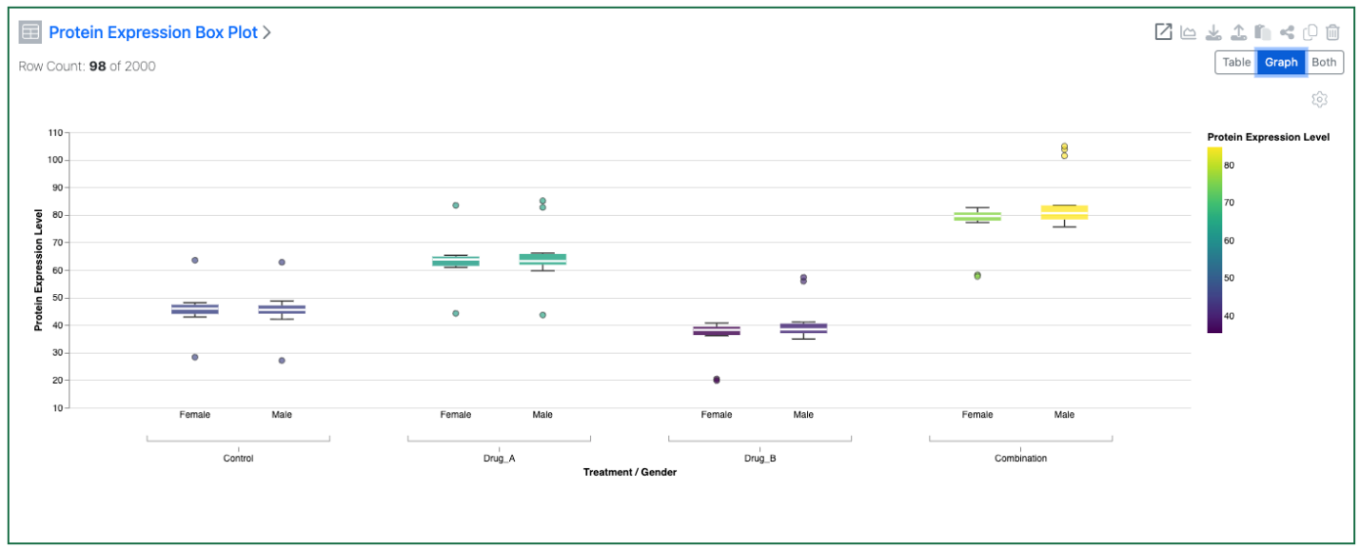
A second categorical property can also be added to the Categorical axis on Box Plots
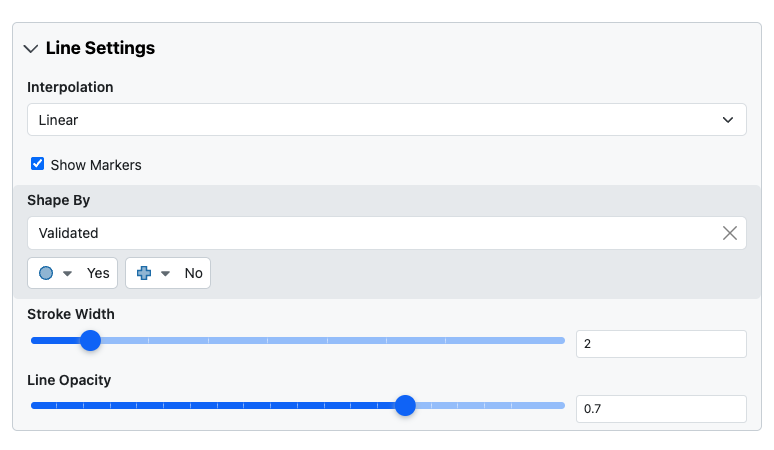
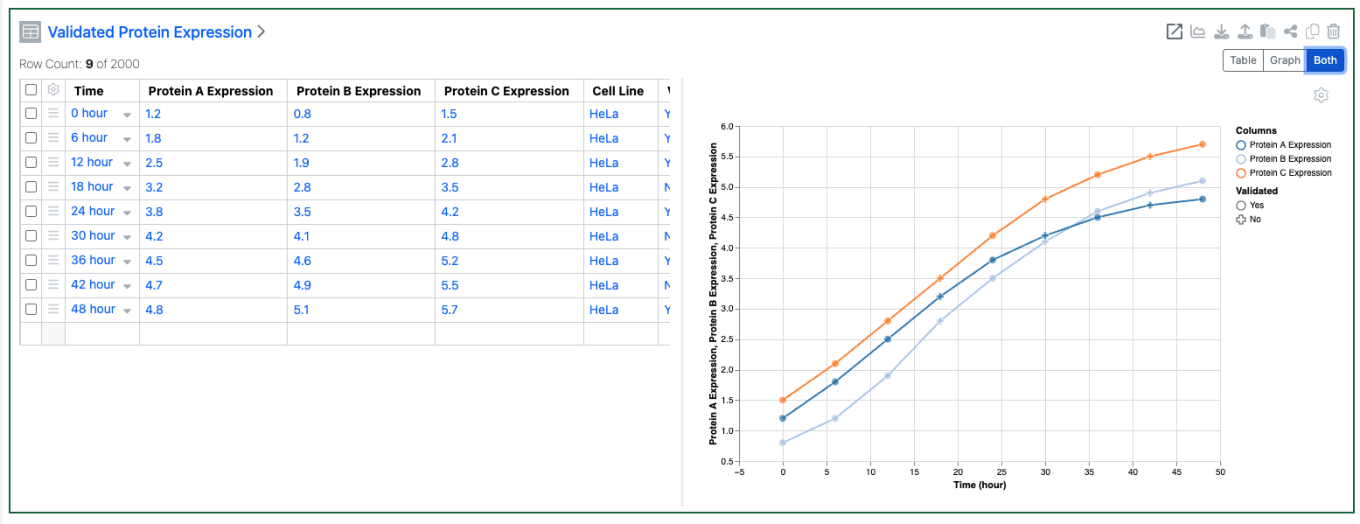
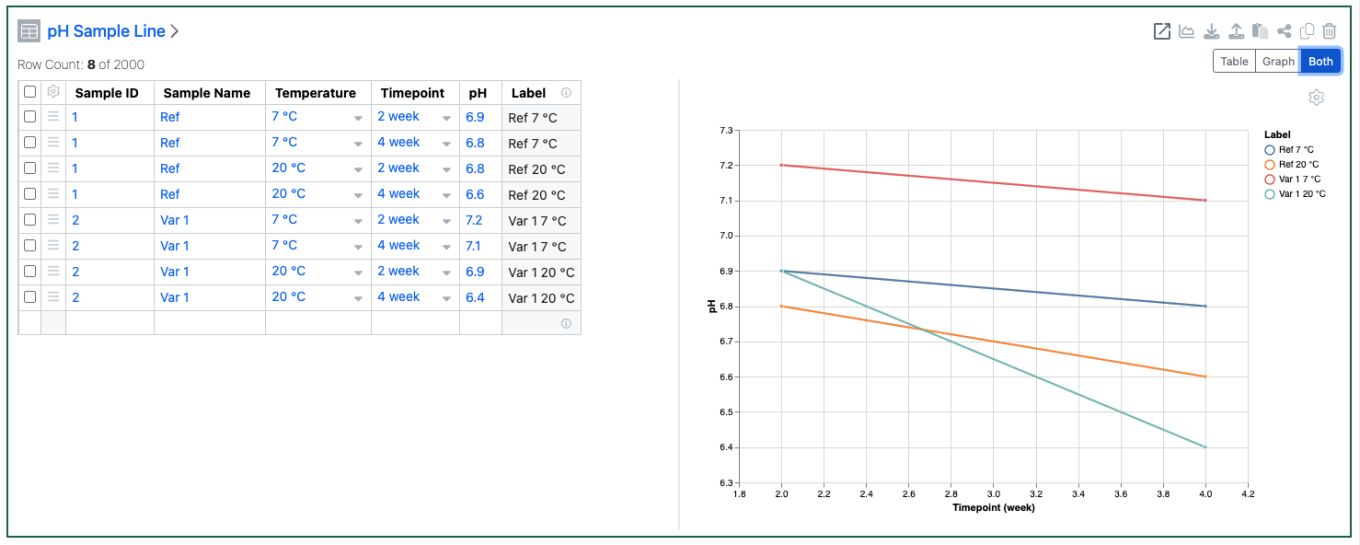
Markers on Line Charts can now be set by values in a categorical column. This option is only available if the Y axes are not aggregated.
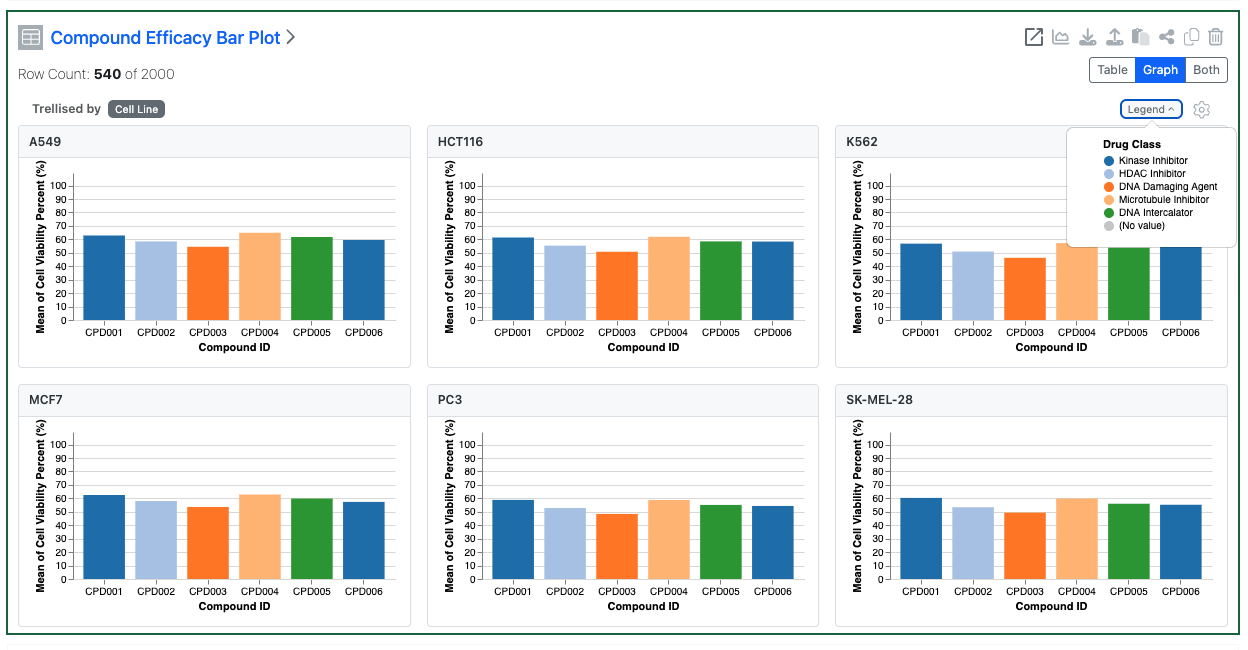
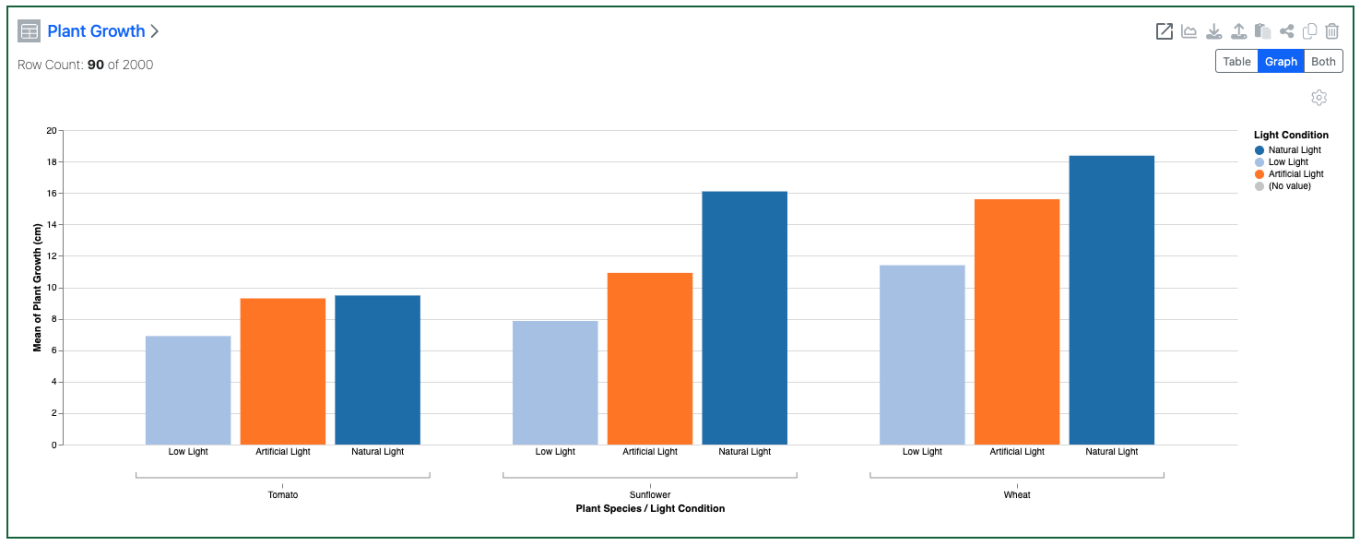
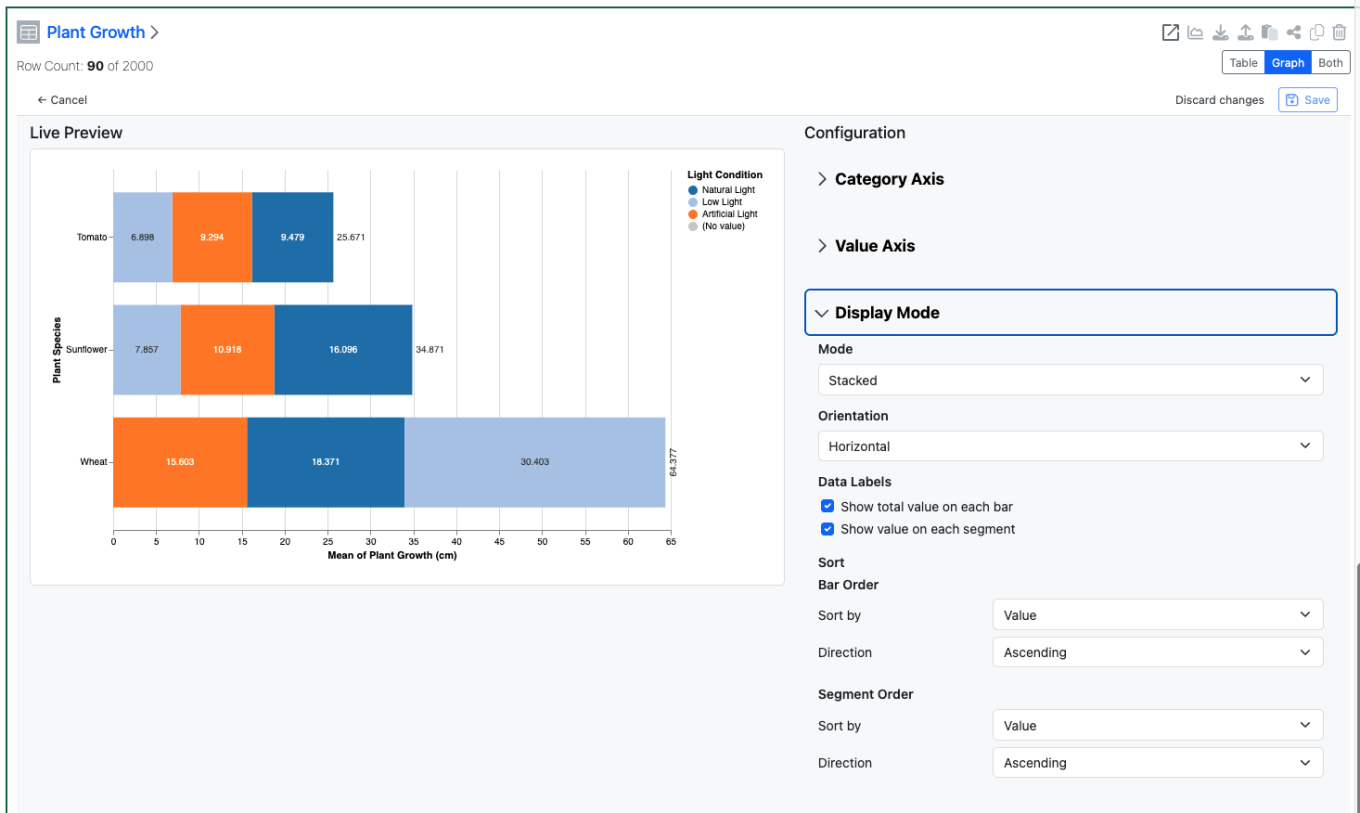
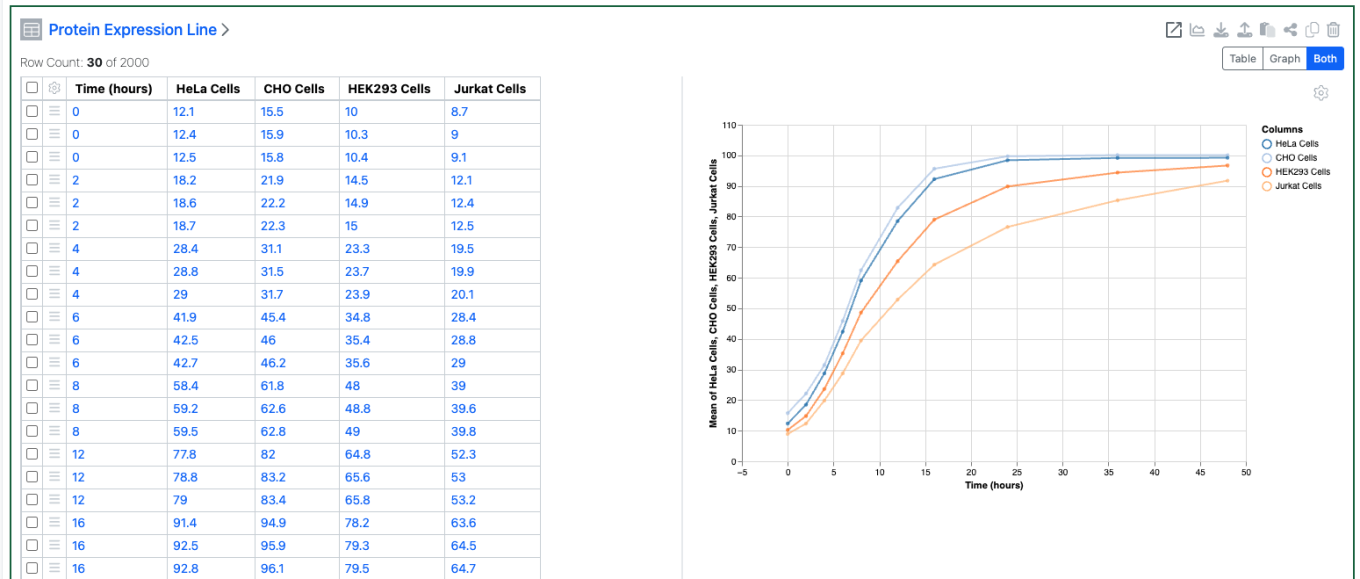
Tables can now be configured to display multiple charts, trellised via a categorical column. Configuration options include optionally setting the number of columns and setting if the trellised charts have synchronized axes.
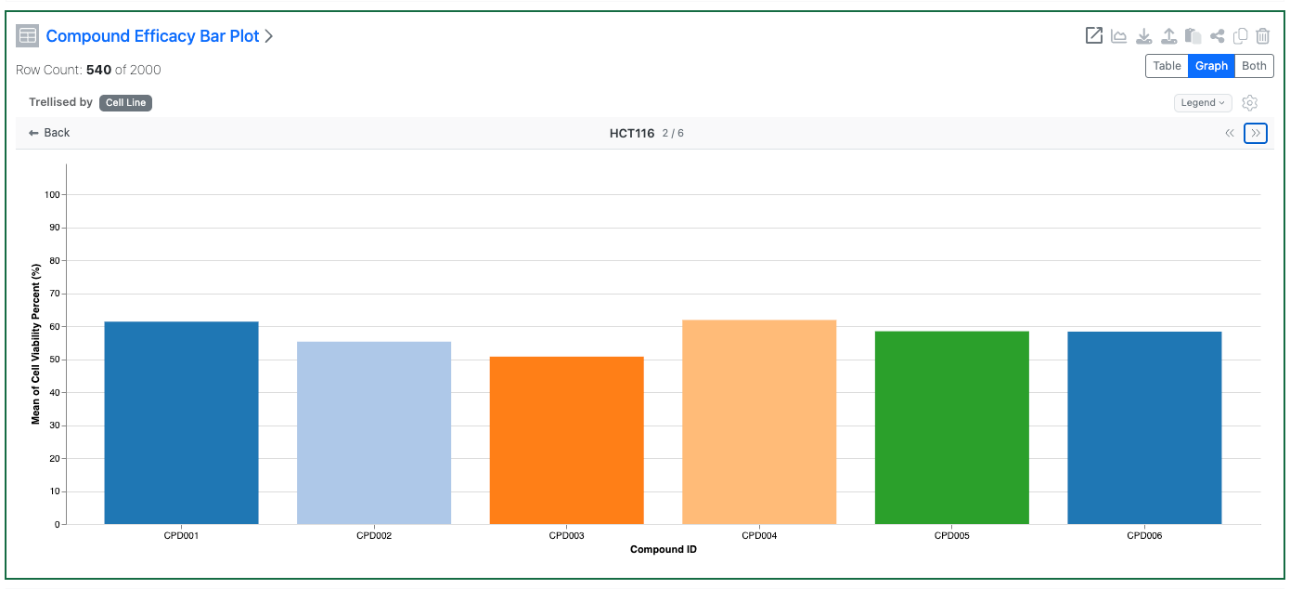
The user can choose to focus on a single trellised chart in more detail and iterate through the charts.
Inventory

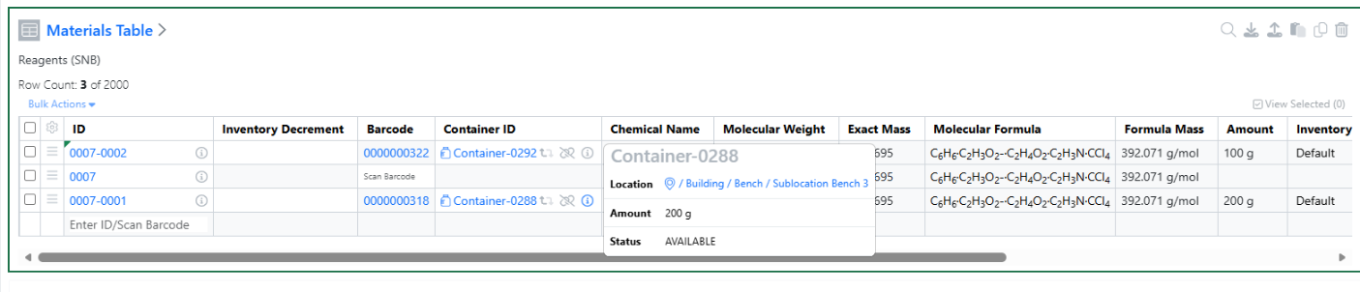
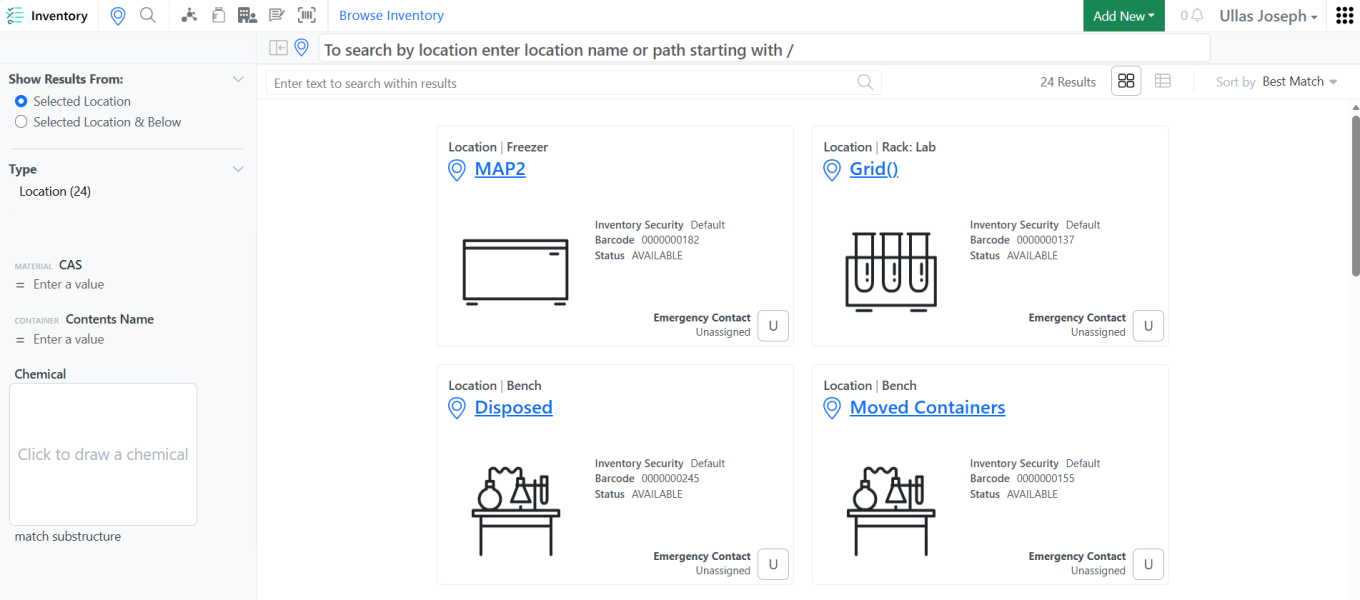
Added quick access to container location details directly from the Stoichiometry and Materials tables, allowing users to verify container information without leaving their current workflow.
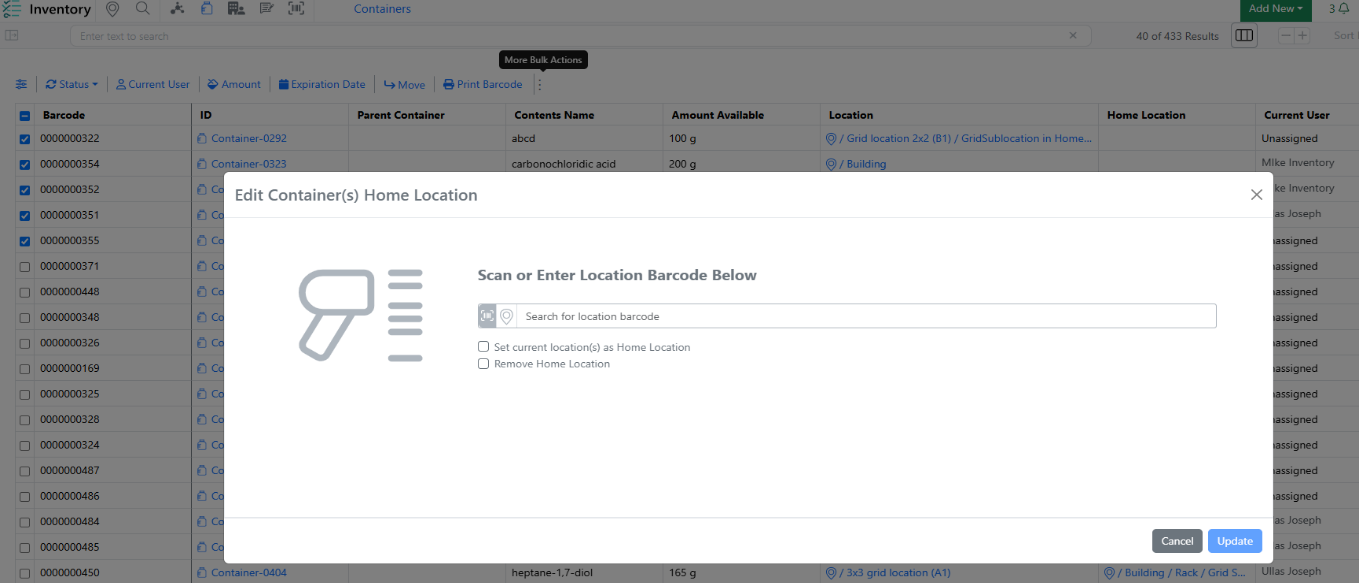
Bulk Edit Home Locations now supports blank Home Location values, providing greater flexibility when updating container location assignments. Users can now clear or leave Home Location values blank during bulk updates, simplifying location management and reducing manual effort.
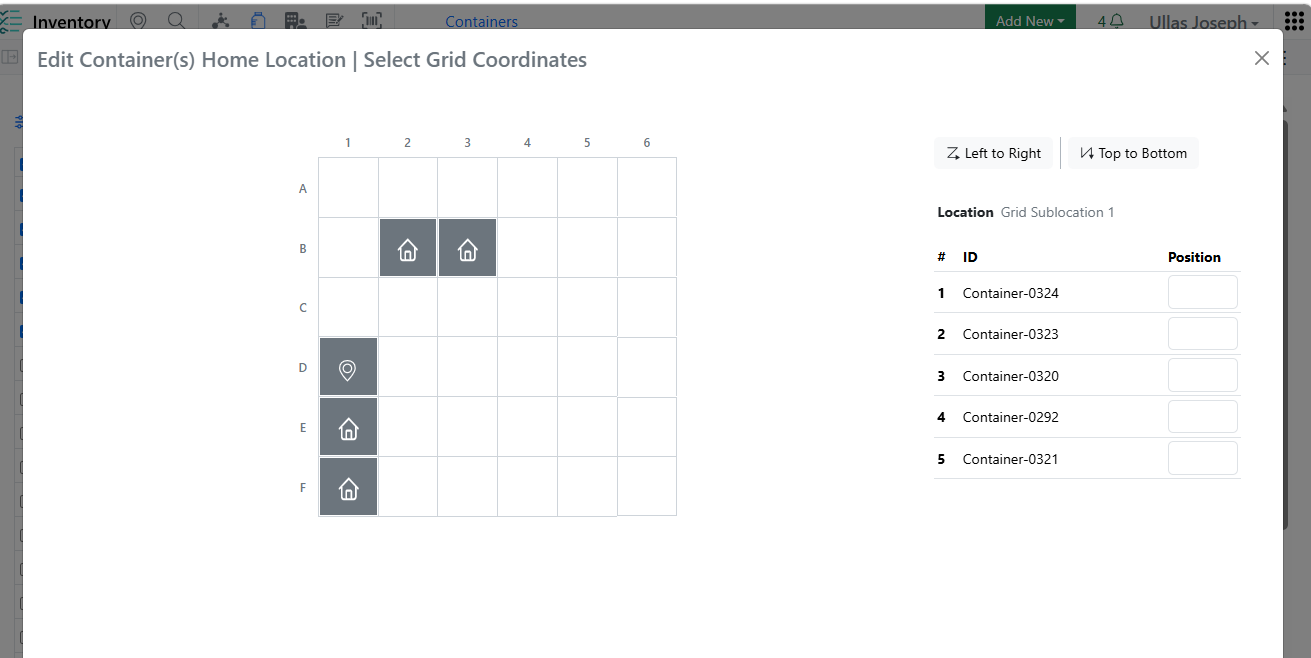
Enhanced Home Location assignment across Create/Edit Grid Location and Bulk Edit workflows with visual indicators and validation rules to ensure Home Location uniqueness and improve data accuracy.
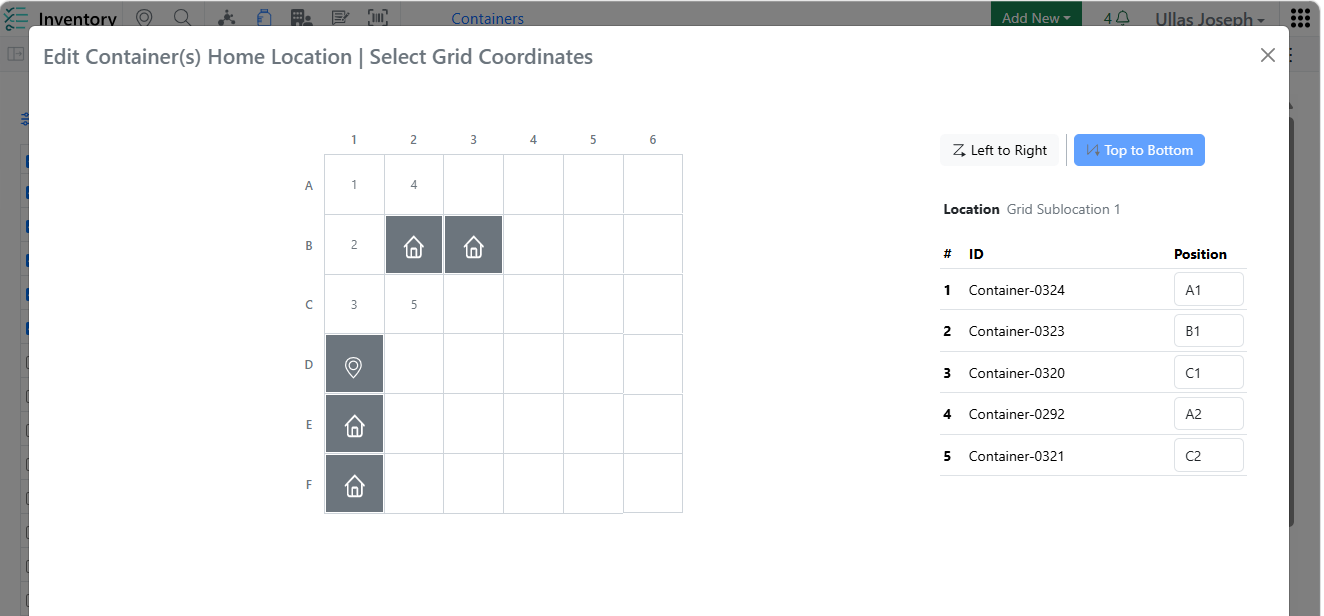
Improved the Auto Fill Grids logic to automatically select occupied grid cells while skipping only those designated as Home Locations, making container assignments faster and more intuitive.

Added row-level warning indicators in Inventory Decrement Auto Fill to clearly identify containers that are not eligible for inventory decrement, helping users avoid errors while maintaining workflow efficiency.
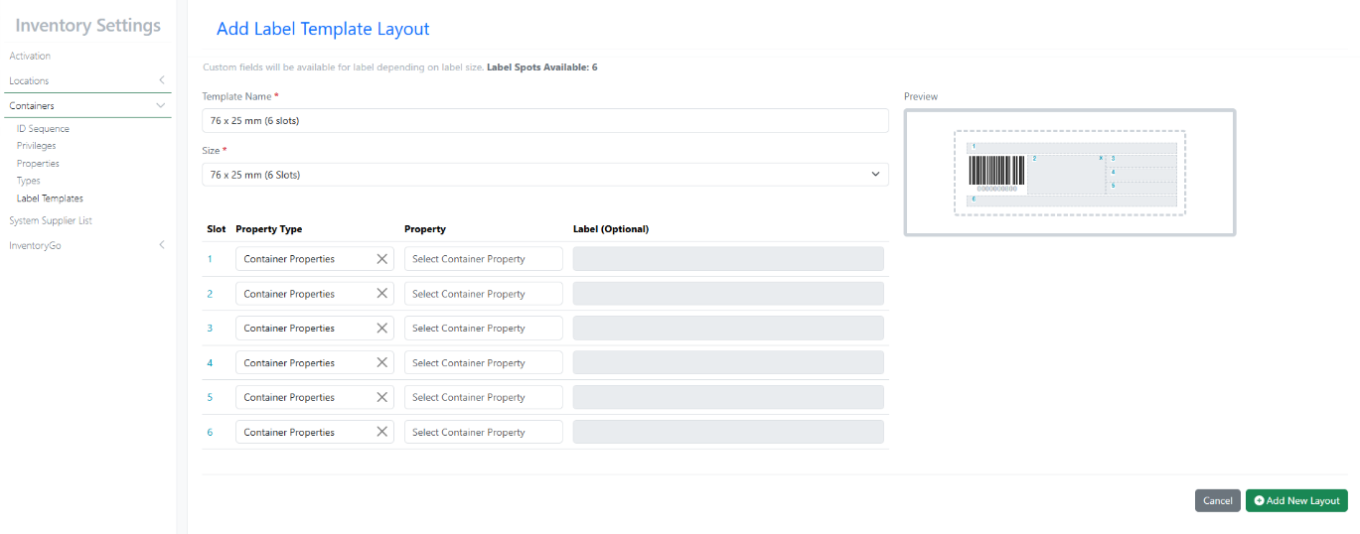
New Label Templates 76×25 mm (6 Slots)
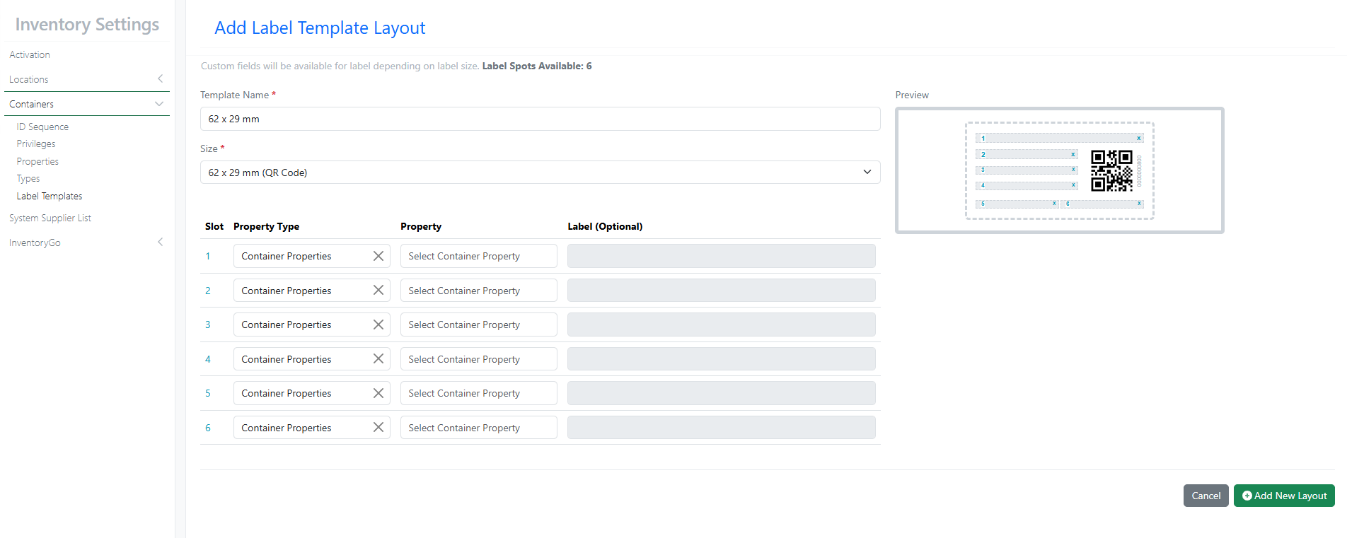
New Label Templates 62×29 mm QR
InventoryGo
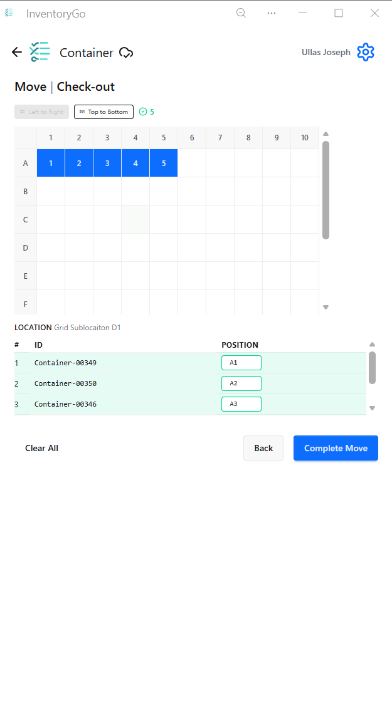
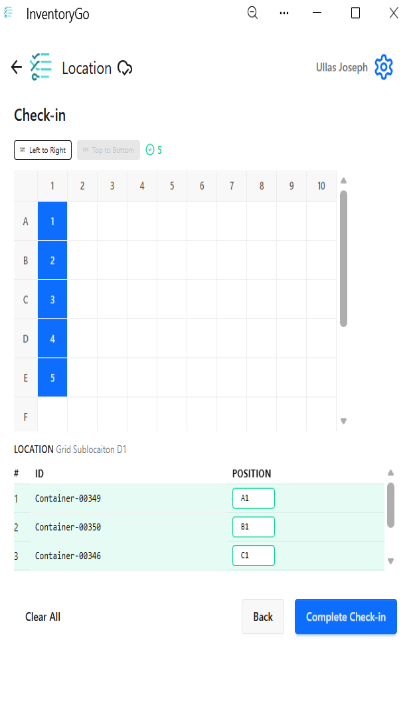
Users can now select a specific grid position during Check In and Check Out operations, providing greater control over container placement and improving location accuracy.

Reconciliation reports now include Material ID and Expiration Date information, providing better traceability and supporting more effective inventory audits and reviews.
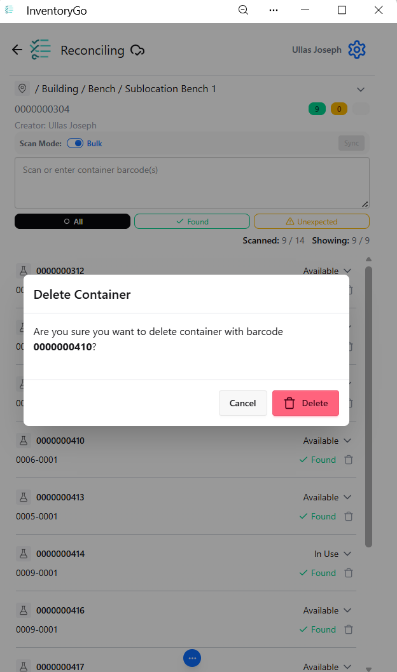
Added confirmation prompts for delete actions in Reconciliation and Consume workflows to help prevent accidental data changes and improve user confidence.
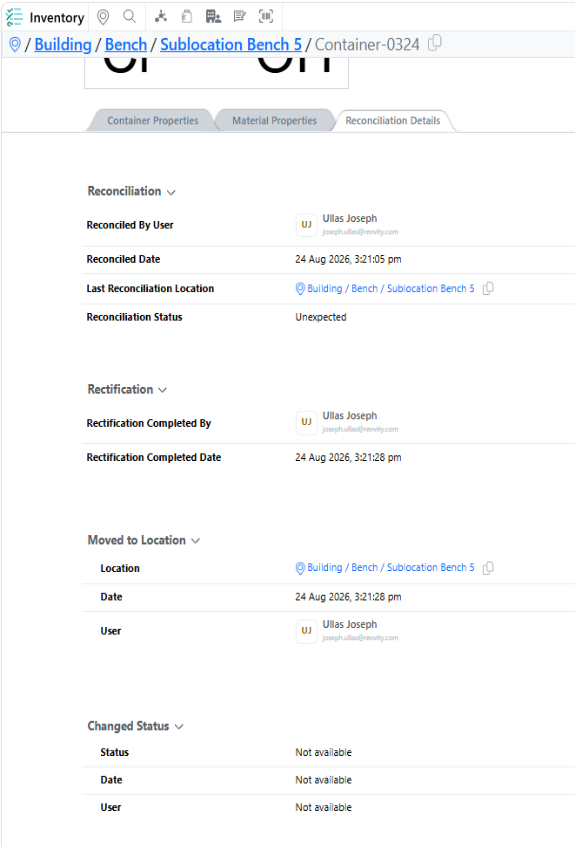
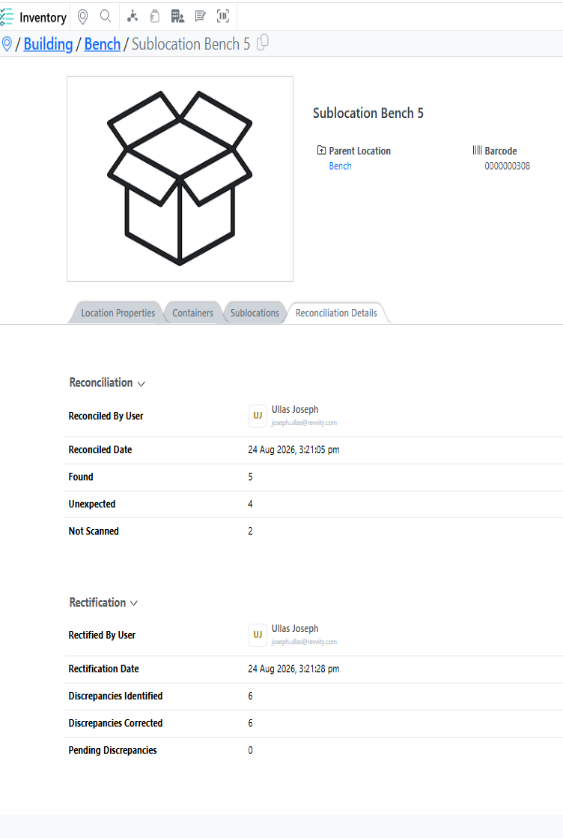
Reconciliation details are now available directly within the Inventory application for both locations and containers, providing greater visibility into reconciliation activities without leaving the inventory workflow.
Tasks and Requests
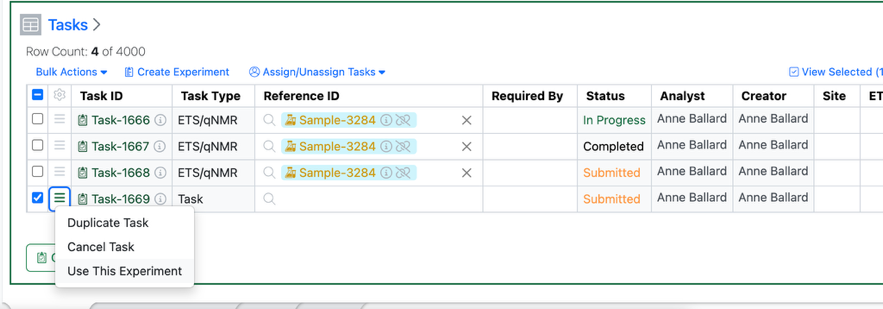
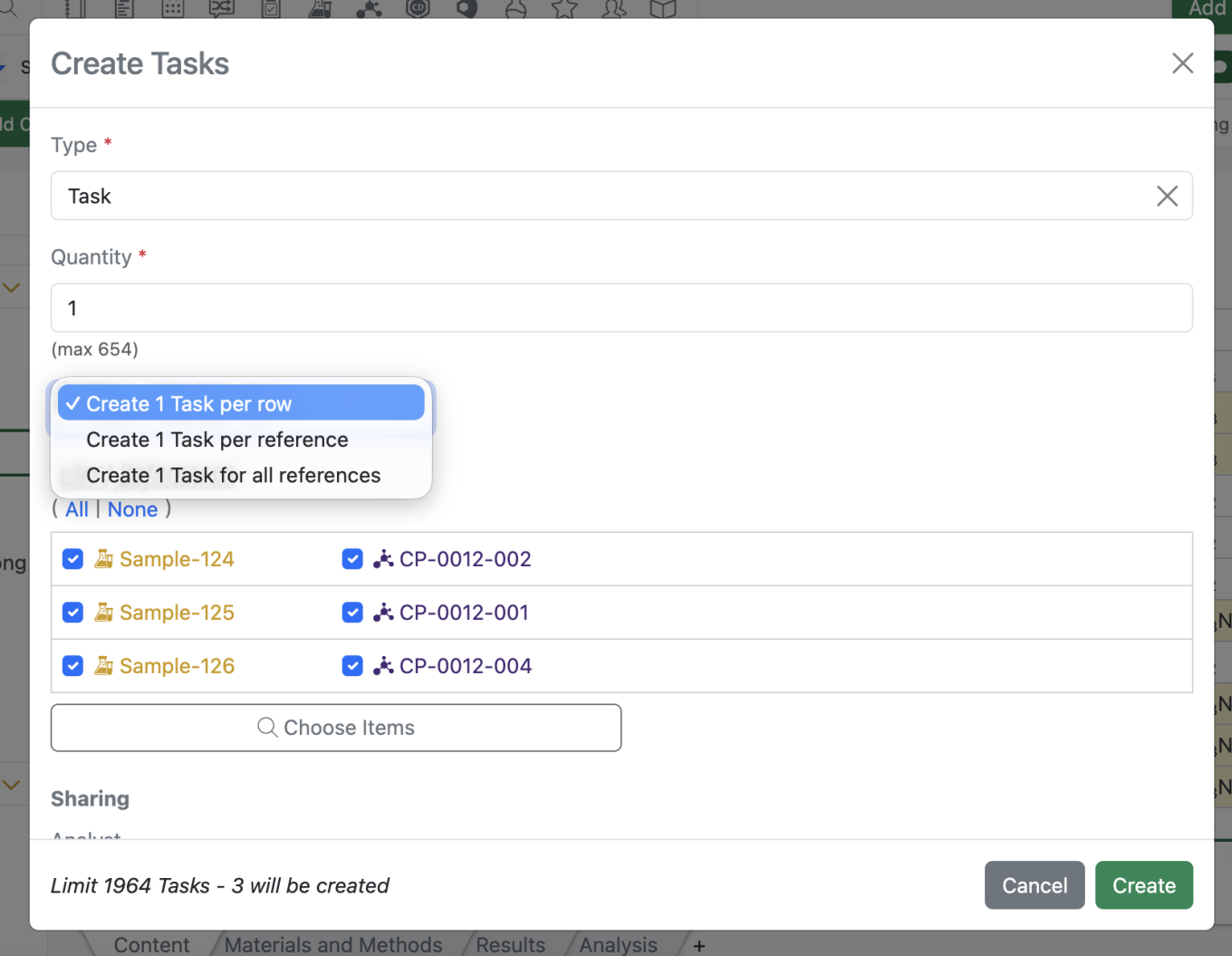
Users will now have the option of completing a Task within the originating experiment assuming the user 1) has write access to the task’s originating experiment and 2) the user in question is assigned the task.
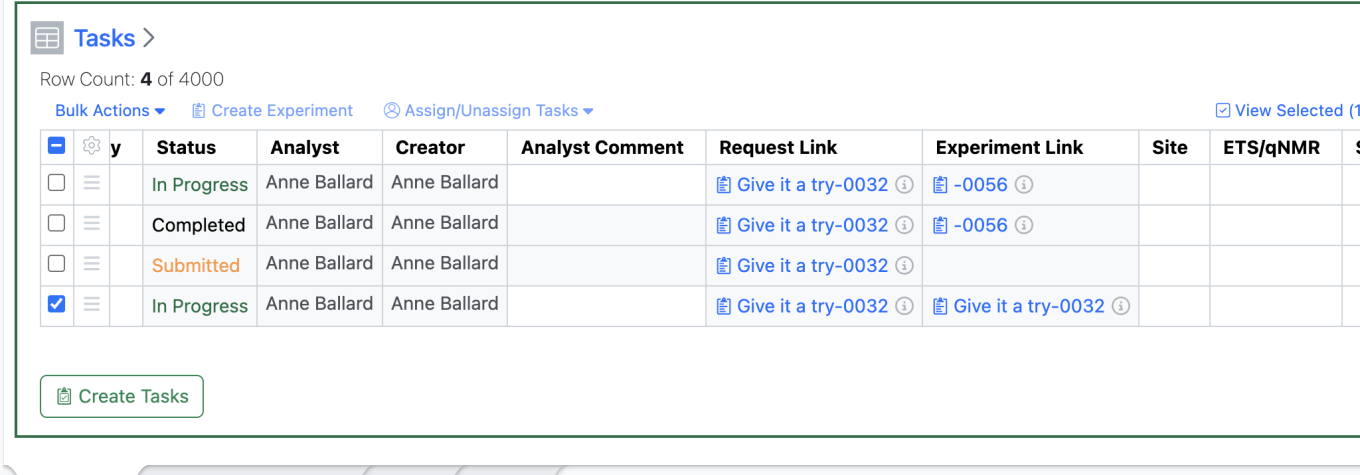
If both of these criteria are met, the new “Use This Experiment” option will be available under the hamburger menu and the Bulk Actions menu.
Selecting “Use this Experiment” updates the Task Status to “In Progress” updates the “Experiment Link” to the same Experiment as the “Request Link” and opens up the Analyst fields for the user to update in the Task Table.
This will also allow the analyst/user to transition the Task to “Closed” from this same table allowing the user to complete their task workflow within the same experiment.
Administration
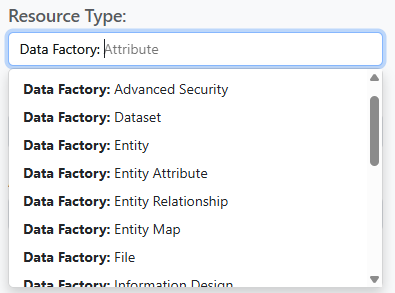
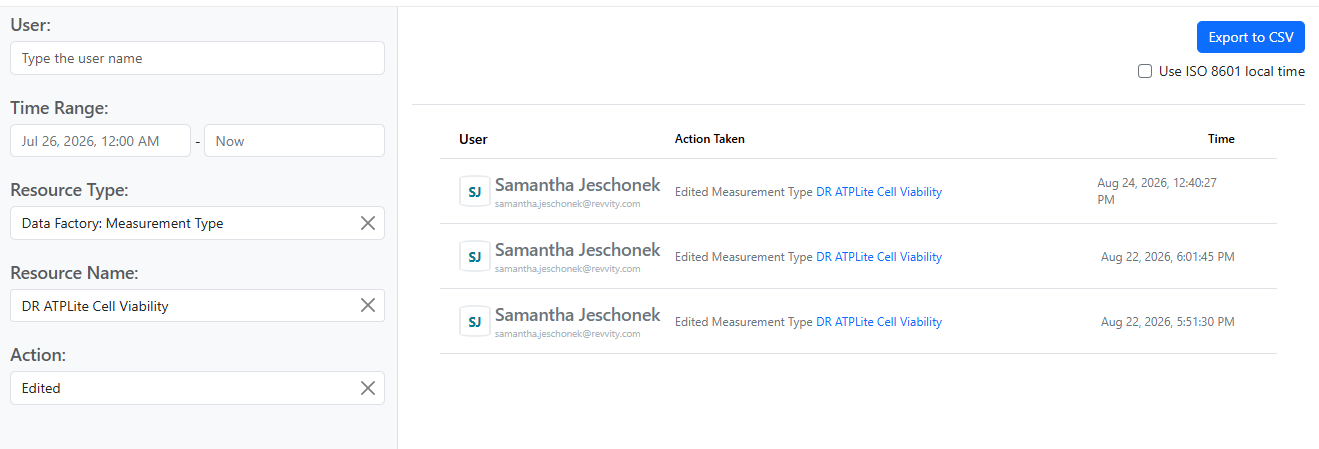
Data Factory audit events are now accessible from the Signals Audit Log. Data Factory actions are organized by Resource Type, and can be further filtered by Resource Name and Action.
Integrations & APIs

We have added new APIs to revoke bearer tokens via API. Bearer tokens can be revoked by email or for all users simultaneously.

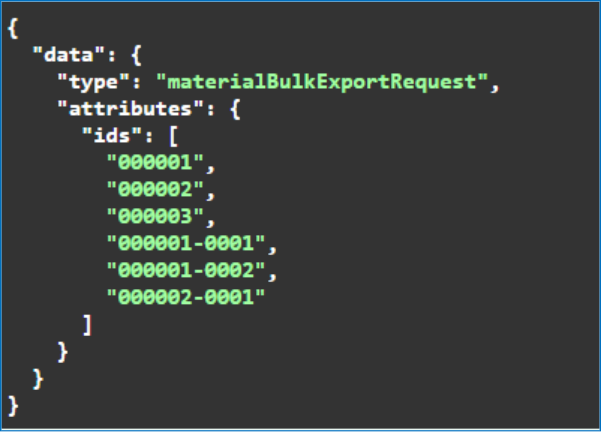
We have enhanced the Material Fetch APIs to support expanded Chemical Structures output. A new URL parameter “structureFormat” is optionally available. The structure is returned as json encoded strings.

We have enhanced the External Enumerator APIs to support RDF files. The “Content-Type” header must best set to “chemical/x-mdl-rdfile".

We have added a new API to fetch JSON formatted parser definitions.
The following capabilities are in beta and are available for users, administrators and developers on the Signals platform upon request. Please contact your account representative or our support team if you would like access to the following features.
Fundamentals
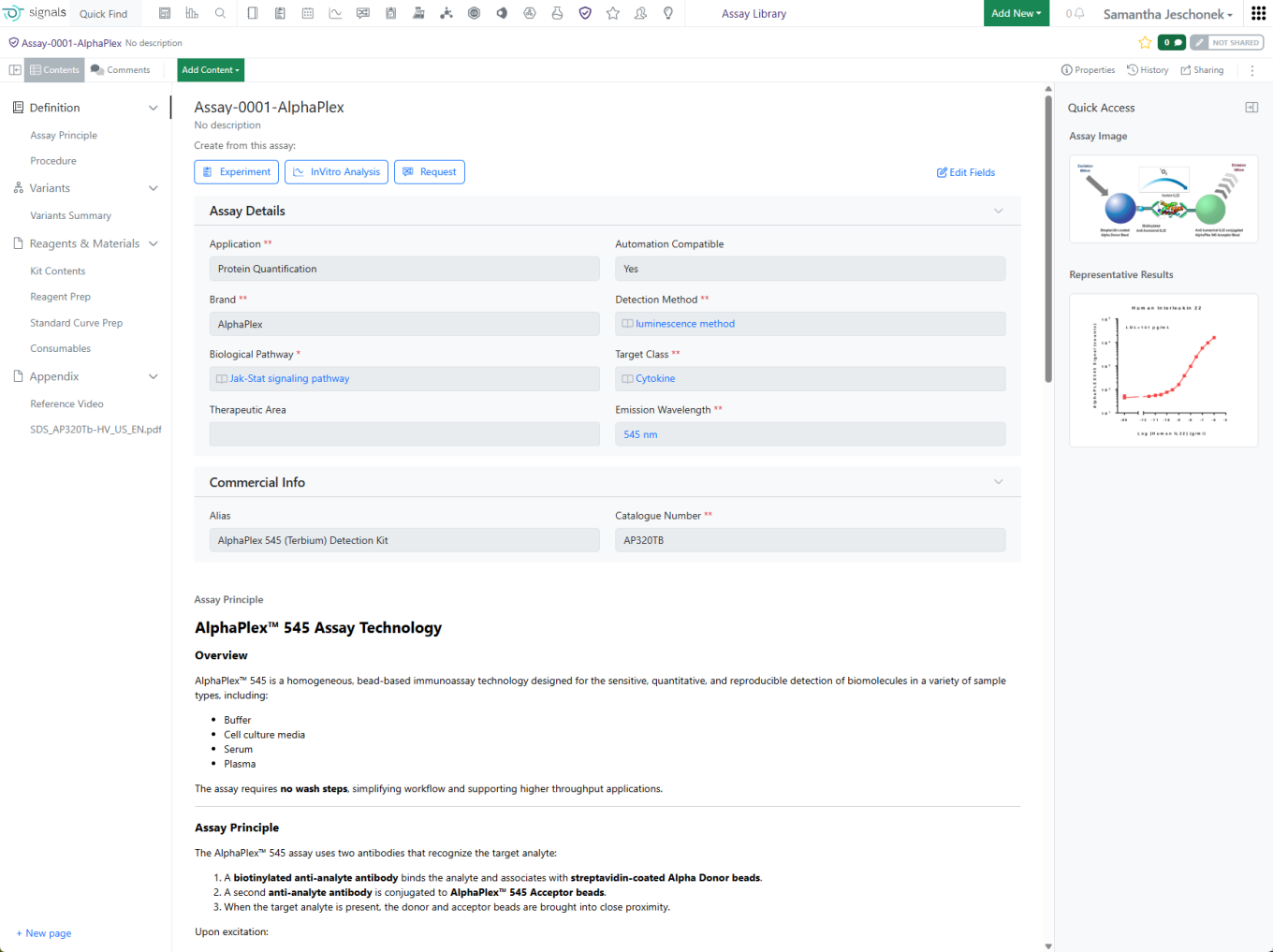
The Assay Library (beta) enables organizations to register unique Assays and their associated Variants in a centralized repository. Assay and Variant metadata are captured in structured templates, helping standardize assay definitions and improve consistency.
Assays include one or more Variants, allowing users to represent planned experimental differences such as target, cell line, plate format, or other assay conditions while maintaining a clear relationship to the parent assay.
Administrators configure reusable Controlled Fields to enforce standardized terminology across assay registrations. As part of the Assay Template, these fields can also be designated for uniqueness checking.
When registering a new assay, the system automatically evaluates configured uniqueness criteria and alerts users when a potentially duplicate assay already exists.
Assays provide a structured overview of key metadata, supporting content, and registered variants within a single record.
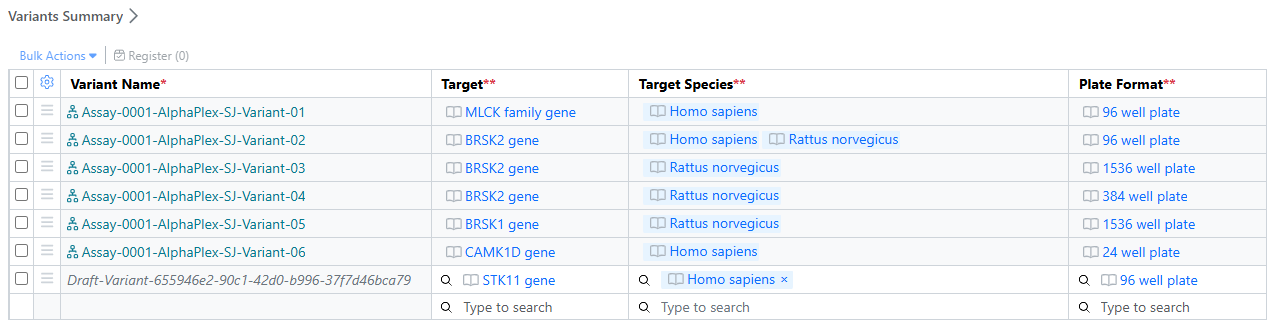
The Variant Summary provides a consolidated view of assay variants and their key attributes, making it easier to compare experimental conditions.
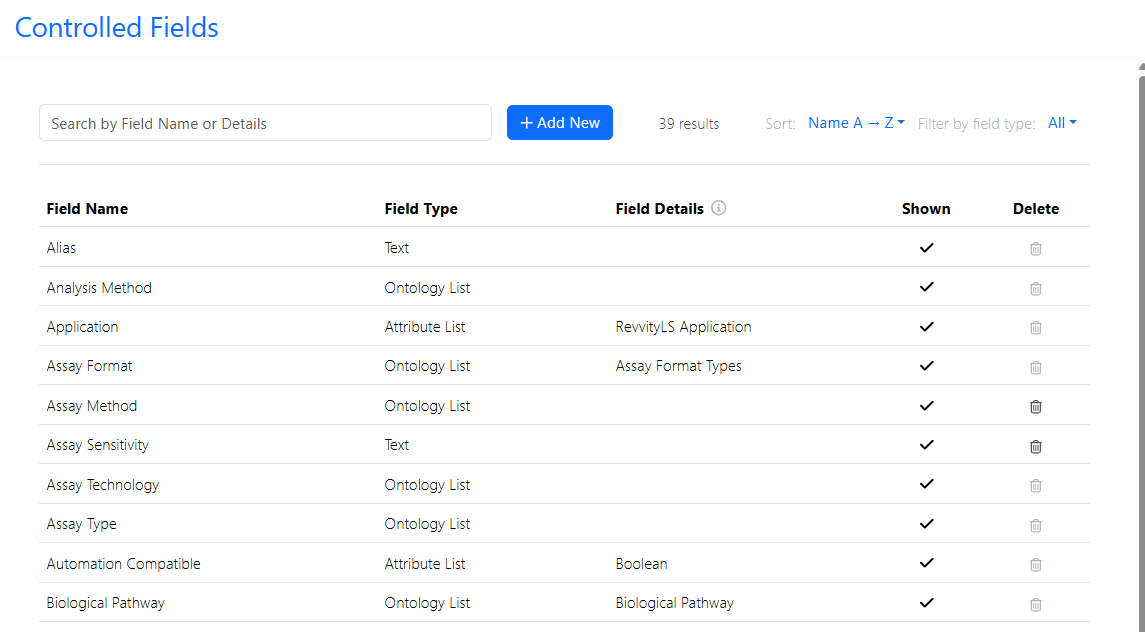
Controlled Fields allow organizations to standardize terminology across different assay templates, which encourages better data governance and discoverability.
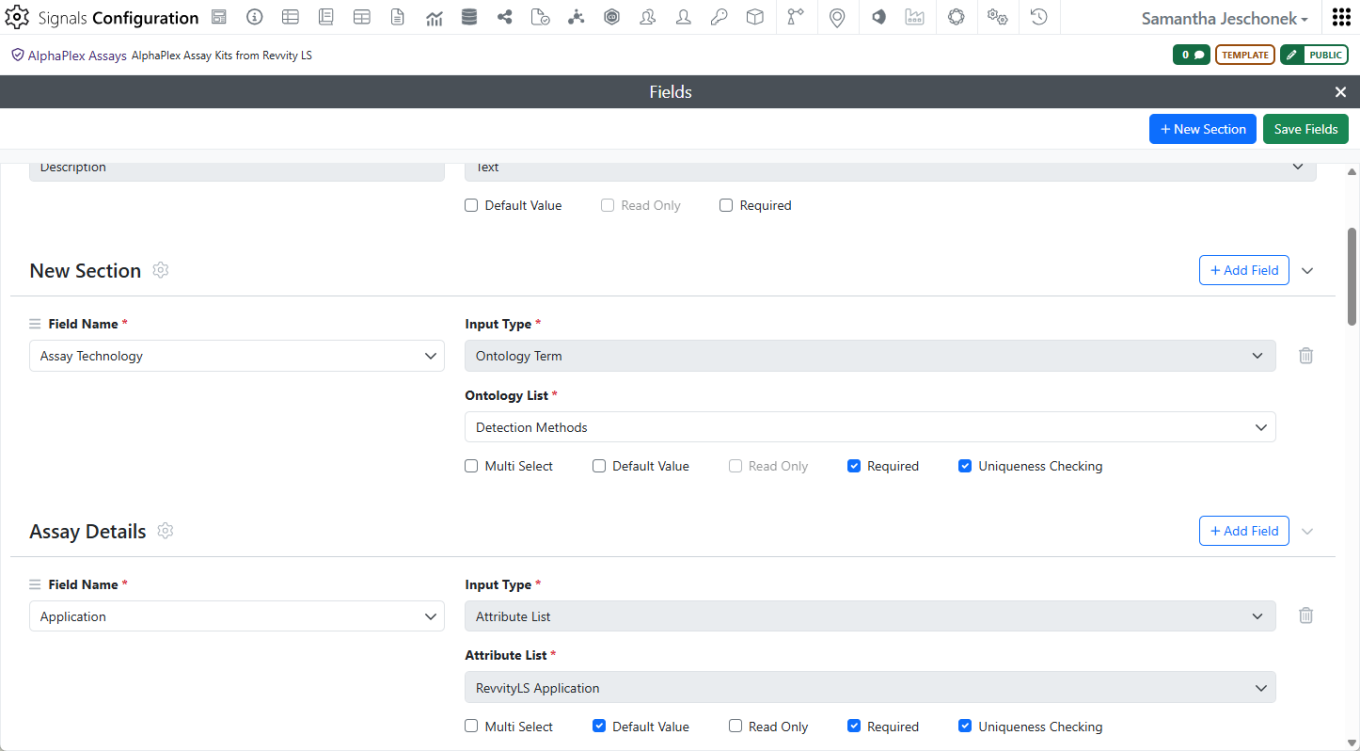
When creating an Assay template, administrators must choose from the list of predefined Controlled Fields. Fields can be organized into sections for clearer organization. Configurable uniqueness checking helps prevent duplicate assay registrations by evaluating a defined combination of assay properties and alerting users when similar assays already exist.
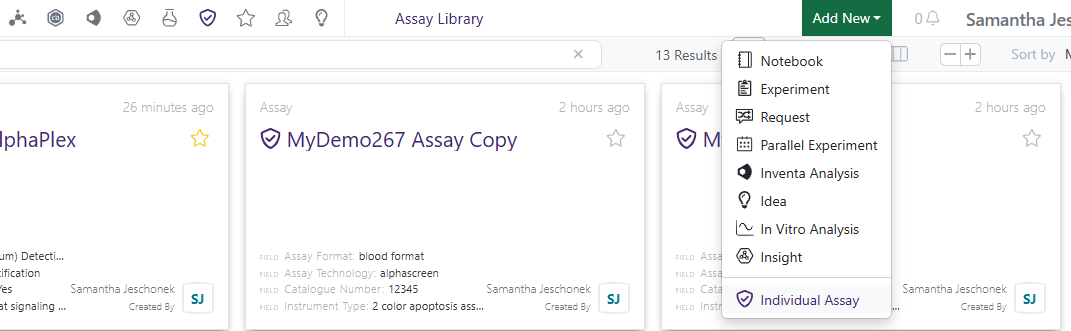
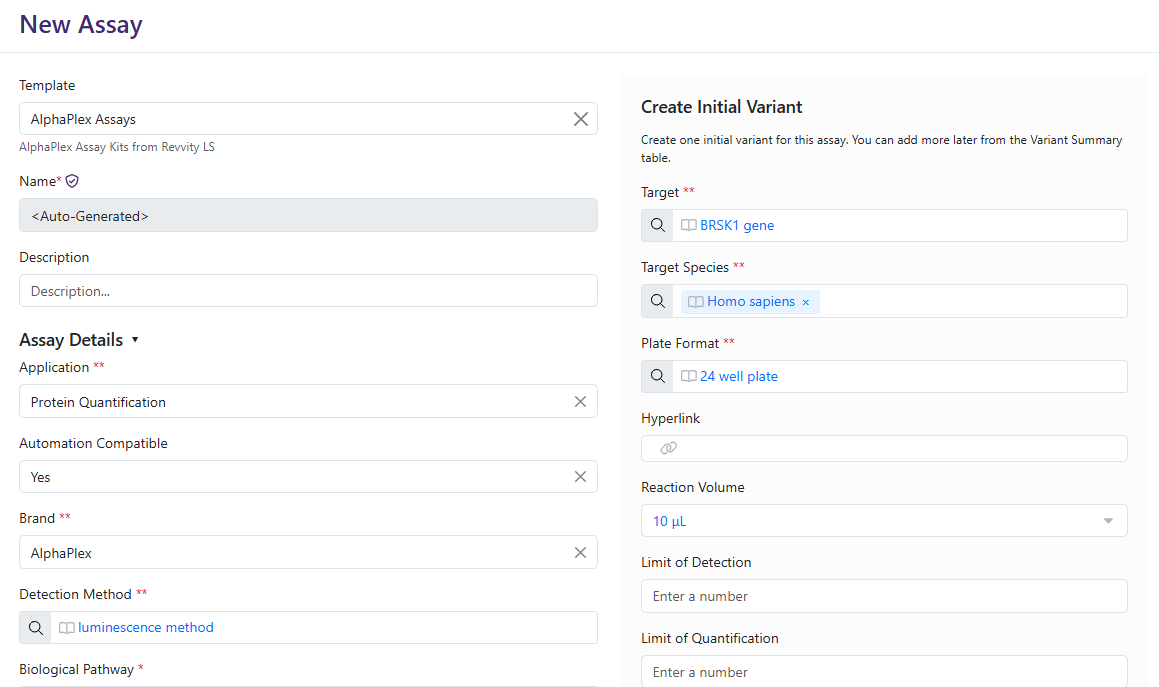
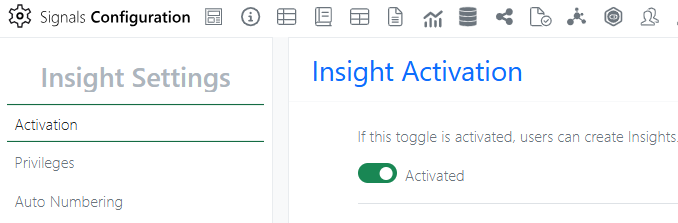
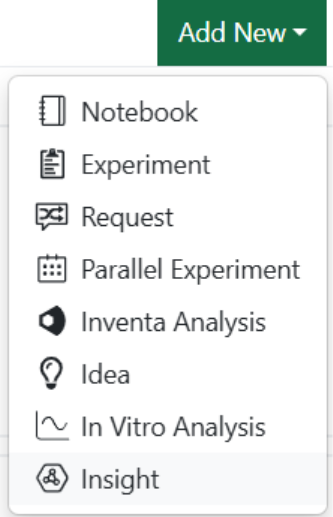
Once Assays are activated and a template is created, shared, and registration privileges defined, Signals One licensed users can begin to register assays. The Assay Library is available from the navigation tool bar.
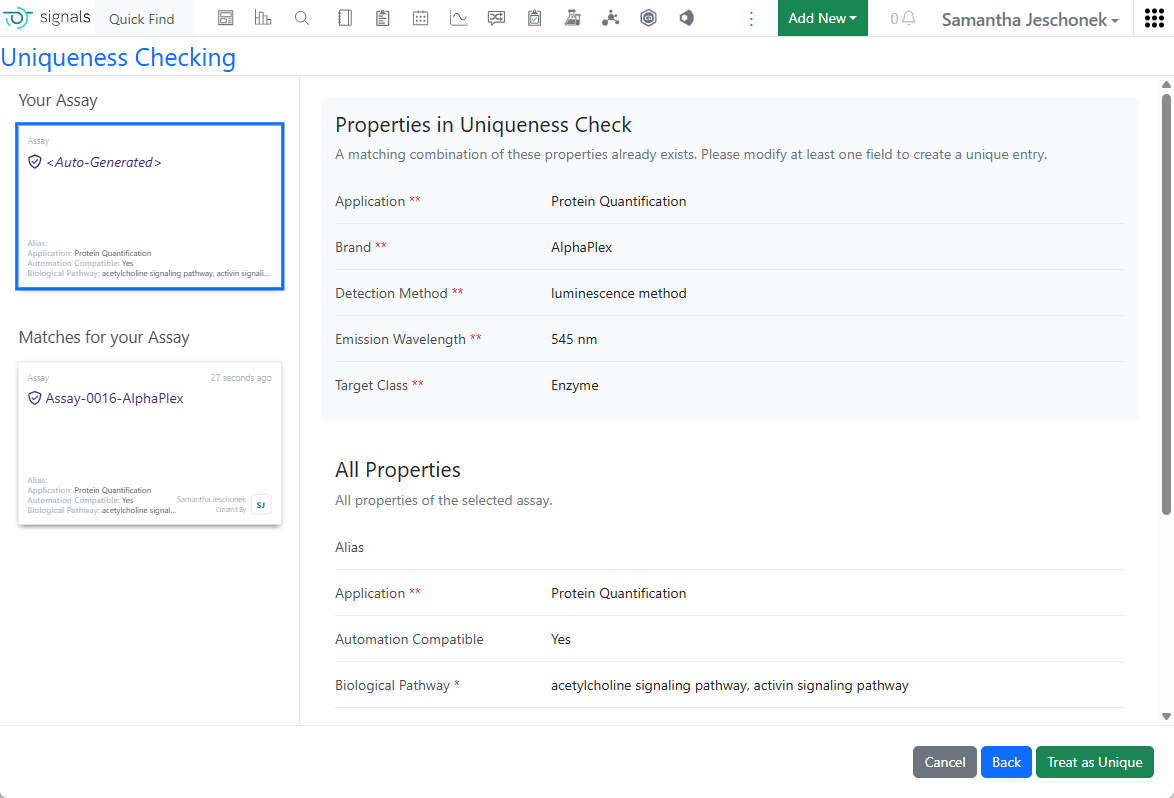
Assay and the initial Variant registration occur together.
Configurable uniqueness checking helps prevent duplicate assay registrations by evaluating a defined combination of assay properties and alerting users when similar assays already exist.
AI
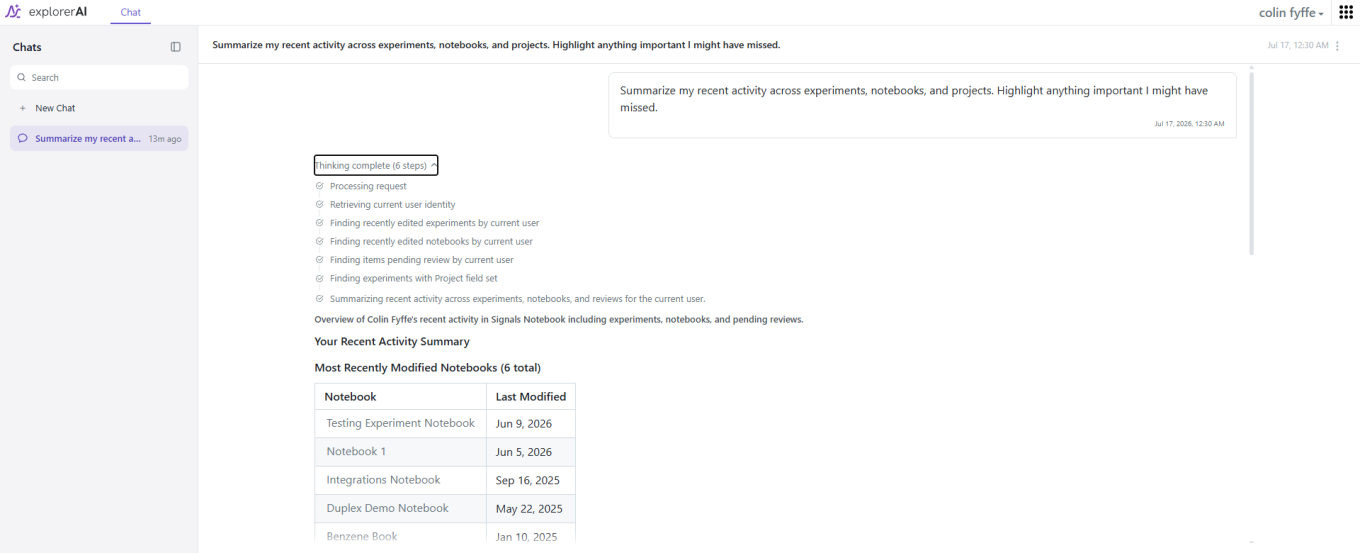
Signals AI Explorer is the AI assistant built into Signals Notebook. It helps you explore and understand your Signals Notebook data using natural language instead of manual searching.
Explorer’s Thinking panel lists every step it took to answer a question — for example, establishing who is asking, then finding that user’s experiments, notebooks and pending reviews before responding.
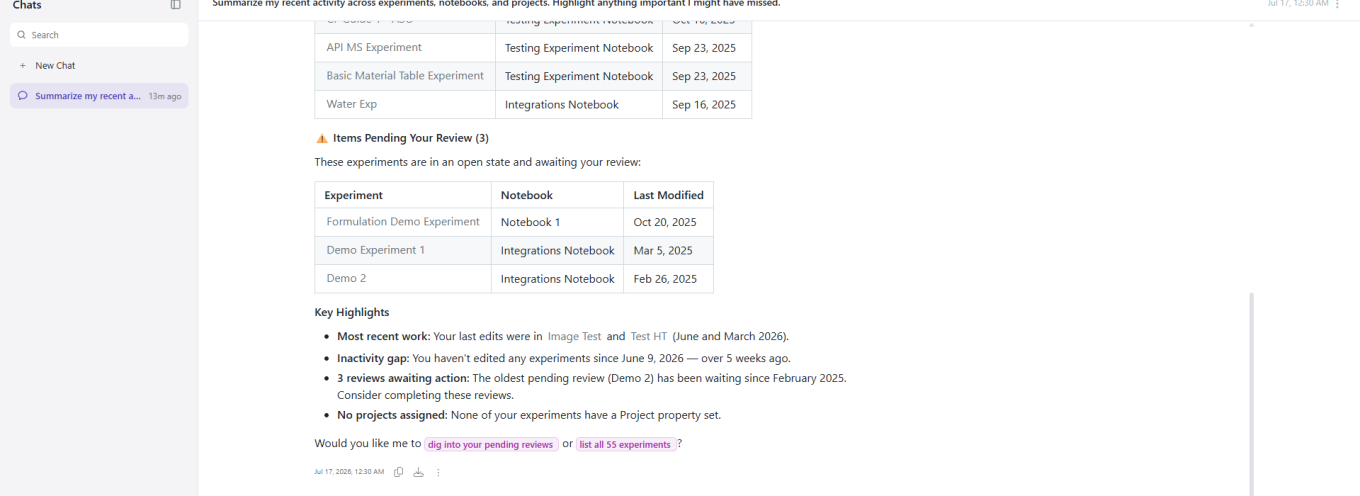
Answers come back as real tables built from your records, with the highlights called out, what is waiting on you, and sensible follow-up questions offered.
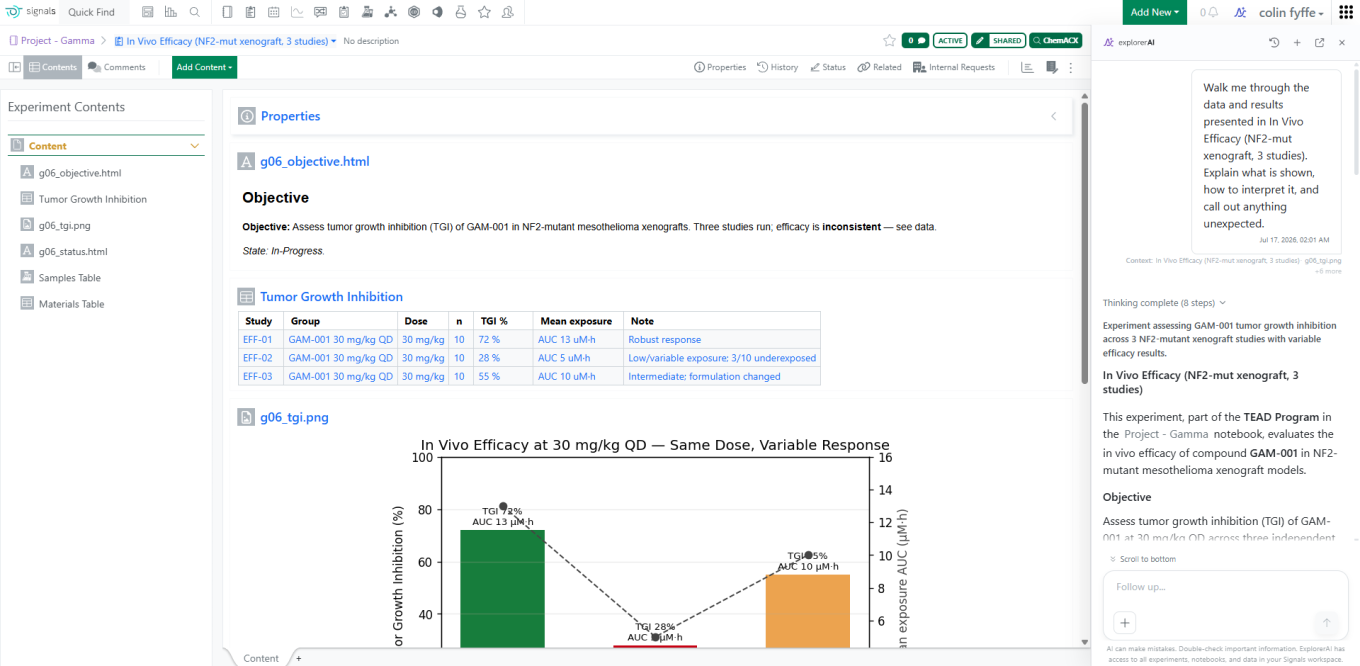
When you ask about an open experiment, the Context line lists exactly what Explorer pulled in — the experiment, the chart, and the rest of its contents.
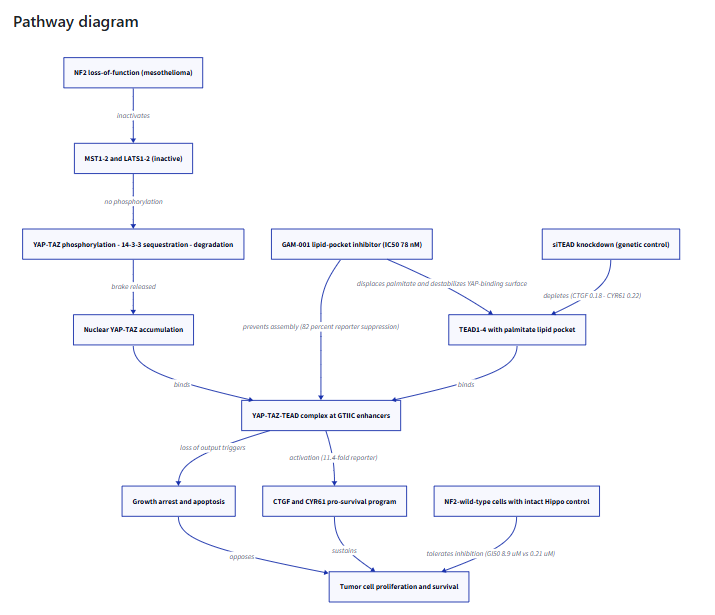
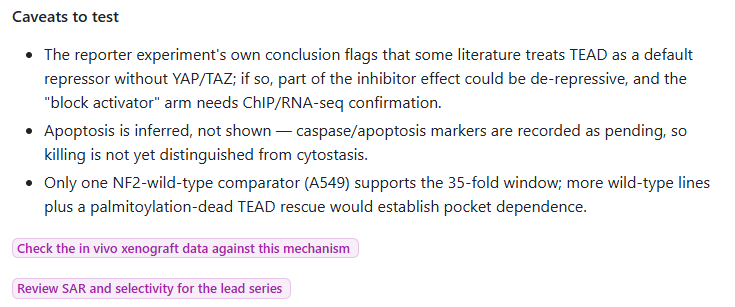
Explorer can build hypotheses nobody wrote a report for, laying out a mechanism-of-action hypothesis from experiment data and diagramming the pathway, with every observation linked back to the experiment it came from.
It shows its working and its doubts: building the mechanism from the same records, drawing it, and stating plainly what the data cannot yet support, with follow-up questions offered to close each gap.
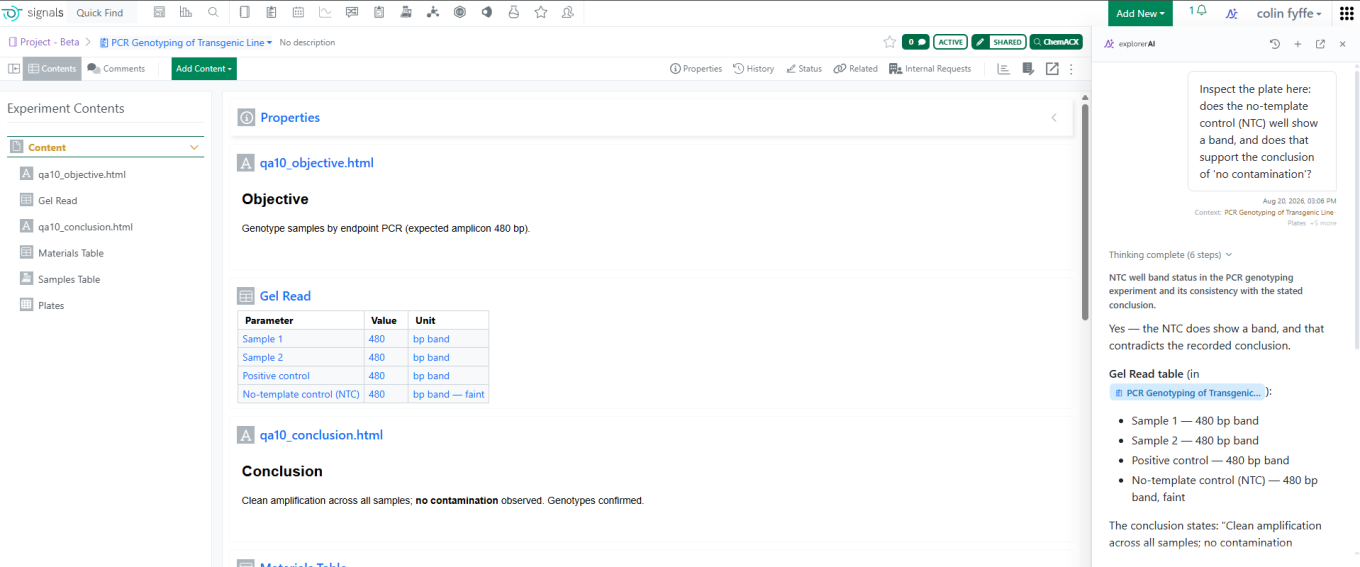
Explorer will also tell you when the data does not support a stated conclusion — for example, reading a gel table, comparing it with the recorded write-up, flagging that a ‘no contamination’ conclusion is not supported, and suggesting how to resolve it.
Synergy
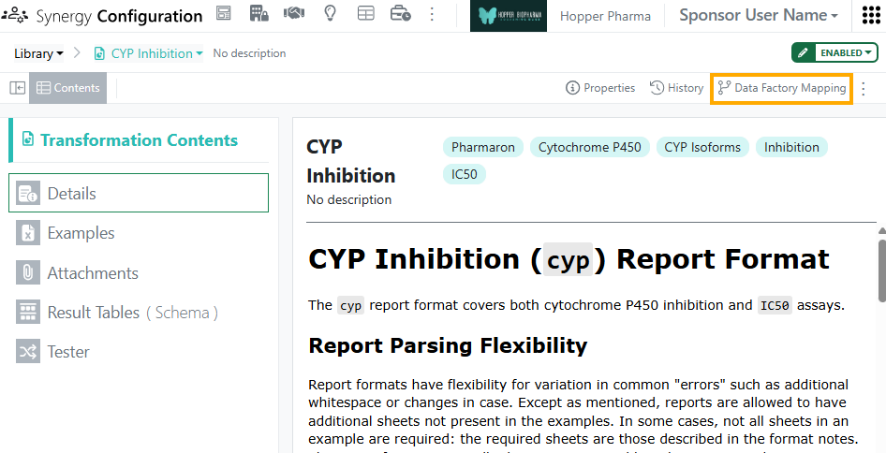
The Synergy Data Exchange is powerful feature that converts unstructured, excel-based reports from CROs into structured, columnar Results Tables ready to use in Data Factory. Under beta, Data Exchange Results Tables can now be published directly from Synergy Experiments.
To publish Data Exchange Results Tables, the administrator must first configure the specific Data Exchange Transformation for publication. In Synergy Configuration > Data Exchange > Library, select a Transformation. In the upper right, click Data Factory Mapping and then Add New Mapping.
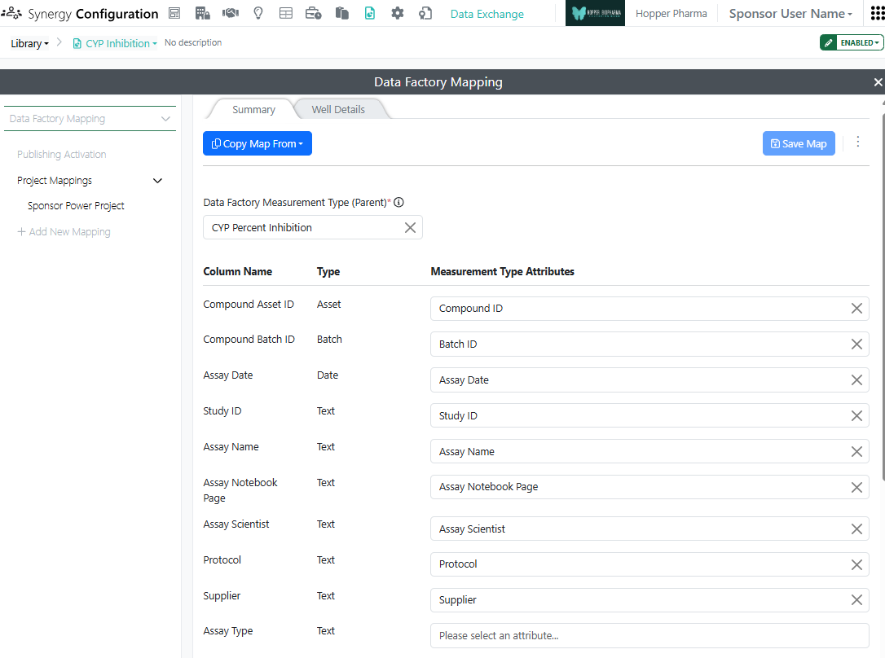
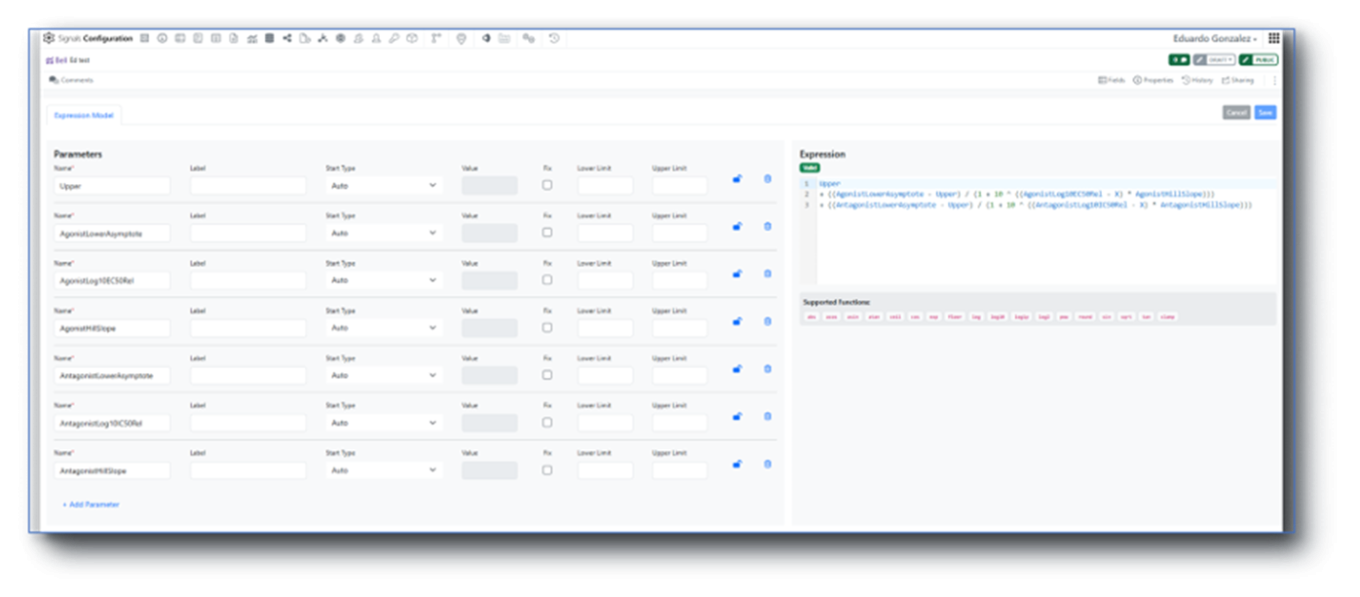
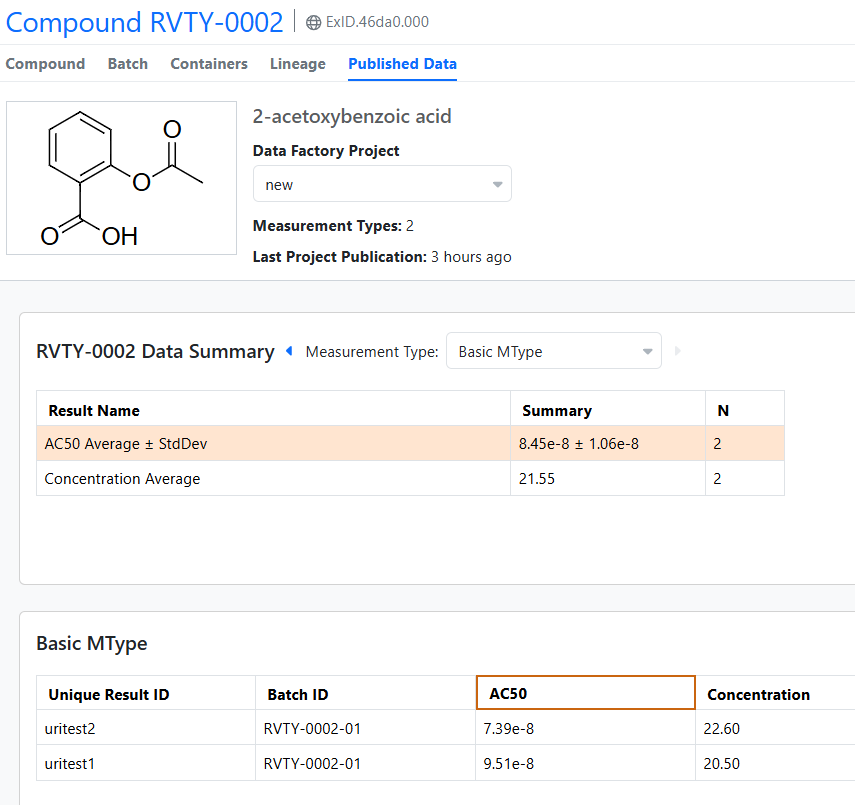
A map specifies which columns to publish to which Data Factory Measurement Type Attribute and is specific to a Data Factory Project and Measurement Type. First, the administrator selects a Data Factory Measurement Type for the Summary Results Table and then maps the Results Table columns (left) to the Measurement Type Attributes (right). (The system will attempt to auto-map the columns but values should be adjusted as needed.) When the map is complete, press Save Map.
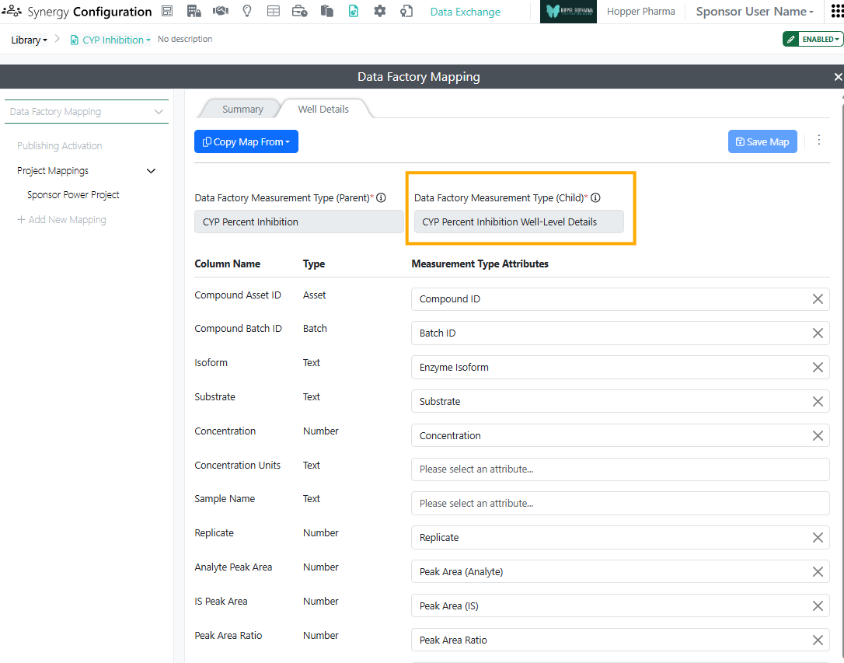
Most Transformations produce pairs of Results Tables, such as a Summary table of the calculated endpoints and a Well Details table of the individual measurements. Mapping the Well Details table is optional. The Measurement Type for the Well Details table must a be a child/details Measurement Type for the Summary table Measurement Type. When published together, these Summary and Well Details data will be automatically joined in Data Factory via the Join Value in the Results Tables.
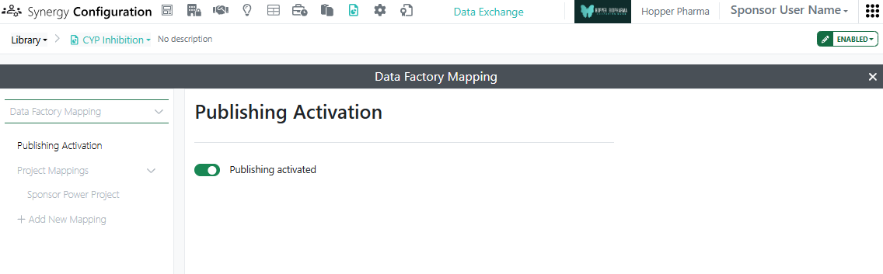
After mapping is complete, Activate publishing. The Transformation card will then show a green mapping icon indicating that publishing is activated.
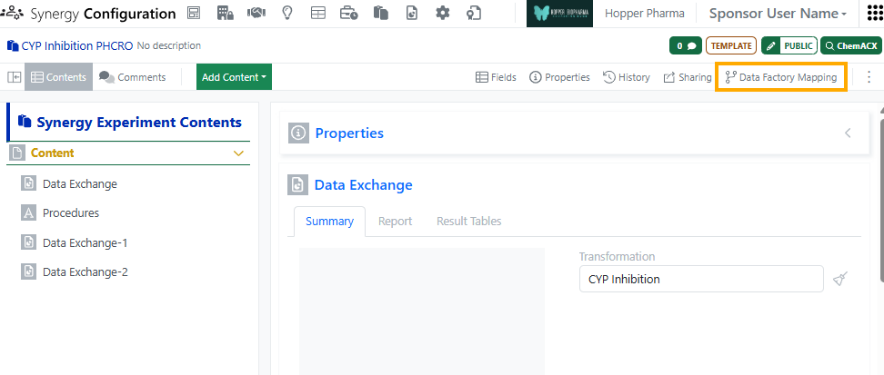
Note, to publish Data Exchange Results Tables, the Synergy Experiment must also be mapped and activated for publishing. To map and activate publishing for a Synergy Experiment Template, go to Synergy Configuration > Synergy Experiments > specific Template > Data Factory Mapping. Here the fields of the Synergy Experiment Template, including those which are Hidden from CRO, can be mapped to Data Factory Attributes and will be included in any publication from this type of Synergy Experiment.
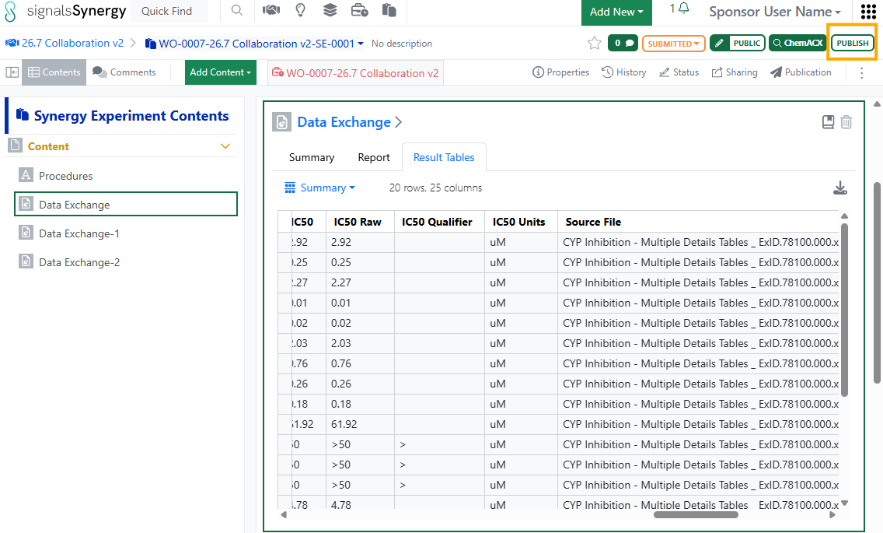
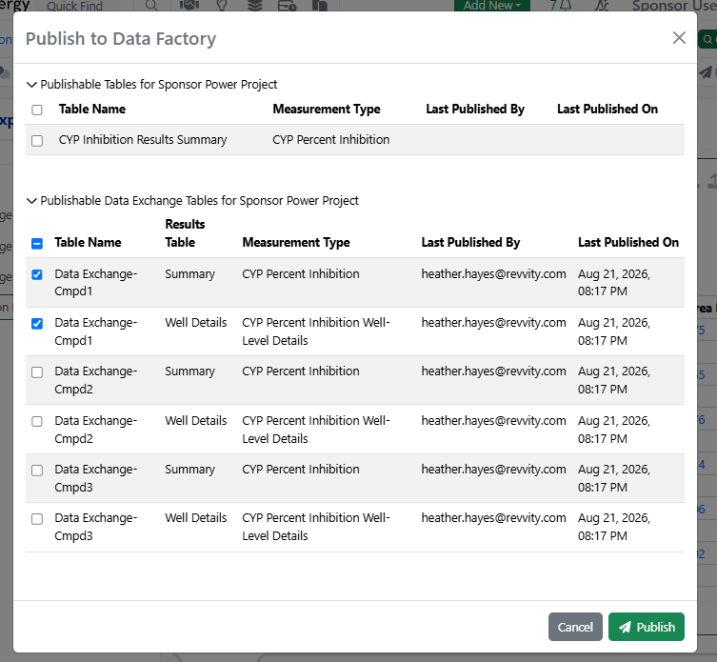
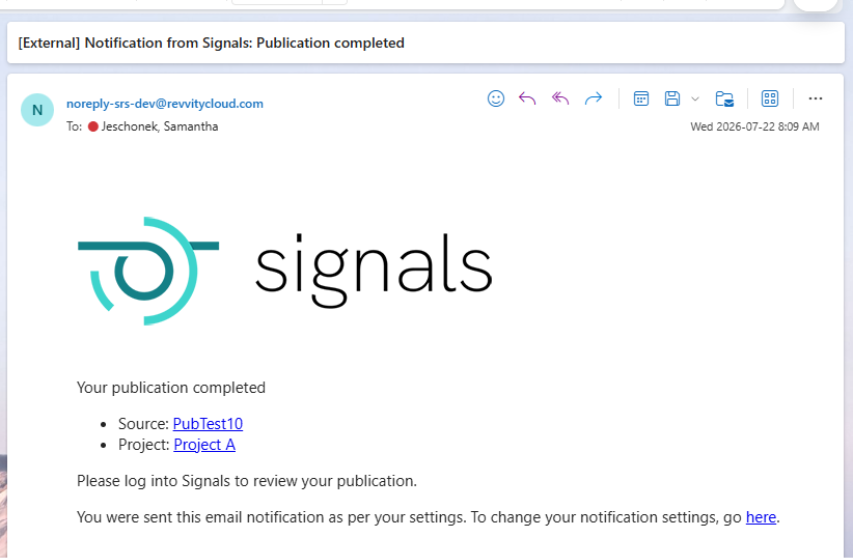
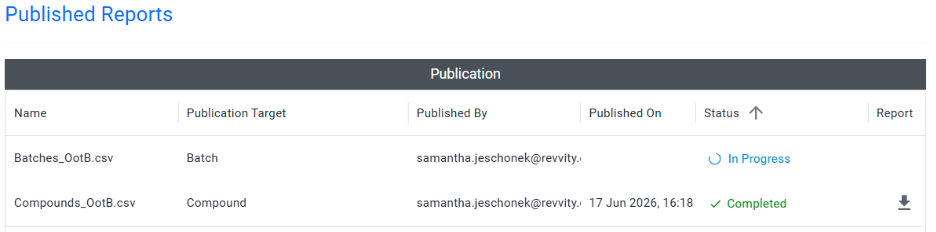
In Synergy, the Sponsor can then publish results from a Data Exchange with this Transformation. First, the Data Exchange element is added to a Synergy Experiment which is activated for publishing and the Transformation is selected. When the CRO user adds the report to the Data Exchange, the Results Tables are automatically populated. After submitting the Synergy Experiment, the Sponsor user selects the Data Factory Project for publication in the Properties (if not already selected) and presses the green Publish button in the upper right corner of the Synergy Experiment. The Sponsor is presented with all tables for publication, which may include Tables and Data Exchange Results Tables. After publication, a notification is provided and the Publication results can be reviewed under Publication in the toolbar.
Xynthetica
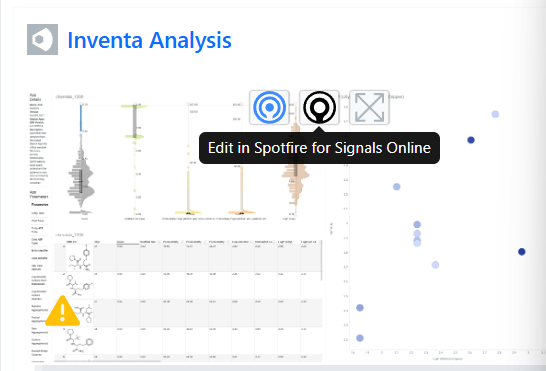
Xynthetica is an AI inference feature currently in Beta. Tenants with Xynthetica beta access can now use AI models in ChemCharts to model predictive properties via Inventa.
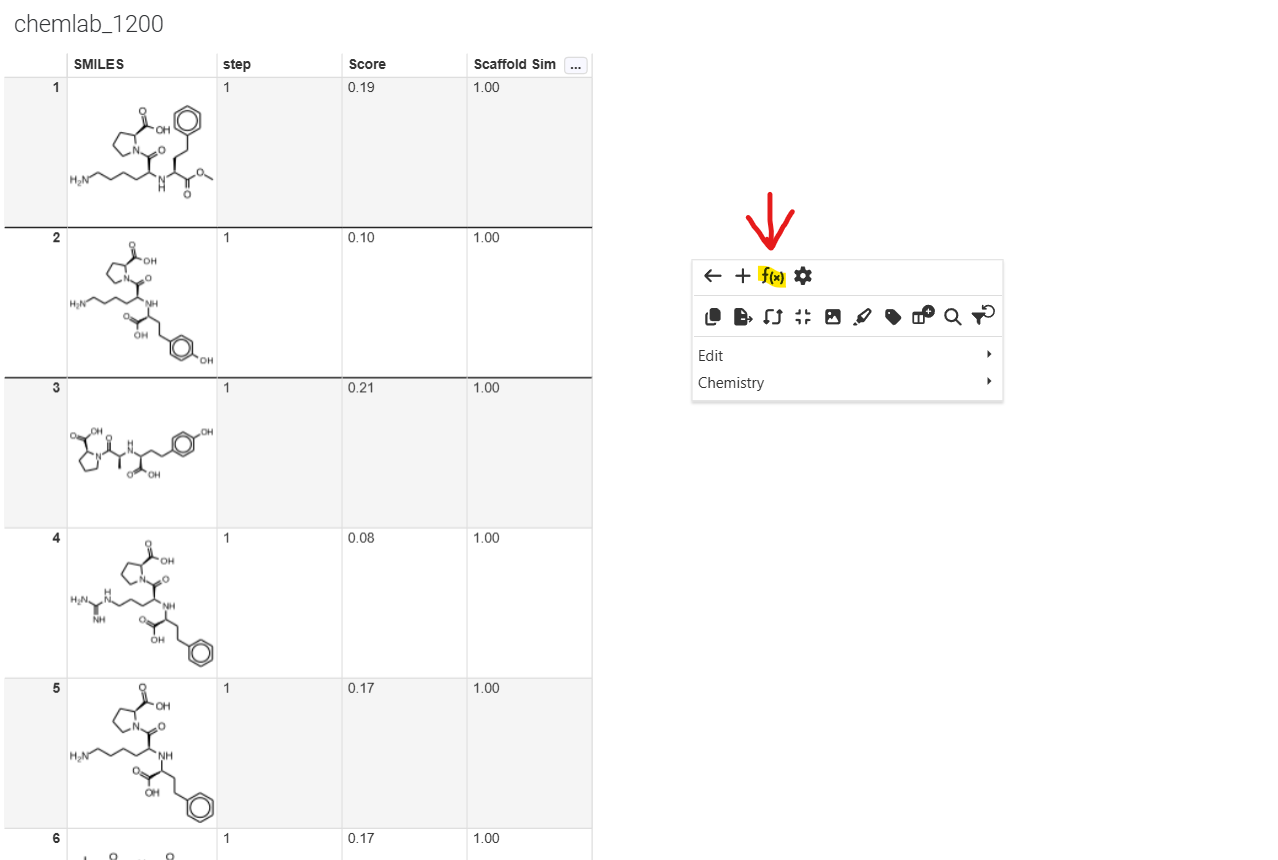
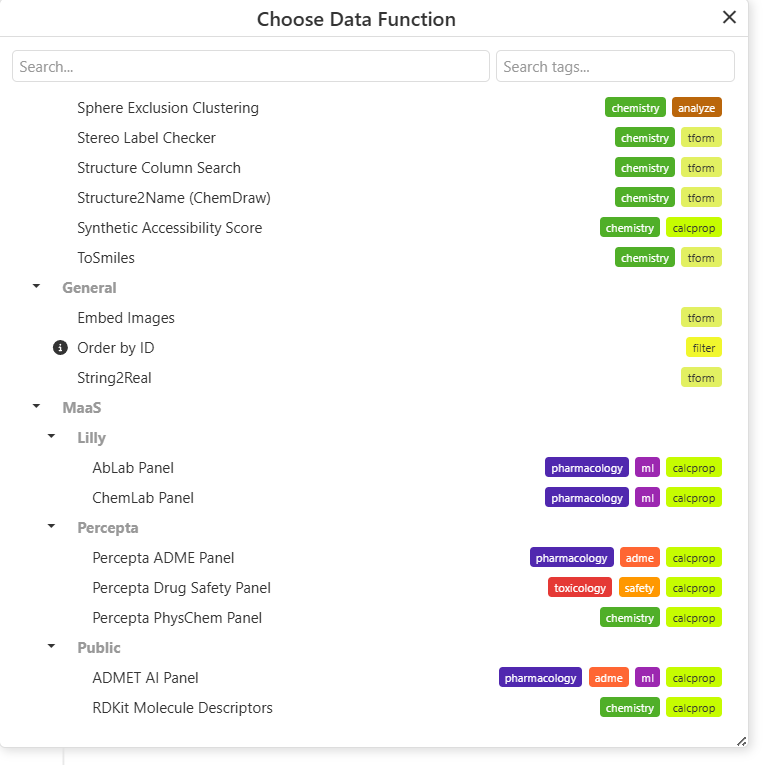
Users can edit in Spotfire as expected. When users select data functions, they will have access to inference models under MaaS (Models-as-a-Service).
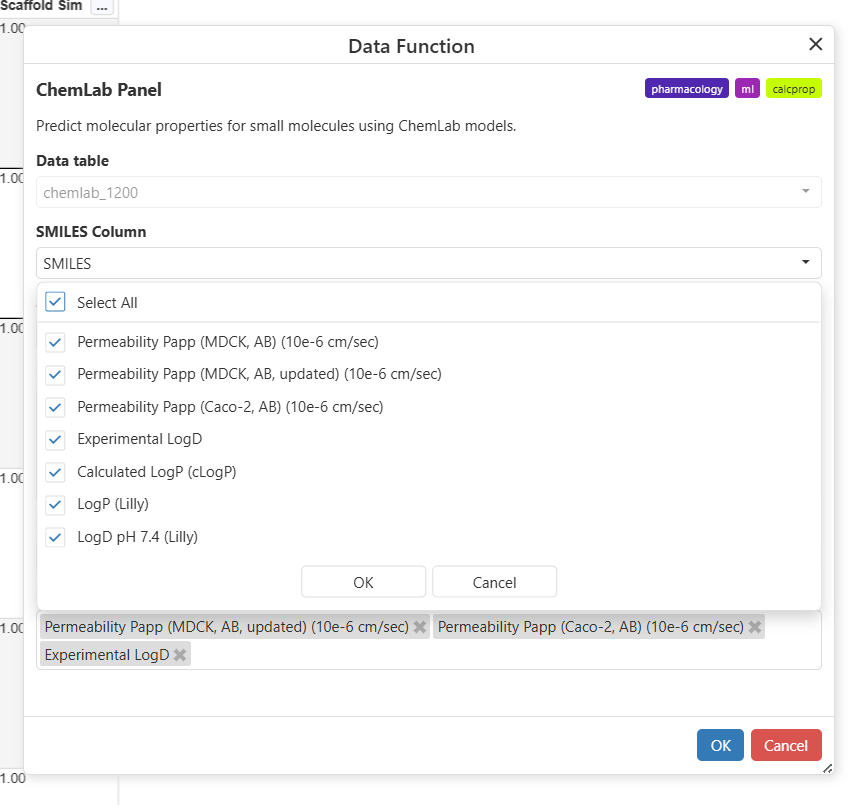
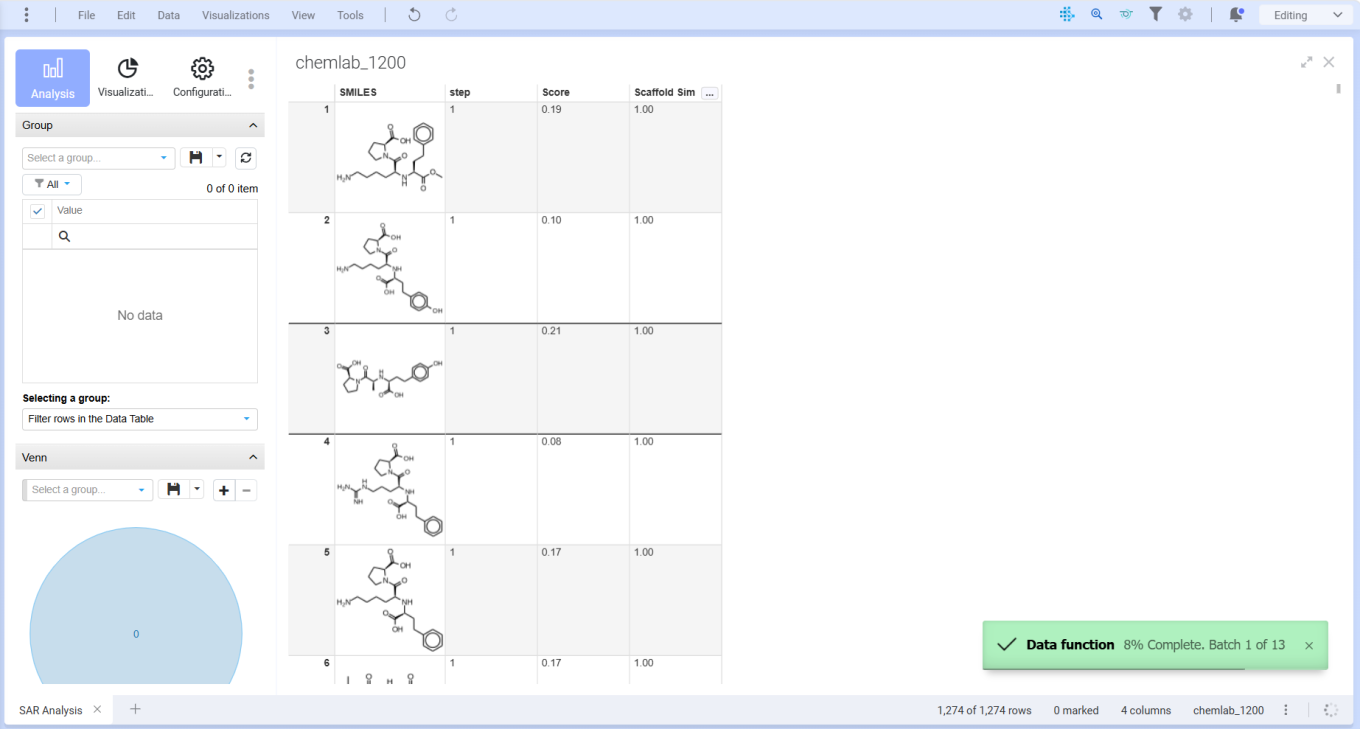
Users should select parameters of interest and progress will display in the lower right as the model computes.
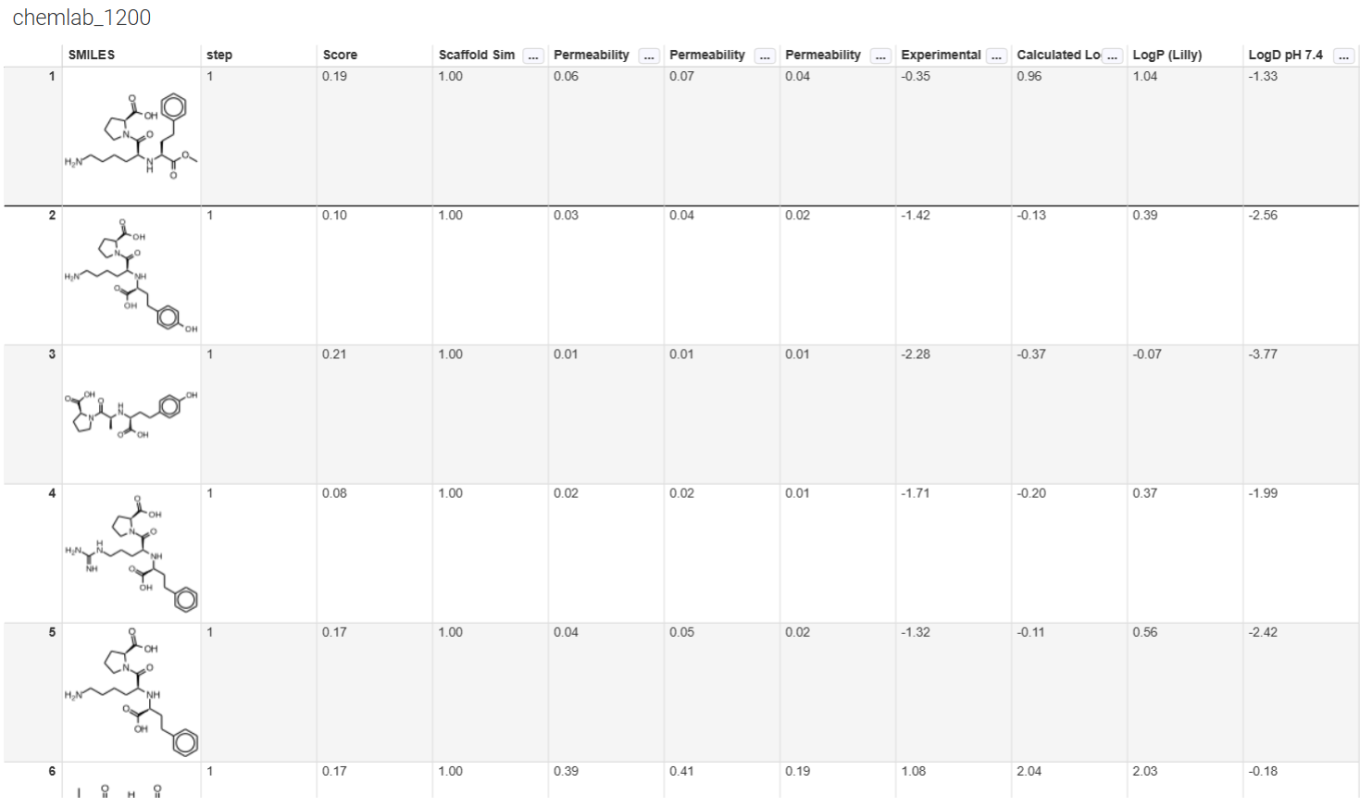
Calculations will appear in the table, after which users can graph conventionally.