What's New
This version 25.2 release of Signals brings the ability for admins to define their own solvents list and associated properties. We have added new workflows in Signals Synergy, Signals Inventa and the Inventory. We have added new calculations and properties, and improved views in tables, in addition to some new calculated properties in Samples. We have added a new capability whereby administrators can enable self registration of users. We have continued to work on our ongoing beta capabilities with the updated ChemDraw sketcher and added new beta capabilities around statuses for Signals Synergy. Finally, we have also fixed a number of small bugs.
The following improvements are available for users, administrators and developers on the Signals platform. Certain features may only be available with appropriate licensing and/or with enablement by an administrator.
- Inventa
– Access externally published datasets in the Publish Measurements App
- Synergy
– Data Grid view and Chemical search in Designs Smart Folder
– Assign Designs to internal (Sponsor) user or user group
– Capture Originating Design on Registered Materials
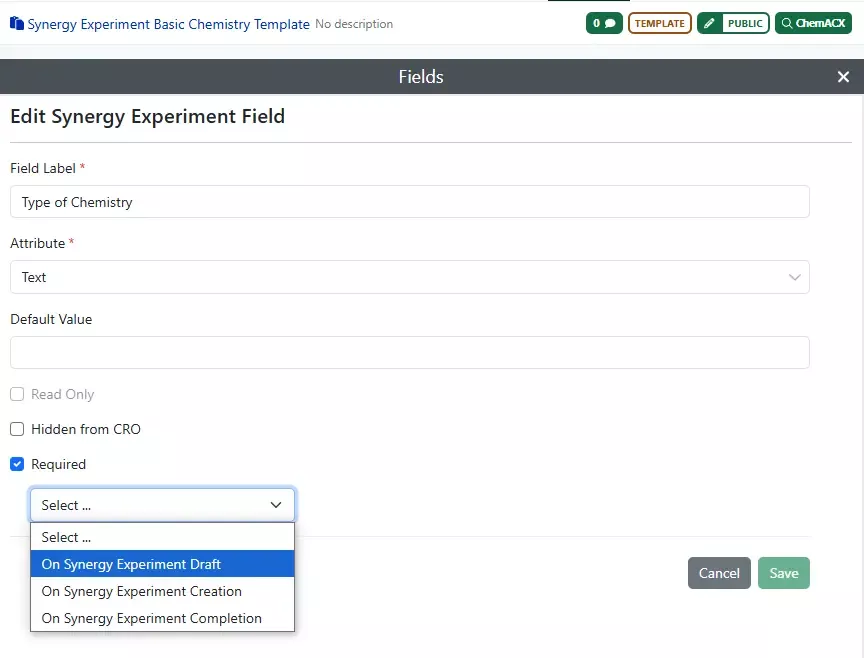
– Option to require a Synergy Experiment Template field On Synergy Experiment Draft
– Expanded Designs Statuses for Design synthesis tracking and Approve Designs for Synthesis privilege (beta)
- Chemistry
– Admin Managed Solvent List
– Selection of attachment points between monomers to create biopolymer crosslinks
– Complementary strands generated from text tab now contain hydrogen bonds
– Chemical Symbols (beta)
– Generate complementary strand tool (beta)
– HELM Auto-pair tool (beta)
– Show 3' and 5' ends of oligonucleotides (beta)
– Join tool (beta)
- Admin Defined Tables & Variation Tables
– Reuse of Containers in Inventory linked tables
– Enhanced data column Headers and Variant highlighting in Horizontal view in Variation Tables
– Variable Measure property in ADTs and Variation Tables
- Samples
– Addition of Radioactivity as a calculated property in Samples
– Addition of Molar Activity (Specific Activity) as a chemical property in Samples
- Inventory
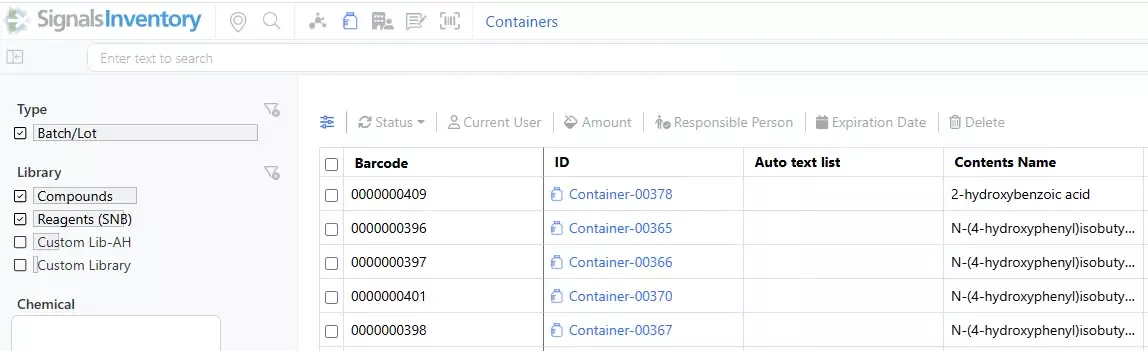
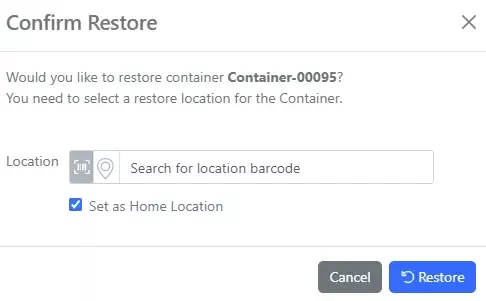
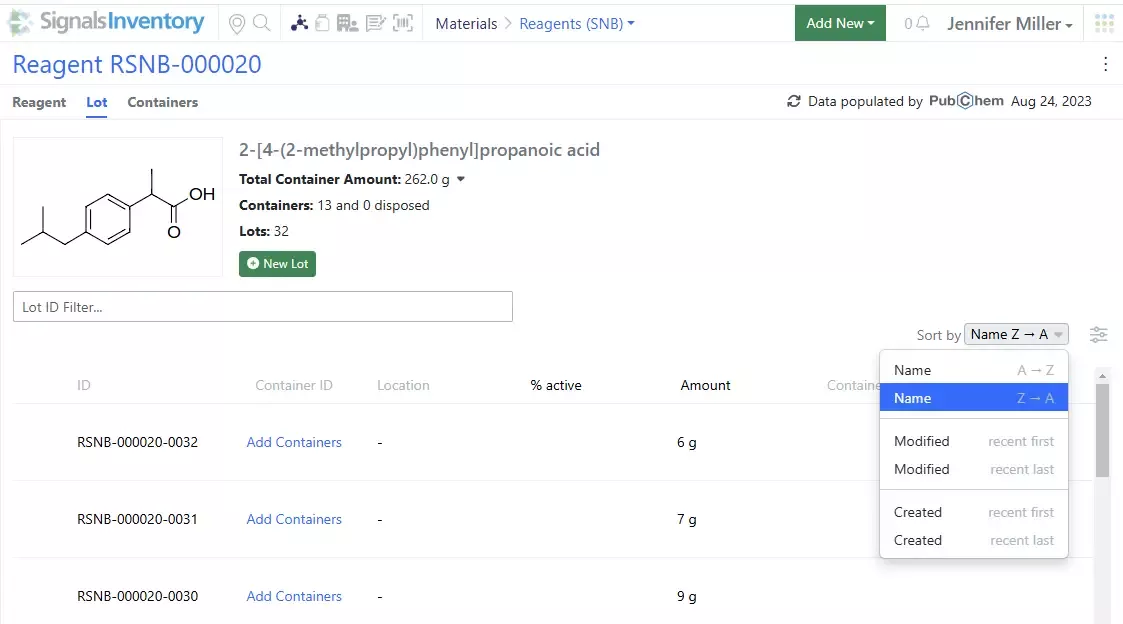
– Bulk Move on Containers on Containers Search Table
- Administration
– Autocreation and licensing of users
- Integration & APIs
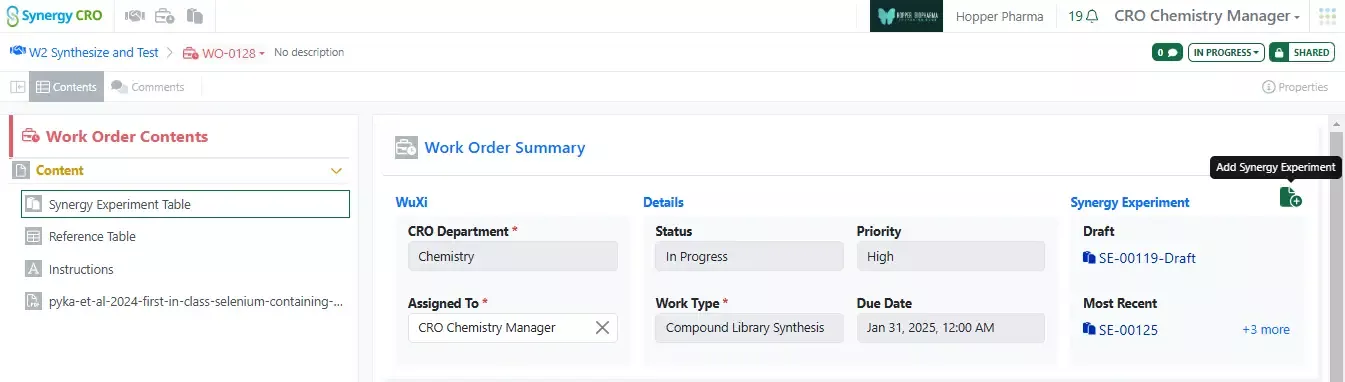
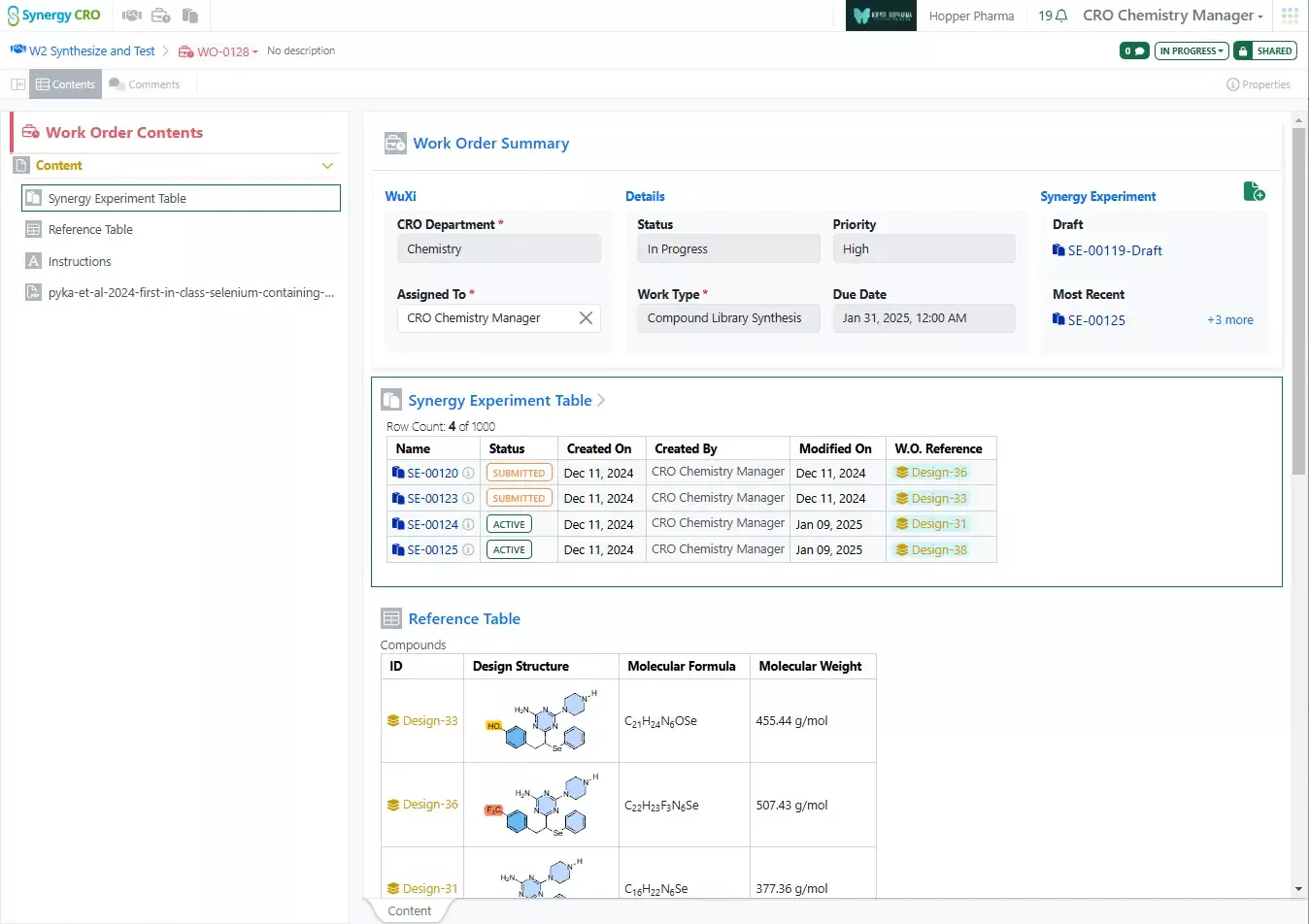
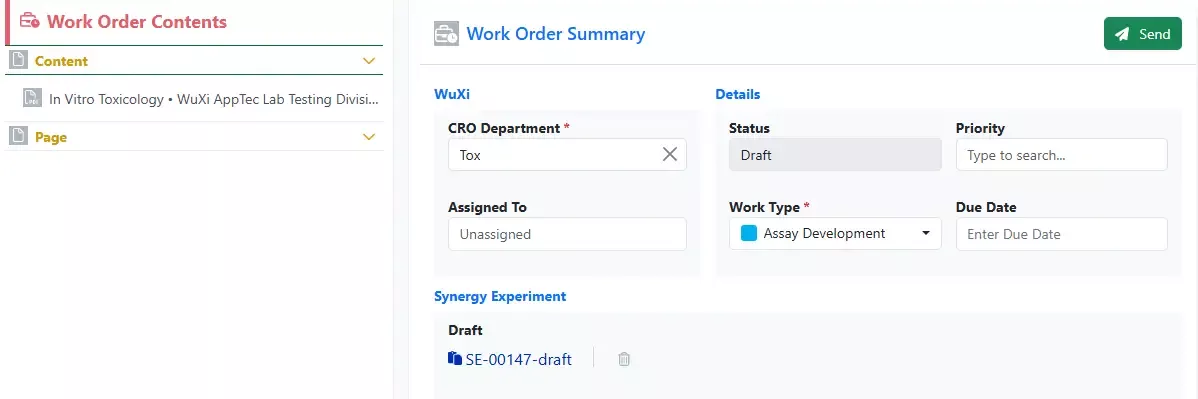
– Draft Synergy Experiments for Work Orders via API
– Work Orders creation via API enhanced to allow specifying Designs
– Sending Work Orders via API
– Partial Print Experiments via API
We also fixed several small bugs in this release. Details of the enhancements are described below.
The following OnDemand videos for Signals Notebook End Users are now available
- CRO User Fundamentals for Signals Synergy
Administrators should be aware that the SDF primary API: DELETE /project-service/projects/{projectUid} has been deprecated in favor of the public DELETE /api/v1/projects/{projectId}
Administrators are recommended to subscribe to the channels within our support news site found at https://support.revvitysignals.com/hc/en-us/categories/360004446171-Support-News which contains more information about releases and other pertinent product information.
This content is anticipated for release on our Production E3 environments, and for Private Cloud customers on our deferred release schedule, in July 2025.
Further Details
The following improvements are available for users, administrators and developers on the Signals platform. Certain features may only be available with appropriate licensing and/or with enablement by an administrator.
Inventa
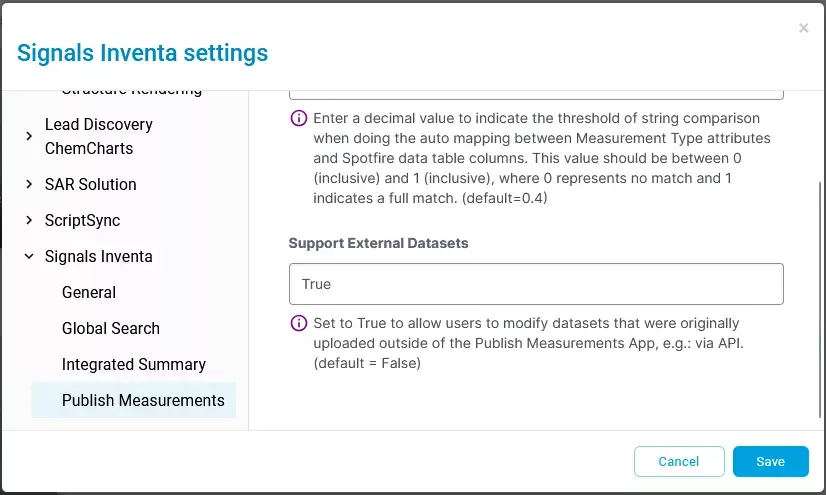
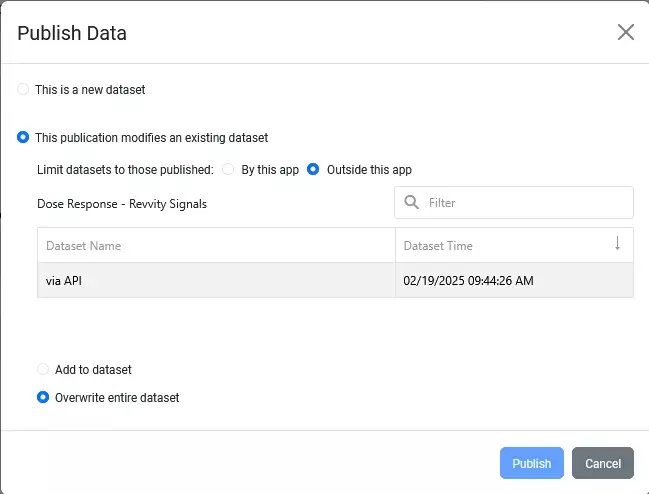
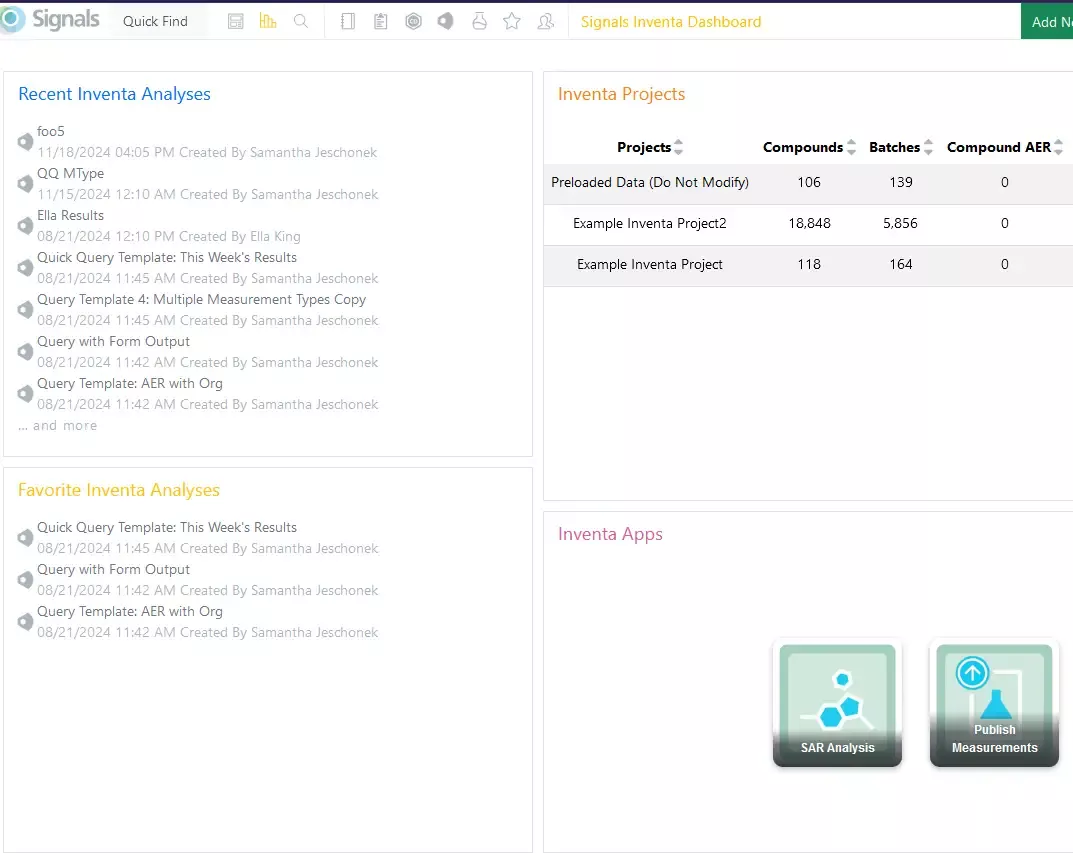
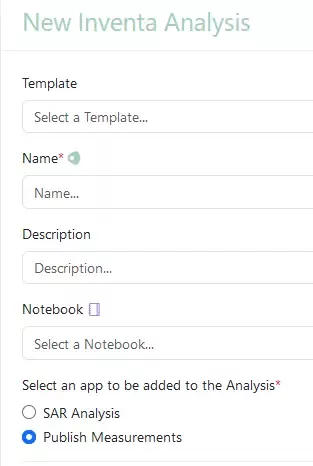
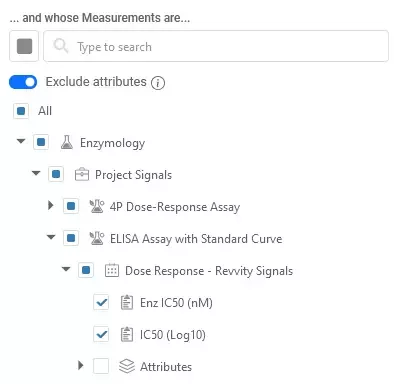
Previously, the Publish Measurements App only accessed datasets published directly from the app. Now, admins can also allow access to datasets published externally, such as via APIs.
Synergy

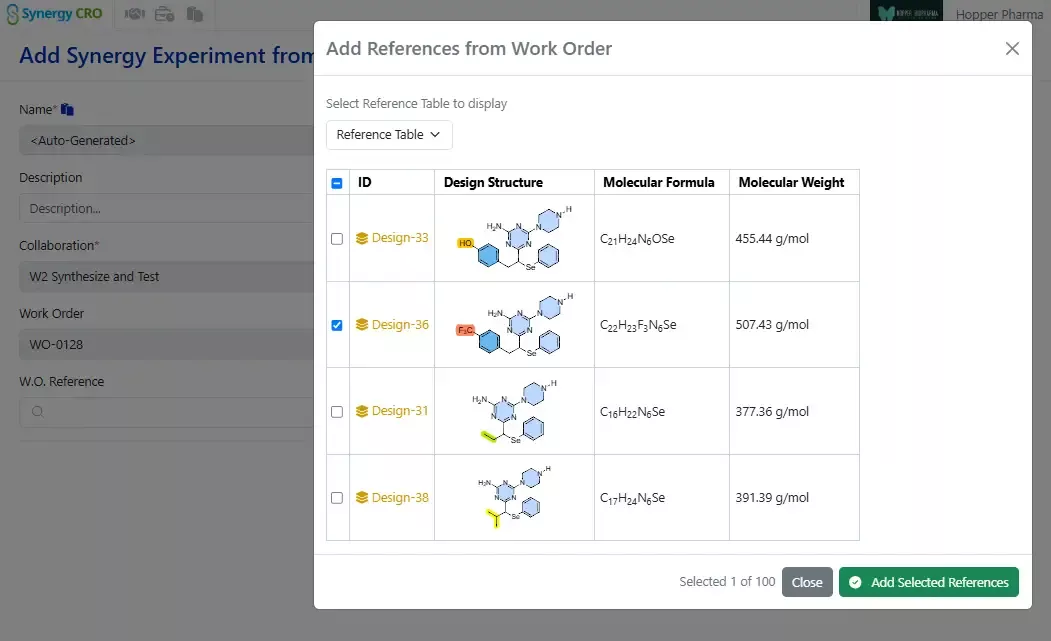
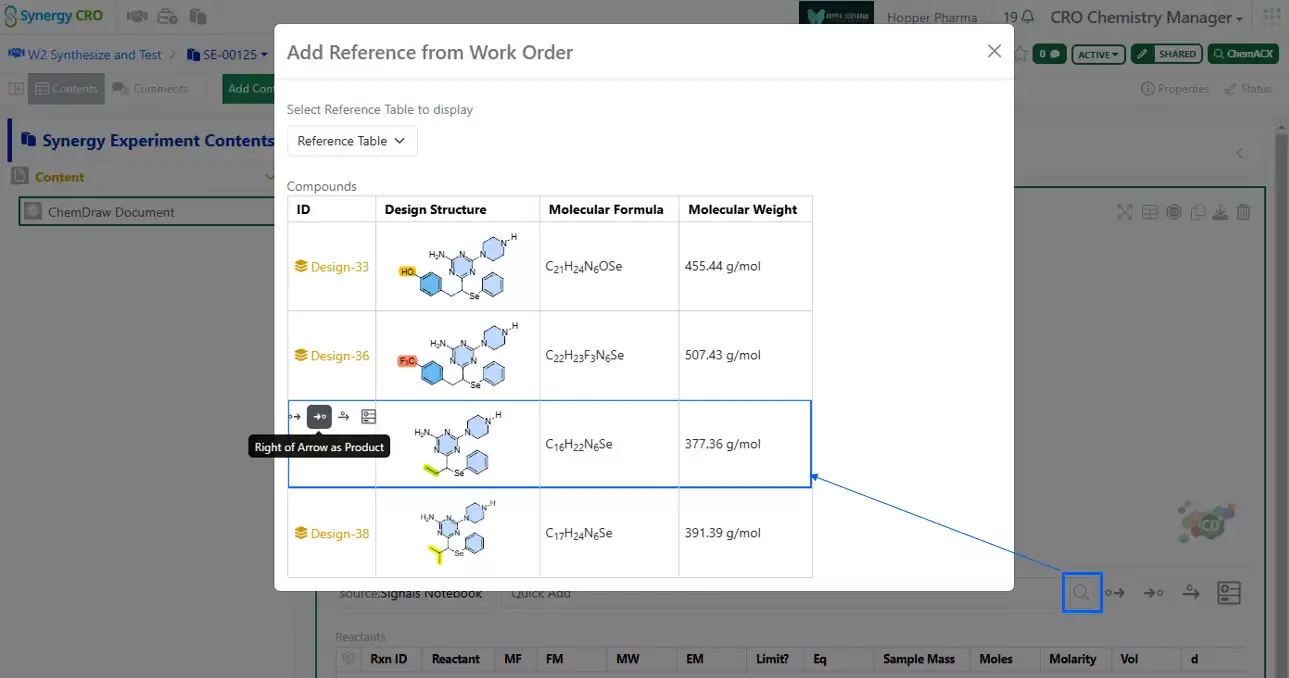
The Designs Smart folder can now be viewed as a Data Grid. In addition, the Designs Smart Folder now includes chemical search functionality, previously only available in Advanced Search.
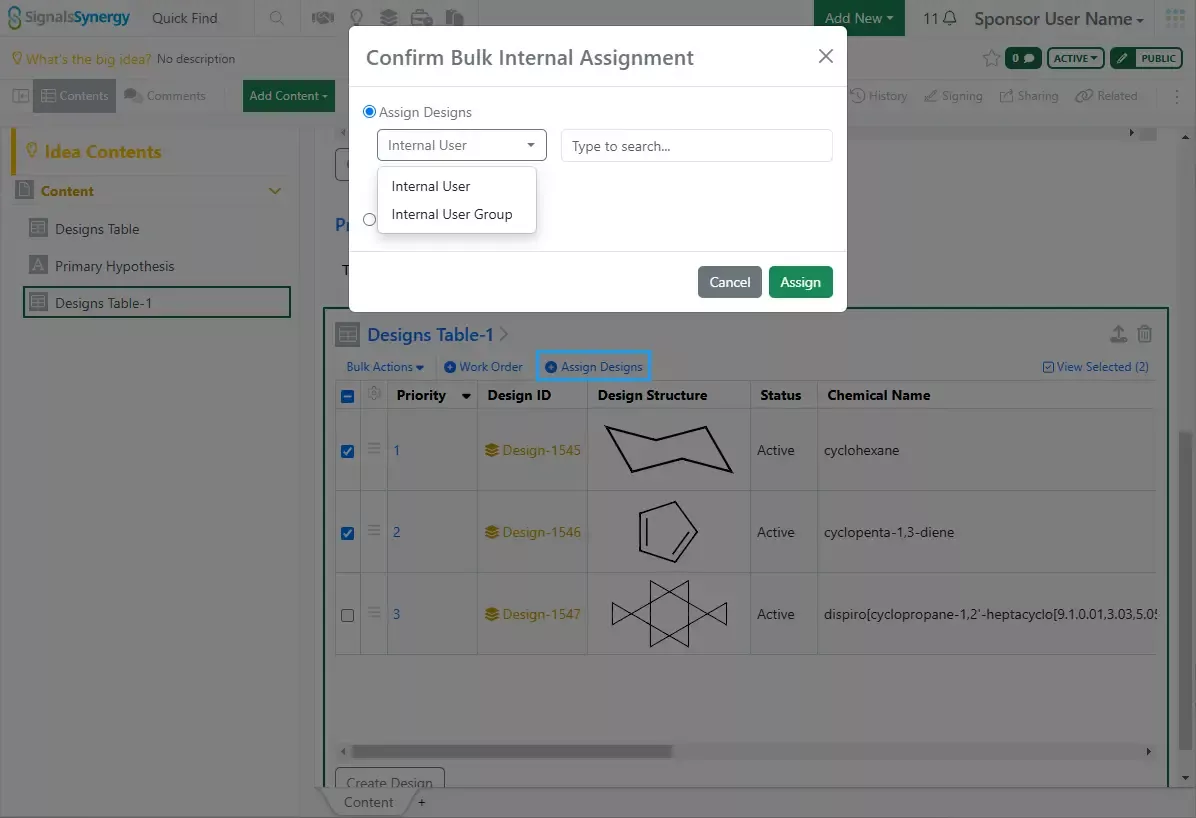
Designs can be assigned to an internal user or user group. Assignment is stored on the Design as Assigned User and Assigned Group. Note that this functionality is only available on newly created Designs.
Material assets have a new property called Originating Design, which allows the user to capture the Design from which a material derived. Originating Design is automatically populated when a user registers a Sample with the W.O. Reference set to a Design or when the user associates a Material ID with a Design. Originating Design can also be manually added during individual material creation or bulk import.
Finally, Synergy Experiment Templates now have three options for required fields: Required On Synergy Experiment Draft (new), Required On Synergy Experiment Creation, or Required On Synergy Experiment Completion. Required On Synergy Experiment Draft requires the Sponsor to enter a value before sending to the CRO, whereas Required on Synergy Experiment Creation requires the CRO to enter a value before creating a Synergy Experiment from the Draft.
Chemistry
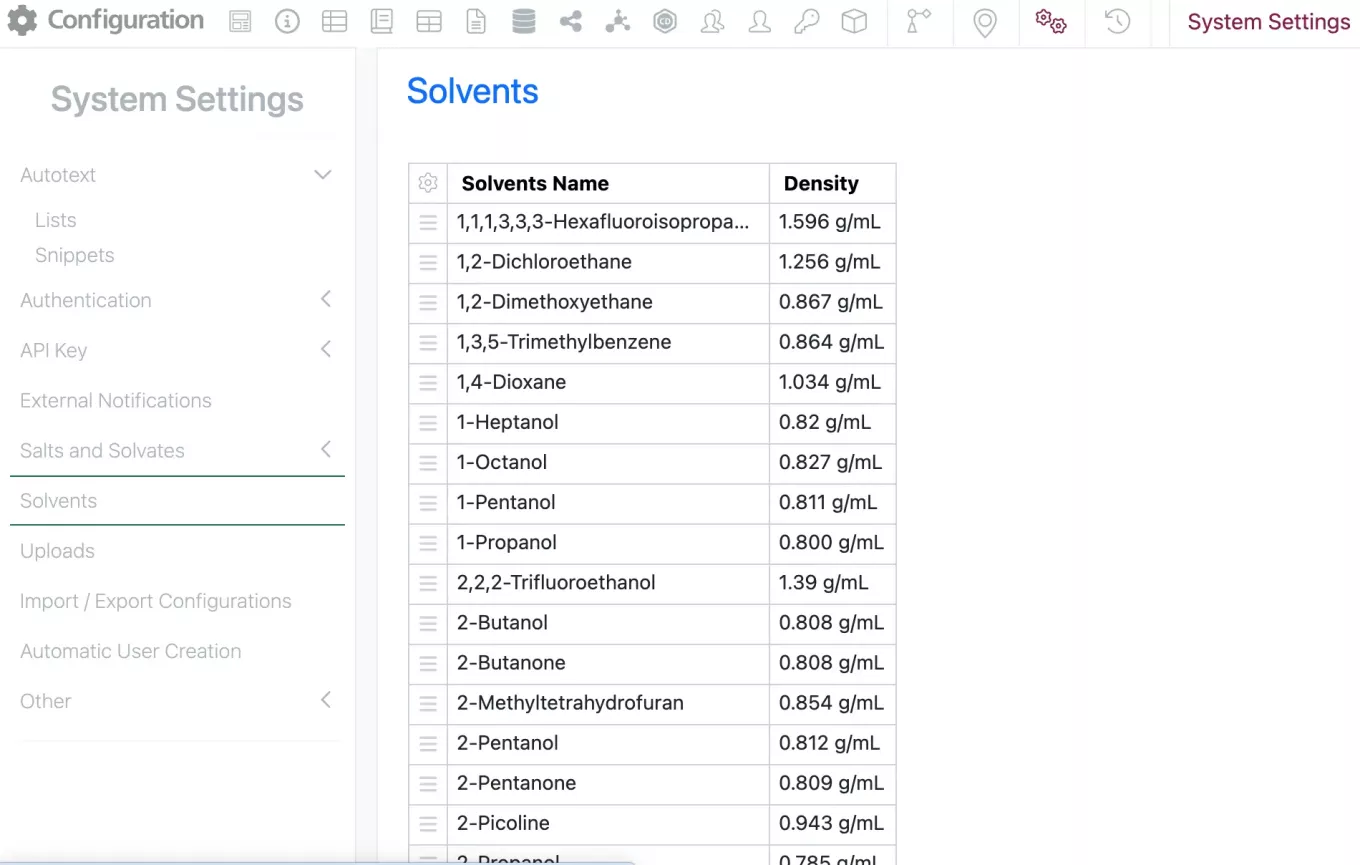
Admins are now able to manage the Solvent list under the system settings in the SN Config.
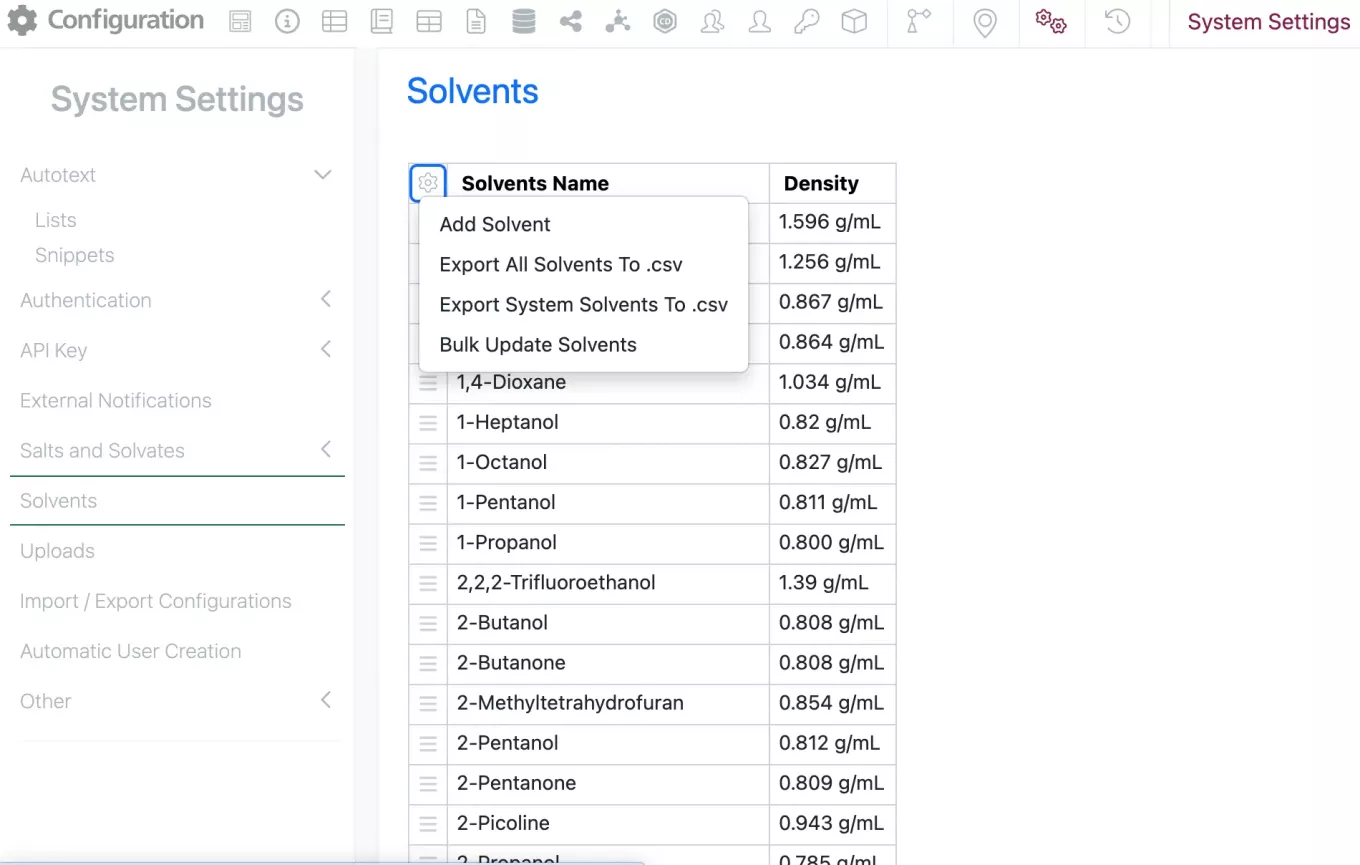
The admin can add individual solvents or upload a csv of solvents by selecting the gear in the top left corner.
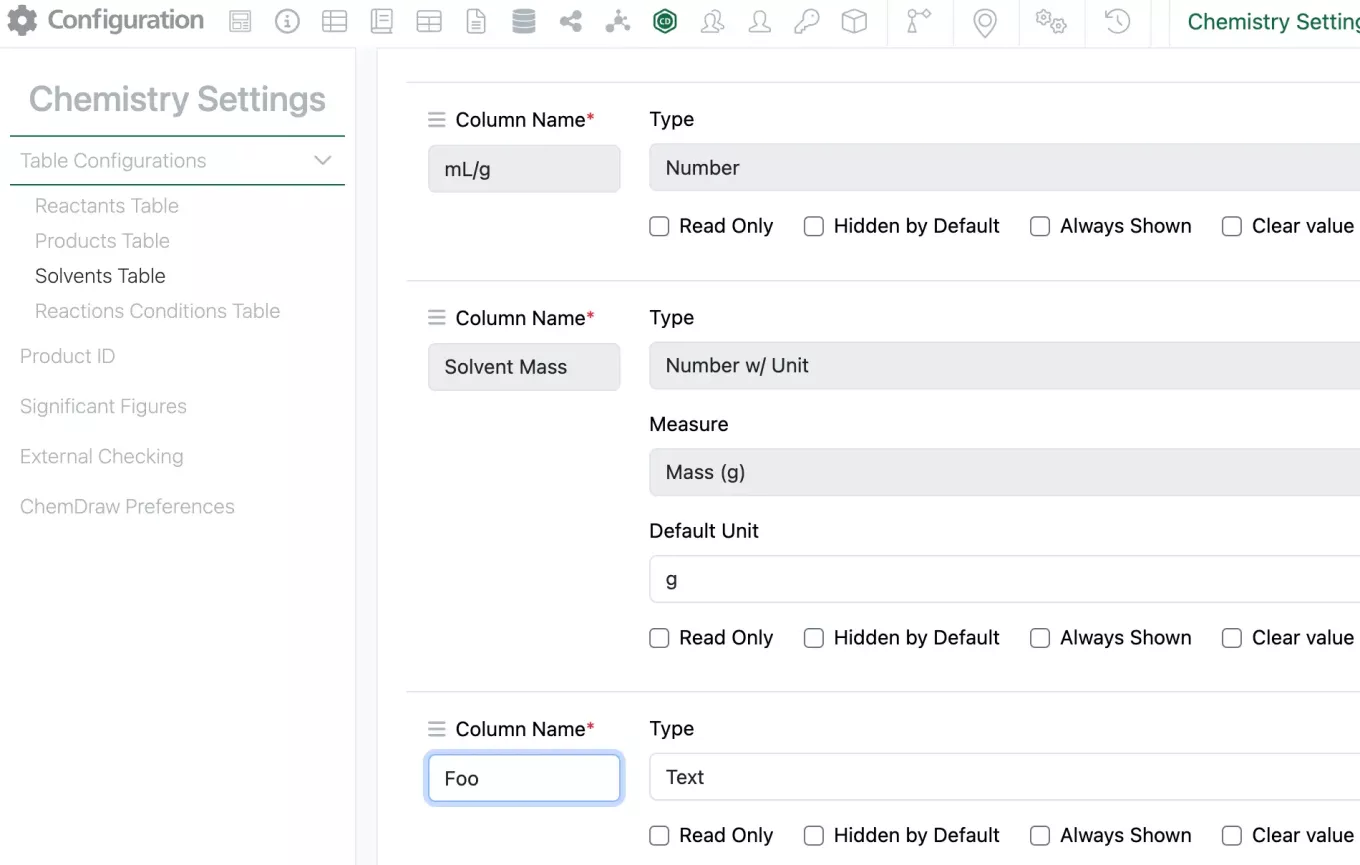
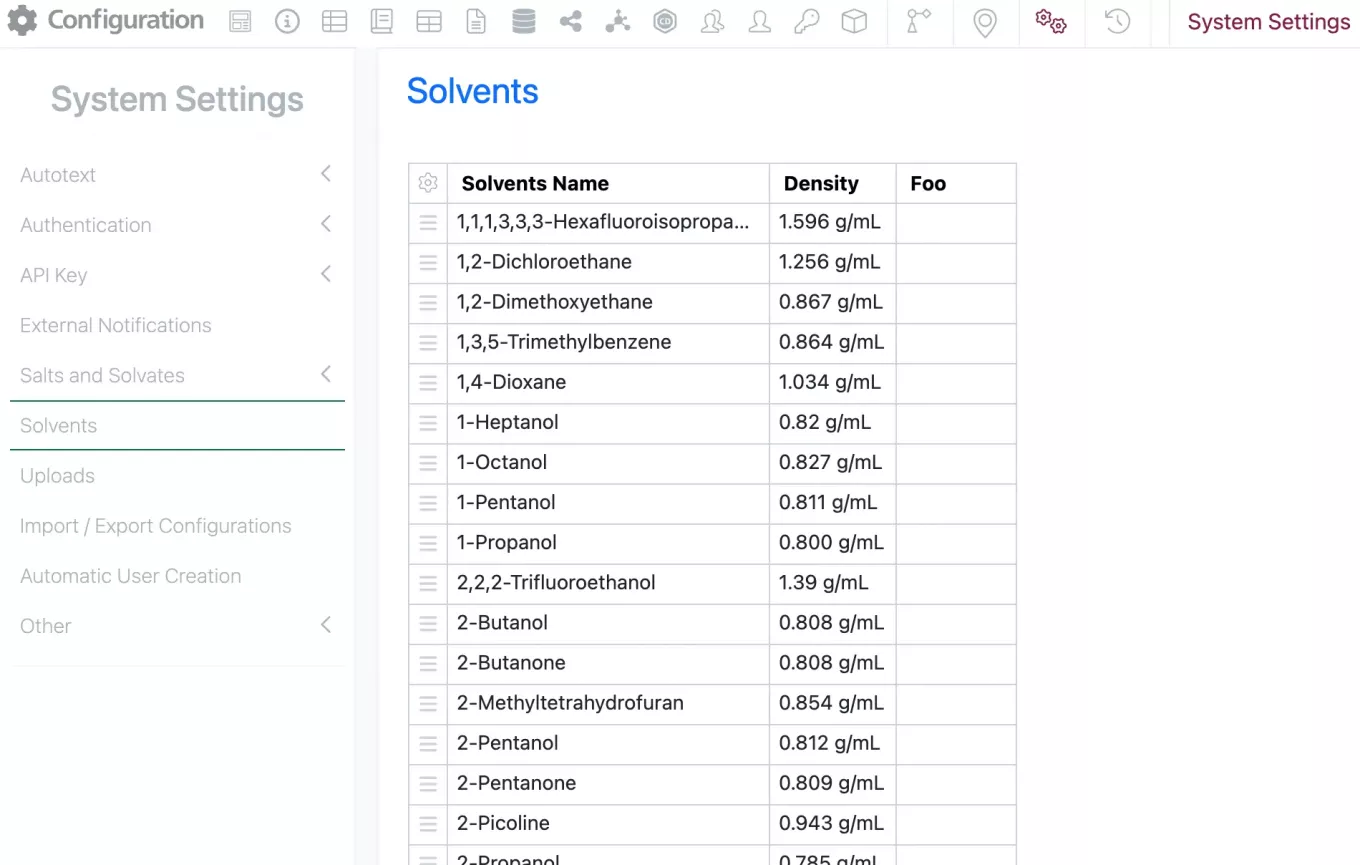
To customize the columns available in the Solvent list, the admin can add the column to the Solvent table in the Chemistry settings. The new column will then be available in the Solvent list. Currently only Text type columns can be automatically mapped.
These new columns can then be populated in the solvent list manually or via csv upload. If the column is removed from the Solvent Table in the chemistry settings, it is removed in the Solvent list.
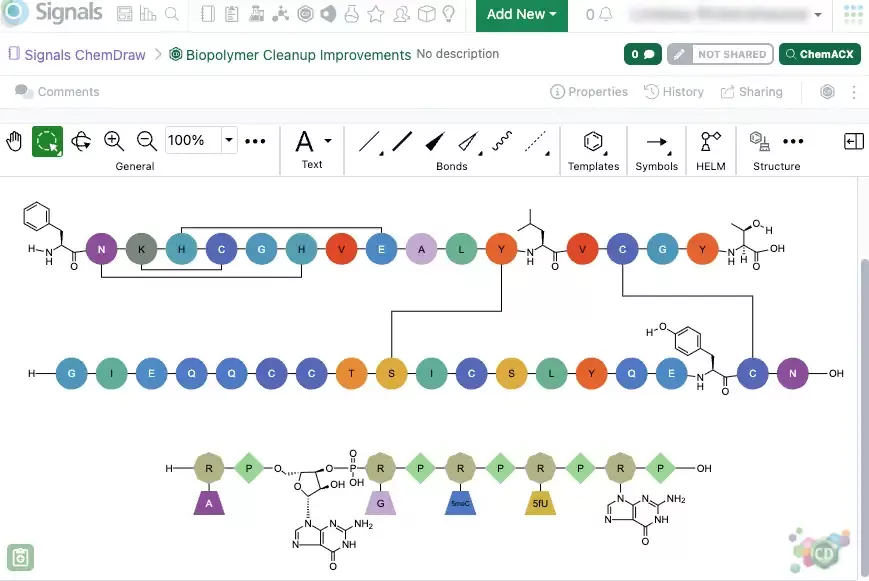
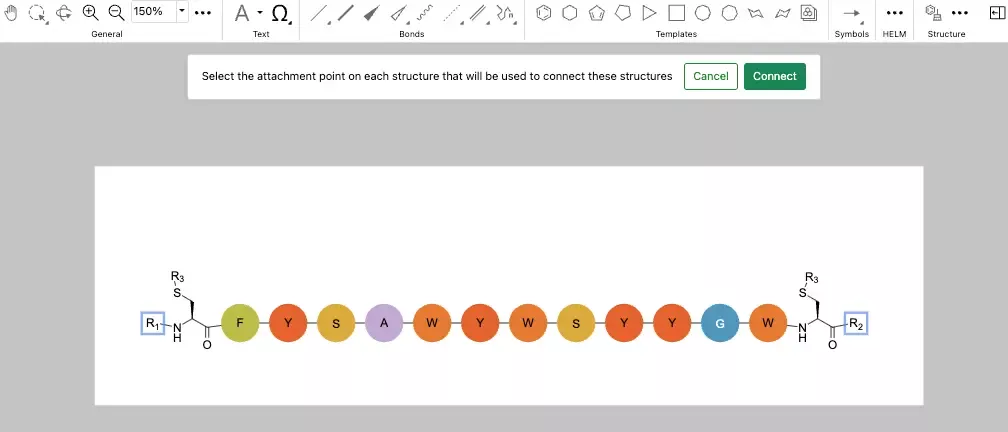
The creation of biopolymer crosslinks between monomers with multiple possible attachment points is now supported. When creating a crosslink, the monomers will now expand, allowing users to select specific attachment points to make the connection.
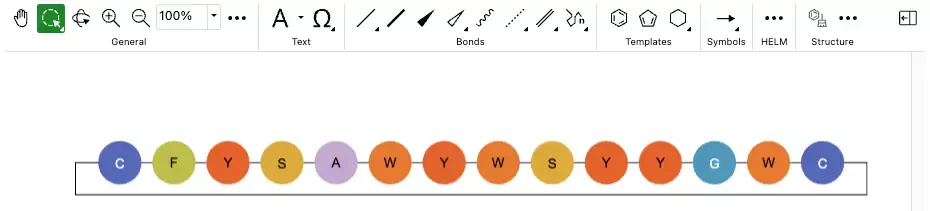
After making the selection, users can finalize the process by selecting "Connect," and the monomers will be successfully crosslinked. This new capability is available in both the legacy and new ChemDraw editor in beta.
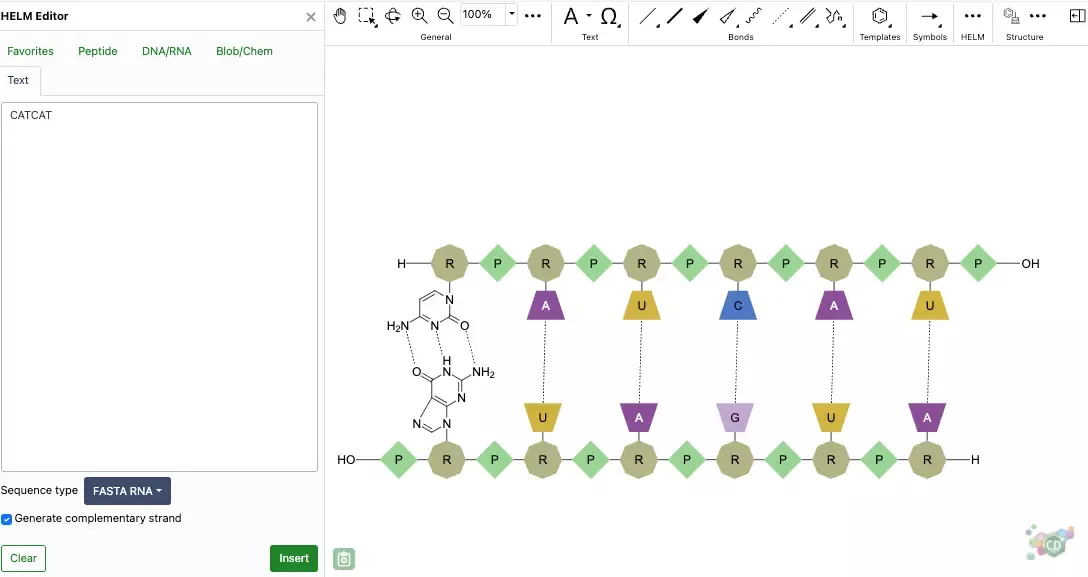
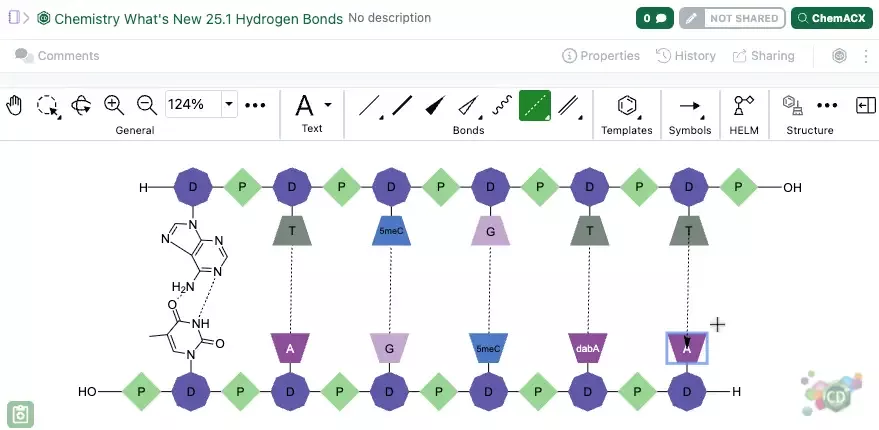
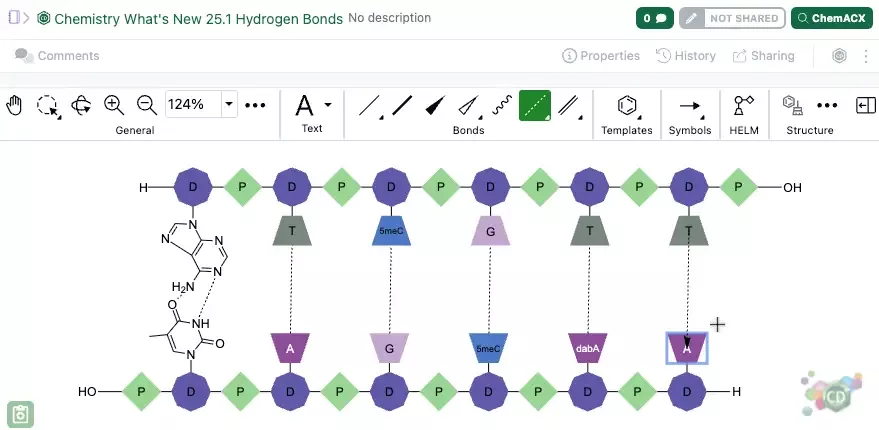
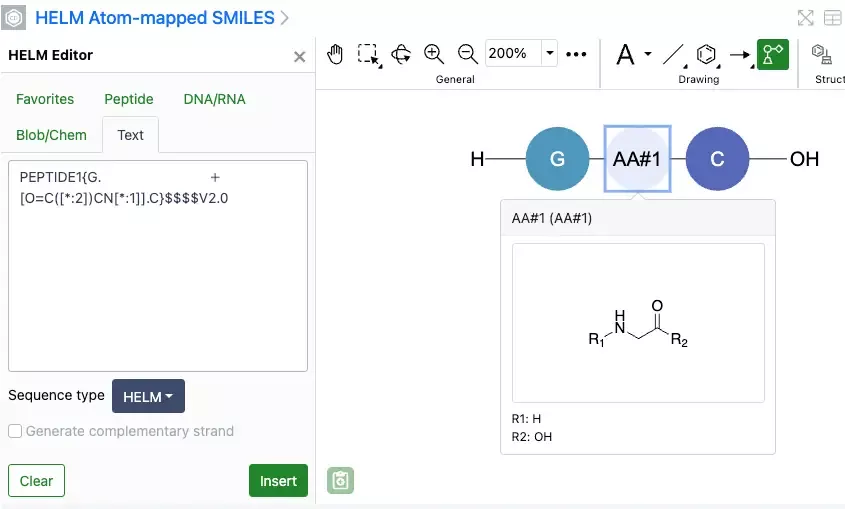
Complementary strands of RNA or DNA that are created from the text tab of the HELM editor are now created with hydrogen bonds automatically mapped between the strands. The hydrogen bonds are placed according to Watson-Crick base pairing. Hydrogen bond pairing information is now supported in ChemDraw when inserting HELM strings or pasting them on the canvas. Additionally, when generating a HELM string for a sequence containing hydrogen bonds, the resulting HELM string will now contain the pairing details. This new capability is available in both the legacy and new ChemDraw editor in beta.
Admin Defined Tables & Variation Tables
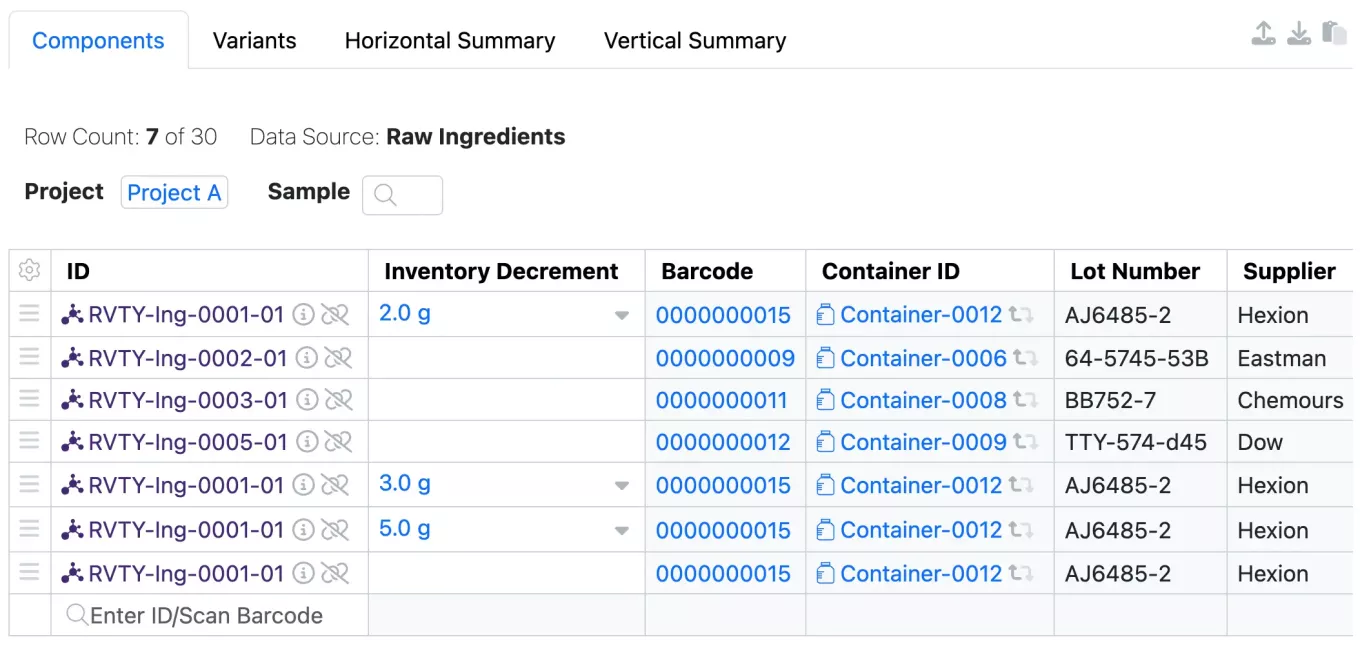
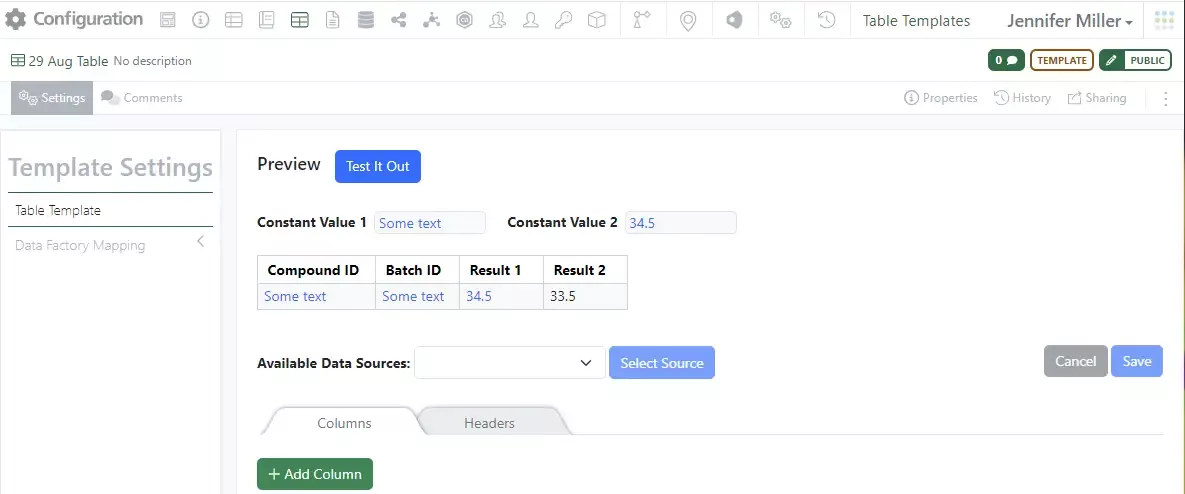
We have relaxed the restriction on the multiple use of Containers in Admin Defined Tables and Variation Tables that are enabled with the Inventory Columns. Tables must be configured to use an Internal Data Source and the Inventory Columns enabled. Now the user is not prevented from adding the same container multiple times to the Admin Defined Table or the Components Table in Variation Tables.

Enhanced data column Headers and Variant highlighting in Horizontal view in Variation Tables
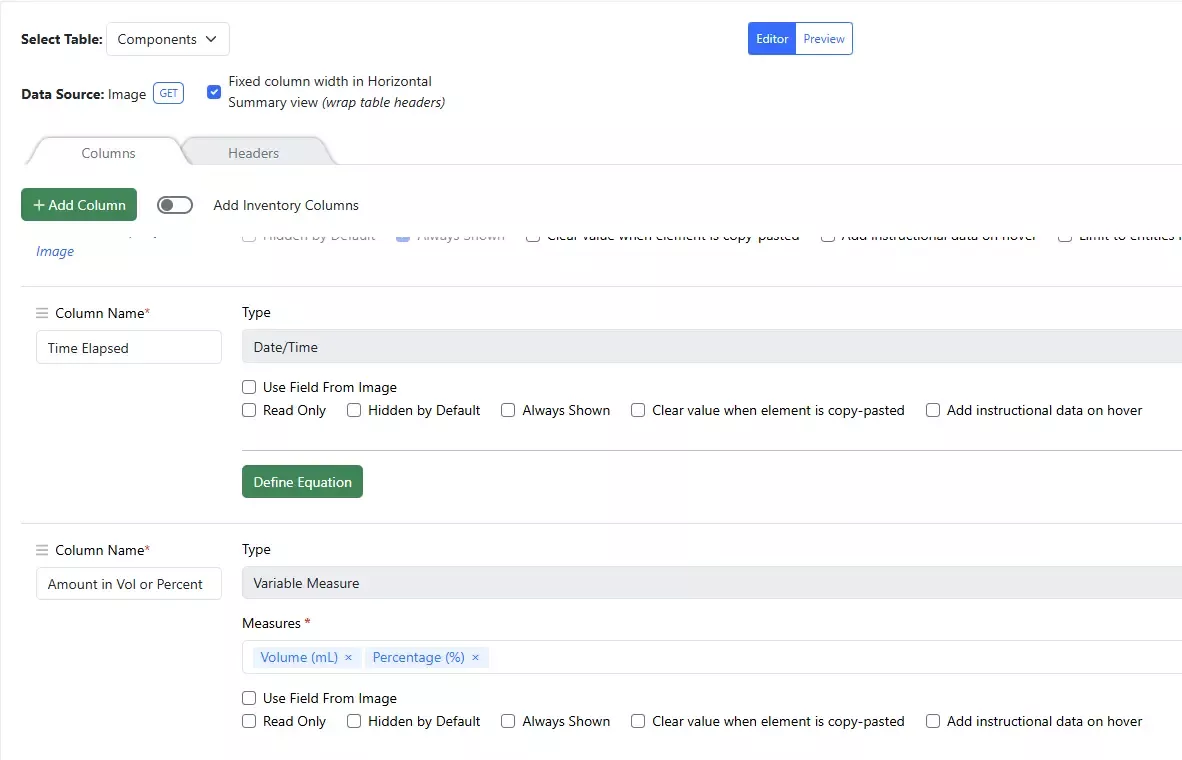
A new option to fix the column width and allow wrapping of the table headers is available to administrators when creating or editing Variation Tables:
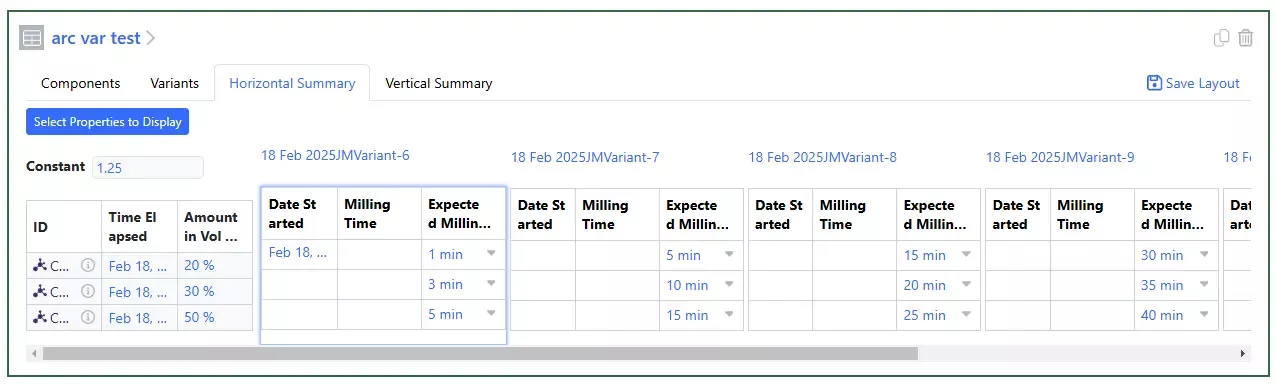
This allows for a more compact visualization of the horizontal summary view. Now the entire variant is highlighted when users click into a cell to enter data:
Variable Measure property in ADTs and Variation Tables:
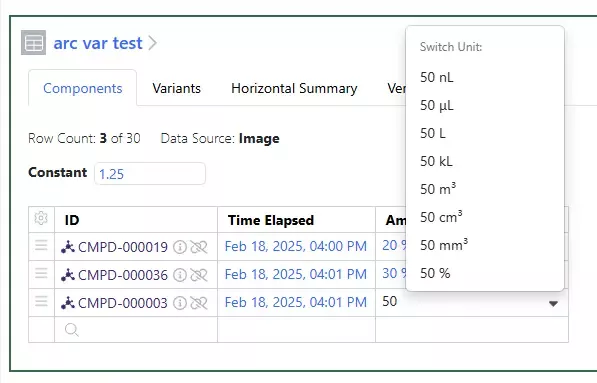
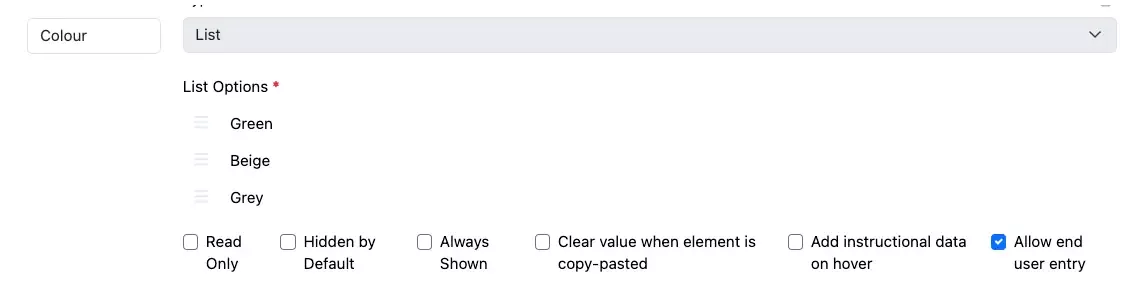
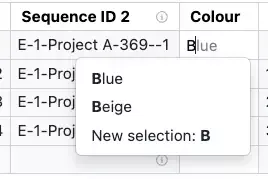
Administrators can now create Columns with the Type of Variable Measure and can set the Measures that users can choose from when entering data into Admin Defined Tables (ADTs) or Variation Tables:
Samples
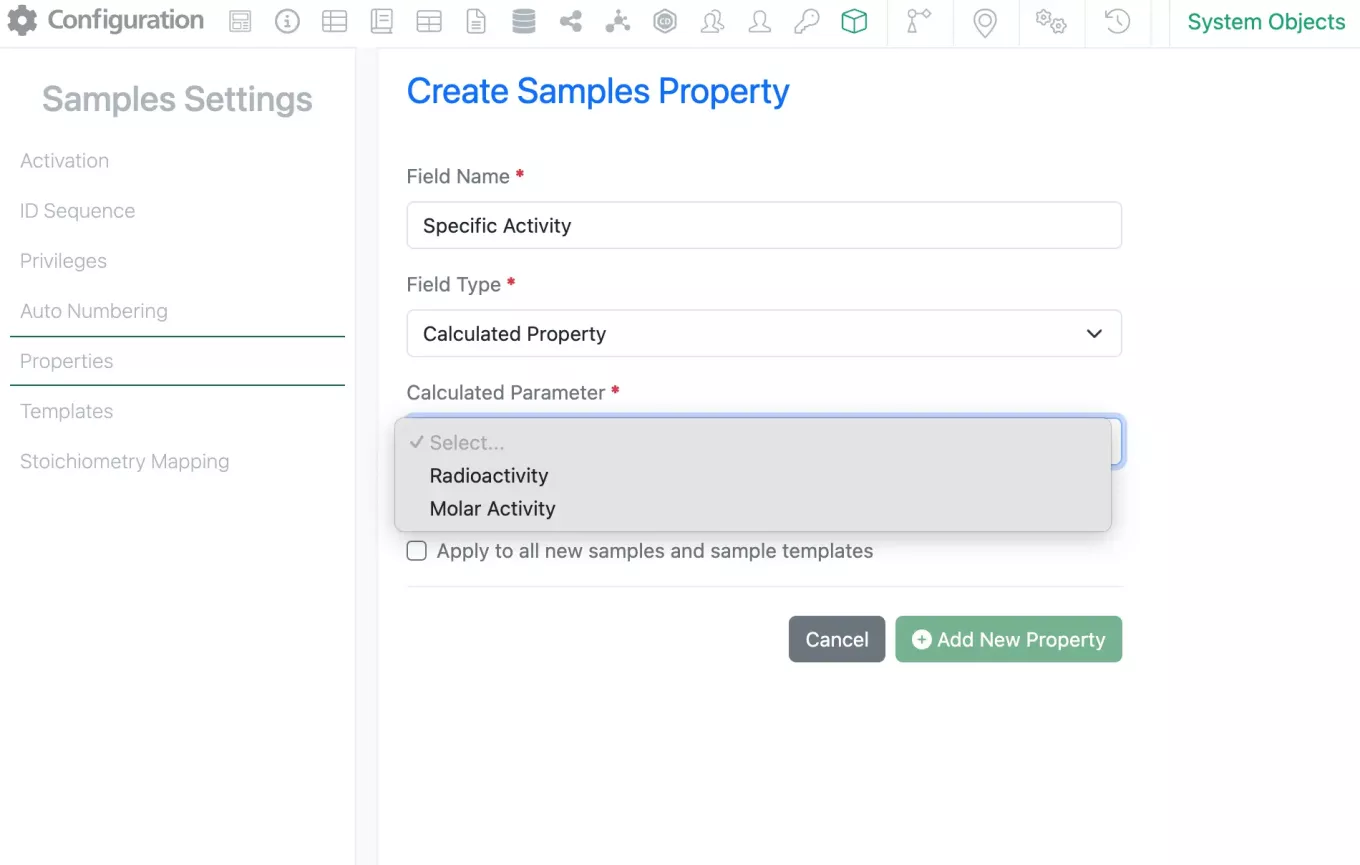
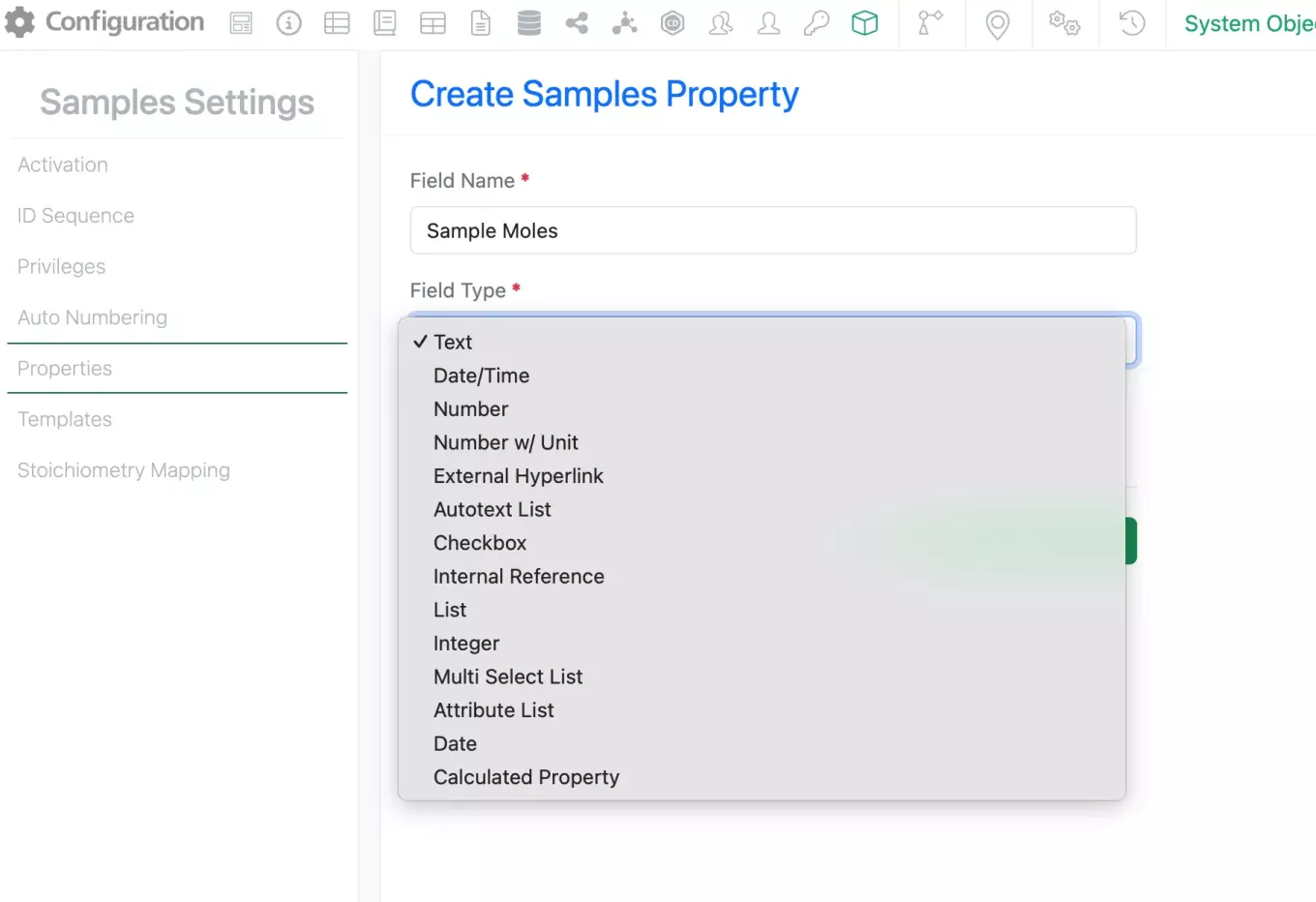
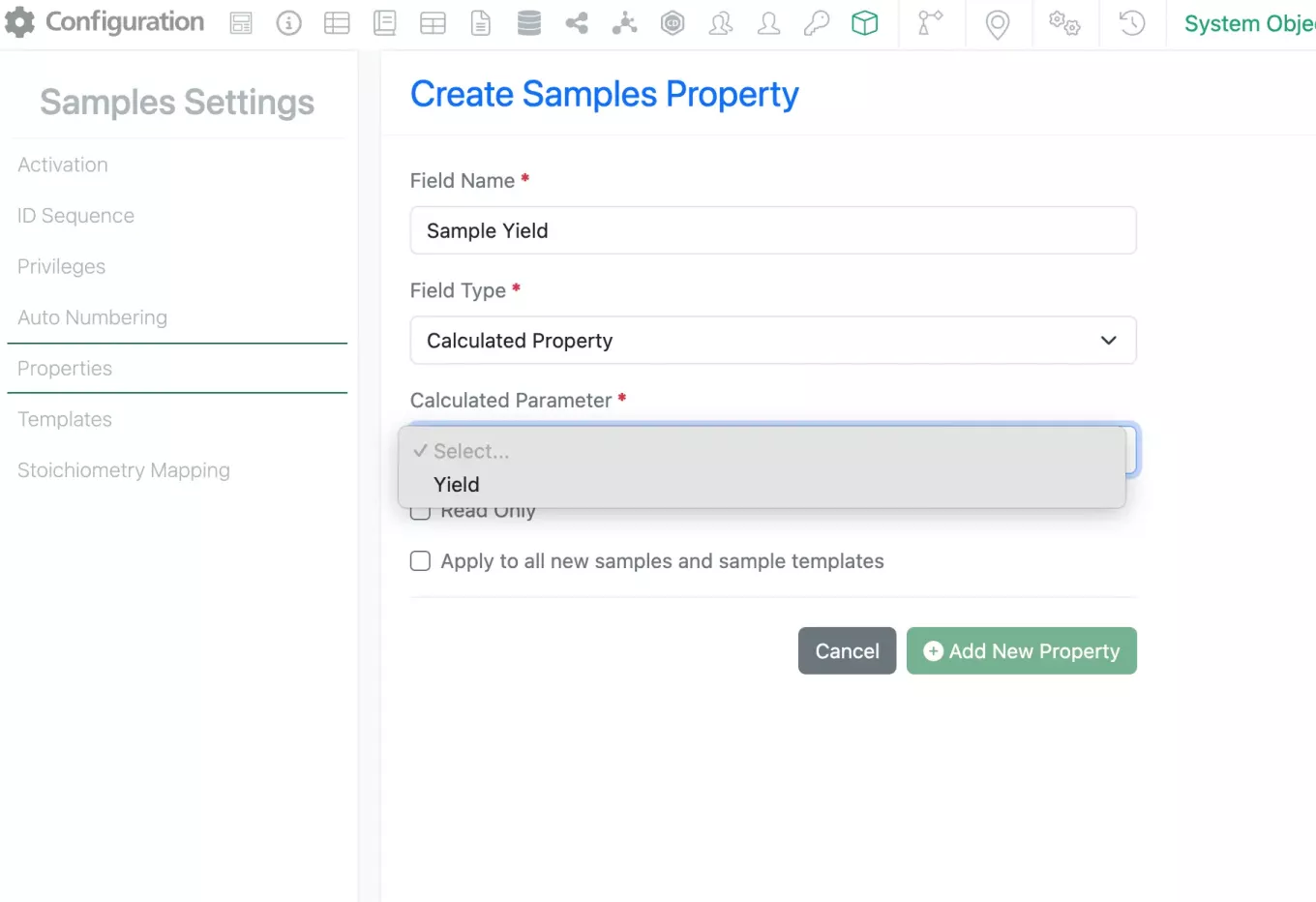
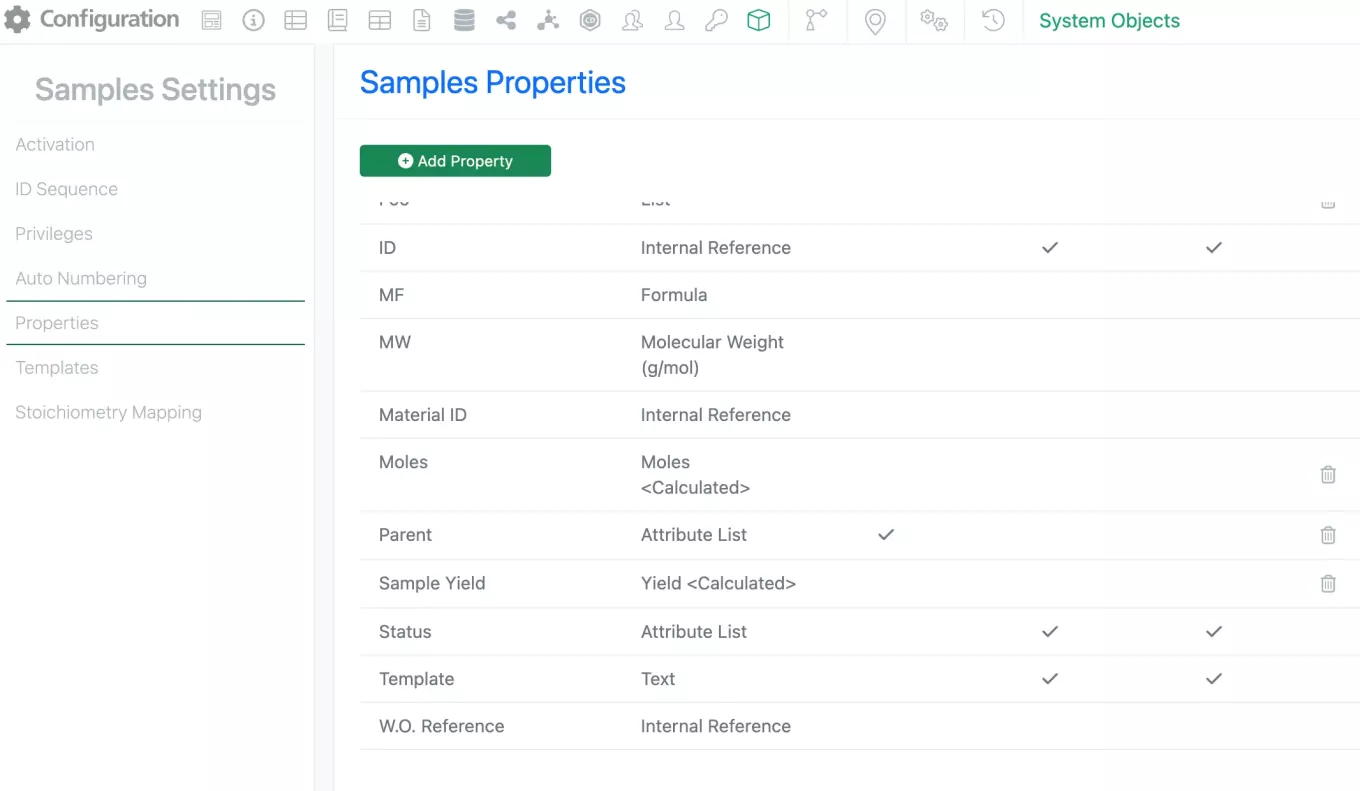
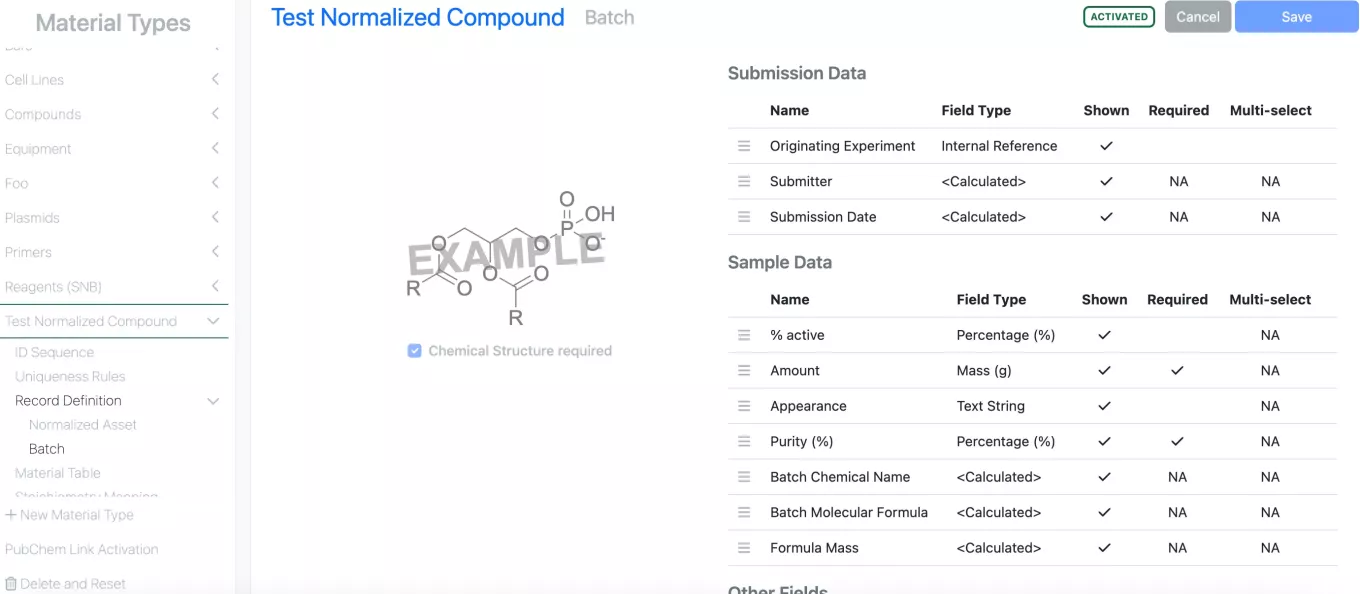
New calculated properties for Samples have been added using the new Radioactivity units. Now available under Sample settings are the Radioactivity and Molar Activity (Specific Activity).
The calculations for these properties are as follows:
Radioactivty = [Molar Activity (aka Specific activity)] * [Moles]
Molar Activity (aka Specific activity) = [Radioactivity] / [Moles]
Inventory
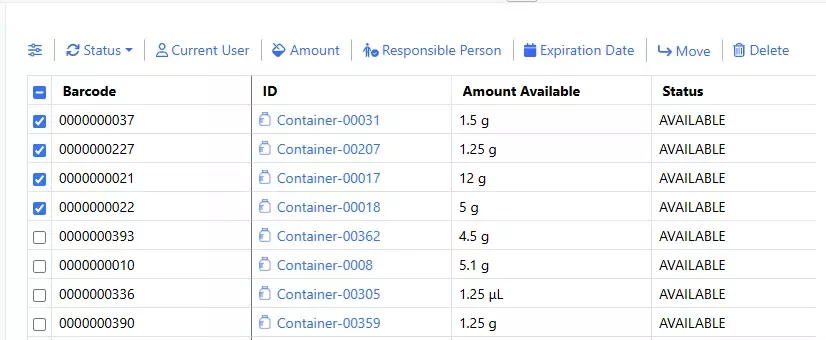
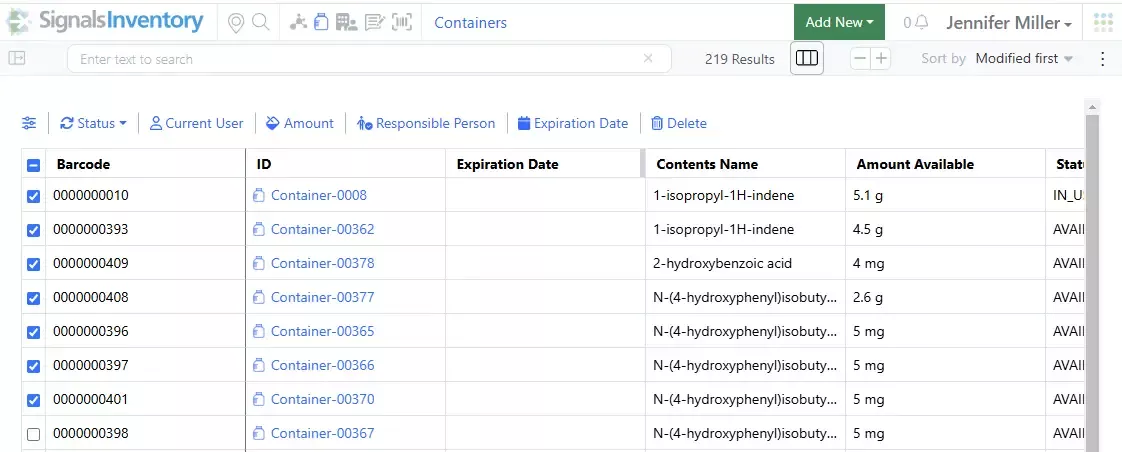
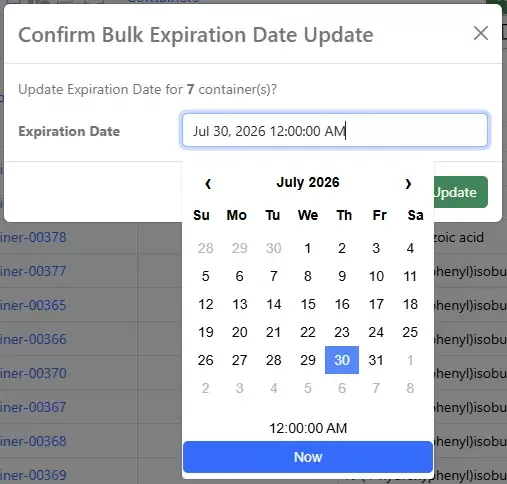
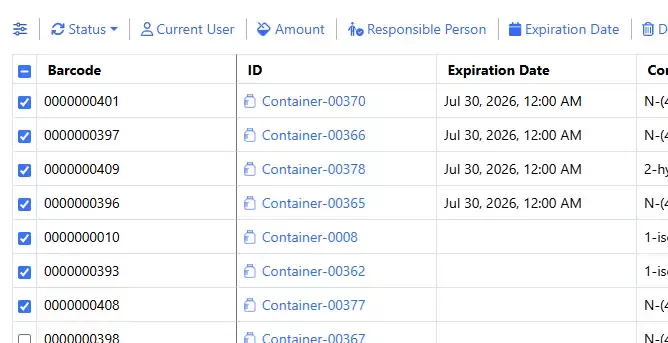
Bulk Move on Containers in Containers Search Table:
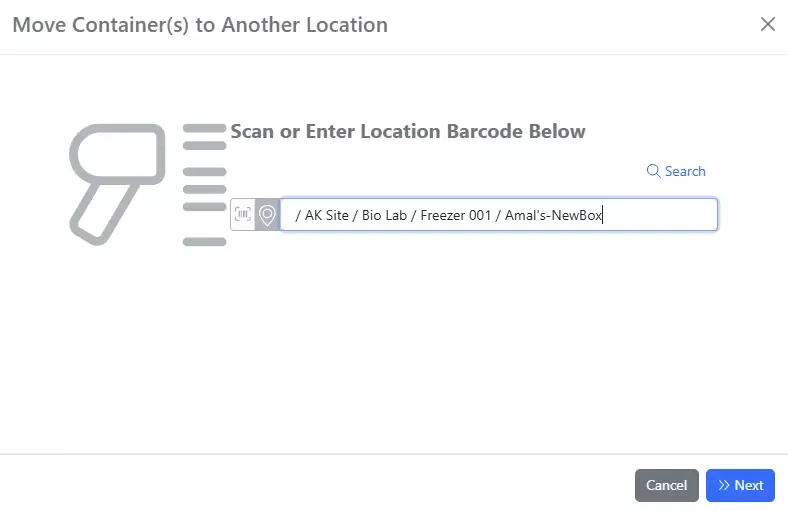
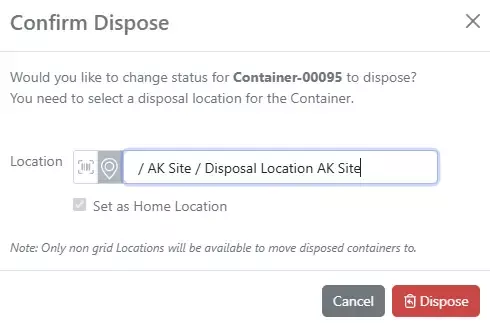
After choosing the containers to Move, the location search dialog displays and a location can be searched or entered via barcode or type ahead:

If a gridded location is selected, the coordinates will need to be selected. Once the Move is done a notification will be given at the bottom of the page:

There are no reports or bell notifications given with the bulk Move, but the Location will be updated in the table:
Administration
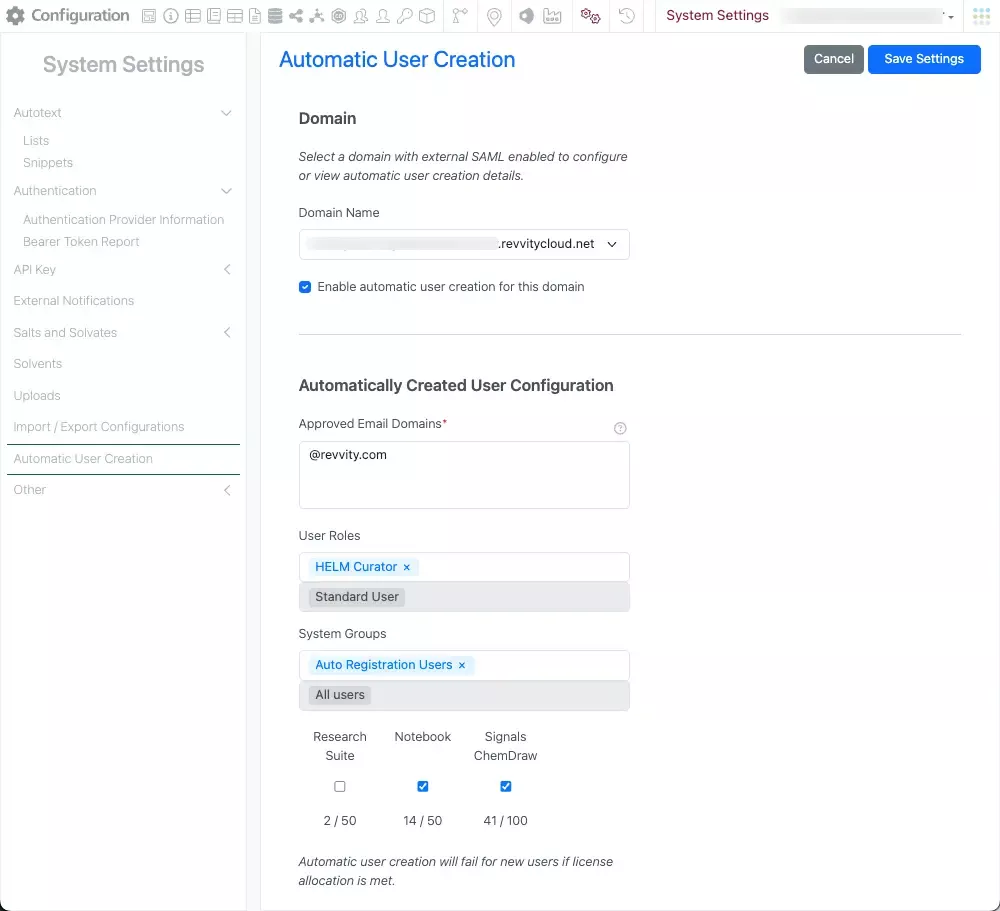
Admins can now configure the automatic creation and licensing of users for a domain on their tenant in System Settings. This new configuration requires admins to define approved email domains, user roles, and system groups. They must also specify which licenses will be assigned to automatically created users upon successful login. Additionally, there is an option to enable license allocation notifications emails when a certain threshold is reached. It's important to note that automatic user creation can only be configured and enabled for domains that have been configured to authenticate using an external IdP (Identity Provider) using SAML integration. After enabling this feature, users who successfully log in with an approved email domain will be automatically created and licensed based on the configuration settings.
Integrations & APIs

This update brings additional integrations capabilities for our Synergy product.
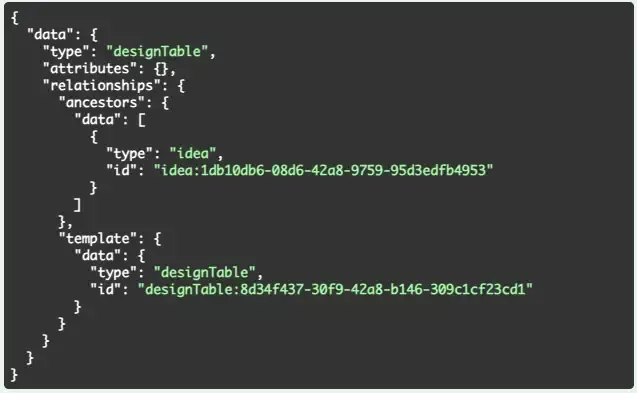
First the ability to create Draft Synergy Experiments for Work Orders via API. This is an enhancement to the POST /entities API.
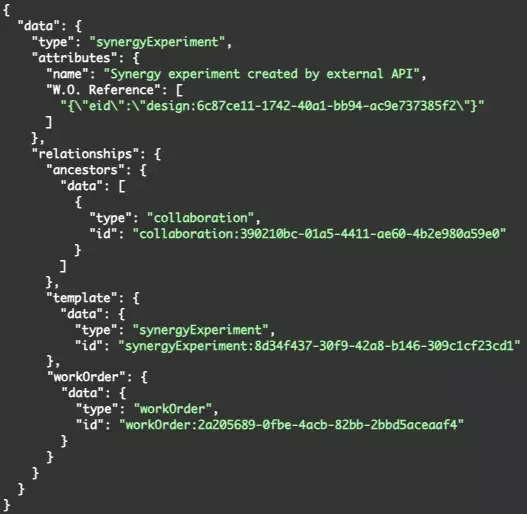
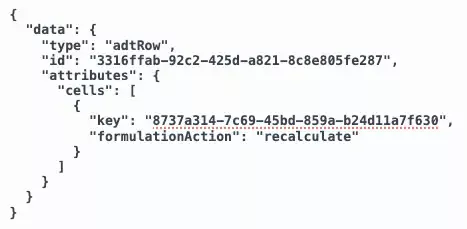
The body must contain the collaboration and workOrder as part of the relationships object. Optionally designs can be specified as part of the attributes object field “W.O. Reference”.
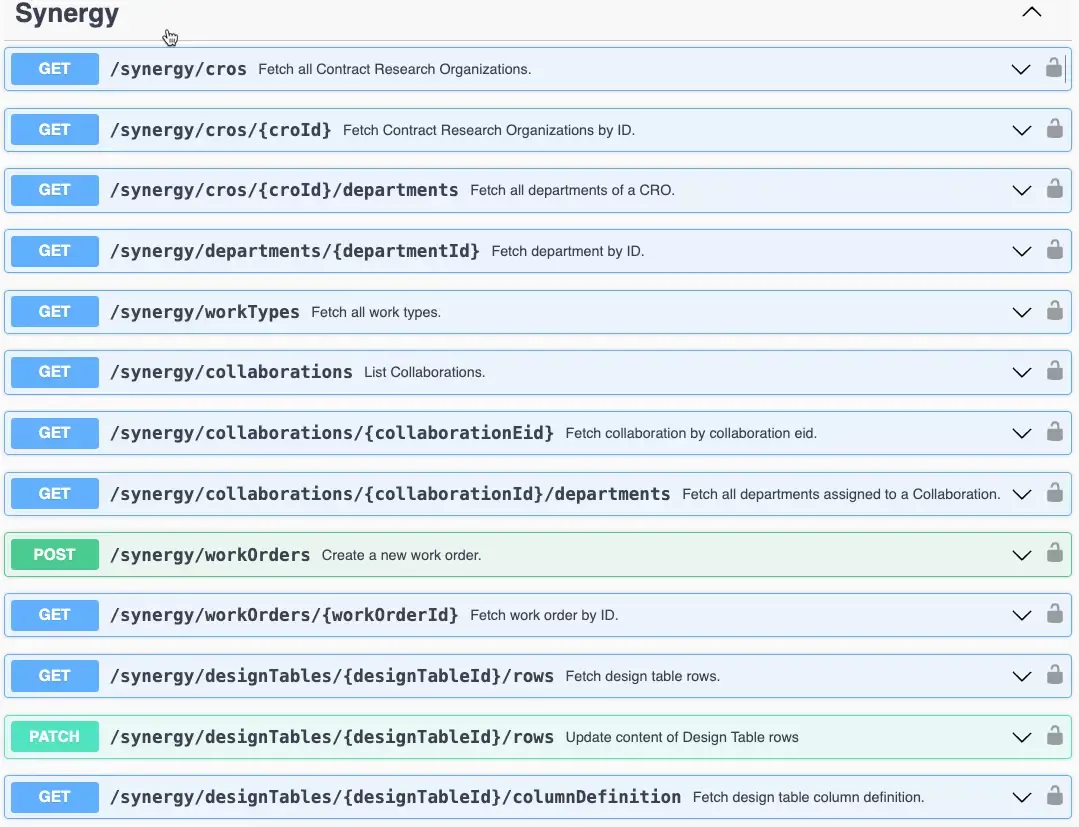
Next is an enhancement for creating Work Orders via the API that allows Designs to be specified as part of creation. This is an enhancement of the POST /synergy/workOrders API.

The update allows you to include designs as part of the relationship object. This API will require an Idea also be specified as part of the Work Order creation and the designs will need to be related to that idea.

Lastly you are now able to send Work Orders via the API. This is a new API, PUT /synergy/workOrders/{workOrderId}/status.
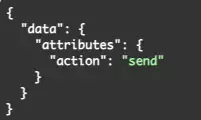
You must specify the action as part of the request body. Currently the only acceptable action is “send” this is to change a work order from “Draft” to “To-Do” status.

The asynchronous print flow/endpoints have been updated to allow for only printing specified children when applicable (i.e. Experiments and Samples).
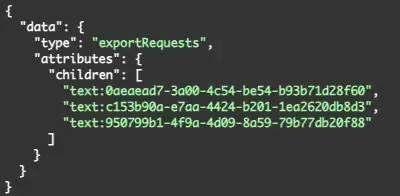
When creating the asynchronous print request via PUT /entities/export/pdf you may now specify the children by eid that you wish to include. If you do not include a request body all children will be included.
Further Details
The following capabilities are in beta and are available for users, administrators and developers on the Signals platform upon request. Please contact your account representative or our support team if you would like access to the following features.
Synergy
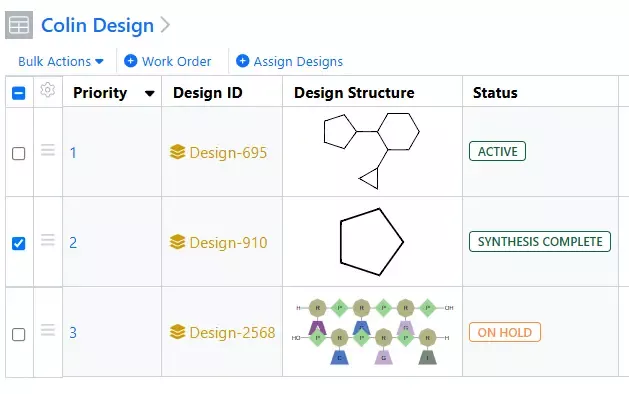
Expanded Design Statuses for tracking Design progress in Synergy are now available upon request. Statuses now include Active, Proposed, For Synthesis, Sent for Synthesis, In Synthesis, On Hold, Synthesis Complete, and Closed. Transitioning a Design from Proposed to For Synthesis requires a new privilege, Approve Designs for Synthesis. Design Statuses can be manually updated individually or in bulk, but several actions automatically update Design Status to reduce manual oversight. Sending a Work Order with referenced Designs automatically transitions the referenced Designs to Sent for Synthesis. When a CRO user starts a Work Order with referenced Designs, the Designs are automatically transitioned to In Synthesis. When a material is registered with an Originating Design, the Design is transitioned to Synthesis Complete.
Chemistry
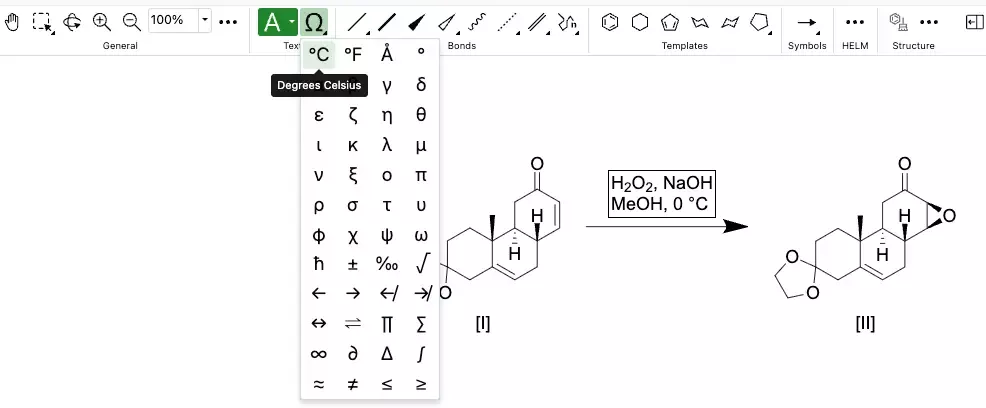
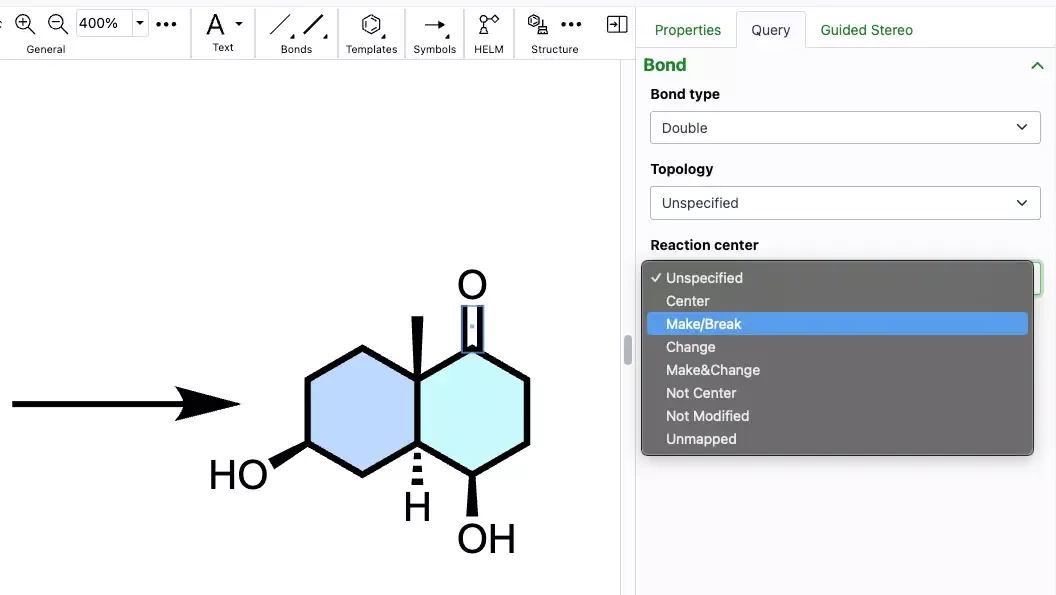
Common symbols used in chemical names and reaction conditions can now be added to a ChemDraw text element in the new ChemDraw editor using the new Chemical Symbols tool. This tool is available in the ‘Text’ section of the new drawing toolbar.
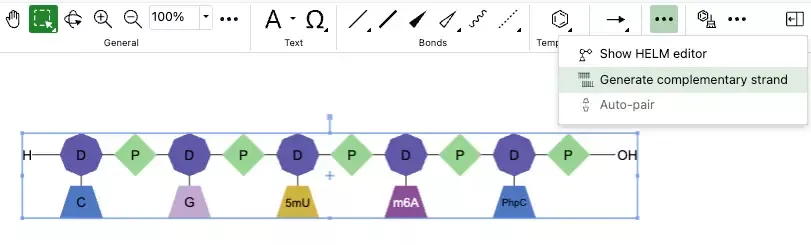
Complementary strands of oligonucleotides can now be generated from a selected oligonucleotide on the ChemDraw canvas. This new tool in the HELM section of the drawing toolbar allows users to generate a complementary strand when an oligonucleotide is selected.
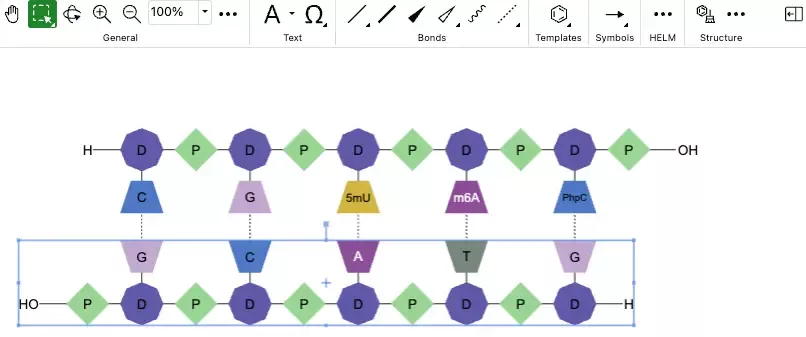
When this new tool is used, a complementary strand will be generated with hydrogen bonds automatically mapped between the strands. The hydrogen bonds are placed according to Watson-Crick base pairing. For sequences containing custom monomers, the complement will be based on the natural monomer equivalents of the selected sequence.
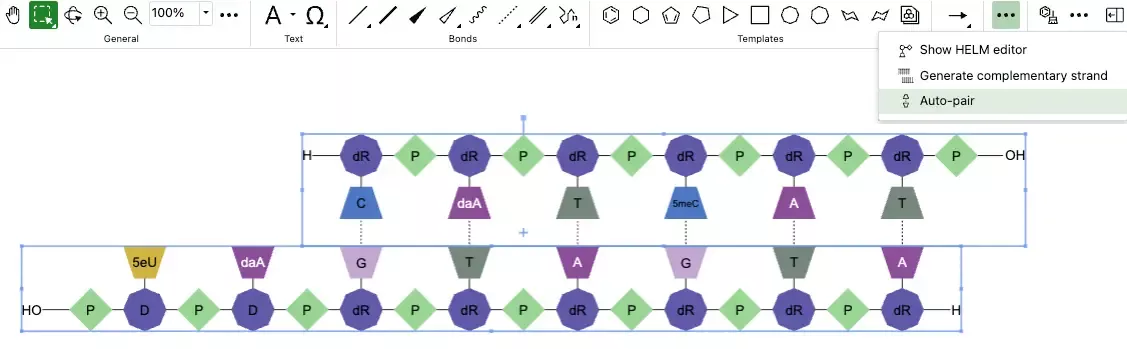
Complementary strands of oligonucleotides can now be selected and automatically paired in the new ChemDraw editor. When paired, hydrogen bonds will be placed between the strands according to Watson-Crick base pairing, with maximum overlap in complementarity between the strands. For sequences containing custom monomers, the hydrogen bonding will be placed according to Watson-Crick base pairings based on the natural monomer analogs. The auto-pair tool is accessible in the HELM section of the new toolbar, and will be active when two oligonucleotide sequences are selected.
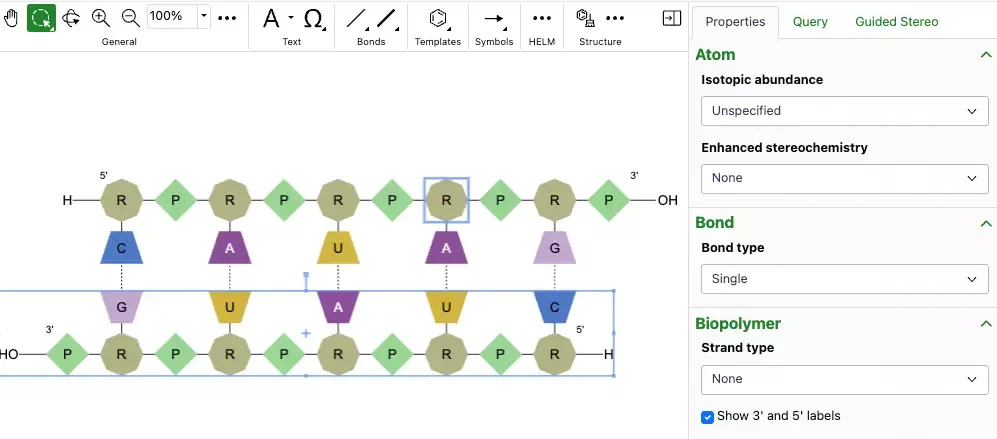
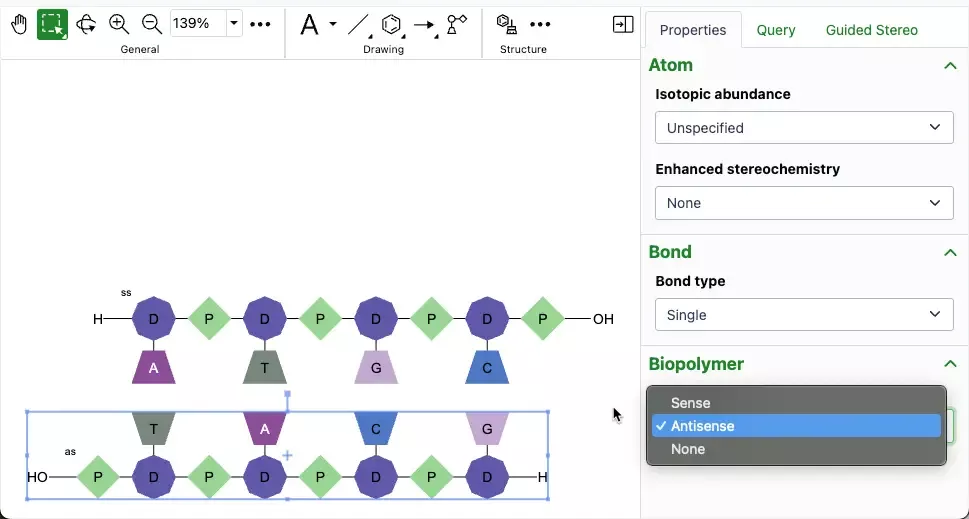
A new option has been added to the Biopolymer section of the Properties panel which allows users to display the 3' and 5' ends of an oligonucleotide on the canvas. When an oligonucleotide is selected, users can choose to show or hide the label by selecting or unselecting this option.
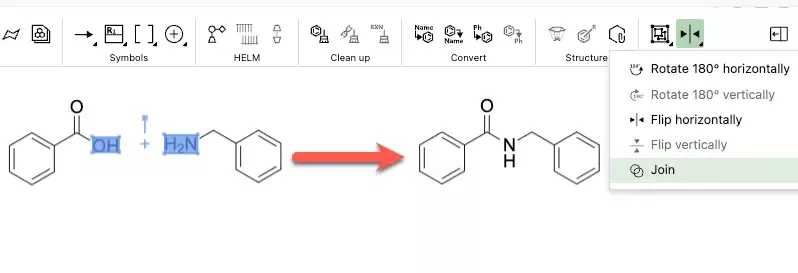
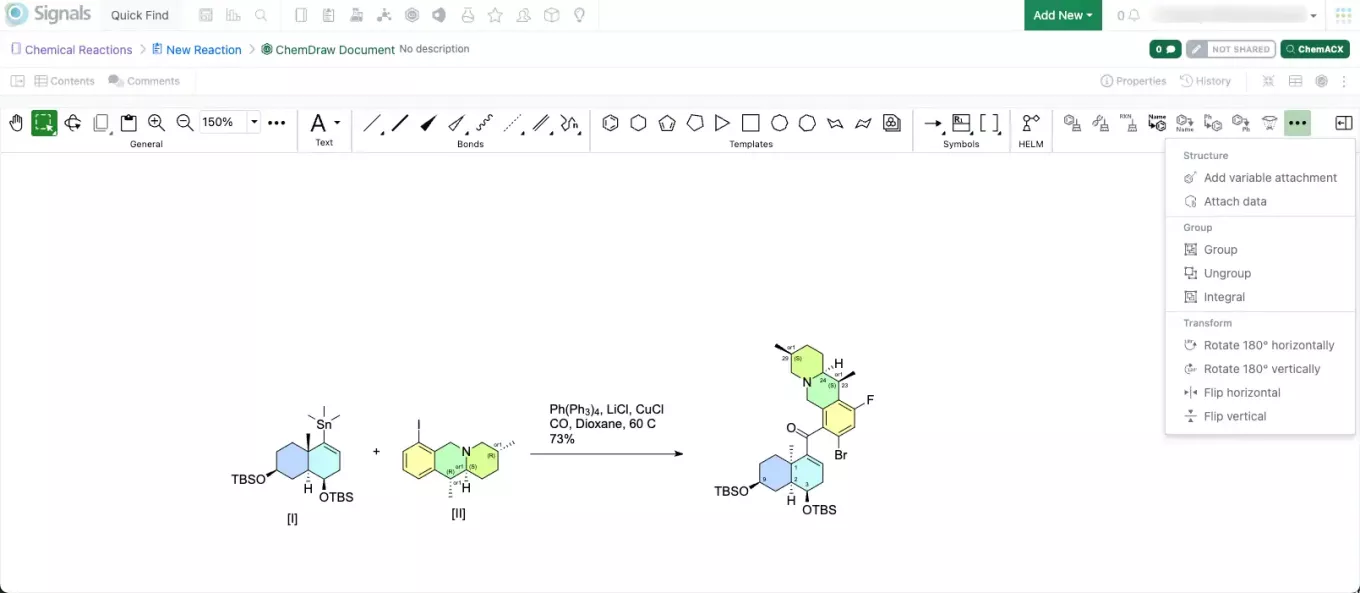
A new join tool is now available in the object section of the new ChemDraw toolbar. When used, the join tool allows users to combine structures on the ChemDraw canvas by merging two or more selected atoms into a single atom.