
What’s New
This Signals release introduces Collections in ChemDraw+ as a beta capability. A Collection is a living, editable, and searchable list of compounds, reactions, or drawings and their associated data. Built-in chemical intelligence automatically calculates intrinsic and predicted properties and supports advanced structure-aware searching and filtering. Collection data can also be imported and exported, while administrators can configure templates, properties, numbering, and user permissions in Signals Configuration. This release also includes bug fixes.
The following improvements are available for users of Signals ChemDraw. Certain features may only be available with enablement by an administrator.
ChemDraw+
- Create lists of compounds, reactions or drawings and their associated data using Collections (beta)
Signals Configuration
- Configure Collections system object (beta)
Signals ChemDraw users and administrators should be aware that the stand alone ChemDraw Collections application will be retired once Collections are released from beta in ChemDraw+, after which it will no longer launch. All existing Collections data will be preserved automatically and made available in ChemDraw+, so no migration or preparation is required.
Administrators should also note that two capabilities from the stand-alone application will not be carried over to ChemDraw+:
- PowerPoint export from configured reports, for which SD file export remains available,
- File explorer with embedded chemical object preview.
Where existing workflows depend on these capabilities, alternative approaches such as SD file export and manual presentation creation will be required. Full details are available in the Collections are moving to ChemDraw+ announcement.
Beta Features
The following capabilities are in beta and are available for users and administrators of Signals ChemDraw upon request. Please contact your account representative or our support team if you would like access to the following features.
ChemDraw+
Create lists of compounds, reactions or drawings and their associated data using Collections
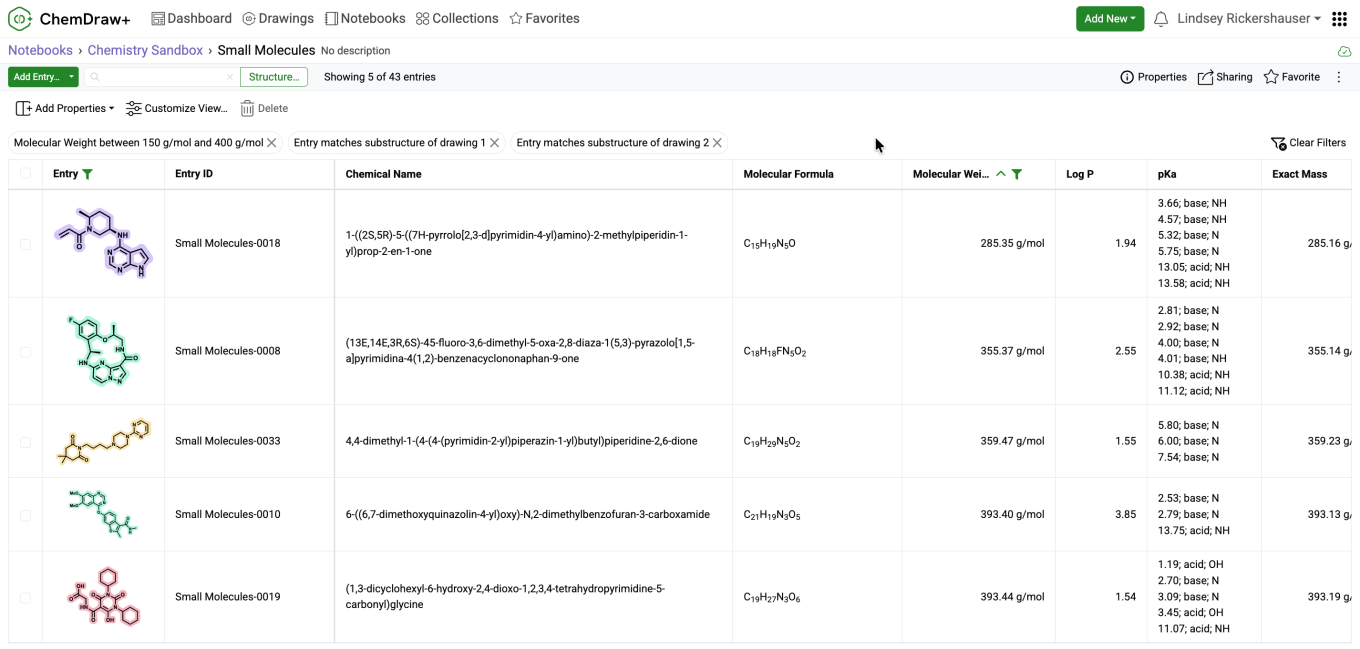
Collections are a new entity available in ChemDraw+ that turn compounds, reactions, drawings, and their associated data into living, editable, and searchable lists that can evolve as work progresses. A Collection can be created from the Add New button in ChemDraw+. Each Collection displays entries and properties in a table, making chemistry and related data easier to organize, update, and find. Collections can be created inside a Notebook or as stand-alone items, with support for up to 5,000 entries.
Entries can be added directly to a Collection by selecting Add Entry, which opens the ChemDraw editor for drawing a structure, reaction, or other chemical content. Once saved, the drawing is added to the Collection as a new entry. Existing entries can be reopened and updated by selecting their preview.
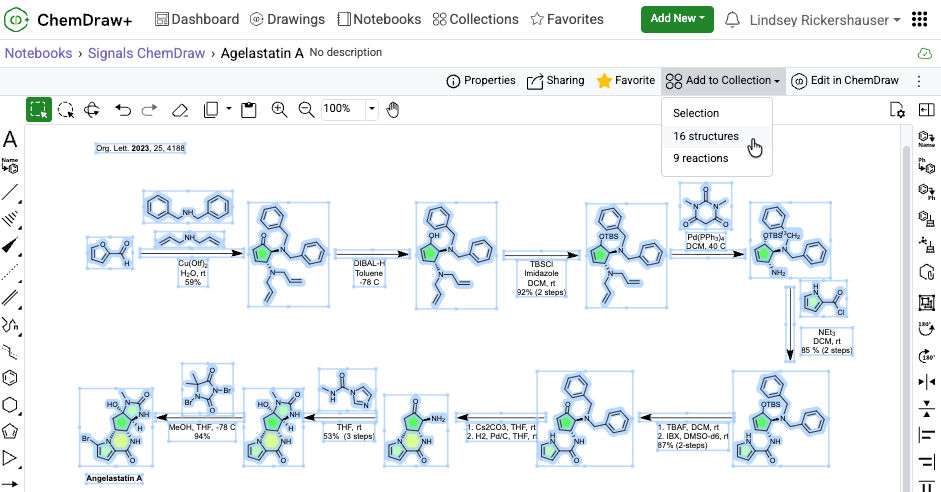
Entries can also be added from an existing ChemDraw+ Drawing by selecting Add to Collection in the editor. The entire drawing can be added as a single entry, or all structures or all reactions can be added as separate entries. When specific content is selected on the canvas, only that selection is added. The preferred option can be chosen by the user before adding the entries to the Collection.
As entries are added, Collections become chemically intelligent lists by adding and automatically calculating selected intrinsic and predicted properties for each structure. A broad range of calculated properties are available through the Add System Properties button, including Molecular Formula, Chemical Name, Molecular Weight, Exact Mass, Canonical SMILES, LogP, and predicted pKa, among others. Calculations are also applied to existing entries when a property is added, providing consistent chemical data without manual entry.
Alongside calculated properties, editable properties can capture additional scientific data for each entry. Users can add text, number, or hyperlink columns directly to a Collection and edit values within the table using Tab and Enter for keyboard navigation.
Administrators can make additional property types available, including numbers with units, dates and times, attribute and multi-select lists, hyperlinks, and internal references. Numbers with units follow the units configured for the tenant, and significant figures are preserved as entered.
To make the data in the Collection easier to review and analyze, the table can be customized by reordering, hiding, or resizing columns and choosing whether long content wraps or is truncated. The Entry and Entry ID columns remain fixed during horizontal scrolling, and view settings are saved for the next time the Collection is opened.
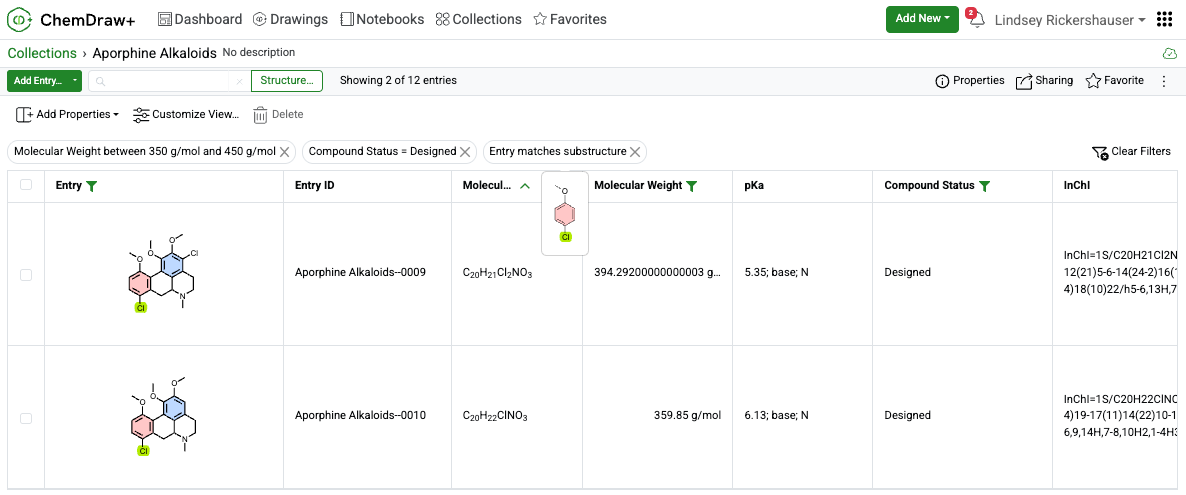
Collection data can then be quickly narrowed using text search, column filters, and chemically intelligent structure filters. Applied filters appear above the table for easy review and removal. Structure filters can be added from the Entry column header using substructure, similarity, full, exact, or full-including-tautomers matching. Multiple structure filters can be combined with one another and with other active filters.
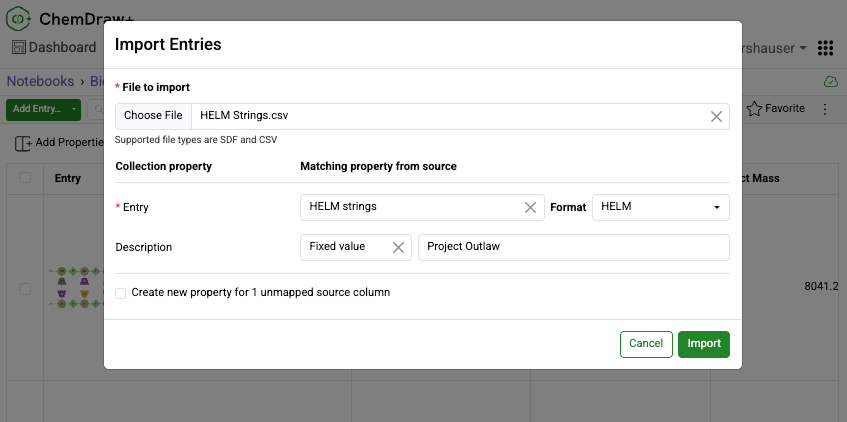
Large collections of compounds can be brought into a Collection quickly using Bulk Import from the Add Entry menu. SDF and CSV files are supported, and source fields are automatically matched to Collection properties when their names align. During mapping, fields can be reassigned, fixed values or default units can be supplied, and unmapped columns can be created as new properties.
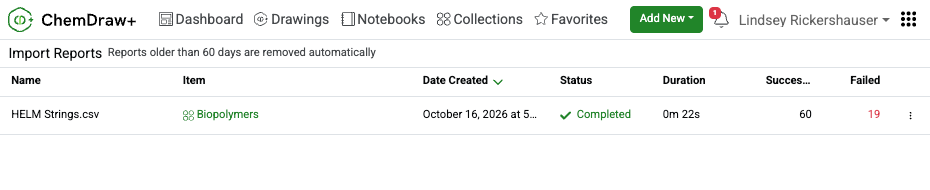
When the import is complete, a notification is provided and an import report is available from the Import Reports page, accessible from the user menu.
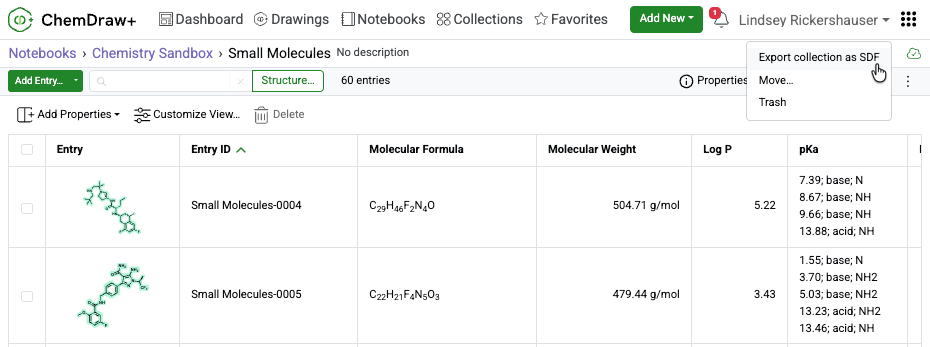
Collections can also be moved out of ChemDraw+ for sharing or use in other applications by exporting the entire Collection or selected entries as an SDfile. All associated properties are included, and export progress is displayed until the file is ready.
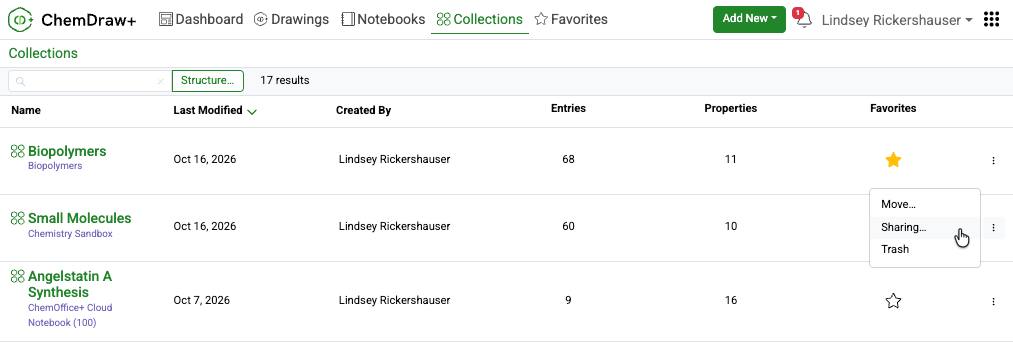
Within ChemDraw+, Collections can be shared with individuals or groups to support collaboration. Frequently used Collections can be added to Favorites for quick access, while all available Collections remain accessible from the Collections folder. Collections can also be moved between Notebooks or moved to and restored from Trash. Available actions depend on role-based permissions, and Collections in Trash remain available in read-only mode.
Signals Configuration
Configure Collections system object
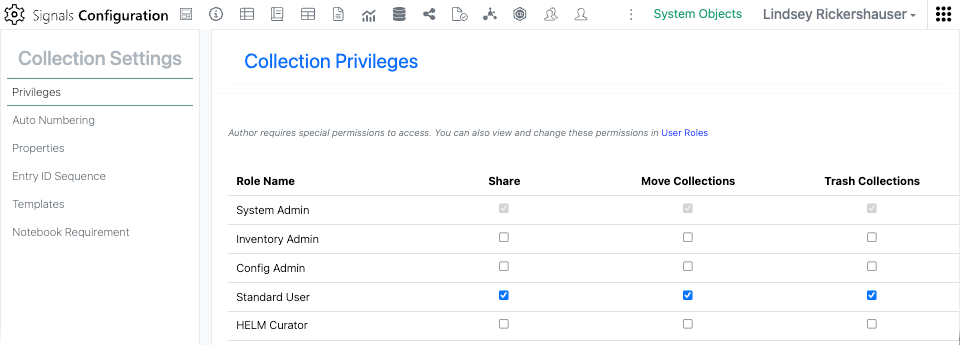
A new Collections system object in Signals Configuration brings Collection settings together in one place. Here, administrators can grant the Share, Move and Trash privileges per user role, with the same controls mirrored on the User Roles page. Where a role lacks a privilege, the corresponding button or menu option is hidden in the application.
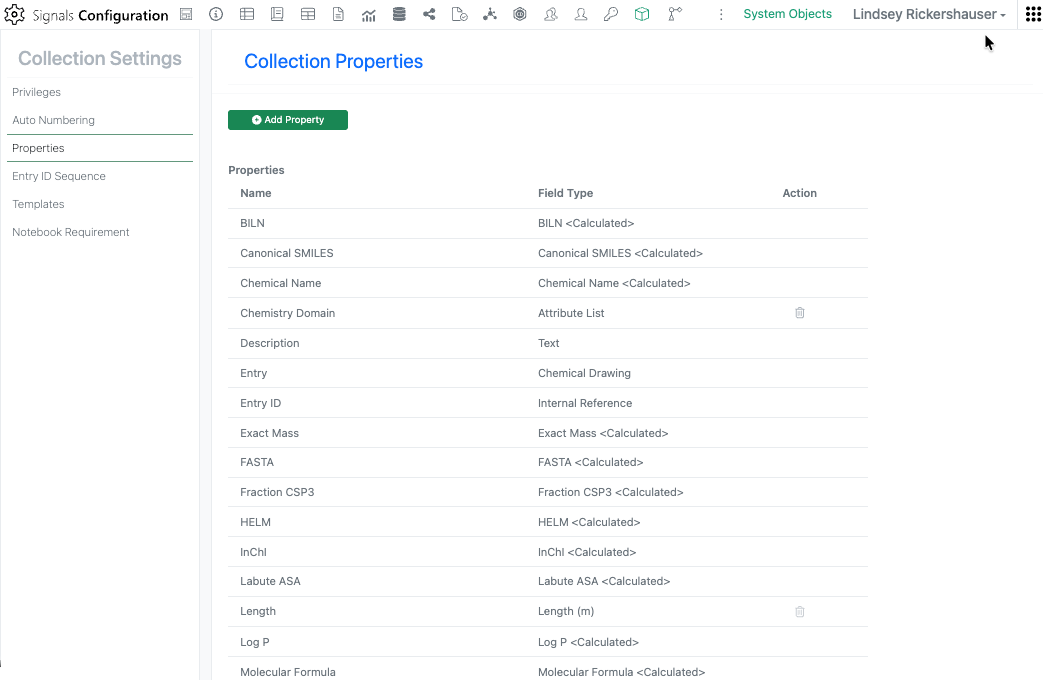
The Properties page provides a complete view of the automatically calculated chemical properties available for Collections. Administrators can also define custom properties to support additional scientific data, using text, number, number with unit, integer, date, date and time, list, multi-select list, attribute list, hyperlink, or internal reference data types. Once added, custom properties are available for use across Collections.
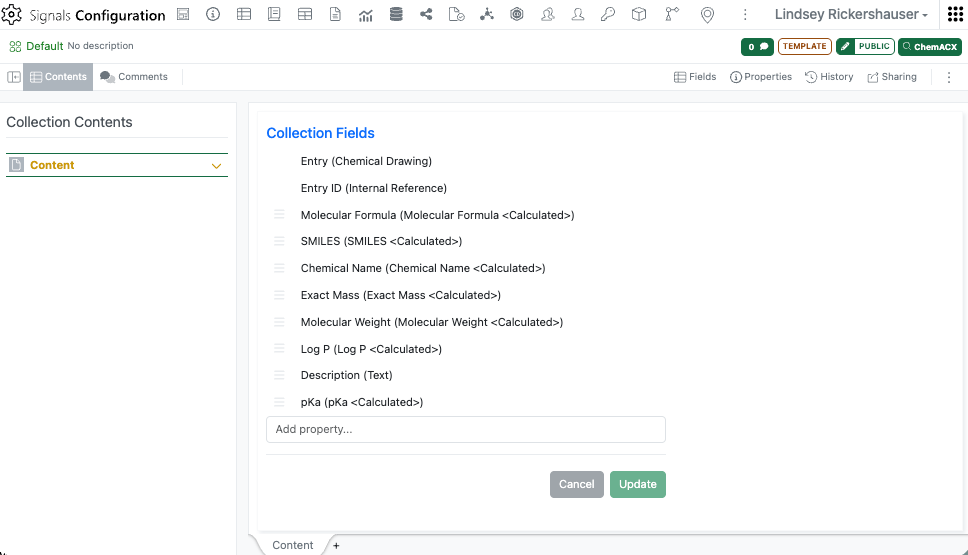
Collections include a Default template that makes it easy to create a new Collection with a predefined set of properties. Administrators can create additional templates for different types of Collections, such as small molecules or biopolymers, and configure the properties included in each template. Templates provide a convenient starting point without limiting available data: all calculated system properties can be added to a Collection, regardless of the template used.