Search

Your Notifications (0)

There are currently no notifications. You're all set!

What's New

Explore recent and historical product updates for Revvity Signals' Cloud Native SaaS Software 

Collapse All

54 releases — this page expanded. Collapse


What’s New

The latest release of Signals introduces significant enhancements to the ChemDraw+ application.  HELM editing capabilities have been substantially expanded, now featuring the ability to create complementary strands with hydrogen bonding with several different new tools. We've improved the user drawing experience by incorporating a new drawing tool and access to symbols commonly used in chemical names and reactions. Finally, several bug fixes have been extended with this release. 

The following improvements are available for users of Signals ChemDraw. Certain features may only be available with enablement by an administrator.

ChemDraw+

-    Selection of attachment points between monomers to create biopolymer crosslinks
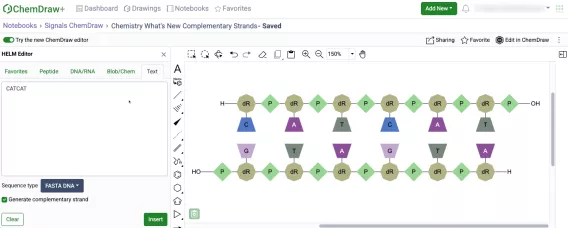
-    Complementary strands generated from text tab now contain hydrogen bonds
-    Generate complementary strand tool 
-    HELM Auto-pair tool
-    Show 3' and 5' ends of oligonucleotides
-    Chemical Symbols
-    Join tool


ChemDraw+

Selection of attachment points between monomers to create biopolymer crosslinks 

The creation of biopolymer crosslinks between monomers with multiple possible attachment points is now supported. When creating a crosslink, the monomers will now expand, allowing users to select specific attachment points to make the connection. After making the selection, users can finalize the process by selecting "Connect," and the monomers will be successfully crosslinked. 

Complementary strands generated from text tab now contain hydrogen bonds

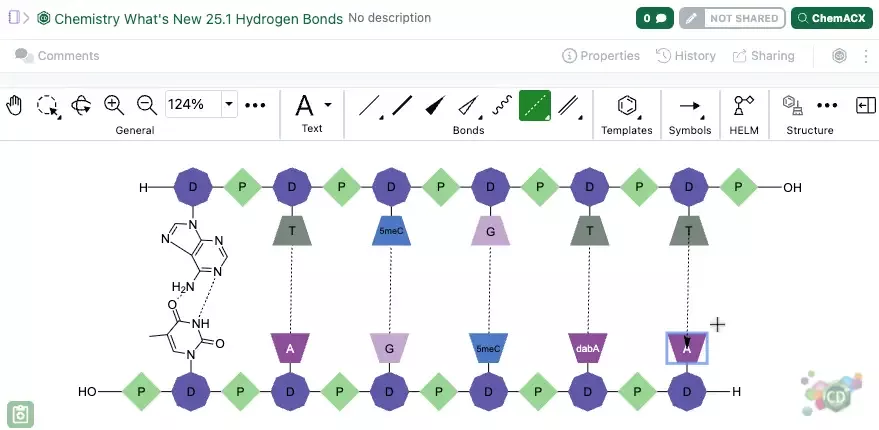
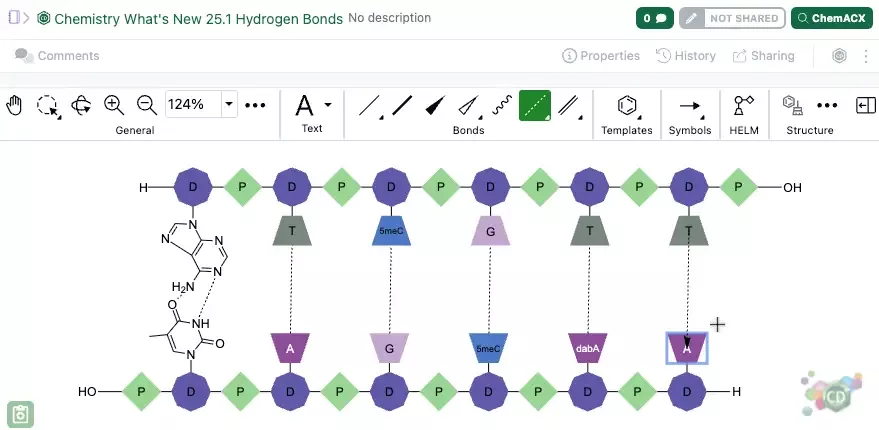
Complementary strands of RNA or DNA that are created from the text tab of the HELM editor are now created with hydrogen bonds automatically mapped between the strands. The hydrogen bonds are placed according to Watson-Crick base pairing. Hydrogen bond pairing information is also now supported in ChemDraw when inserting HELM strings or pasting them on the canvas. Additionally, when generating a HELM string for a sequence containing hydrogen bonds, the resulting HELM string will now contain the pairing details.

Generate complementary strand tool

Complementary strands of oligonucleotides can now be generated from a selected oligonucleotide on the ChemDraw canvas.  This new tool is available on the right-hand context toolbar allows users to generate a complementary strand when an oligonucleotide is selected. When this new tool is used, a complementary strand will be generated with hydrogen bonds automatically mapped between the strands. The hydrogen bonds are placed according to Watson-Crick base pairing. For sequences containing custom monomers, the complement will be based on the natural monomer equivalents of the selected sequence.

HELM Auto-pair tool

Complementary strands of oligonucleotides can now be selected and automatically paired in the new ChemDraw editor. When paired, hydrogen bonds will be placed between the strands according to Watson-Crick base pairing, with maximum overlap in complementarity between the strands. For sequences containing custom monomers, the hydrogen bonding will be placed according to Watson-Crick base pairings based on the natural monomer analogs. The auto-pair tool will appear on the right-hand context toolbar when two oligonucleotide sequences are selected.

Show 3' and 5' ends of oligonucleotides

A new option has been added to the Biopolymer section of the Properties panel in the new ChemDraw editor which allows users to display the 3' and 5' ends of an oligonucleotide on the canvas. When an oligonucleotide is selected, users can choose to show or hide the label by selecting or unselecting this option.

Chemical Symbols
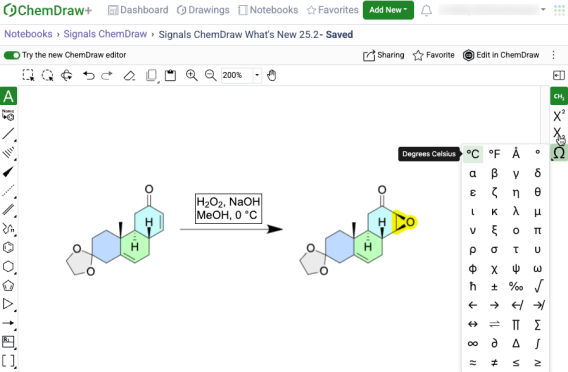
Common symbols used in chemical names and reaction conditions can now be added to a ChemDraw text element in the new ChemDraw editor using the new Chemical Symbols tool. This tool will be available on the right-hand context toolbar when editing in a text element on the ChemDraw canvas.

Join tool

A new join tool is now available on the right-hand context toolbar of the new ChemDraw editor. When used, the join tool allows users to combine structures on the ChemDraw canvas by merging two or more selected atoms into a single atom.
What’s New

The latest release of Signals introduces significant enhancements to the ChemDraw+ application.  HELM editing capabilities have been substantially expanded, now featuring the ability to create complementary strands with hydrogen bonding with several different new tools. We've improved the user drawing experience by incorporating a new drawing tool and access to symbols commonly used in chemical names and reactions. Finally, several bug fixes have been extended with this release. 

The following improvements are available for users of Signals ChemDraw. Certain features may only be available with enablement by an administrator.

ChemDraw+

-    Selection of attachment points between monomers to create biopolymer crosslinks
-    Complementary strands generated from text tab now contain hydrogen bonds
-    Generate complementary strand tool 
-    HELM Auto-pair tool
-    Show 3' and 5' ends of oligonucleotides
-    Chemical Symbols
-    Join tool


ChemDraw+

Selection of attachment points between monomers to create biopolymer crosslinks 

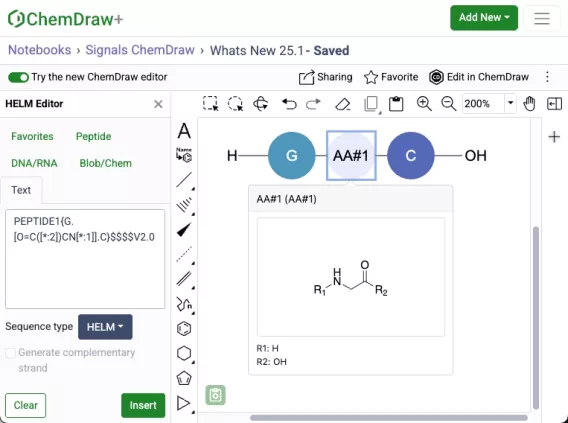
The creation of biopolymer crosslinks between monomers with multiple possible attachment points is now supported. When creating a crosslink, the monomers will now expand, allowing users to select specific attachment points to make the connection. After making the selection, users can finalize the process by selecting "Connect," and the monomers will be successfully crosslinked. 

Complementary strands generated from text tab now contain hydrogen bonds

Complementary strands of RNA or DNA that are created from the text tab of the HELM editor are now created with hydrogen bonds automatically mapped between the strands. The hydrogen bonds are placed according to Watson-Crick base pairing. Hydrogen bond pairing information is also now supported in ChemDraw when inserting HELM strings or pasting them on the canvas. Additionally, when generating a HELM string for a sequence containing hydrogen bonds, the resulting HELM string will now contain the pairing details.

Generate complementary strand tool

Complementary strands of oligonucleotides can now be generated from a selected oligonucleotide on the ChemDraw canvas.  This new tool is available on the right-hand context toolbar allows users to generate a complementary strand when an oligonucleotide is selected. When this new tool is used, a complementary strand will be generated with hydrogen bonds automatically mapped between the strands. The hydrogen bonds are placed according to Watson-Crick base pairing. For sequences containing custom monomers, the complement will be based on the natural monomer equivalents of the selected sequence.

HELM Auto-pair tool

Complementary strands of oligonucleotides can now be selected and automatically paired in the new ChemDraw editor. When paired, hydrogen bonds will be placed between the strands according to Watson-Crick base pairing, with maximum overlap in complementarity between the strands. For sequences containing custom monomers, the hydrogen bonding will be placed according to Watson-Crick base pairings based on the natural monomer analogs. The auto-pair tool will appear on the right-hand context toolbar when two oligonucleotide sequences are selected.

Show 3' and 5' ends of oligonucleotides

A new option has been added to the Biopolymer section of the Properties panel in the new ChemDraw editor which allows users to display the 3' and 5' ends of an oligonucleotide on the canvas. When an oligonucleotide is selected, users can choose to show or hide the label by selecting or unselecting this option.

Chemical Symbols

Common symbols used in chemical names and reaction conditions can now be added to a ChemDraw text element in the new ChemDraw editor using the new Chemical Symbols tool. This tool will be available on the right-hand context toolbar when editing in a text element on the ChemDraw canvas.

Join tool

A new join tool is now available on the right-hand context toolbar of the new ChemDraw editor. When used, the join tool allows users to combine structures on the ChemDraw canvas by merging two or more selected atoms into a single atom.

What’s New

The latest release of Signals introduces significant enhancements to the ChemDraw+ application.  We've improved the user drawing experience by incorporating new rotate tools into the interface. The HELM editing capabilities have been expanded, now featuring the ability to add sense & antisense annotations to sequences and draw hydrogen bonds between natural and non-natural nucleobases. Additionally, the HELM Monomer Curation application now has an improved editing experience with the integration of a new ChemDraw editor.

The following improvements are available for users of Signals ChemDraw. Certain features may only be available with enablement by an administrator.

ChemDraw+

-    Sharing Drawings
-    Rotate 180 degrees vertically and horizontally
-    Complementary strands inserted to canvas in a single line with no line wraps
-    Atom-mapped SMILES now supported in HELM strings for copy/paste
-    Sense & antisense annotations now available on oligonucleotide biopolymers
-    Drawing hydrogen bonds between complementary strands with non-natural nucleobases
 

HELM Monomer Curation 

-    New ChemDraw editor available in ‘New Monomer’ form
 

ChemDraw+

Sharing Drawings

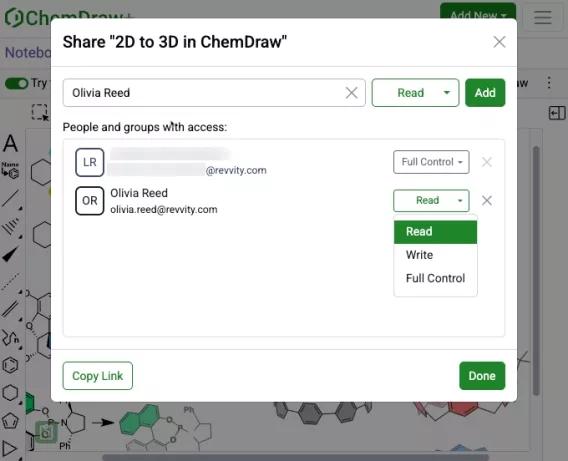
Users with sharing privileges can now share drawings in ChemDraw+ with other users or groups. This can be done either from an open drawing in the web editor view or from the actions menu in the Drawings, Favorites, or Notebook detailed list views within the application.

Read, Write or Full access control can be specified during the sharing process. Once shared, access can be removed or modified as needed.  

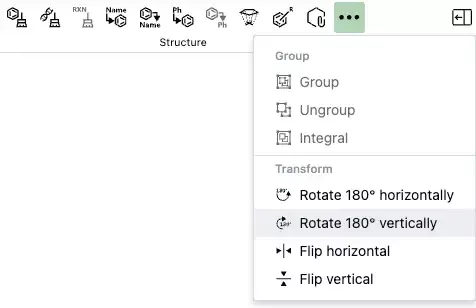
Rotate 180 degrees vertically and horizontally

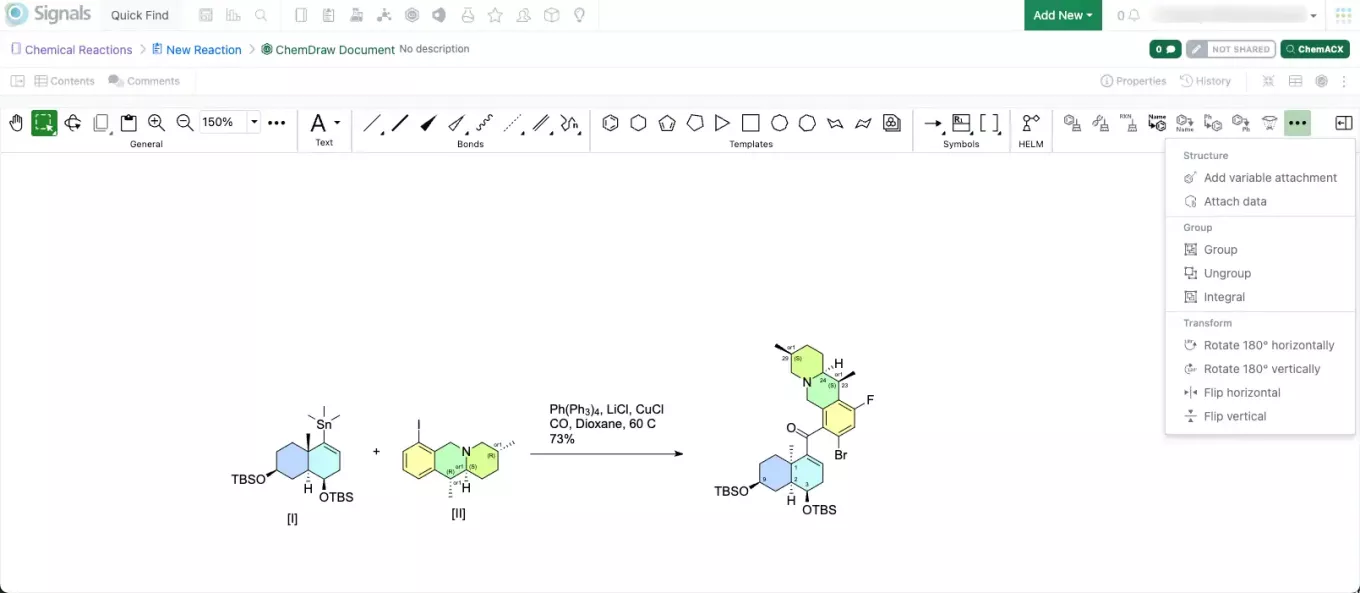
New rotate tools are available in the right-side context based toolbar in the new editor. When used, these allow 180-degree rotation both horizontally and vertically, preserving molecular stereochemistry. This differs from flip tools, which mirror stereochemistry within a structure when used.

Complementary strands inserted to canvas in a single line with no line wraps

Complementary strands of any sequence length are now inserted onto the ChemDraw canvas from the HELM Text tab in a single horizontal line without line wrapping. The strands are aligned based on the complementarity of the base pairing. 

Atom-mapped SMILES now supported in HELM strings for copy/paste

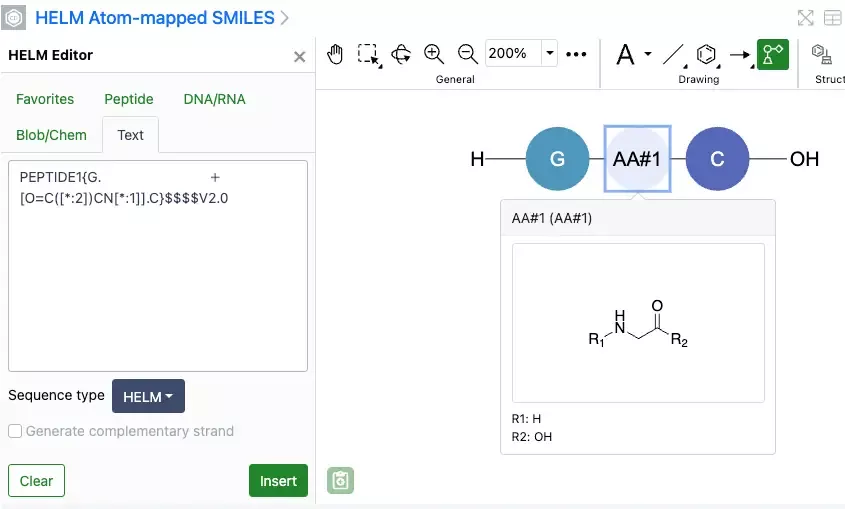
Atom-mapped SMILES are now supported in ChemDraw when inserting HELM strings or pasting them to the canvas. Additionally, when generating a HELM string for a sequence that includes an unknown or in-line monomer, the resulting HELM string will now use atom-mapped SMILES. This replaces the previously used extended SMILES format.

Sense & antisense annotations now available on oligonucleotide biopolymers

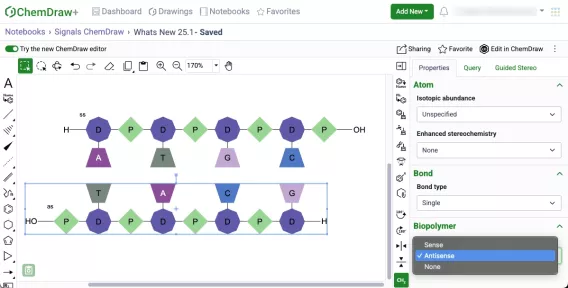
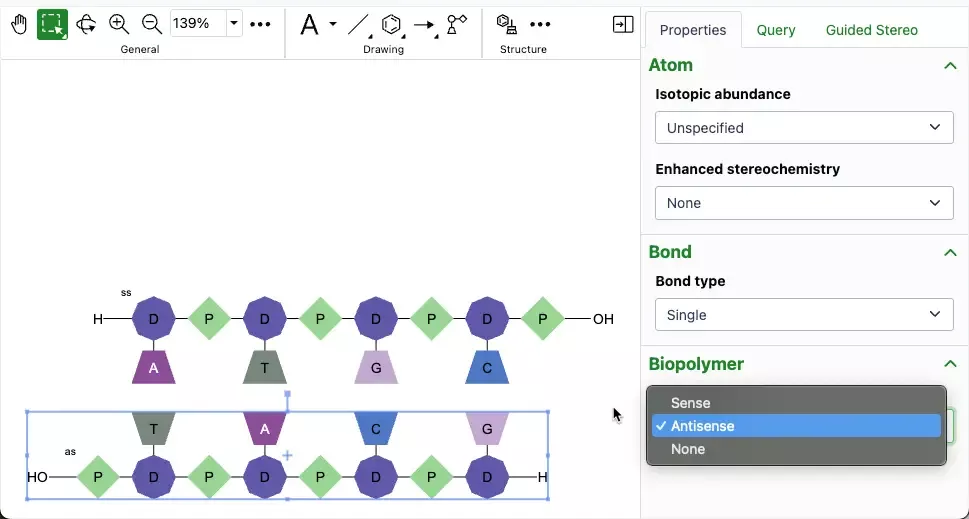
A new biopolymer section has been added to the Properties panel which will allow the addition of sense & antisense annotations to an oligonucleotide in the new ChemDraw editor. When an annotation is applied, a label will be added to the oligonucleotide on the canvas. The annotation will also be included in the generated HELM string for that biopolymer.

Drawing hydrogen bonds between complementary strands with non-natural nucleobases

Chemists can now manually draw hydrogen bonds between complimentary strands of DNA/RNA that are generated in ChemDraw containing non-natural nucleobases. The hydrogen bonding tool can be selected and used to place the appropriate hydrogen bonds according to Watson-Crick base pairing of the natural nucleobase analog.

HELM Monomer Curation

New ChemDraw Editor available in New Monomer form

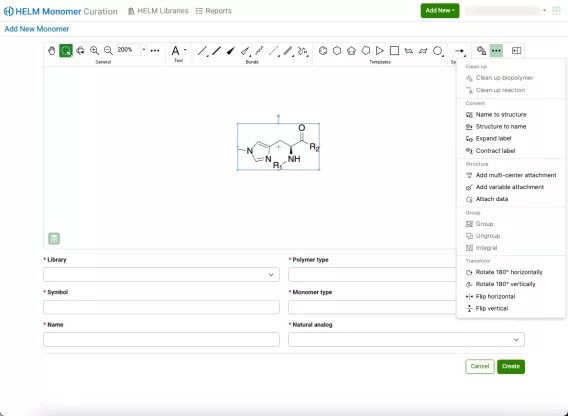
A new ChemDraw editor is now available in the New Monomer form of the HELM Monomer Curation application. The new drawing experience provides a redesigned interface with a dynamic toolbar that adapts to the space available. As tools collapse to fit the view, they remain easily accessible through menus on the toolbar. The new editor offers additional tools to enhance the drawing experience, including panning, expanded zoom controls, rotate tools, and template tools.

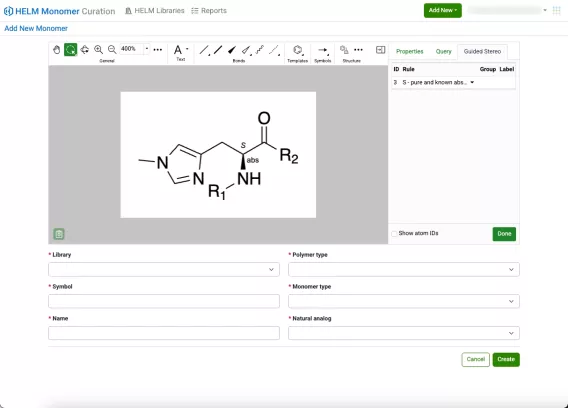
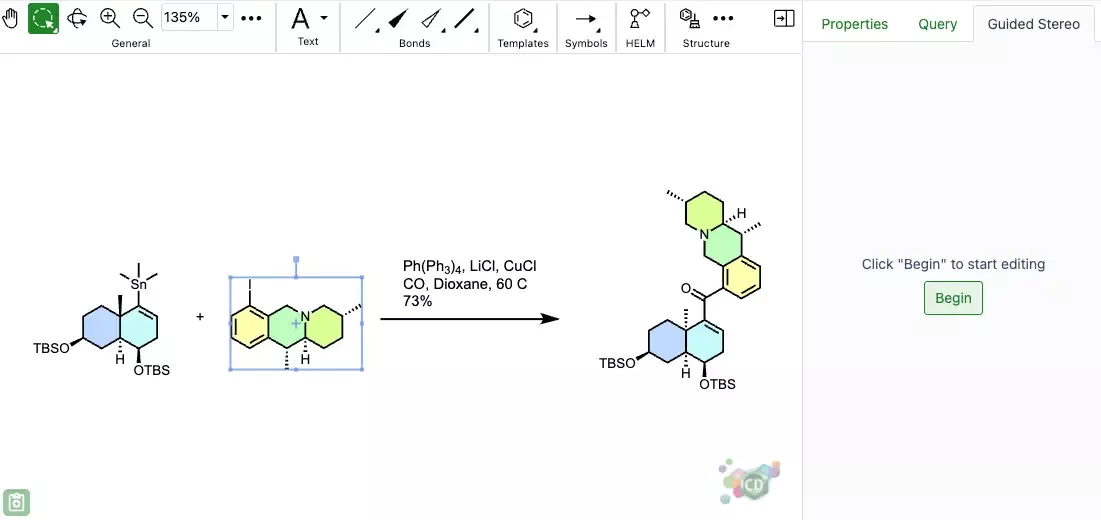
Additionally, new collapsible and resizable ‘Properties’, ‘Query’ and ‘Guided Stereo’ panels are available on the right side of the editing canvas.

What's New

This version 25.1 release of Signals brings s series of enhancements to Work Orders with multiple Synergy Experiments and elsewhere in Signals Synergy. We have added the ability to inherit data into tables, and to reorder rows. We are also calculating new data on Samples. We have enhanced Inventory workflows, searches and labels. Our beta capabilities around publishing ADTs to Signals Inventa, and around Normalized Compound Libraries are now available to all systems. We have added new beta capabilities around viewing lineage information for Materials and an updated chemical sketcher. Finally, we have also fixed a number of small bugs.

The following improvements are available for users, administrators and developers on the Signals platform. Certain features may only be available with appropriate licensing and/or with enablement by an administrator.

  • Inventa
    –    New privileges to access Inventa Apps 
    –    Quick access to Hide Attributes in Global Search 
     
  • Synergy
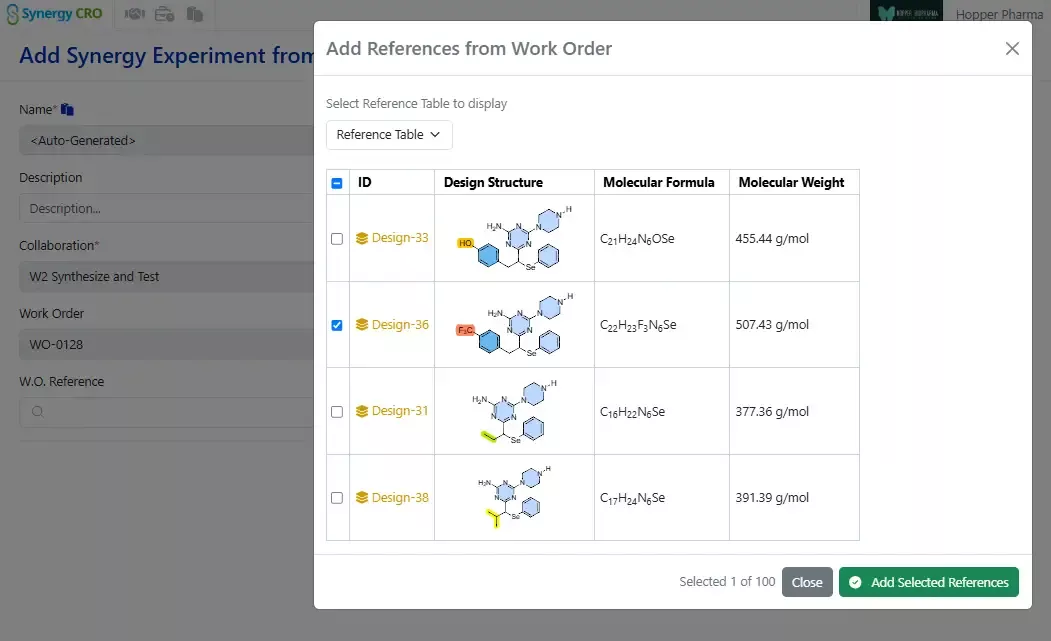
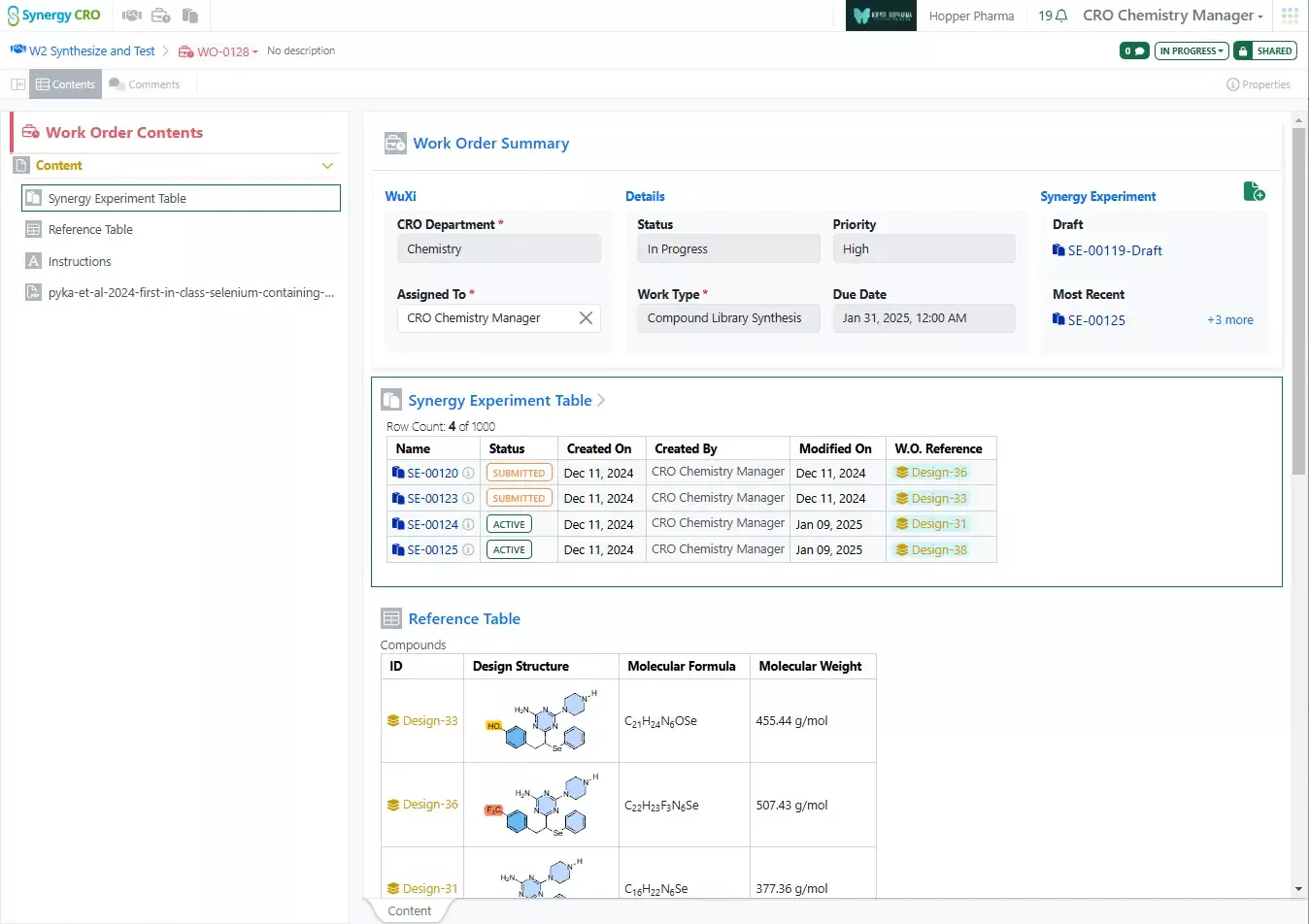
    –    Work Orders can now be fulfilled by a series of multiple Synergy Experiments, such as multiple Synergy Experiments for multi-step synthesis, synthesis of multiple requested Designs, or multiple runs or steps of an assay
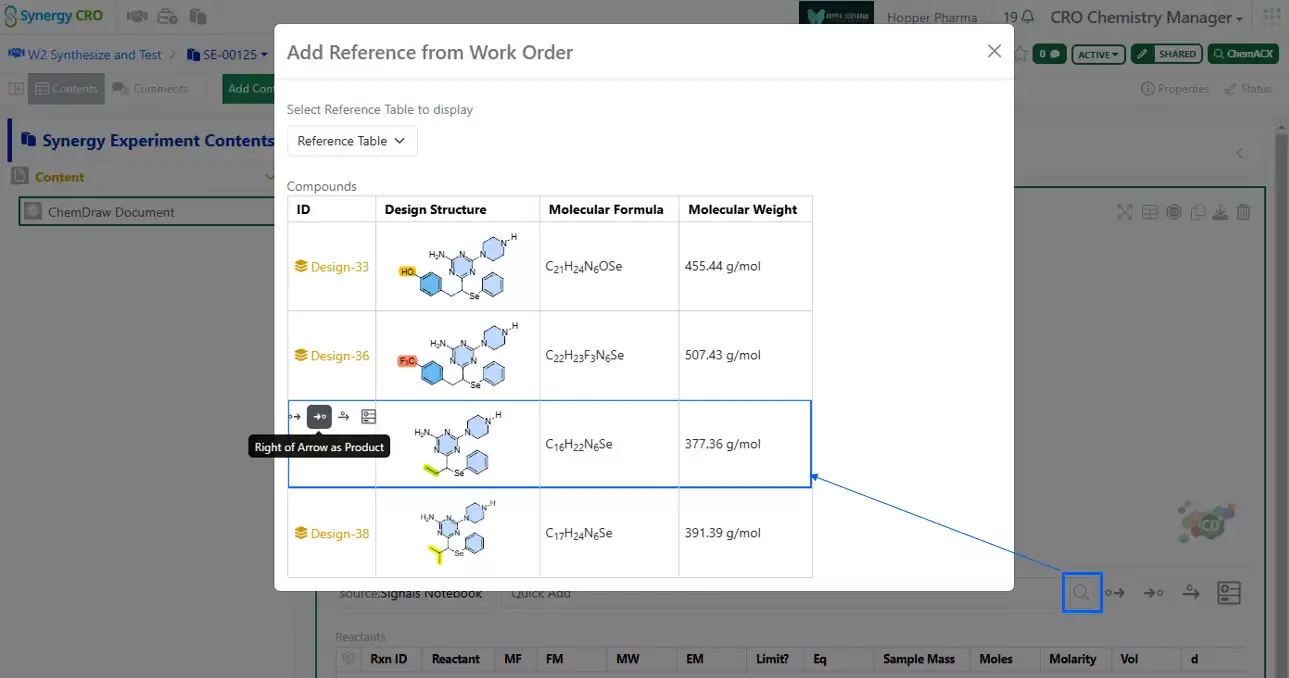
    –    Chemical Structures from Work Orders can now be added to Chemical Drawings in Synergy Experiments using the Quick Add toolbar
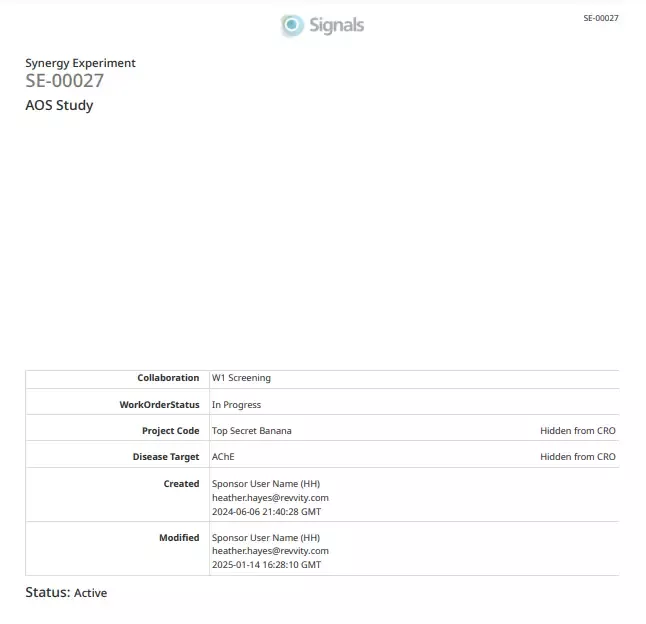
    –    Print of Synergy Experiments, including Data Exchange reports and results tables
    –    Due Date and Priority are now optional on Work Orders
     
  • Chemistry 
    –    New ChemDraw editor (beta)
    –    Improved visualization and clean-up of biopolymers
    –    Drawing hydrogen bonds between complementary strand base pairs
    –    Complementary strands inserted to canvas in a single line with no line wraps
    –    Atom-mapped SMILES now supported in HELM strings for copy/paste
     
  • Admin Defined Tables & Variation Tables 
    –    Publish Admin Defined Tables to Inventa available to all systems
    –    Reorder rows
    –    Experiment Name inherited into Headers
    –    Attribute List values in Experiment inherited into Headers
     
  • Samples
    –    Automatic Calculation of Sample Moles
    –    Automatic Calculation of Sample Yield
     
  • Inventory
    –    Enhancement to the Sample with Container creation workflow
    –    Update to Task request with Container, Sample and Material reference
    –    New Label Size for Containers
    –    Expanded text Search on Containers Search Table
    –    Update to Container Disposal process
    –    Bulk update Expiration Date on Containers
     
  • Materials
    –    Normalized Compounds available to all systems
    –    Additional sorting options added to the Batch/Lot page
    –    Visualization of lineage-parent relationships and batches (beta)
     
  • Administration
    –    Entry of non List values into List Properties
    –    Addition of Radioactivity and Molar Activity Measures
    –    Admins can now access Information Design via the Data Factory section of Signals Configuration
     
  • Integration & APIs
    –    Work order creation in Collaborations
    –    Design table can be added to an Idea
    –    Designs can be added to Design Tables
    –    External Data Sources can now be enabled for CRO users by System Admins
    –    Edit calculated values in ADTs and Variation Tables
     

We also fixed several small bugs in this release. Details of the enhancements are described below.

The following OnDemand videos for Signals Notebook End Users are now available

  • Troubleshooting Bulk import of Materials

Administrators are recommended to subscribe to the channels within our support news site found at https://support.revvitysignals.com/hc/en-us/categories/360004446171-Support-News which contains more information about releases and other pertinent product information.

This content is anticipated for release on our Production E3 environments, and for Private Cloud customers on our deferred release schedule, in July 2025.


Further Details 

The following improvements are available for users, administrators and developers on the Signals platform. Certain features may only be available with appropriate licensing and/or with enablement by an administrator.

Inventa

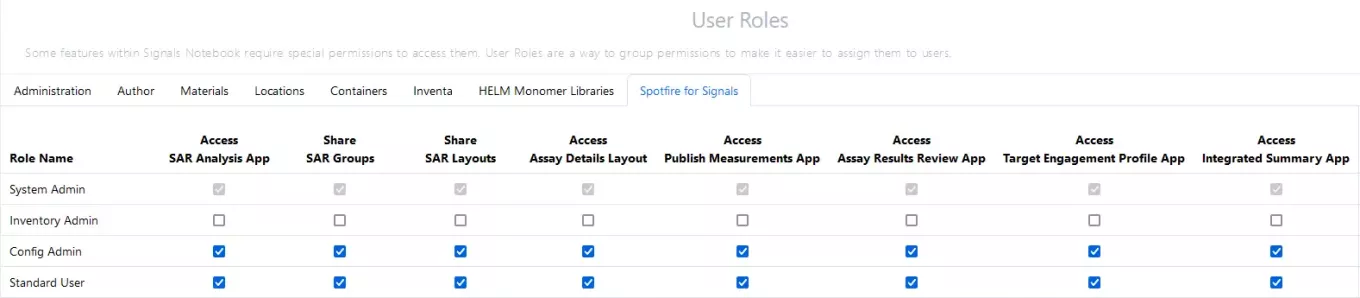
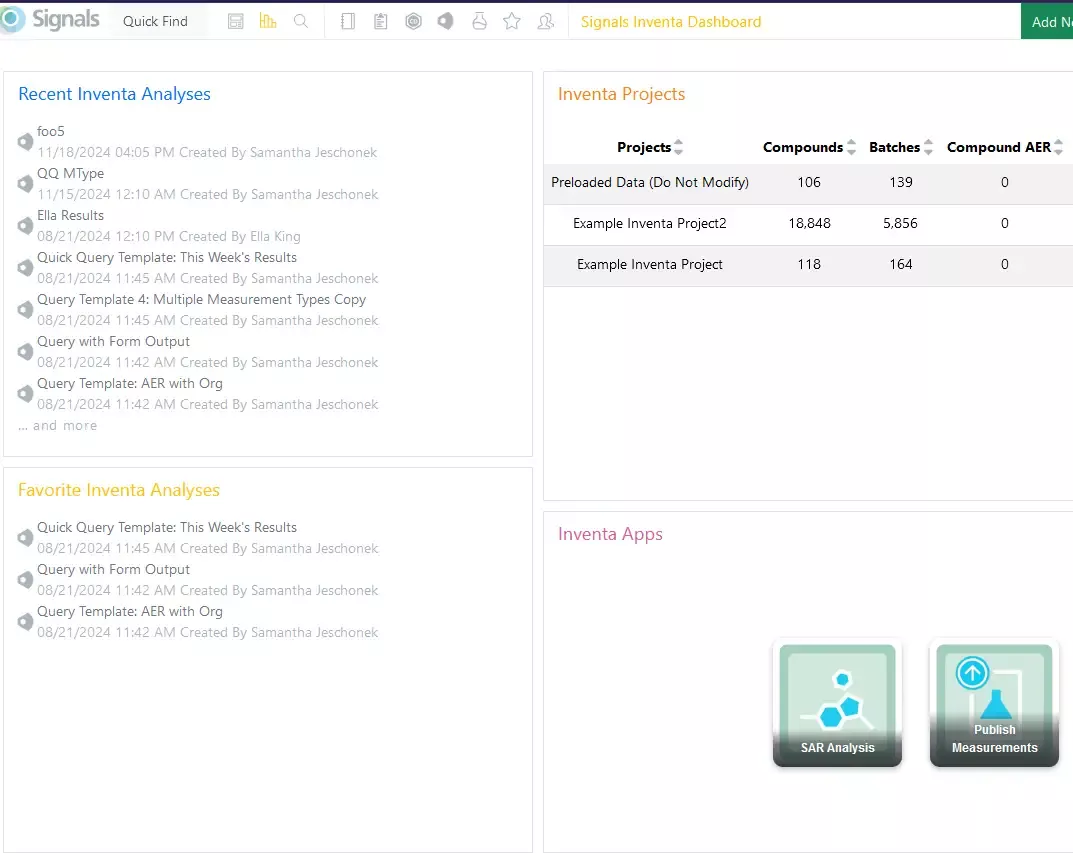
Administrators can also grant access, or not, to the Spotfire Inventa Apps to specific User Roles:

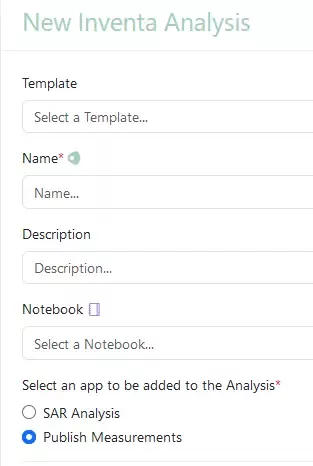
Users without these permissions will not see the Apps in Spotfire for Signals. The apps will also be hidden from the Inventa Dashboard as well as the Create Inventa Analysis flows.  The screenshots show a user with access only two the SAR Analysis and the Publish Measurements apps, but not Global Search, Integrated Summary App, etc.  

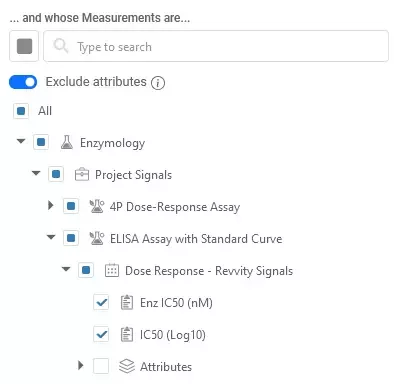
The Exclude Attributes option has been elevated in Global Search for easier access. Excluding attributes quickly restricts Global Search to Assay Endpoint Results data and may improve download performance. 

Synergy

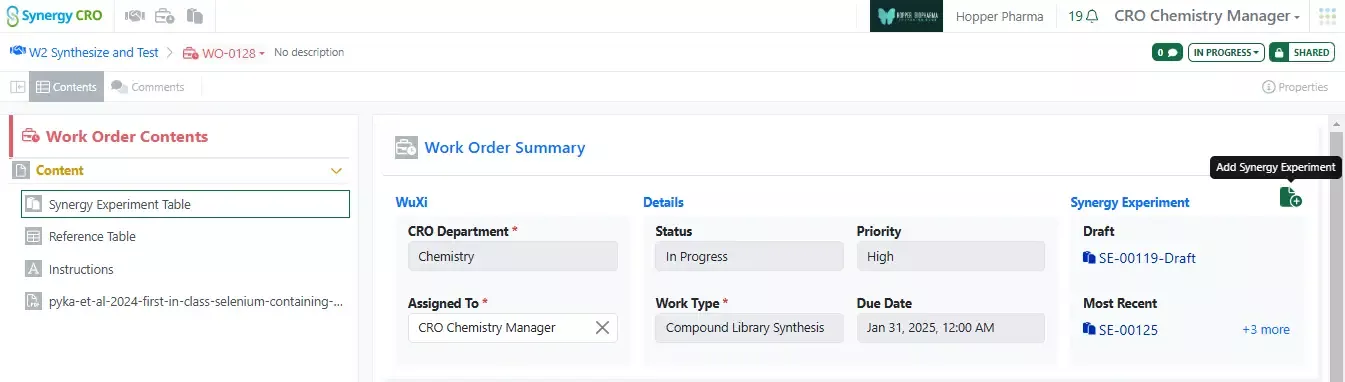
Works Orders can now be fulfilled by a series of Synergy Experiments, allowing the CRO user to add as many Synergy Experiments as required to complete the work. Multiple Synergy Experiments may be useful when synthesizing a large set of Designs, carrying out multi-step chemical synthesis, or reporting multiple runs of an assay. The Sponsor first creates a Draft Synergy Experiment for a Work Order, allowing the Sponsor to specify the template to be used and set any Hidden from CRO fields. Subsequent Synergy Experiments created by CRO users will inherit hidden properties without being visible to the CRO. CRO users can also relate each Synergy Experiment to specific requested Design(s) being synthesized or material(s) being tested. 

Finally, both the Sponsor and CRO can track the progress of the work in the automatically generated Synergy Experiments Table within the Work Order. 

From inside a Synergy Experiment, CRO users can now utilize the Browse button in the Chemical Drawing quick add toolbar to easily bring in Design or Chemical Structures from the Work Order. 

Sponsors can now Print to PDF Synergy Experiments, including components of the new Synergy Data Exchange; the original CRO report loaded into the Data Exchange as well as the resulting structured tables can be included as embedded attachments. 

Finally, Due Date and Priority fields are now optional when creating and sending Work Orders. 

Chemistry

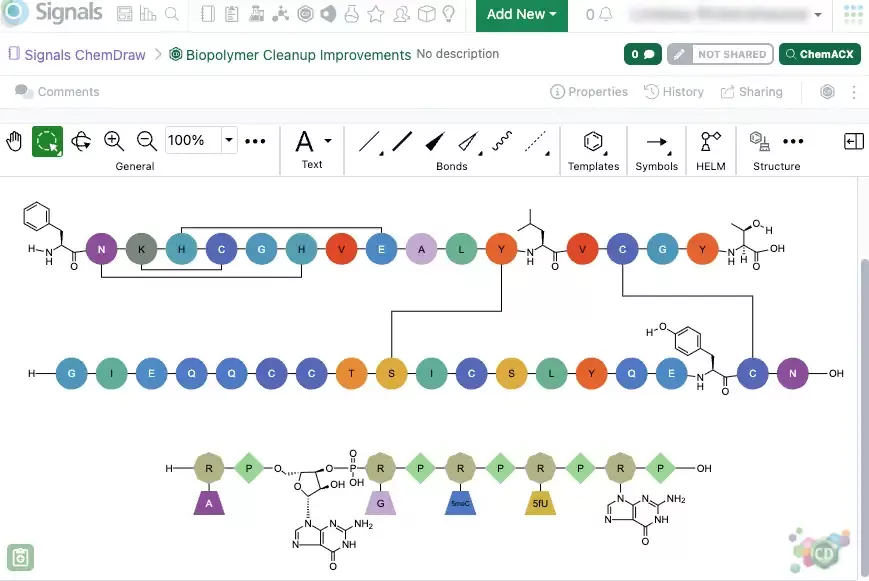
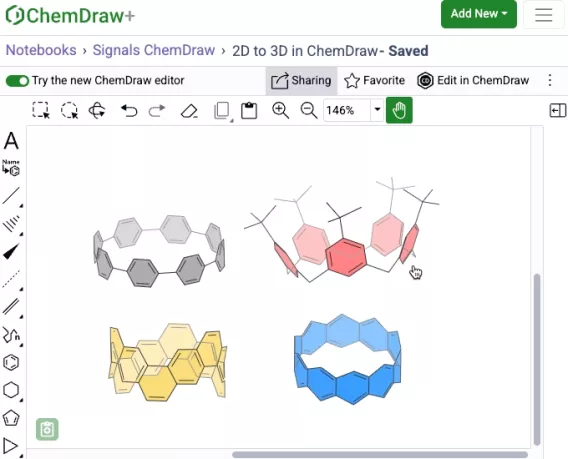
There have been significant improvements to how ChemDraw renders biopolymers to provide a clear and concise representation of complex sequences. These improvements include updates to the visualization and routing of crosslinks between sequences, as well as clean structural visualizations for all monomers that may be expanded to structures. This new capability is available in both the legacy and new ChemDraw editor in beta.

Chemists can now manually draw a hydrogen bond between complimentary strands of DNA/RNA that are generated via the HELM editor Text tab. The hydrogen bonding tool can be selected and used to place the appropriate hydrogen bonds between nucleobases according to Watson-Crick base pairing. This new capability is available in both the legacy and new ChemDraw editor in beta.

Complementary strands of any sequence length are now inserted onto the ChemDraw canvas from the HELM Text tab in a single horizontal line without line wrapping. The strands are aligned based on the complementarity of the base pairing. This new capability is available in both the legacy and new ChemDraw editor in beta.

Atom-mapped SMILES are now supported in ChemDraw when inserting HELM strings or pasting them to the canvas. Additionally, when generating a HELM string for a sequence that includes an unknown or in-line monomer, the resulting HELM string will now use atom-mapped SMILES. This replaces the previously used extended SMILES format. This new capability is available in both the legacy and new ChemDraw editor in beta.

Admin Defined Tables & Variation Tables

Publish Admin Defined Tables to Inventa is now available to all systems

Rows in Admin Defined Tables, and the Components view in Variation Tables, can now be reordered. Users can move a selected row up or down, or move to the top or bottom of the table. When reordered in the Components table, all the Variants will be similarly reordered. Any calculated columns where the value depends on the row order, such as using the rowOffset function, will be recalculated.

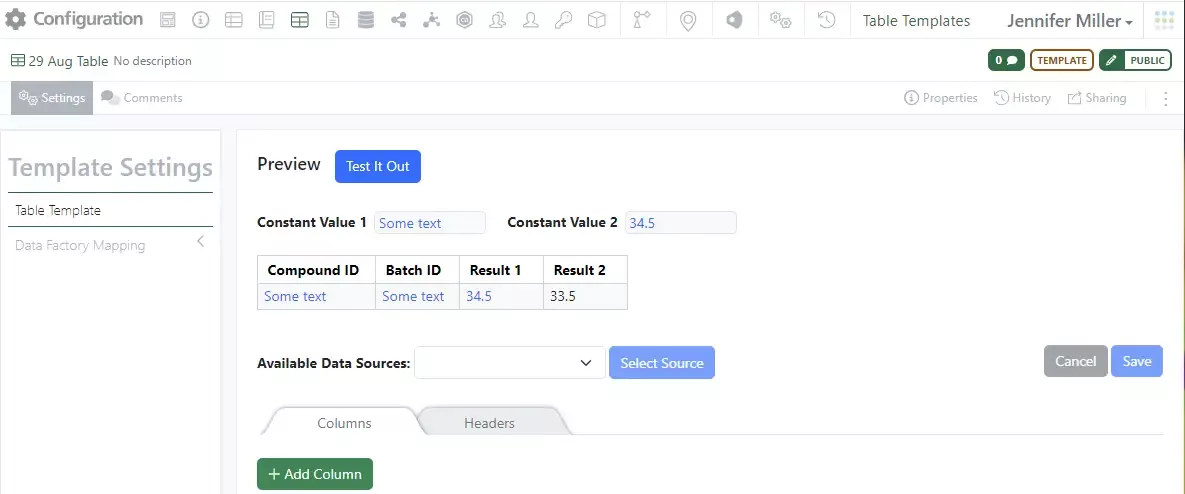
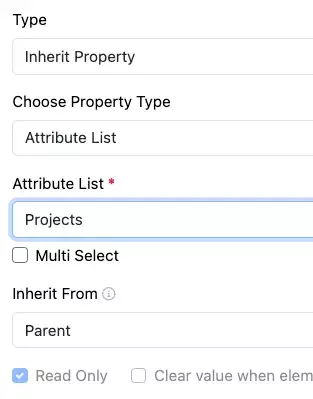
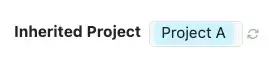
Headers in Admin Defined Tables and Variation Tables can be set to copy their values from the Name of the Experiment, or other object, that they are in. They can also be set to inherit the value(s) of an Attribute List from that Experiment.

The new Property Type “Inherit Property” can be added to Headers. The configuration Admin chooses if the property inherits a Name or values from an Attribute List, and if a list they define which Attribute List to inherit values from. Finally, the admin can choose between the “Parent” or “Ancestor”. The Parent and Ancestor are the immediate and highest level primary objects. In most cases these are both the Experiment. However, for the example of where the table is added to a Sample in an Experiment, the Parent is the Sample and the Ancestor is the Experiment.
The values are added into the Header at the time the Table is created. Should the value subsequently change, the experiment author is prompted to refresh the copied value.
 

Samples

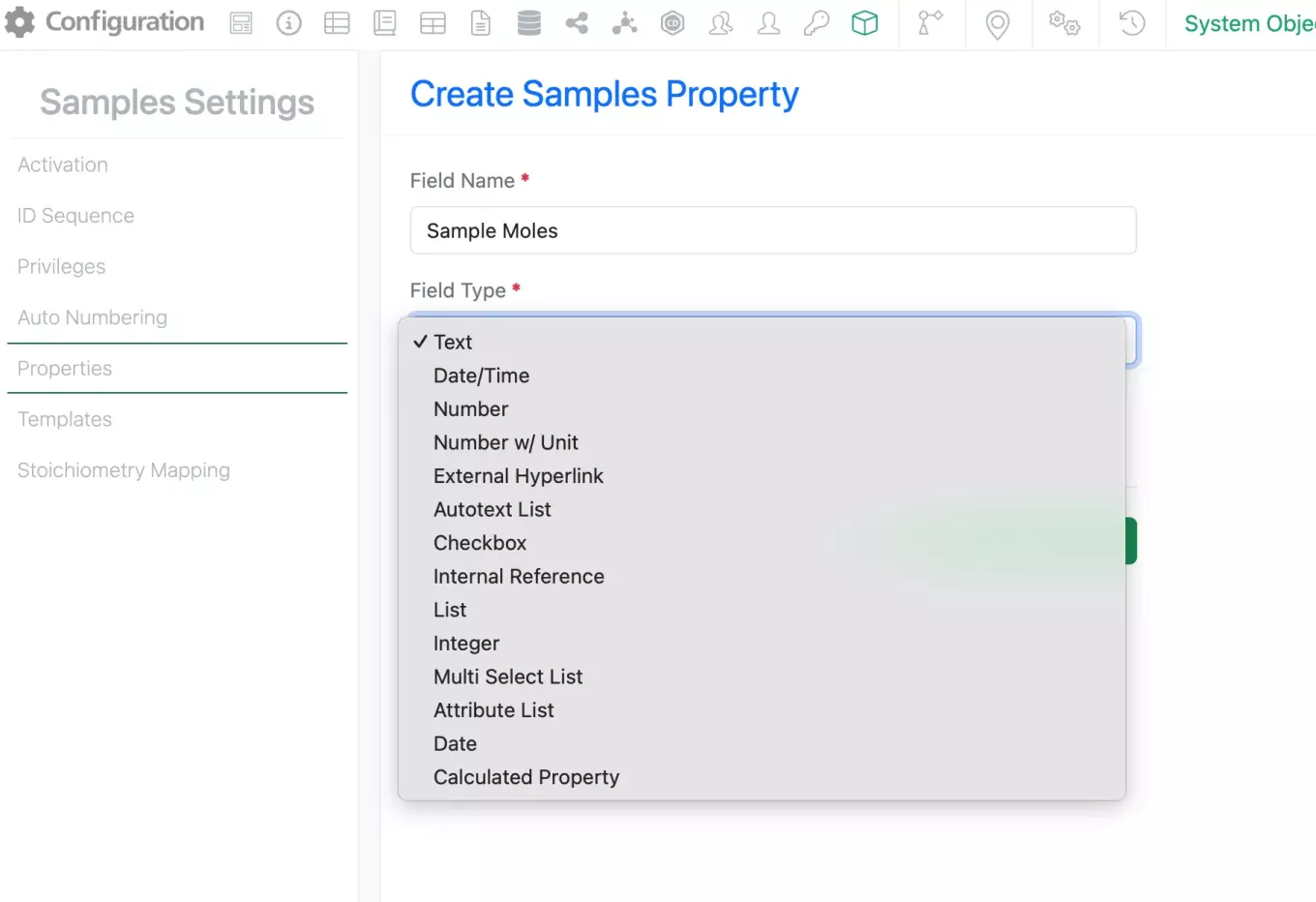
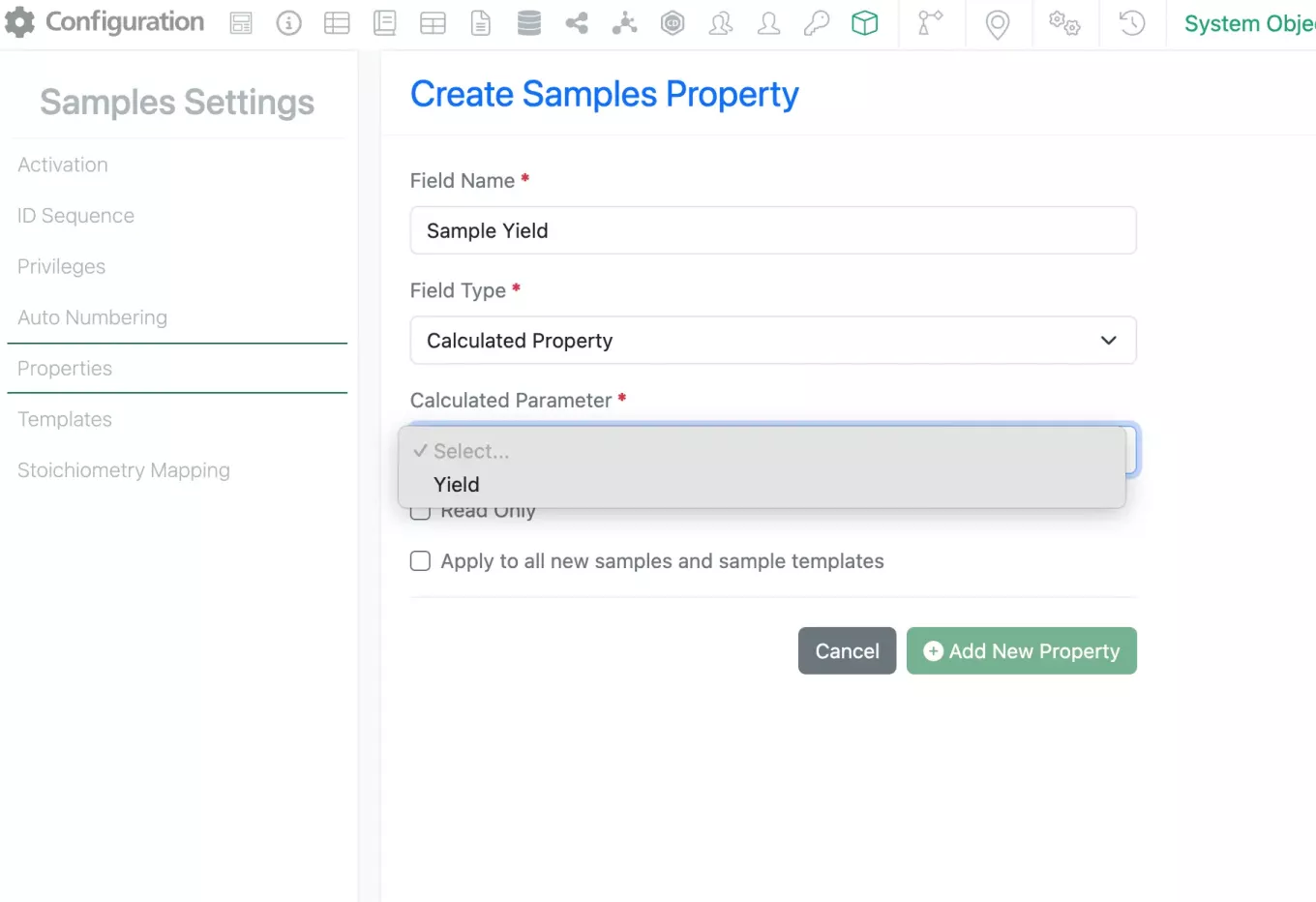
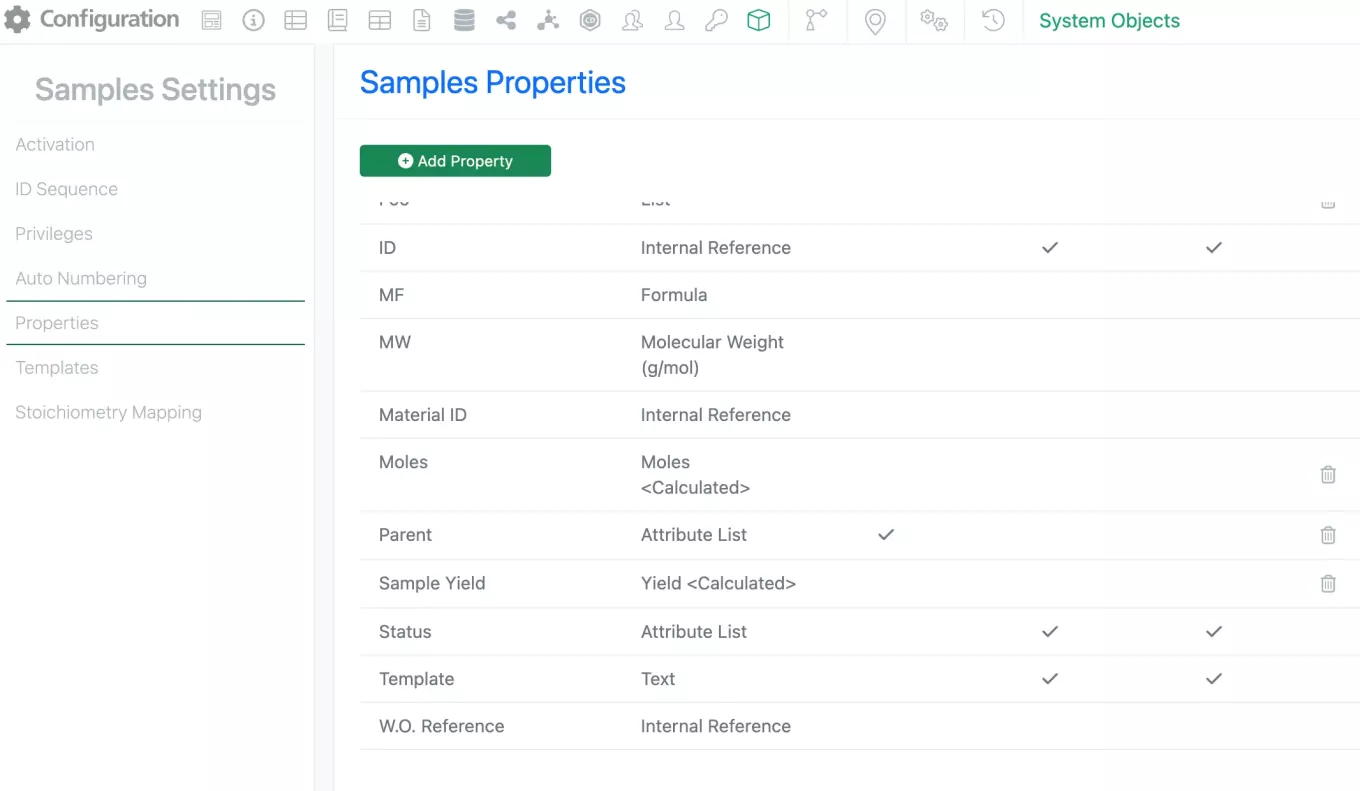
Admins can now add the Calculated fields Moles and Yield to Samples. To add these calculated fields the admin can select “Add Property” on the Sample settings and select the new Calculated Property Field type.

Once Calculated Property is selected as the field type, the available calculations will appear in the dropdown under “Calculated Parameter”. Currently the only options are Mole and Yield calculations (equations found below).

Moles (Sample) = Sample Amount (g)/Molecular Weight (g/mol)
Sample Yield (Sample) = Moles (Sample) / Theo Mol (Product)

Each of these calculated parameters can only be used once and duplicates are not allowed. The properties can then be added Sample templates just like any other property. 


Inventory

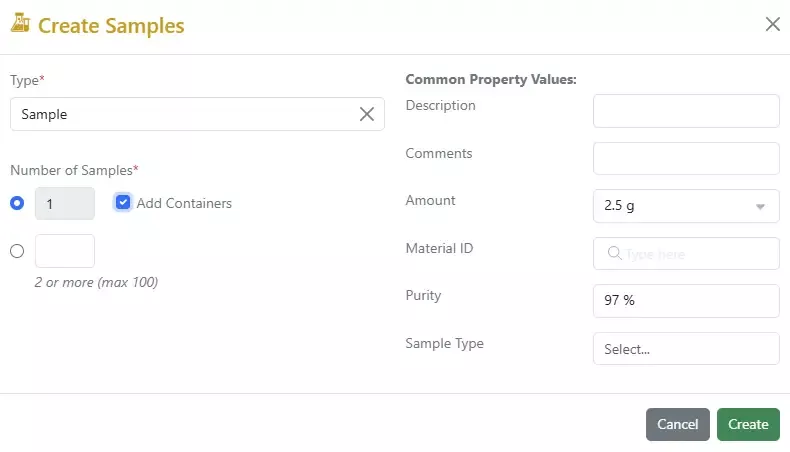
Enhancement to the Sample with Container creation workflow: When creating a new Sample, a check box is available to Add Containers at the same time. If the box is checked the container creation workflow will begin after the Sample information has been entered:

The Amount information from the Sample will be prefilled in the container:

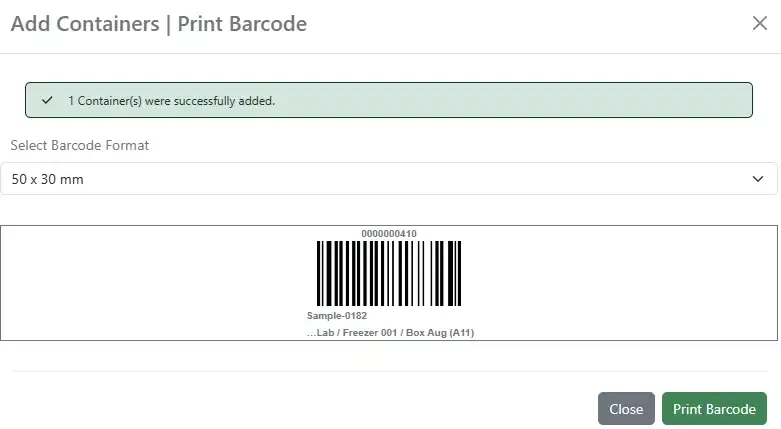
The workflow completes with the barcode printing screen:

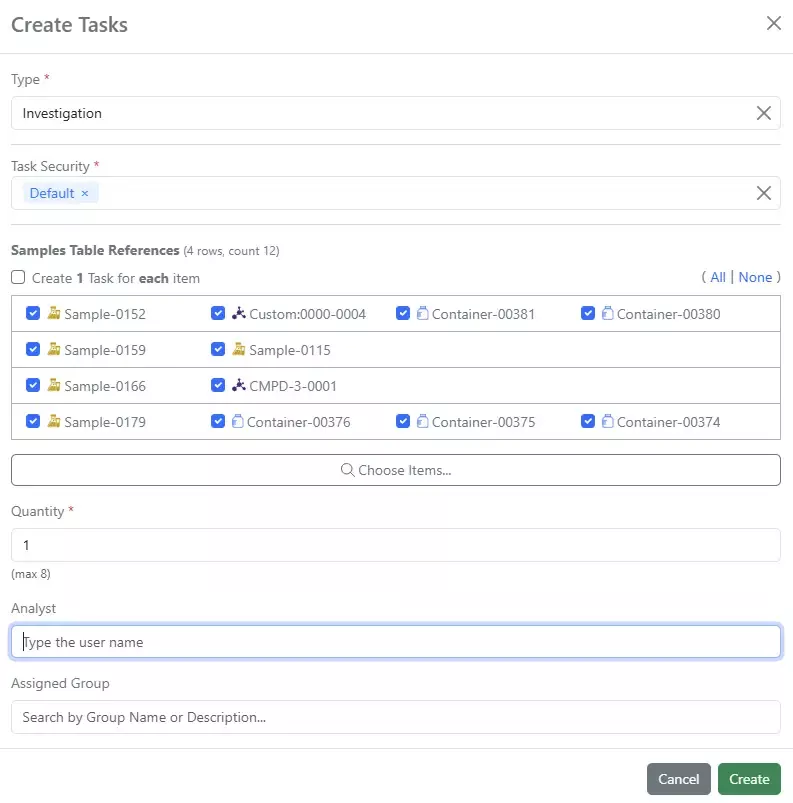
Update to Task request with Container, Sample and Material reference: When you have Containers, Material ID, and/or Sample IDs associated with a Sample in the Sample Table, they will appear in the bulk Task creation screen. All options will be checked by default:

When the tasks are created, all the references will appear grouped in 1 row:

If a task needs to be created for each reference individually, click the “Create 1 Task for each item” above the list.

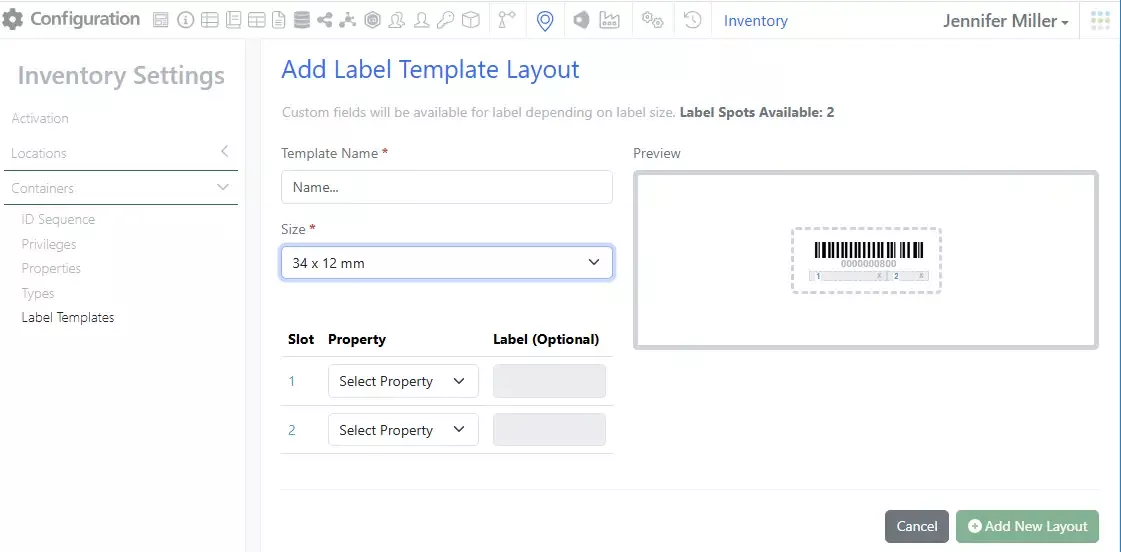
New 34 x 12mm Label Size for Containers:

Expanded text Search on Containers Search Table: The Enter text to search box has been expanded to return results for all text fields, including CAS. Number and Number with unit fields will not return results:

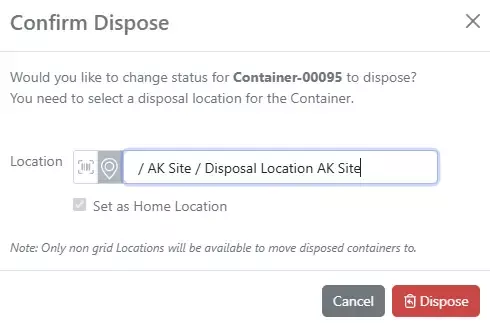
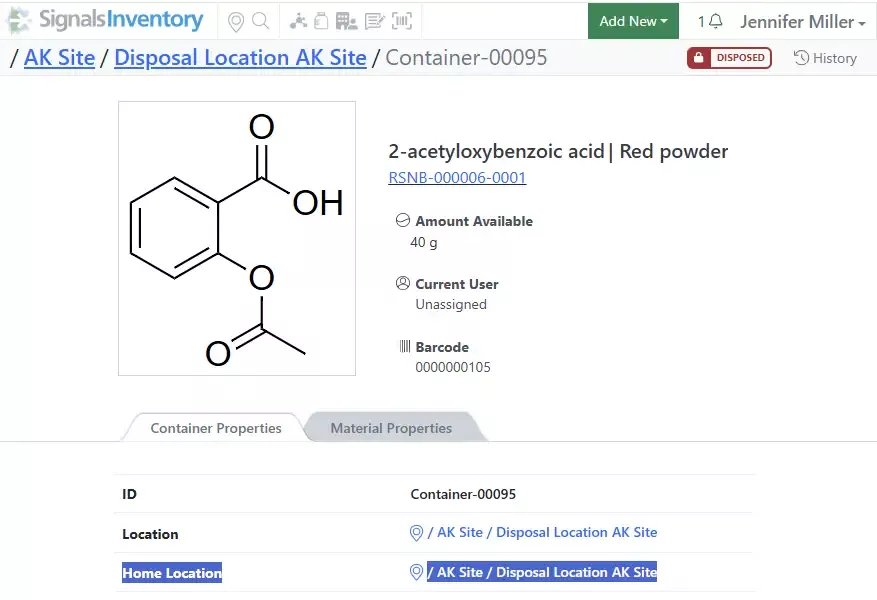
Update to Container Disposal process: When users dispose of a container, they are prompted to update the location of the container to a proper disposal location:

The Home Location will automatically be updated as well, this will free up any space in a gridded location when the disposal is completed.

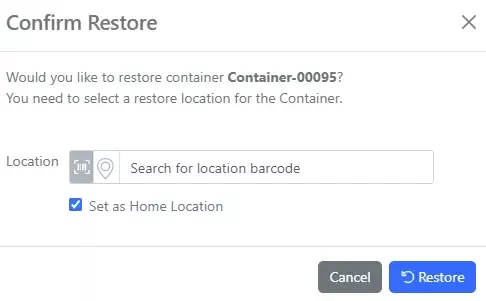
If the container is restored, a new location and Home Location will need to be selected:

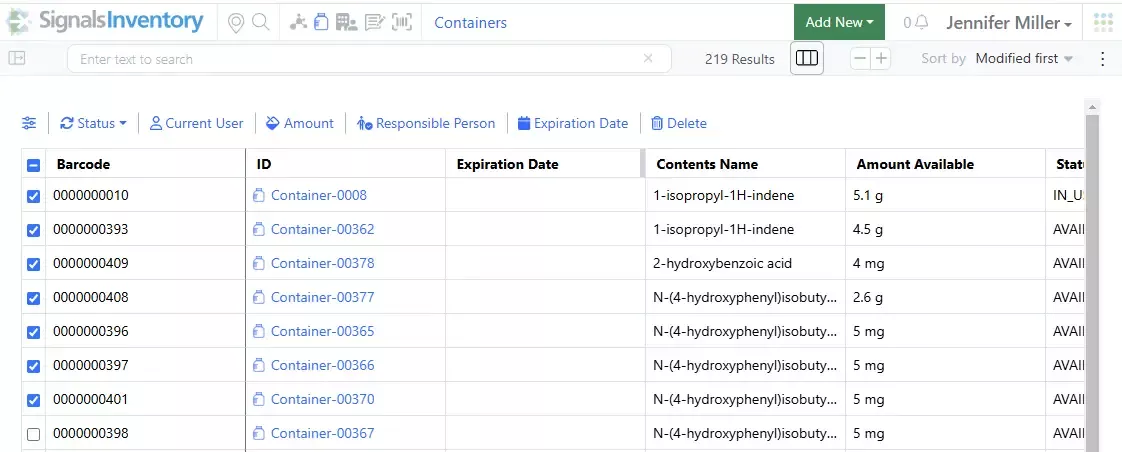
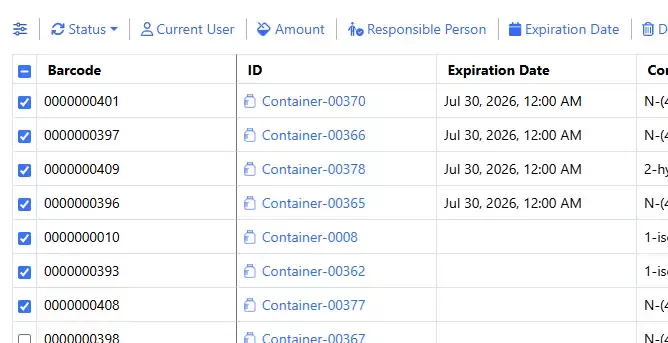
Bulk update Expiration Date on Containers from the Containers Search Table: Select containers to update, then select the Expiration Date option:

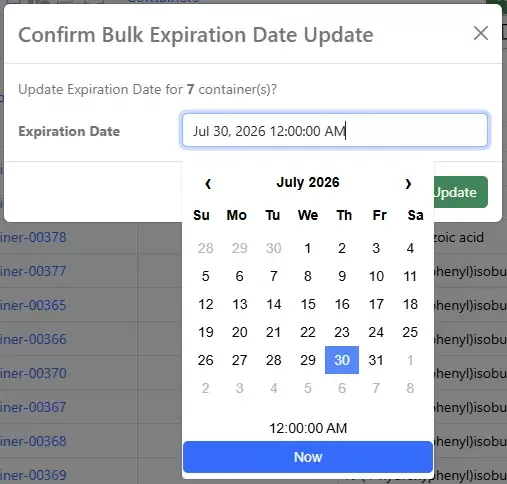
Select a new date for all the containers:

Container types that have the Expiration Date field will be updated. Container types that do not have the Expiration Date field will show as an error and will be found in the Inventory Bulk Report  Container Updates:

Materials

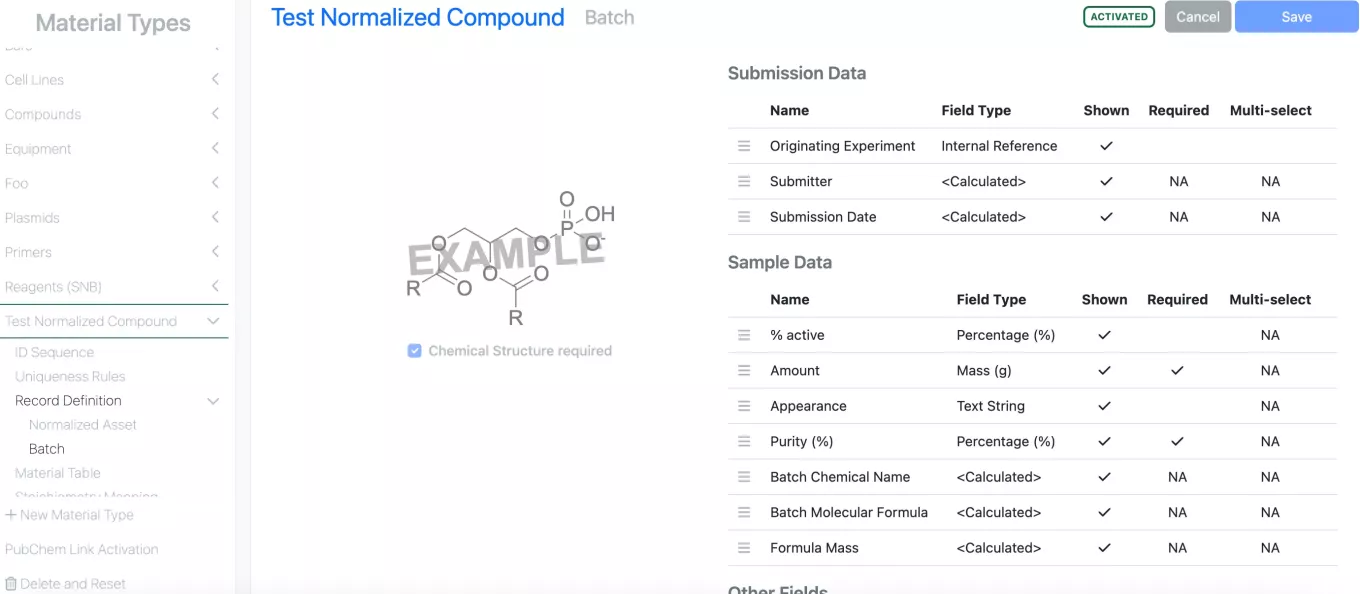
The Normalized Compounds Library type is now available to all tenants with its associated batch level chemical drawing and out of the box salt stripping on registration.

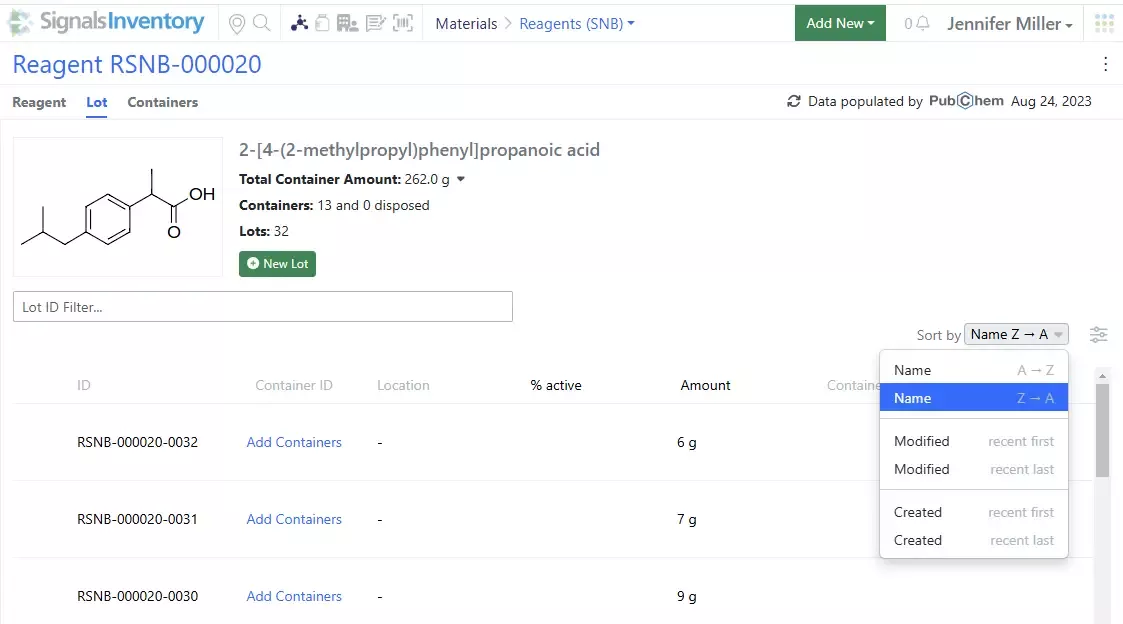
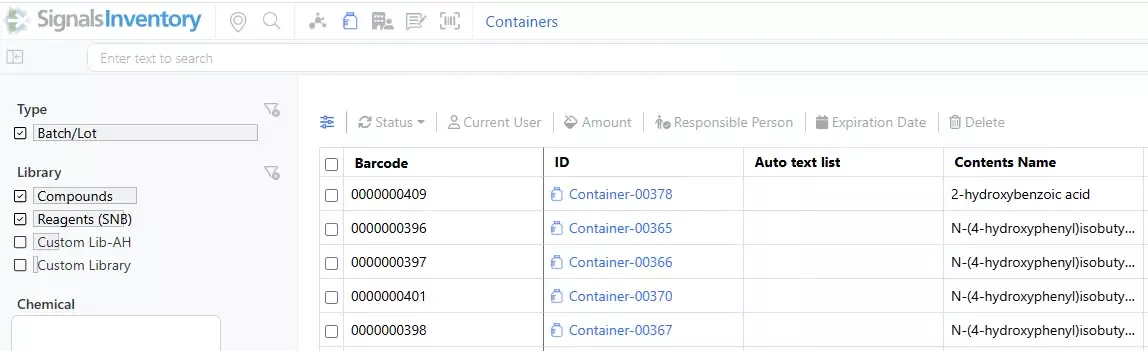
Additional sorting options added to the Batch/Lot page: User can now sort the Batches/Lots by Name, Modified or Created date:

Administration

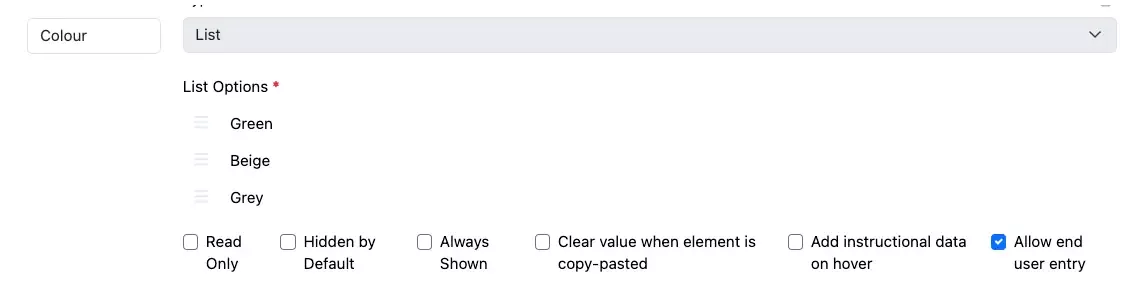
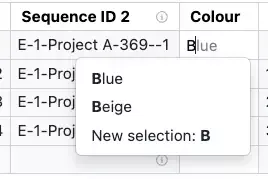
Administrators can now define that end users can enter their own values into List properties. If the setting “Allow end user entry” is selected end users can choose from predefined list values or enter their own value. This capability is enabled for Admin Defined Tables, Variation Tables, Worksheet and stoichiometry tables.

We have added Radioactivity and Molar Radioactivity as new Measures, available in properties of type Number with Unit.

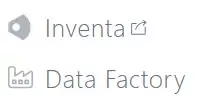
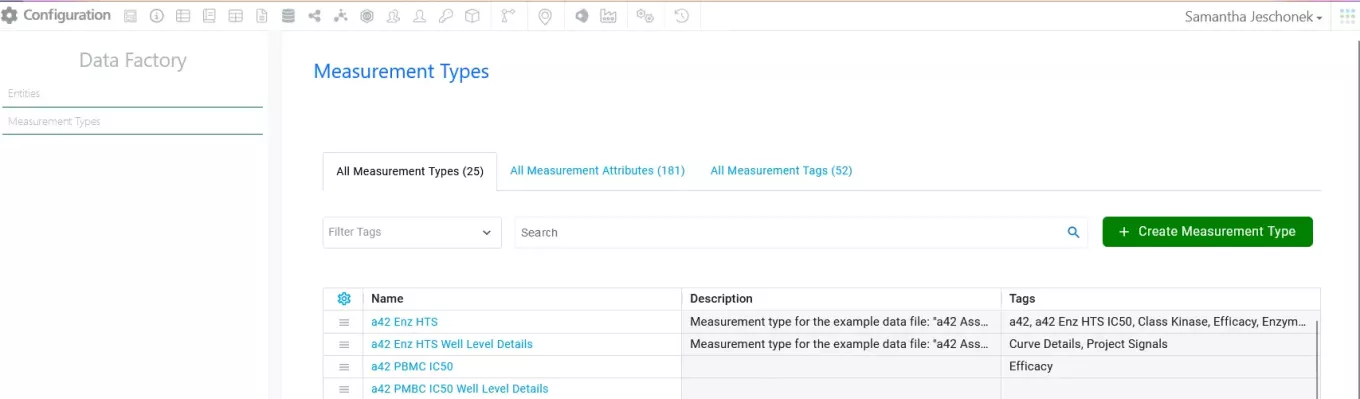
Administrators should note that the Information Design of Data Factory has moved locations to Signals Configuration.  The Data Factory icon will open the configuration for Entities, Measurement Types, and their corresponding Attributes.  SDF Project information will continue to be accessed from the Inventa icon. 

Administrators should note the character limit for workflow signing statements has been raised to 500 characters.

Integrations & APIs

This update brings our first set of endpoints for Synergy entity creation. Only sponsors have access to APIs and configuration of external sources.

The initial set of creation API endpoints is focused on creating Work Orders, adding Design Tables to Ideas, and adding rows to Design Tables.

Work Orders are created through the new POST endpoint /synergy/workOrder

Endpoints are available to fetch required details about CROs, collaborations, departments, and work type for Work Order creation in the previous released Synergy API endpoints.

New rows (Designs) can be added to existing Design Tables via the new PATCH /synergy/designTables/{designTableId}/rows endpoint. 

This is currently limited to adding new rows to a Design Table.

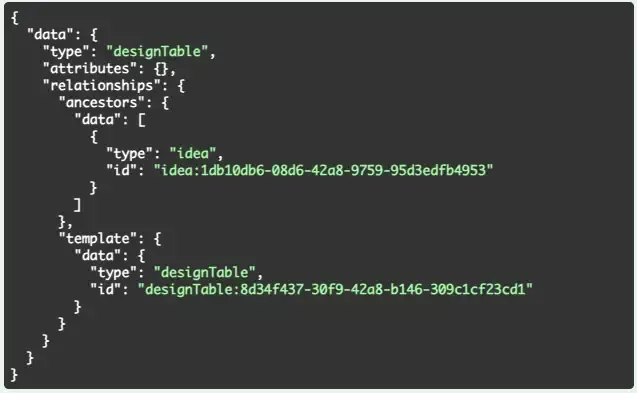
Design tables can be added to Idea’s via the POST /entities API with an appropriate request body.

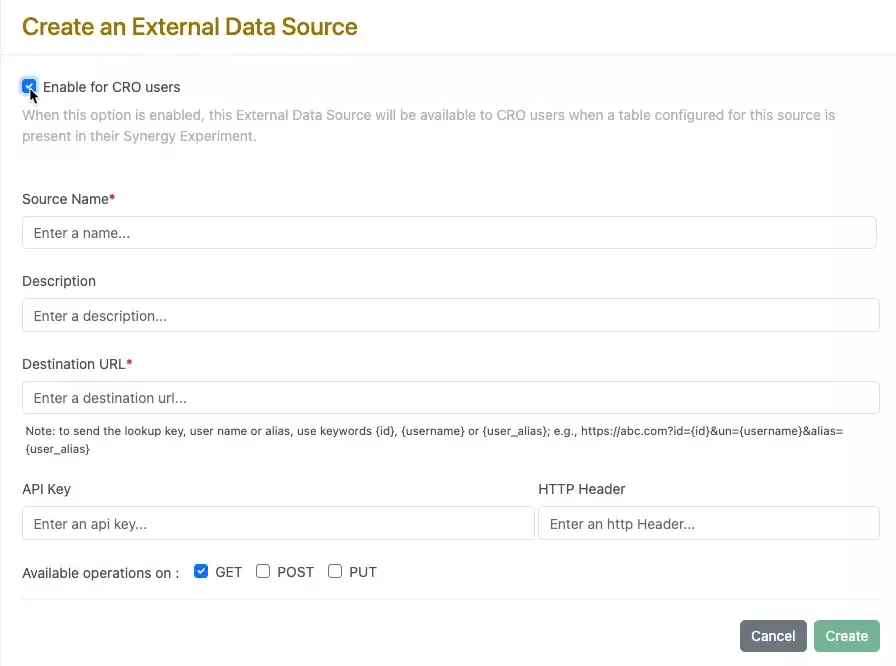
External Data Sources are now able to be enabled for CRO users. A new checkbox is available during external data source configuration. This can be used for external data sources, external list sources, and external chemical sources.

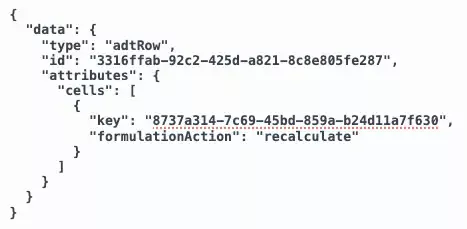
PATCH /adt/{eid}/{rowid} can now be used to update calculated values and maintain the value set until they are recalculated via the UI affordance or the API.

Read Only calculated columns are able to be updated via the API and will be unable to be recalculated via the UI but can be via the API.

Further Details 

The following capabilities are in beta and are available for users, administrators and developers on the Signals platform upon request. Please contact your account representative or our support team if you would like access to the following features.

Chemistry

A new ChemDraw editing experience is now available upon request. The new drawing experience provides a redesigned interface with a dynamic toolbar that adapts to the space available. As tools collapse to fit the view, they remain easily accessible through menus on the toolbar.

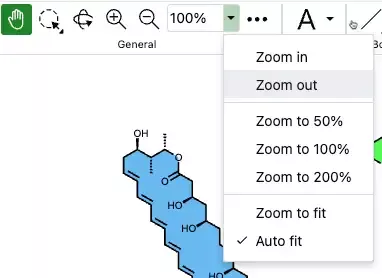
A new pan tool and adjustable zoom controls are available in the General tools of this editor.  Zoom now offers enhanced control options, including 'Zoom to fit', 'Auto fit', and custom percentages that users can manually input.

New rotate tools are available in the Transform section of the new toolbar. When used, these allow 180-degree rotation both horizontally and vertically, preserving molecular stereochemistry. This differs from flip tools, which mirror stereochemistry within a structure when used.

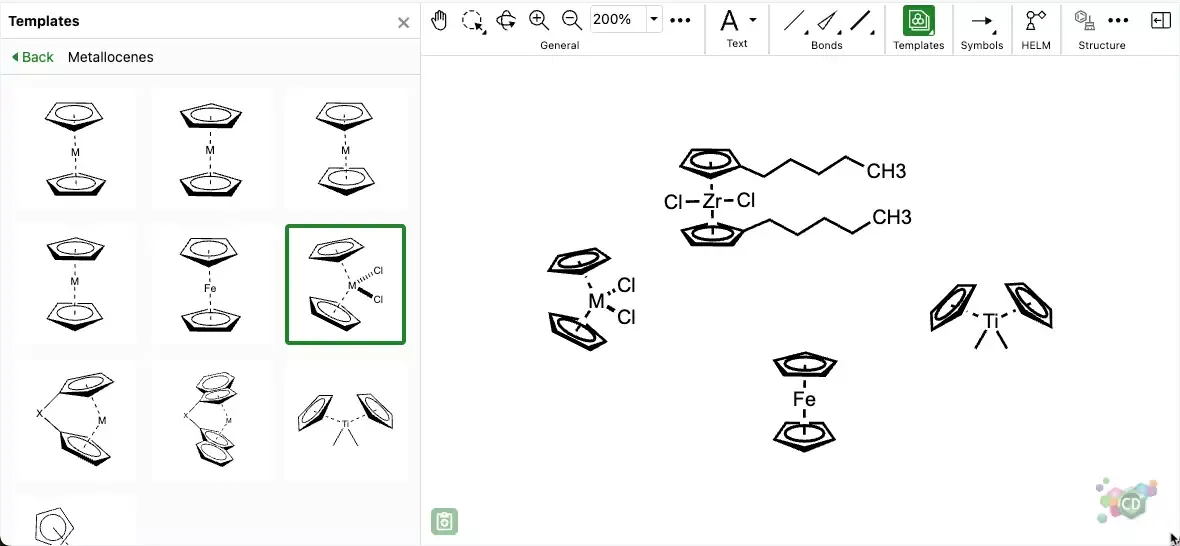
Templates have been redesigned and are now accessible via a tool that opens a resizable panel on the left side of the drawing canvas and provides users with a variety of different structures, graphics and bioart to use for drawing complex structures, reactions and figures.

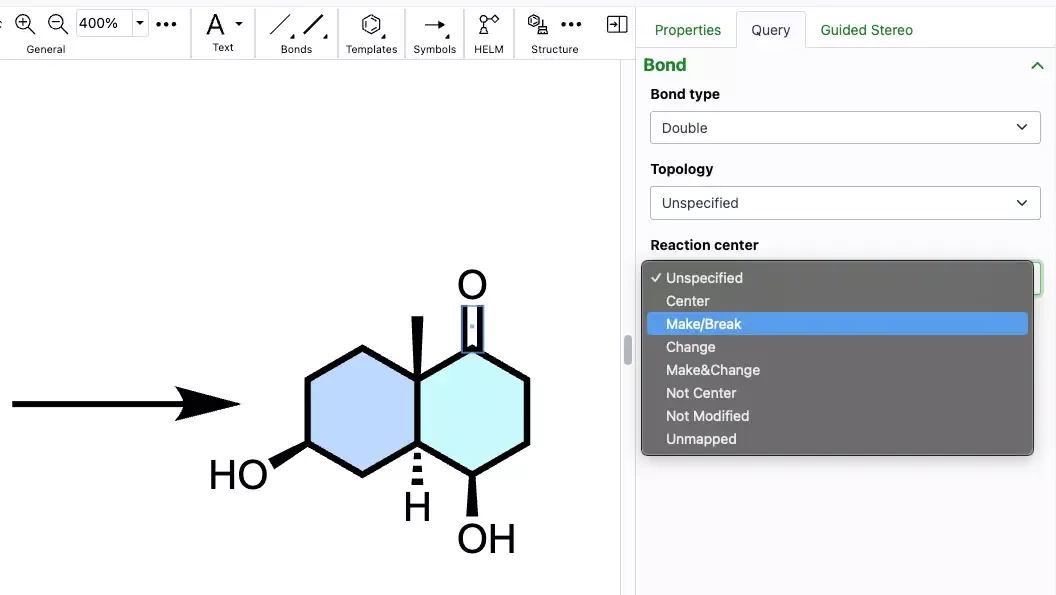
New collapsible and resizable ‘Properties’, ‘Query’ and ‘Guided Stereo’ panels are available in the new ChemDraw editing experience on the right side of the editing canvas.

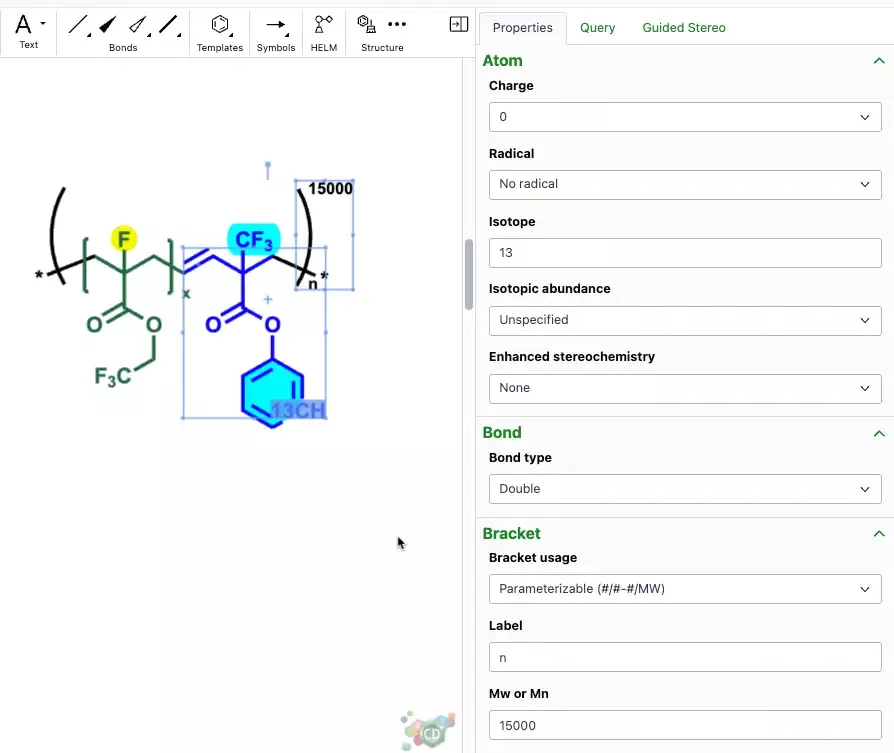
Users can view and modify atom, bond, bracket and biopolymer properties in the ‘Properties’ panel. The properties are context based according to the selection made on the canvas and any changes or updates made in the panel are captured in real time.

A biopolymer section in the Properties panel will allow the addition of sense & antisense annotations to an oligonucleotide in the new ChemDraw editor. When an annotation is applied, a label will be added to the oligonucleotide on the canvas. The annotation will also be included in the generated HELM string for that biopolymer. 

Additional atom and bond parameters are available for the purpose of setting up a search in the ‘Query’ panel, which is also context based according to the selection made on the canvas.

Materials

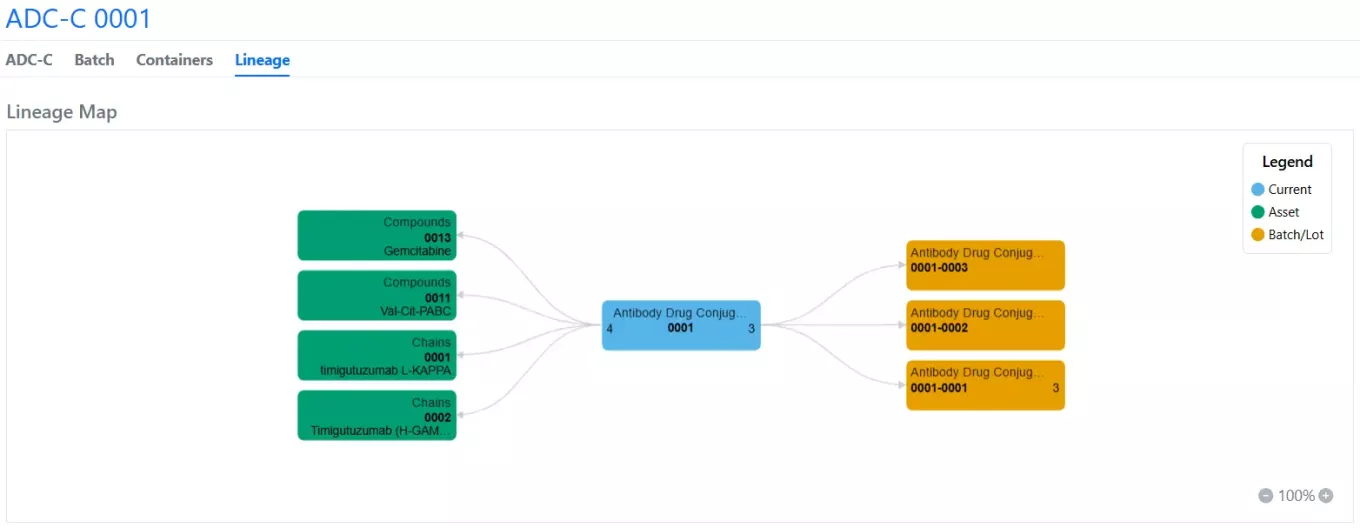
A new materials library feature called “Material Lineage Visualization” is available upon request. With it, lineage-parent relationships and batches are displayed in a new “Lineage” tab to allow end-users to explore relationships visually.

Parent objects are displayed to the left of a root node (the current Asset), and child objects and batches are displayed to the right. Options are available to expand more nodes on the graph (Expand Lineage), expand multiple generations of relationships (Expand Levels), select specific nodes for display, collapse or hide nodes, change the root node to a different entity (Mark as Current), and navigate to a specific entity in a new tab (View Entity).

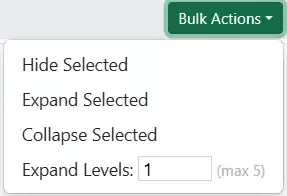
Bulk actions for multiple nodes are also available in the Actions menu under “Select Lineage Nodes.”

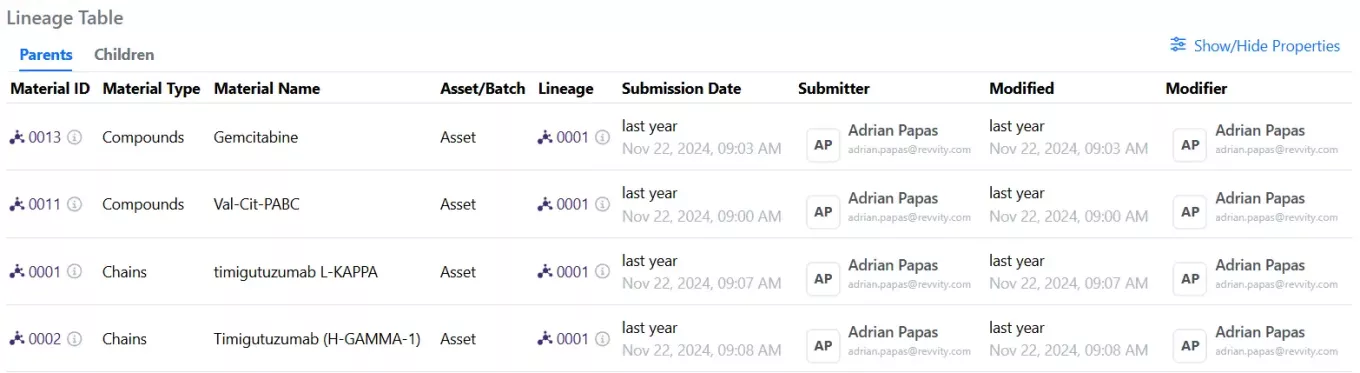
A table summary of all parent/child objects is also provided with editable columns via the Show/Hide Properties function.

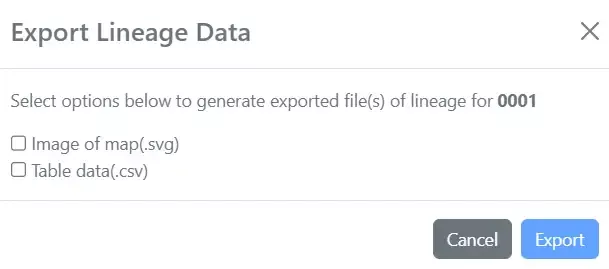
An image of the map and the table data can be exported out in the Actions menu under “Export Lineage Data.”